Ask AI can do more than answer questions inside Aesthetix CRM. With the LeadConnector Chrome extension installed, Ask AI can open webpages, click, type, scroll, and complete supported browser tasks for you, right from your Chrome browser. This is the same browser automation tool used across the platform, and it keeps the LeadConnector name because it is a shared Chrome Web Store listing that cannot be rebranded.
You will find Ask AI from the left menu of your account. The extension itself lives in the Chrome Web Store and installs like any other Chrome extension.
You can install the extension directly from the Chrome Web Store listing, or you can trigger the install prompt from inside Ask AI the first time you ask it to do something in your browser.
Navigate to Ask AI from the left menu.
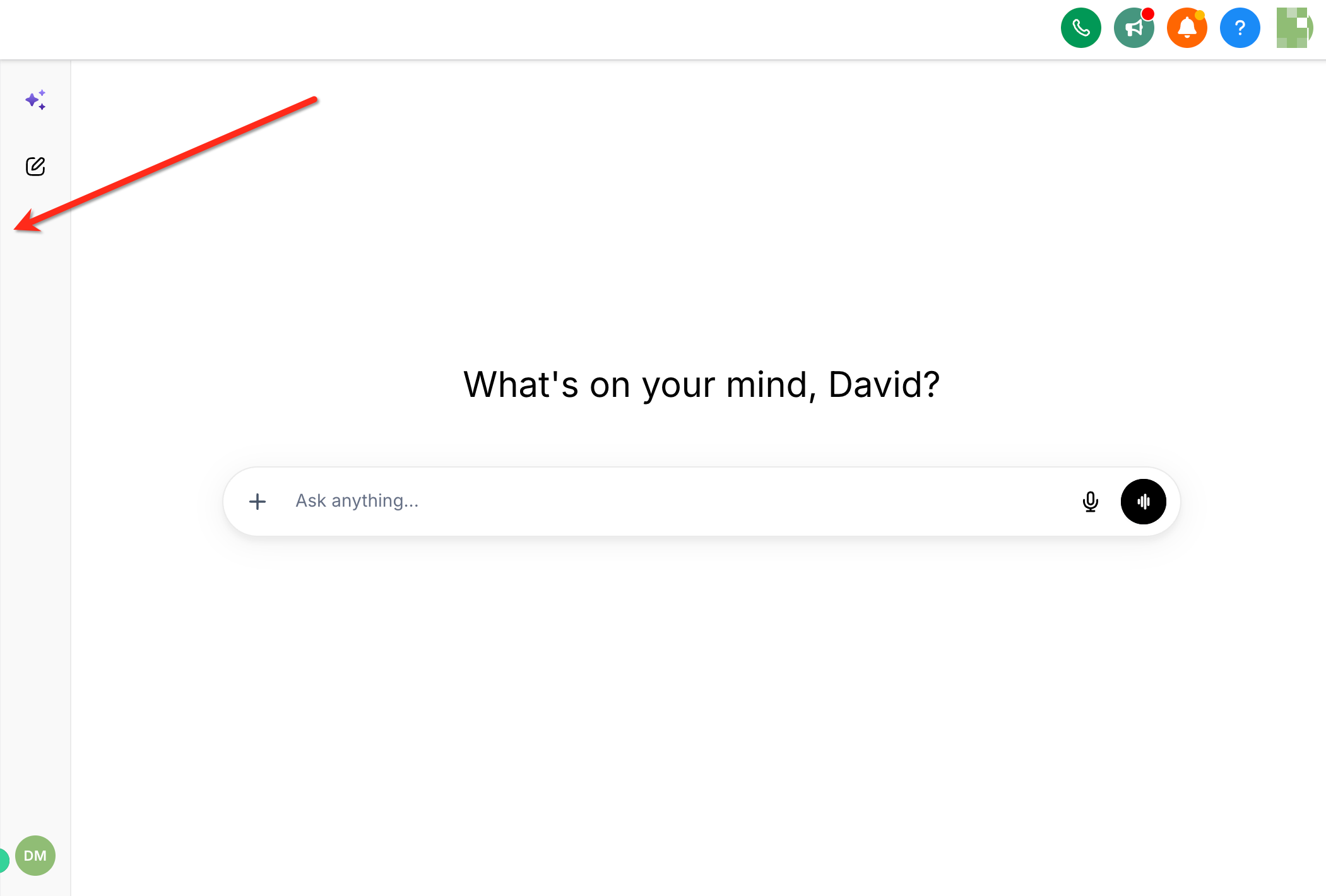
Enter a request that requires browser interaction, something Ask AI cannot complete just by reading or writing text.
For example, you might ask it to open a scheduling page and fill in a form, or pull information from a website your practice references often.
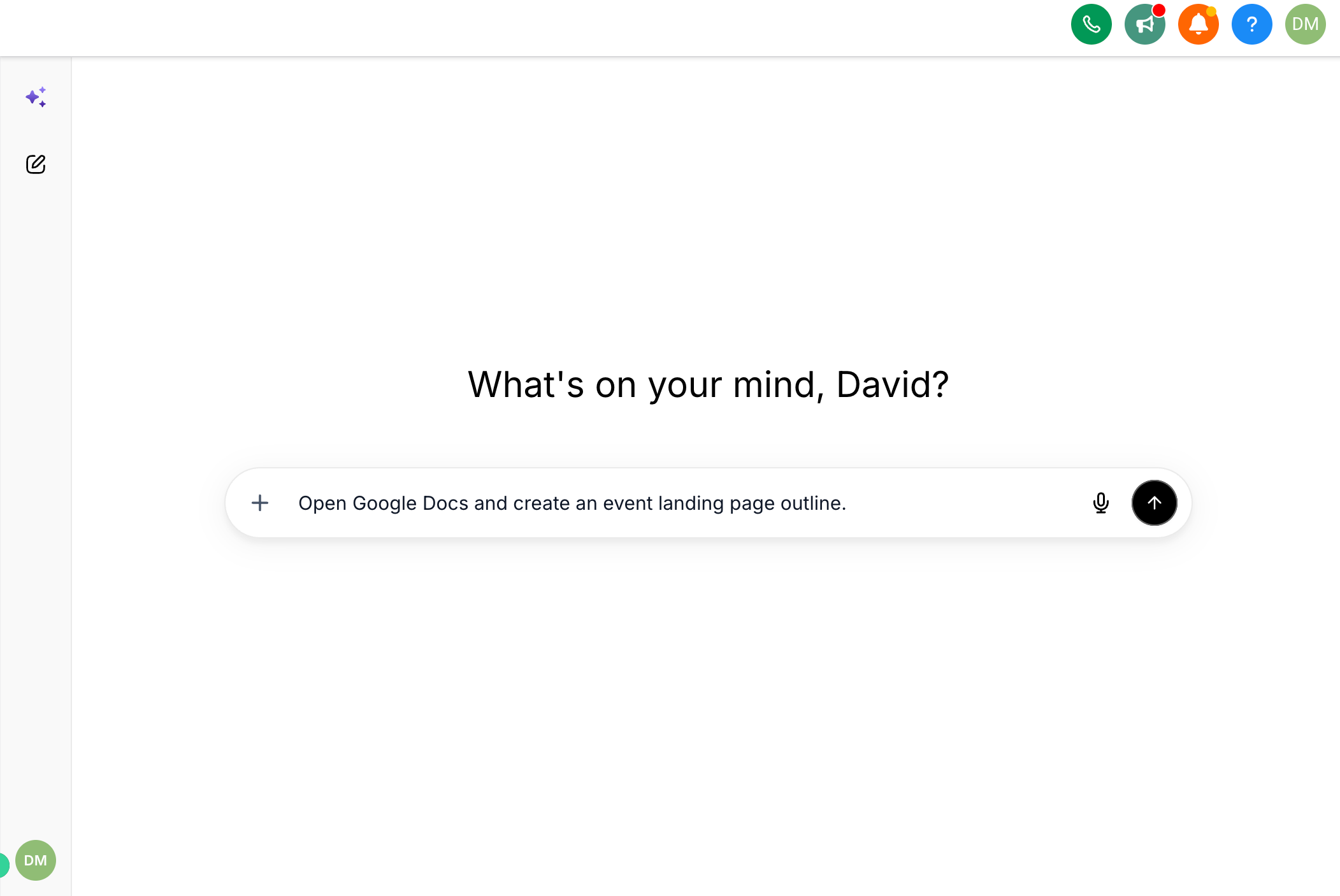
Select Install when Ask AI prompts you to install the browser extension. You will be redirected to the LeadConnector – Ask AI listing in the Chrome Web Store.
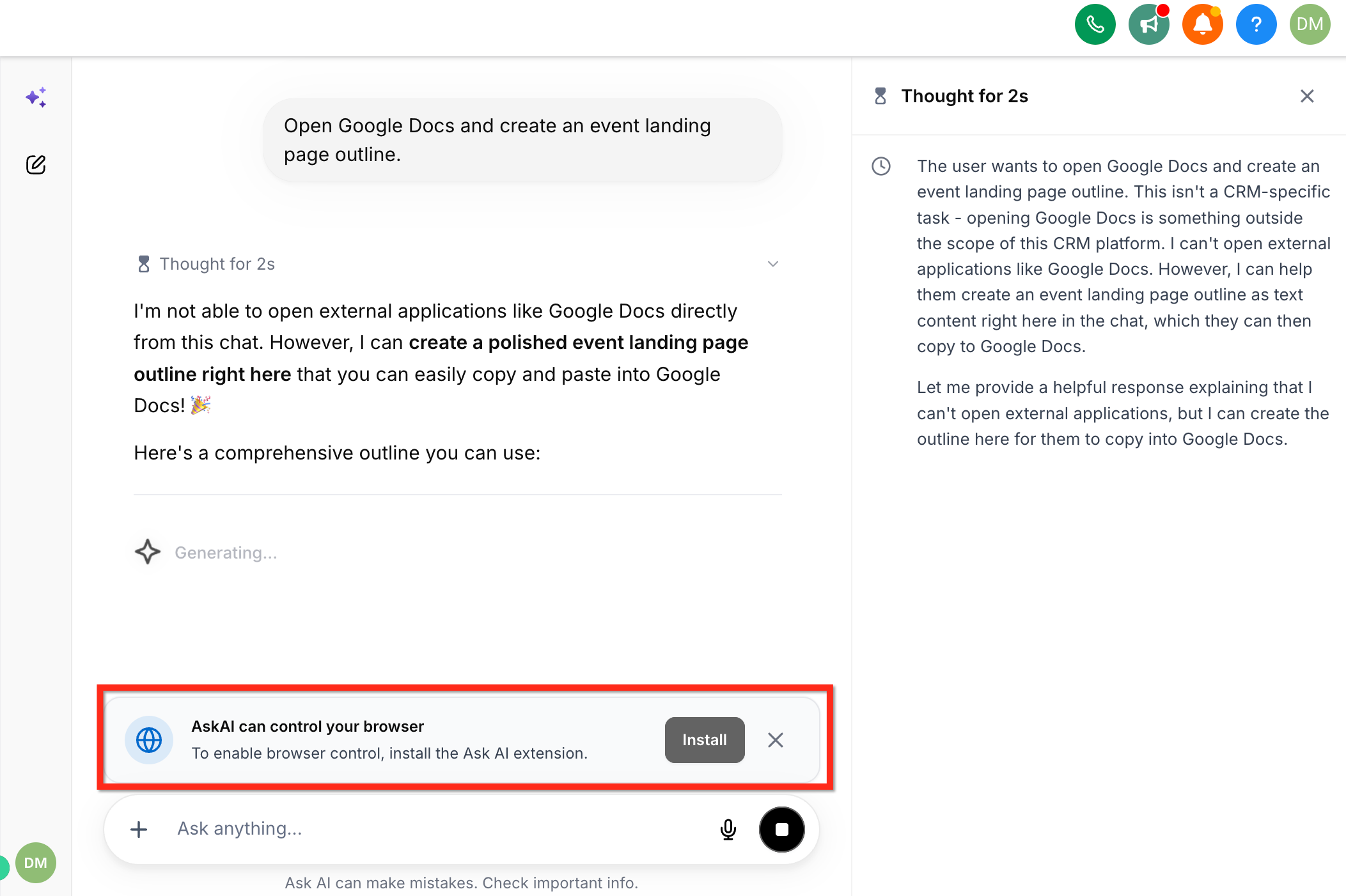
On the Chrome Web Store page, select Add to Chrome.
Review the extension permissions, then select Add extension.
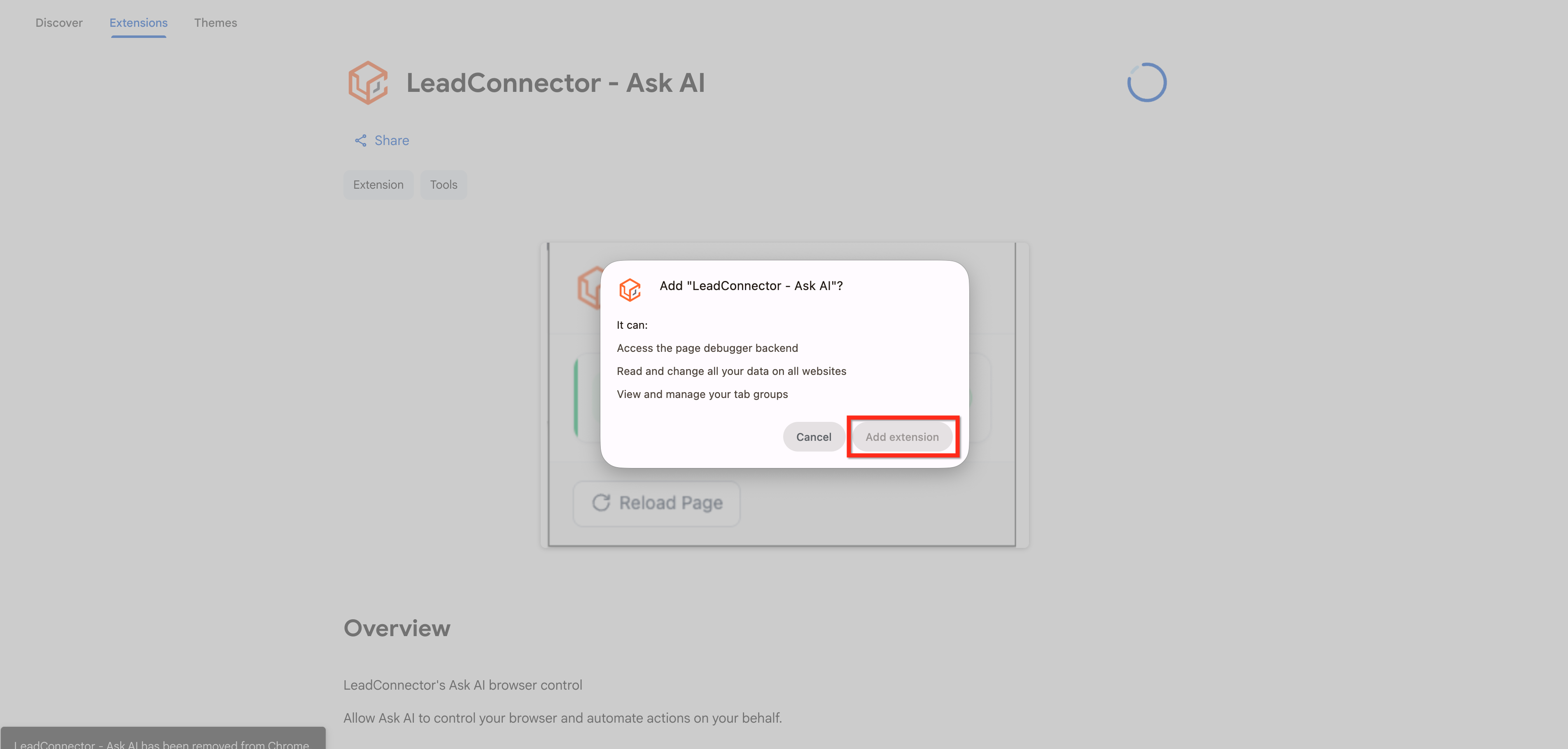
If you prefer to skip the in-app prompt, you can go straight to the listing and install it from there: LeadConnector – Ask AI listing in the Chrome Web Store. Select Add to Chrome, review the permissions, and select Add extension to finish.
Once installed, Ask AI can carry out browser-based steps you describe in plain language, such as opening a specific webpage, clicking buttons or links, typing into fields, and scrolling through a page to find information. This is useful for research tasks, filling in third-party forms, or walking through a multi-step process on a site outside Aesthetix CRM without you having to do it click by click.
The extension only acts within your own Chrome browser and only when you ask it to. It does not run in the background without a request from you.
Why does the extension say "LeadConnector" instead of Aesthetix CRM? The Chrome Web Store listing is a shared browser extension used across the platform, so it keeps its original LeadConnector name. This is expected and does not affect how Ask AI works inside your Aesthetix CRM account.
Do I need to install this extension to use Ask AI? No. Ask AI works without it for tasks that do not require browser interaction, such as answering questions or drafting text. The extension is only needed when you ask Ask AI to open or interact with a webpage on your behalf.
Which browsers support the extension? The extension is built for Google Chrome and installs through the Chrome Web Store. If your team uses a different browser, the browser-interaction features of Ask AI will not be available.
Is it safe to grant the extension permissions? The permissions requested during install allow the extension to read and interact with webpages so it can complete the tasks you request. Review the permissions listed on the Chrome Web Store page before selecting Add extension, the same as you would for any browser extension.
Can I use this on a shared or front-desk computer? Yes, as long as the person using Ask AI is logged into your Aesthetix CRM account in that Chrome browser. The extension performs actions in that browser session, so avoid leaving requests running on a device other staff members are actively using.
What happens if I skip the install prompt in Ask AI? Ask AI will let you know it cannot complete browser-based requests until the extension is installed. You can dismiss the prompt and install it later using either method above.
Can I uninstall the extension later? Yes. You can remove it at any time through Chrome's extension manager, the same as any other Chrome extension. Ask AI will simply lose the ability to complete browser-based tasks until it is reinstalled.
Does this extension have access to patient information? The extension interacts with whatever webpage you direct Ask AI to, so avoid pointing it at pages containing patient health information unless that use is appropriate for your practice's compliance policies. Treat it the same as you would any browser tool touching PHI.
Will this extension change or replace features already in my account? No. It only adds browser automation capability to Ask AI. Every other feature in Aesthetix CRM works the same whether or not the extension is installed.
Who can install the extension? Anyone on your team with access to Ask AI and permission to install Chrome extensions on their device can install it. Your IT policies or device management settings may restrict extension installs on some computers.
