Courses let your practice sell or gift educational content, such as pre-treatment prep guides, post-op care programs, or skincare masterclasses, directly to patients and prospects. You build and manage courses under Memberships > Courses in Aesthetix CRM. This guide walks you through the full quickstart: create the course, package it into an offer, and share it so people can enroll.
Before you start, make sure you have your course content ready (videos, lessons, PDFs, quizzes, and so on), a thumbnail image if you want one, and, if you're charging for the course, a connected payment provider and a clear price in mind.
Navigate to Memberships > Courses > Products.
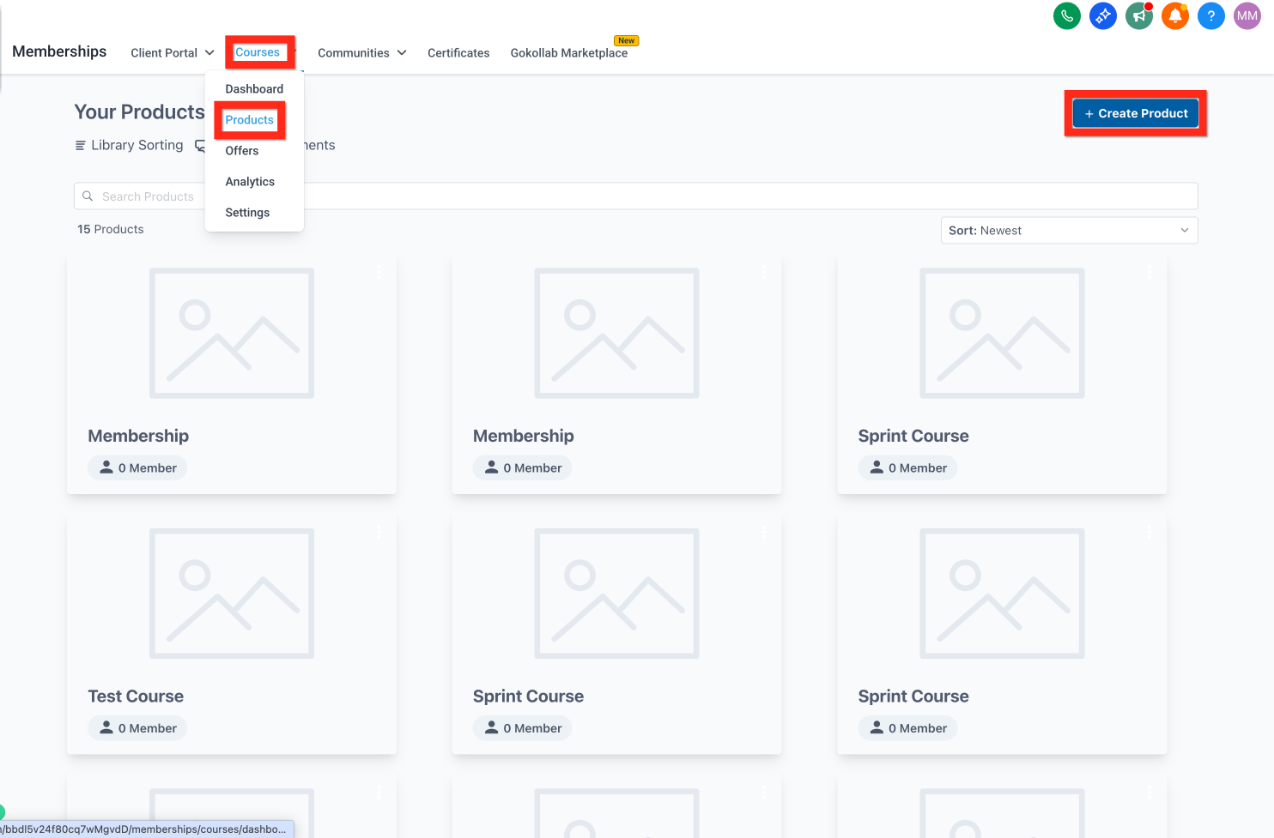
Click Create Product > Start from Scratch.
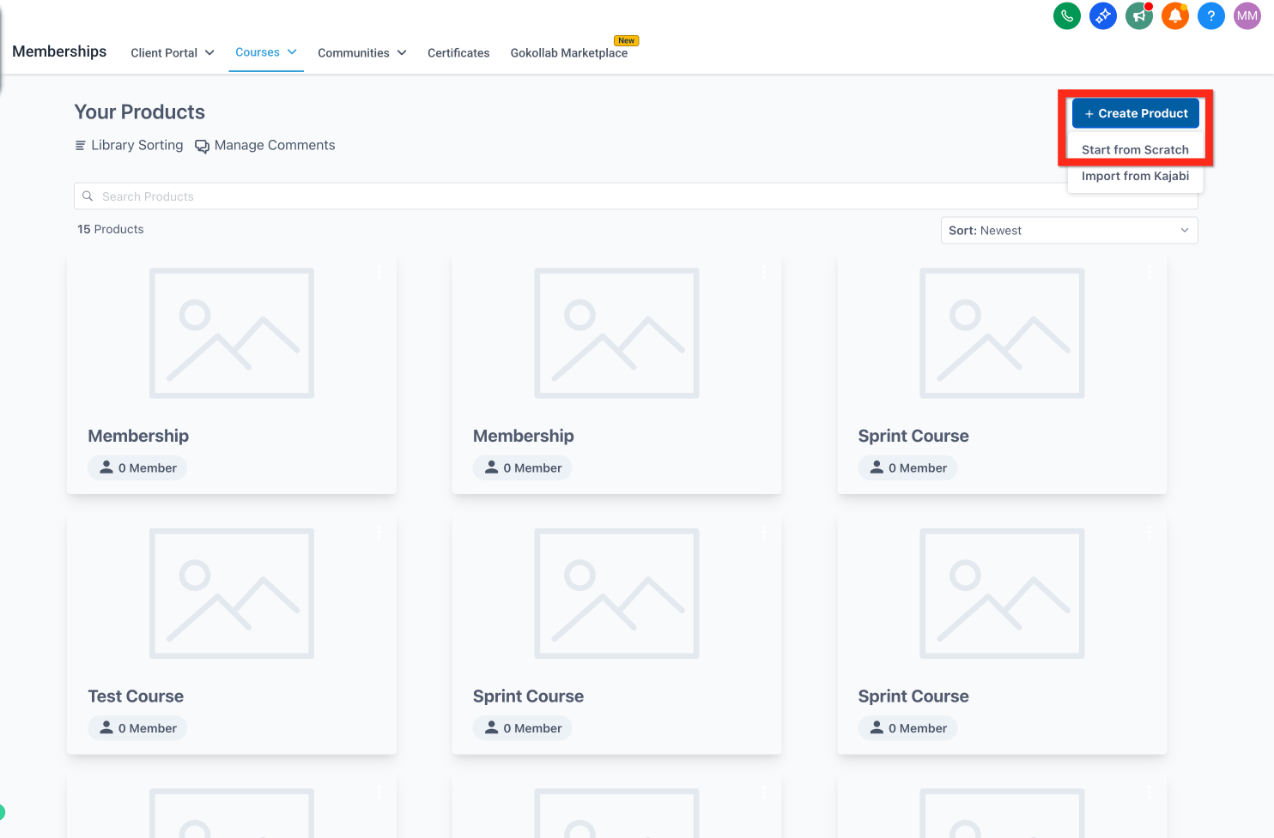
Give your course a memorable name that patients will recognize (for example, "Pre-Op Prep: What to Expect Before Your Procedure"). If you're offering the course as a paid product, add a thumbnail image here too, it's optional but makes the course easier for patients to recognize in a catalog or offer link.
Click Start Building and pick the format that fits your content:
Sprint Course: quick and concise, good for a short prep or aftercare series.
Marathon Course: long-form and comprehensive, suited to a full training or certification-style program.
Membership: recurring content that unlocks over time, useful for an ongoing patient wellness or loyalty program.
Build your own: a completely custom structure.
Give your course a memorable name that patients will recognize (for example, "Pre-Op Prep: What to Expect Before Your Procedure").
Click Create Product.
Build out your lessons from scratch, or start from a template and edit it to match your practice's voice and branding.
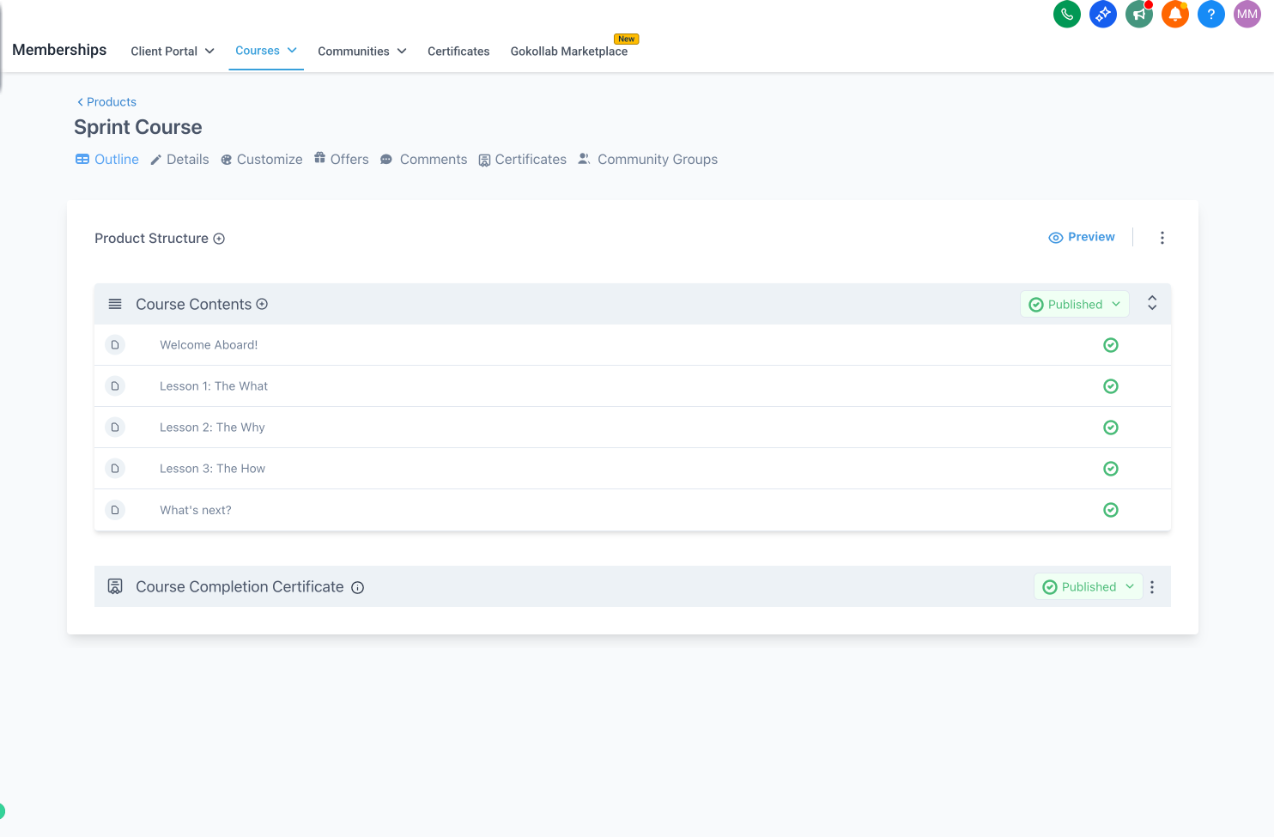
Videos you upload to a lesson have a size limit of 4GB.
Click Save.
The course editor opens in a large workspace so you can build content quickly. A left panel shows your full course structure (modules, lessons, quizzes, and assignments), the main area shows whatever item you've selected, and breadcrumbs at the top keep you oriented as you move between sections. Click any lesson or quiz in the left panel to open it, drag and drop items there to reorder them, and expand or collapse a module when you want to focus on just that section.
If a lesson includes a knowledge check, you can build it with Quiz Builder and attach it to the course. Any automation you want to trigger from course activity (enrollment, lesson completion, offer purchase) is built in Workflows using the course and membership triggers there, rather than inside the course editor itself. If your course includes a community or discussion space for members, that conversation runs through the Chat Widget rather than a separate messaging tool.
An offer is how you package a course for sale (or as a free gift) and set the price patients see at checkout.
Navigate to Memberships > Courses > Offers.
Click Create Offer.
Fill in the offer details so patients understand exactly what they're getting.
Assign the course product you just built to the offer.
Set your price.
Before you set a price, make sure a payment provider is connected so the offer can actually charge patients. We recommend AX Pay, Aesthetix CRM's built-in payment provider, which offers better rates than Stripe. See the AX Pay help article to get it connected, or review the Payments collection for other supported providers.
Click Create.
Switch the offer from Draft to Published, then click Save. You can also toggle an offer between draft and published directly from the offers list at any time.
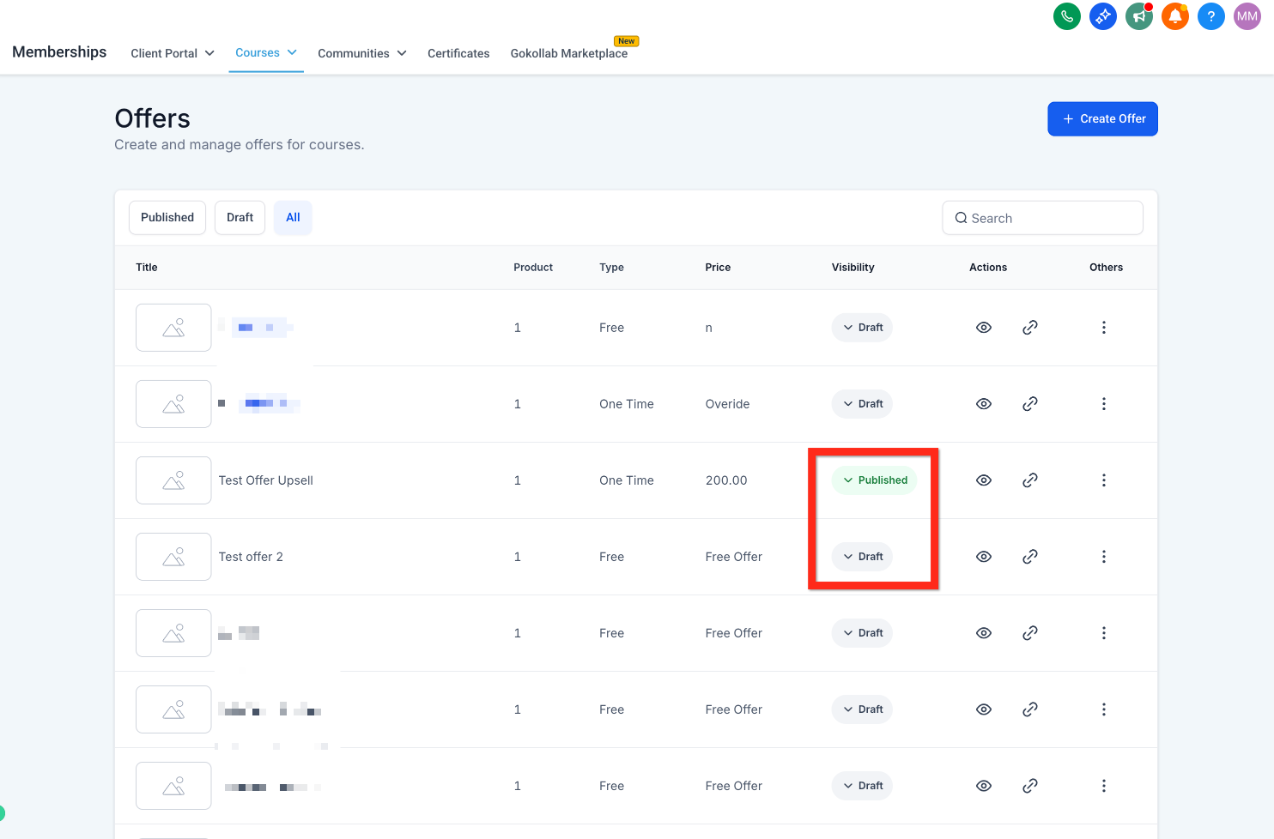
Once your offer is live, consider bundling it with other offers or adding a discount code to encourage more sign-ups.
Navigate back to Memberships > Courses > Offers.
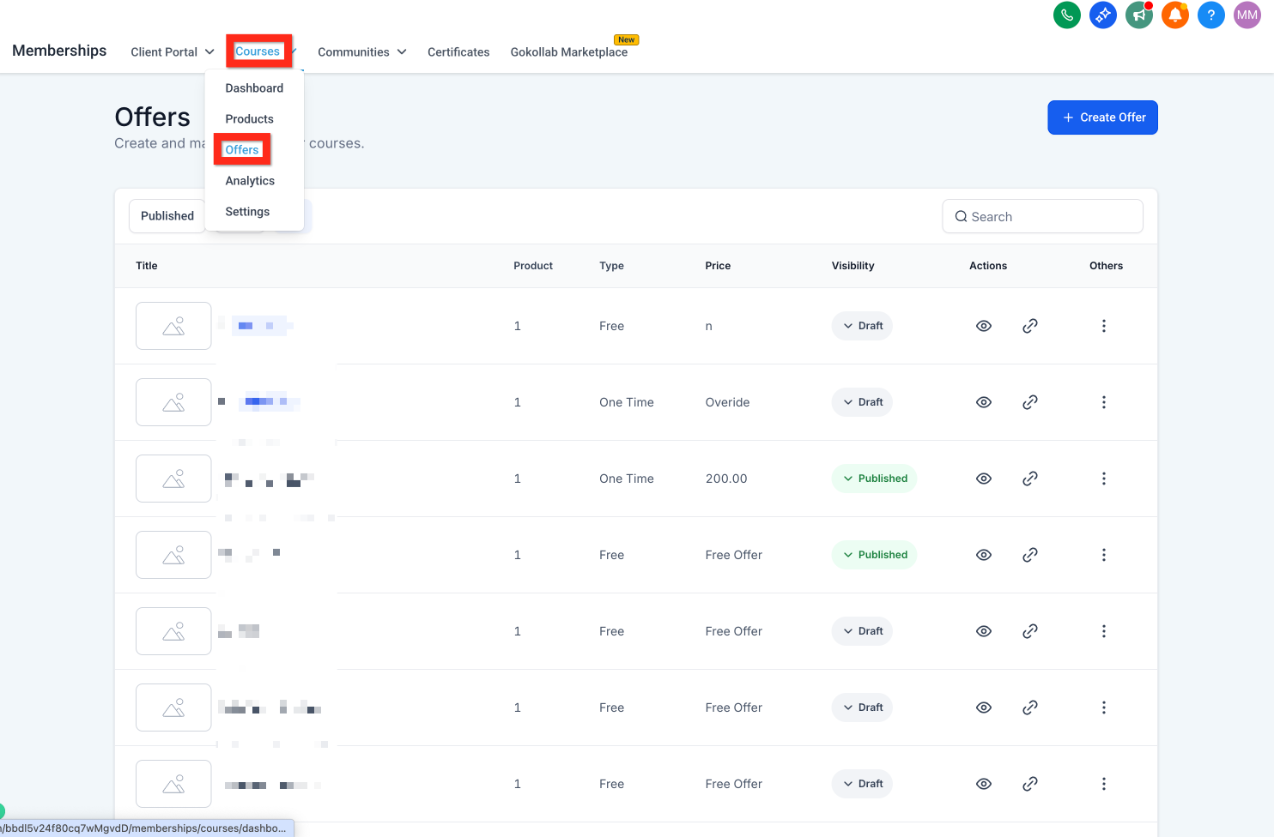
Click the link icon next to the offer to generate its enrollment link.
Click Copy.
Share the link wherever your patients and prospects will see it: social media, email campaigns, your website, or an appointment follow-up message.
From here, you can build a short email or SMS campaign in Workflows to invite past patients to the course, or embed the offer link on a page in Funnels/Websites.
What's the difference between a Sprint Course, a Marathon Course, and a Membership? A Sprint Course is short and to the point, a Marathon Course is long-form and comprehensive, and a Membership drips recurring content over time. Choose based on how much material you have and whether you want it to stay ongoing.
Do I need to create an offer before anyone can enroll? Yes. The course product holds your lessons, but an offer is what makes it purchasable (or claimable, if free) and generates the shareable enrollment link.
Can I give a course away for free? Yes. Set the offer price to zero when you create it. Patients still go through the normal offer link to enroll.
How do I take payment for a paid course? Connect a payment provider before publishing a paid offer. We recommend AX Pay for better rates than Stripe, but other supported providers are available in the Payments collection.
Is there a limit on video size for lessons? Yes, individual lesson videos are limited to 4GB.
Can I edit a course after it's published? Yes, you can go back into the course product at any time to add, edit, or reorder lessons. Changes apply to everyone with access to the course.
How do I automate what happens when someone buys or completes a course? Course and membership events (enrollment, lesson completion, offer purchase) are available as triggers in Workflows, where you can build the automation, such as sending a welcome sequence or notifying your team.
Can patients ask questions or discuss the course with each other? If you want a discussion or community space for enrolled members, that runs through the Chat Widget rather than a separate tool.
Where do quizzes fit in? If you want a knowledge check inside a lesson, build it in Quiz Builder and attach it to the relevant lesson.
Can I bundle multiple courses or offer a discount? Yes. Once your first offer is live, you can bundle it with other offers or add a discount code to encourage sign-ups.
Why can't I find my course after creating it? Confirm the course finished saving, that you're in the right account, and refresh the Products page. It should appear in your course list once it's fully saved.
Why isn't my offer showing up where I expect it? Check that the offer is set to Published rather than Draft, that the correct course product is assigned to it, and that your changes were saved.
A patient says they can't complete a purchase. What should I check? Verify a payment provider is connected and configured correctly, and confirm the offer is published and priced the way you intended.
A patient enrolled but can't access the course. What's wrong? Confirm the enrollment actually went through and that the correct course is assigned to the offer. If access is granted through a workflow instead of directly through the offer, check that the workflow is active and configured correctly.
A lesson's video or file won't load for me or a patient. What should I try? Refresh the page and confirm the upload finished successfully. If the file still won't load, try re-uploading it in a supported format.
