The Affiliate Manager Level-Up feature promotes an affiliate to a higher-tier campaign automatically once they hit a performance milestone you set, such as a number of referred customers or a dollar amount in revenue. Instead of watching affiliate leaderboards and moving people between campaigns by hand, you define the milestone once and Aesthetix CRM handles the promotion for you. You'll find it inside Marketing > Email Marketing > Affiliate Manager > Campaign, on the Commissions step of any campaign.
Level-up lets you build a tiered affiliate program. An affiliate joins your practice's referral or partner program in a starter campaign, and once they cross a threshold you define, they're automatically moved into a better campaign, typically one with richer commissions or perks. This rewards your best referral sources without you having to track every affiliate's numbers manually.
Automated tier progression: affiliates move to a higher-tier campaign the moment they hit their goal, with no manual work on your end.
Customizable milestones: trigger the promotion off either a customer count or a revenue amount.
Flexible campaign selection: you choose exactly which campaign an affiliate is promoted into, so you can build whatever program structure fits your practice.
Seamless customer handling: decide whether an affiliate's existing referred customers stay attached to the original campaign or move with the affiliate into the new one.
Built-in motivation: a visible next tier gives affiliates and referral partners a reason to keep sending you new patients.
Works across campaign types: you can level affiliates up between Website, Store, and Funnel campaigns.
From the left sidebar, go to Marketing.
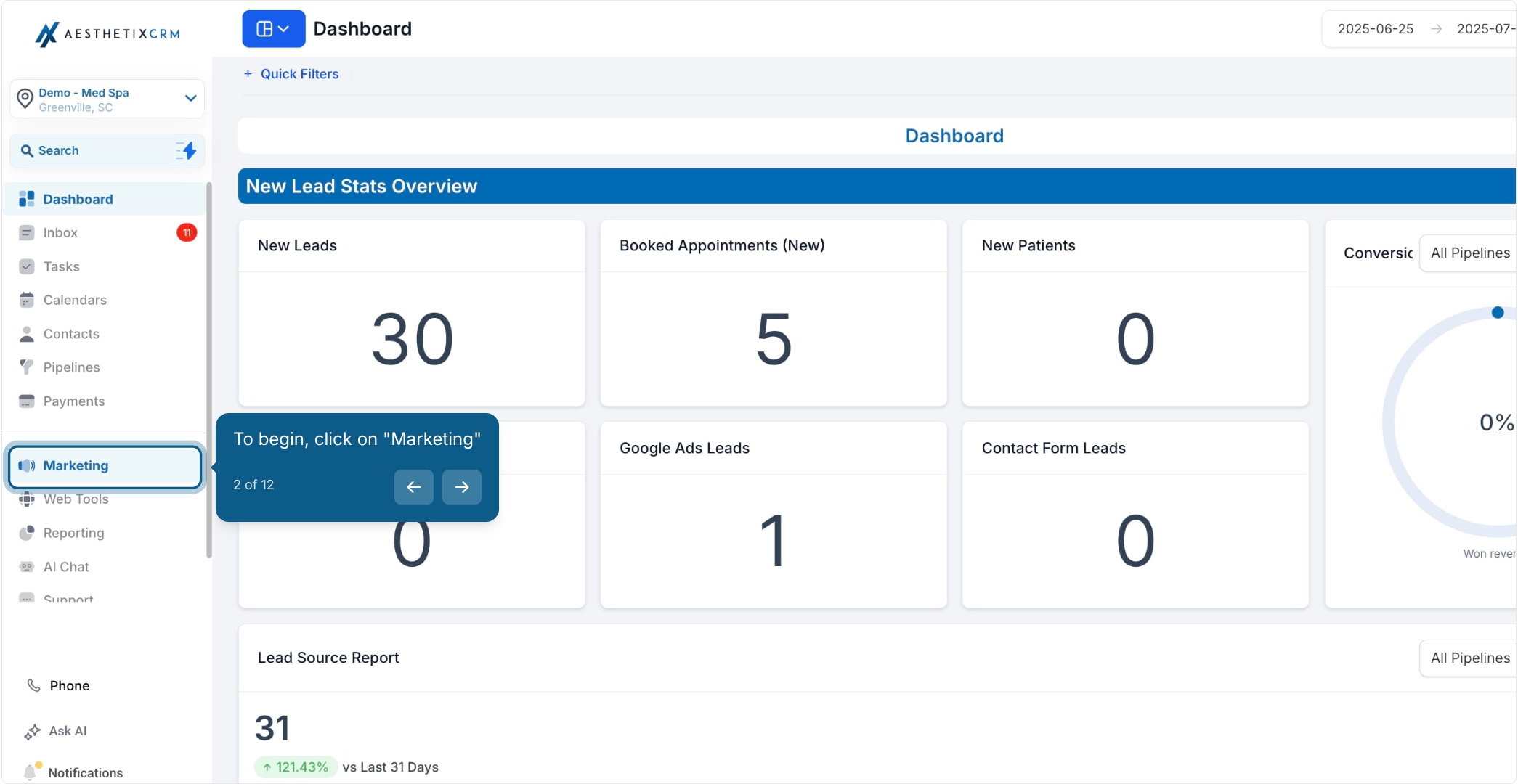
Click Email Marketing.
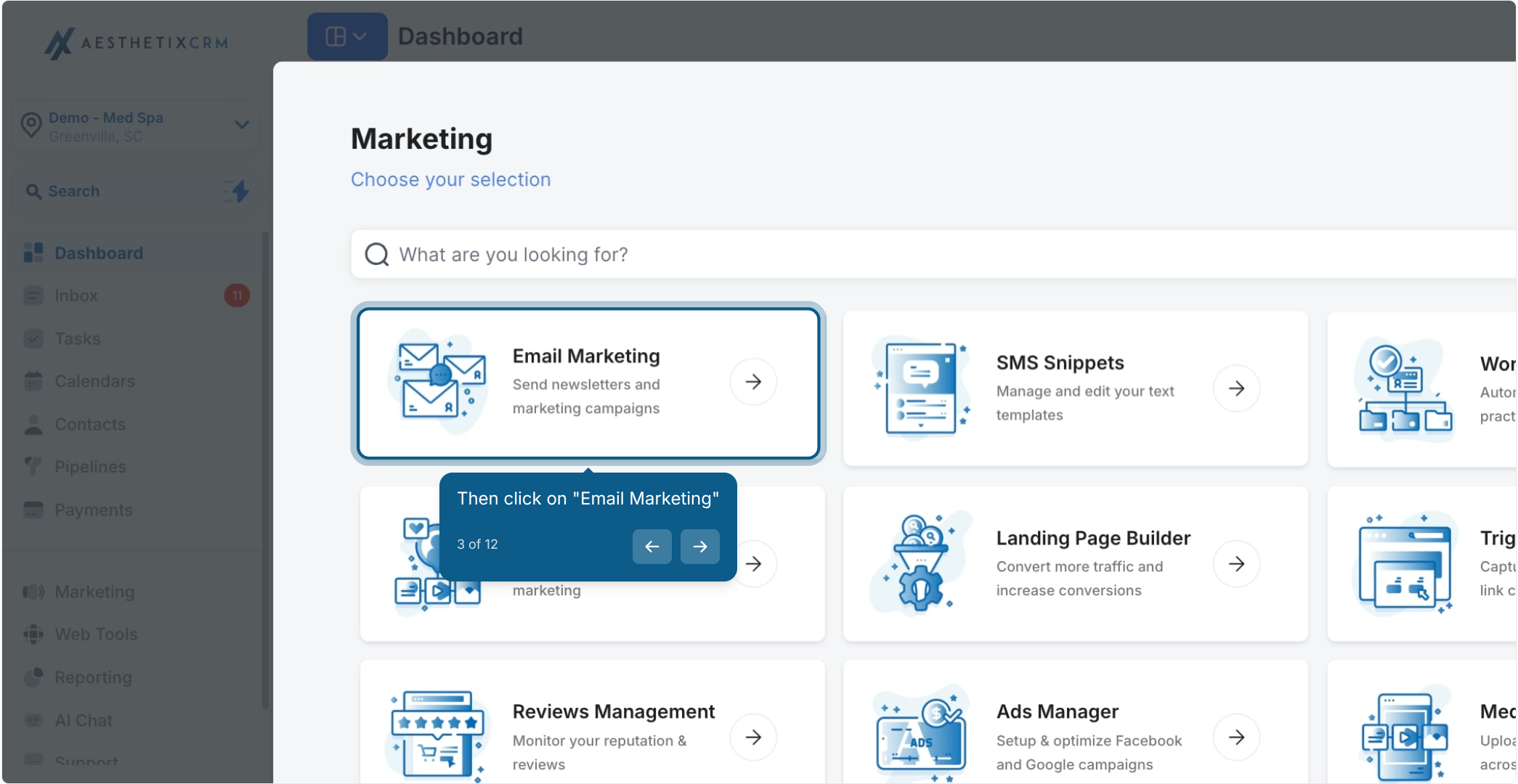
Open the Affiliate Manager section.
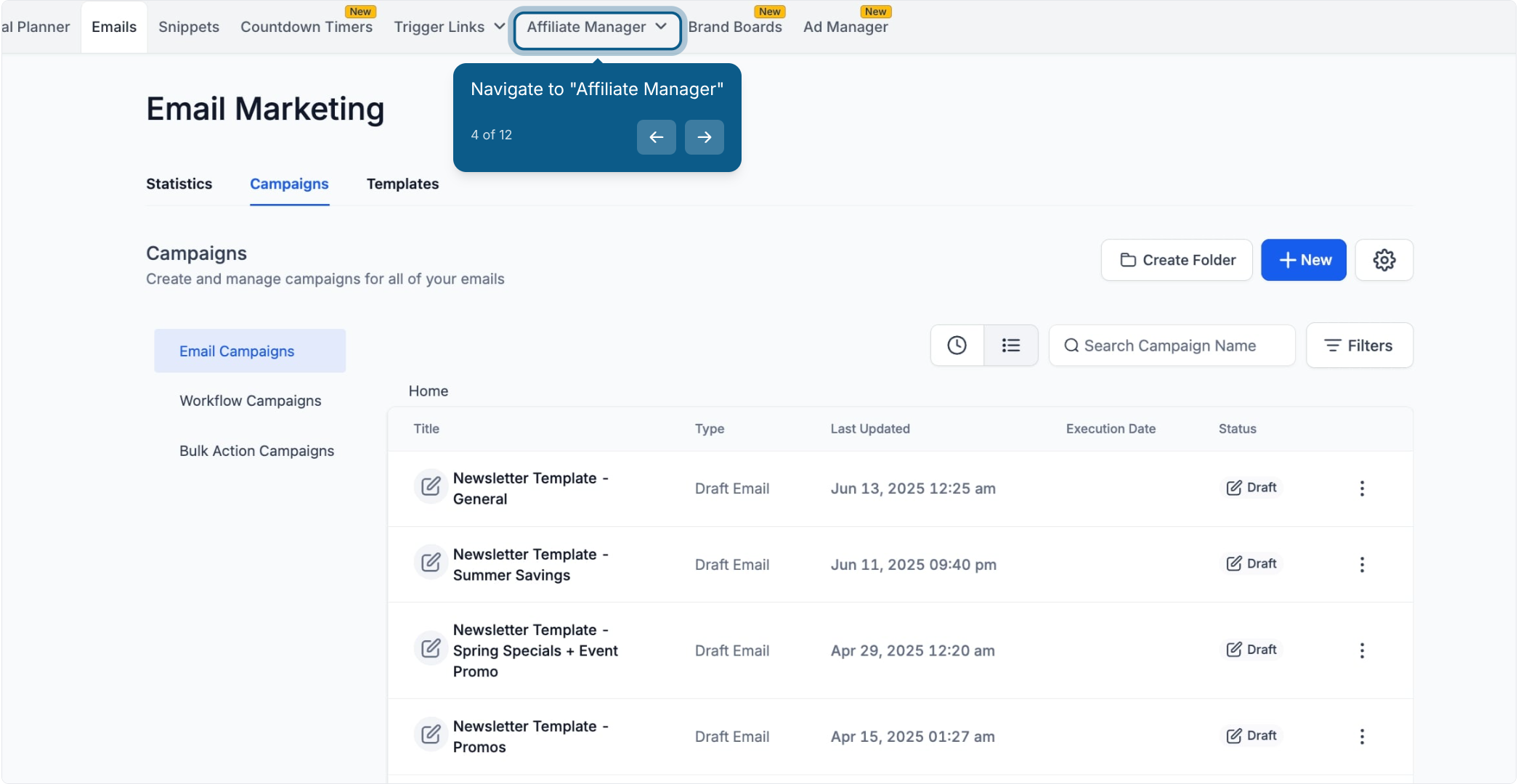
Click Campaign to open your affiliate campaigns dashboard.
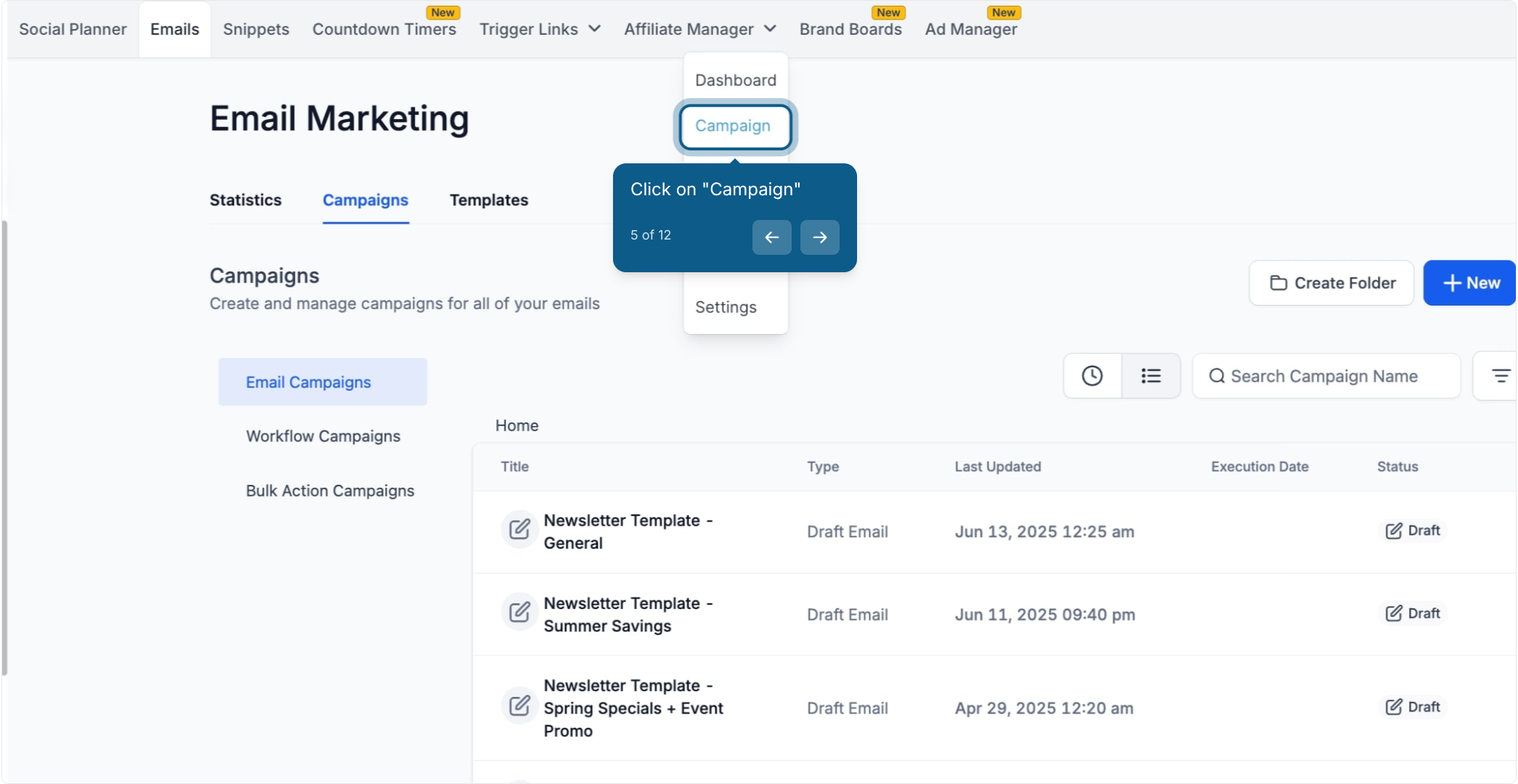
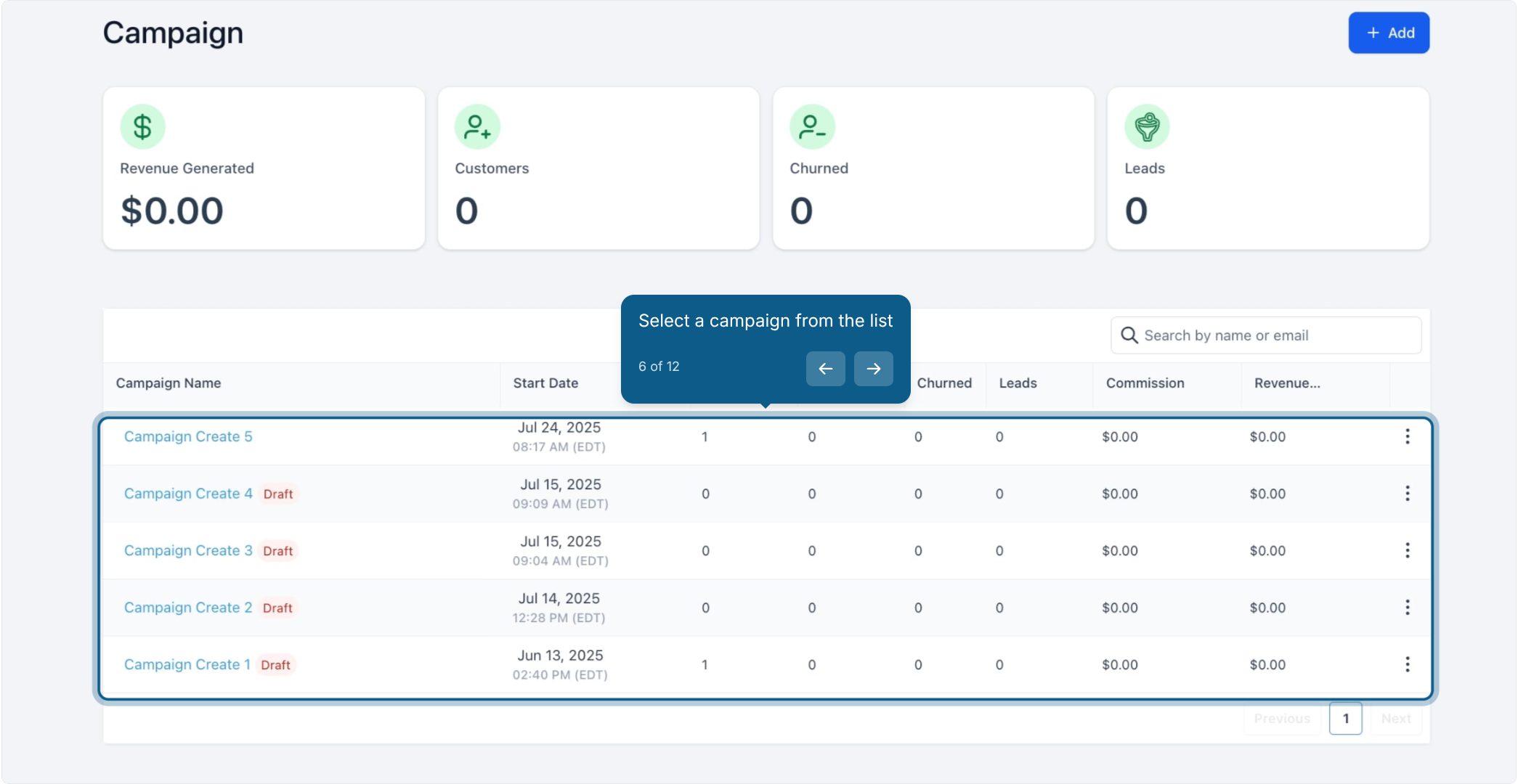
Select the campaign you want to add level-up rules to. Click the + Add button in the top-right corner to build a new campaign instead, or select an existing one from the list.
If you're creating a new campaign, fill in the campaign details first (traffic source and the resource you're linking the campaign to) before moving on.
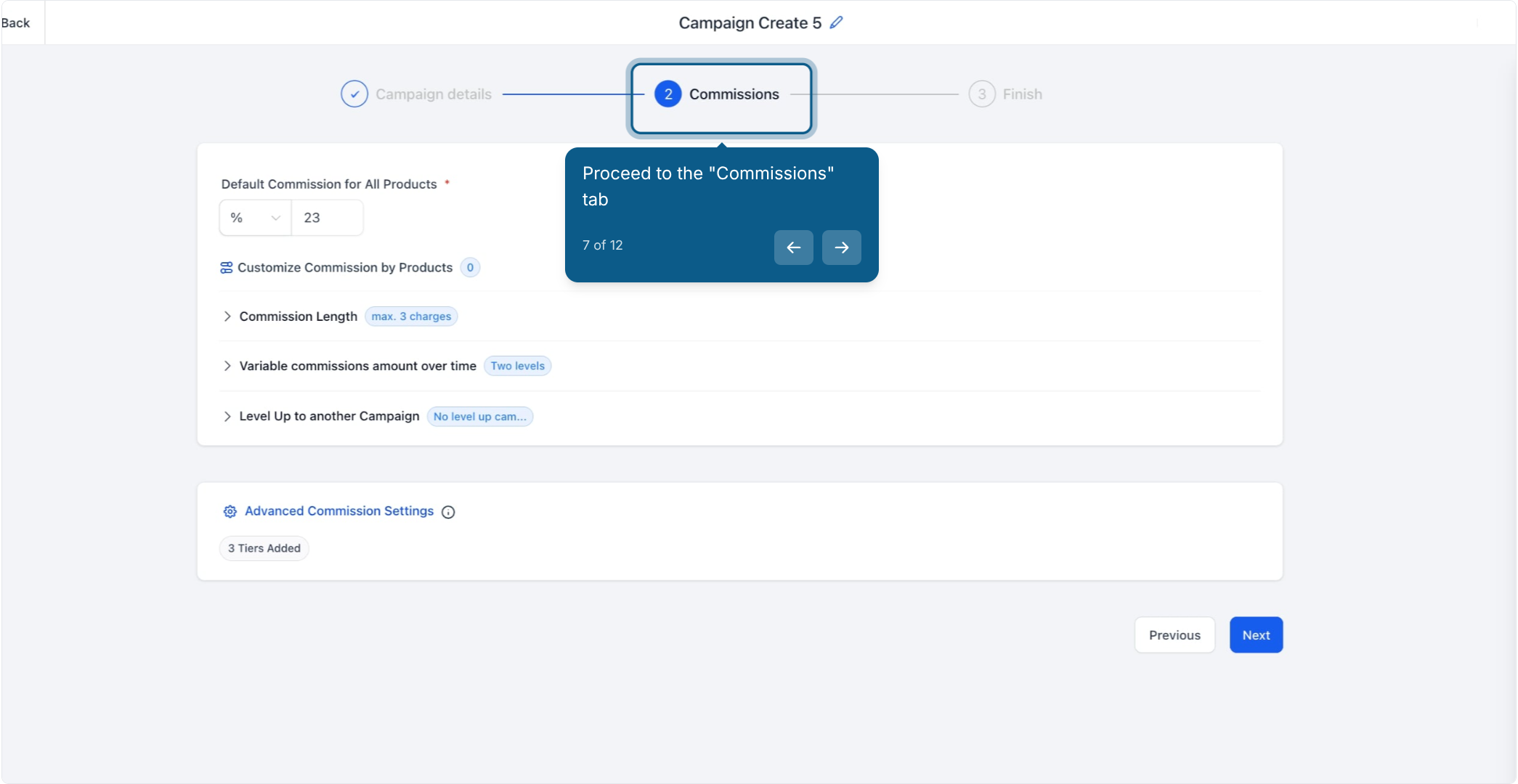
Open the Commissions tab.
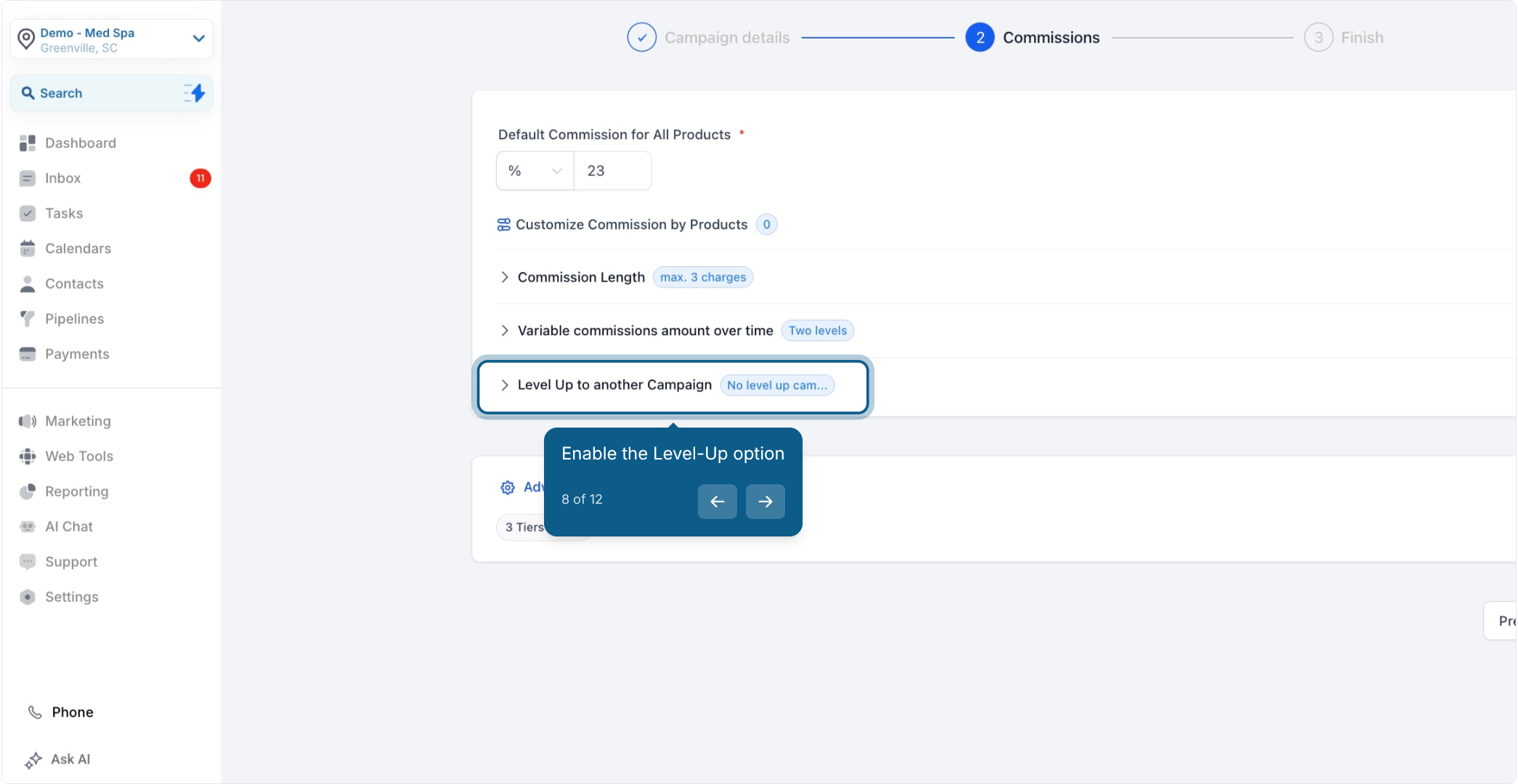
Expand the Level Up to another Campaign section. This is where you turn the feature on and configure how and when affiliates get promoted.
Use the dropdown to pick the destination campaign, the campaign a qualifying affiliate will be moved into. The destination campaign has to already exist, so set it up ahead of time if you haven't yet.
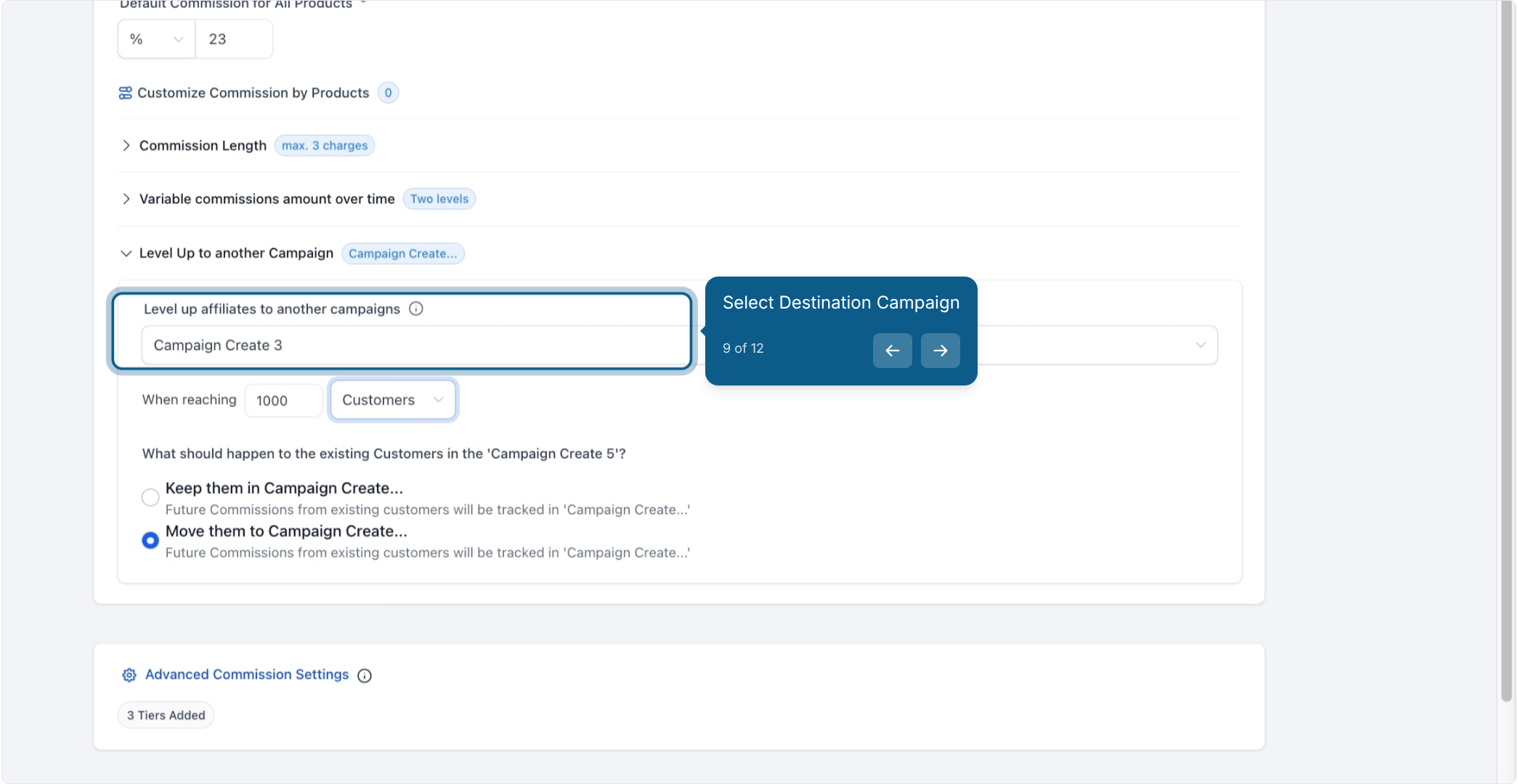
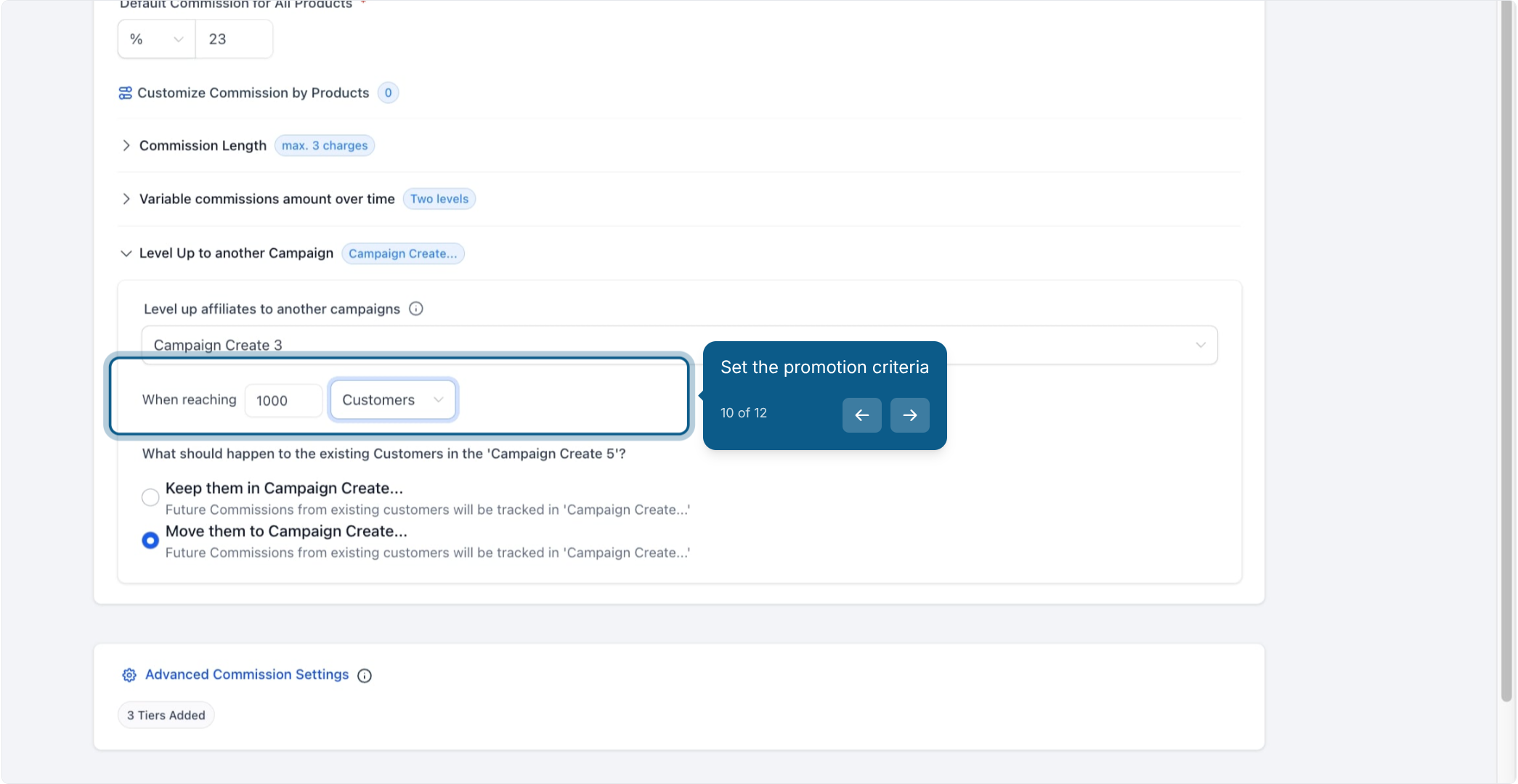
Set your promotion criteria. Choose whether the milestone is based on Customers (a number of referred customers) or Revenue (a dollar amount generated), then enter the threshold.
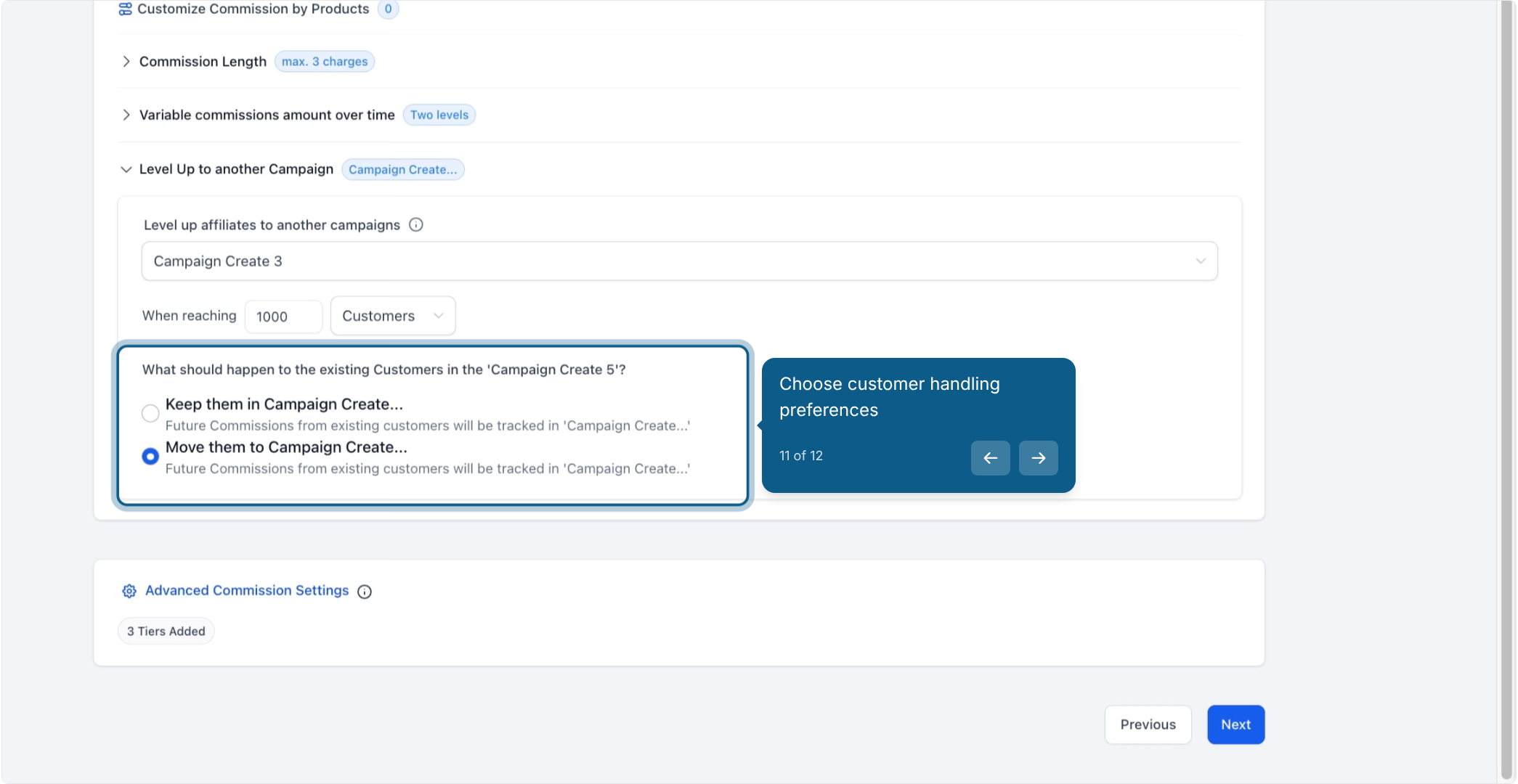
Choose your customer handling preference: keep an affiliate's existing customers attached to the original campaign, or move them along with the affiliate into the destination campaign. This determines where future commissions on those customers get tracked.
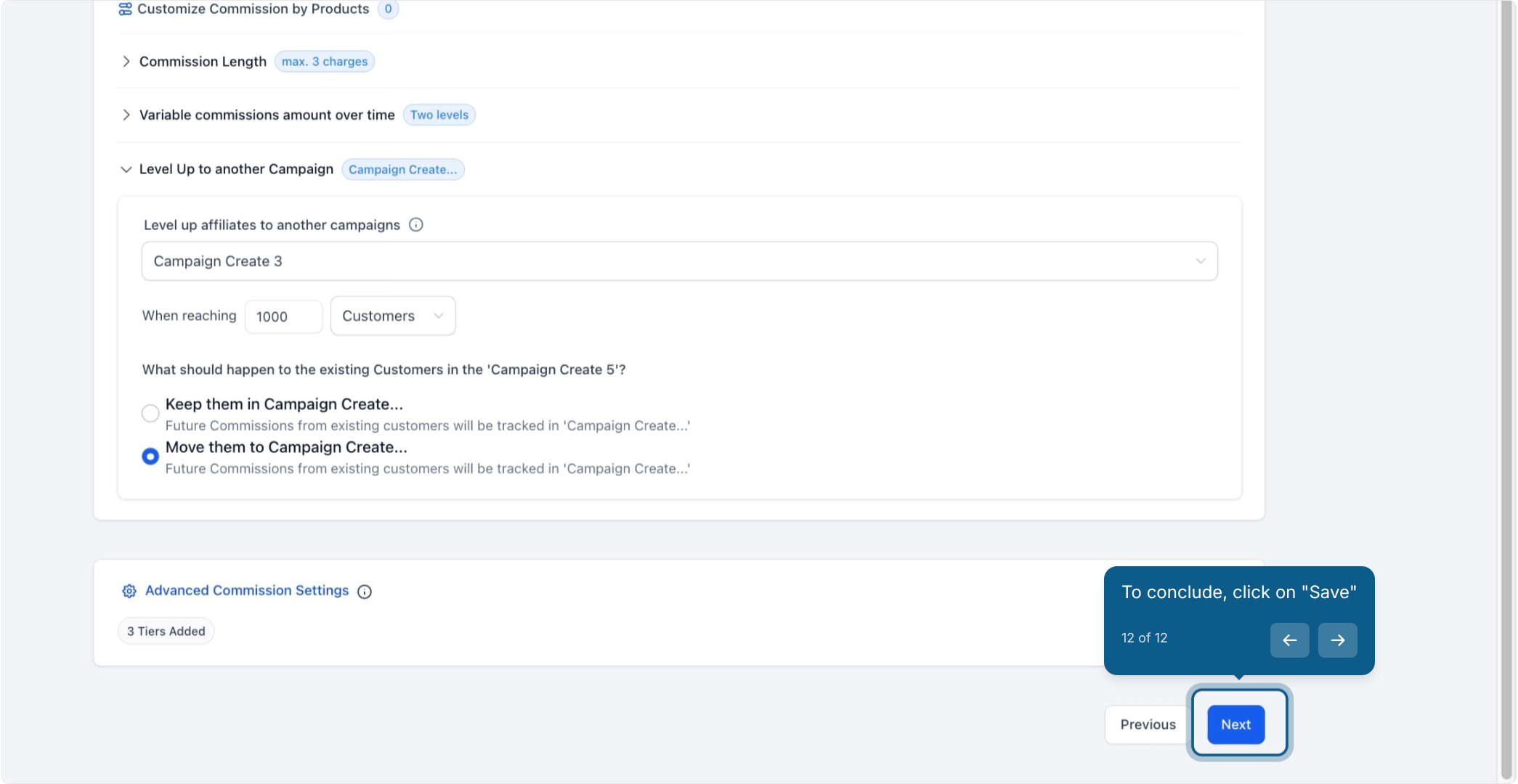
Review the full campaign, including the commission structure, level-up logic, and customer handling rule. Click Next, then publish the campaign to activate the performance-based level-up flow.
No pause button. There's no dedicated way to pause level-up temporarily. To turn it off, switch the destination campaign dropdown back to "No level up campaign." If you plan to resume later, you'll need to re-enter the destination campaign and criteria manually.
Scoped to one account. Level-up only moves affiliates between campaigns inside the same Aesthetix CRM account. If your practice runs more than one account, you'll need to recreate the affiliate and campaign setup in each one and manage transitions between them by hand.
Removing a product doesn't undo a promotion. If you remove a product from the original campaign after an affiliate has already leveled up, that affiliate's promotion isn't reversed. Aesthetix CRM simply stops tracking new commissions for that product in the original campaign. If the same product exists in the destination campaign, future purchases are tracked there instead, following whatever customer handling option you chose.
Only quantitative triggers are supported. Level-up runs strictly off the Customers or Revenue numbers you set. Tags, contact attributes, or other manual qualification rules can't be used to gate a promotion directly. If you want extra actions to fire when an affiliate levels up, such as applying a tag or sending a notification, build that with a workflow rather than inside the campaign itself (see Workflows for setting up affiliate-related triggers and actions).
Can I pause level-up automation temporarily? Not with a dedicated pause control. Switch the destination campaign dropdown back to "No level up campaign" to disable it, and remember to reconfigure the destination and criteria manually if you turn it back on later.
Can affiliates level up across campaigns that live in different accounts? No. Level-up only works within a single Aesthetix CRM account. If you manage more than one, you'll need to rebuild the affiliate and campaign setup separately in each account and handle promotions manually between them.
What happens if I remove a product from the source campaign after an affiliate has already been leveled up? Already-promoted affiliates aren't affected. Aesthetix CRM stops tracking new commissions on that product in the original campaign, and if the product also exists in the destination campaign, future purchases are tracked there according to the customer handling option you picked.
Can I use tags or contact attributes to control who qualifies for a level-up? No. Level-up is triggered only by quantitative performance, either Customers or Revenue. If you want to layer in extra logic, such as tagging an affiliate once they're promoted, set that up as a workflow rather than inside the campaign's level-up settings.
Where do I turn on Level-Up for a campaign? Go to Marketing > Email Marketing > Affiliate Manager > Campaign, open the campaign, and expand the Level Up to another Campaign section on the Commissions tab.
Which campaign types can affiliates be leveled up between? Website, Store, and Funnel campaigns are all supported, so you can build a level-up path between whichever campaign types fit your program.
Does the destination campaign need to exist before I set up level-up? Yes. The destination campaign dropdown only lists campaigns that already exist, so create the higher-tier campaign first and then point level-up to it.
Can I change the level-up criteria after the campaign is already live? Yes. Reopen the campaign, go back to the Commissions tab, and adjust the destination campaign, the Customers/Revenue threshold, or the customer handling option at any time.
