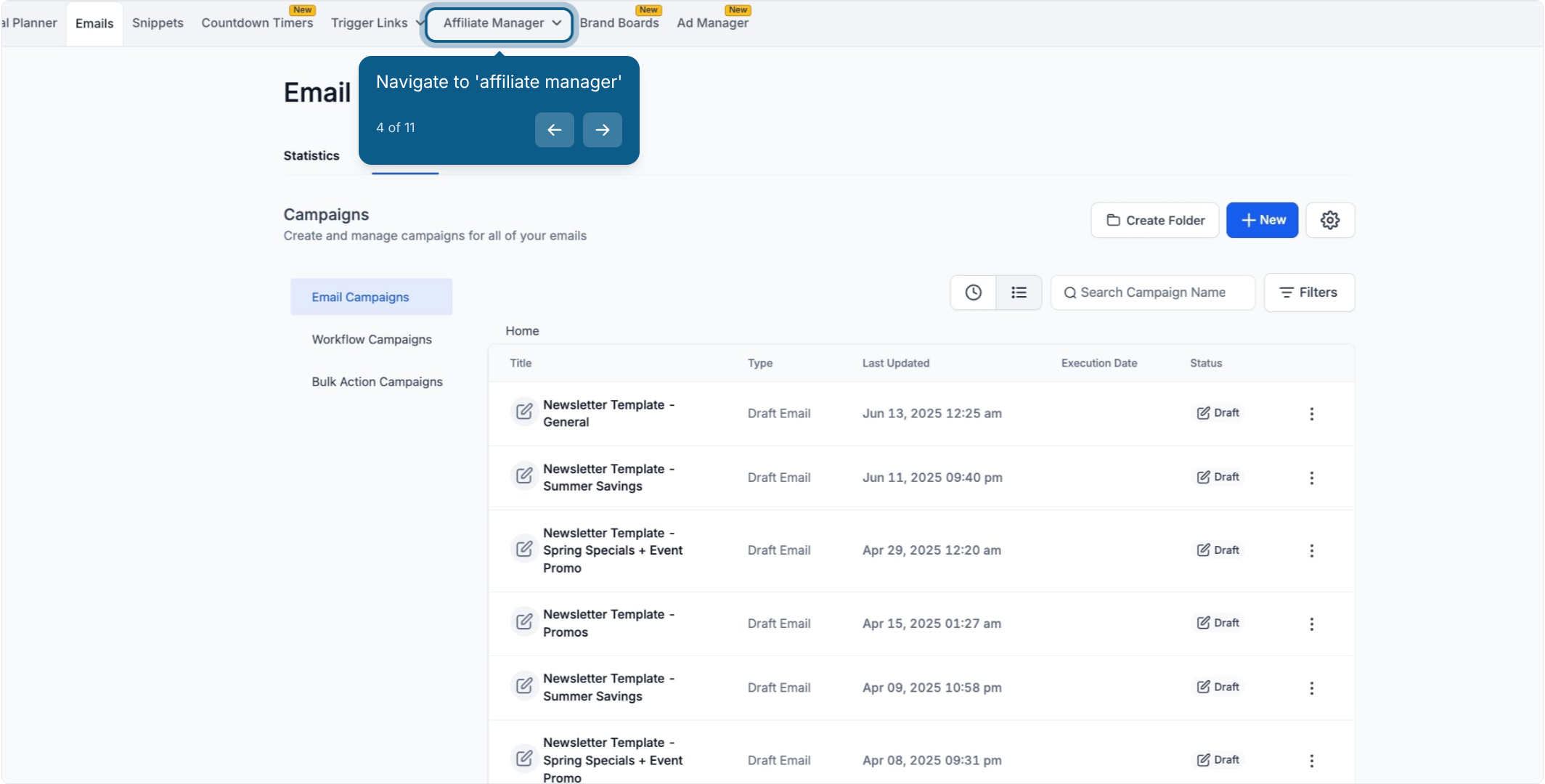
Your affiliate program lets patients, partner clinics, and other referral partners earn a commission for sales they send your way. By default, every affiliate in a campaign earns the same commission rate, but Affiliate-Level Commission Settings let you override that rate for a single affiliate without touching the campaign for everyone else. You'll find this in Marketing > Affiliate Manager.
Set a custom commission rate: Override the default campaign commission for one individual affiliate.
Adjust tiered commissions: Change the payout percentage for each tier on a multi-tiered campaign.
Reward your top performers: Give a higher rate to affiliates who consistently drive high-value referrals, without changing the rate everyone else earns.
Say your default campaign pays a flat commission to every affiliate. One partner clinic consistently refers high-value patients, so you decide to reward them with a higher rate. With affiliate-level commissions, you can raise that one affiliate's rate without editing the campaign default that applies to everyone else.
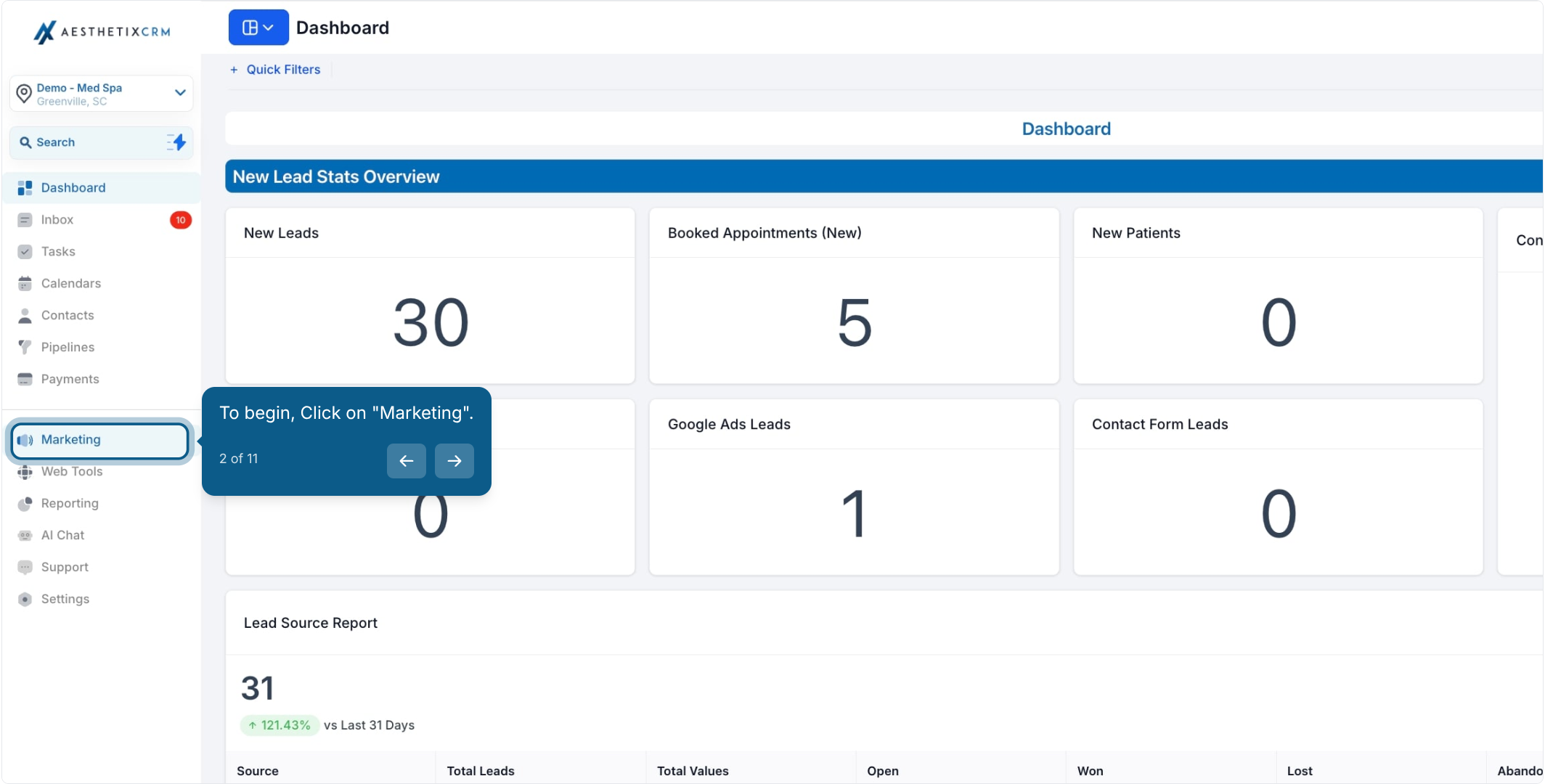
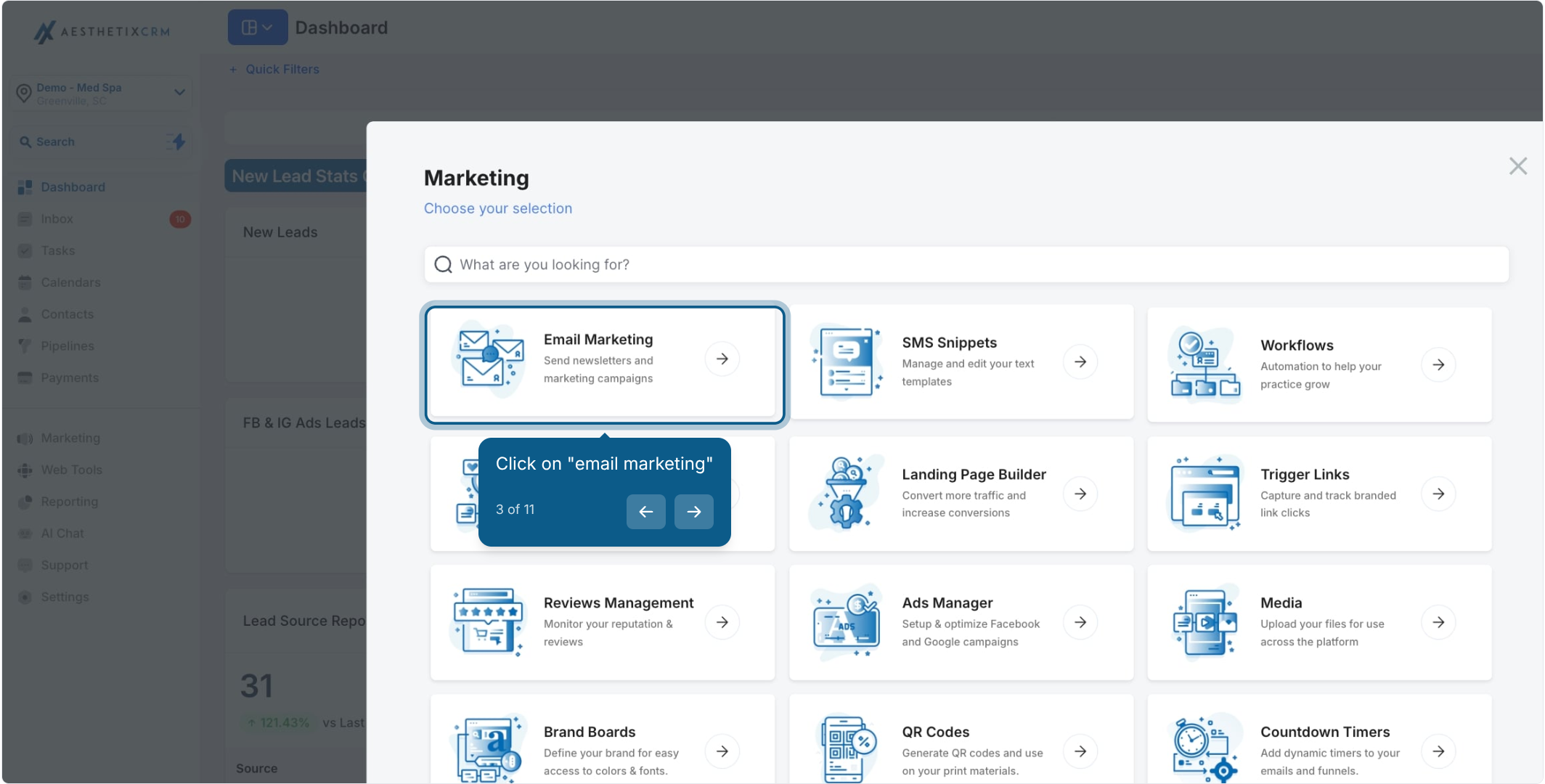
From the left menu, click Marketing.
Open Affiliate Manager.
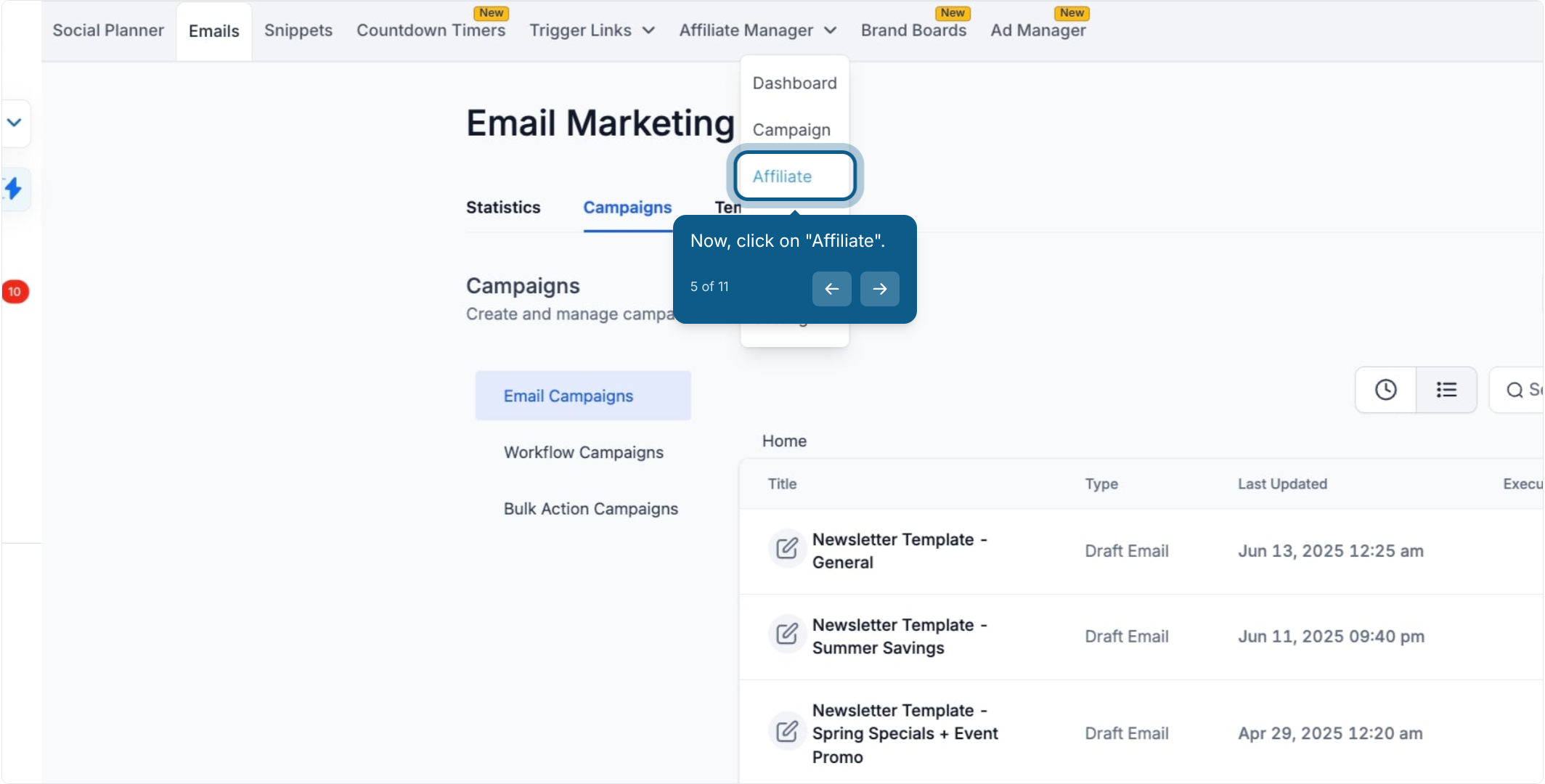
Click the Affiliate tab.
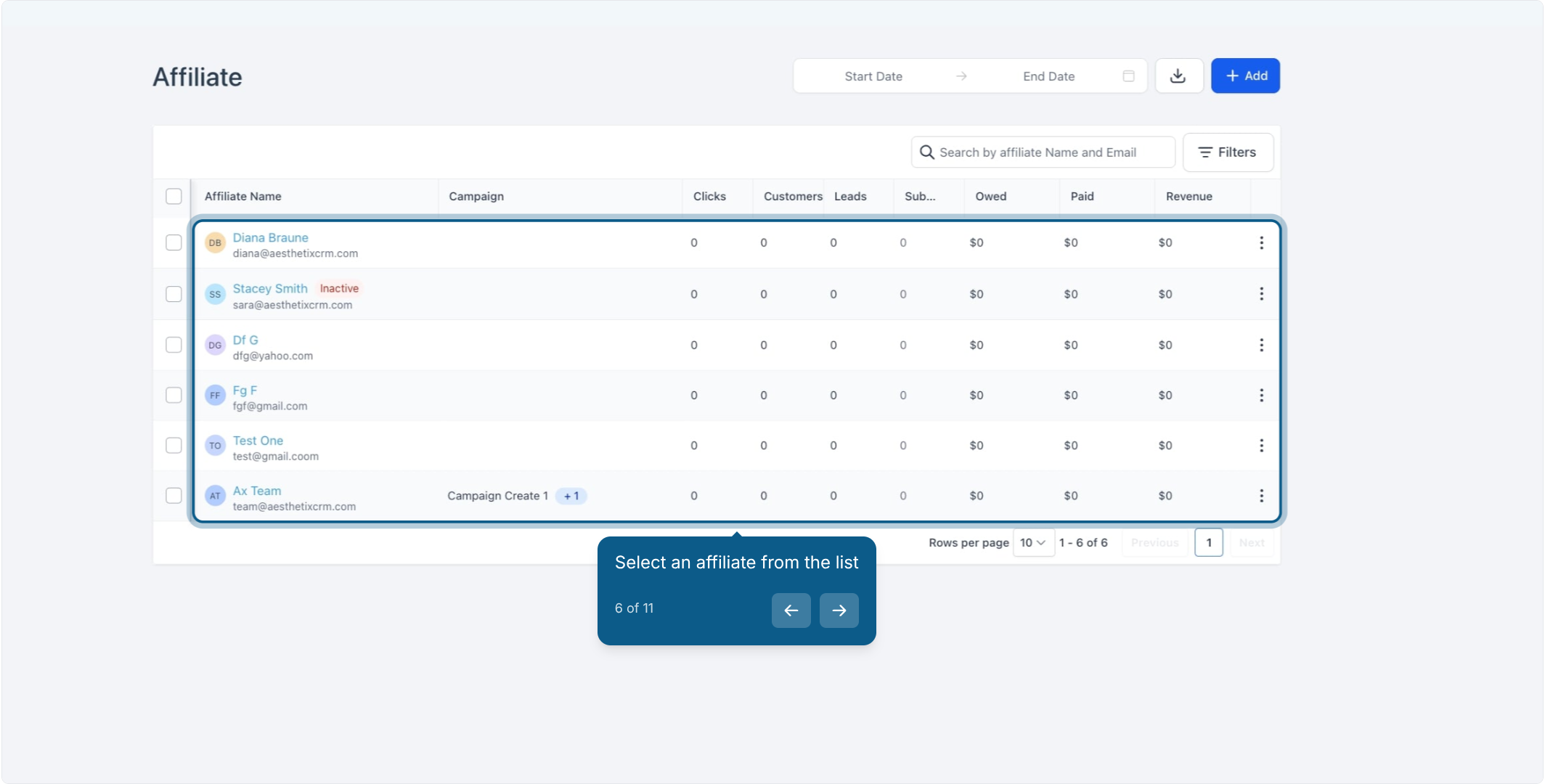
Find and select the affiliate you want to adjust. This opens their profile page.
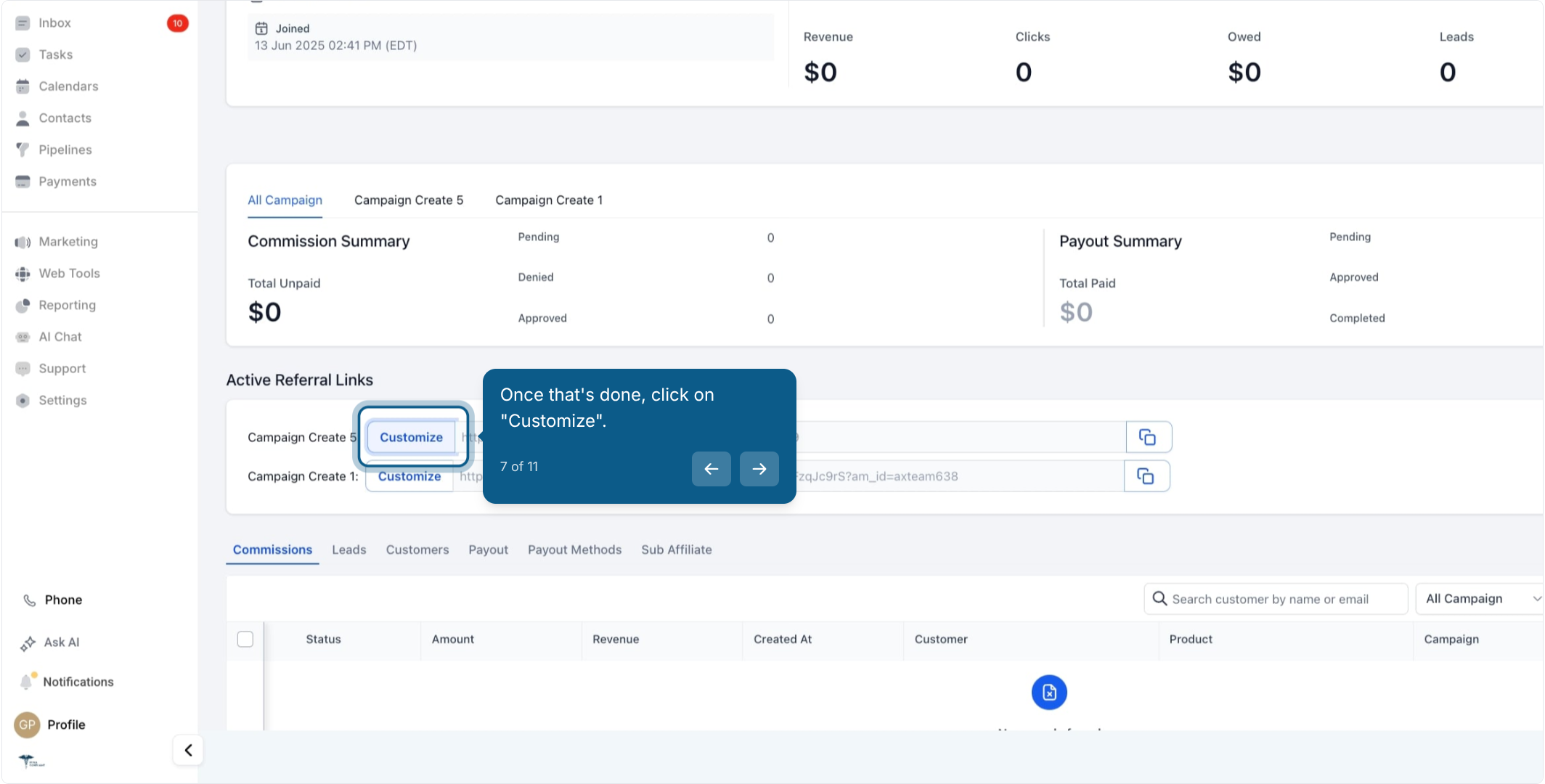
Scroll to the Active Referral Link section and click Customize next to the campaign whose commission you want to adjust.
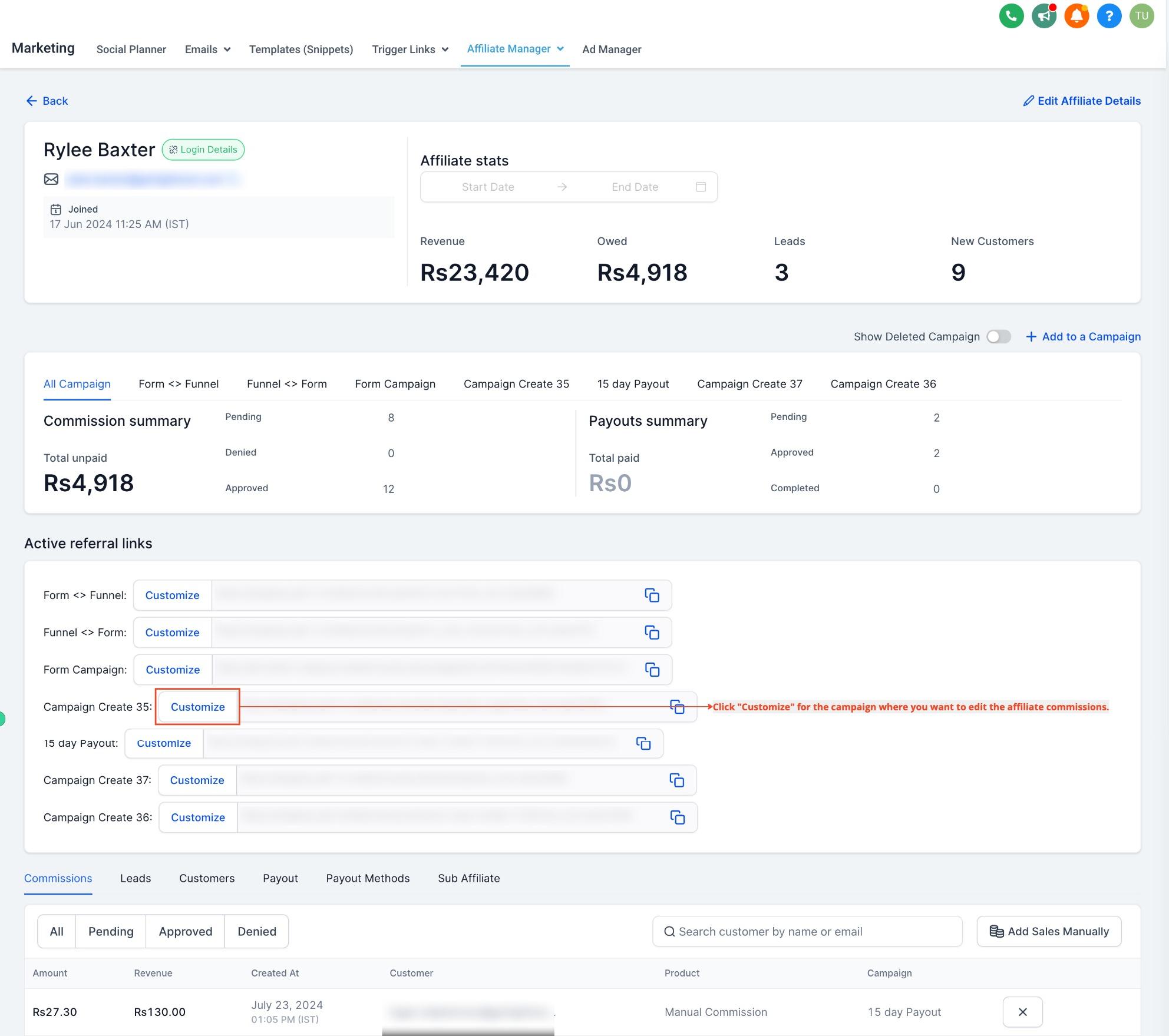
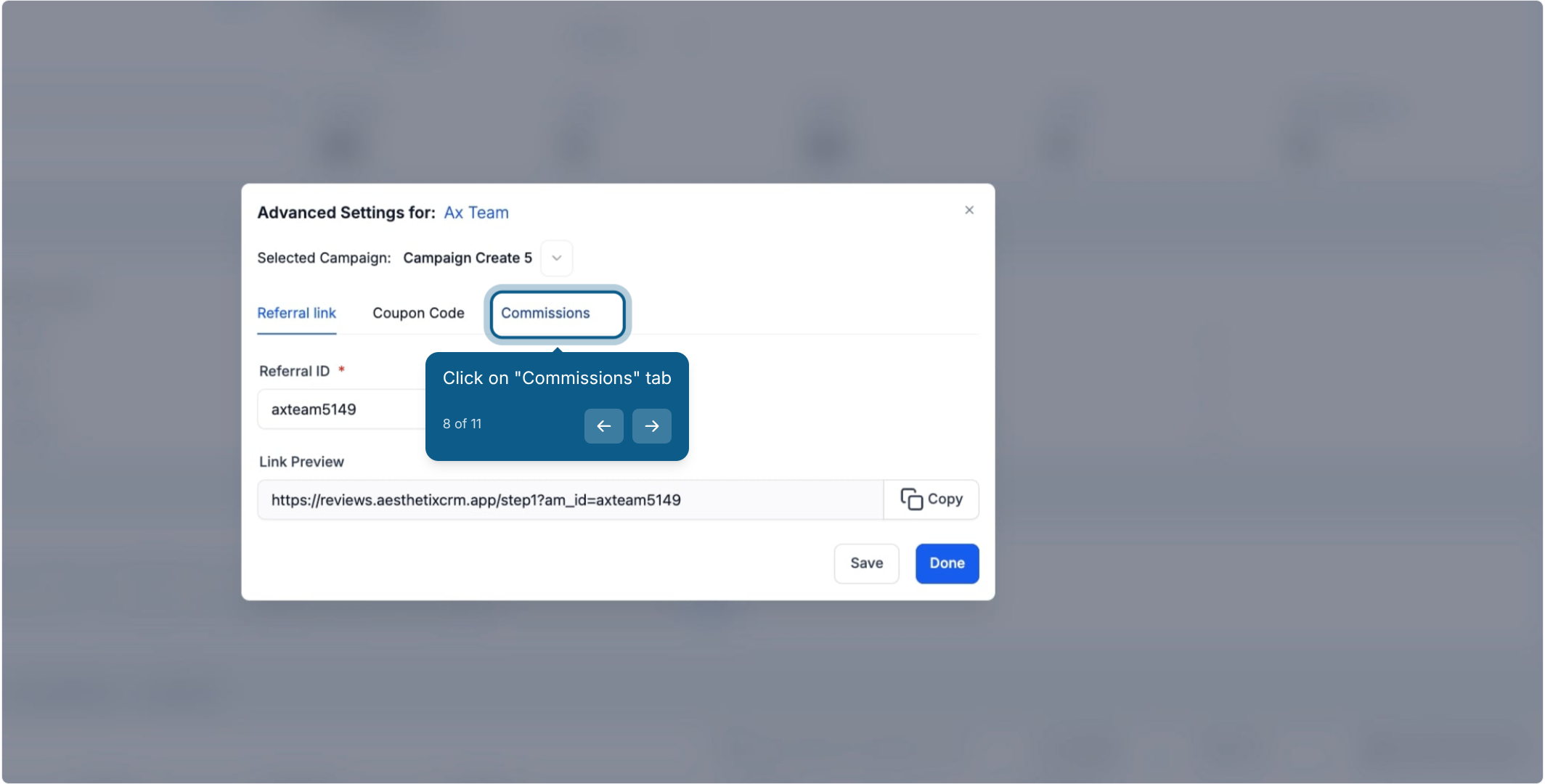
Click the Commissions tab.
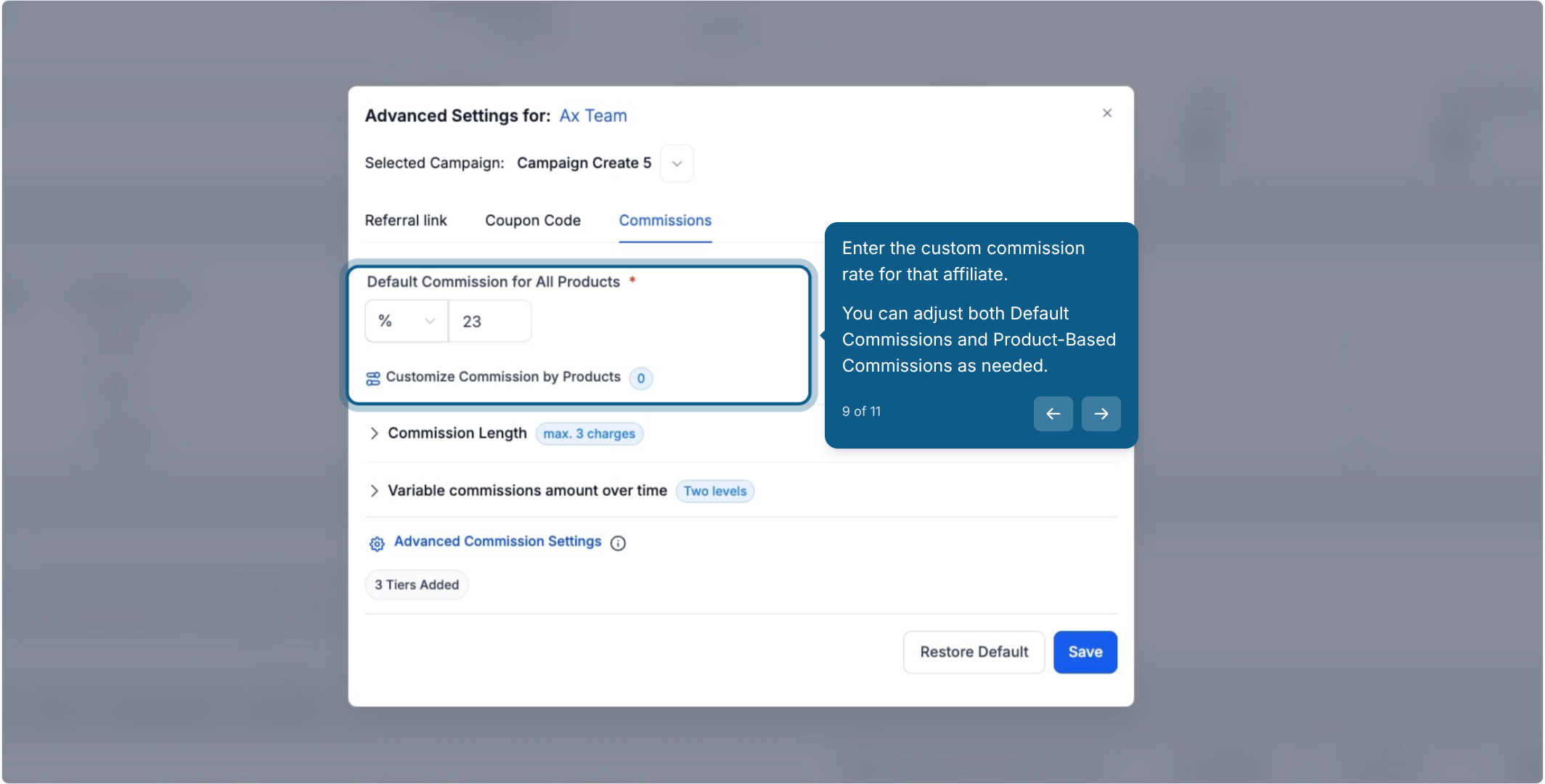
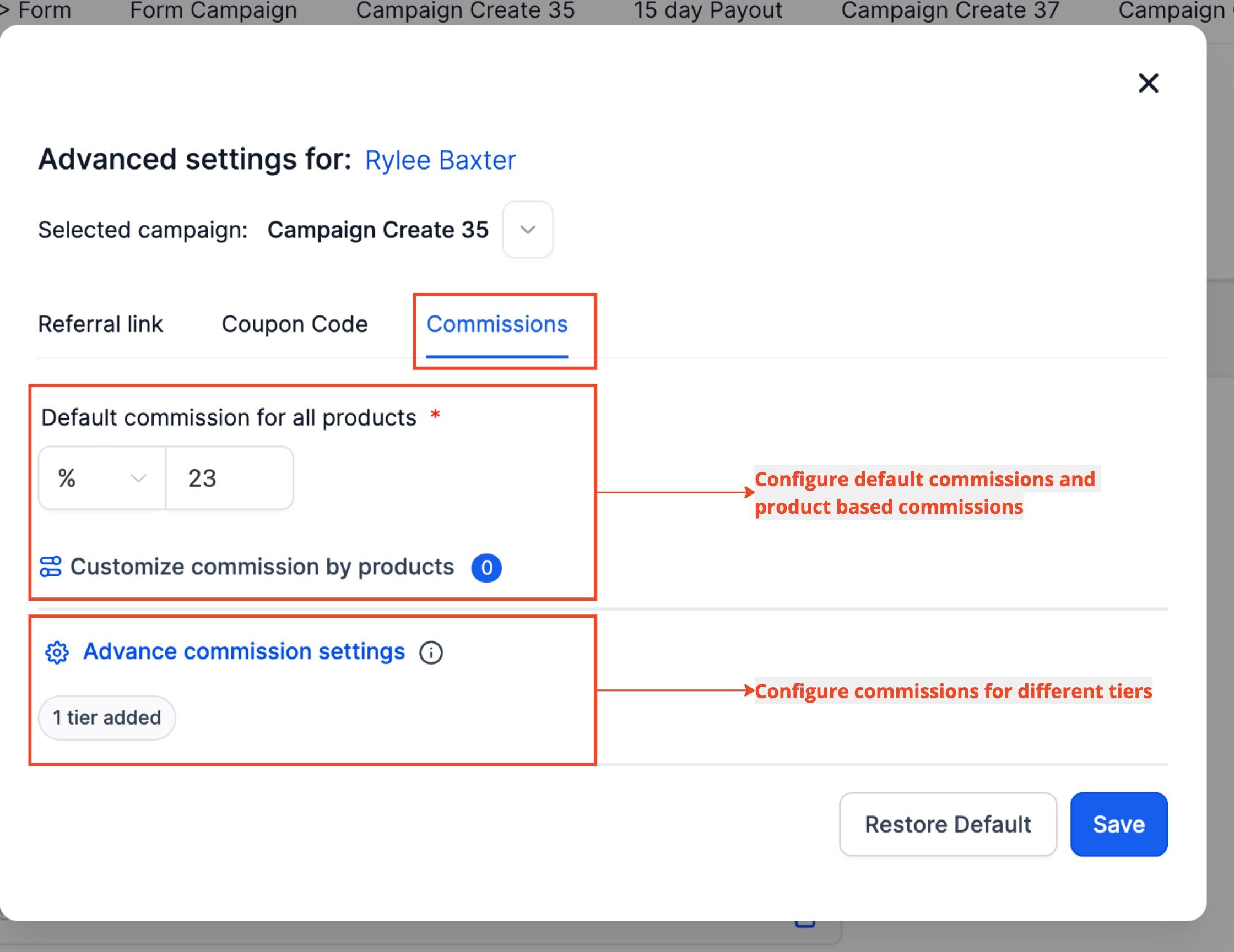
Enter the custom commission rate for this affiliate. You can adjust both Default Commissions and Product-Based Commissions as needed.
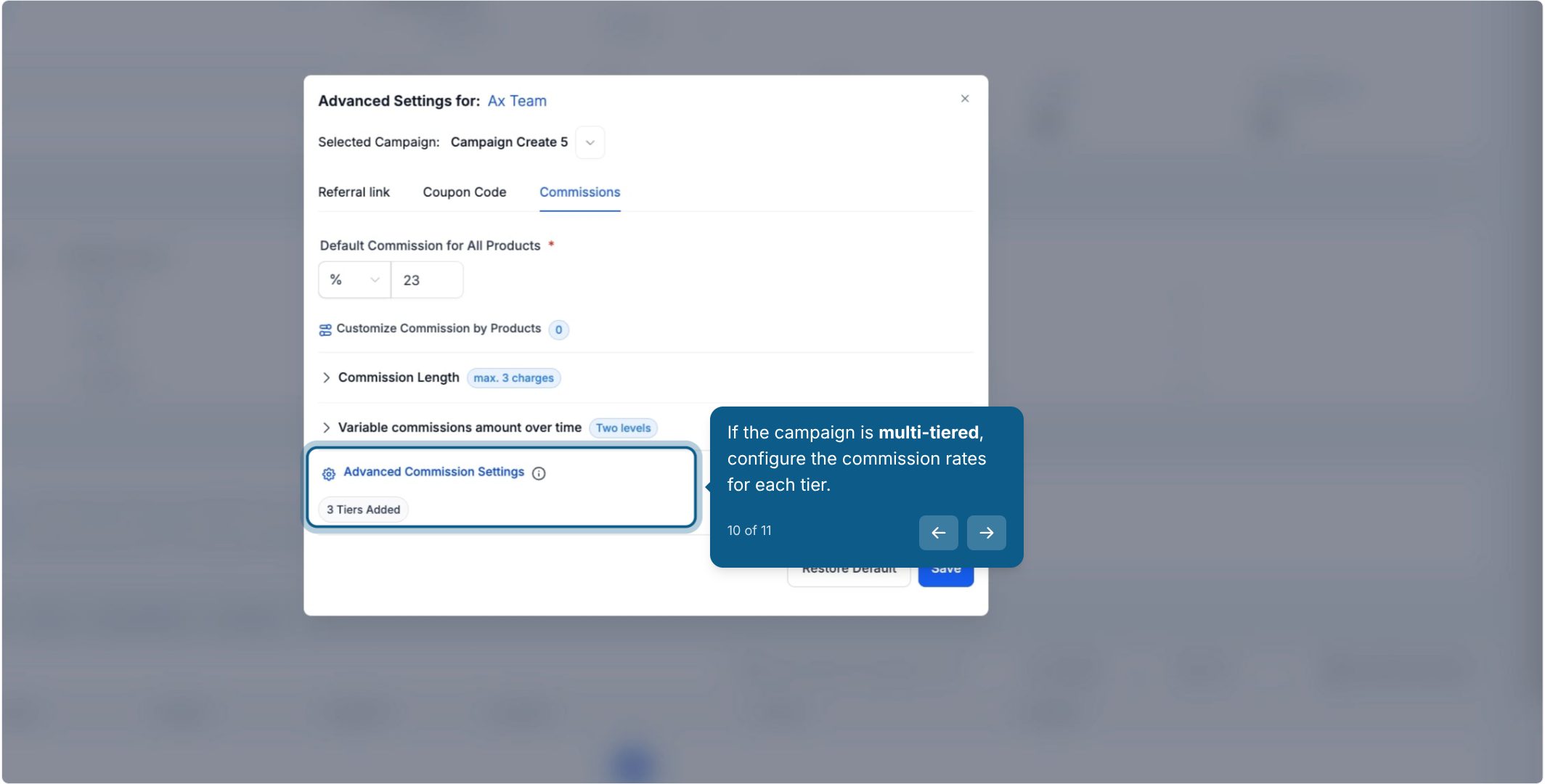
If the campaign is multi-tiered, set the commission rate for each tier separately.
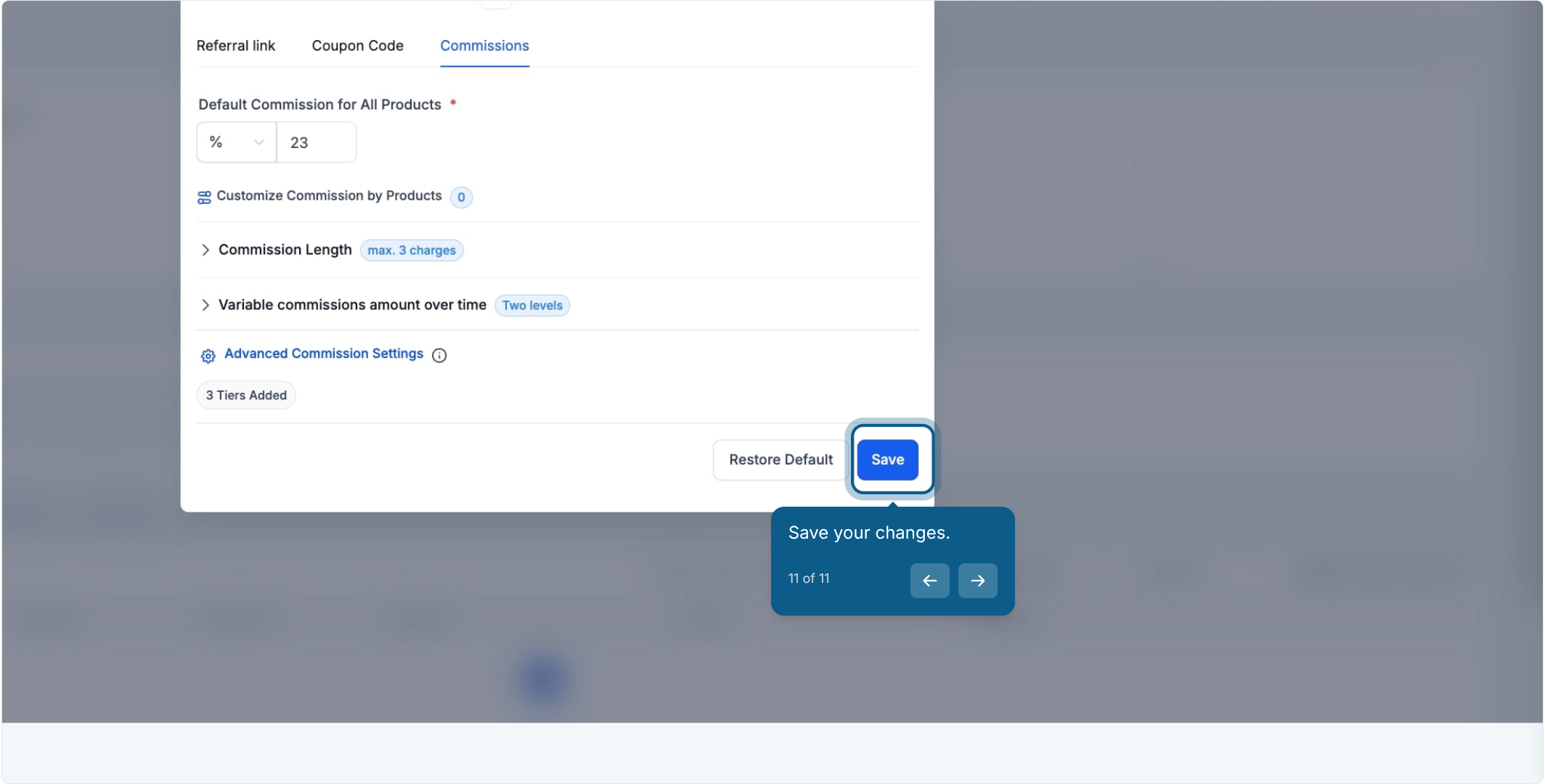
Save your changes.
The new rate applies immediately to any qualifying sales this affiliate refers going forward.
Affiliate-level settings always win: If you've set a custom rate for an affiliate, it takes priority over the campaign's default rate whenever a commission is calculated for that affiliate. There's no need to also update the campaign.
Tiers are managed at the campaign level: You can change the commission percentage for each existing tier from an affiliate's profile, but you can't add, remove, or restructure the tiers themselves there. To change the tier structure, edit the campaign settings directly.
Source limitation: Affiliate-level commission overrides are only supported for campaigns where the referral source is a funnel or website.
Automated actions tied to affiliate activity, such as approving new affiliates, sending payout notifications, or triggering follow-up when a referral converts, are built in Workflows rather than in the Affiliate Manager itself.
Does changing an affiliate's custom commission affect other affiliates in the same campaign? No. A custom commission rate only applies to the specific affiliate you set it for. Everyone else in the campaign continues to earn the default rate.
What happens if I remove a custom commission rate later? The affiliate reverts to earning the campaign's default commission rate on any future qualifying sales.
Can I set a different rate for each product an affiliate promotes? Yes. On the Commissions tab you can adjust both the Default Commission and Product-Based Commissions for that affiliate, so specific products can carry a different payout than the general rate.
Can I restructure an affiliate's commission tiers from their profile? No. Tier structure is set at the campaign level. From an affiliate's profile you can only adjust the rate within each existing tier, not add or remove tiers.
Does this work for every type of affiliate campaign? Custom commission rates currently only work for campaigns where the referral source is a funnel or website.
Who should get a custom commission rate? Any affiliate you want to treat differently from the rest of the campaign, most often a partner clinic, influencer, or referring patient who consistently drives high-value business and deserves a stronger incentive to keep referring.
Will the affiliate see their custom rate anywhere? The rate determines what they're paid on qualifying referrals; check your affiliate portal or reporting for visibility into what each affiliate has earned.
Do I need to update the campaign settings after setting a custom rate? No. Because affiliate-level settings always take priority, the campaign default stays untouched and only applies to affiliates without a custom override.
