Affiliates are the partners, patients, or referral sources who promote your practice and earn a commission for the new patients or sales they bring in. Each affiliate gets a unique tracking link, so every referral is credited automatically. Think of the Affiliate Manager as your practice's referral and partner program: it's where you invite affiliates, track what they generate, and manage payouts by campaign.
You'll find it by going to Marketing > Email Marketing > Affiliate Manager, then opening the Affiliate tab. There are three ways to add affiliates to a campaign, plus a workflow-based option for automating the process going forward.
Use this when you're inviting one affiliate at a time, such as a partner clinic, an influencer, or a patient who wants to refer friends.
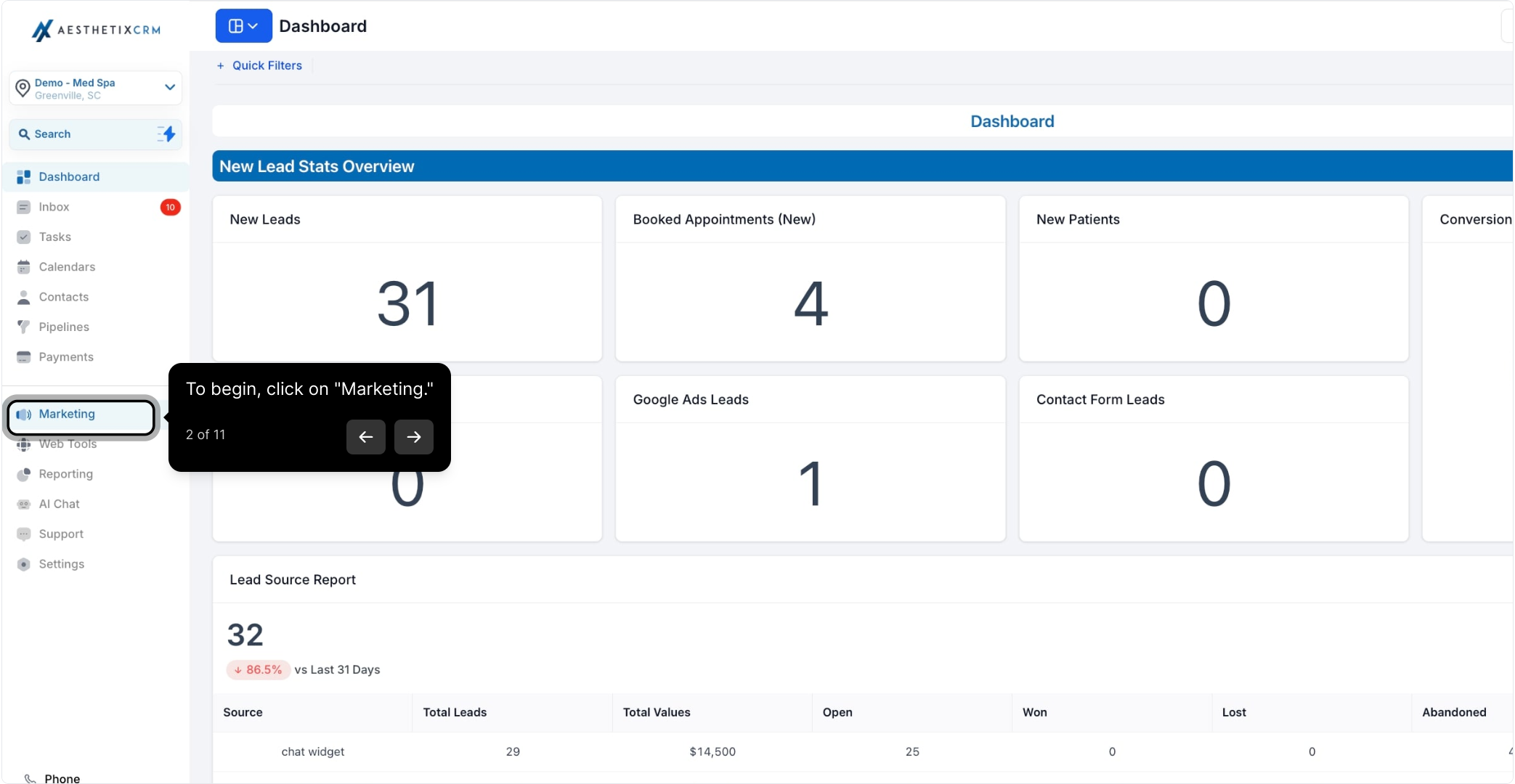
From the left navigation, click Marketing.
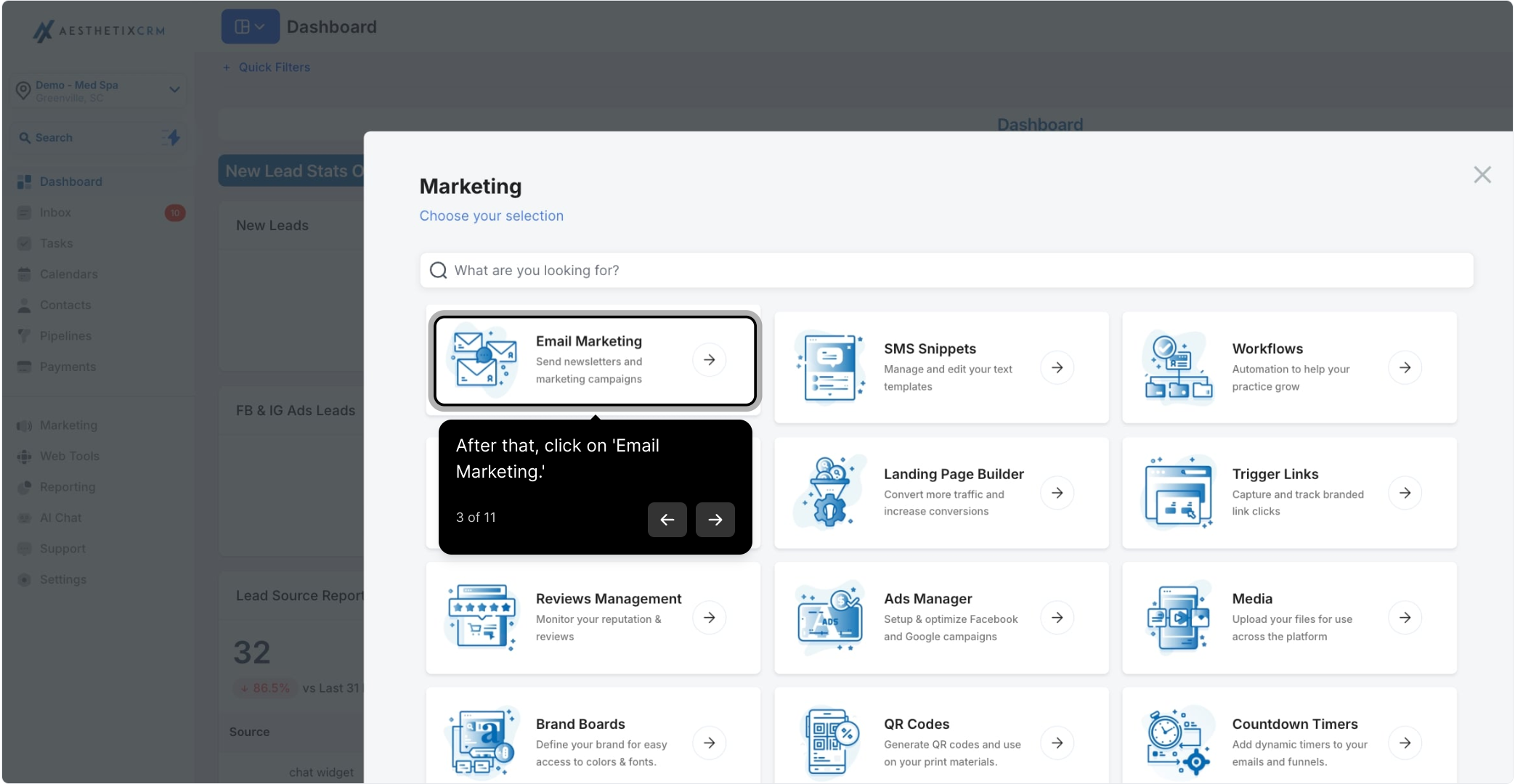
Click Email Marketing.
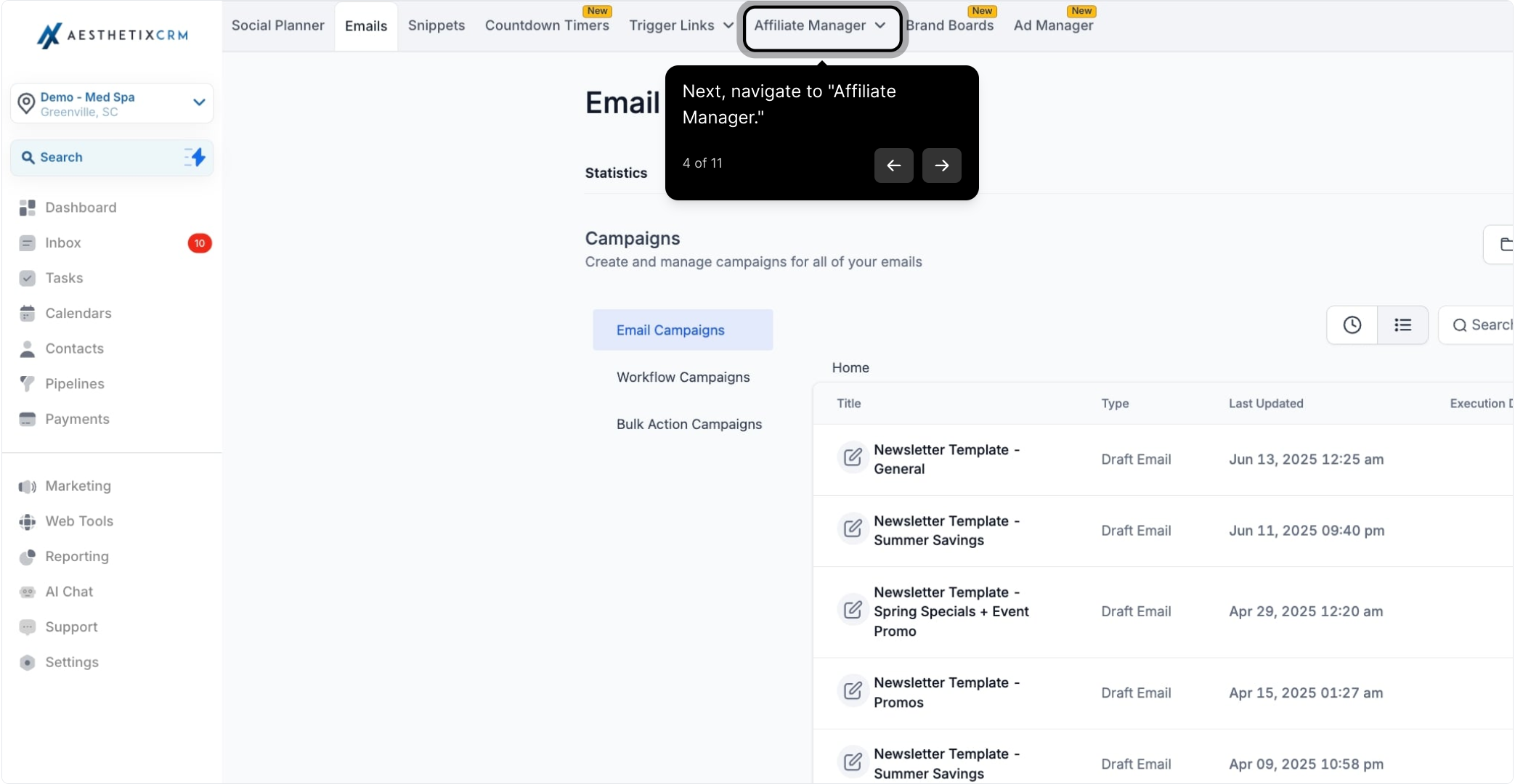
Navigate to Affiliate Manager.
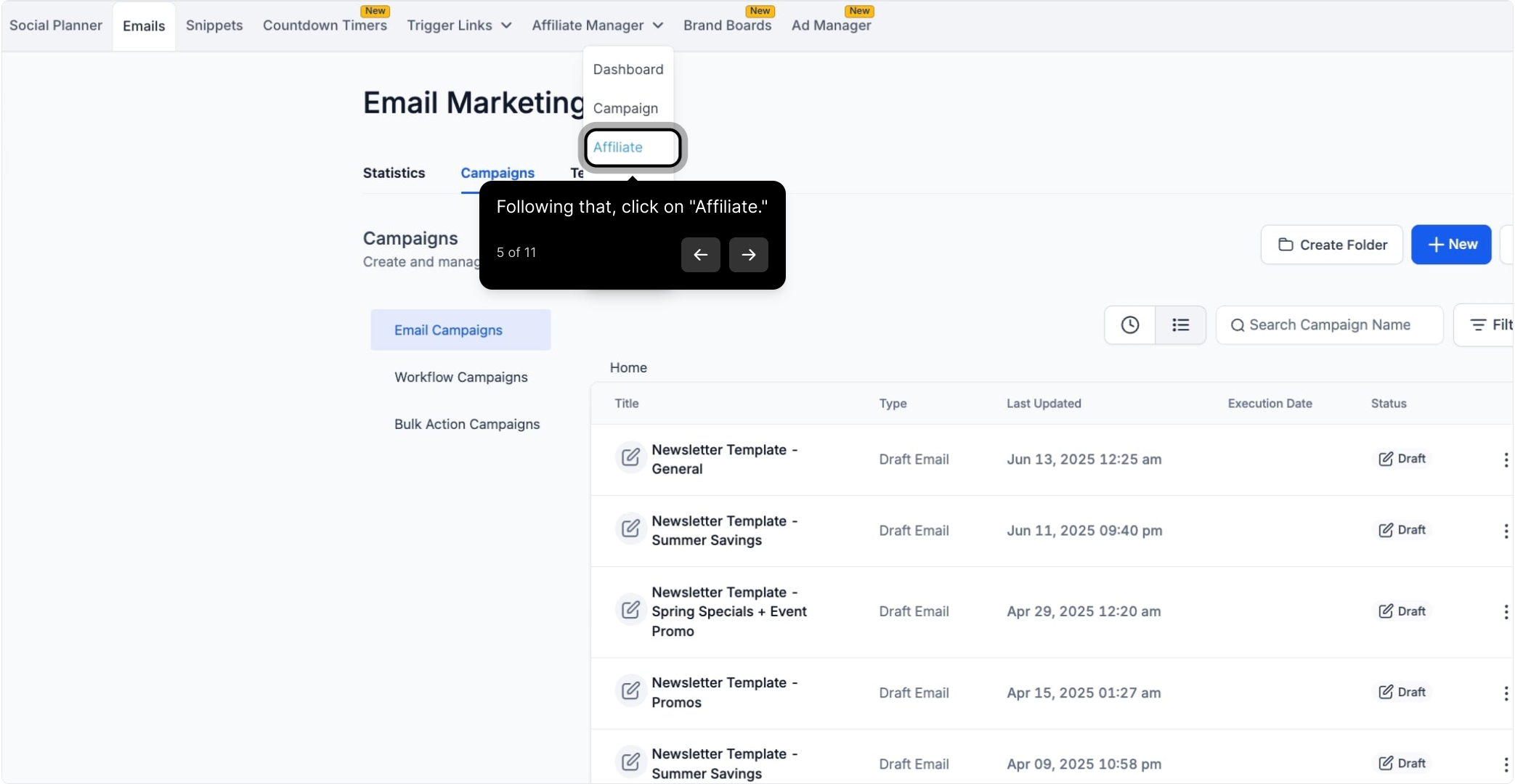
Click the Affiliate tab.
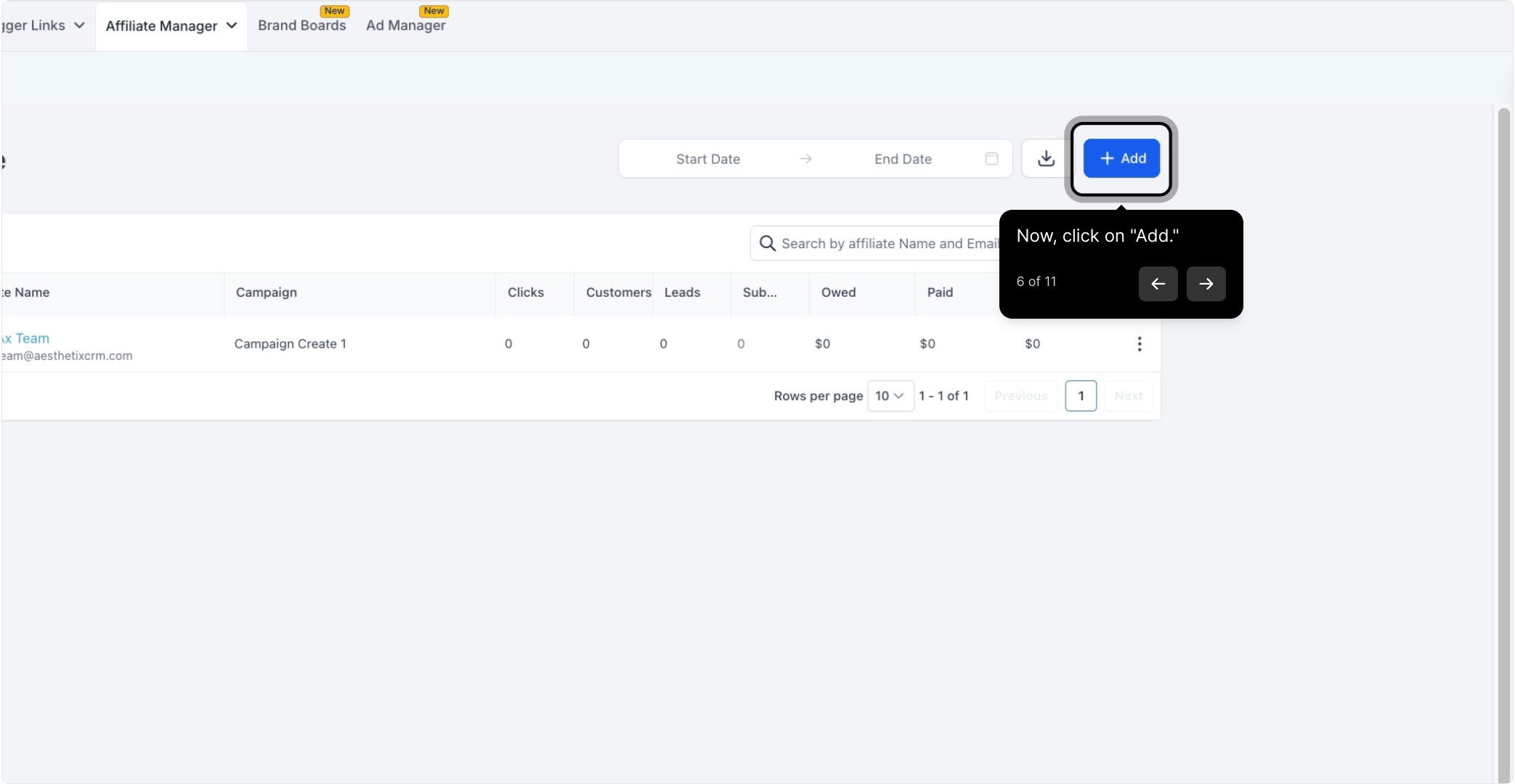
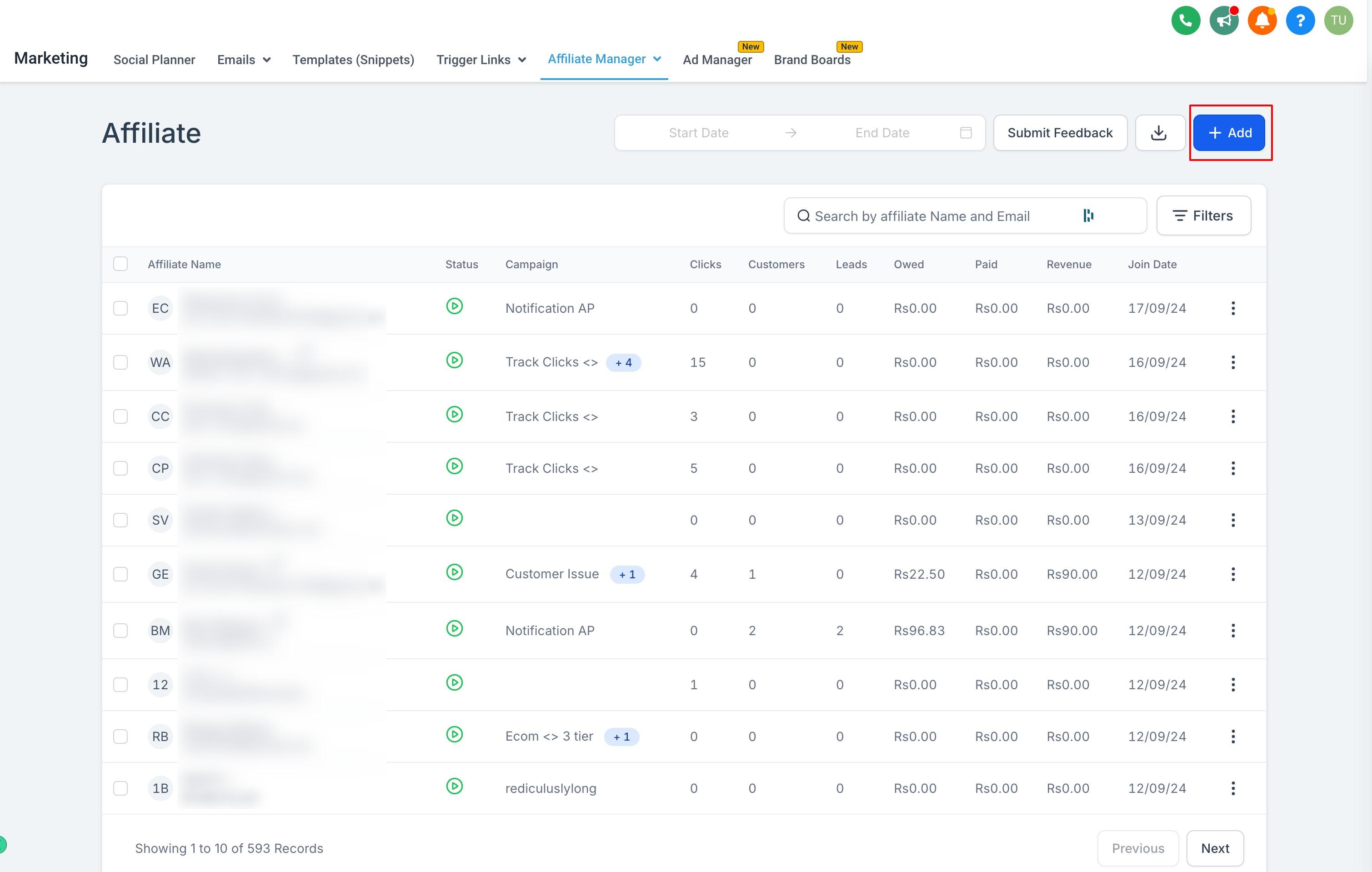
Click Add.
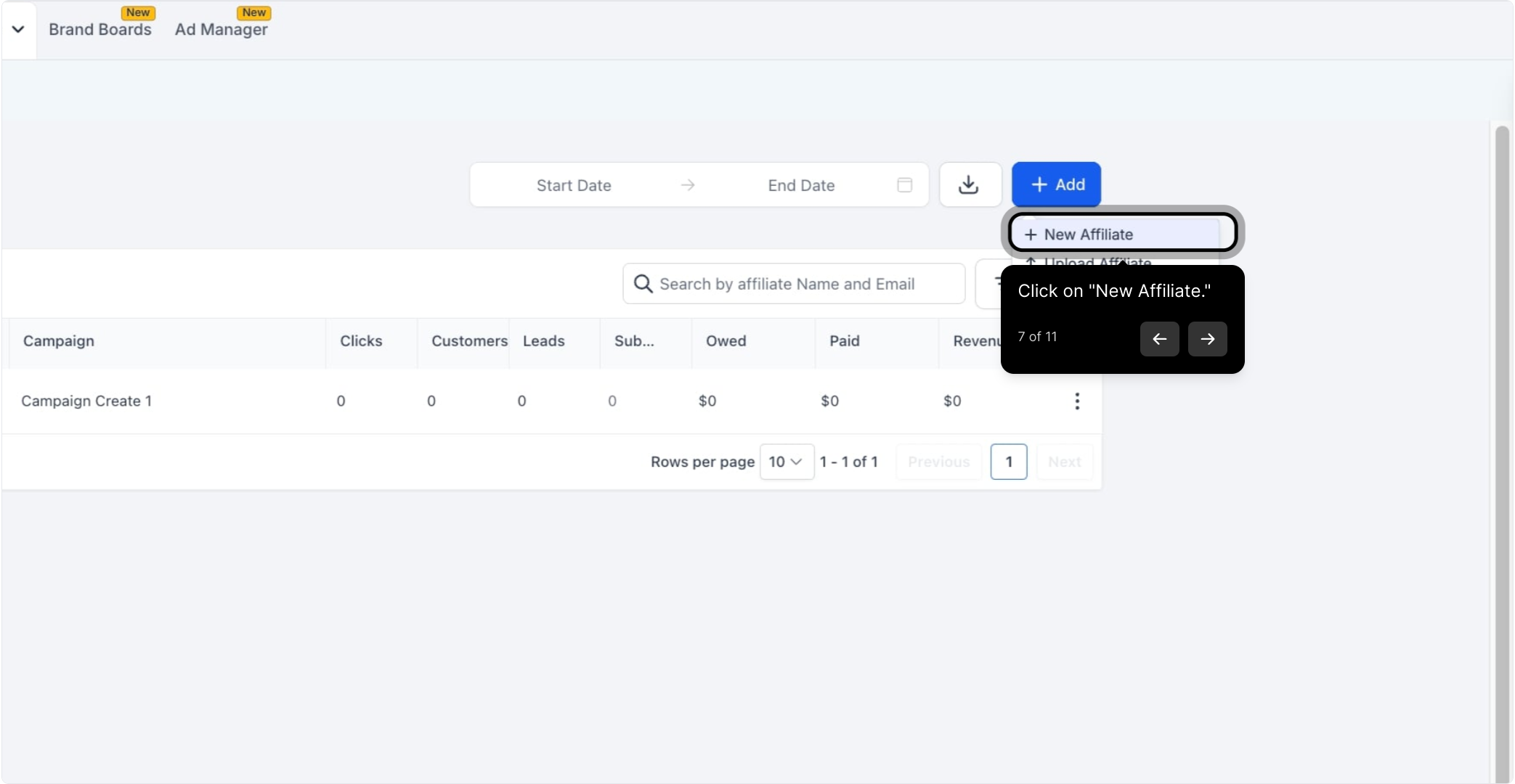
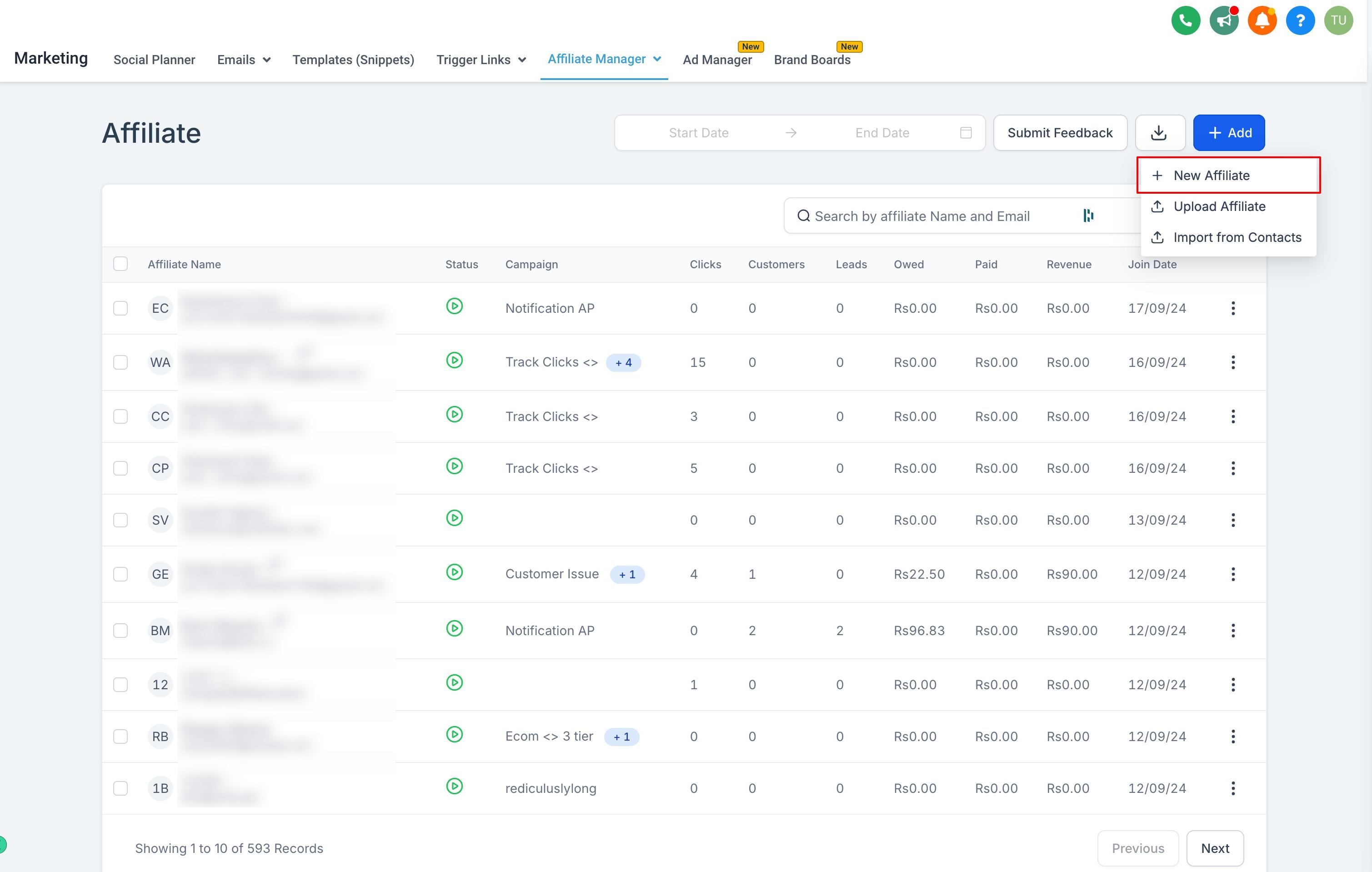
Choose New Affiliate from the options.
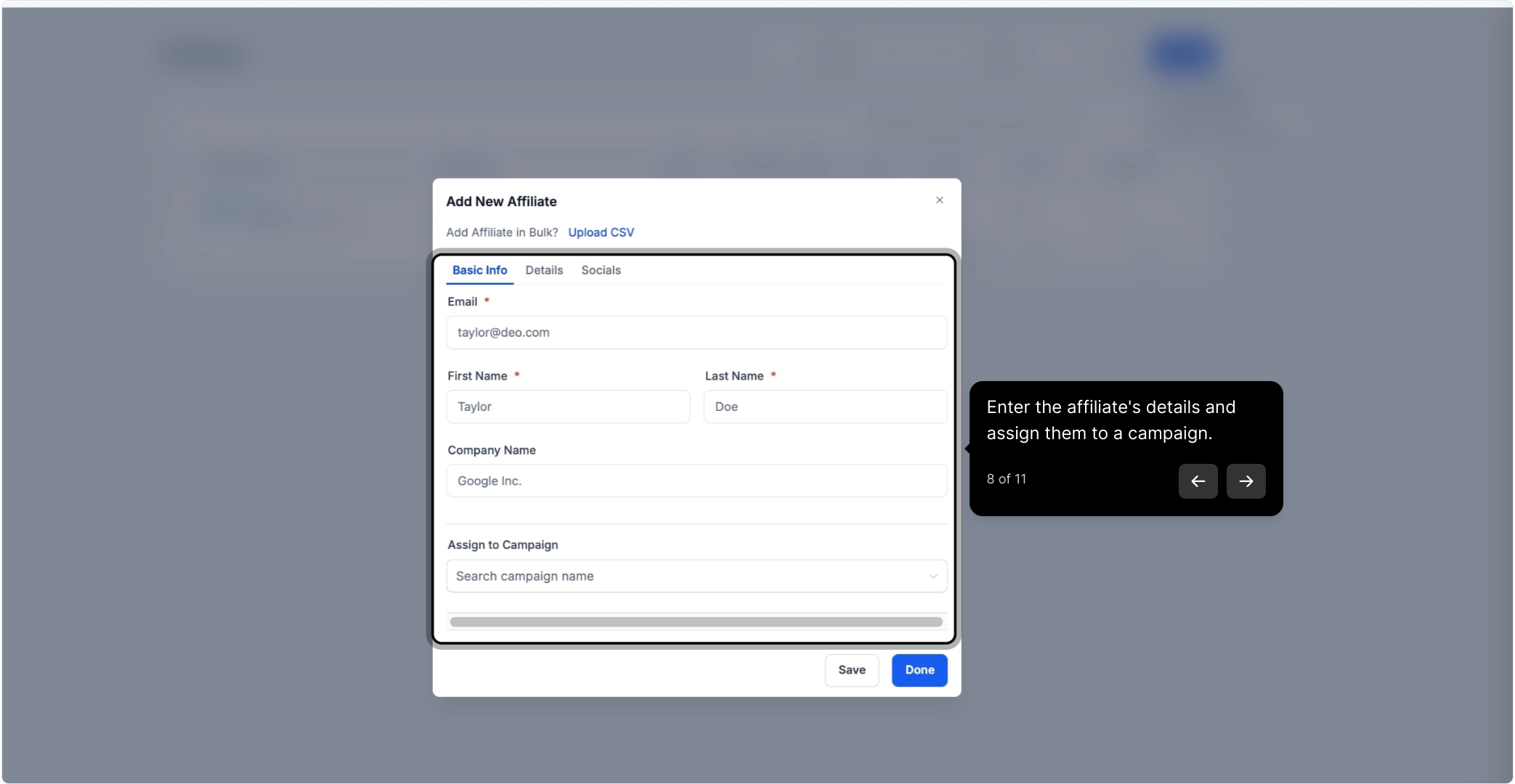
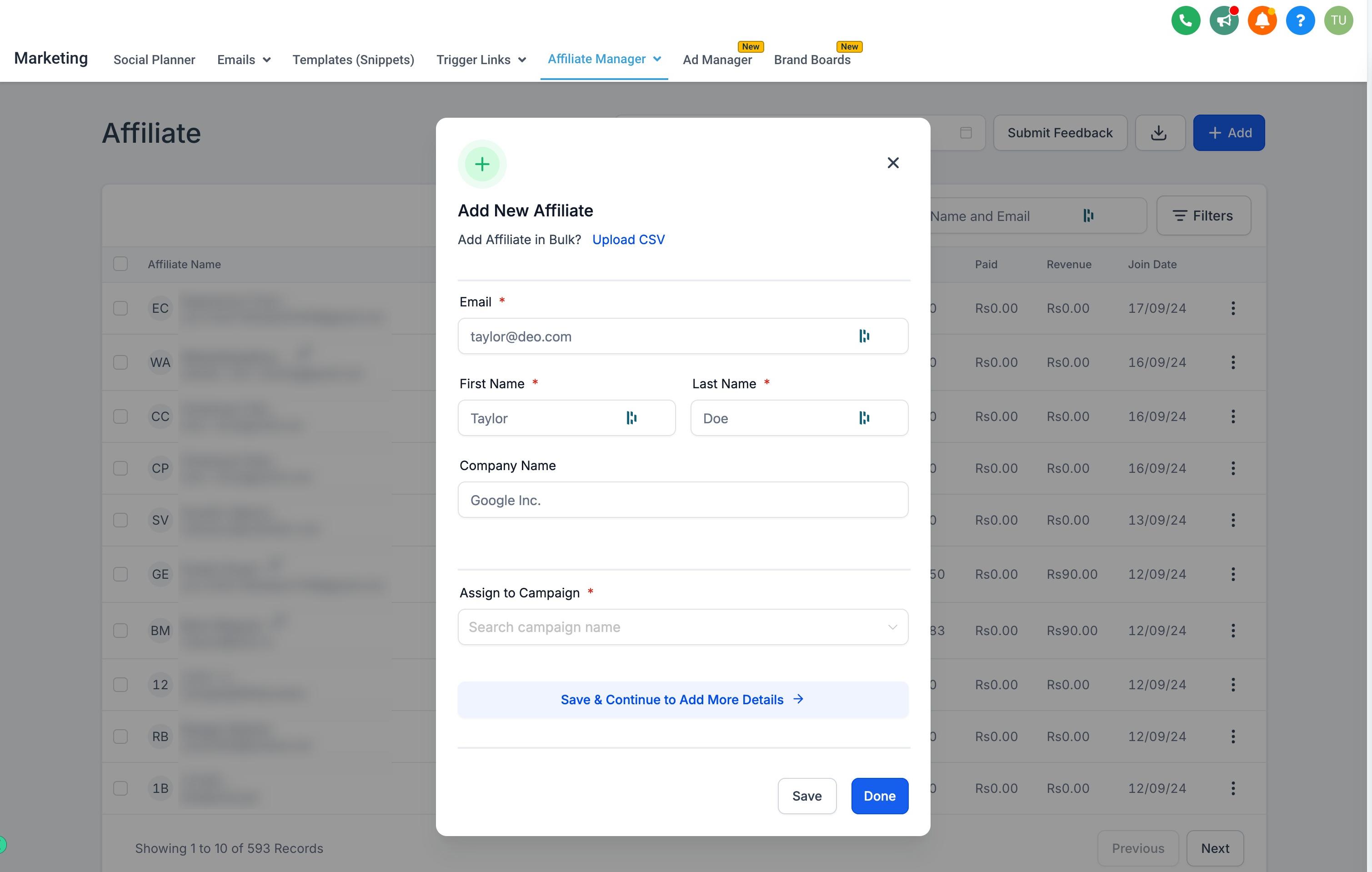
Enter the affiliate's details (name, email, and payout information) and assign them to a campaign.
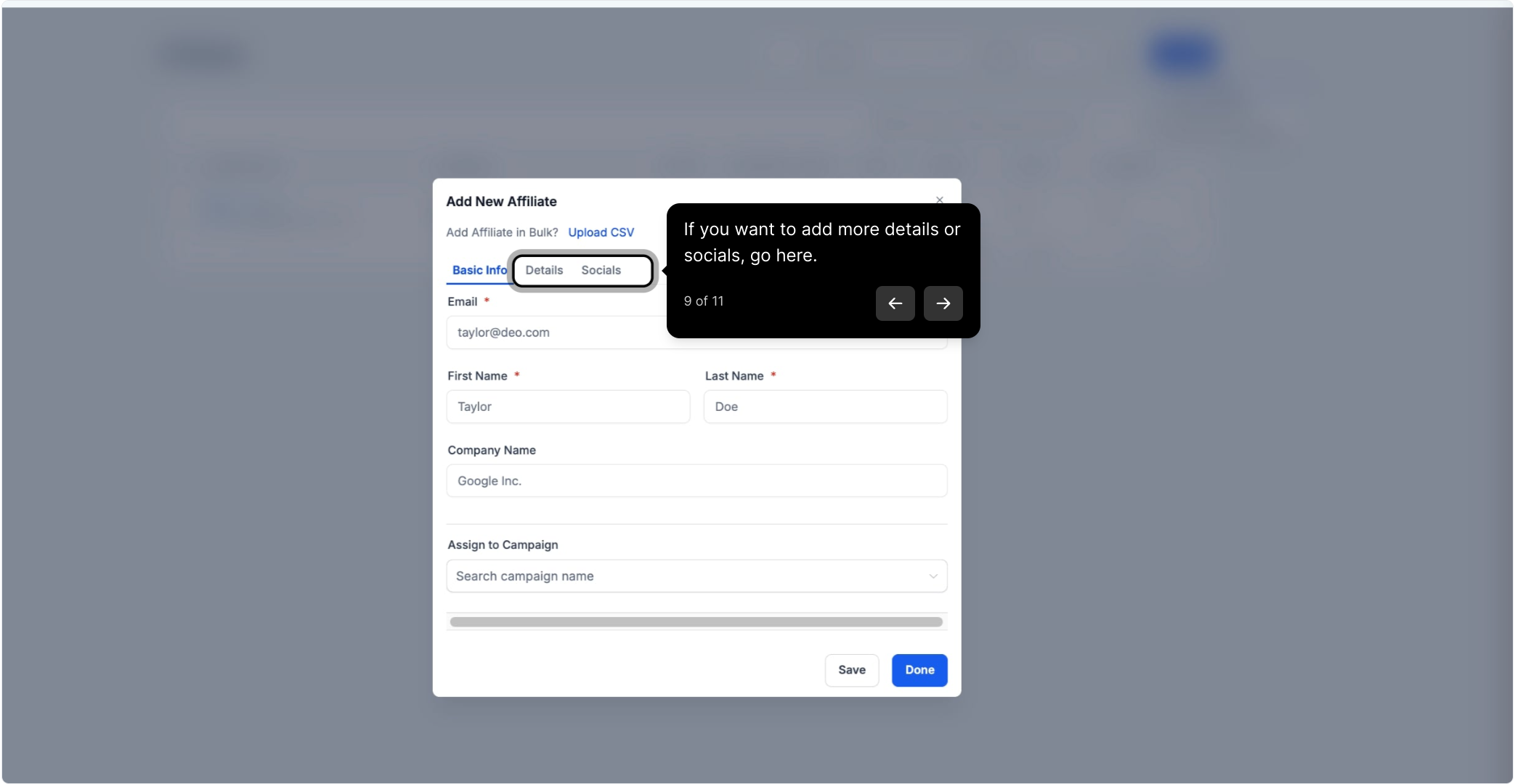
If you want to add more details or social profiles for the affiliate, you can do that here too.
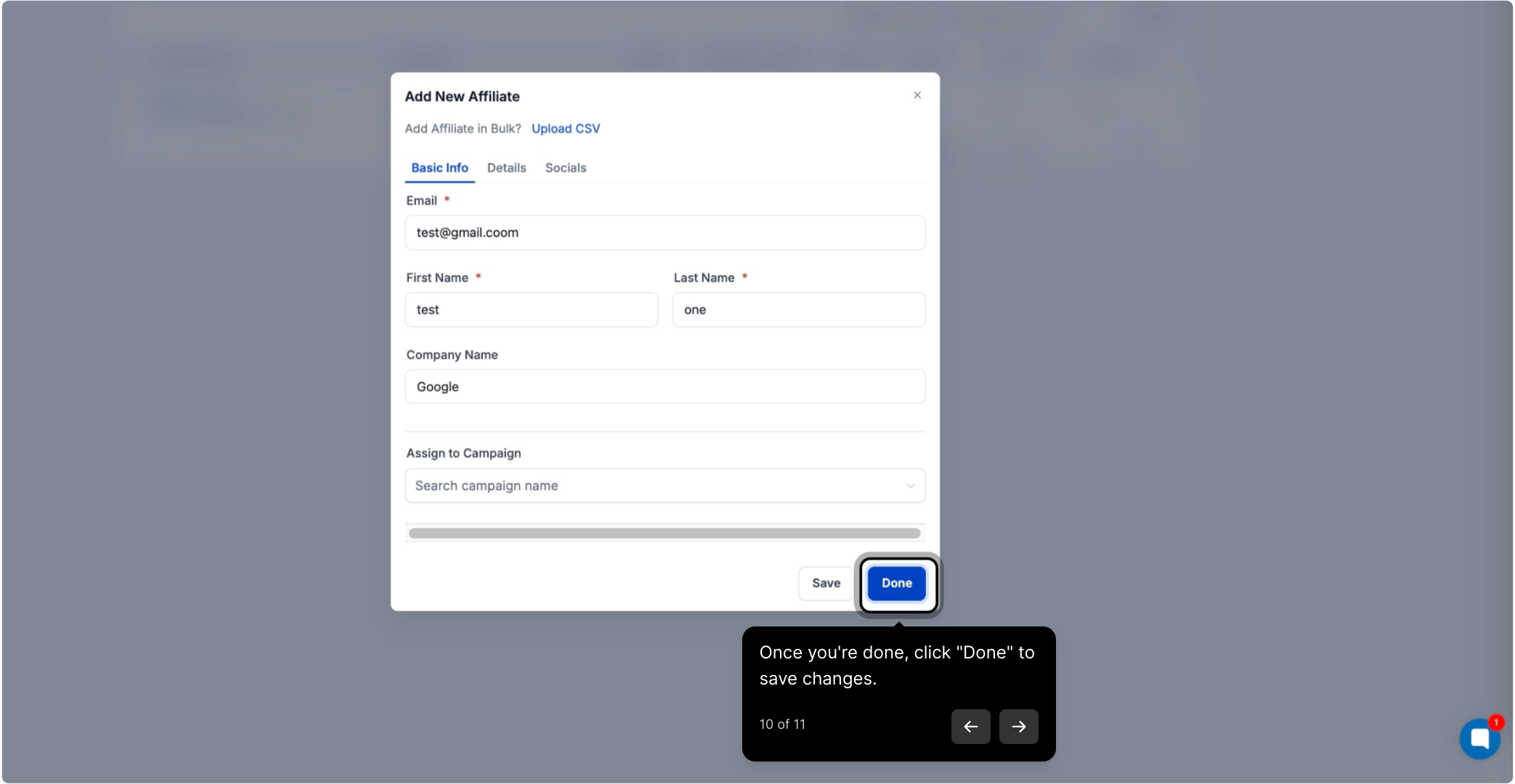
Click Done to save the changes.
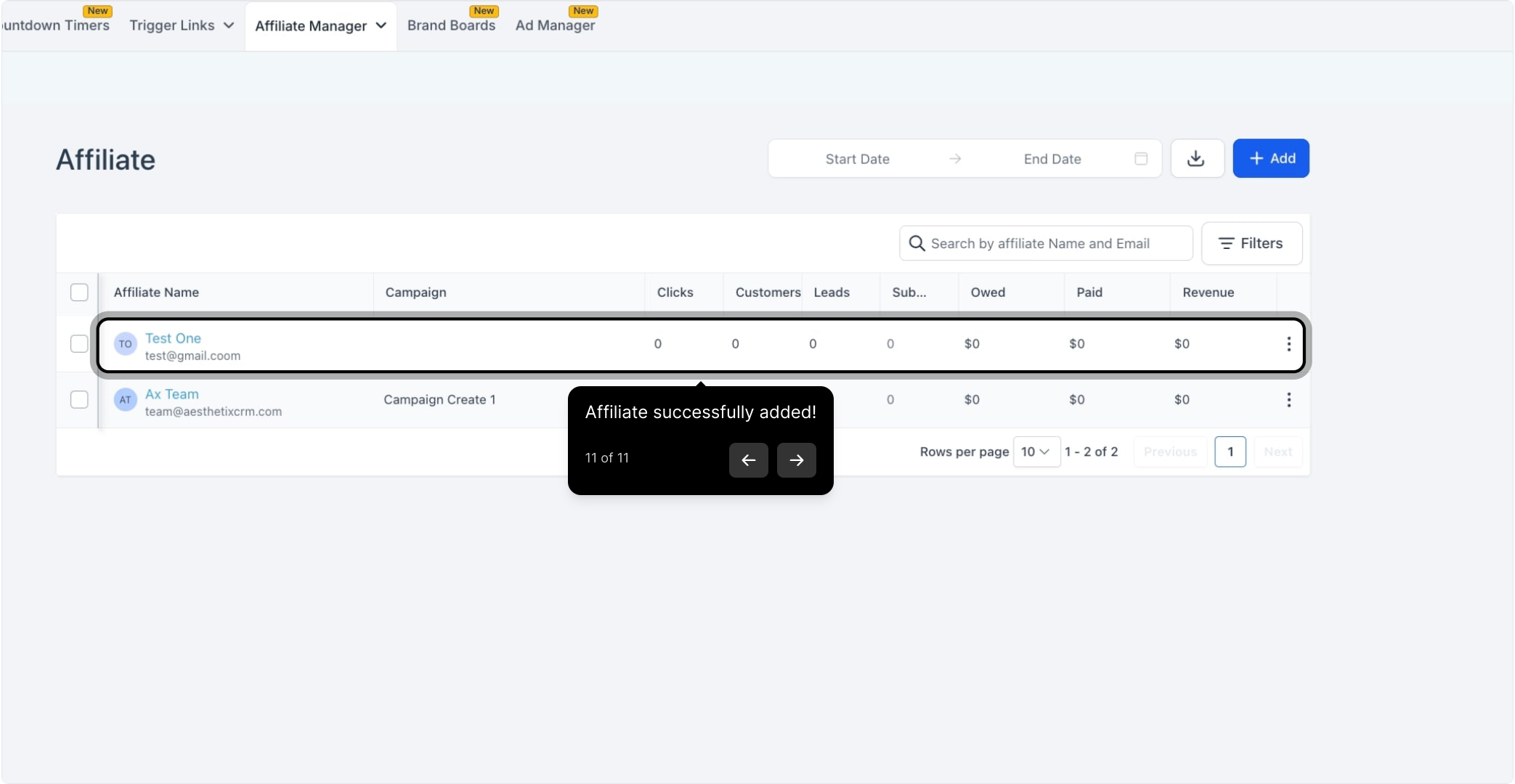
The affiliate is added successfully and now appears in your affiliate list.
If you're onboarding a group of affiliates at once (for example, launching a partner program with several referring providers), a bulk upload is faster than adding them one by one.
Navigate to the Affiliate page and click Add.
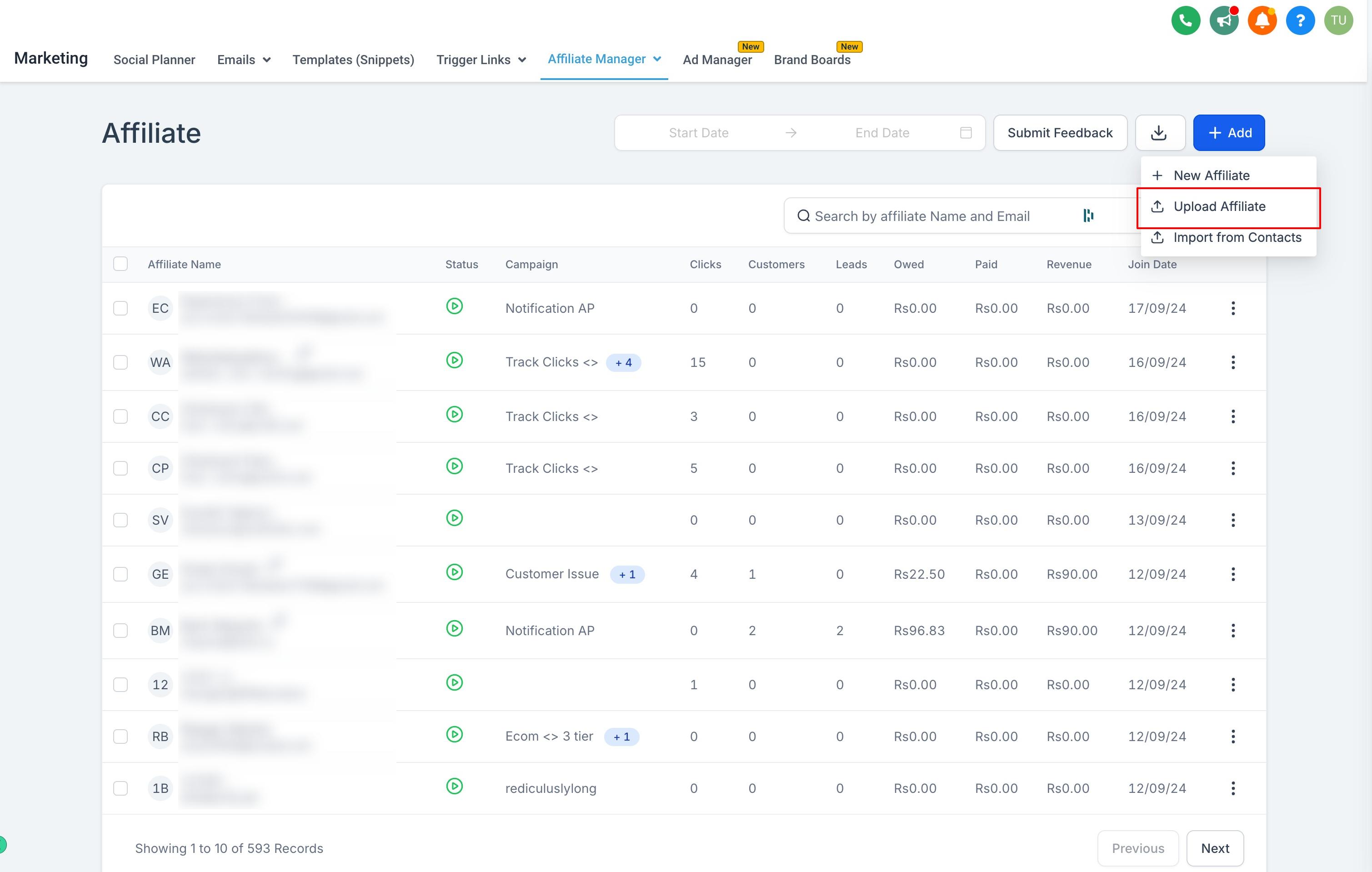
Select Upload Affiliate.
Download the sample CSV file and fill it in with your affiliates' details.
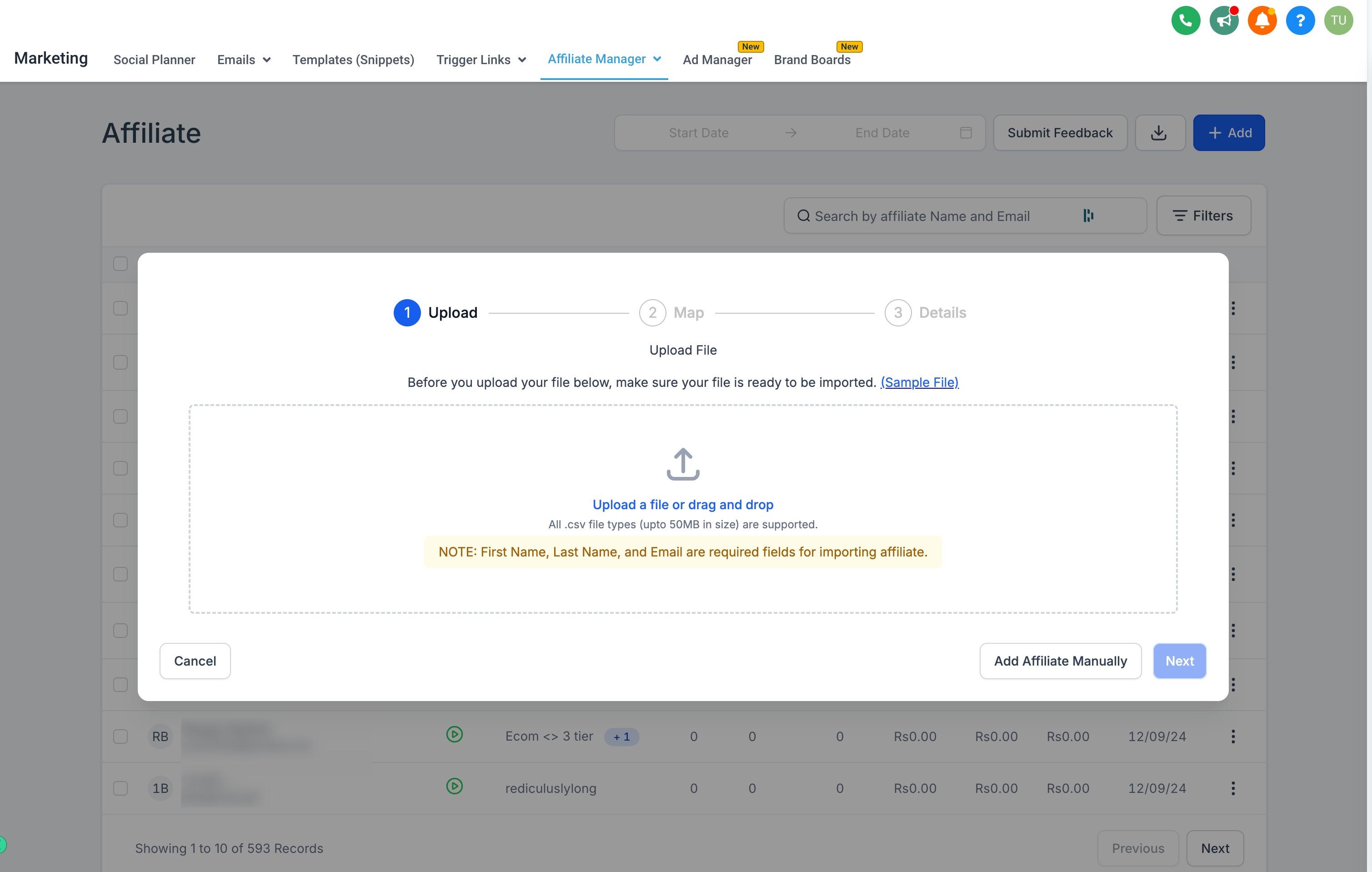
Upload the completed file and click Save to add every affiliate on the list at once.
You can also turn contacts already in your account, such as loyal patients or referral partners, into affiliates without re-entering their information.
On the Affiliate page, click Add and select Import from Contacts.
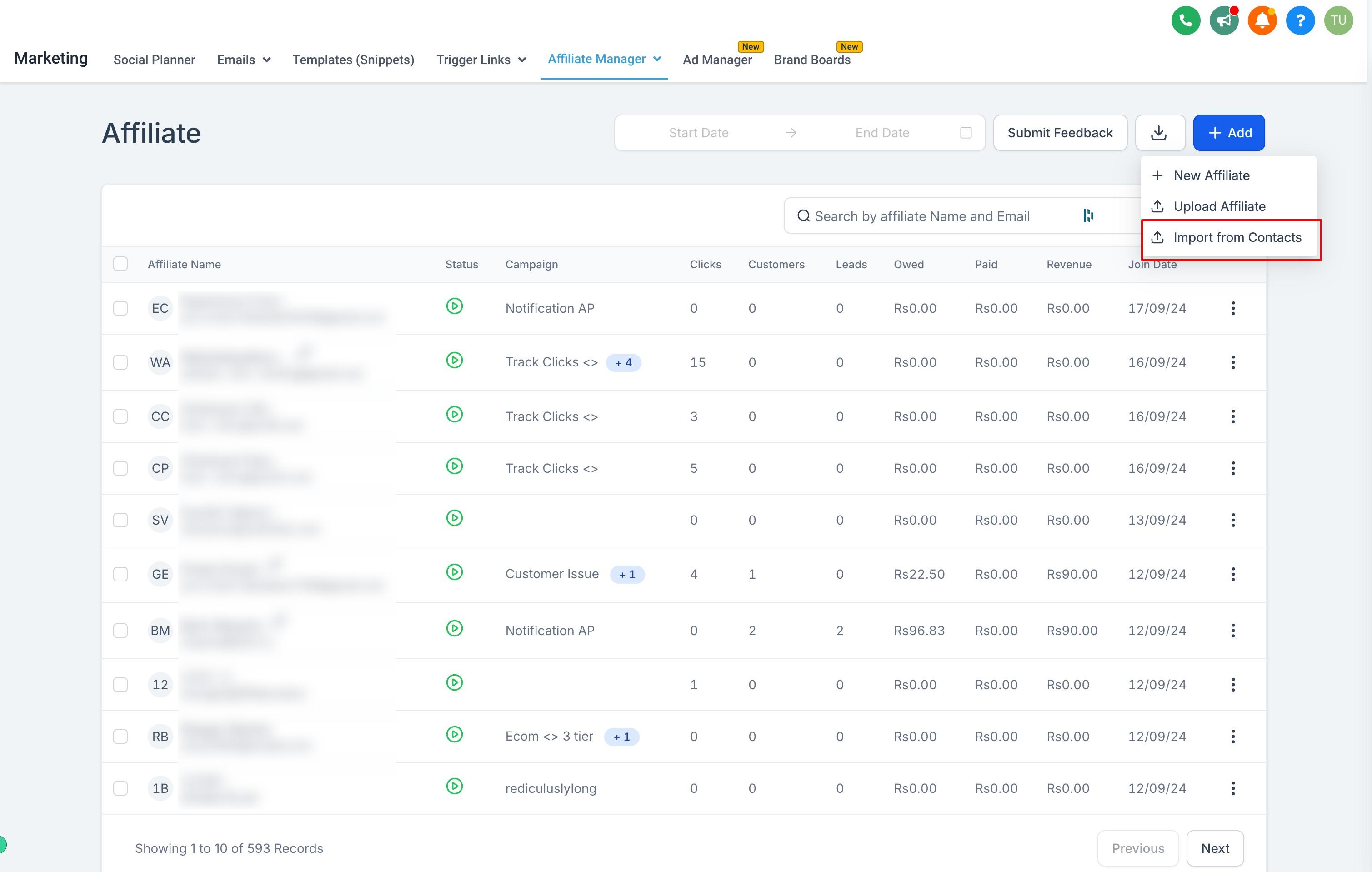
Choose the contacts you want to convert into affiliates.
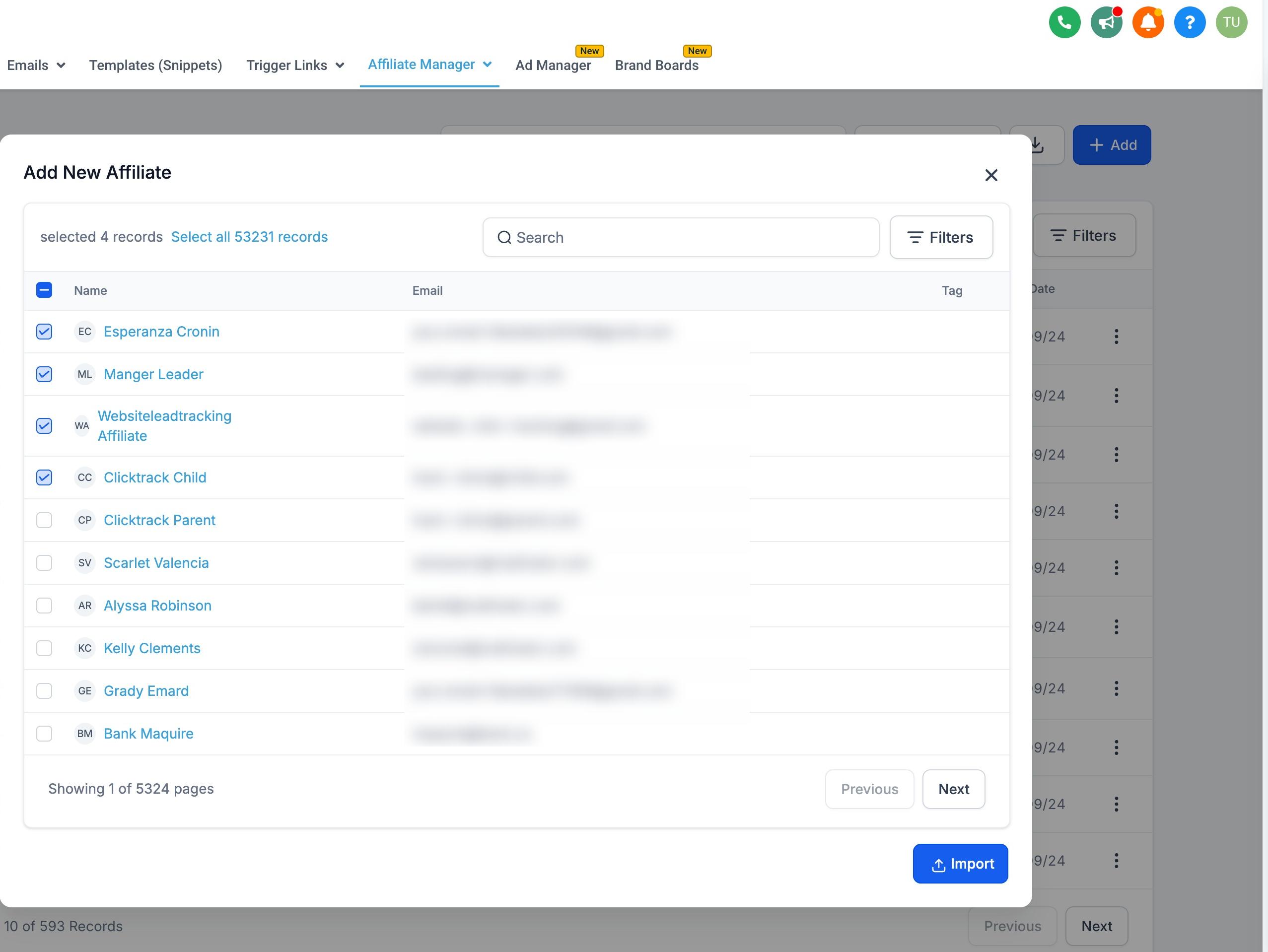
Click Import to add them to your affiliate program.
Since this pulls from your existing contact records, only import contacts who have agreed to participate in your referral program. If any of the contacts you're converting are patients, avoid including clinical or treatment notes in their affiliate profile, since the Affiliate Manager isn't a clinical record and that information doesn't belong there.
Rather than adding affiliates manually every time, you can trigger these actions from a workflow, for example, automatically making someone an affiliate once they complete a referral form or reach a certain milestone. The available affiliate actions are:
Action | What it does |
|---|---|
Add to Affiliate Manager | Adds a contact to the Affiliate Manager with an active status. |
Update Affiliate | Changes an affiliate's status to Mark as Active or Mark as Inactive. |
Add to Affiliate Campaign | Adds an affiliate to a specific campaign from the Campaigns tab. |
Remove from Affiliate Campaign | Removes an affiliate from a campaign they're currently part of. |
These actions live in the Workflows builder, not in the Affiliate Manager itself, so set up the trigger and action there rather than adding affiliates by hand each time.
Once an affiliate is added, you can organize them under a parent affiliate (sub-affiliates), review their activity from the affiliate profile page, and give them access to their own affiliate portal to track referrals and commissions. Those workflows are covered in separate guides for sub-affiliates, the affiliate profile page, and the affiliate portal.
What's the difference between adding an affiliate manually, in bulk, and importing from contacts? They all end with the same result, an active affiliate in your program, but manual add is best for one person at a time, bulk upload is best for onboarding several affiliates at once via CSV, and importing from contacts is best when the affiliate is already in your account as a contact.
Can I let affiliates sign themselves up instead of adding them myself? Adding affiliates today happens through your account (manually, by bulk upload, by importing contacts, or by workflow automation). If you want affiliates to apply or register on their own, set up a form or landing page that feeds into a workflow, which can then automatically add the submitter as an affiliate using the "Add to Affiliate Manager" workflow action.
Do I need to assign an affiliate to a campaign right away? Yes, when adding an affiliate manually you'll assign them to a campaign as part of entering their details. The campaign determines which tracking links, commission rules, and promotions the affiliate is tied to.
What information do I need to add an affiliate? At minimum, their name and email. You can also add payout details and social profiles, which are useful if the affiliate promotes your practice on social media.
Can I turn an existing patient into an affiliate? Yes, use the Import from Contacts option to convert an existing contact into an affiliate. Only do this for contacts who've agreed to participate in your referral program, and keep their affiliate profile separate from any clinical information.
What happens if I upload the CSV with a mistake in it? Download and use the sample CSV template as your starting point so the columns match what the system expects. If a row fails to import, fix the affected fields and re-upload the corrected file.
Can I automatically remove someone as an affiliate? Yes, use the "Update Affiliate" workflow action to mark them as inactive, or "Remove from Affiliate Campaign" to take them out of a specific campaign without removing them from the program entirely.
Where do I go after adding an affiliate? Head to the affiliate's profile page to review their activity, or set them up with sub-affiliates and portal access so they can track their own referrals and commissions.
