Aesthetix CRM includes one-click shortcuts that launch Ad Manager preconfigured to run an ad, right from the tools your team already uses. These context-aware buttons, "Create Engagement Ad" in WhatsApp and "Run as Ad" in Social Planner, deep-link into Ad Manager and pre-load the relevant campaign objective and post content, trimming several manual steps from the usual ad-creation flow. For a practice, this means turning a strong organic post or a WhatsApp number into a paid campaign without hunting through Ad Manager or re-uploading assets.
Accelerates setup, since the objective, destination, media, and copy are pre-selected, cutting form-filling time.
Keeps your workflow continuous, moving from organic content to paid promotion in a single click.
Reduces errors, because the correct objective (Engagement) and channel (WhatsApp, Facebook, or Instagram) are applied automatically.
Surfaces Ad Manager exactly where you are already working.
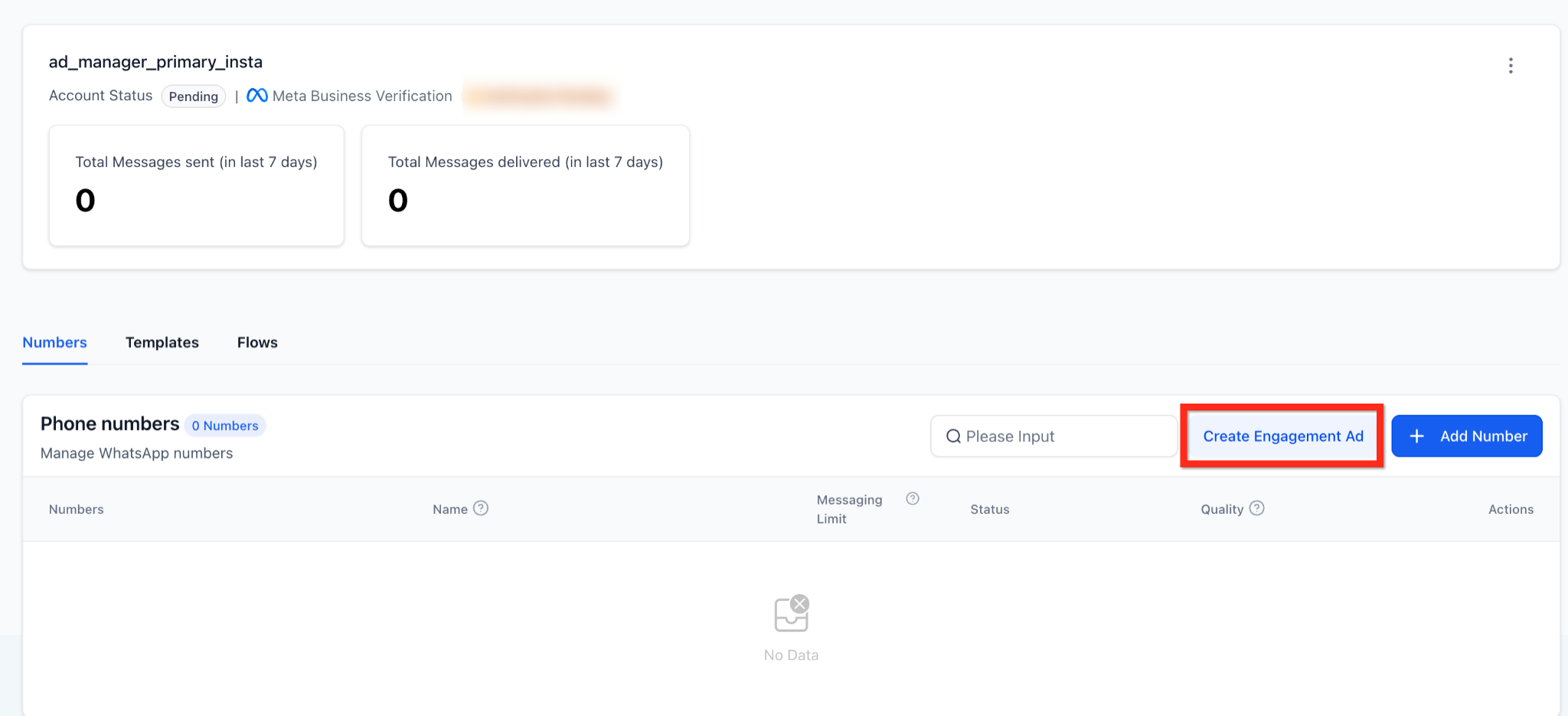
Quickly convert a WhatsApp number into an Engagement campaign that drives conversations.
Where to find it: Settings, then WhatsApp, then the Numbers tab, next to "Add Number."
What is auto-filled in Ad Manager: the objective is set to Engagement and the destination is set to WhatsApp. Budget, audience, and creative remain editable.
Ad Manager is included with your Aesthetix CRM plan, so it is always available. If you have not connected an ad account yet, you will see a "Connect Account" button to set one up first.
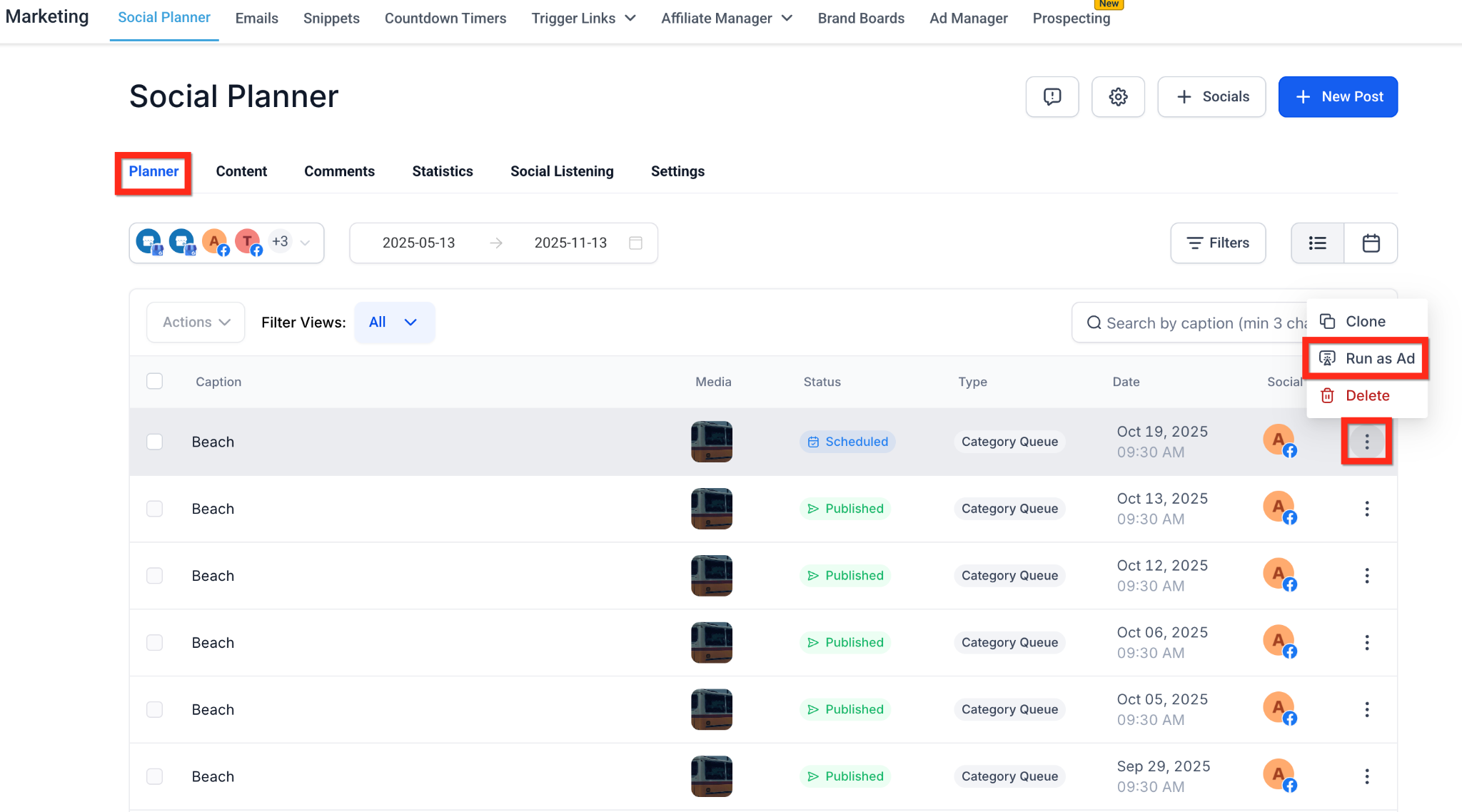
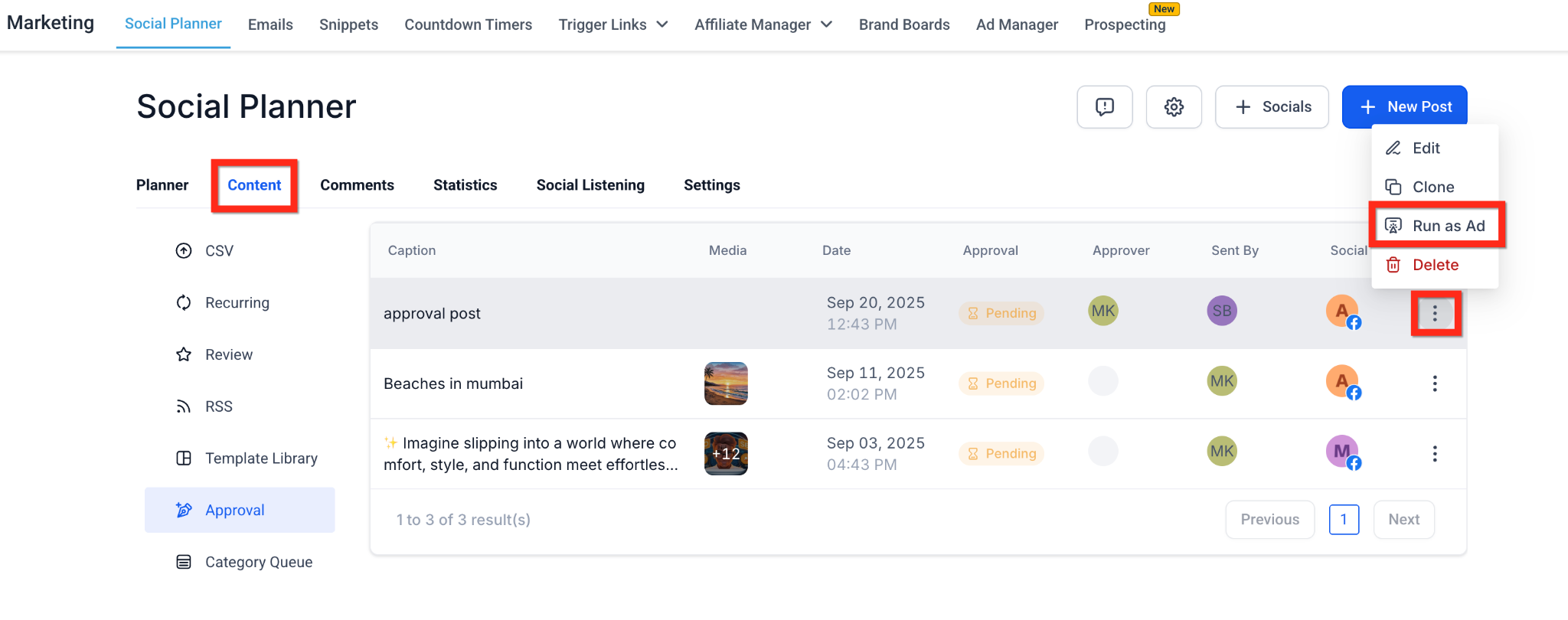
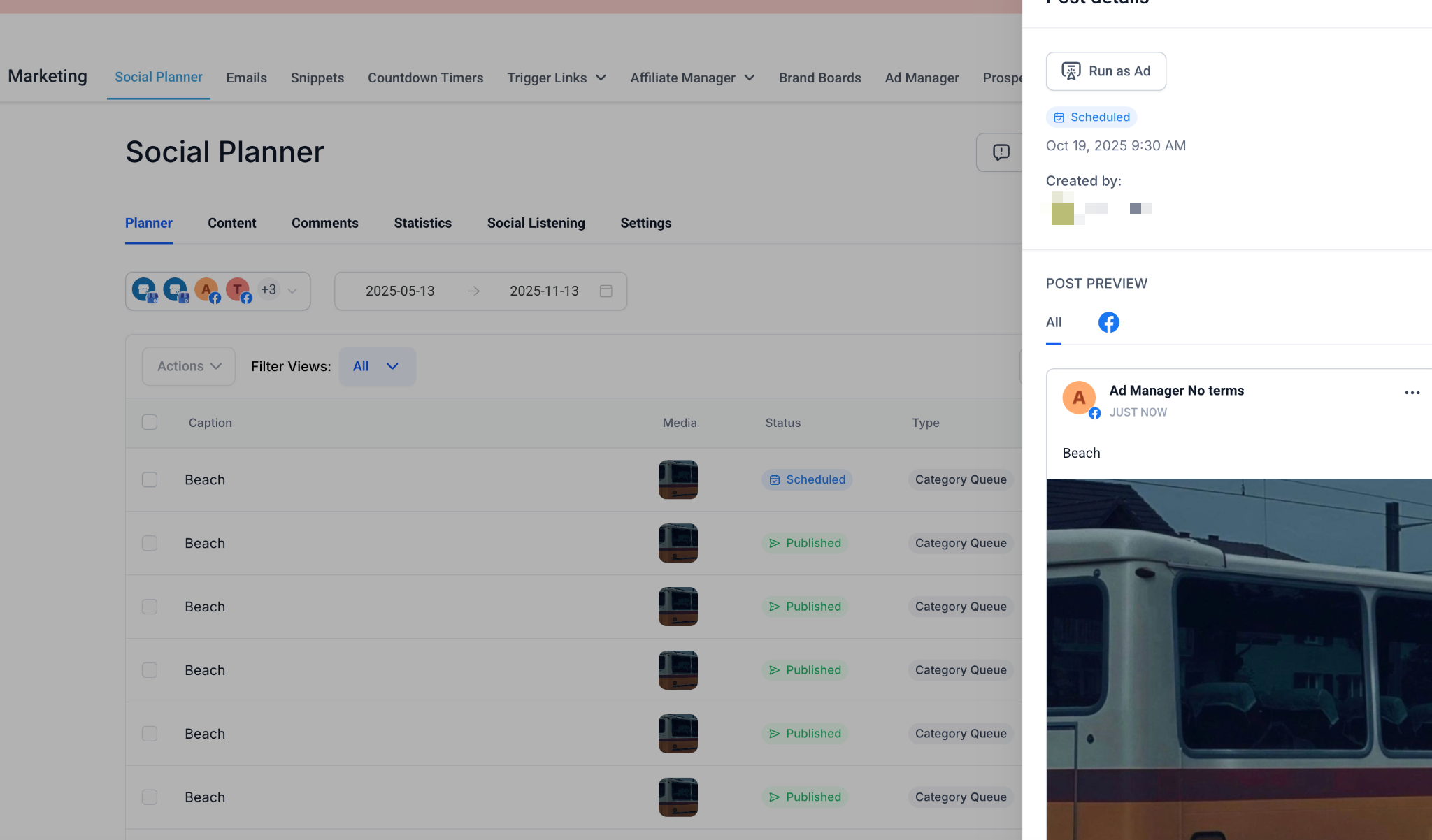
Promote a published or scheduled Facebook or Instagram post as a paid ad without re-uploading assets.
Where to find it:
Marketing, then Social Planner, then the Planner tab, in the 3-dot action menu on a list row.
Marketing, then Social Planner, then the Content tab, then the Approval tab, in the 3-dot action menu on a list row.
Marketing, then Social Planner, in the post detail sidebar.
Supported post statuses: Published, Scheduled, and In Review. Draft and Recurring posts are not supported.
What happens: click Run as Ad, confirm in the modal, and Ad Manager opens. Choose Google or Meta, and the campaign is pre-filled with the media and caption. Text-only posts remain editable.
For creating and scheduling the organic posts themselves, see the Social Media Planner collection. For building an Engagement campaign from scratch, see the "Create an Ad Campaign" and "Click-to-Message Ads" guides.
Does using these shortcuts cost extra?
No. Ad Manager is included with your Aesthetix CRM plan at no extra charge. You only pay the ad platform directly for the ad spend when the ad runs.
Can I use Run as Ad for TikTok or LinkedIn posts?
Not yet. Run as Ad currently supports Facebook and Instagram posts only.
What objective does Create Engagement Ad use?
It sets the objective to Engagement and the destination to WhatsApp automatically, while leaving budget, audience, and creative editable.
What happens if I edit the post after turning it into an ad?
Changes made in Social Planner do not sync to the live ad. Edit the creative directly inside Ad Manager instead.
Why don't I see the Create Engagement Ad button in WhatsApp?
Confirm you are on the Numbers tab and that WhatsApp is enabled for your account. Standard user permissions also apply.
Which post statuses can be promoted with Run as Ad?
Published, Scheduled, and In Review posts are supported. Draft and Recurring posts are not.
Can I skip the confirmation modal?
No. The modal prevents accidental navigation and makes clear that you are entering the Ad Manager flow.
What if I have Ad Manager but no connected ad account?
You will see a "Connect Account" button. Connect your Meta ad account to continue building the campaign.
