A lookalike audience is a new group of people who resemble your existing patient base. It uses an existing custom audience (or a Facebook Page) as its source, and Meta then delivers your ad to people who are similar to that source. For a med spa, this is one of the most effective ways to find new prospects: build a lookalike from your best past patients and reach people who share similar traits and behavior. This guide covers where to create a lookalike audience, how to define it, and the states it moves through before it is ready to use.
You can create a lookalike audience during campaign creation.
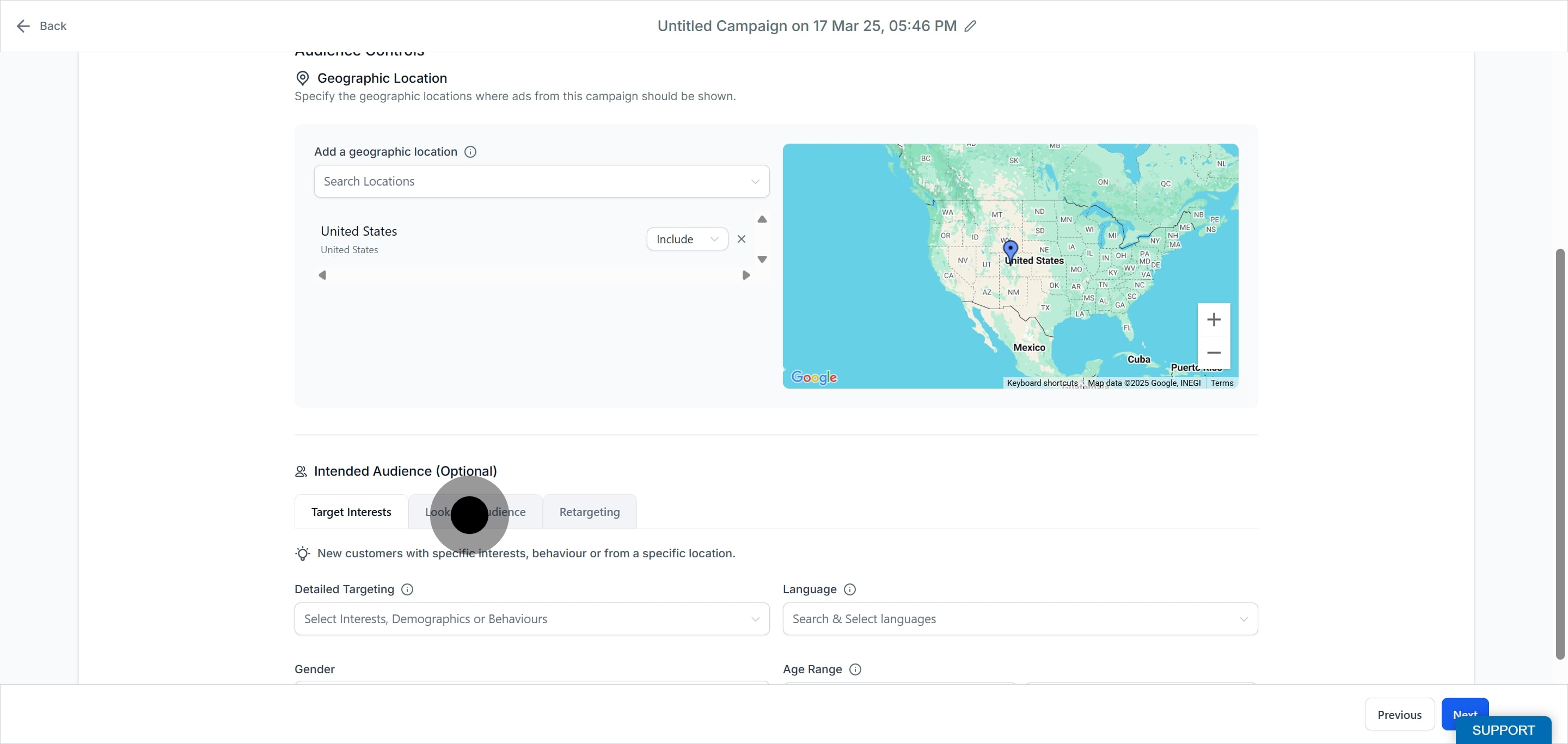
In the campaign creation flow, the second step is Budget and Audience. Under the Audience Controls section you will find the Intended Audience area.
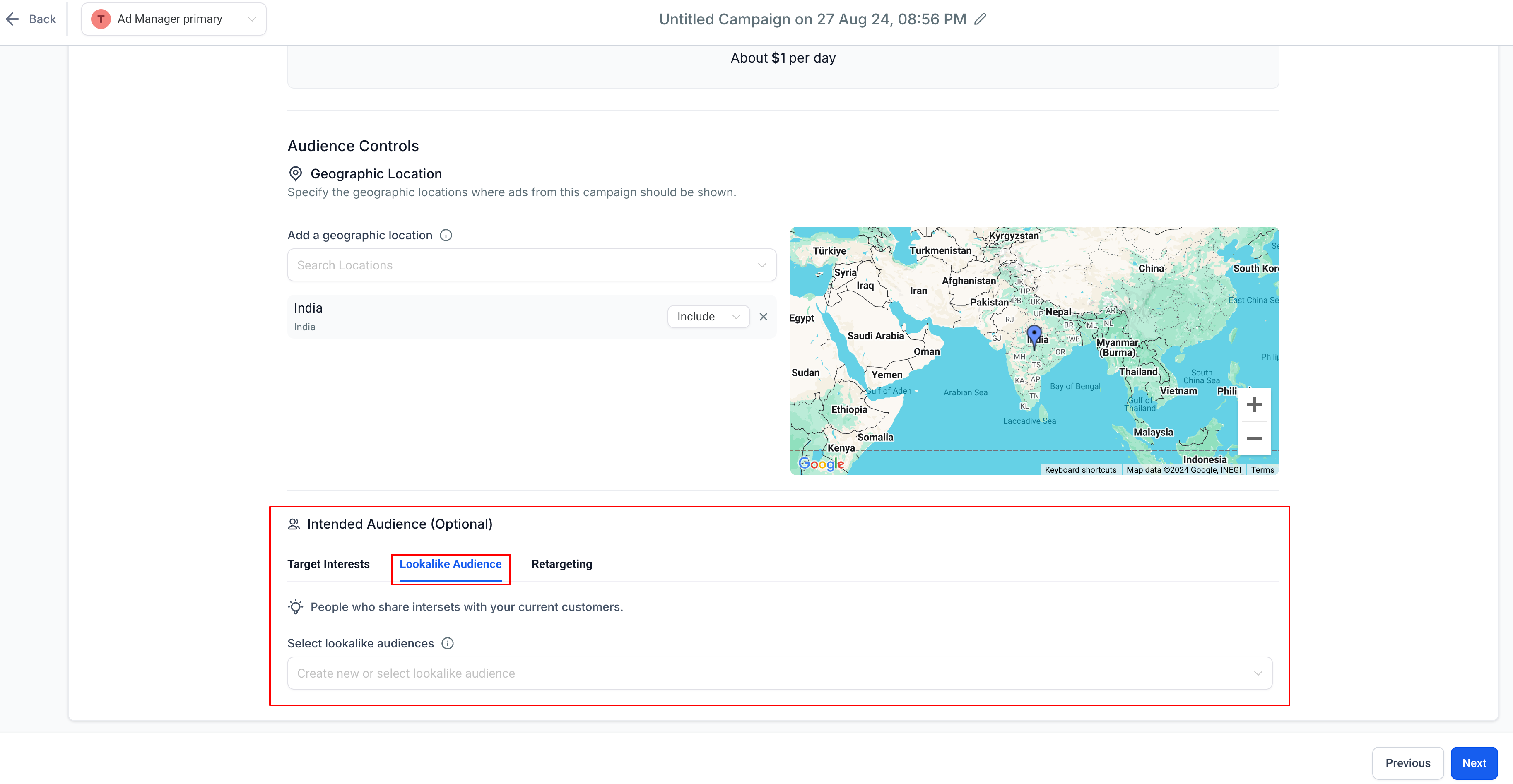
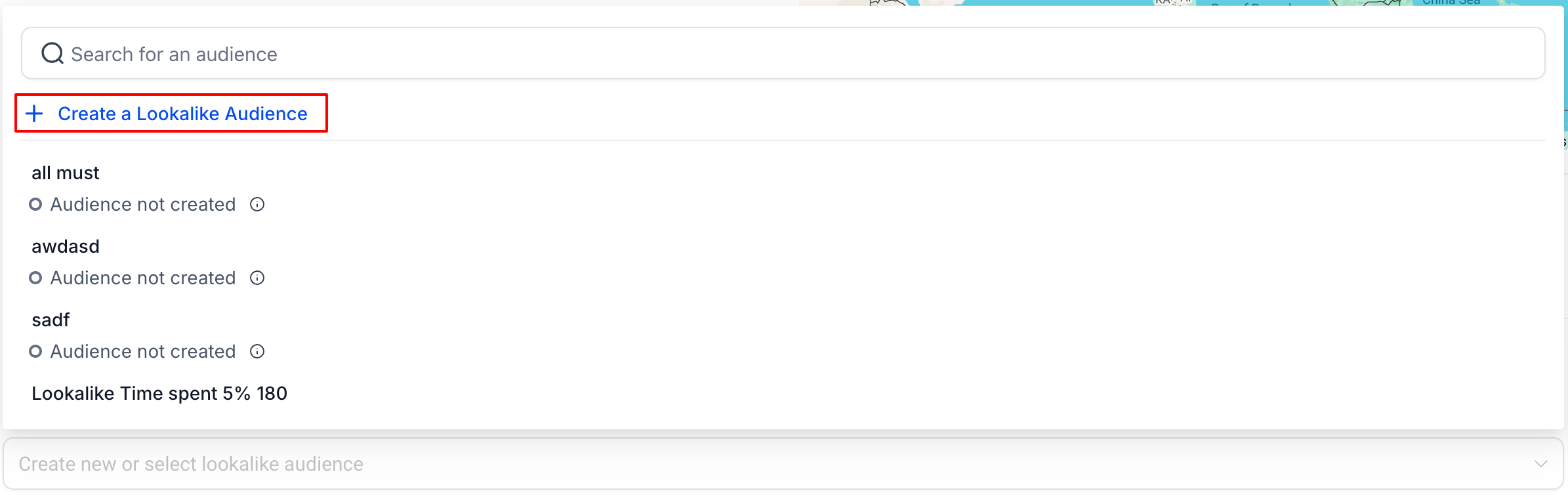
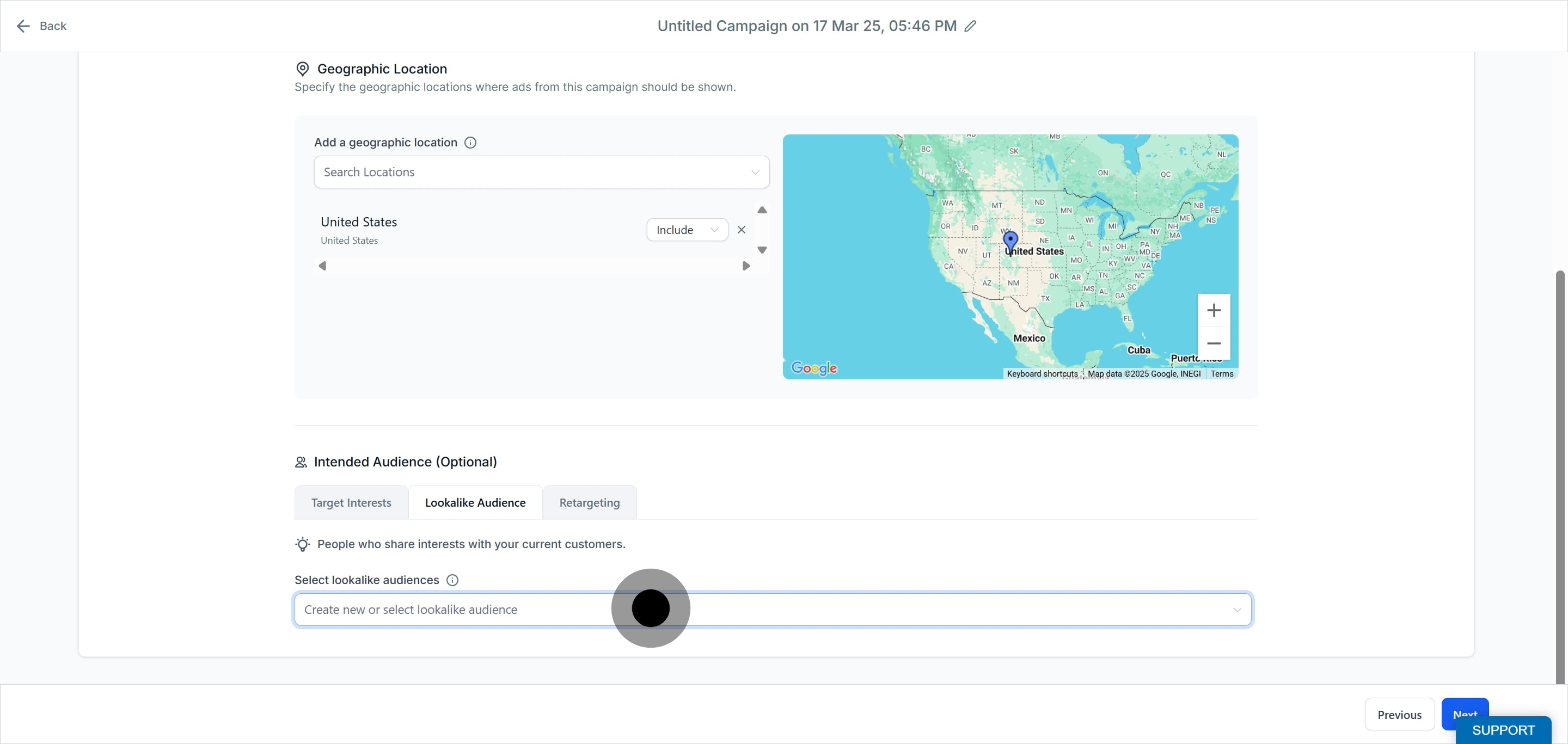
Under the Lookalike Audience tab, click the dropdown to Create new or select lookalike audience. The first option in the list is Create a Lookalike Audience.
Creating a lookalike audience is a single step process.
Begin in the campaign creation flow.
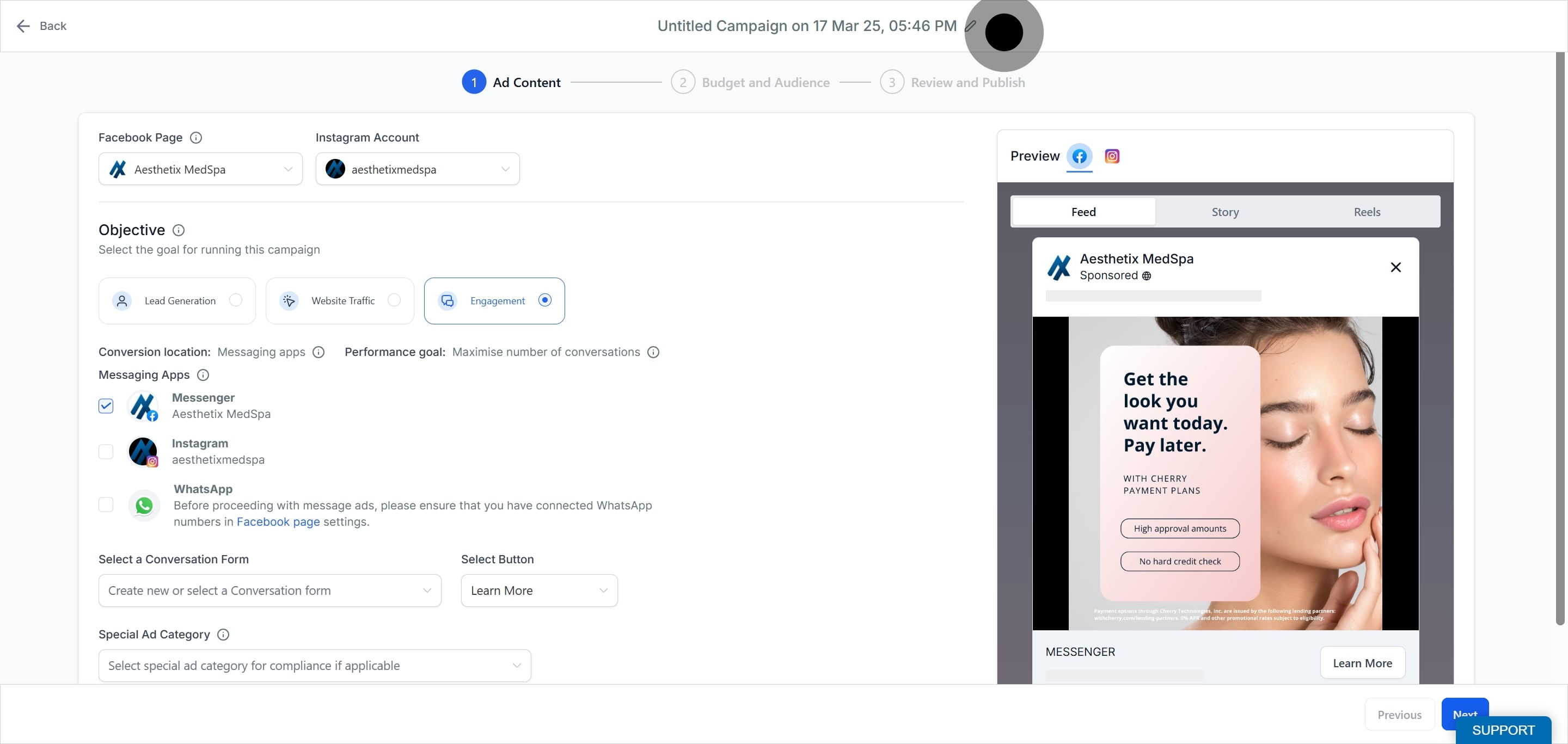
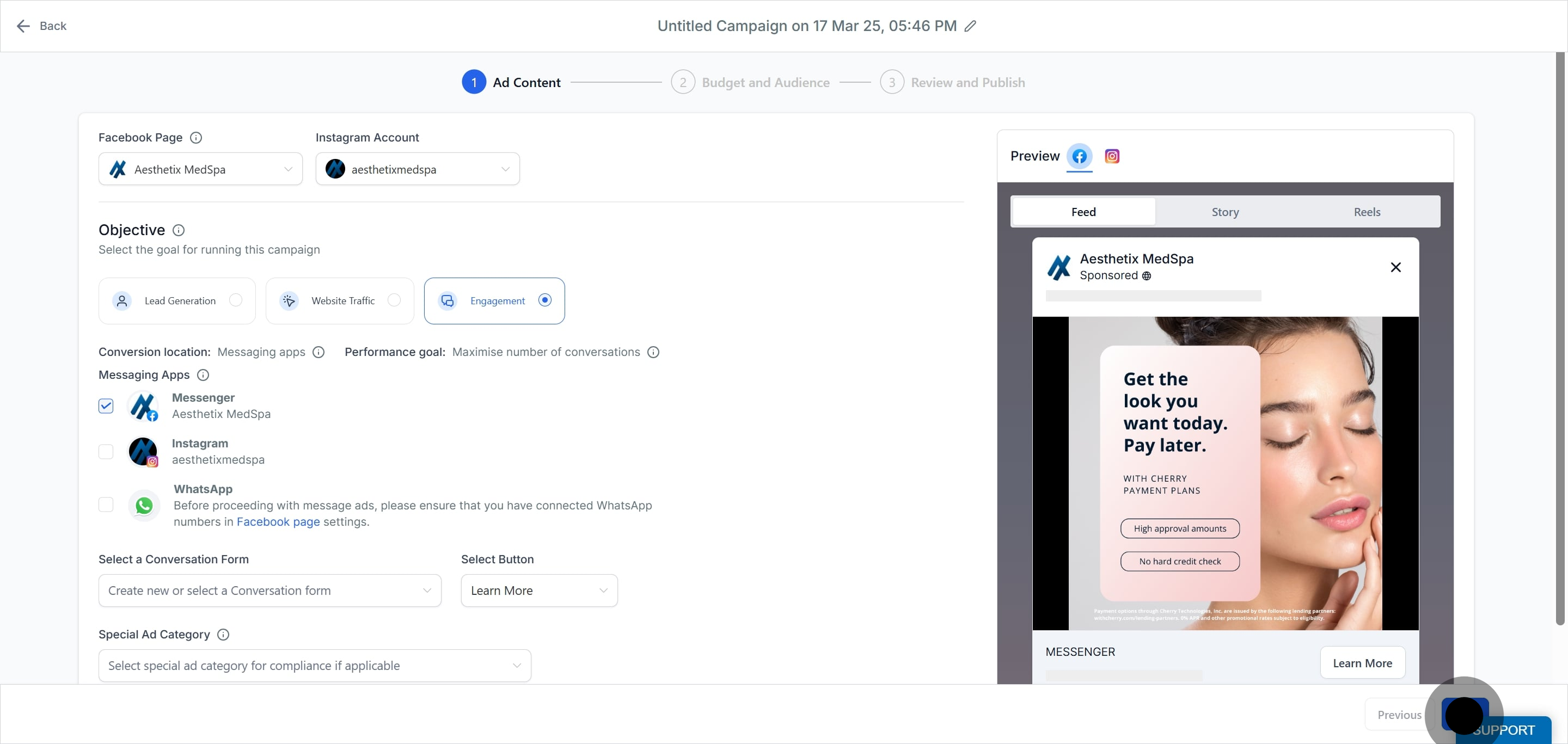
Click Next.
Select the Lookalike Audience tab.
Choose an existing audience or open the dropdown to create a new lookalike audience.
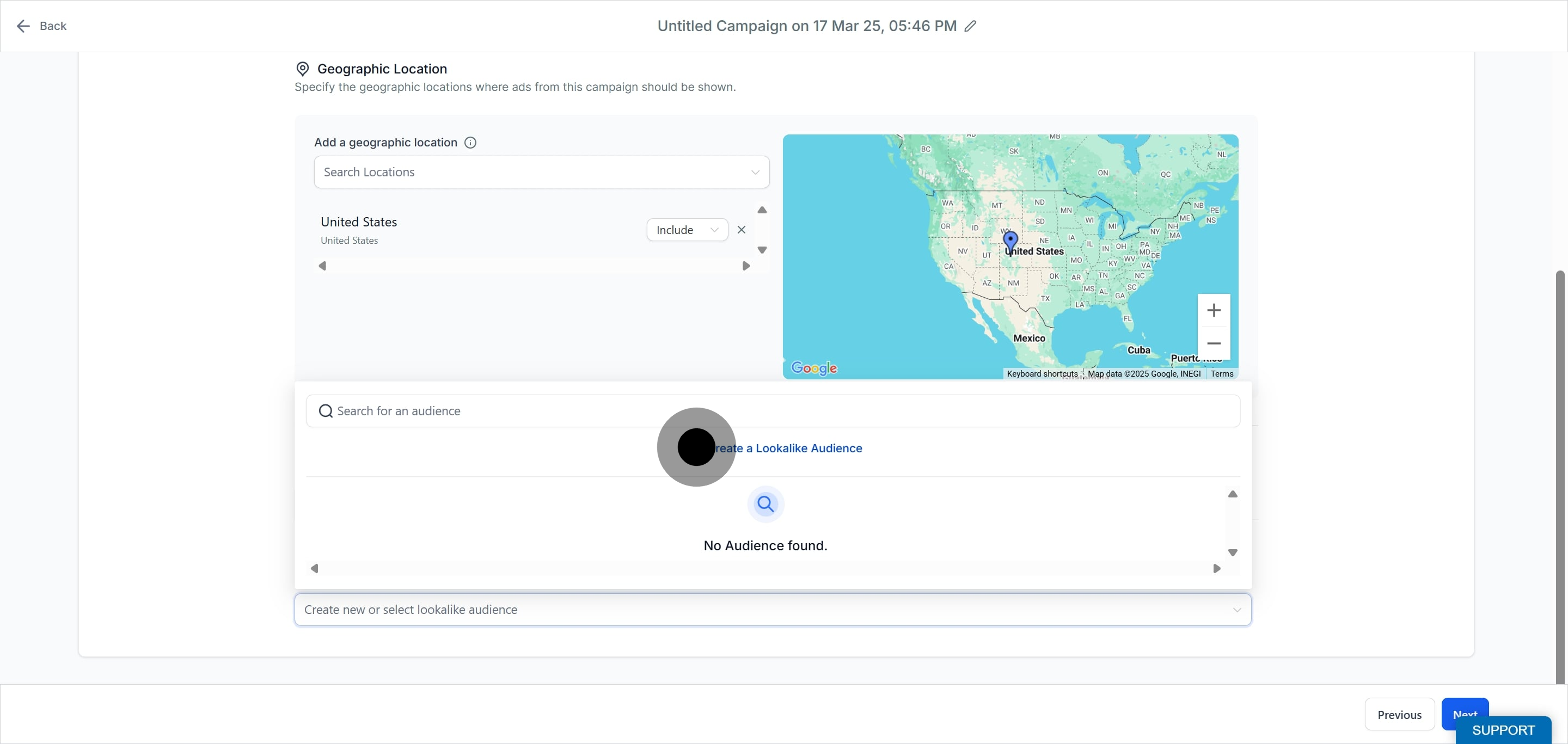
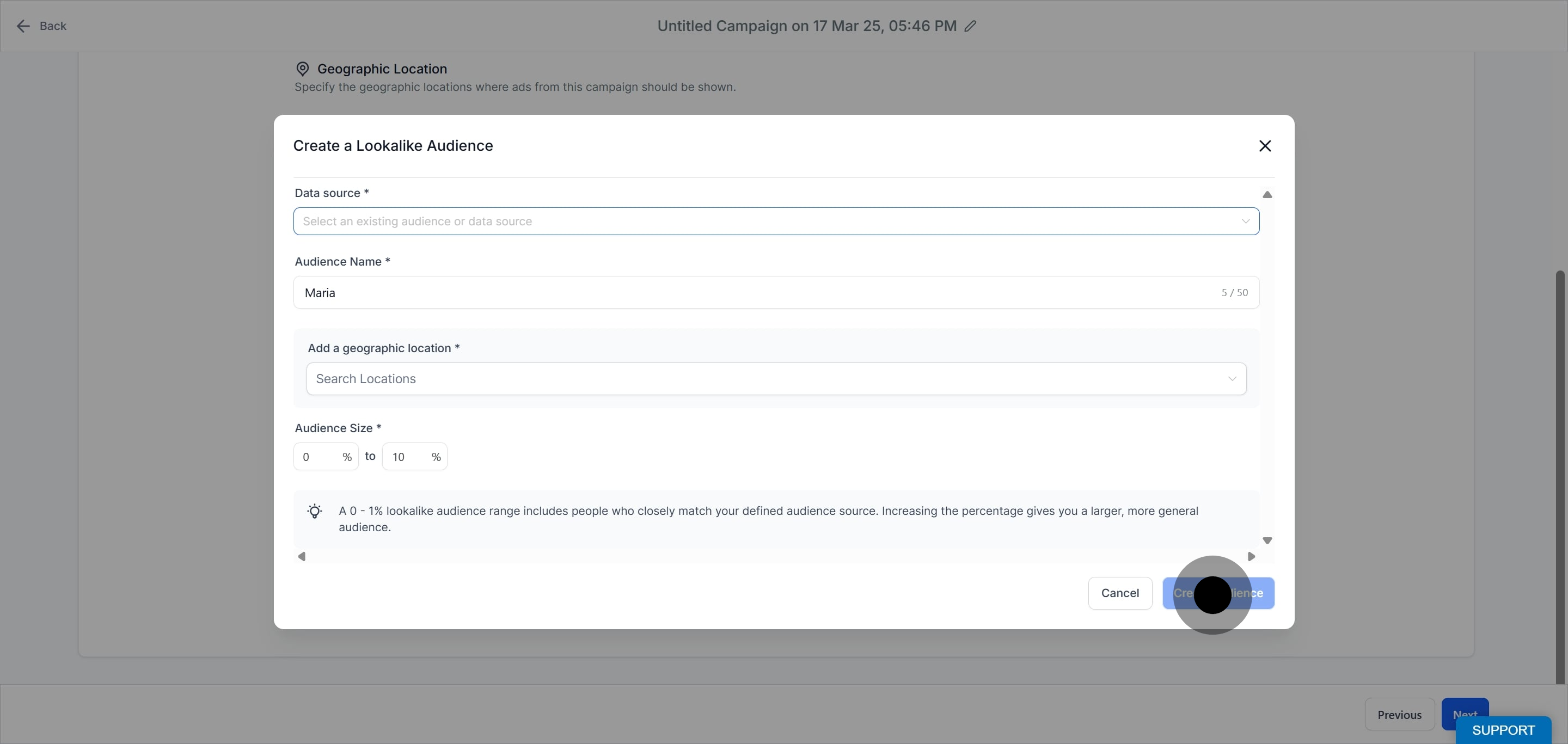
Click Create a Lookalike Audience. A modal opens where you define the audience.
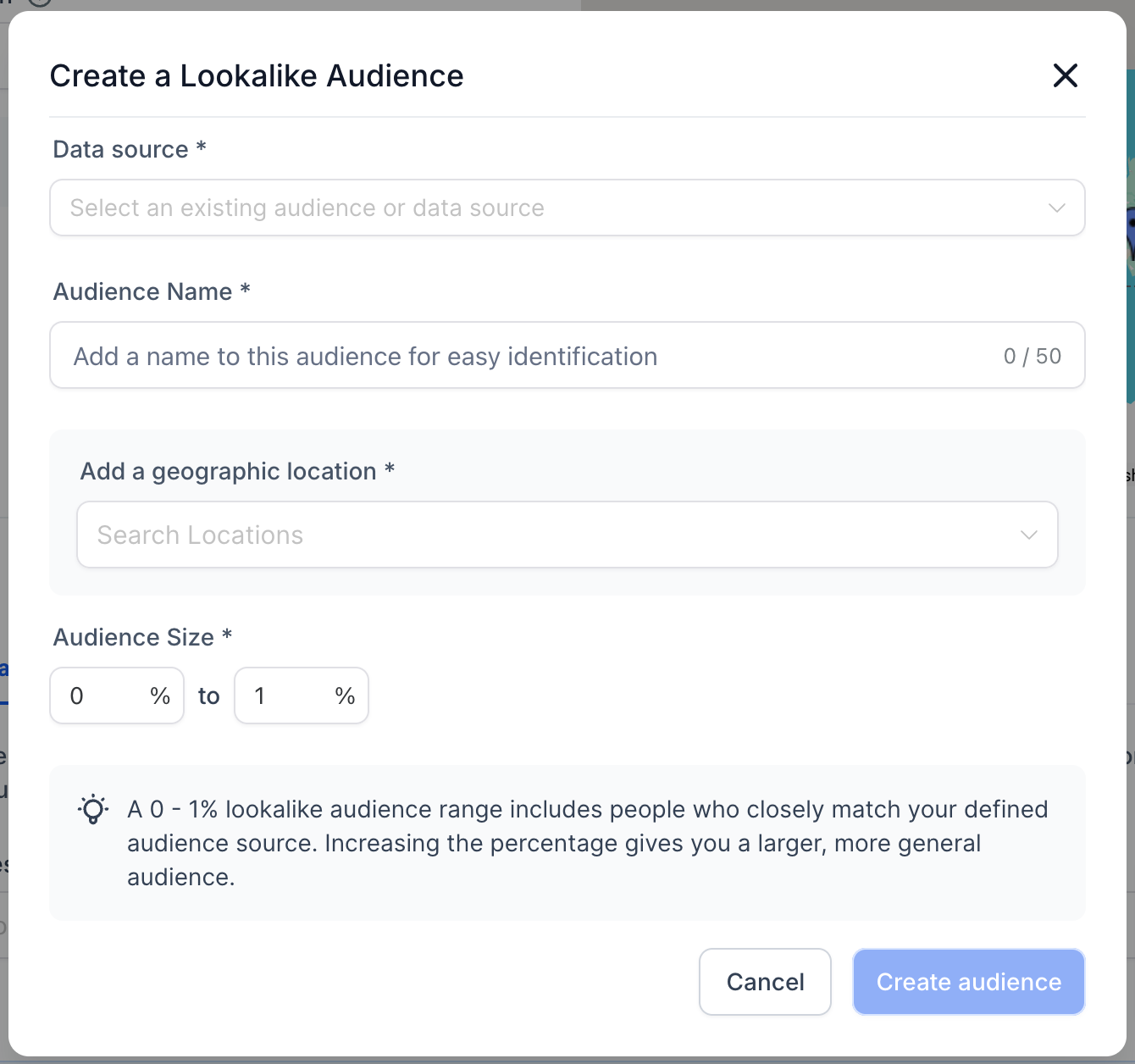
Select your data source. There are two kinds of data source in the dropdown; select one:
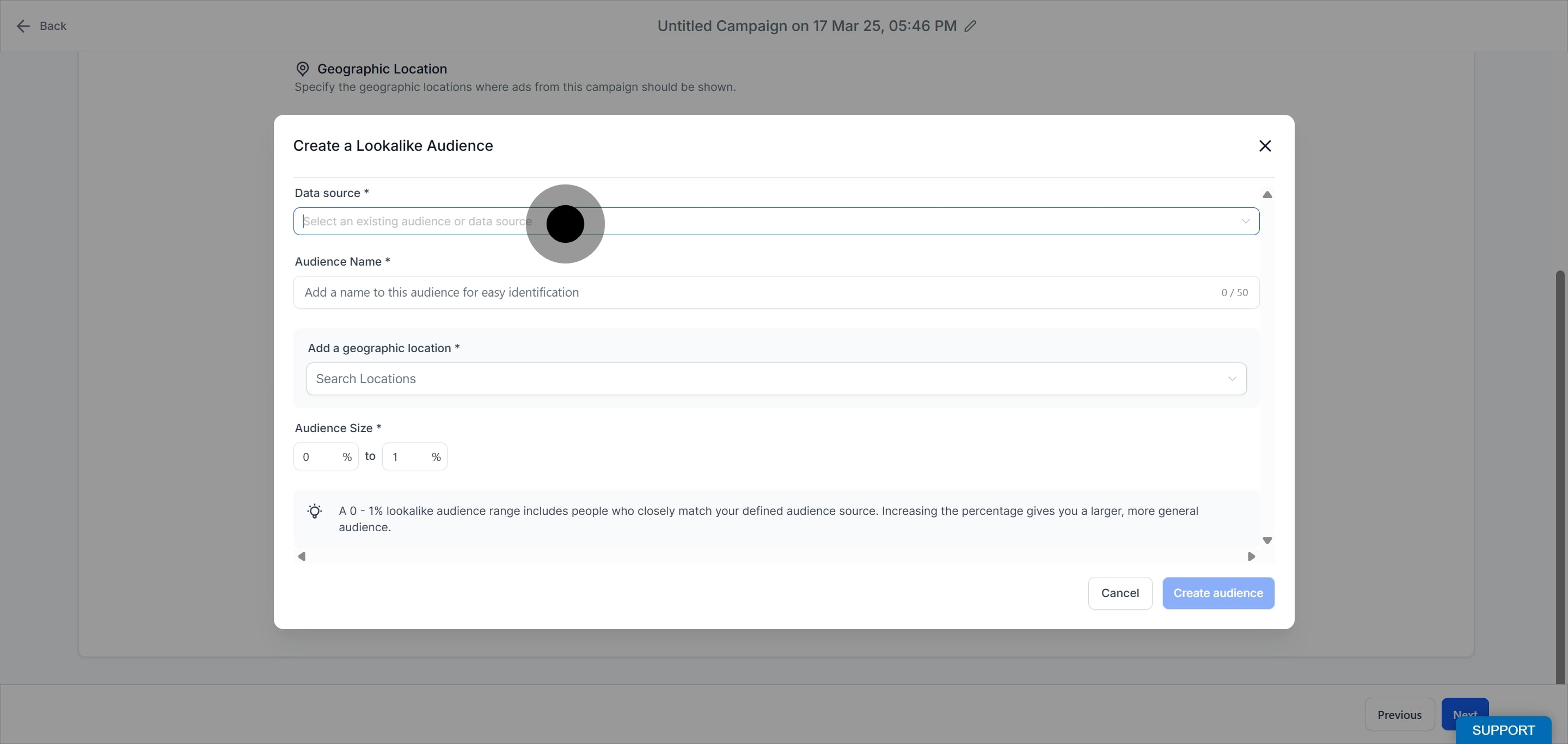
Page: The dropdown lists all pages integrated with Ad Manager. Select one.
Custom Audiences: The dropdown lists all custom audiences in Ad Manager. Select one to serve as the source.
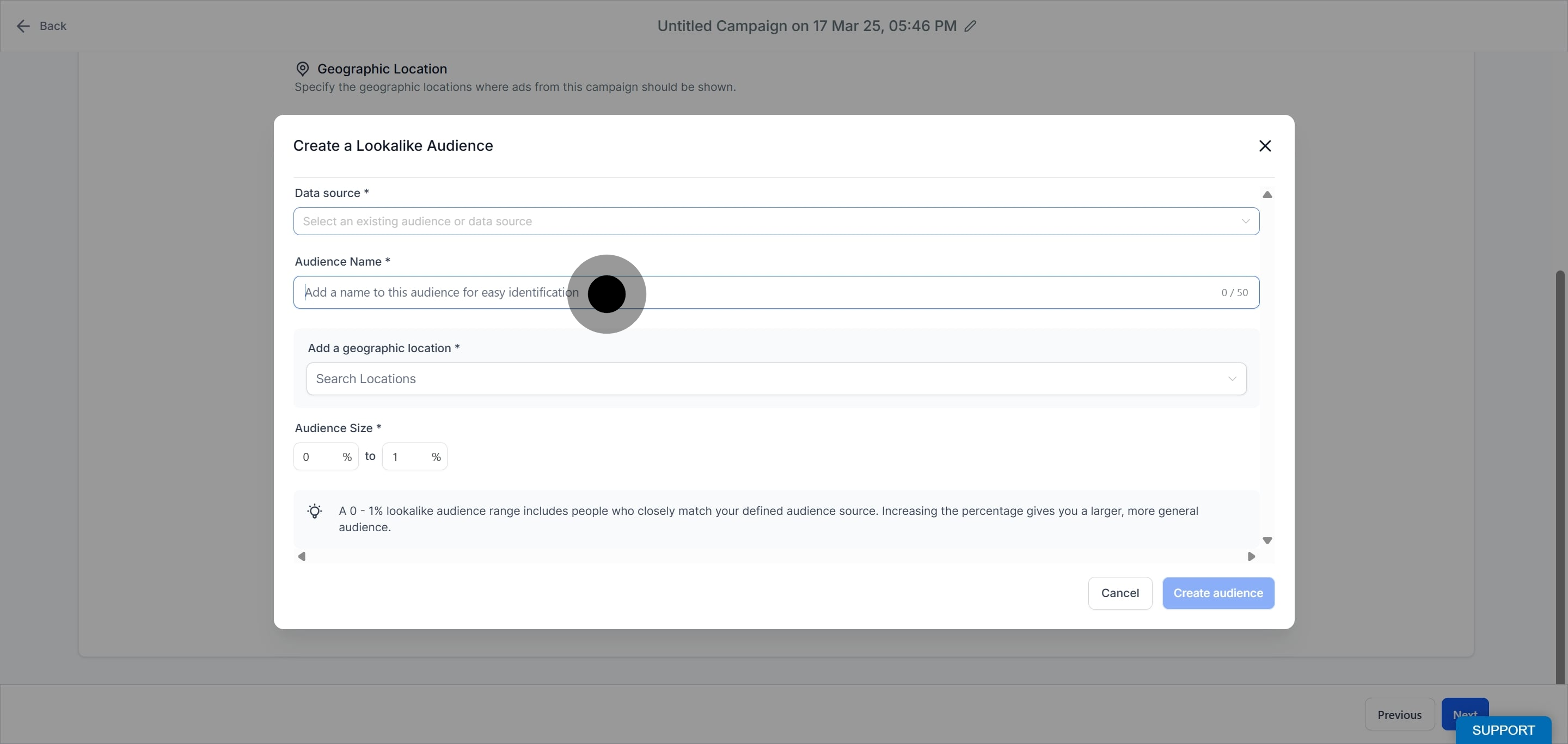
Enter an audience name so it is easy to identify later.
Select the geographic location. Choose the country or countries where you want Meta to find people similar to your source. Your choice determines where the people in your lookalike audience are based, and Meta finds people in that location who resemble those in your source.
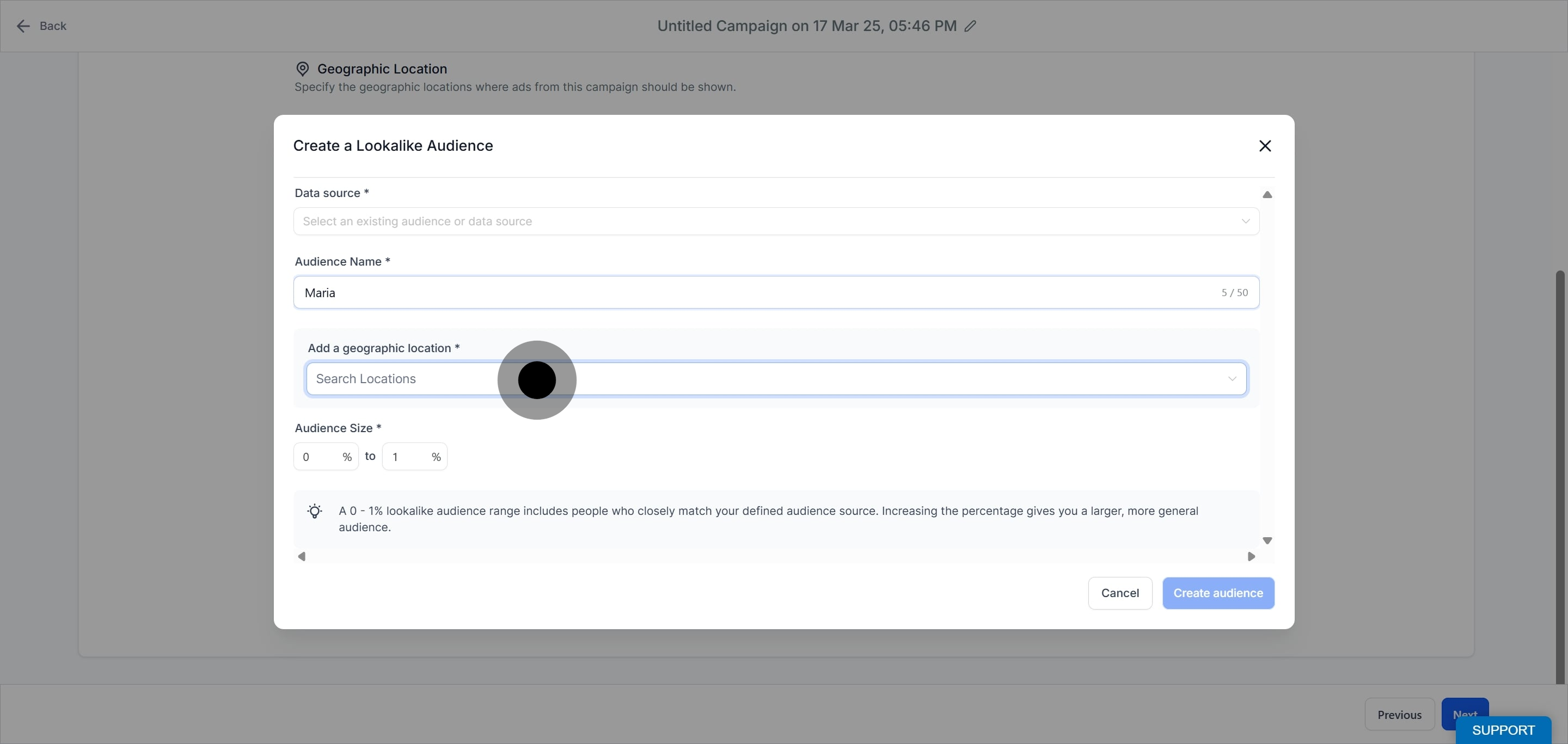
Note: Only countries are supported. Cities, neighborhoods, provinces, and similar areas cannot be used as the lookalike audience location.
Set the audience size range, from 0 to 10%. A 0 to 1% range includes people who most closely match your source, while a larger percentage gives you a broader, more general audience.
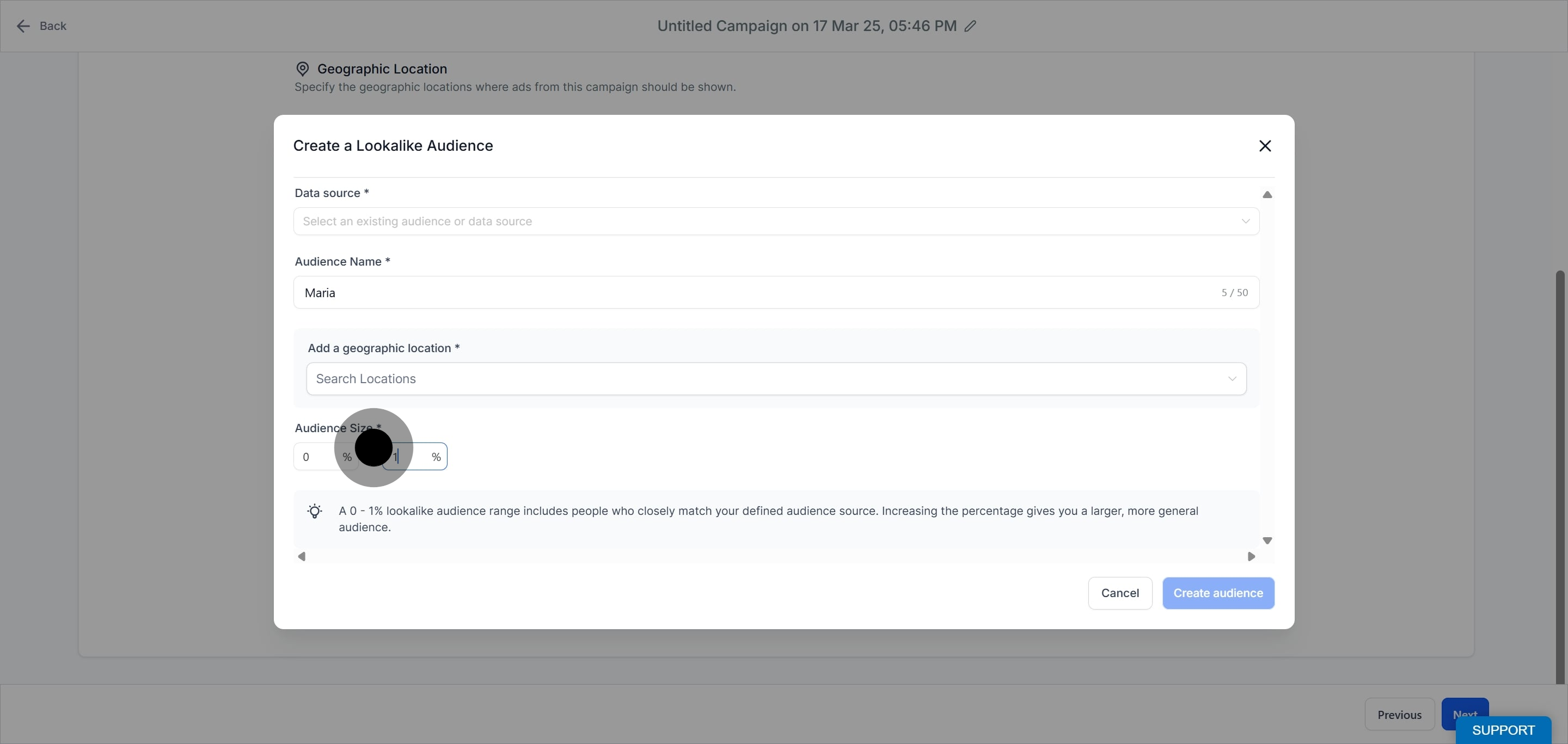
Click Create audience to complete the setup. The lookalike audience appears in the Lookalike dropdown, though it is not ready to use immediately.
Note: Lookalike audience support is limited or unavailable for Special Ad categories.
A lookalike audience is built from a source audience, and that source is often a customer list of your own patient contacts uploaded to Meta. When you upload patient identifiers such as emails and phone numbers, that data is shared with Meta, where it is hashed and matched to user profiles. Before you build a source audience from patient data:
Get the appropriate patient consent and follow your practice's HIPAA policies.
Upload only basic contact identifiers such as name, email, and phone number.
Never include protected health information such as procedures, diagnoses, treatment history, or clinical notes.
Using a Facebook Page as the source avoids uploading patient contact data entirely, since it is based on people who already engaged with your page.
After creation, a lookalike audience moves through a few states that indicate whether it is ready to use.
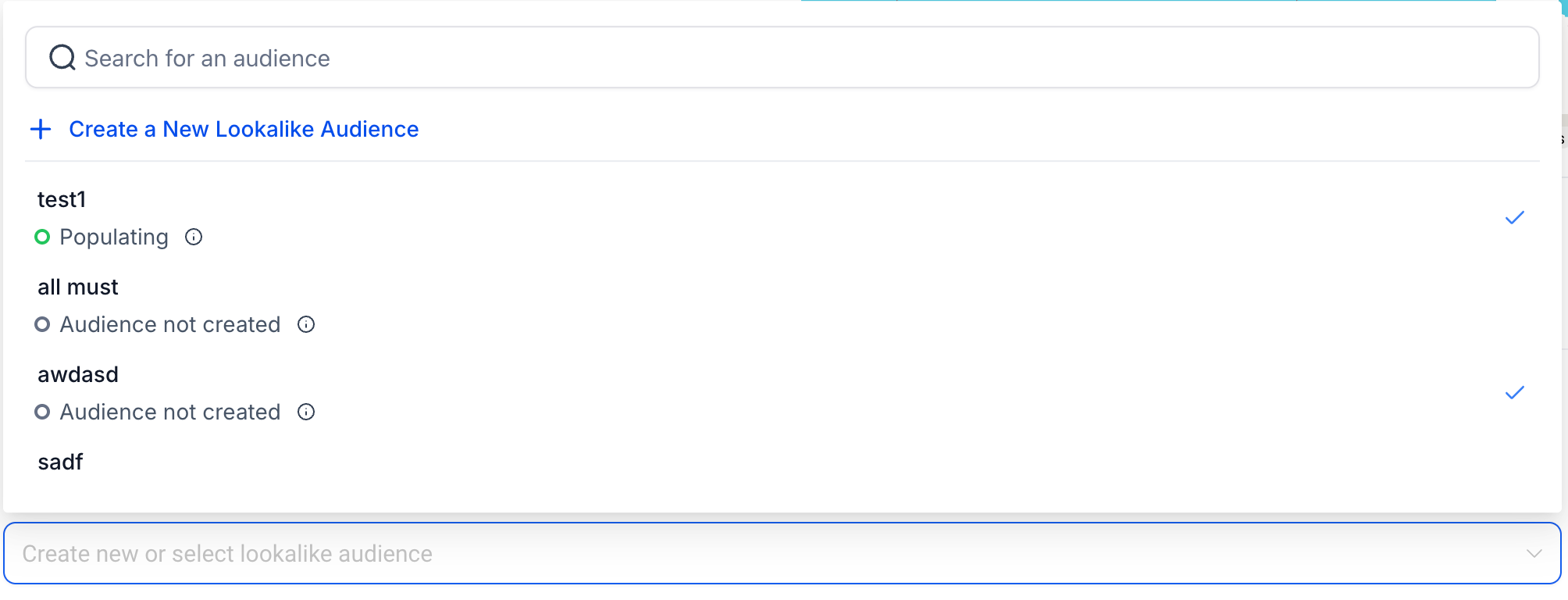
Ready: The audience has been created, meets all of Meta's specifications, and can be used in any campaign.
Populating: The audience is still being built. It takes between six and 24 hours to populate, after which it appears as Ready. As long as you keep targeting ads with it, it refreshes every three to seven days.
Audience not created: The source audience was likely too small. Try creating a new, larger source audience.
Note: Once a lookalike audience is successfully created, it appears in the Lookalike Audience dropdown and can be used in a campaign once its status shows Ready or Populating.
What is the difference between a lookalike audience and a custom audience? A custom audience is built from people who already know your practice. A lookalike audience uses that custom audience (or a Page) as a source to find new people who resemble them.
What audience size percentage should I choose? A 0 to 1% range gives you the closest match to your source and is best for precision. A higher percentage gives you a larger, more general audience with broader reach.
Why can I only pick countries for the location? Meta only supports countries as the location for lookalike audiences. To narrow targeting further, use the geographic location and radius controls at the campaign level instead.
How long does a lookalike audience take to be ready? It takes between six and 24 hours to populate. Once populated it shows as Ready and refreshes every three to seven days while you actively target ads with it.
Why does my audience show "Audience not created"? This usually means the source audience was too small to build a lookalike from. Create a larger source audience and try again.
Do I need patient consent to build a lookalike audience? If your source is a customer list of patient contacts, yes. Get consent and follow your HIPAA policies, and upload only basic contact identifiers, never clinical information. Using a Facebook Page as the source avoids uploading patient data.
Can I use a lookalike audience for any campaign? Yes, once it is Ready, with one exception: lookalike support is limited or unavailable for Special Ad categories.
How many lookalike audiences can I use in one campaign? You can select up to 15 lookalike audiences from the dropdown when building a campaign.
