
Aesthetix CRM connects with your Google calendar and video tools to keep appointments in sync and reduce double-booking. This guide explains the sync options, how to add a Zoom link to a calendar, and which calendar formats are supported.
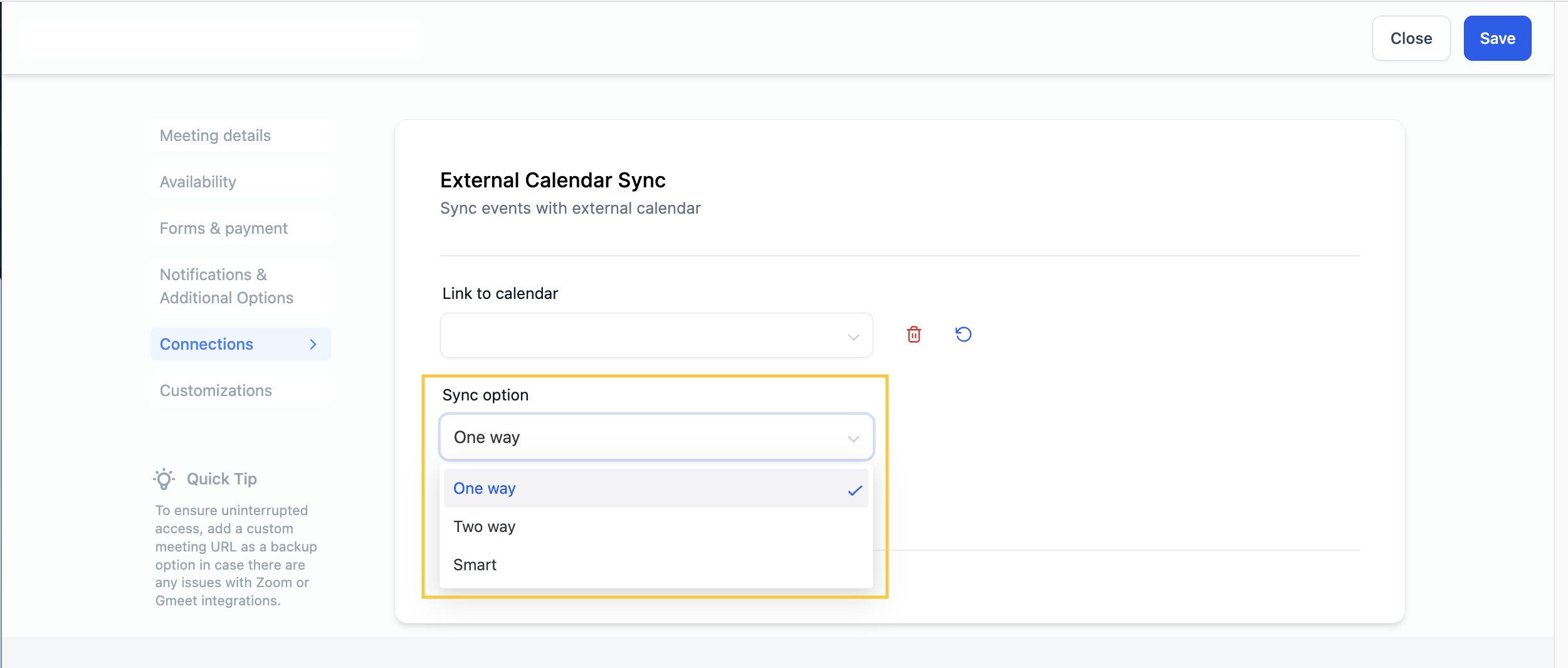
One-way, two-way, and smart sync
When you connect a Google calendar, you choose how events flow between Google and Aesthetix CRM.
One-way sync
All events from your Google calendar appear as grey blocks. Aesthetix CRM does not add anyone invited to a Google event as a contact. It still syncs appointments booked in Aesthetix CRM to your Google calendar and blocks the time slots pulled from Google so you are not double-booked.
Two-way sync
All events from your Google calendar are color-coded and the two calendars talk to each other. Aesthetix CRM identifies who is invited to a Google event, creates a contact record for them, and fires any triggers associated with the calendar.
Smart sync
Smart sync decides how to handle each Google event based on whether the invitees already exist in Aesthetix CRM:
If the contacts on a Google event are not already in Aesthetix CRM, they are not added as contacts, but the time is blocked off on your CRM calendar and the event shows as grey.
If the contacts on a Google event are already existing contacts in Aesthetix CRM, the event is color-coded and any triggers associated with the calendar fire.
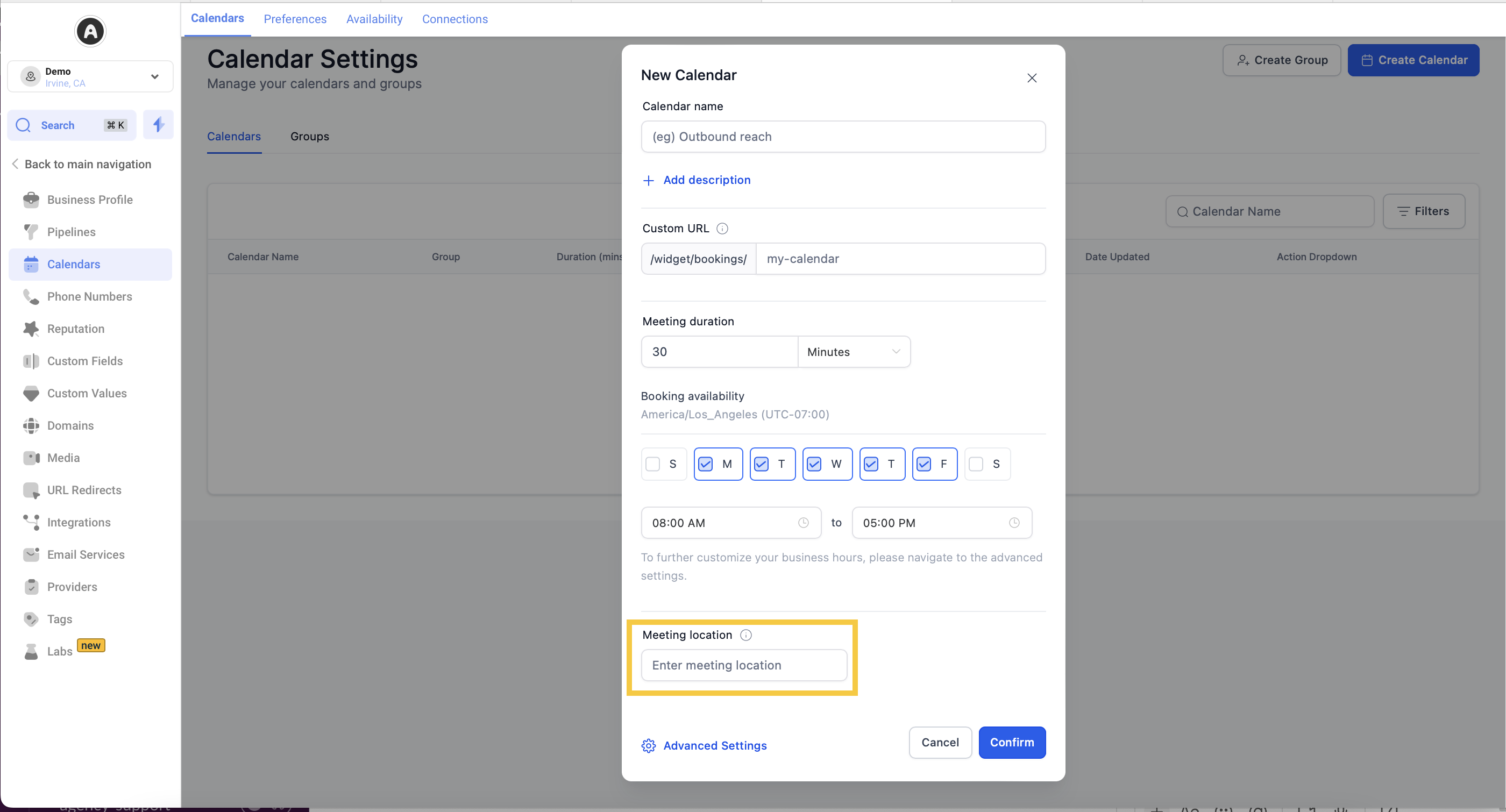
Adding a Zoom link to a calendar
To include a Zoom link for a virtual appointment, add your Zoom link to the Meeting Location field on the calendar. If you would prefer a Zoom link to be generated automatically for each booking, use the Round Robin calendar type, which supports automatic Zoom link creation.
iCal support
iCal integration is not currently supported in Aesthetix CRM. We continue to explore new integration options and may add iCal support in the future based on user needs.
For full calendar setup steps, see the Calendars collection.
Frequently Asked Questions
What is the difference between one-way, two-way, and smart sync? One-way shows Google events as grey blocks and does not create contacts, but still pushes CRM appointments to Google and blocks those times. Two-way color-codes Google events, creates contacts for invitees, and fires triggers. Smart sync only creates contacts and fires triggers when the invitee already exists in the CRM; otherwise it just blocks the time as a grey event.
How do I link a calendar with Zoom? Add your Zoom link to the Meeting Location field on the calendar. For an automatically generated Zoom link per booking, use the Round Robin calendar type.
Can I integrate iCal into Aesthetix CRM? Not at this time. iCal integration is not currently supported, though it may be considered for the future.