Aesthetix CRM includes a built-in phone system so your team can call patients directly from the platform. This guide answers the questions we hear most often about call settings. For deeper phone configuration, see the Phone collection.
Yes, you and another team member can make calls at the same time, but each of you needs a separate phone number to do it. A single number can only handle one active call at a time, so shared use causes conflicts. With distinct numbers, the system can tell your calls apart and keep both connections clear.
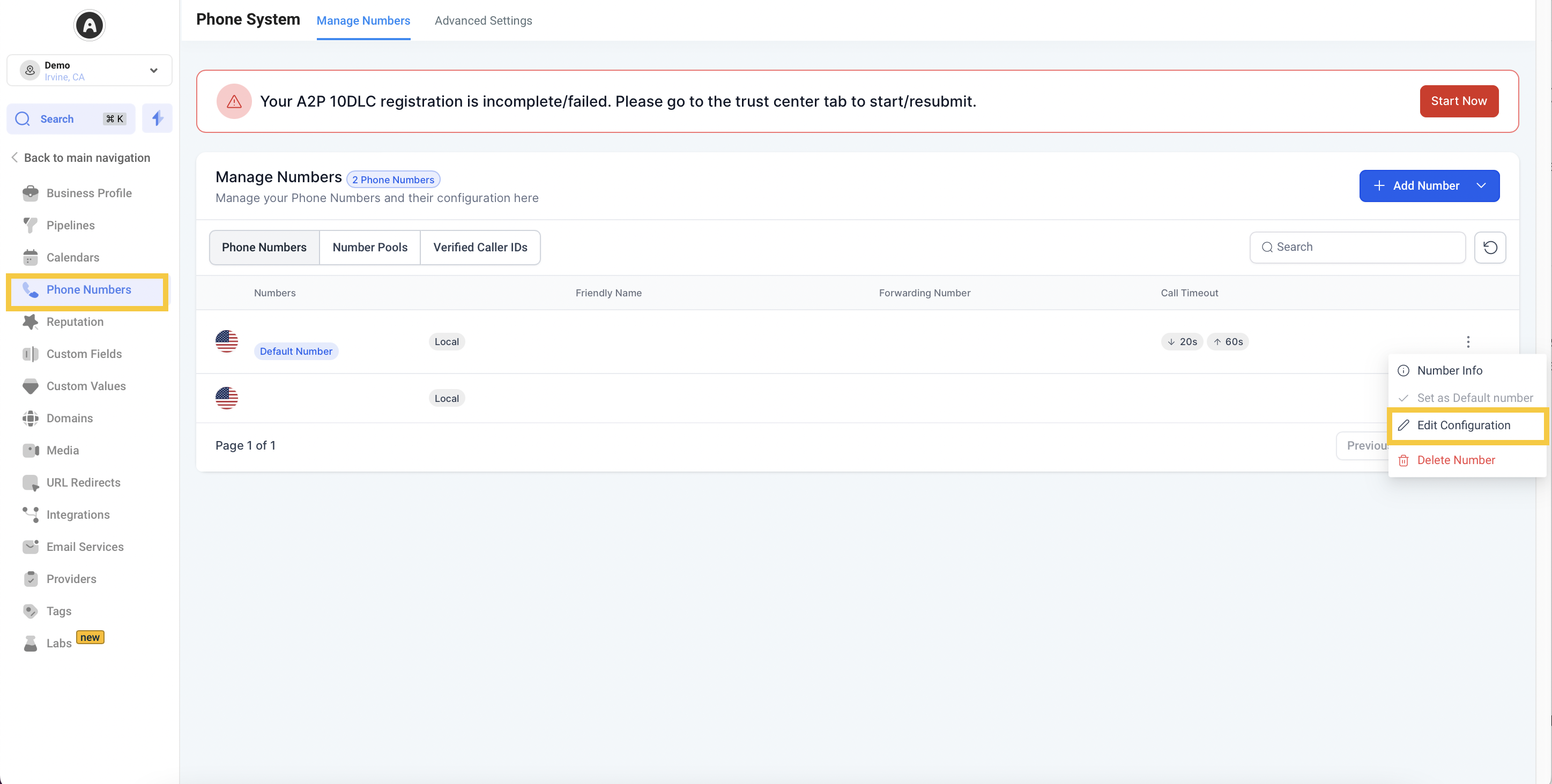
Yes. The message customers hear before a call connects (sometimes called the call whisper) can be adjusted in your phone settings. Open the phone configuration menu to modify or disable these options to match how you want calls to connect.
Not at this time. You cannot currently change the area code of the outbound caller ID number when placing calls from Aesthetix CRM. Our team is aware of this request and is working on giving users more flexibility here. We will share updates as this develops. If a specific area code matters for your practice, contact support so we can advise on options such as adding a number in the area code you need.
Aesthetix CRM applies inbound call rate limits to protect the phone system from abusive, automated, or unusually high call patterns while keeping legitimate calls flowing normally. These limits are based on call volume measured over time, not simply on how many calls happen to arrive at the same moment. A rate limit is different from a concurrency limit (how many calls are active at once).
Rate limits are evaluated two ways:
From a number: how many calls arrive from the same caller's phone number.
To a number: how many calls arrive at the same one of your Aesthetix CRM business numbers.
As a general guideline, more than 10 calls per minute from a single caller number, or more than 15 calls per minute to a single business number, can trigger a rate-limit block on the call that crosses the threshold. When that happens, the triggering call is blocked and one violation is recorded. If an account accumulates more than five violations within a single hour, all inbound calls for that account can be temporarily blocked. If this happens to your practice, contact Aesthetix CRM support so we can review the call traffic and restore inbound calling.
If you are expecting a spike in inbound call volume, such as a marketing campaign, broadcast, or event, contact support beforehand so we can review your expected traffic and help you avoid an unintended block.
Can my team and I make calls at the same time? Yes, but each person needs their own phone number. One number handles a single active call at a time, so simultaneous calling requires separate numbers to avoid conflicts.
How do I disable the announcement customers hear before a call connects? Open your phone settings and adjust the call whisper or connect message. You can modify or turn it off from the phone configuration menu.
Can I change the area code of my outbound caller ID? Not currently. Changing the outbound caller ID area code is not yet supported. Our team is working on it. If you need a specific area code, contact support about adding a number in that area code.
Are there limits on how many inbound calls a number can receive? Yes. Aesthetix CRM applies inbound call rate limits to protect against abusive or excessive call patterns. As a general guideline, more than 10 calls per minute from the same caller number, or more than 15 calls per minute to the same business number, can trigger a block on the call that exceeds the threshold and record a violation.
What happens if a rate limit is exceeded? The call that exceeds the applicable threshold is blocked and one violation is recorded. If your account accumulates more than five violations within one hour, inbound calls can be temporarily blocked account-wide. Contact support to review the traffic and restore inbound calling.
Will spreading calls across multiple numbers prevent rate-limit violations? Distributing legitimate call traffic can reduce how concentrated calls are on a single business number, but it will not prevent violations triggered by repeated calls from the same external caller number.
How can I prepare for an expected spike in inbound calls? Contact Aesthetix CRM support ahead of time. We can review your expected call volume and help you plan routing so legitimate traffic is not mistaken for abusive call patterns.
