
Most text messages send without any issue, but occasionally one is marked Unsuccessful or appears to send from the wrong number. This guide covers the two most common SMS delivery problems and how to resolve them. For deeper phone setup, see the Phone collection.
"Unsuccessful" messages
If a message shows as Unsuccessful, it means a delivery receipt came back indicating the message was not delivered. This can happen for several reasons, including carrier content filtering and the destination handset being unavailable.
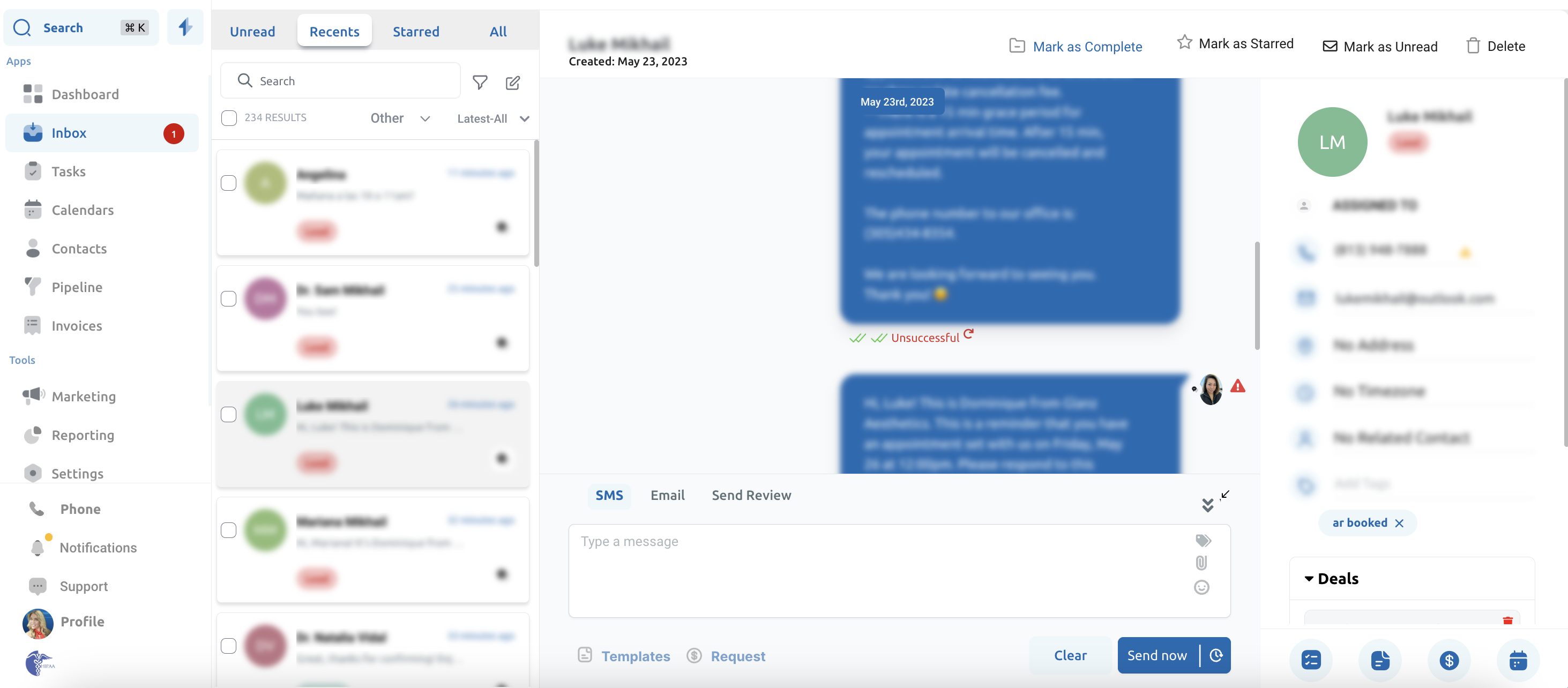
A common cause is carrier spam or content filtering. To protect their subscribers, carriers filter messages they flag as objectionable. To reduce the chance of filtering, keep your message content clean, avoid spam-like language and excessive links, and make sure your business registration (A2P 10DLC) is complete. Aesthetix CRM manages this registration for you. If messages to a specific number keep failing, see the Phone collection or contact support so we can investigate on the carrier side.
Messages still sending from an old number
If you bought a new number and set it as your default outbound number, but messages still go out from the old number, this is expected behavior for existing contacts.
To avoid switching numbers on people mid-conversation and accidentally spamming them, contacts that already exist stay tied to the number they were first associated with. Only new contacts added after the change will send from the new default outbound number.
You have a few options to move existing contacts to the new number:
Delete and re-create the contact. Rather than updating an existing contact, delete it and add it again so it picks up the new default number. Export any data you need first.
Remove the old number entirely. If you no longer need the old number, remove it so all messages send from the new one.
Assign the new number to a user and send as that user. If you want to keep the old number, assign the new number to a specific user and send messages while logged in as that user. You can also set that user in your workflow actions so automated messages send from the new number.
Frequently Asked Questions
Why does my message say Unsuccessful? A delivery receipt came back saying the message was not delivered. Common causes are carrier content or spam filtering and the recipient's phone being unavailable.
How do I reduce carrier filtering? Keep content clean and free of spam-like language and excessive links, and make sure your A2P 10DLC business registration is complete. Aesthetix CRM handles that registration for you. Contact support if a specific number keeps failing.
Why are my texts still sending from my old number? Existing contacts stay tied to the number they were first associated with, which prevents switching numbers on people mid-conversation. Only newly added contacts use the new default outbound number.
How do I move existing contacts to my new number? Delete and re-create the contact, remove the old number entirely, or assign the new number to a user and send (including in workflow actions) as that user.