Missed-Call WhatsApp Back sends a WhatsApp message to a contact after a call is classified as missed. It closes the post-call gap so leads and patients get a quick acknowledgment and a next step, improving conversion and the patient experience. You enable it in the phone system and customize a friendly, on-brand message that can include variables like your practice name or booking link. It is ideal for practices where WhatsApp response rates outperform SMS.
Understanding the benefits clarifies when to use WhatsApp versus SMS and how this feature affects speed-to-lead and patient satisfaction.
Instant engagement: Contacts get a timely WhatsApp message right after a missed call.
No workflows required: Quick to configure and active within minutes, with no automations needed.
Higher readability: WhatsApp often sees stronger open and reply rates compared with SMS.
Brand consistency: Customize the wording to match your voice and include helpful links.
Personalization: Insert dynamic details like your practice name or booking link.
Operational efficiency: Fewer callbacks missed and clearer next steps for the contact.
Verifying prerequisites avoids common setup failures and delivery issues.
A WhatsApp-enabled number connected to your account, with WhatsApp active and in good standing.
Permission to access the phone system settings for the user configuring the feature.
Contacts must be reachable on WhatsApp; otherwise the message will not deliver via WhatsApp.
Appropriate consent to message contacts on WhatsApp.
Knowing the exact navigation path reduces confusion with similarly named SMS features, and a clear step-by-step setup ensures the feature is enabled correctly and the message is on-brand before going live.
Go to Settings → Phone System → Voice → Voicemail & Missed Call TextBack → Missed Call Textback.
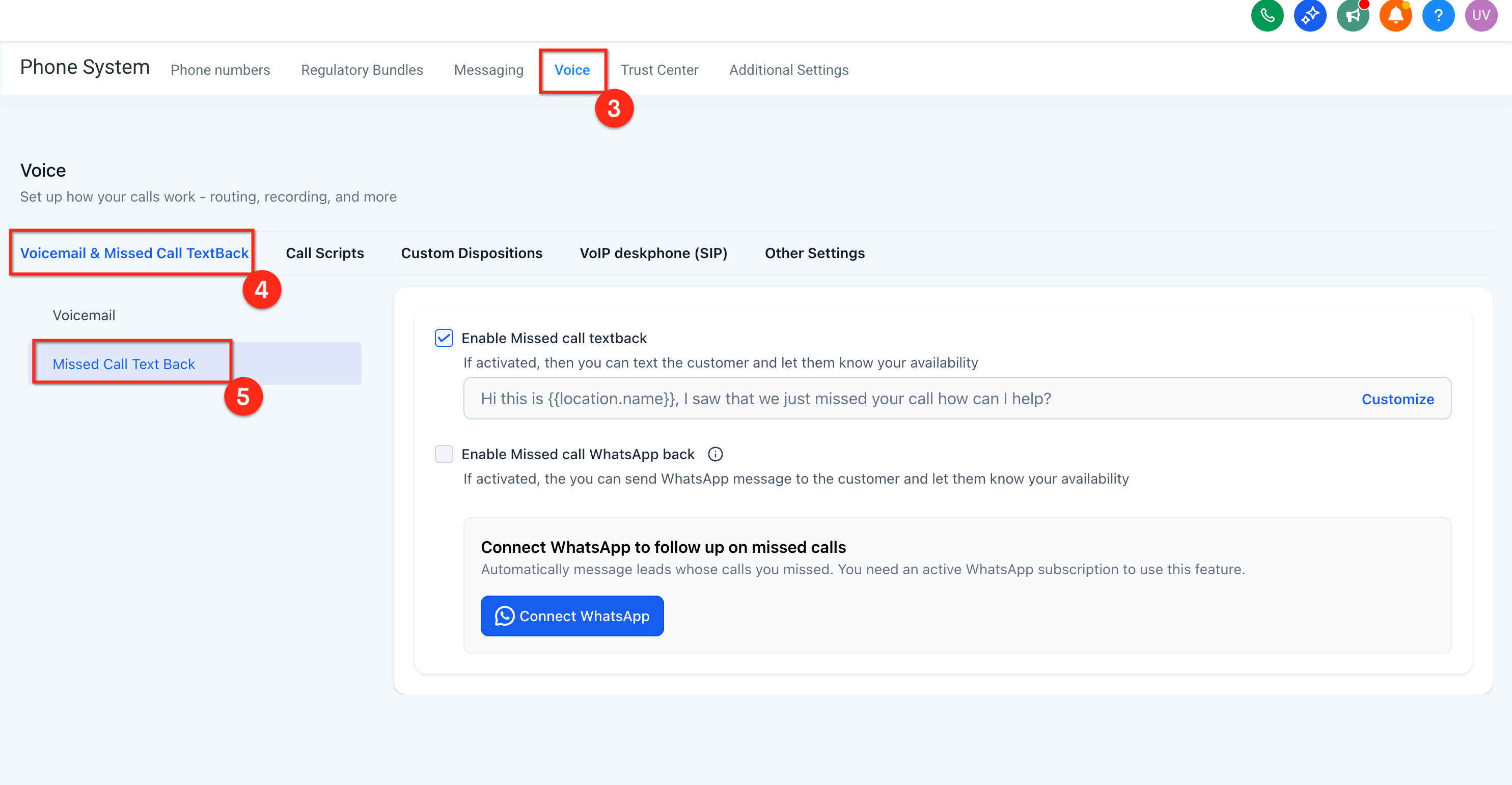
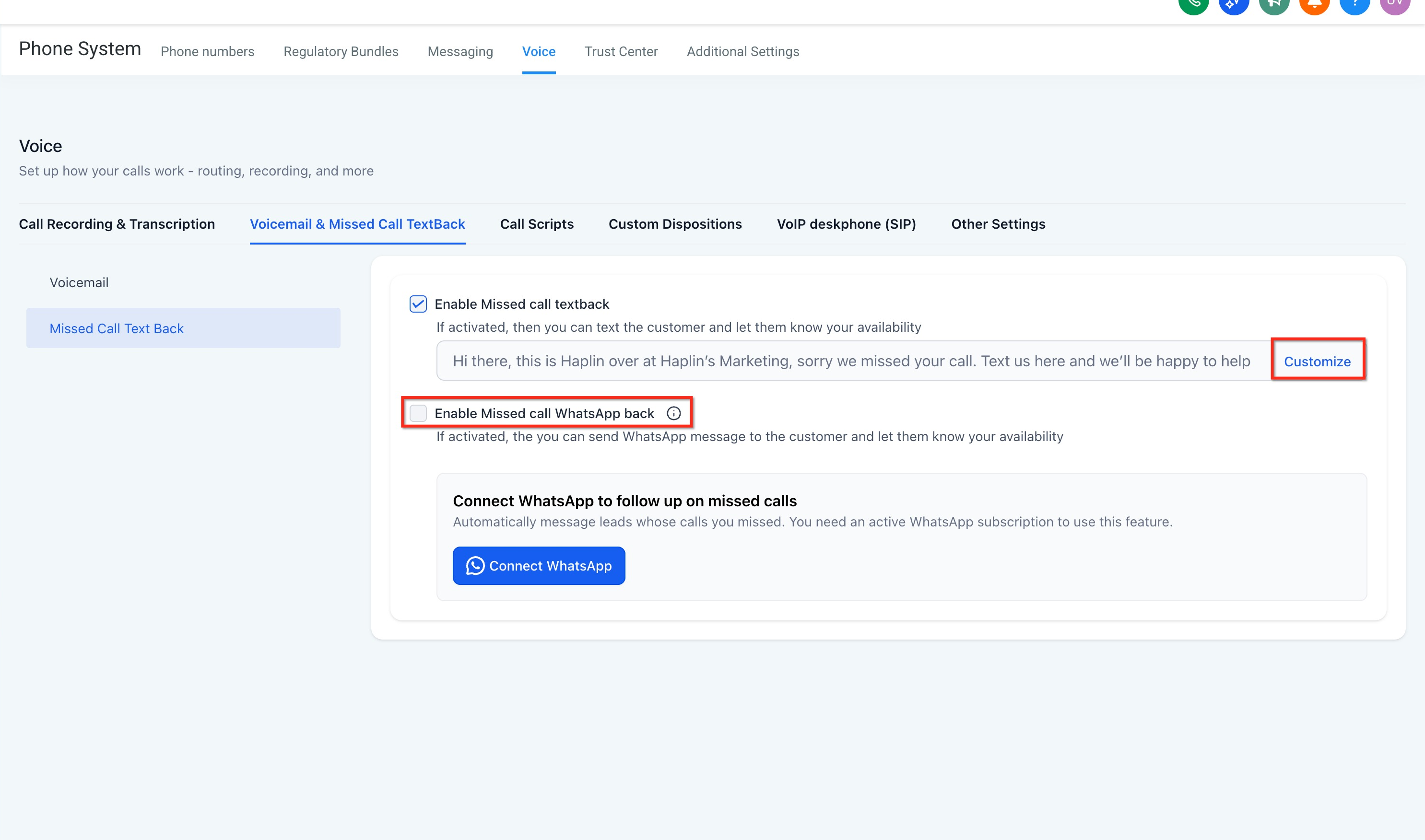
Toggle Missed Call WhatsApp Back to On.
Click Customize and review the prefilled text.
Insert variables as needed (for example, {location_name}, {booking_link}). Keep the tone helpful and concise.
Save your changes.
Place a test call to confirm the WhatsApp message sends and renders as expected.
Starting from a prefilled message speeds up launch, while variables ensure relevant, human-sounding replies.
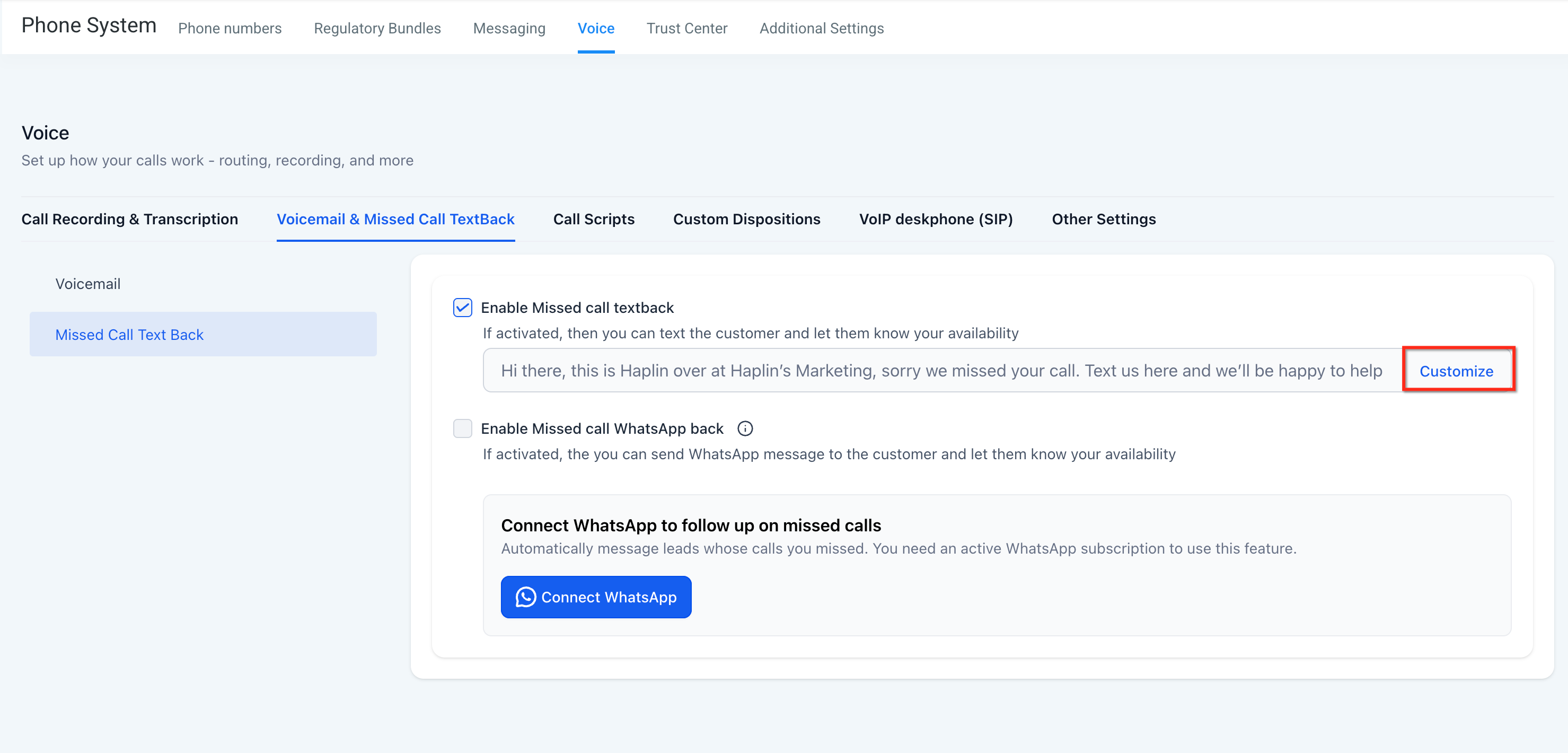
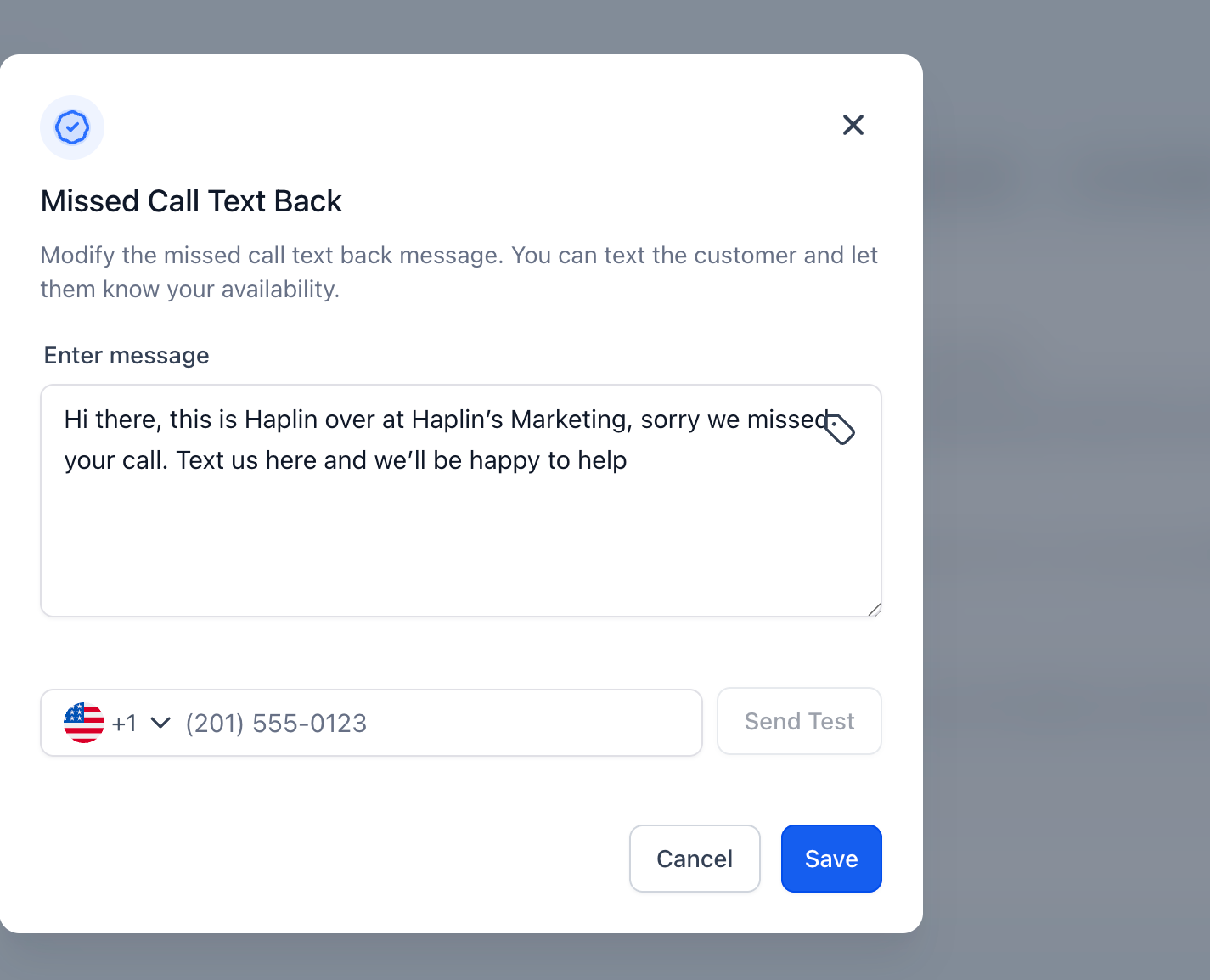
The prefilled message reads:
"Hi this is {{location.name}}, I saw that we just missed your call. How can I help?"
The message body is editable directly within the Missed Call Textback area, not in WhatsApp → Templates.
Supported variables include:
{agent_name} inserts the assigned team member's name when available.
{booking_link} inserts a scheduling link you have configured for your account.
{business_hours} inserts a human-readable summary of your open hours.
{location_name} or {{location.name}} inserts your practice name.
Quick diagnostics reduce downtime and help your team resolve common errors without support tickets.
No message sent: Confirm WhatsApp is connected for the sending number and the toggle is enabled.
Variables unresolved: Verify the variable syntax and that values exist (for example, a booking link is configured).
Duplicate messages: Check for overlapping SMS Textback or workflows that also send on missed calls.
Contact did not receive: Ensure the contact uses WhatsApp and has not opted out, and verify number formatting, including the country code.
After-hours messaging concerns: If you do not want messages sent after hours, disable the feature during those times or manage it with call routing and schedules.
Note: If you also run a missed-call automation, you can build one under Marketing → Workflows. Confirm only one channel sends on a missed call so contacts do not receive duplicate messages.
Can I enable WhatsApp Back without enabling SMS Missed Call Textback? Yes. You can enable WhatsApp Back on its own or alongside SMS. To avoid duplicates, choose a single primary channel.
Where do I edit the message body? Inside Settings → Phone System → Voice → Missed Call Textback. Do not edit this message in WhatsApp → Templates.
Does it send during off hours?
Yes, if a call is marked missed. Add {business_hours} to inform the contact, or adjust call routing if you prefer different behavior.
What if the contact isn't on WhatsApp? The WhatsApp message will not deliver. Consider enabling SMS Missed Call Textback or a fallback workflow if desired.
Do I need to build a workflow to use this feature? No. Missed-Call WhatsApp Back is enabled directly in your phone system settings and is active within minutes, with no automations required.
Can I personalize the message for each caller?
Yes. Insert variables like {location_name}, {booking_link}, {agent_name}, or {business_hours} so each reply is relevant and human-sounding.
