Before potential clients ever reach your website, they're searching for treatments like "Botox near me" or "HydraFacial clinic in [city]." Your Google Business Profile is the digital storefront that helps your med spa appear in local search and on Google Maps, and it's where clients read reviews, book appointments, and message you. Aesthetix CRM lets you manage your entire Google Business Profile from one place: update key details, watch a live preview of how everything will look, and give your local SEO a quick boost without bouncing between tools. This article walks you through what the feature does, why it matters for your visibility and reputation, and exactly how to use it.
GBP Optimization centralizes the management of your Google Business Profile directly within the Aesthetix CRM Reputation tab. It gives you an intuitive way to update core business information, manage visual assets, review customer feedback, and continually optimize your profile for local search performance, all without leaving one dashboard.
By unifying multiple update processes in one place, you can streamline your workflow and keep your listing accurate and compelling.
Centralized management of business details, visuals, and customer reviews for a consistent online presence.
Real-time live preview that displays exactly how your listing appears on Google Maps.
A built-in profile score with alert icons and actionable guidance to boost listing completeness.
Enhanced local SEO performance, leading to greater customer engagement and trust.
A proper configuration ensures your profile is updated efficiently and accurately.
Log in to your Aesthetix CRM account.
Click the Reputation tab.
Click the GBP Optimization tab.
Enter or update your Business Name and Description. Use location and treatment keywords here (for example, "Luxury medical spa in [city] offering advanced anti-aging and skincare treatments").
Upload the necessary images, such as your Profile Photo, Cover Photo, and Additional Photos. High-quality photos of your clinic, equipment, treatment rooms, and results build trust and drive conversions.
Add your Category (for example, Medical Spa, Skin Care Clinic, or Spa) and Services (for example, Botox, Fillers, Laser Hair Removal, PRP).
Add or update your Attributes and Address. Your physical business address is required to appear on Google Maps.
Add or update your Opening Date, Opening Hours, and Phone Number.
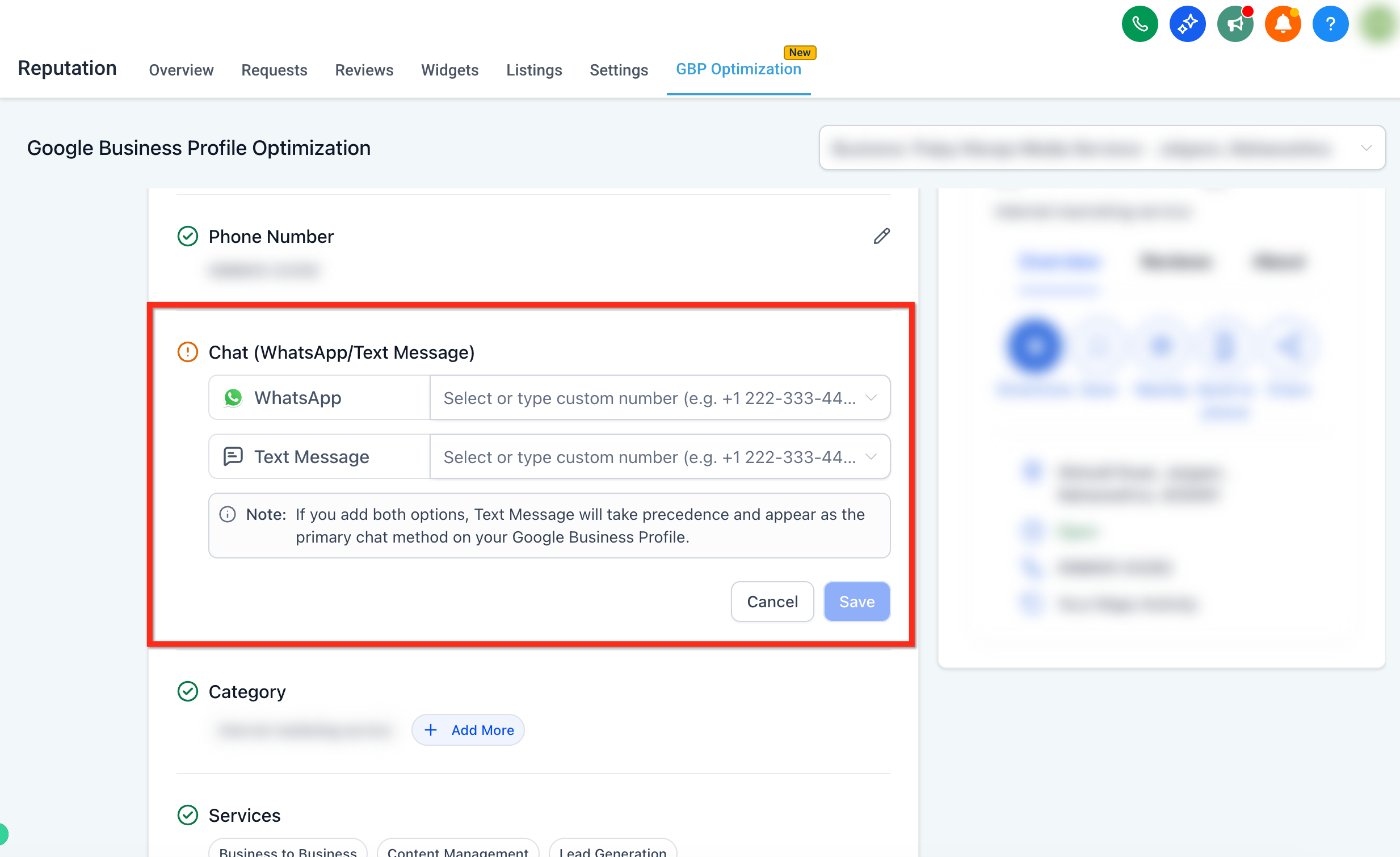
Add a WhatsApp and/or Text Message chat option. If both fields are filled, text message takes priority as the contact method shown on your GBP listing.
Add links for your social media accounts under the Social Profiles section.
Check all your Reviews from the Reviews tab.
To drive bookings directly from Google, add your Aesthetix CRM calendar link to your profile so a "Book Online" button appears on your listing. You can use a service-specific or general calendar link.
Note: Create different calendar links for consultations, Botox, facials, and other treatments to streamline booking.
Positive reviews are one of the biggest drivers of new bookings, and Aesthetix CRM can help you collect them consistently. Create a post-appointment review request workflow that includes:
A delay of 1–2 hours after the appointment.
A follow-up SMS with a personalized message and a direct link to your review page.
The built-in scoring system indicates how complete your Google Business Profile is, using clear visual cues to point out areas that may need attention.
Automatically analyzes your listing's completeness through a scoring system.
Review the alert icons and tooltips that highlight incomplete sections for prompt optimization.
Visualize your updates in real time with the live preview component, which shows the immediate impact of your changes as they would appear to potential customers on Google Maps.
Experience an instant, real-time preview of your profile listing.
Gain confidence in your updates by verifying their appearance before going live.
Q: How long does it take for my edits to appear on Google Maps?
Most updates (hours, phone, photos, and so on) sync within a few minutes, but Google can take up to 24 hours to review and publish certain changes, especially address edits.
Q: What does a low profile score actually affect?
A lower score means your listing is missing details that Google uses for ranking and trust signals (for example, business hours or high-quality photos). Completing the flagged items generally improves local search visibility and click-through rates.
Q: Can I manage multiple Google Business Profiles at once?
Yes. If you have multiple profiles connected, use the location switcher in the upper-right corner above the live preview panel to switch between different profiles.
Q: How does the live preview feature work?
The live preview component shows real-time changes to your listing, so you see exactly how your updates will appear on Google Maps.
Q: What does the profile score indicate?
The profile score evaluates the completeness of your listing and highlights any missing or incomplete information with alert icons and tooltips.
