Competitor Analysis in Aesthetix CRM helps you see exactly how your med spa or plastic surgery practice measures up against nearby competitors. By automatically gathering review data across Google and other major platforms, you can benchmark your online reputation, spot gaps, and find clear opportunities to strengthen your presence in your local market.
There are two ways to compare yourself against competitors: a live benchmarking view inside Reputation, and a Competitor Analysis Report built on top of your Marketing Audit. This guide walks you through both.
Understanding how your practice stacks up gives you clarity and direction. Competitor Analysis helps you:
Benchmark in real time: Instantly compare Google star ratings and review volumes against up to three competitors.
See across platforms: Access reputation data from Google and other major review platforms for a fuller picture.
Read visuals at a glance: Intuitive charts highlight performance gaps and opportunities.
Set it up effortlessly: Search and select competitors; all data is fetched and refreshed for you automatically.
Identify listing gaps: Surface missing, inconsistent, or incorrect business listings compared to competitors.
Make data-backed decisions: Refine your reputation and marketing strategy using real numbers, not guesswork.
Save time: Skip manual research and get all your insights in one place.
This live view lets you compare your practice's Google star ratings and review volumes against up to three competitors, with data refreshed automatically.
Click Reputation in your dashboard.
Open the Competitor Analysis tab to begin.
Click + Add Your Business under the Competitor Analysis tab.
Allow Location Permission.
Search for your practice and select the correct listing.
Click the + Add Your Business button beside the search bar.
Click + Add Competitor. You can add a maximum of three competitors.
Search for competitor businesses and select the correct ones.
Click the + Add Competitor button beside the search bar.
Scroll down to see Rating by Source across Google, Facebook, TripAdvisor, and more.
The system automatically fetches and displays real-time data, including star ratings, review volumes, and response times.
Note: Competitor Analysis compares your ratings and review volume against nearby competitors, so choose businesses in your local market that patients would realistically weigh against your practice.
Once your business and competitors are added, you can explore the data in a few directions:
Real-time benchmarking: Compare Google star ratings side by side, analyze total review volume trends, and monitor average response times to customer reviews.
Multi-platform insights: Look beyond Google to additional major review platforms (such as Facebook and Yelp) and identify where competitors may be outperforming you.
Automatic updates: Competitor data is auto-fetched and refreshed regularly, with no manual data entry required.
The Competitor Analysis Report is an add-on to the Marketing Audit Report. It lets you compare your business listings and review metrics against up to three competitors, helping you identify gaps, trends, and areas for growth in your digital presence and reputation.
The report starts with the Marketing Audit, which gives your account the baseline data needed for comparison.
Go to the Reporting tab.
Select Local Marketing Audit.
Click Generate Report to run the Marketing Audit for your practice, then wait for it to finish processing.
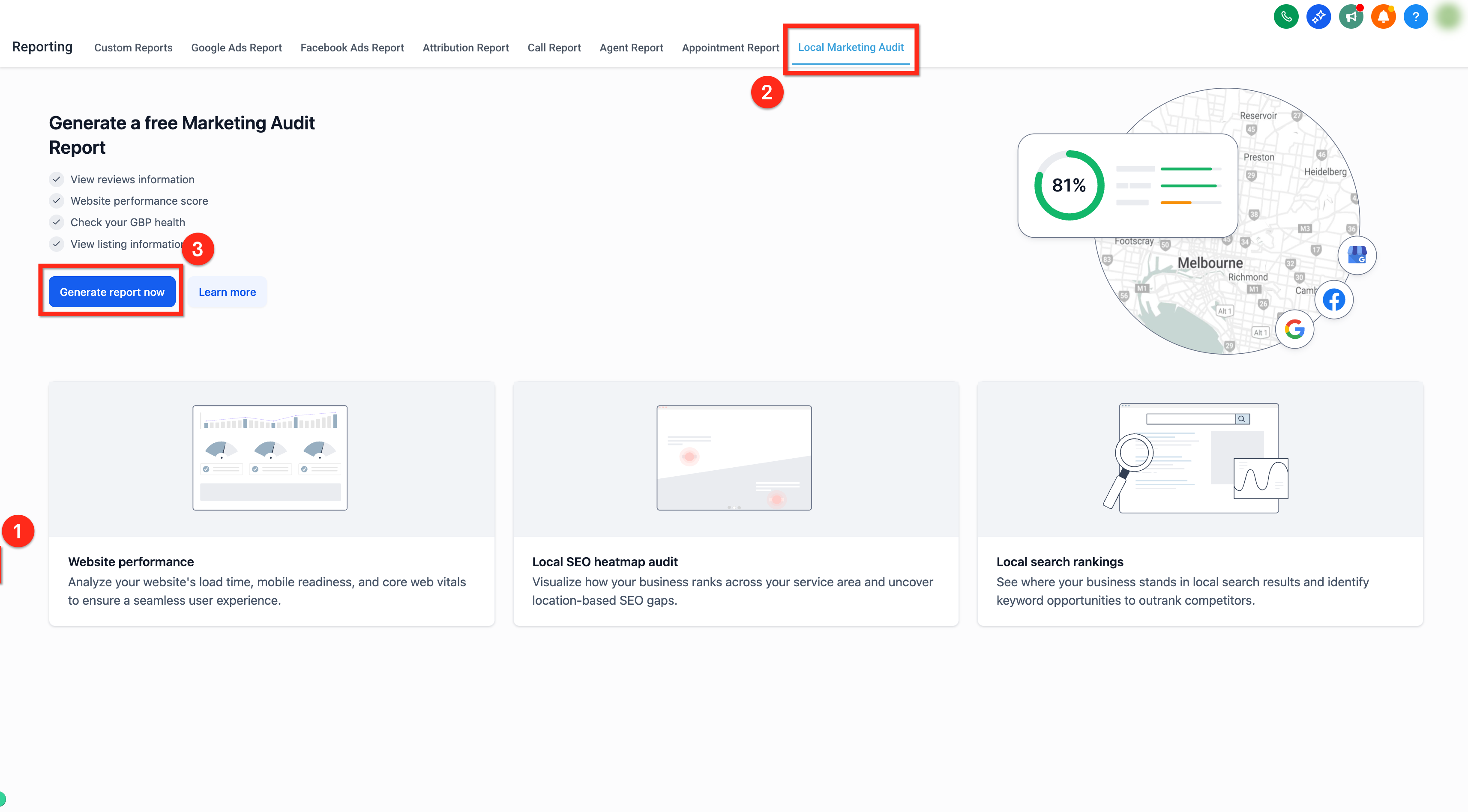
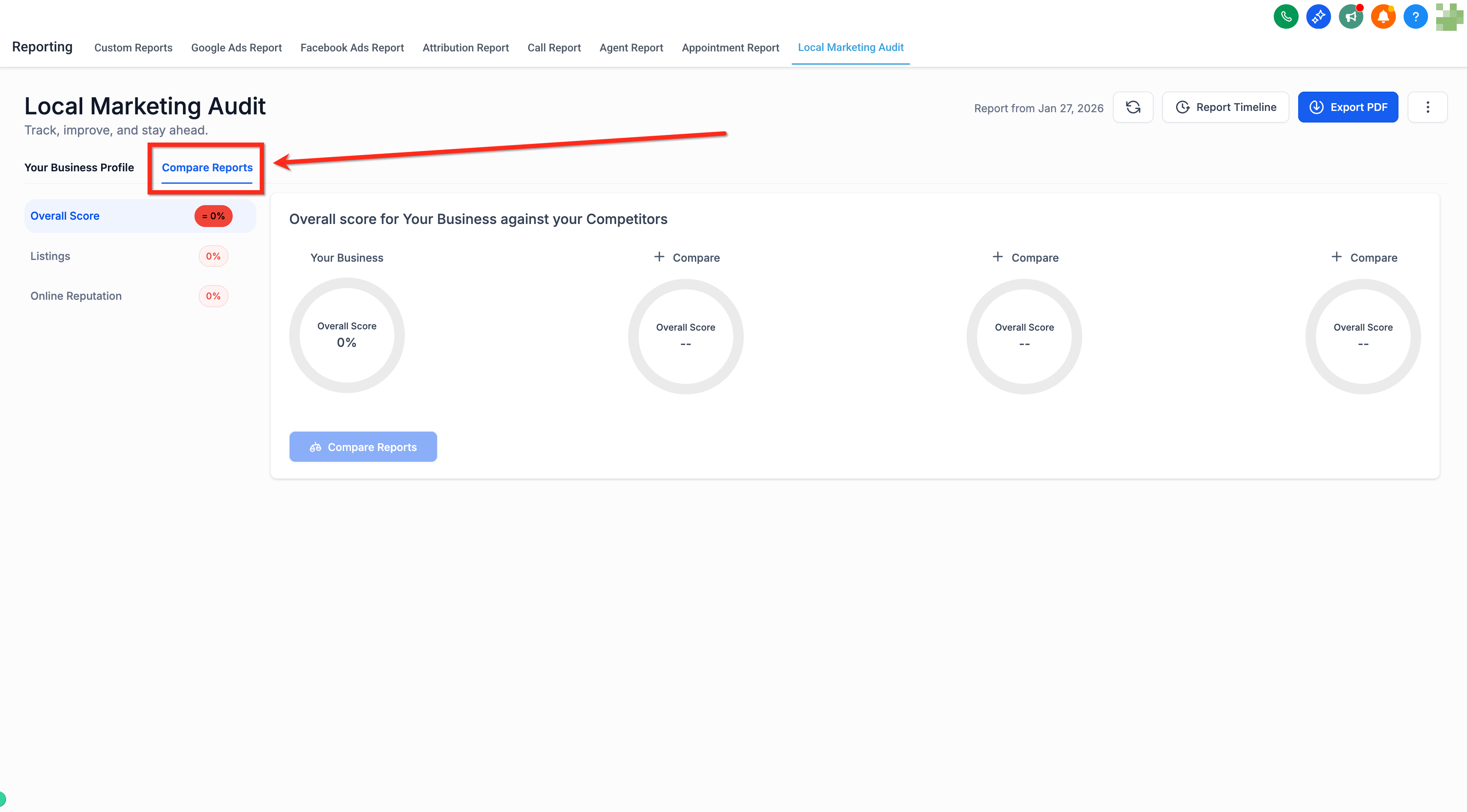
Once your Marketing Audit Report has been generated, use the Compare Reports tab to benchmark against competitors.
Navigate to Compare Reports inside the Audit Report section.
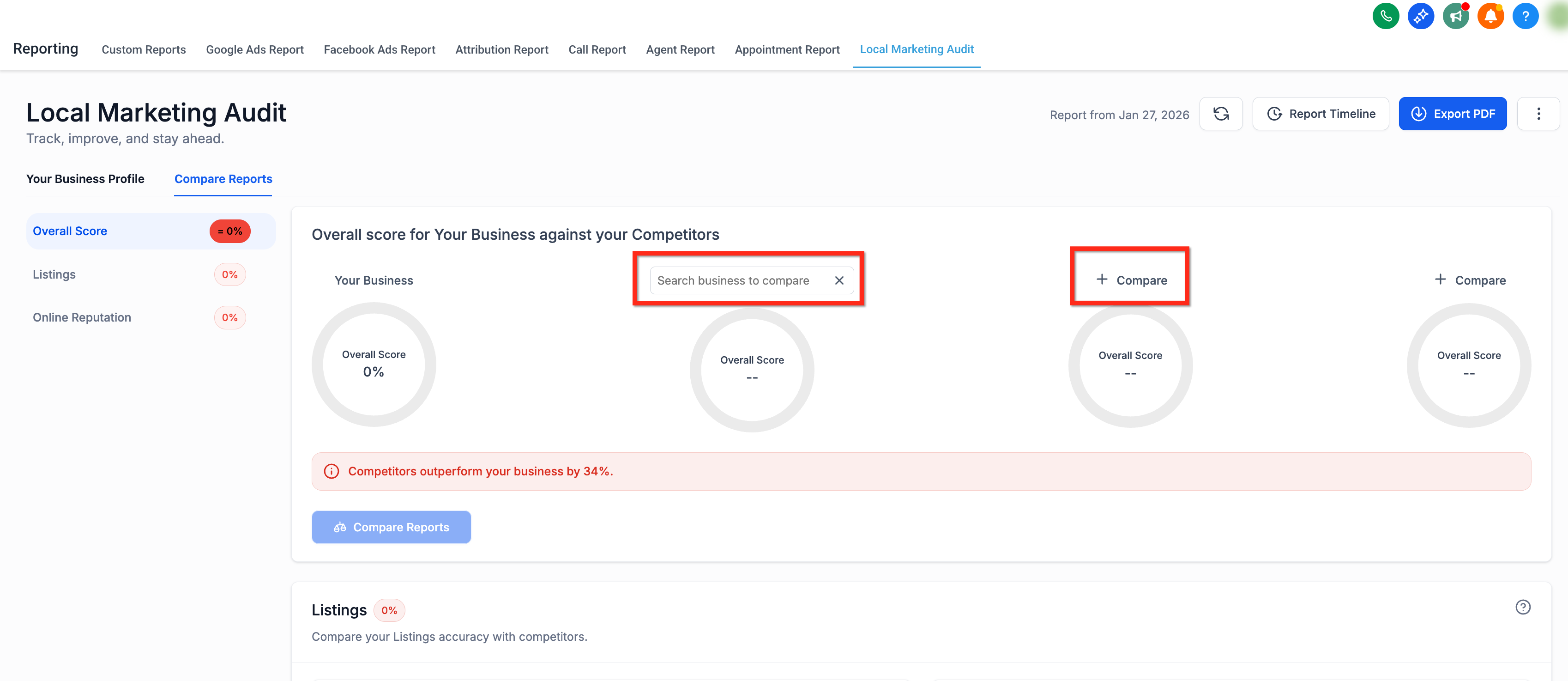
Enter the names of three distinct businesses to compare. These should be direct or local competitors.
Click Compare Reports.
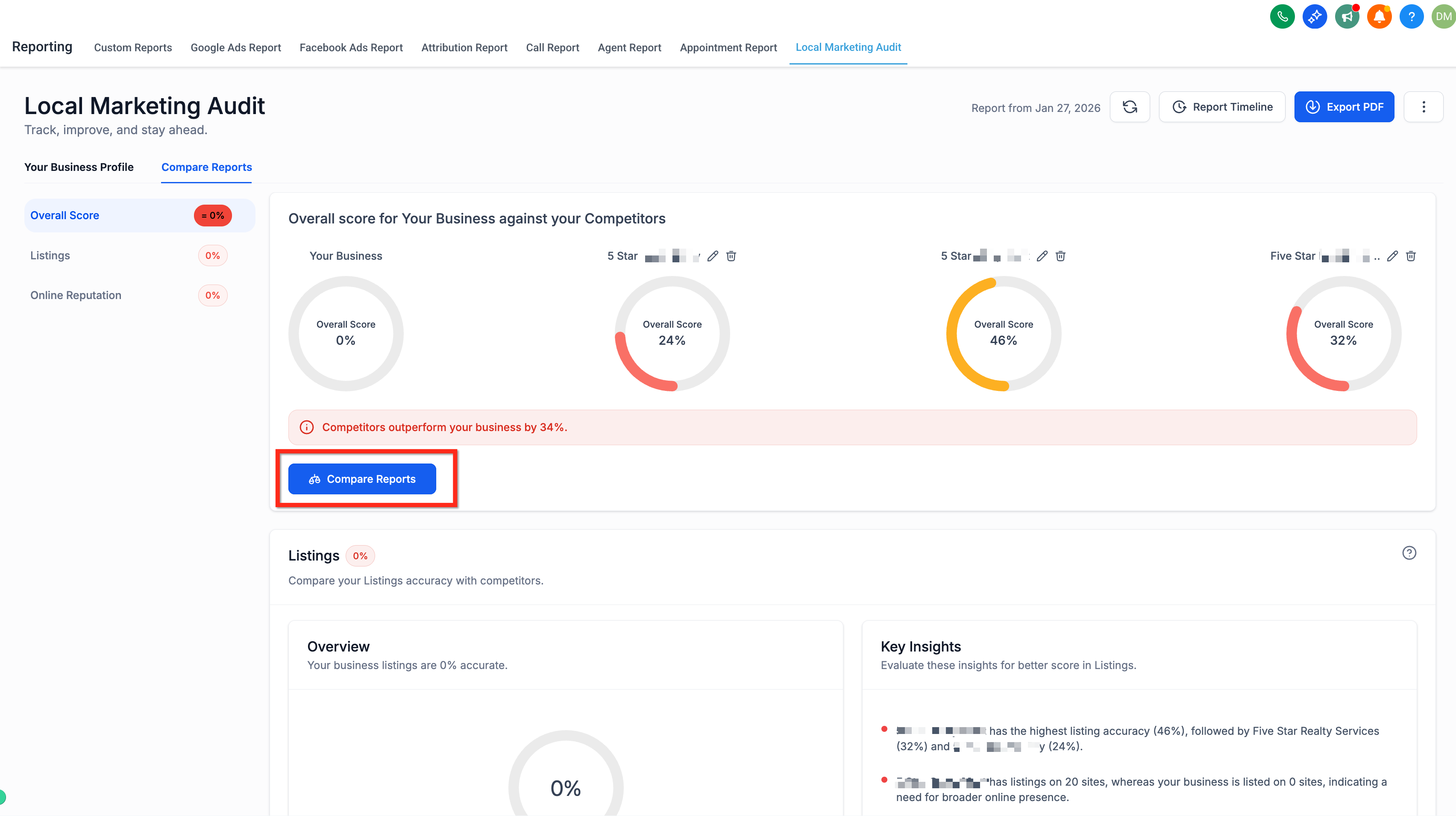
The system automatically analyzes your listings and reviews against each competitor and generates a comprehensive Competitor Analysis Report.
Once the report is generated, it provides detailed insights across two main areas:
Listings accuracy: Highlights where your business has missing, inconsistent, or incorrect listings compared to competitors, so you can ensure your practice is visible and accurately represented across directories.
Reviews performance: Displays comparative review volume, star ratings, and sentiment, so you can quickly gauge how your reputation stacks up and where to focus to improve patient perception.
These insights let you act immediately, whether that means correcting listing information or driving more positive reviews.
How many competitors can I compare at once?
You can benchmark your practice against up to three competitors at a time.
Which review platforms are supported?
Google is fully supported, with additional major review platforms included for broader insights.
How often is the competitor data updated?
Data is auto-fetched and refreshed regularly, so you always have the latest insights.
Is any manual data entry required?
No. All competitor data is gathered and updated automatically.
Can I change the selected competitors after setup?
Yes. You can update your competitor selections at any time.
Can I use the Competitor Analysis Report without generating the Marketing Audit Report?
No. The report depends on the Marketing Audit data, so you must generate the audit first.
What businesses can I add for comparison?
Any businesses that appear in your same market. Make sure they are distinct and relevant competitors.
Can I rerun the analysis with different competitors?
Yes. Return to the Compare Reports tab, enter new businesses, and generate a fresh comparison.
How long does the report take to generate?
It typically completes within a few minutes after submission, depending on data availability.
