AI Review Summaries turn raw customer feedback into clear, actionable insights. You can instantly grasp overall sentiment, spot recurring themes, and drill down by source or timeframe without reading every review by hand. This article walks you through how to access, filter, refresh, and use AI-powered review summaries in Aesthetix CRM.
The AI Review Summary is a smart, auto-generated insight card that appears automatically for every user who has at least one connected review location. It rolls up feedback from all pages into a single, easy-to-understand summary, including a concise paragraph that explains overall sentiment, the most common themes, and highlight tags (for example, "great staff" or "slow service"). These summaries help you save time, reveal trends instantly, and are especially useful for multi-location med spas and practices that track a high volume of reviews.
Understanding precisely what your patients love, or dislike, helps you refine your services, coach your team, and protect your brand. These benefits ensure that feedback translates into measurable improvements.
Rapid Insights: Get an at-a-glance grasp of overall customer sentiment
Time Savings: Eliminate manual review analysis and tagging
Auto-Tagged Themes: Quickly spot patterns like "great support" or "long wait"
Targeted Filters: Slice data by source and date for precise insights
You can access AI-generated insights in two places inside Reputation: the Reviews tab and the Overview tab.
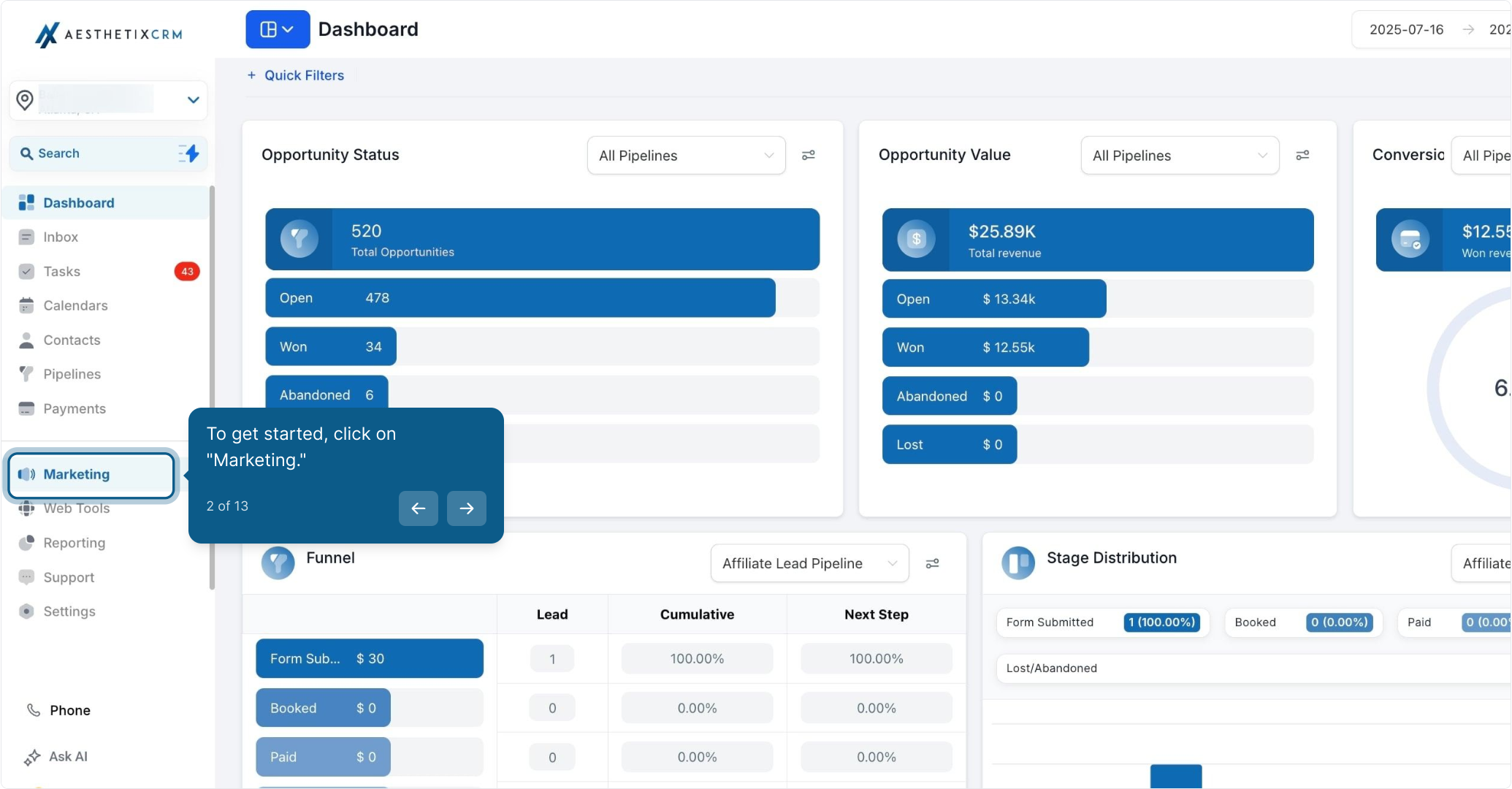
From your dashboard, click Marketing.
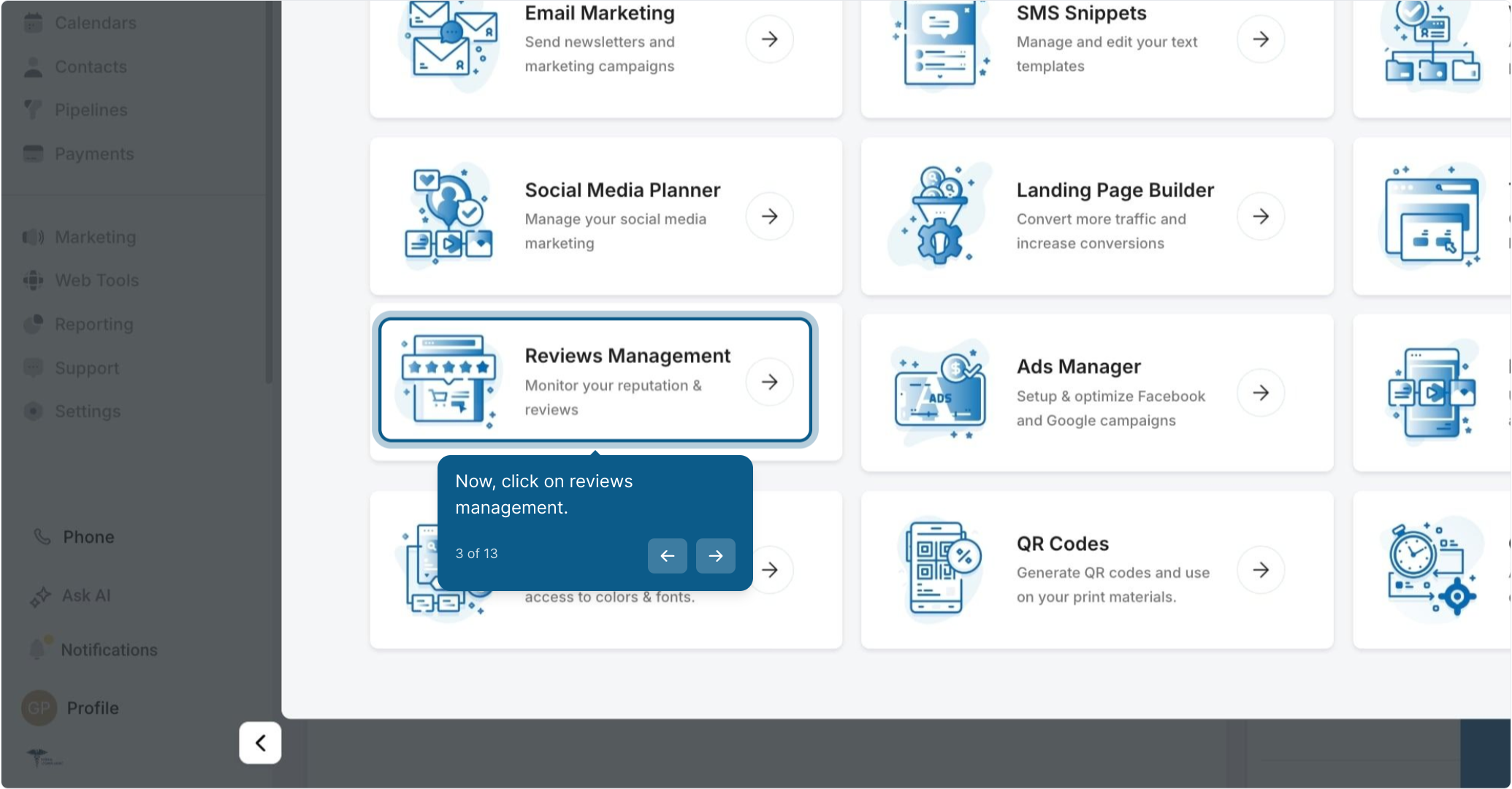
Next, click Reviews Management.
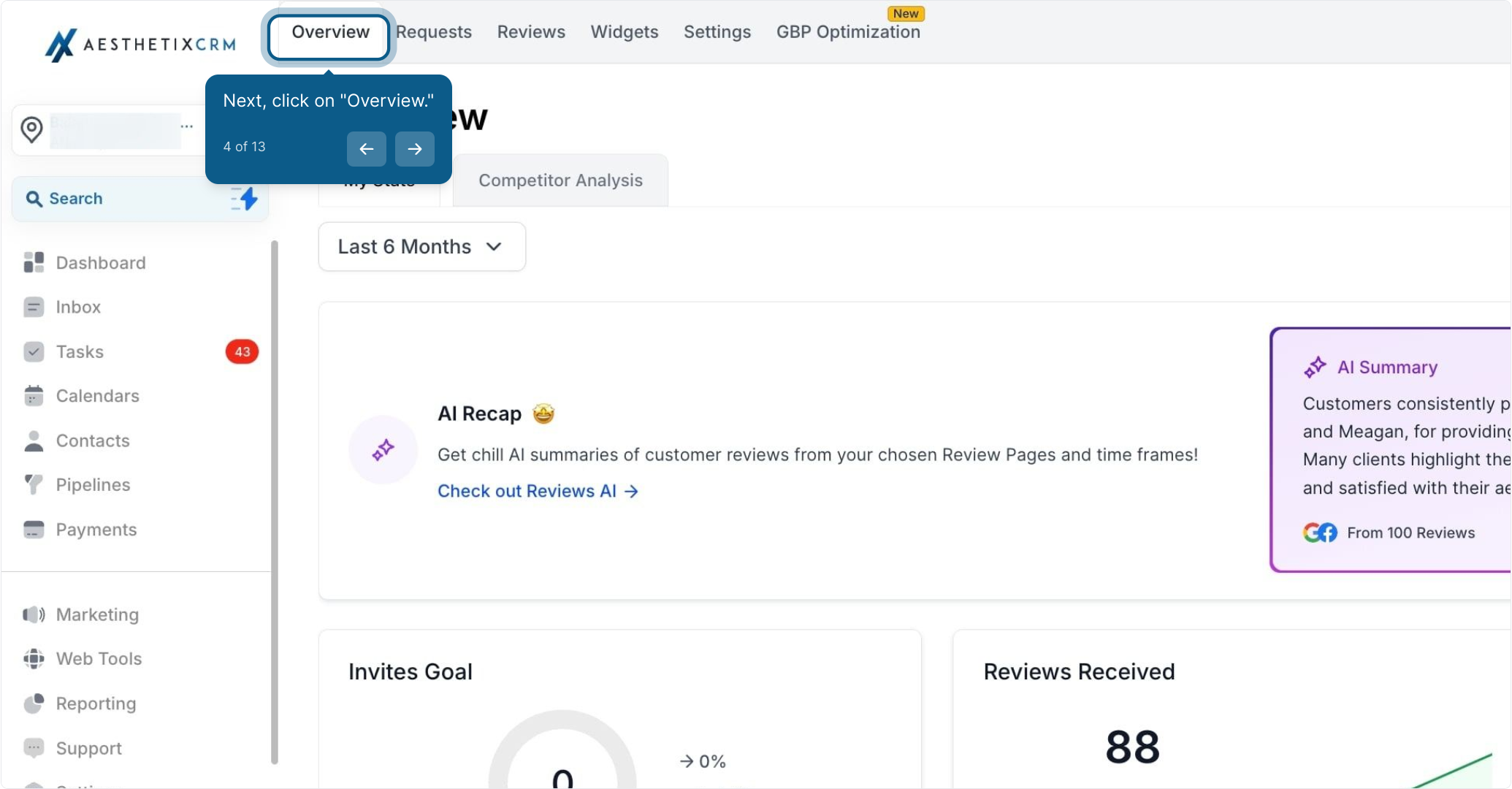
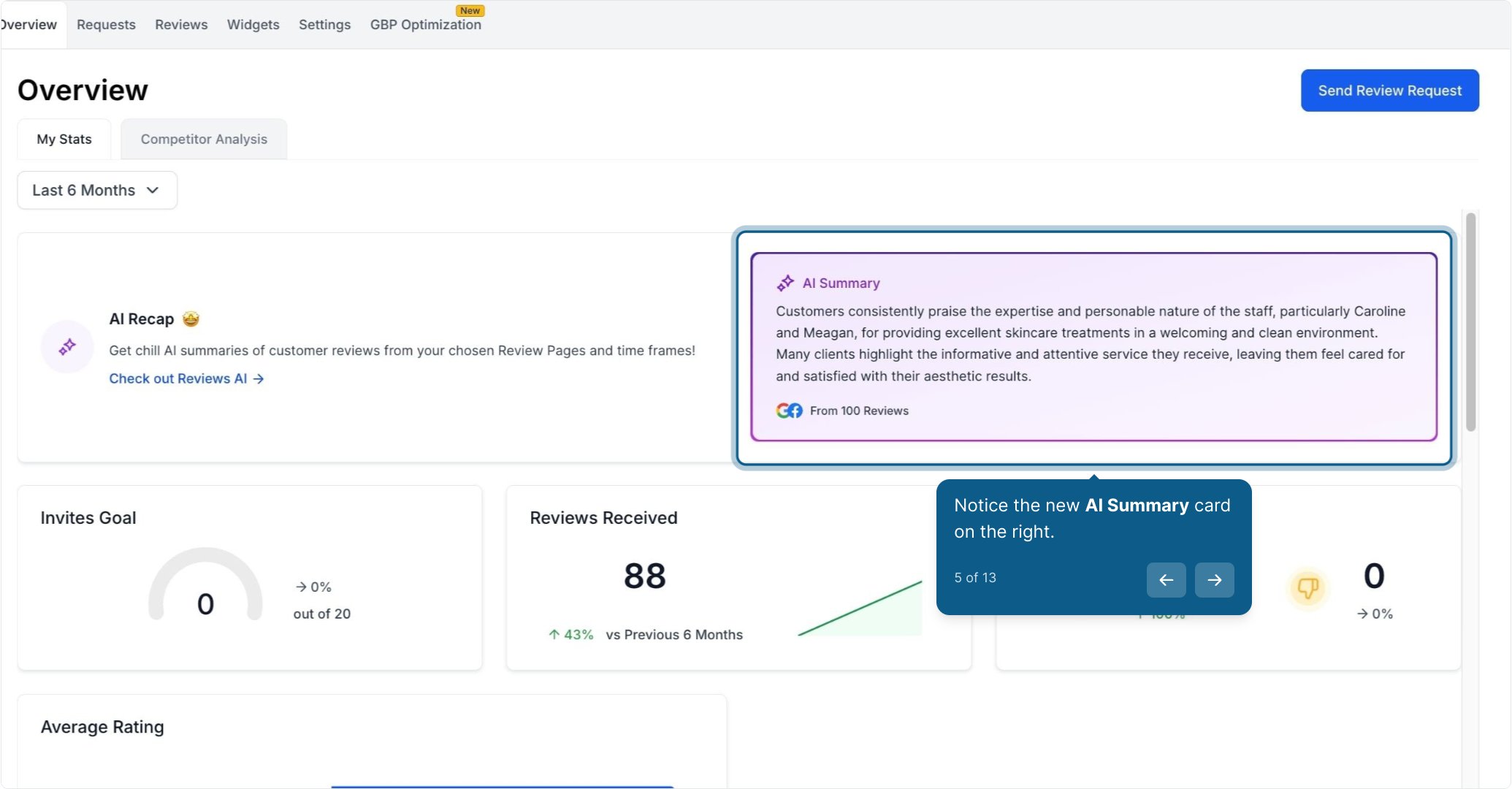
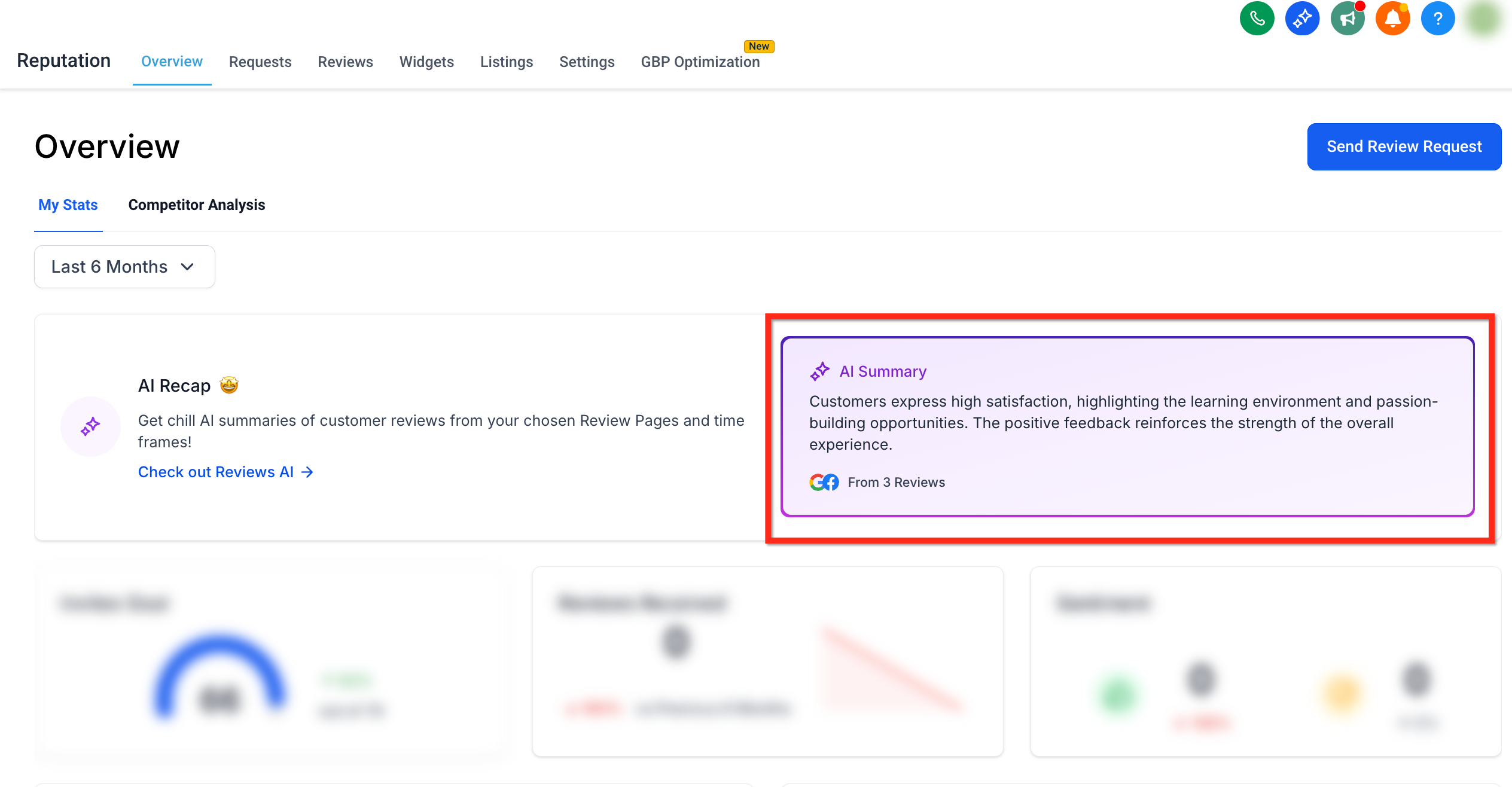
Click Overview. The purple AI Summary card appears on the right side of the page.
Notice the new AI Summary card on the right.
**
**
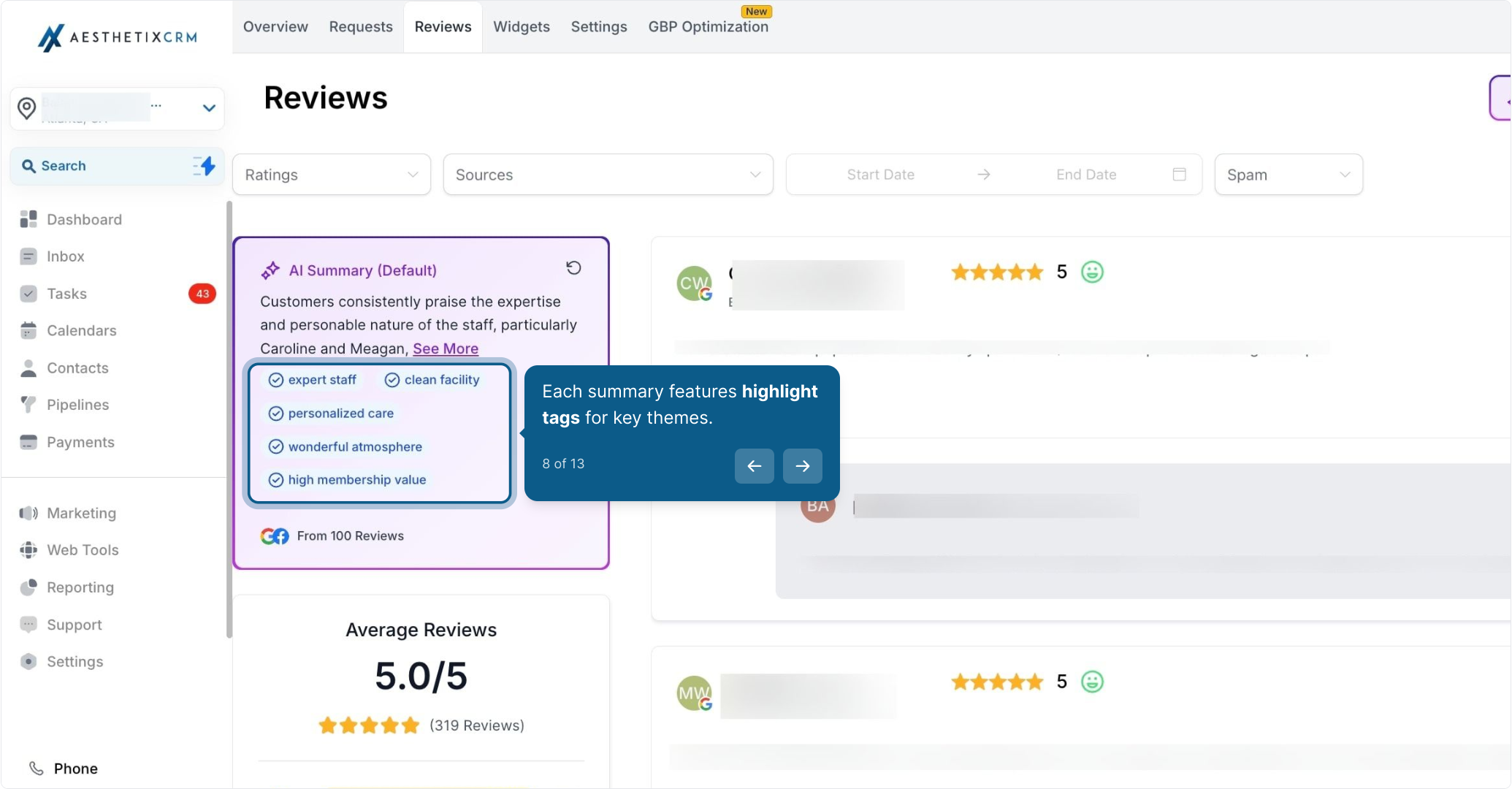
Click Reviews. The purple AI Summary card appears on the left side of the page.
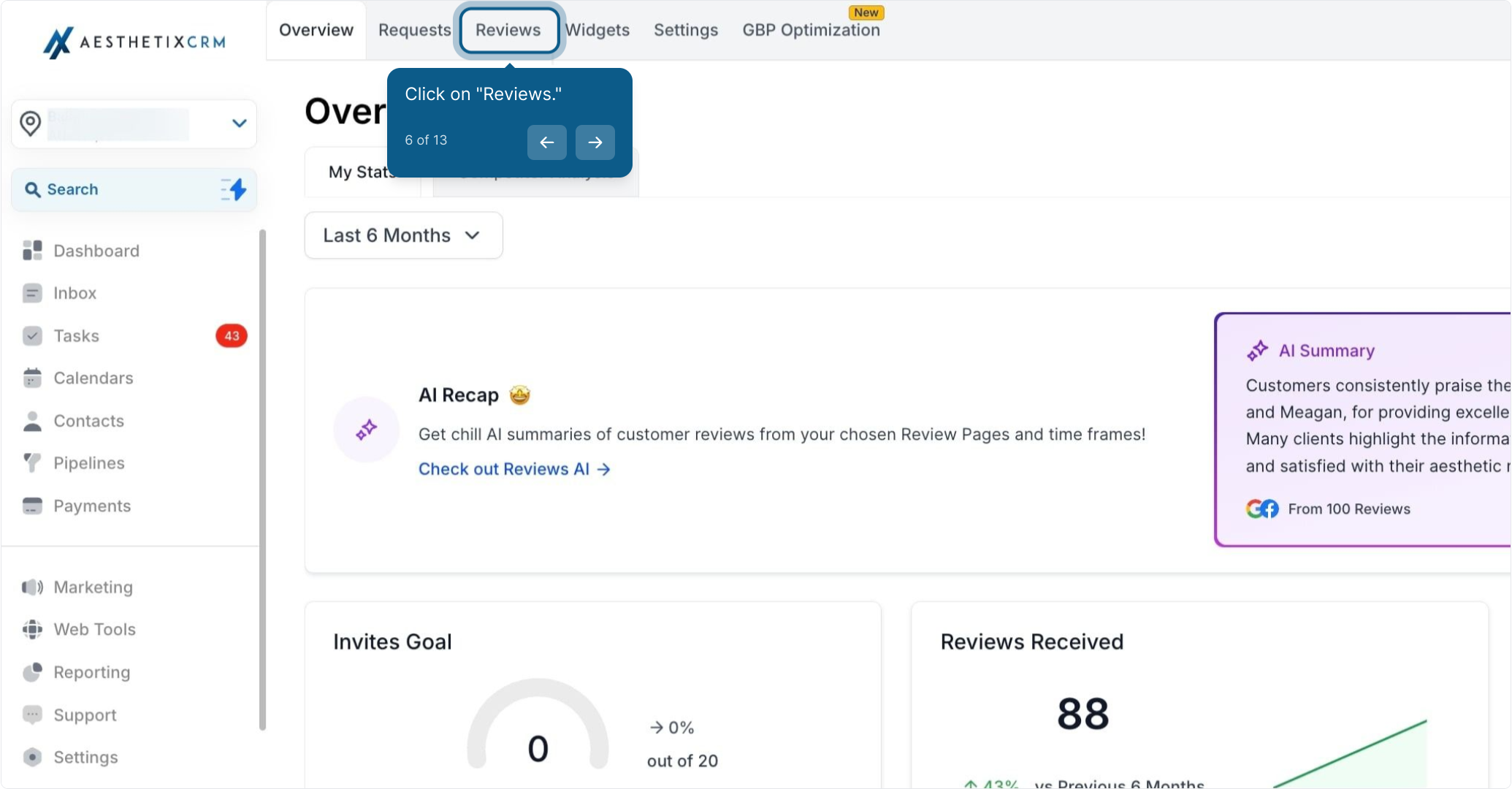
Observe the AI Summary card now on the left.
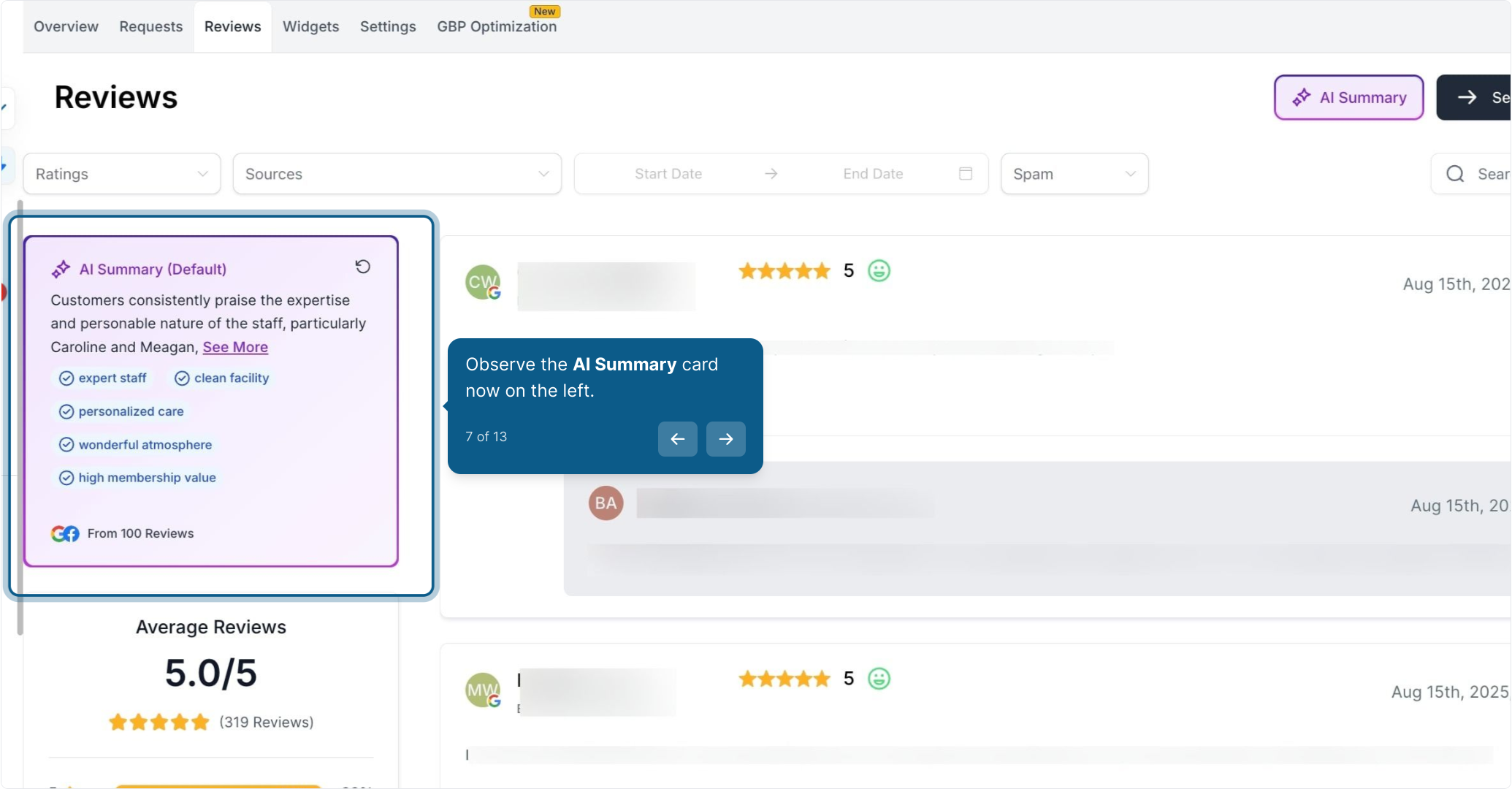
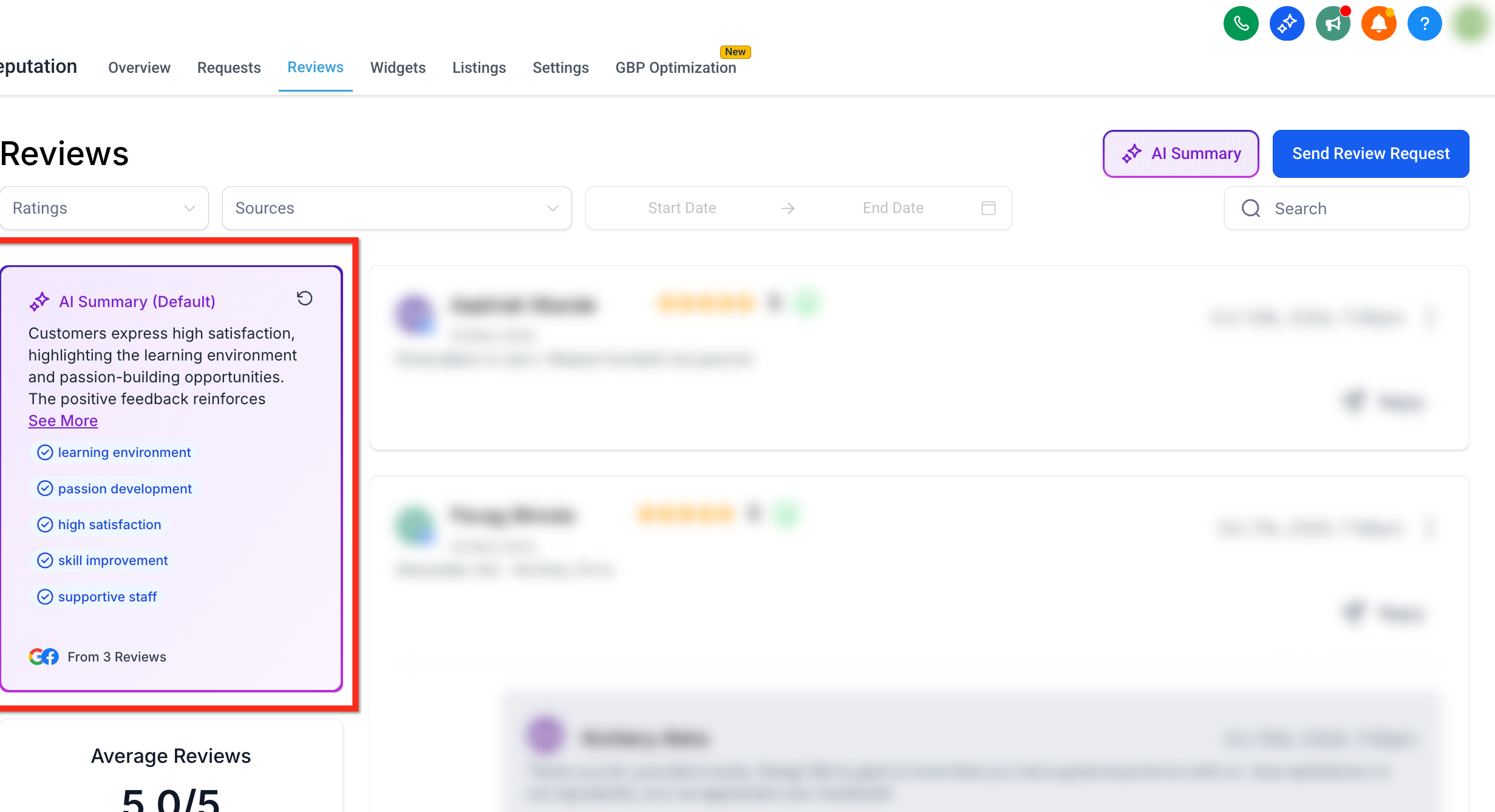
Each summary is accompanied by highlight tags, which are AI-generated keywords or short phrases that represent recurring themes in your reviews.
These include:
Sentiment tags: "Great service," "Rude staff," "Fast response"
Topic tags: "Booking system," "Parking," "Cleanliness"
These tags update dynamically based on your selected filters.
Filtering by page source and date range lets you isolate specific branches, campaigns, or timeframes, ensuring summaries reflect only the data you care about.
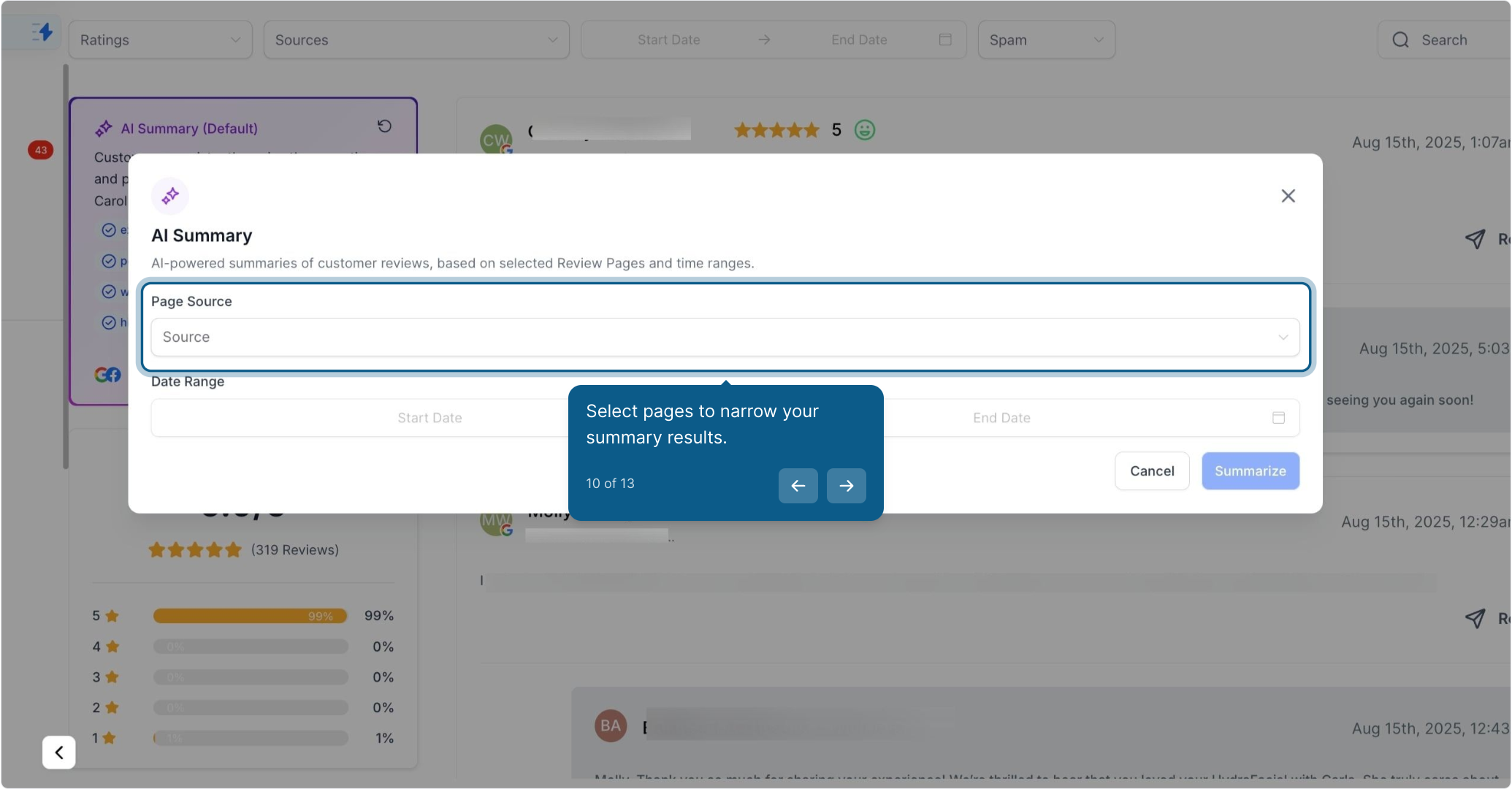
Location Filter: Select one or more pages (locations) to narrow the summary
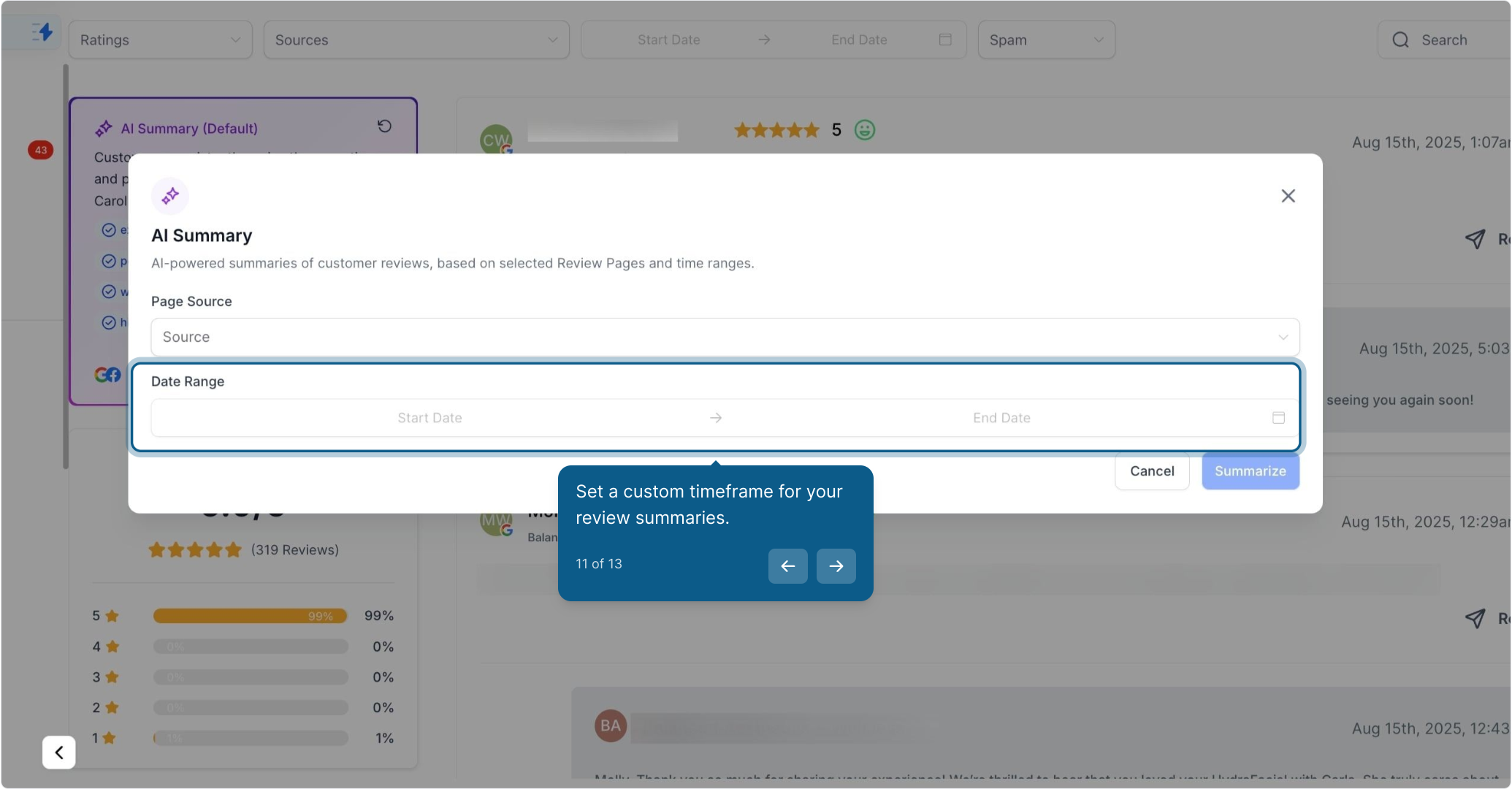
Date Filter: Set a custom timeframe to view reviews and summaries from a specific period
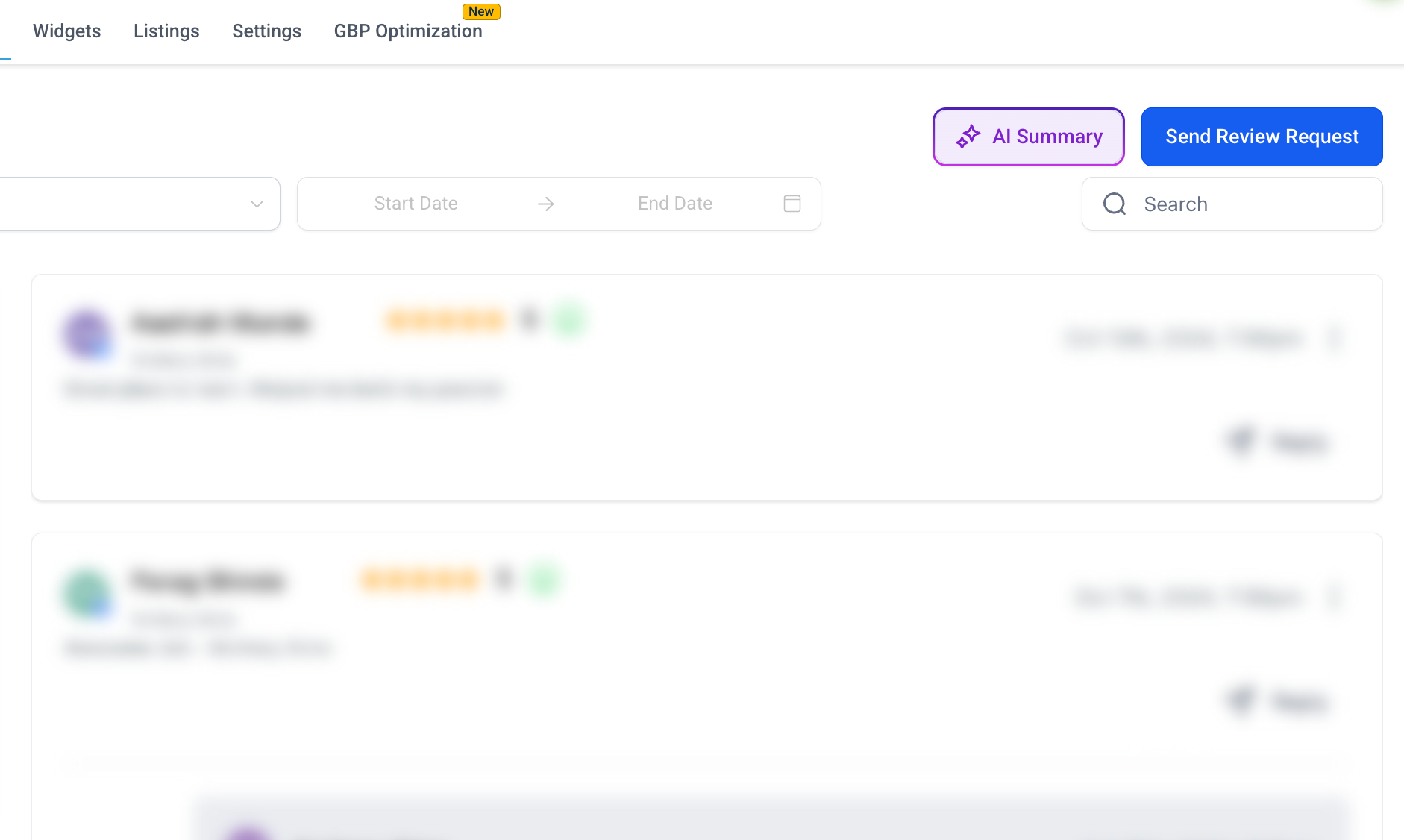
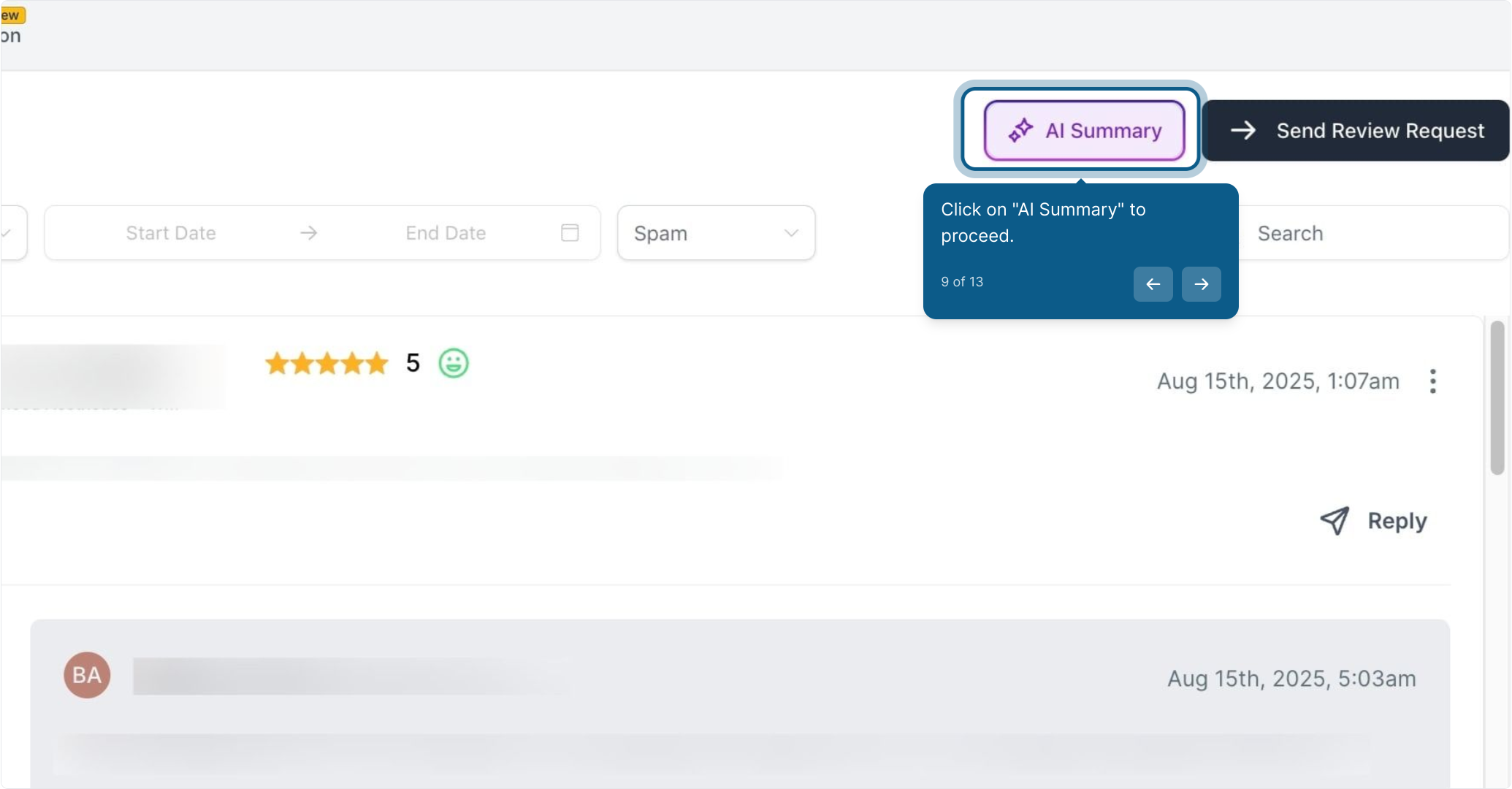
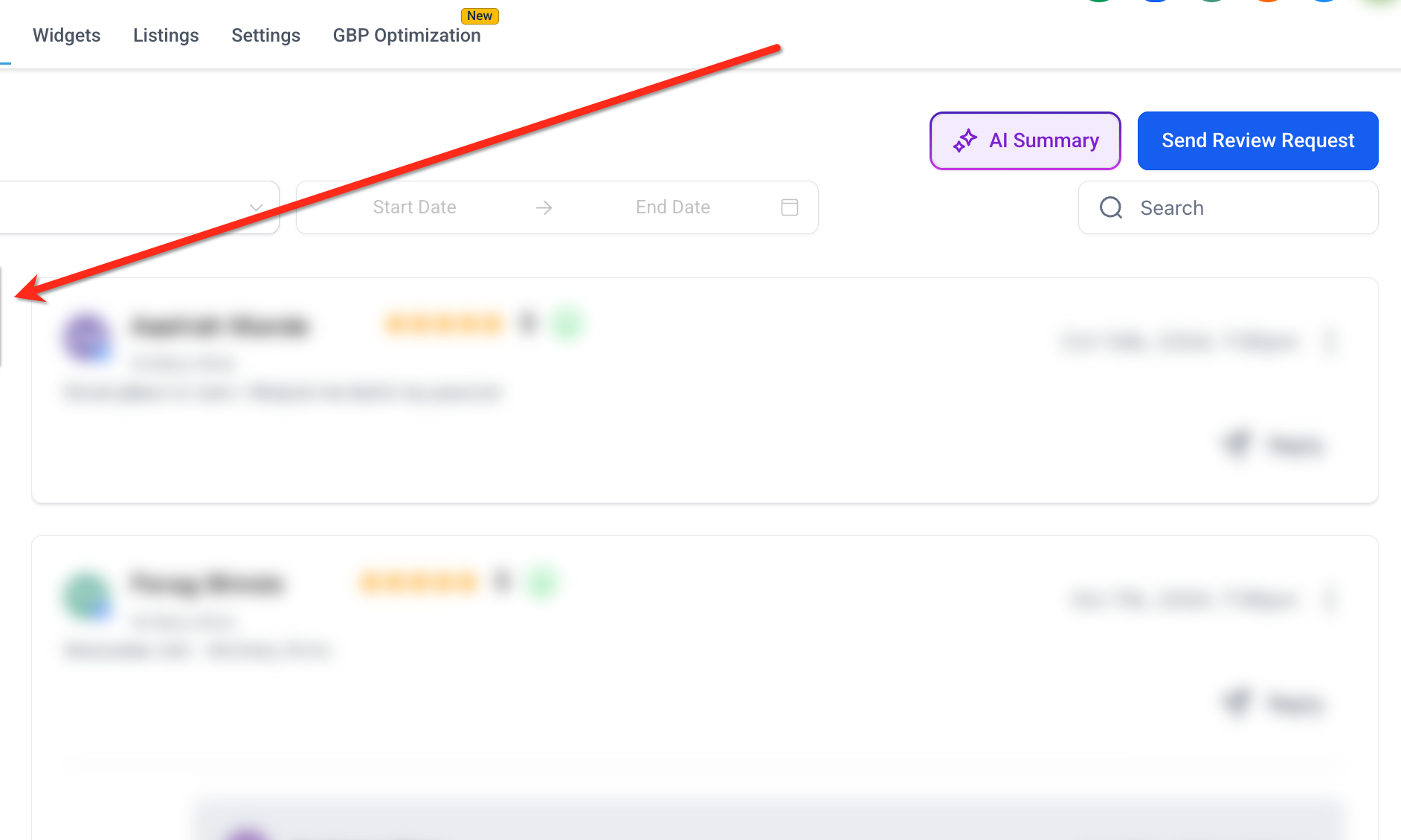
To set filters, click the purple AI Summary button in the upper right corner of the Reviews tab.
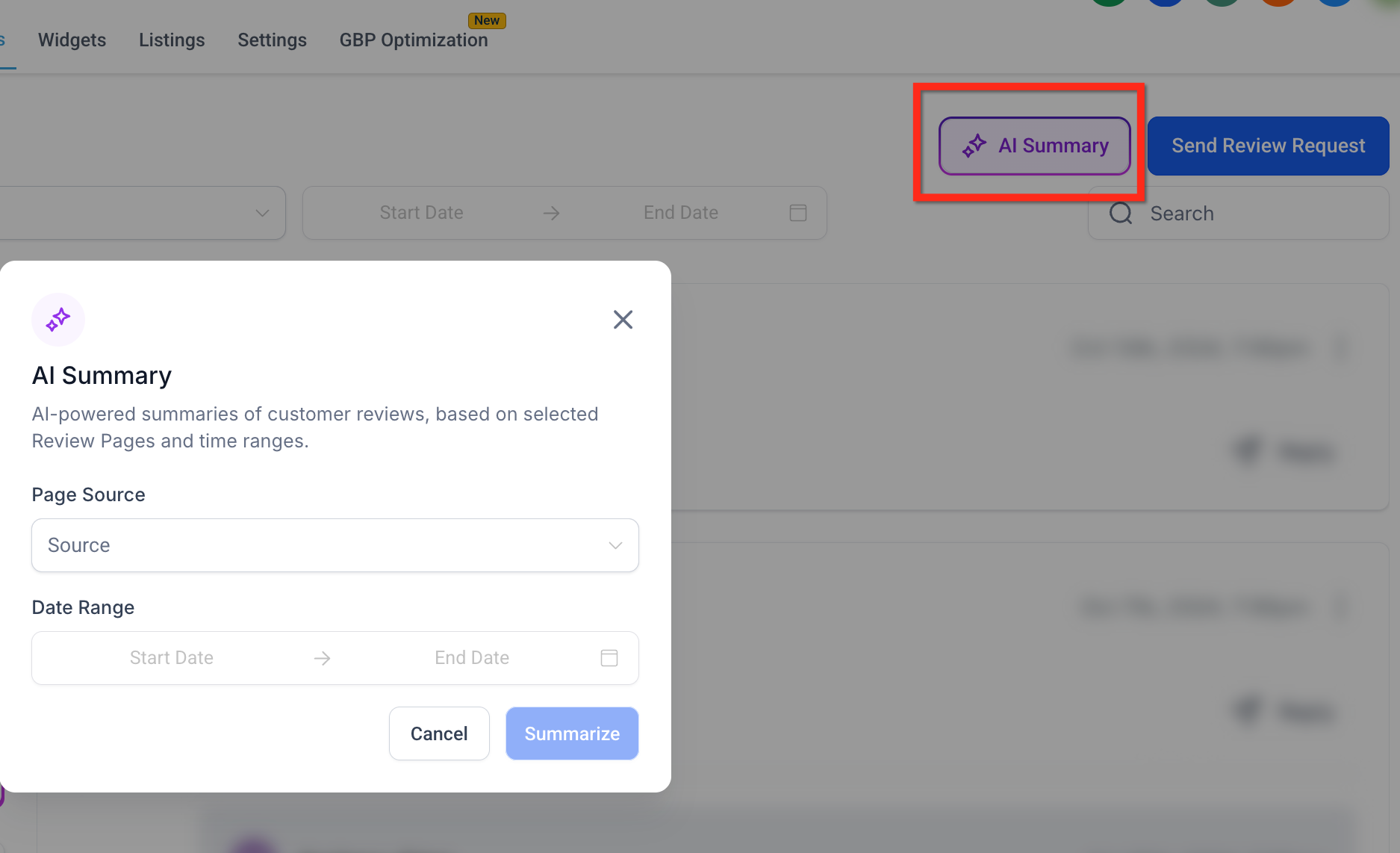
Select the pages you want to narrow your summary results.
Set a custom timeframe for your review summaries.
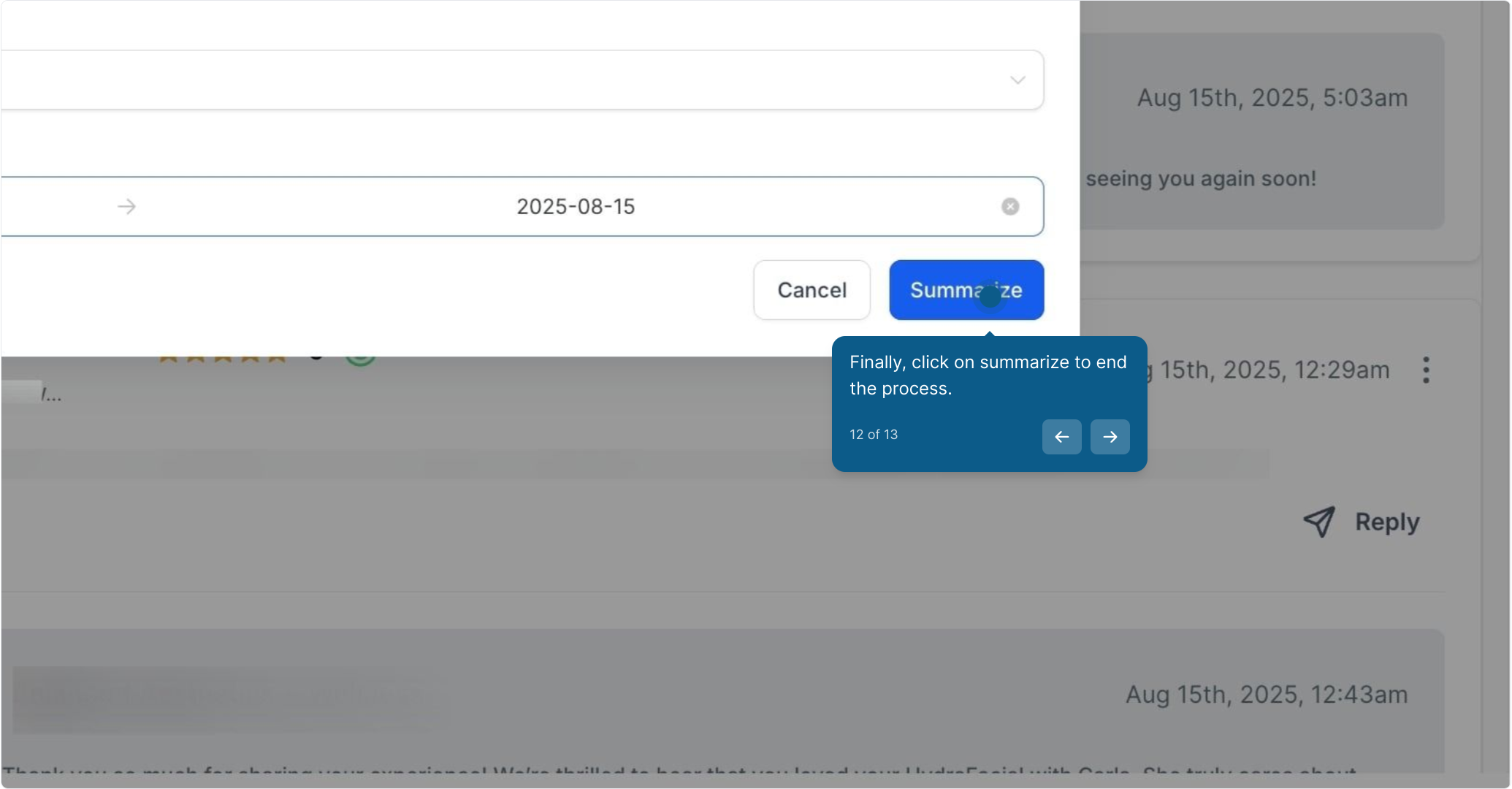
Finally, click Summarize to generate your results.
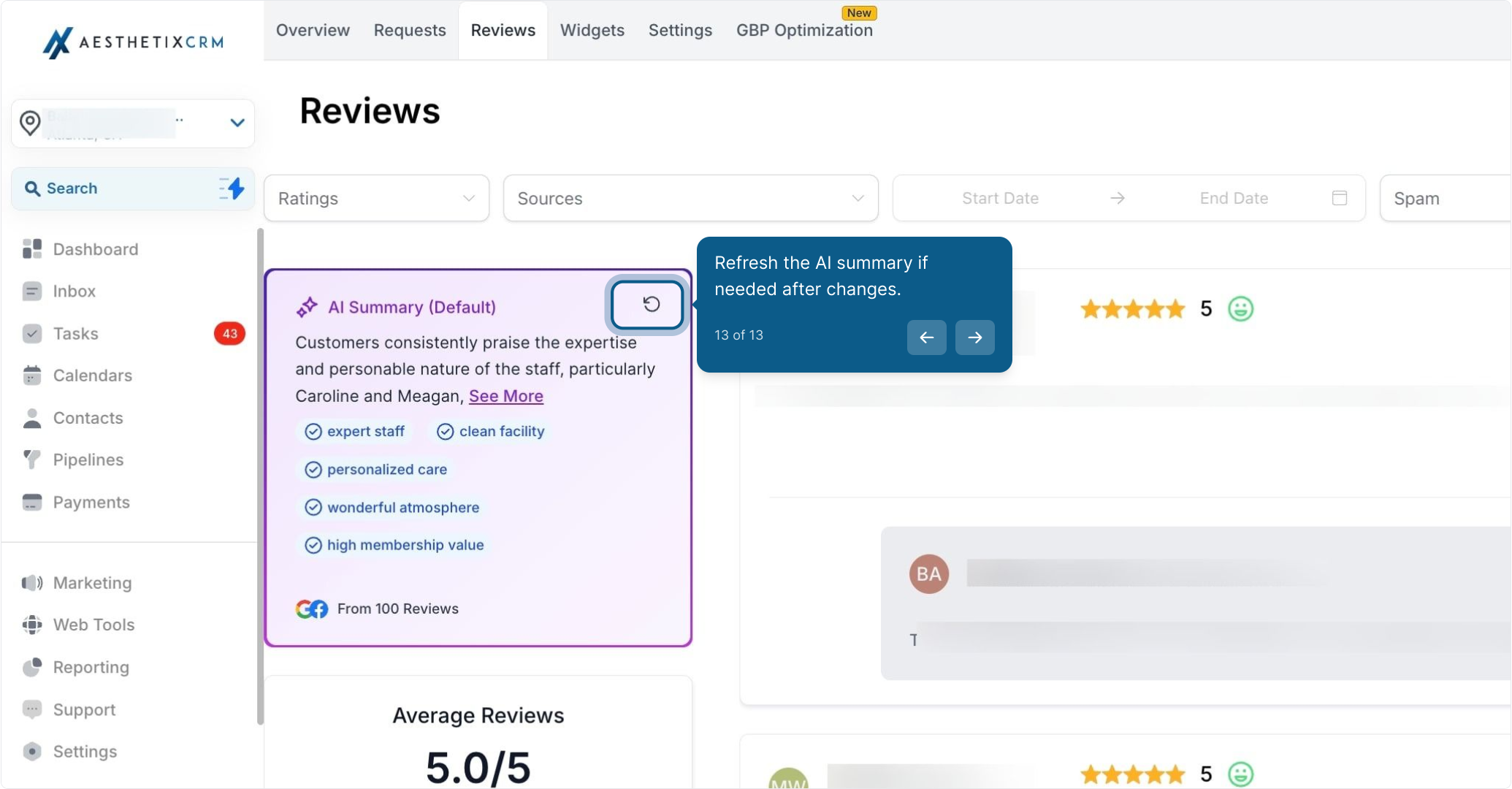
If you've added new reviews or changed filters, you can refresh the AI summary at any time:
Click the Refresh icon next to the summary title
The AI will regenerate the summary using the most current data and filters
Updated highlight tags and sentiment will appear automatically
Note: AI Review Summaries analyze customer sentiment across all your reviews to surface recurring themes automatically. This is different from Reviews AI auto-replies, which generate responses to individual reviews.
Q: How often are summaries refreshed?
Summaries update in real time whenever new reviews matching your filters arrive, or when you click the refresh button.
Q: Is AI Summary the same as Reviews AI auto-replies?
No. Reviews AI generates replies, while AI Summary analyzes sentiment and themes.
Q: Which review platforms are included in the summary?
The AI analyzes every connected review page unless you filter the summary to specific sources. To check what pages are being included, go to the AI Summary filter.
