Review widgets in Aesthetix CRM have received a major upgrade, making it easier than ever to display patient testimonials that build trust and drive bookings. With new widget types, flexible AI summary options, and a full visual style editor, you can create beautifully branded, engaging displays for your practice's website, without writing a single line of code.
These enhancements empower you to highlight patient feedback in more dynamic, on-brand ways, no design or technical skills needed.
Highlight reviews anywhere on your site with flexible display options.
Visually match your brand using deep style customization tools.
Drive more conversions through sleek, engaging testimonial presentations.
Save time with real-time previews and easy plug-and-play templates.
Improve site performance thanks to optimized loading and smoother widget creation.
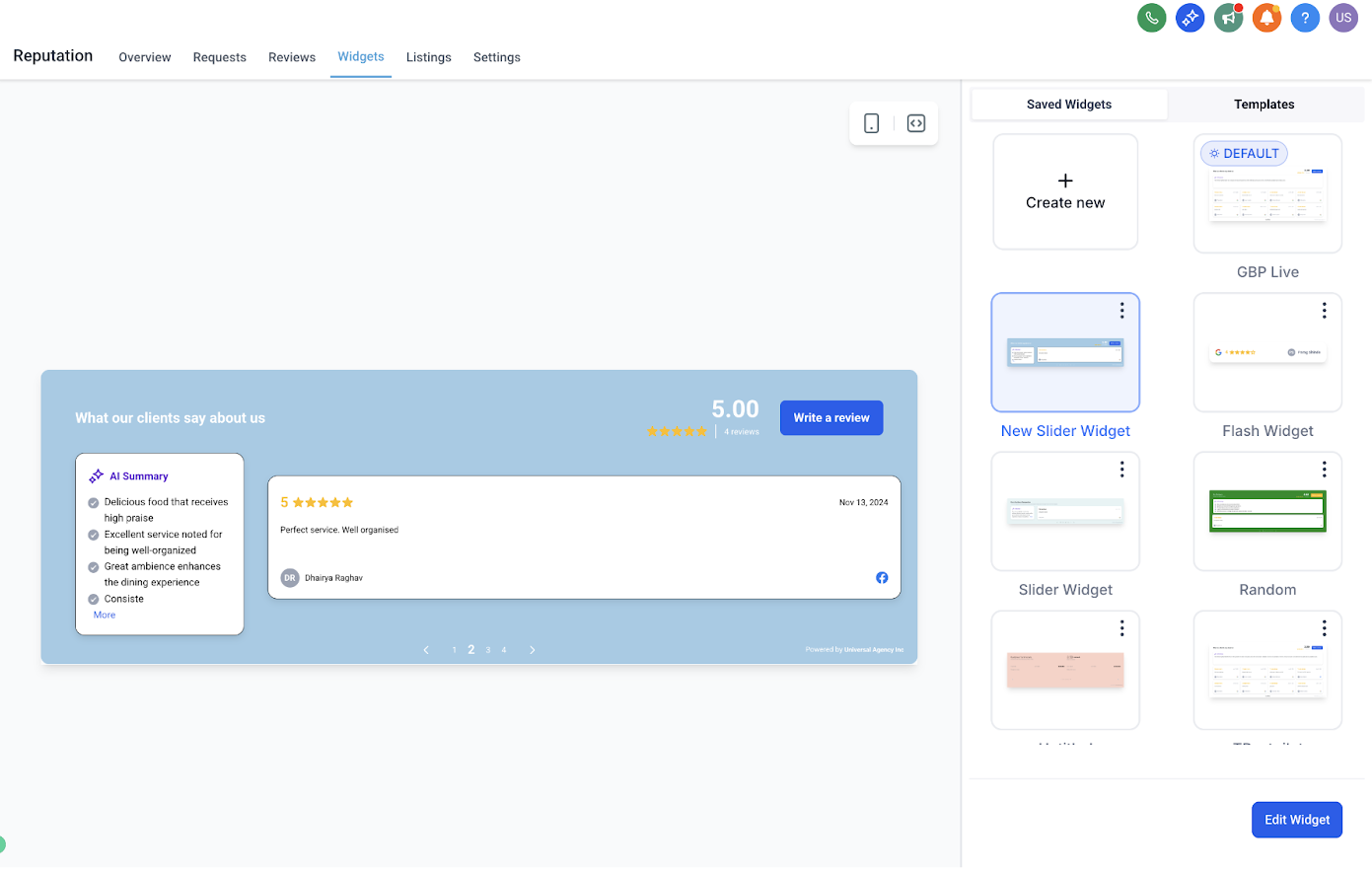
The Floating Badge Widget is a minimal, always-visible badge that continuously rotates through your best reviews. It's perfect for discreet yet powerful social proof on any corner of your website.
Choose placement: top or bottom, left or right.
Set the interval for how often reviews rotate.
Keep your brand front and center without taking up page space.
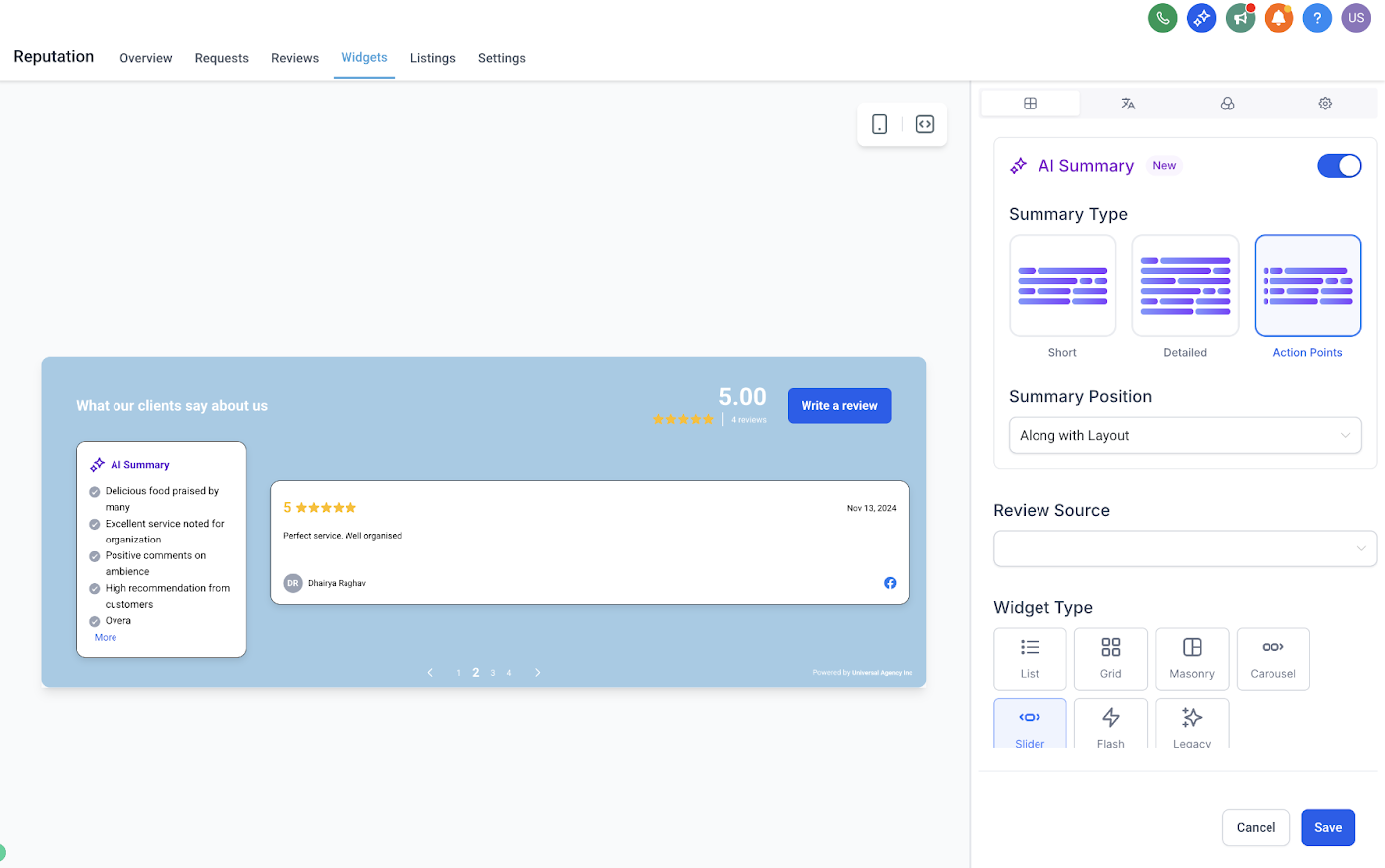
The Slider Widget lets you display one review at a time in a smooth carousel format. It's ideal for narrower spaces or pages where you want to focus on individual patient stories.
Highlight one testimonial at a time for greater impact.
Control the slide interval to match your page's viewing flow.
Great for hero sections, sidebars, or focused testimonial sections.
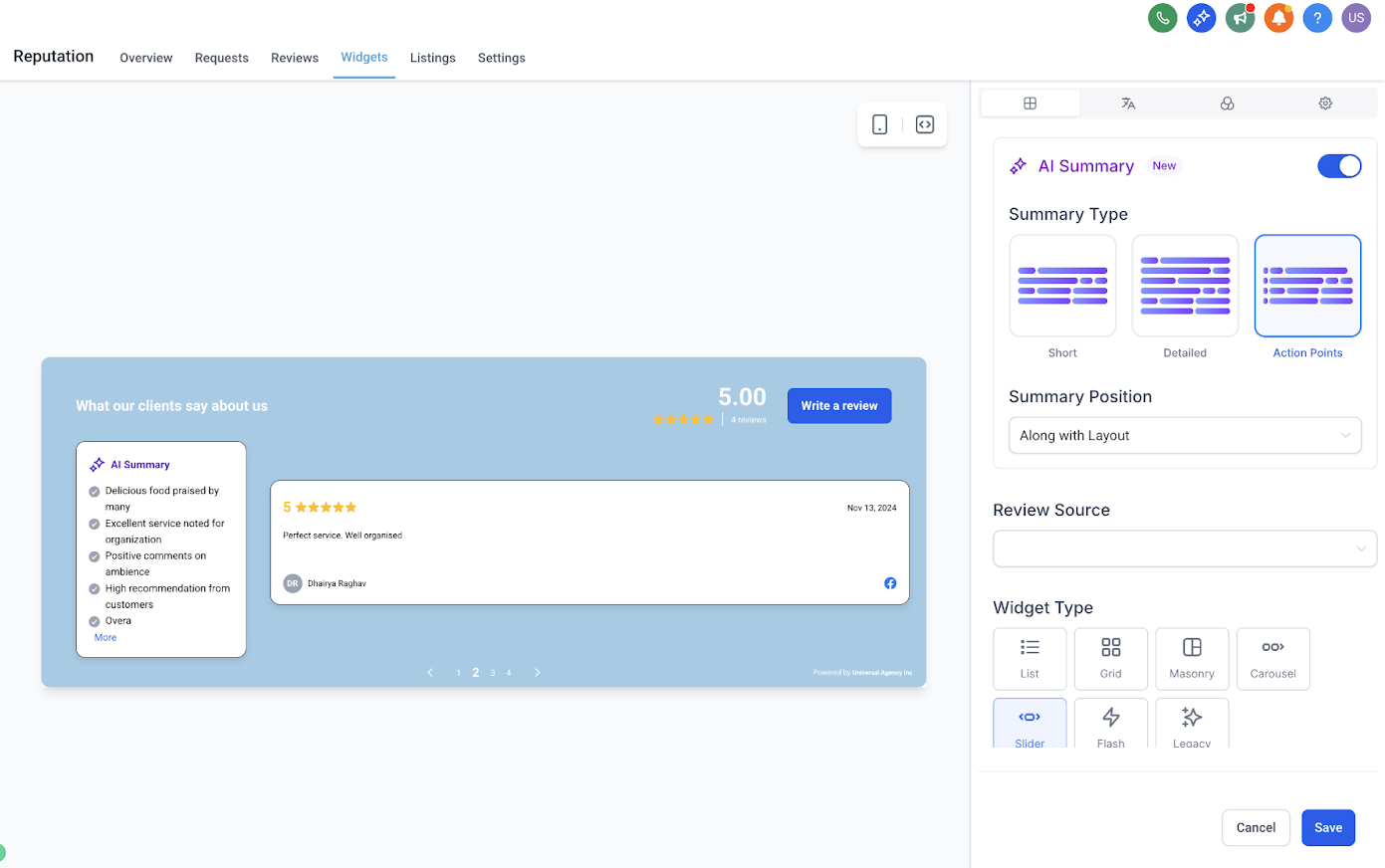
You now have full control over AI-generated review summaries to help visitors quickly understand key points from longer testimonials.
Choose summary type:
Short (1–2 sentences)
Detailed (3–4 sentences)
Action Points (bullet format)
Decide placement:
Top of the review
Integrated within the review layout
Helps highlight the most important takeaways and increases readability.
Note: By default, the AI summary aligns within your selected widget layout. You can still choose Top placement if you prefer the summary to appear above the reviews.
Choose from a growing library of beautifully designed templates, or create your own custom design using the new visual style editor.
Quickly swap between plug-and-play templates without coding.
Customize colors for buttons, avatars, backgrounds, and summary text to perfectly match your brand.
See changes instantly with the built-in real-time preview.
No CSS or developer help needed.
Setting up and customizing your new review widget is quick and straightforward.
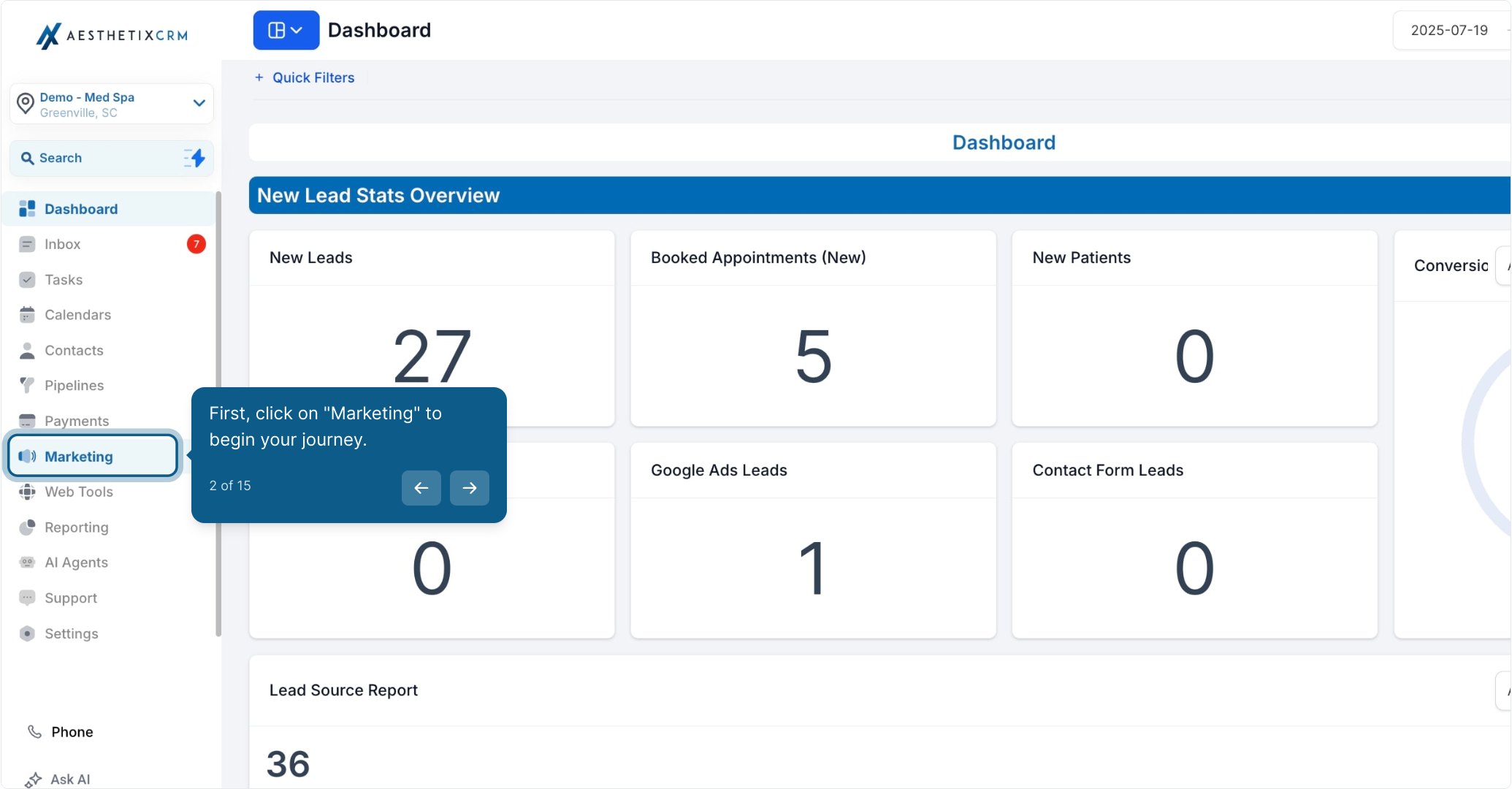
From your Aesthetix CRM dashboard, click Marketing to begin.
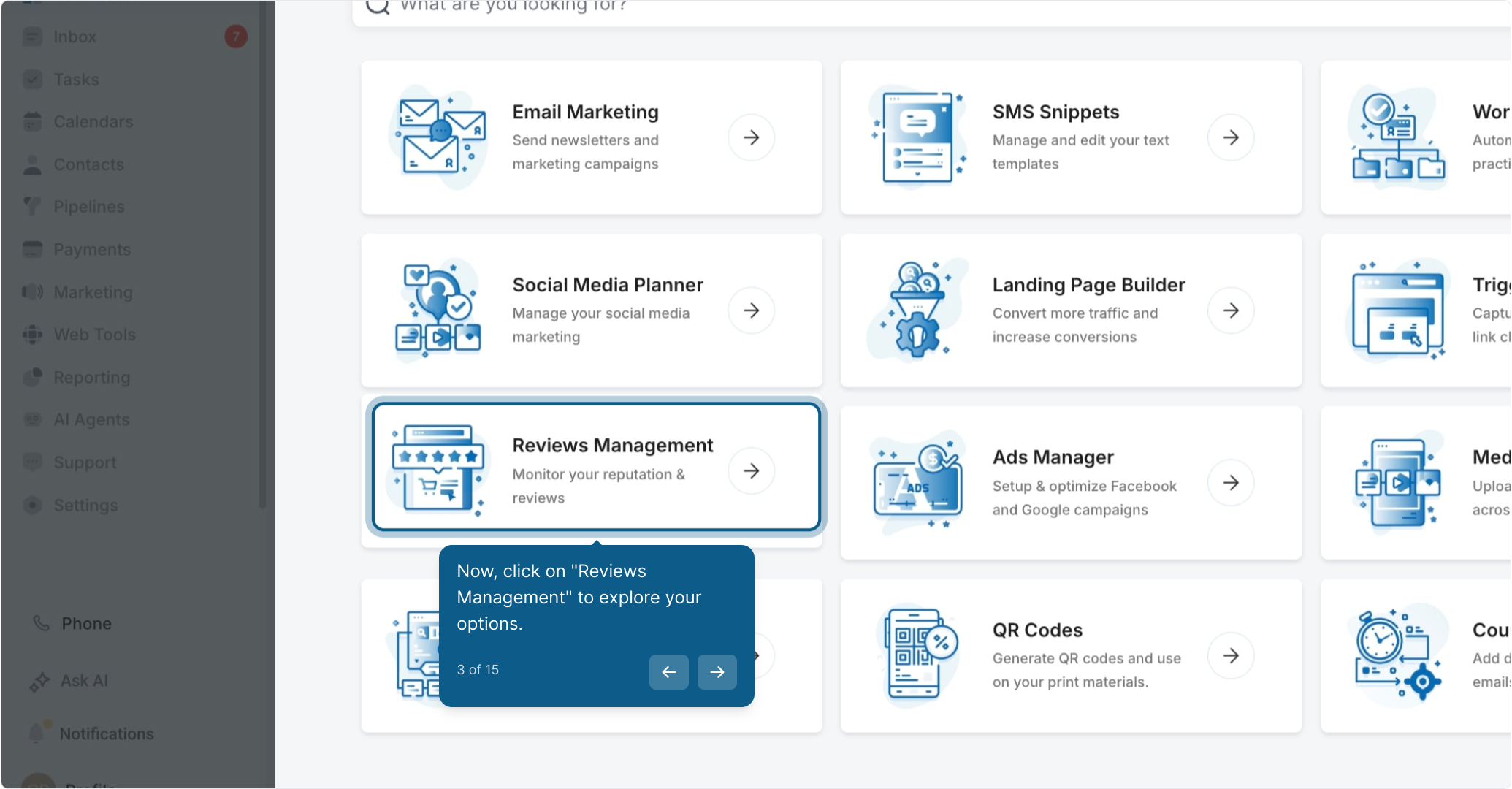
Click Reviews Management to explore your options.
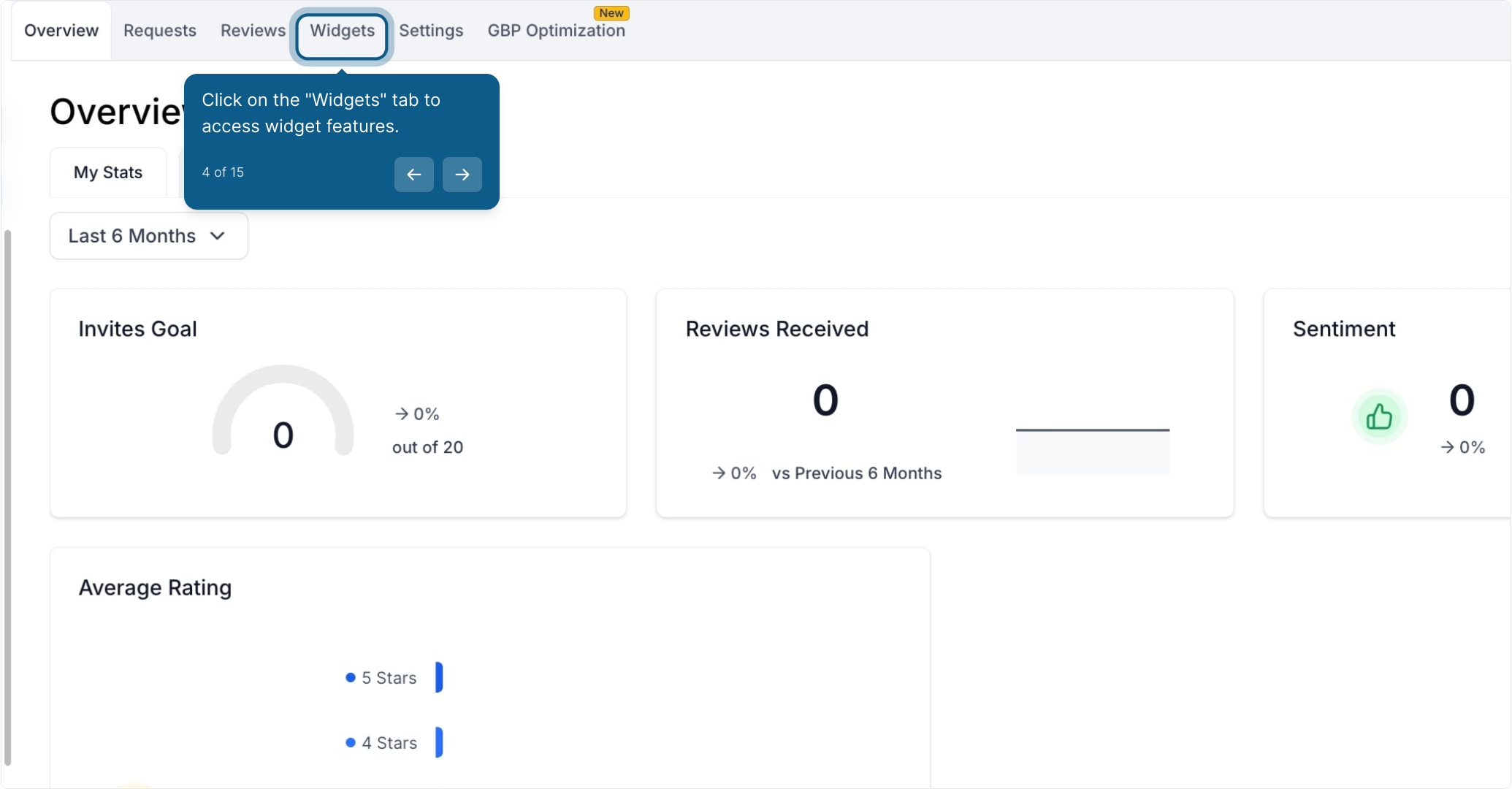
Click the Widgets tab to access widget features.
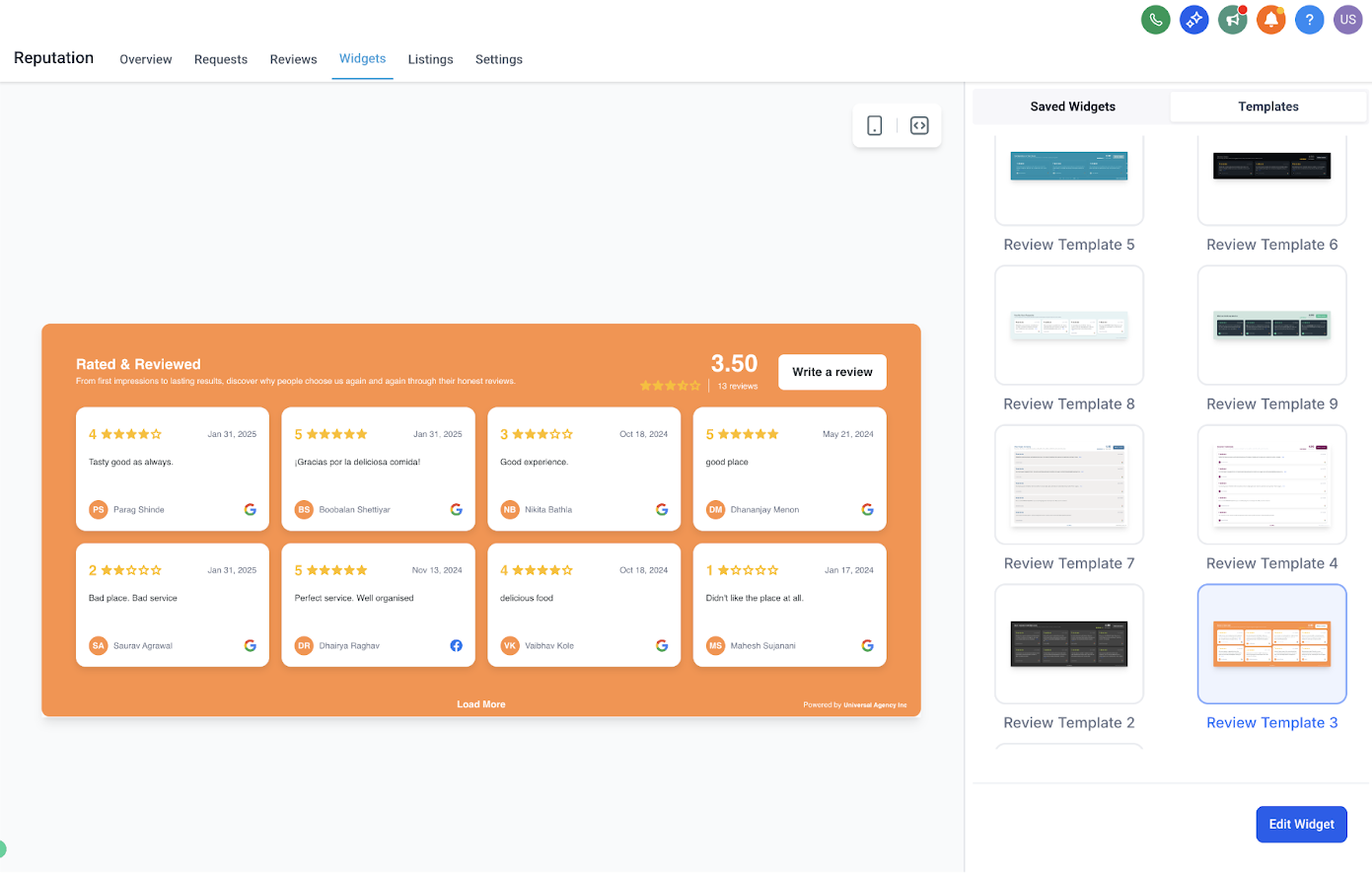
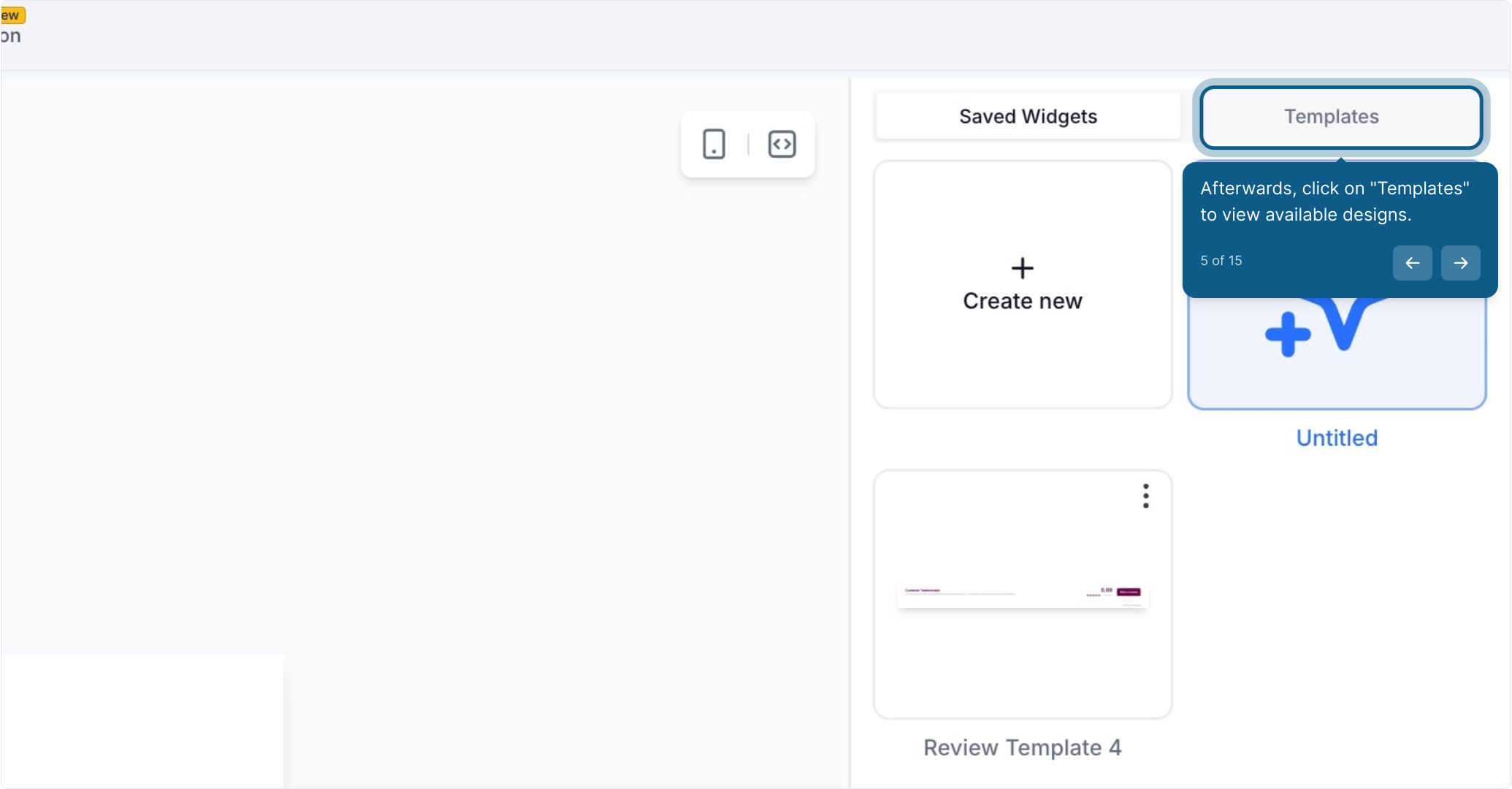
Click Templates to view available designs.
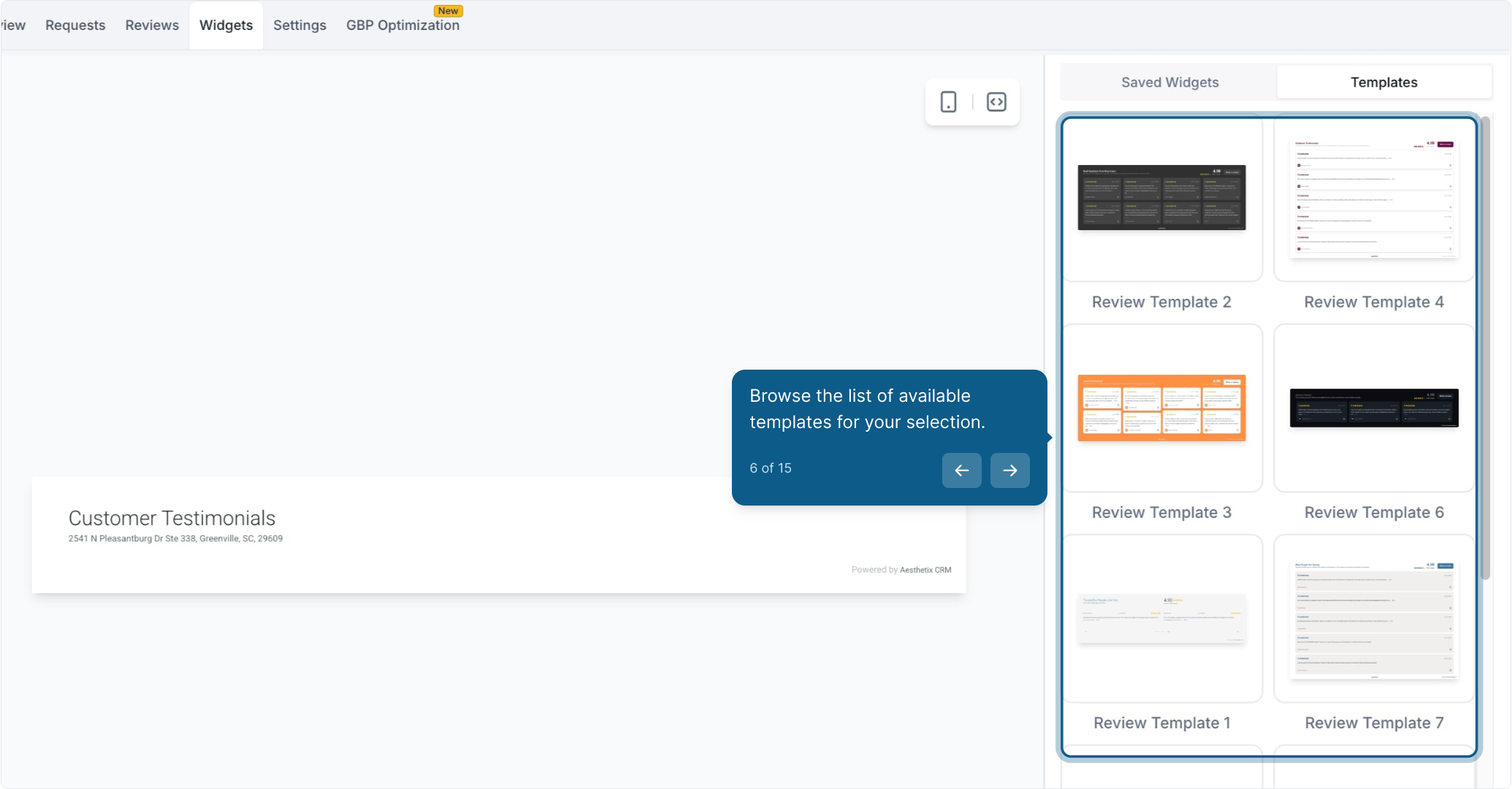
Browse the list of available templates and select one, or create your own custom design using the new visual style editor.
Quickly swap between plug-and-play templates without coding.
Customize colors for buttons, avatars, backgrounds, and summary text to perfectly match your brand.
See changes instantly with the built-in real-time preview.
No CSS or developer help needed.
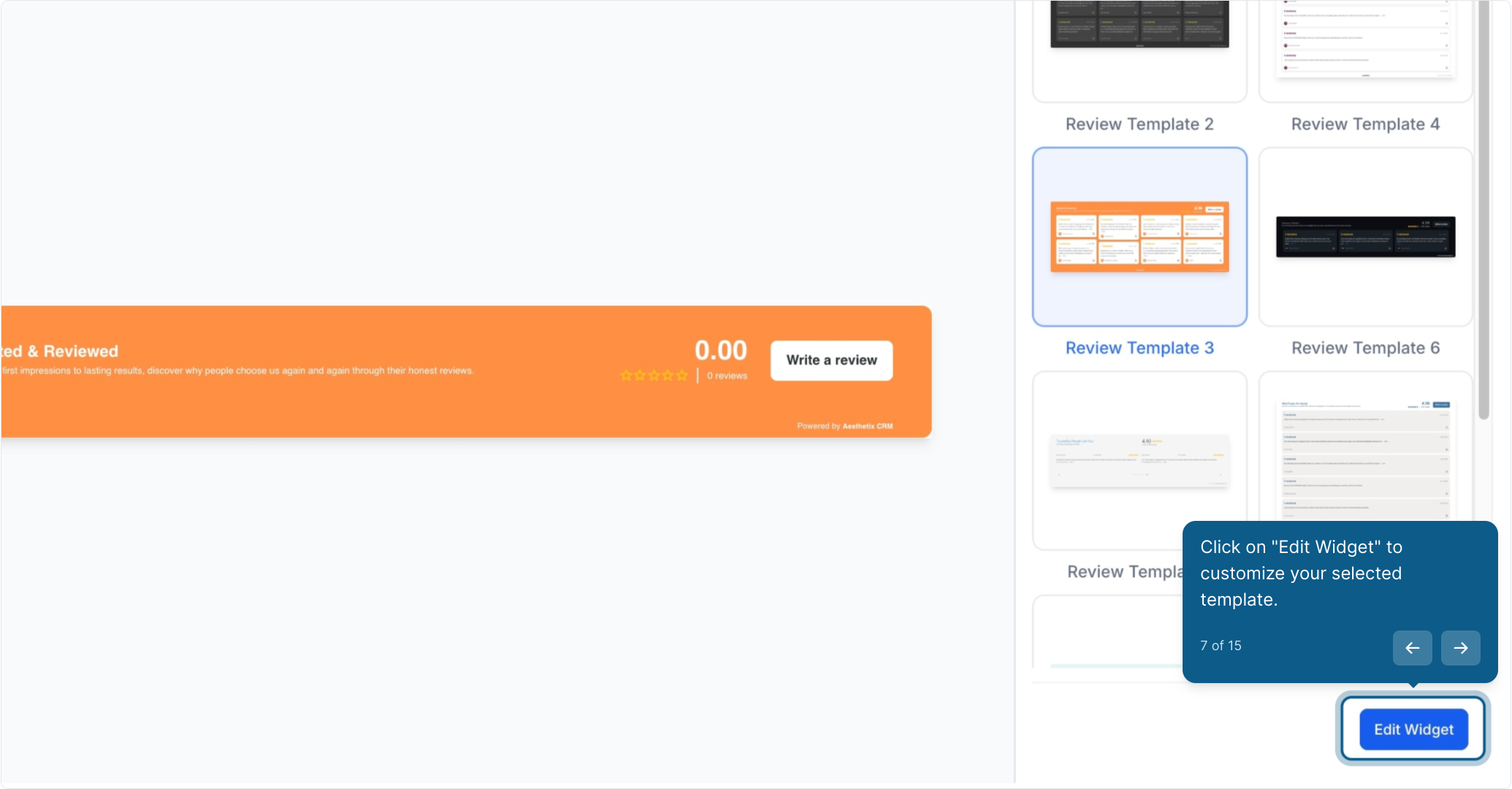
Click Edit Widget to customize your selected template.
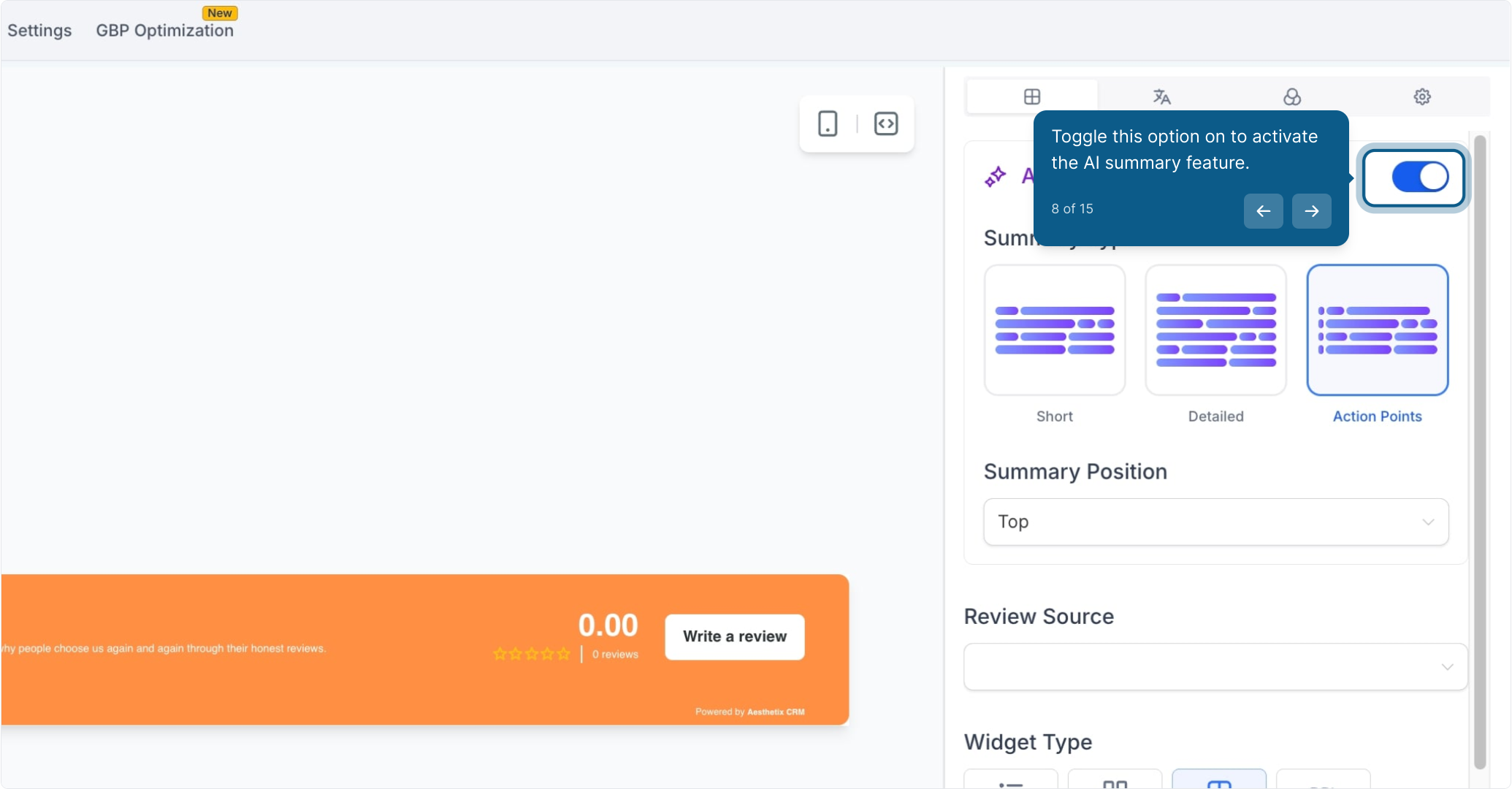
Toggle this option on to activate the AI summary feature.
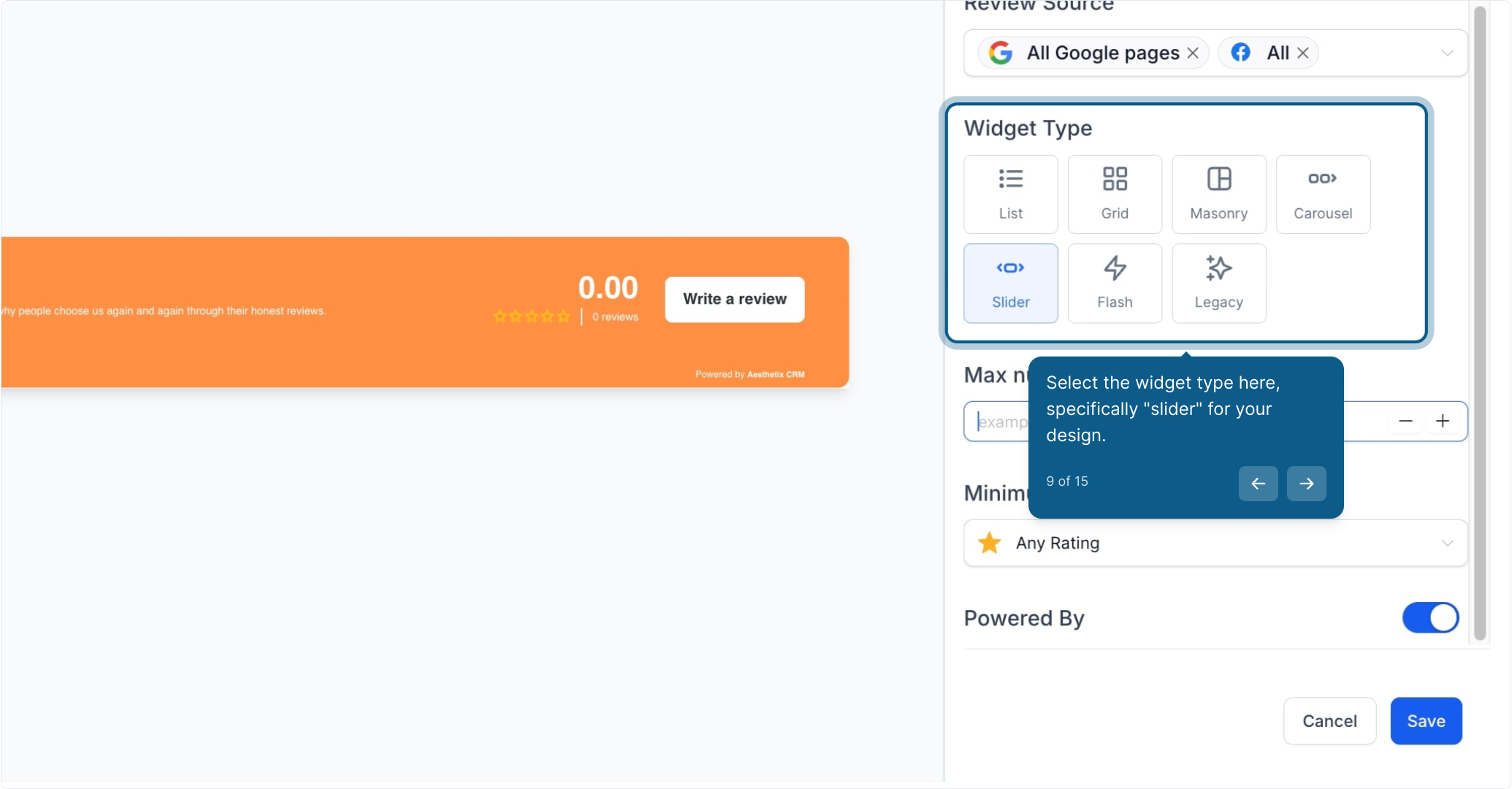
Select the widget type here, in this example, Slider.
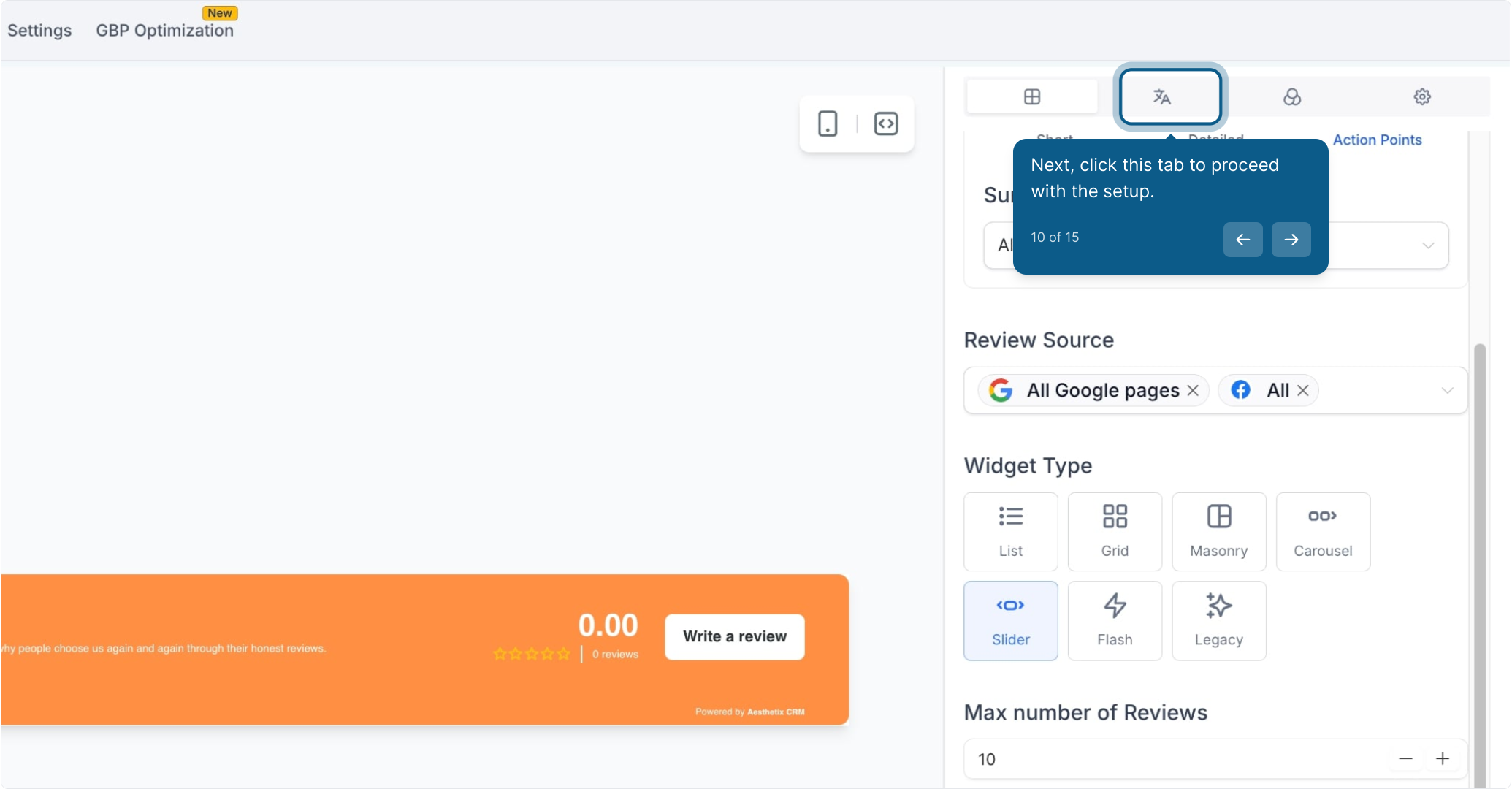
Click this tab to proceed with the setup.
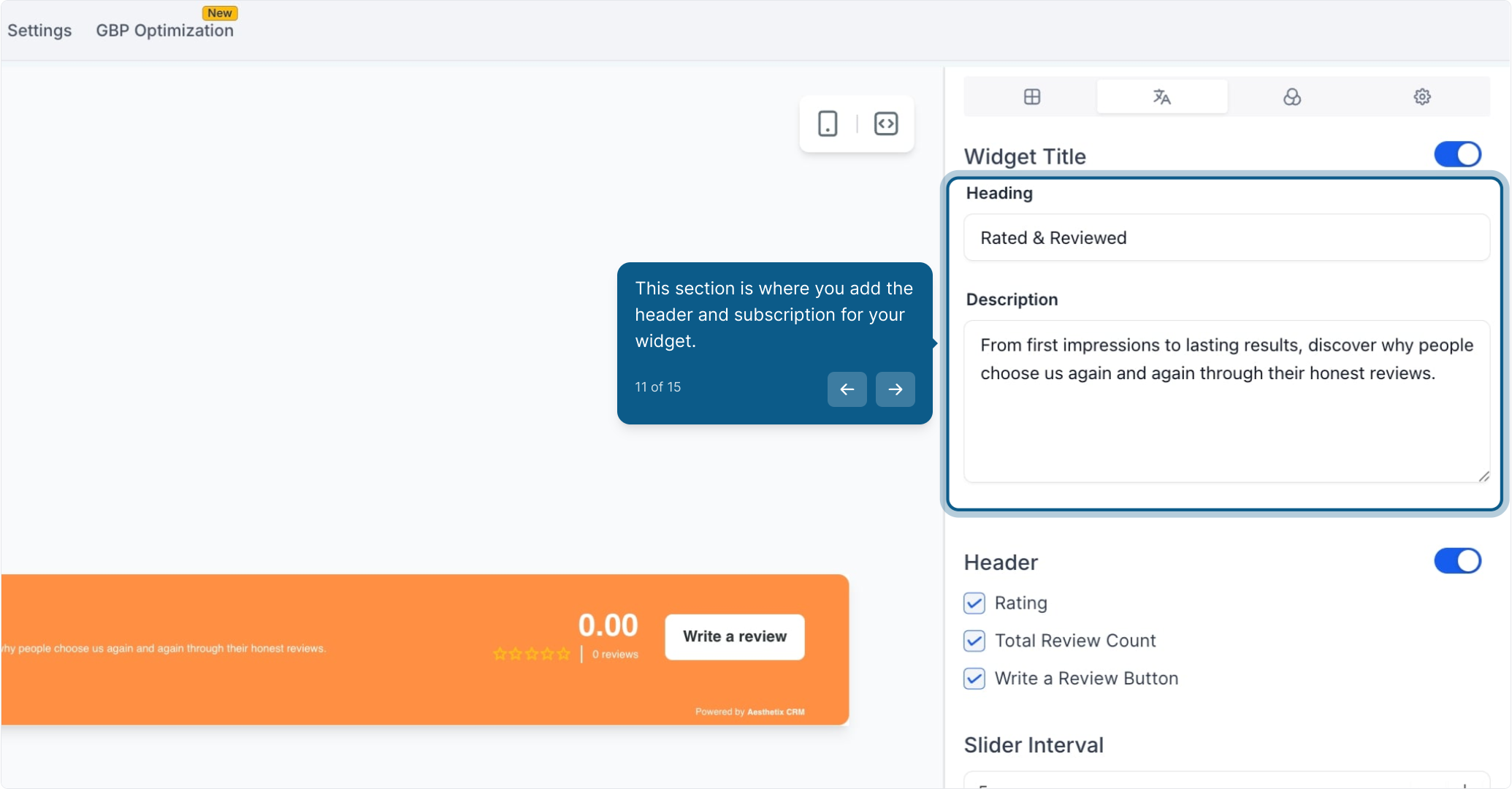
This section is where you add the header and configure the AI summary for your widget. You have full control over AI-generated review summaries to help visitors quickly understand key points from longer testimonials.
Choose summary type:
Short (1–2 sentences)
Detailed (3–4 sentences)
Action Points (bullet format)
Decide placement:
Top of the review
Integrated within the review layout
Helps highlight the most important takeaways and increases readability.
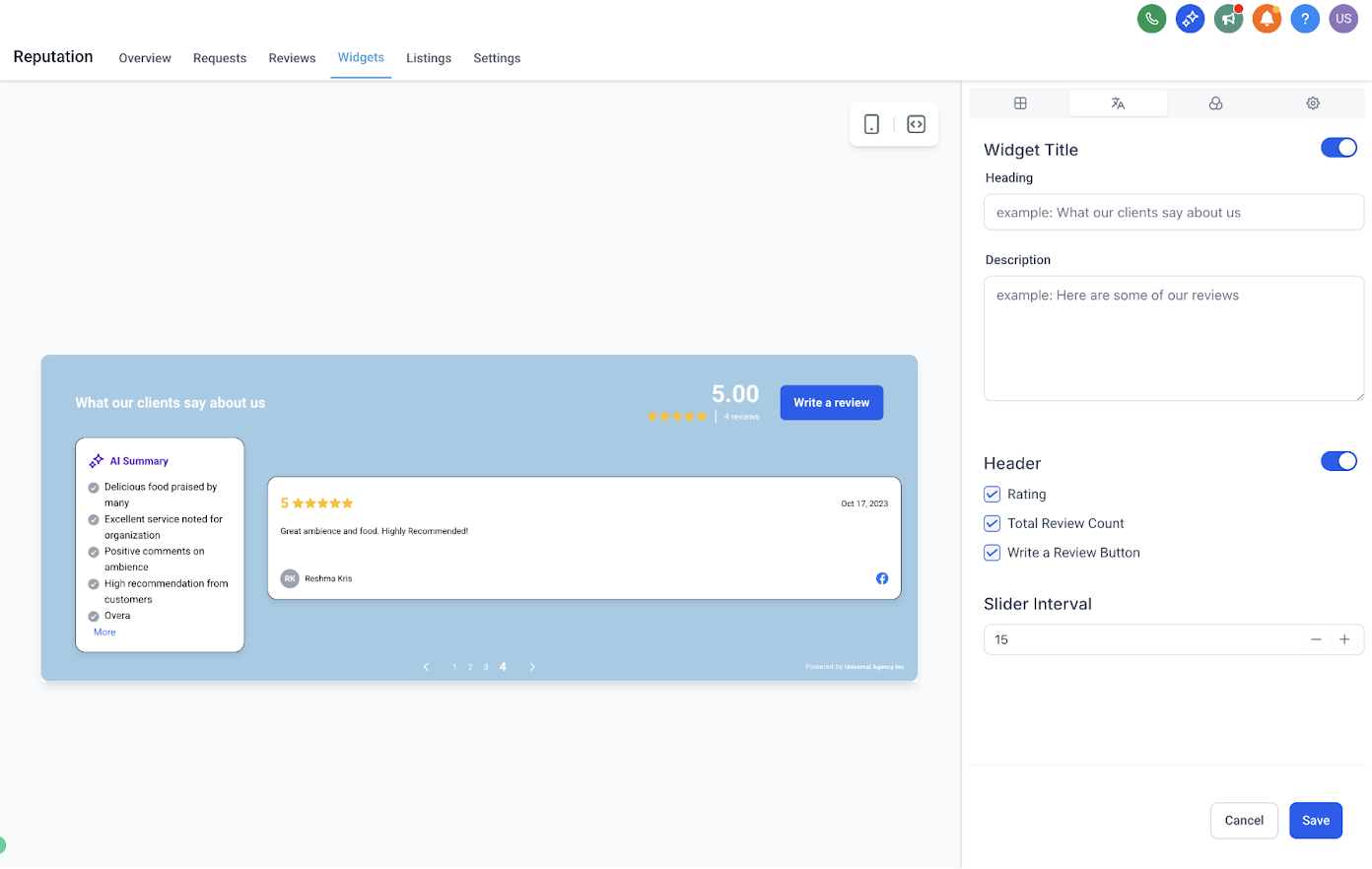
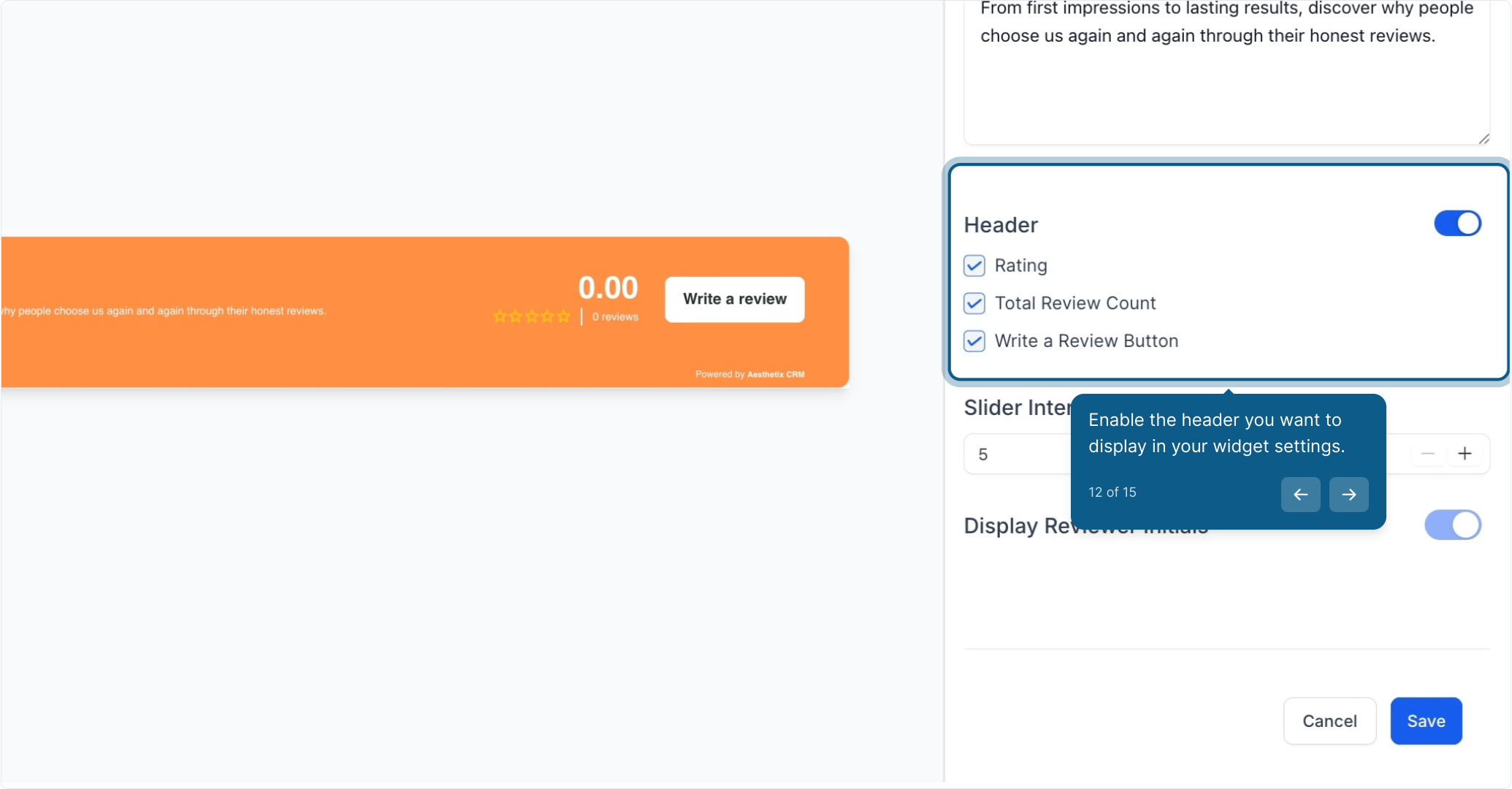
Enable the header you want to display in your widget settings.
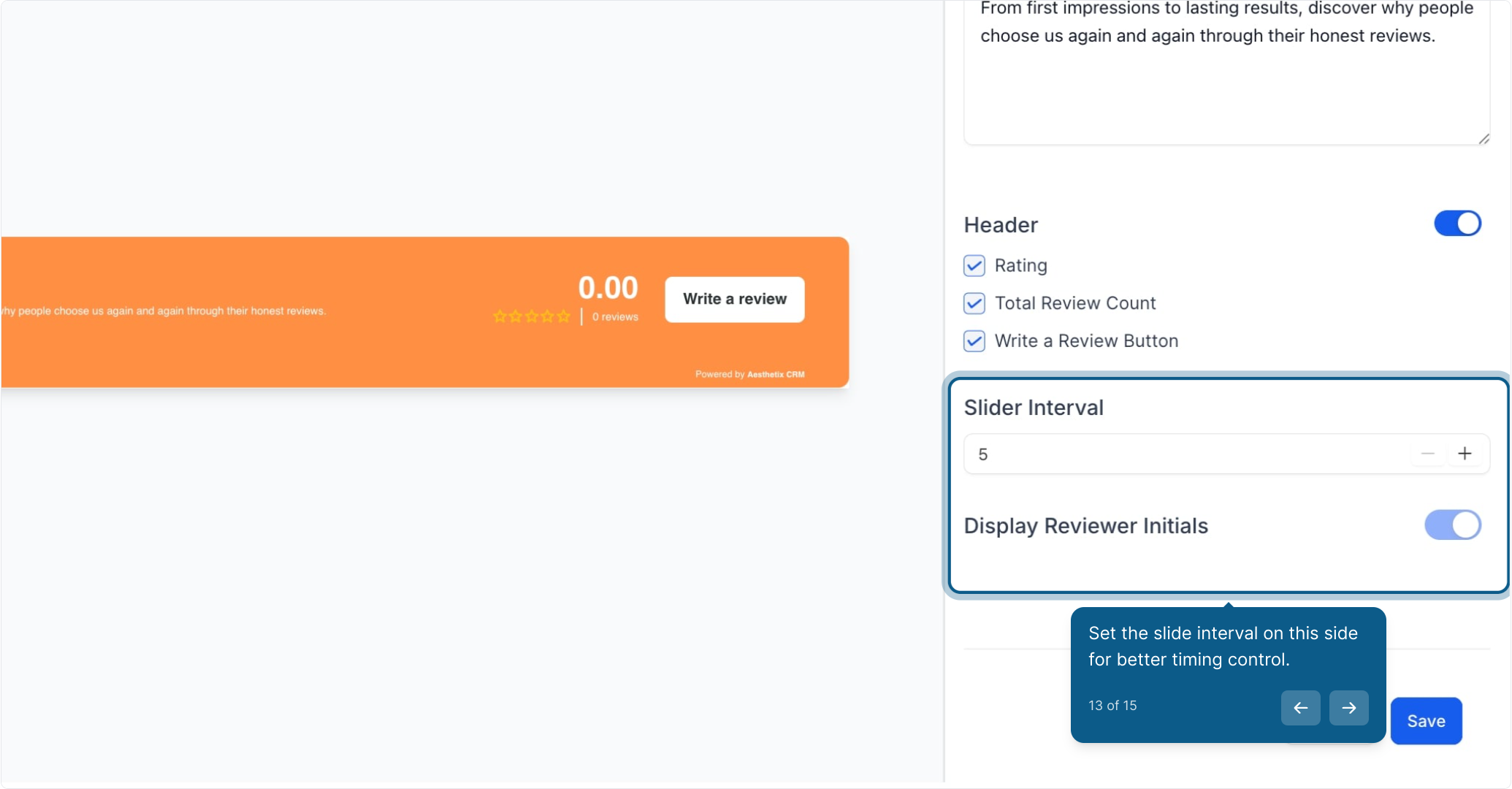
Set the slide interval on this side for better timing control.
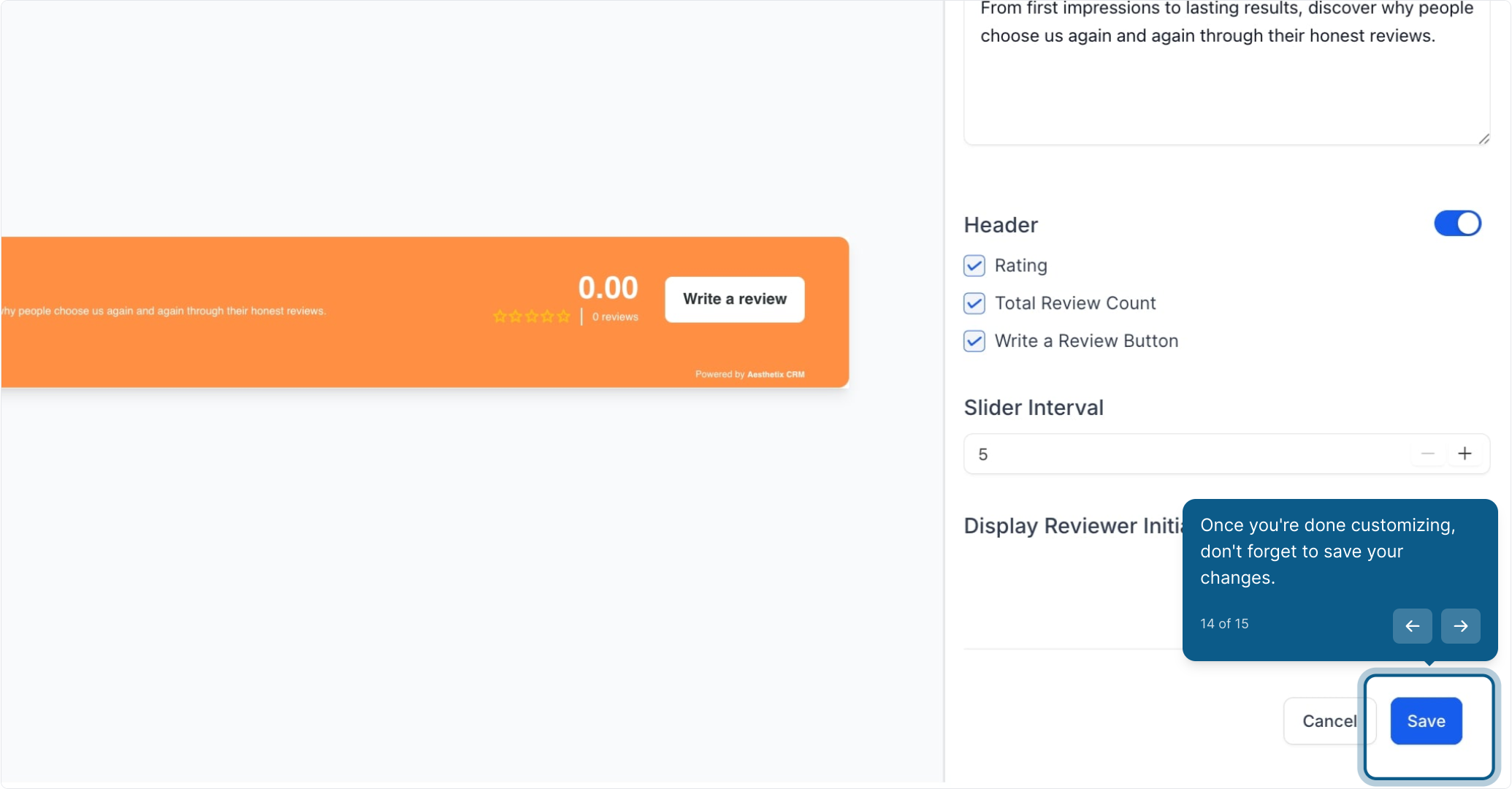
Once you're done customizing, don't forget to save your changes.
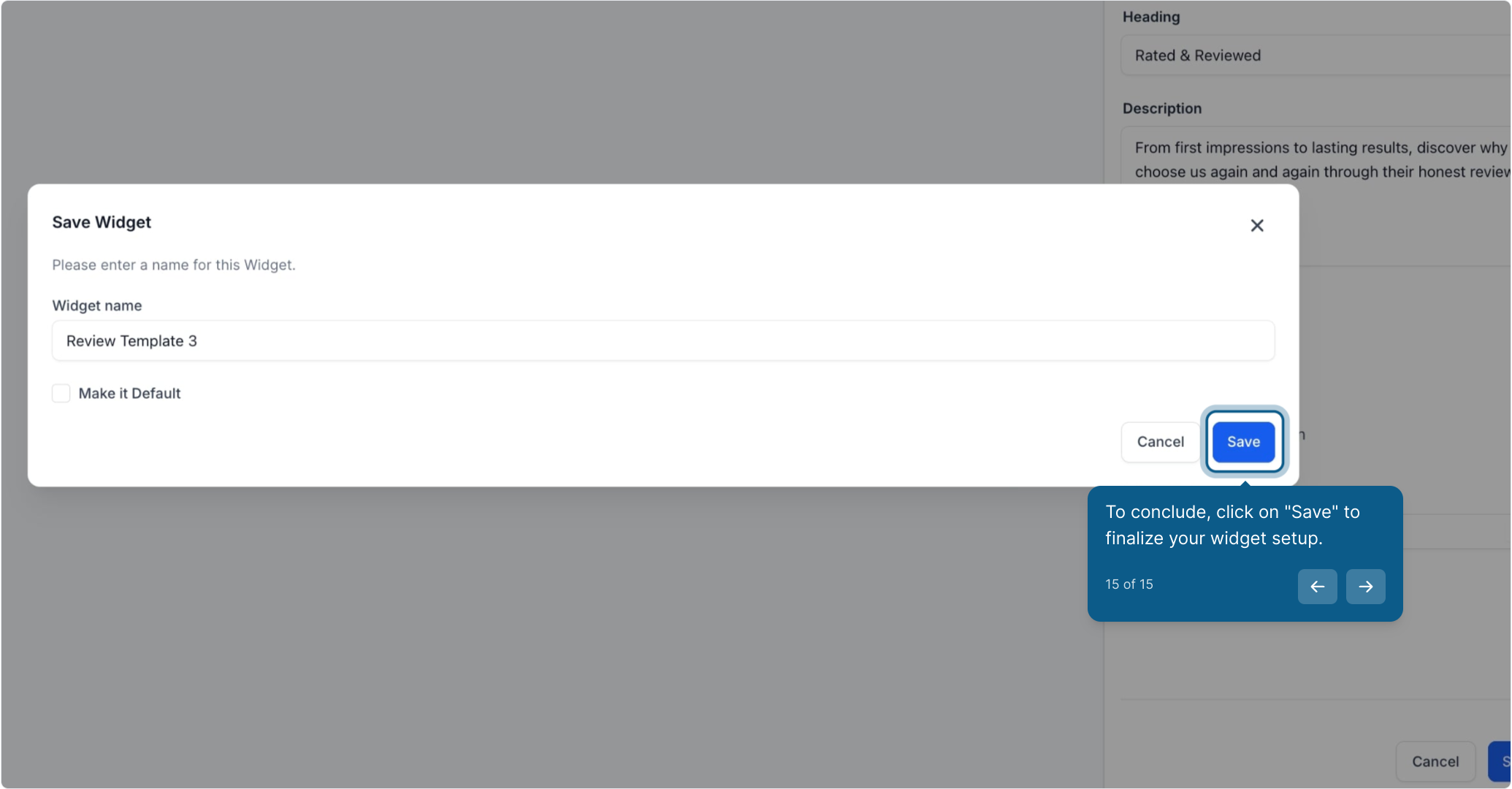
Click Save to finalize your widget setup, then publish to activate it on your site.
These new widget options are fully optimized for faster loading and smoother performance across devices.
Design bugs and inconsistencies from previous versions have been fixed to ensure a more reliable display.
Once published, you can edit or update widgets anytime, no need to start from scratch.
Q: Can I use more than one widget on the same page?
Yes! You can add multiple widgets (for example, a Floating Badge and a Slider) to the same page to highlight reviews in different ways.
Q: Do I need any coding knowledge to customize?
No coding skills are required. All styling and customization are fully visual.
Q: Can I change the widget type after publishing?
Yes. You can switch between widget types and update designs at any time.
Q: Will AI summaries update automatically if a review is changed?
Yes. The summaries dynamically adjust to reflect any edits to the original review.
Create your first Floating Badge or Slider Widget and embed it on your practice's website.
Test different AI summary configurations to see which format best engages your visitors.
Customize your widget styling to match your brand identity and improve overall site cohesion.
