The Gift Card Dashboard gives you a consolidated view of how your practice's gift card program is performing over time. You'll find it under Payments → Gift Cards in Aesthetix CRM. It shows issuance counts, revenue impact, buyer trends, and denomination preferences, plus a drill-down into individual Gift Card Orders so you can verify customer details, balances, and status at a glance.
This guide walks through each metric on the dashboard, how the filters work, and how to use the Gift Card Orders page for auditing.
The dashboard pulls together every gift card issued through your practice, whether a patient purchased one at checkout or your team sent one directly, into a single reporting view. Use it to spot trends, plan promotions around your best-performing denominations, and confirm the details behind any specific gift card order.
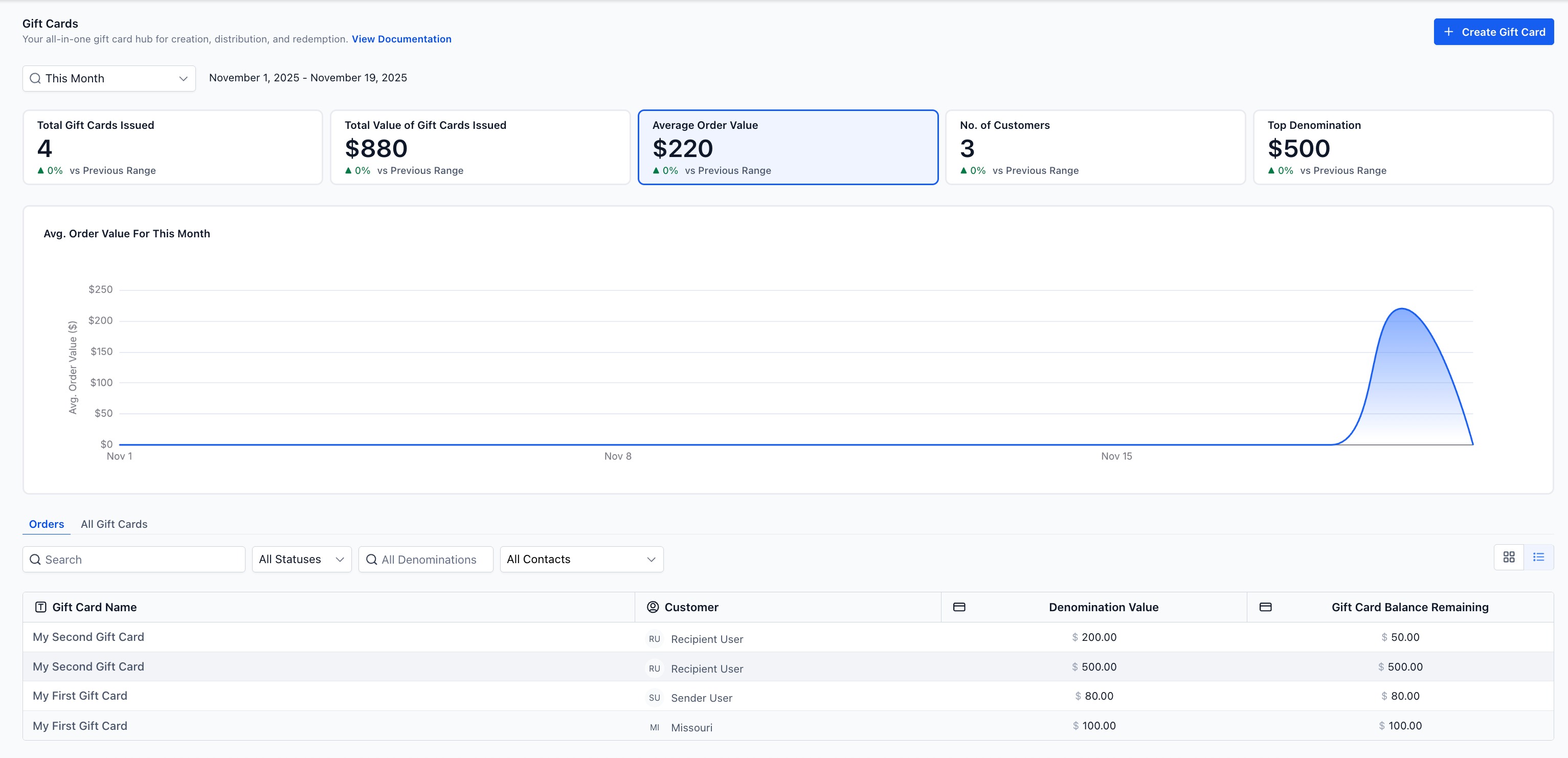
Fast performance insights: See cards issued, total value, average order value, and top denomination at a glance.
Better merchandising: Identify which denominations convert best with patients and adjust your offer mix or promotions accordingly.
Faster auditing: Jump straight from a KPI to the Gift Card Orders page to confirm a code, balance, delivery status, or recipient.
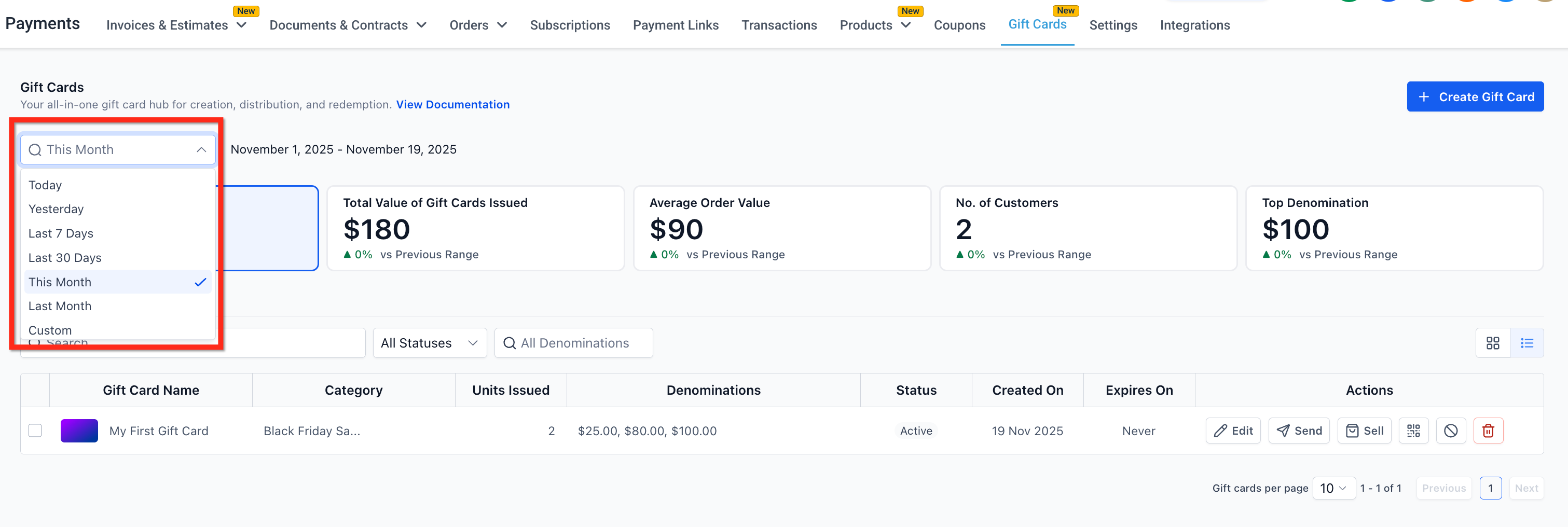
Flexible filtering: Compare metrics using predefined ranges (Today, Yesterday, Last 7/30 Days, This/Last Month) or a custom date range.
The dashboard view changes based on the date filter in the top left corner of the Gift Cards landing page. This Month is the default. The filter applies consistently whether you're viewing the Gift Card Products page or the All Orders page, so your metrics and your order list always reflect the same time window.
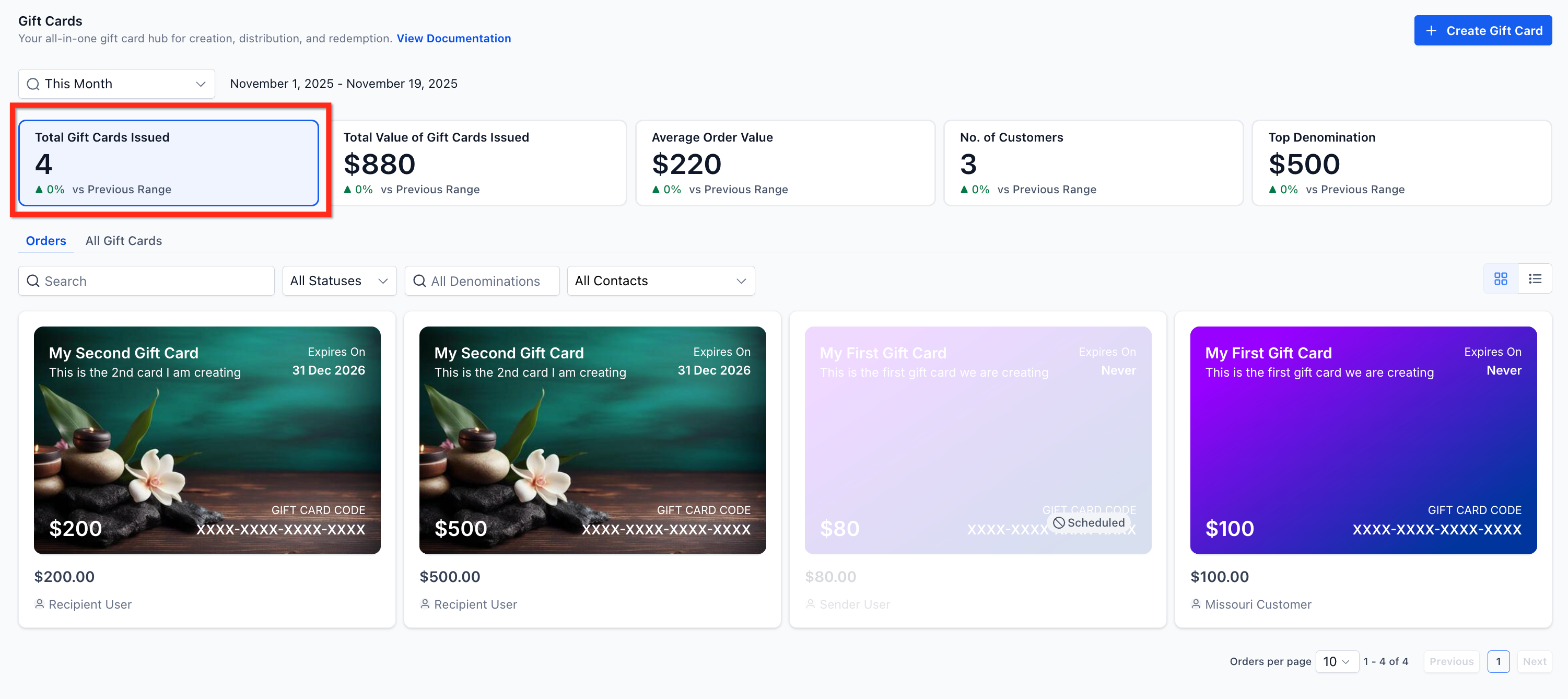
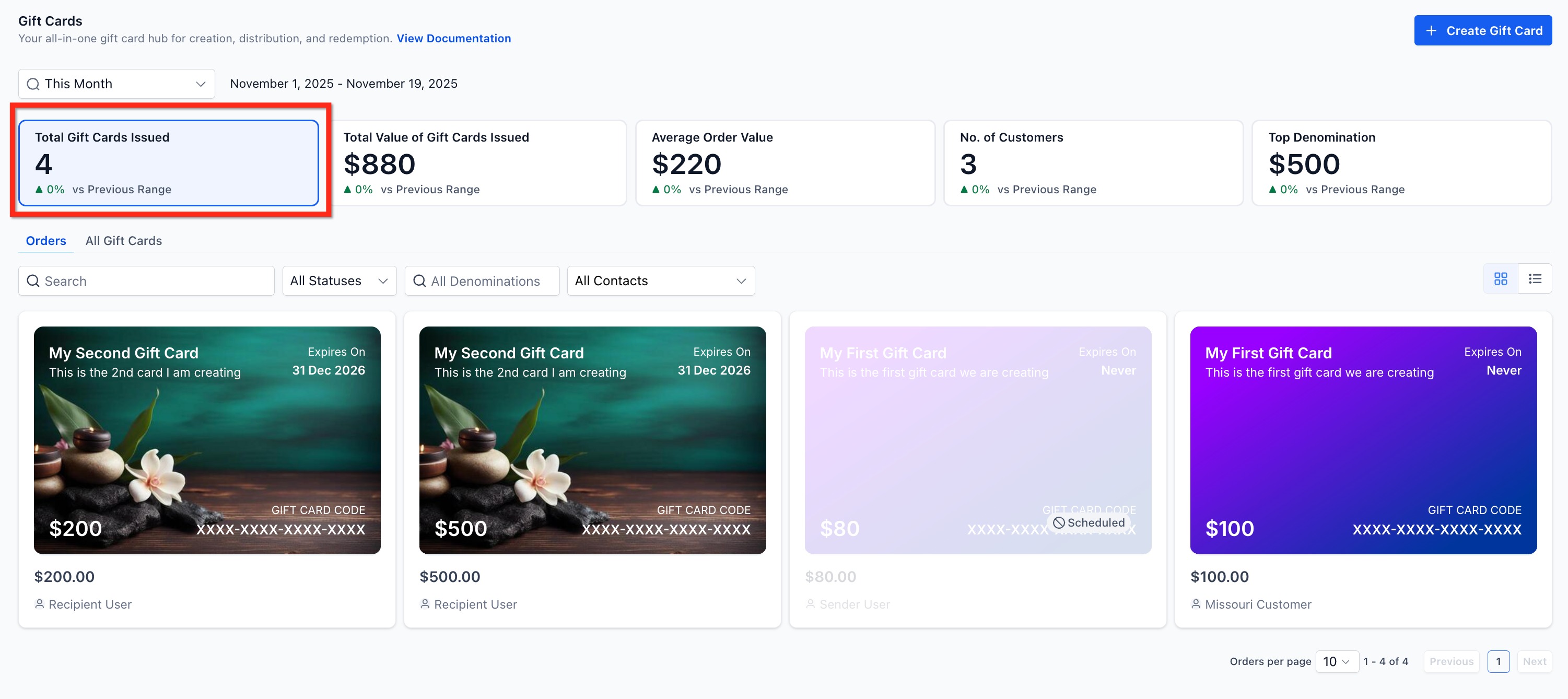
This shows the total number of gift cards created within the selected time period, combining:
Cards sold through any checkout, and
Cards sent directly through the Send flow (for example, as a thank-you gift to a loyal patient)
Use this metric to understand overall adoption of your gift card program.
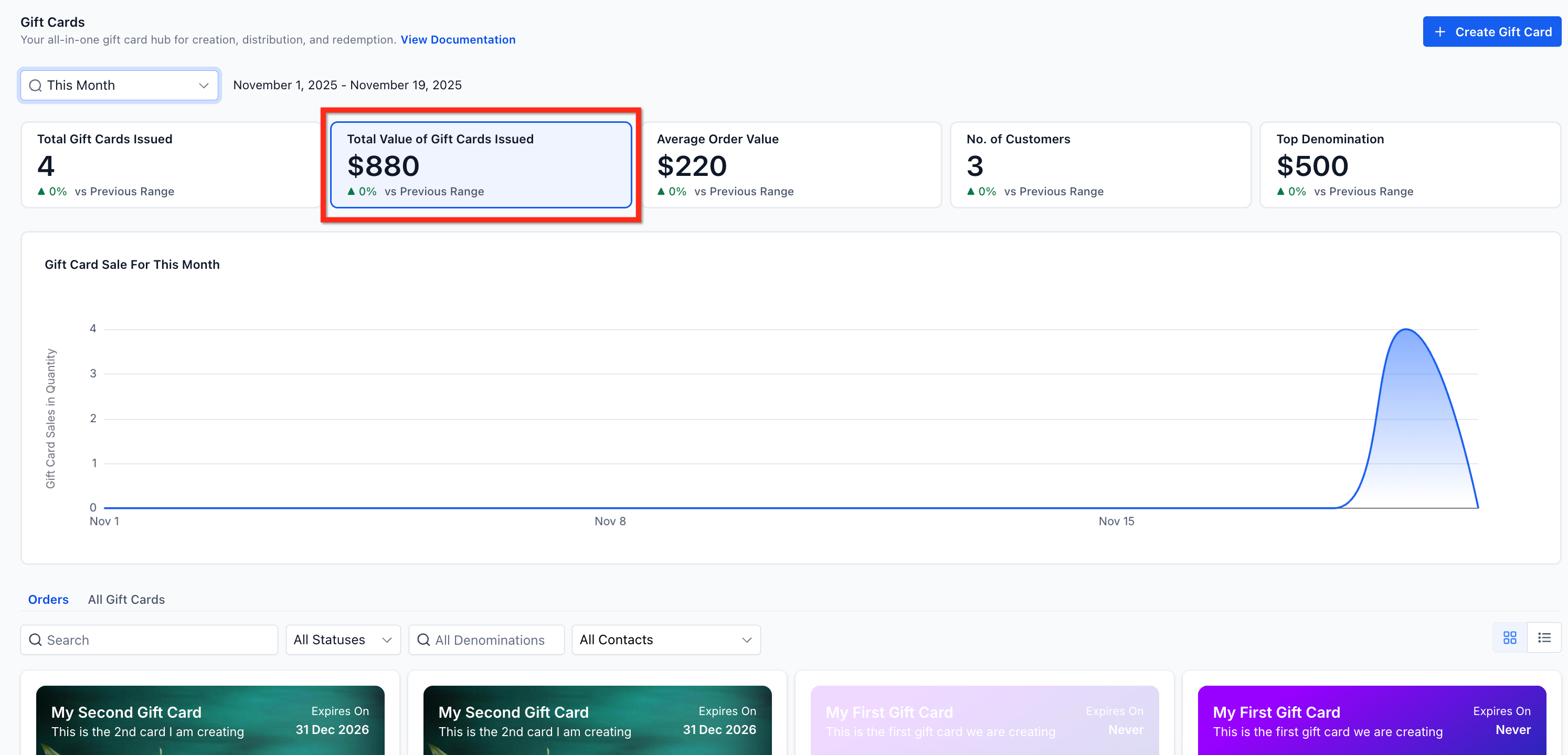
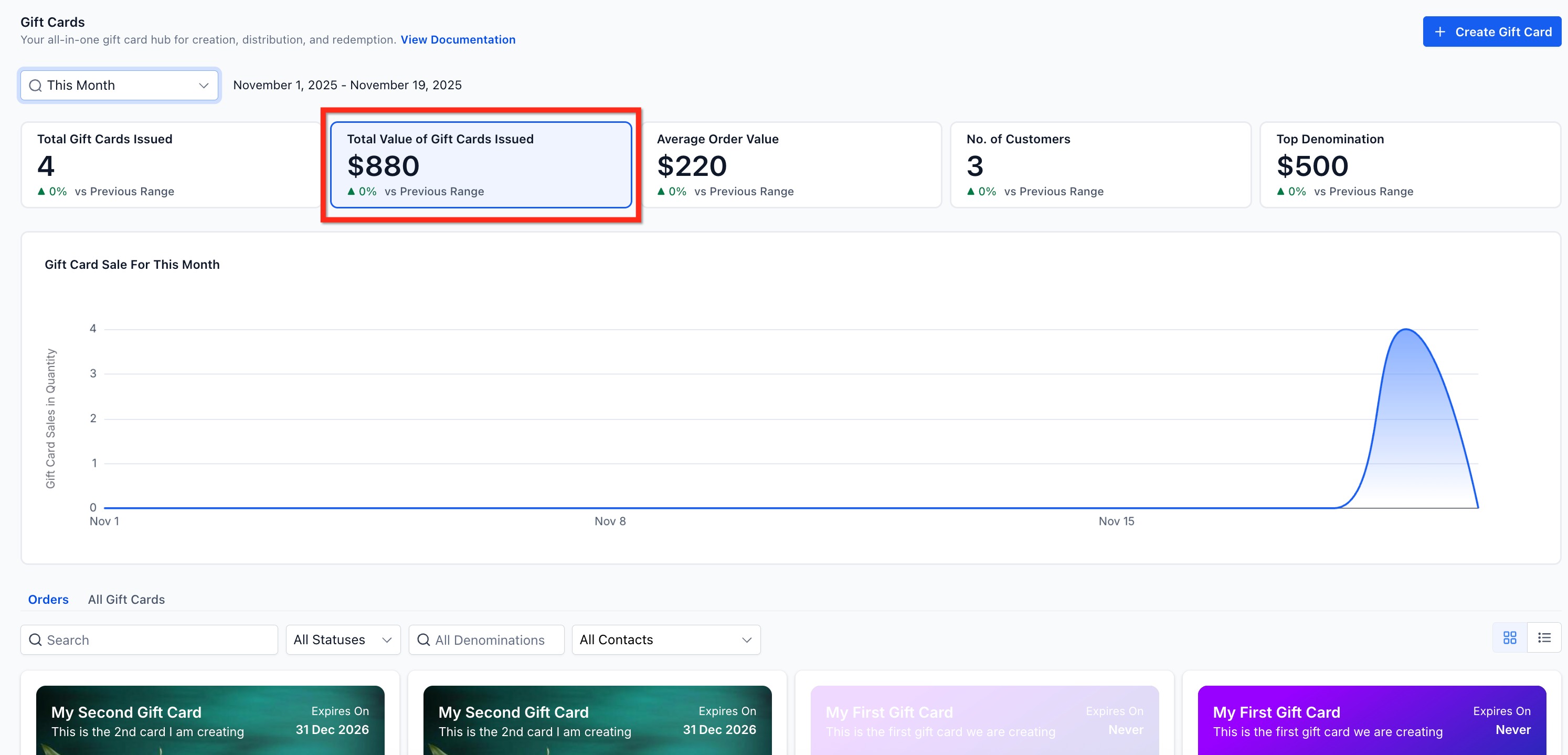
This displays the total monetary value of all issued gift cards for the selected period, with a trend chart showing how that value changes over time. It's a useful way to spot seasonal peaks or spikes tied to a specific promotion or campaign.
For example, if your practice issued five $500 gift cards and two $2,000 gift cards in a week, the total value reflects $6,500.
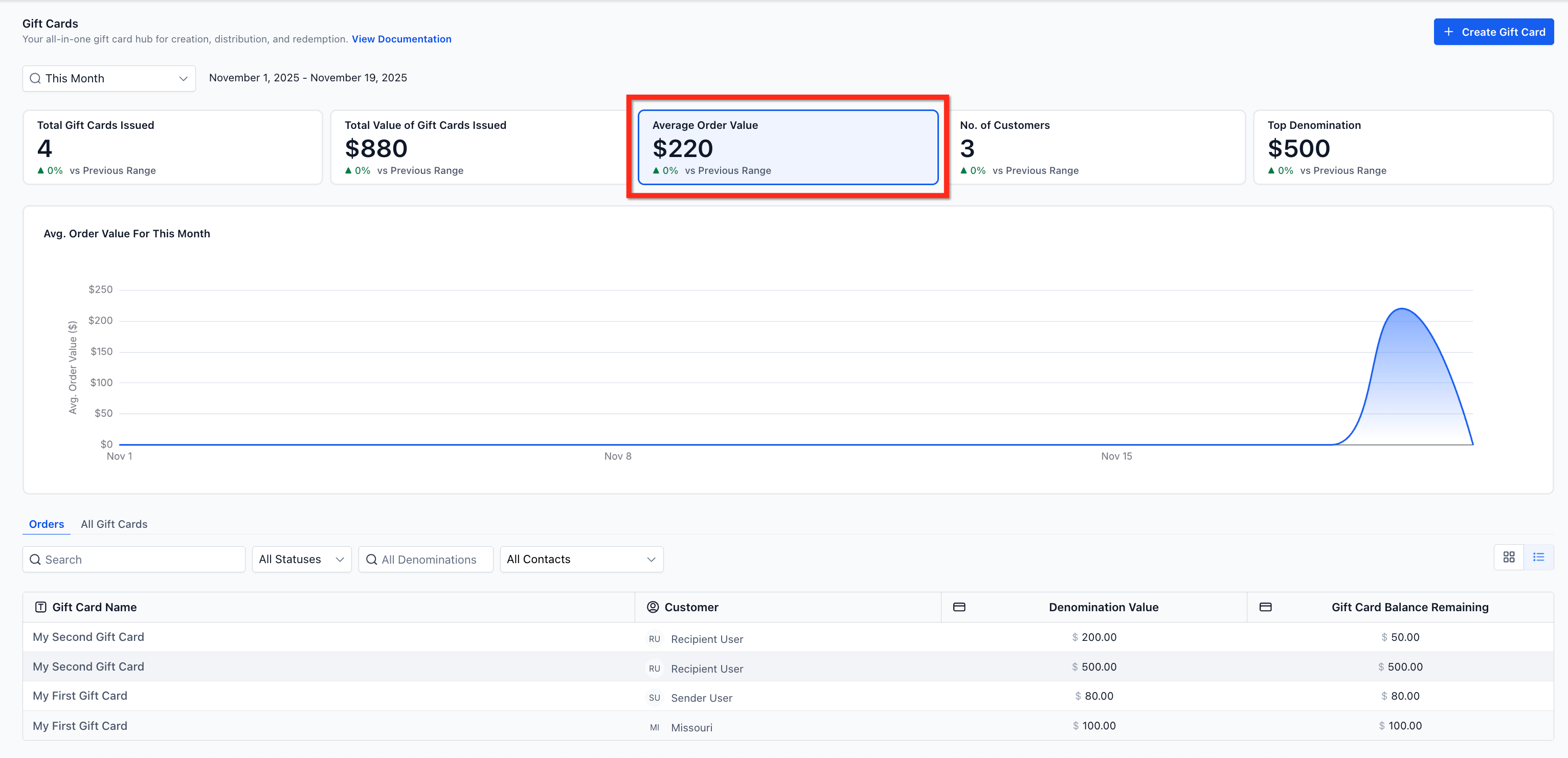
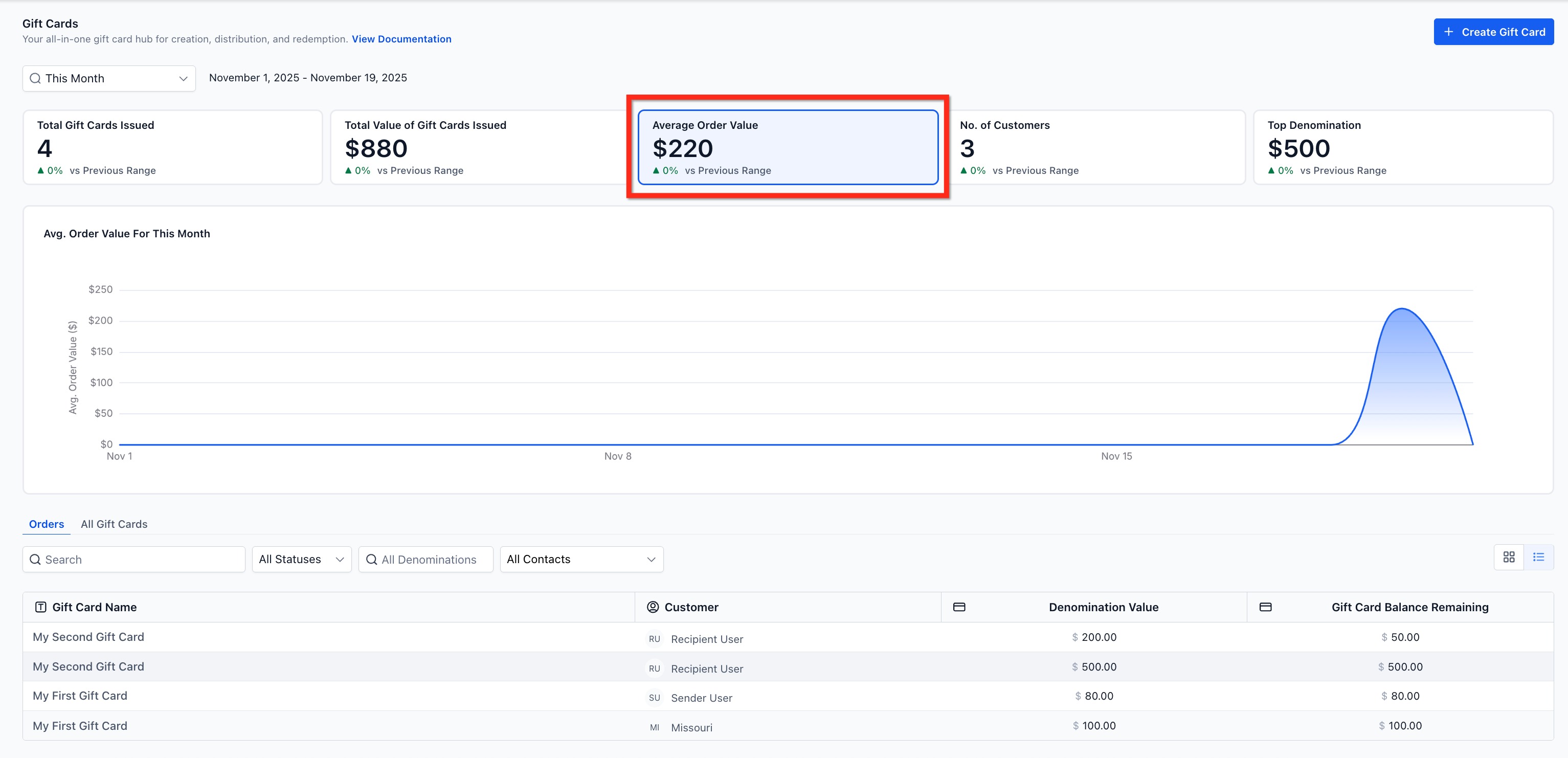
This shows the average value of gift card orders during the selected period. It helps you understand whether patients gravitate toward smaller, entry-level denominations or larger, treatment-package-sized amounts.
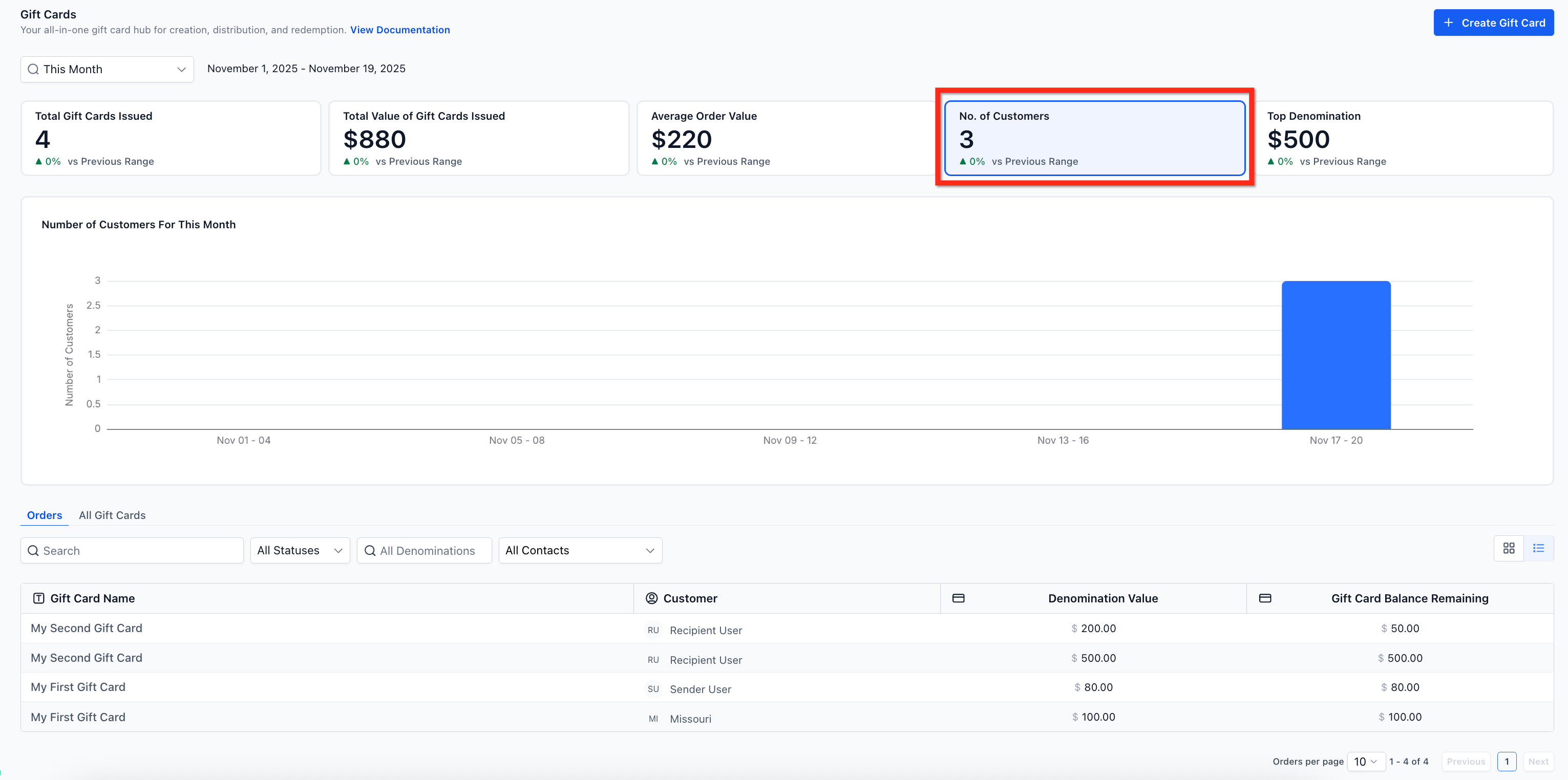
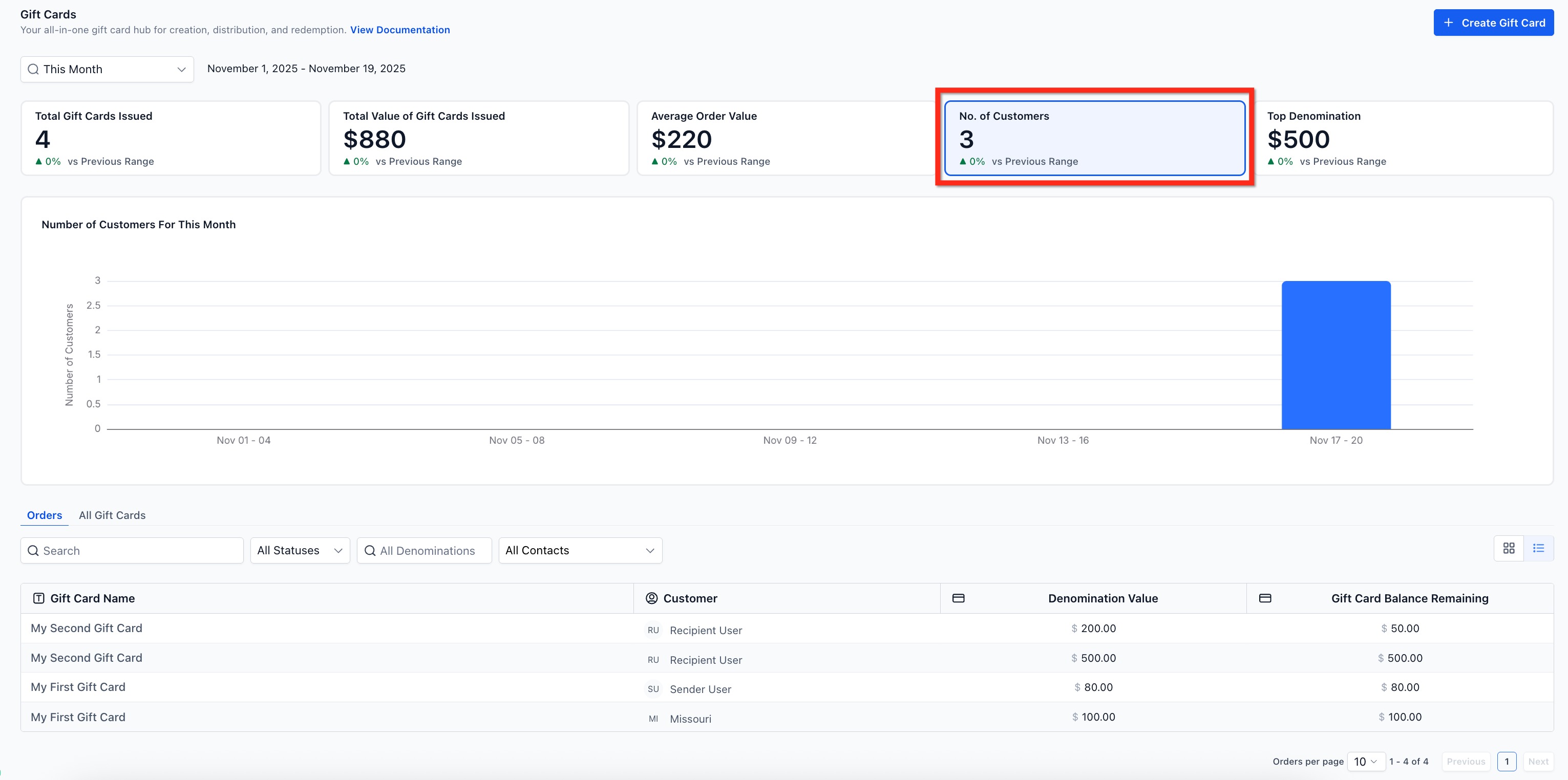
This represents how many unique individuals purchased or received a gift card during the selected time period. It's a good proxy for the reach of your gifting program and whether it's bringing new patients into your practice or driving repeat engagement from existing ones.
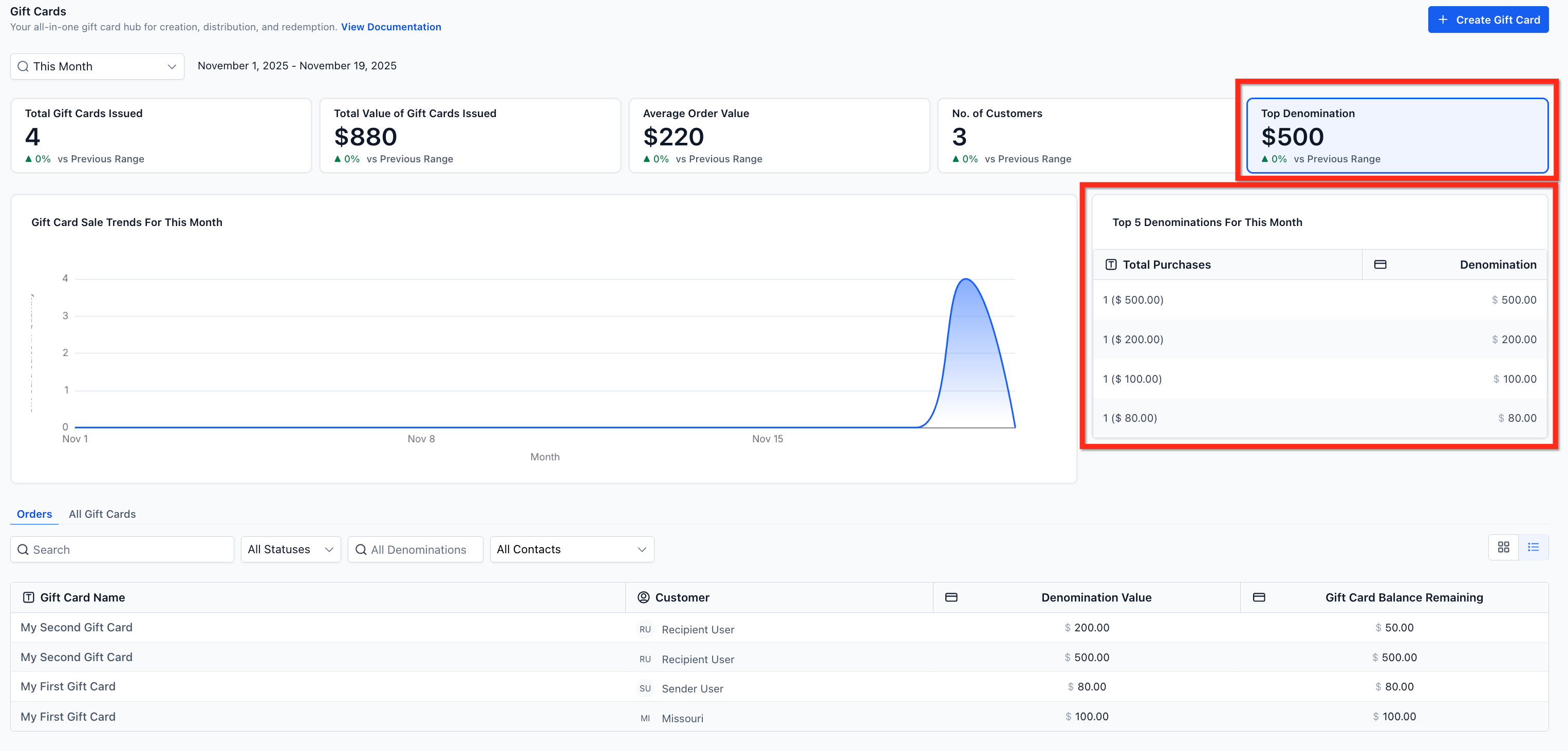
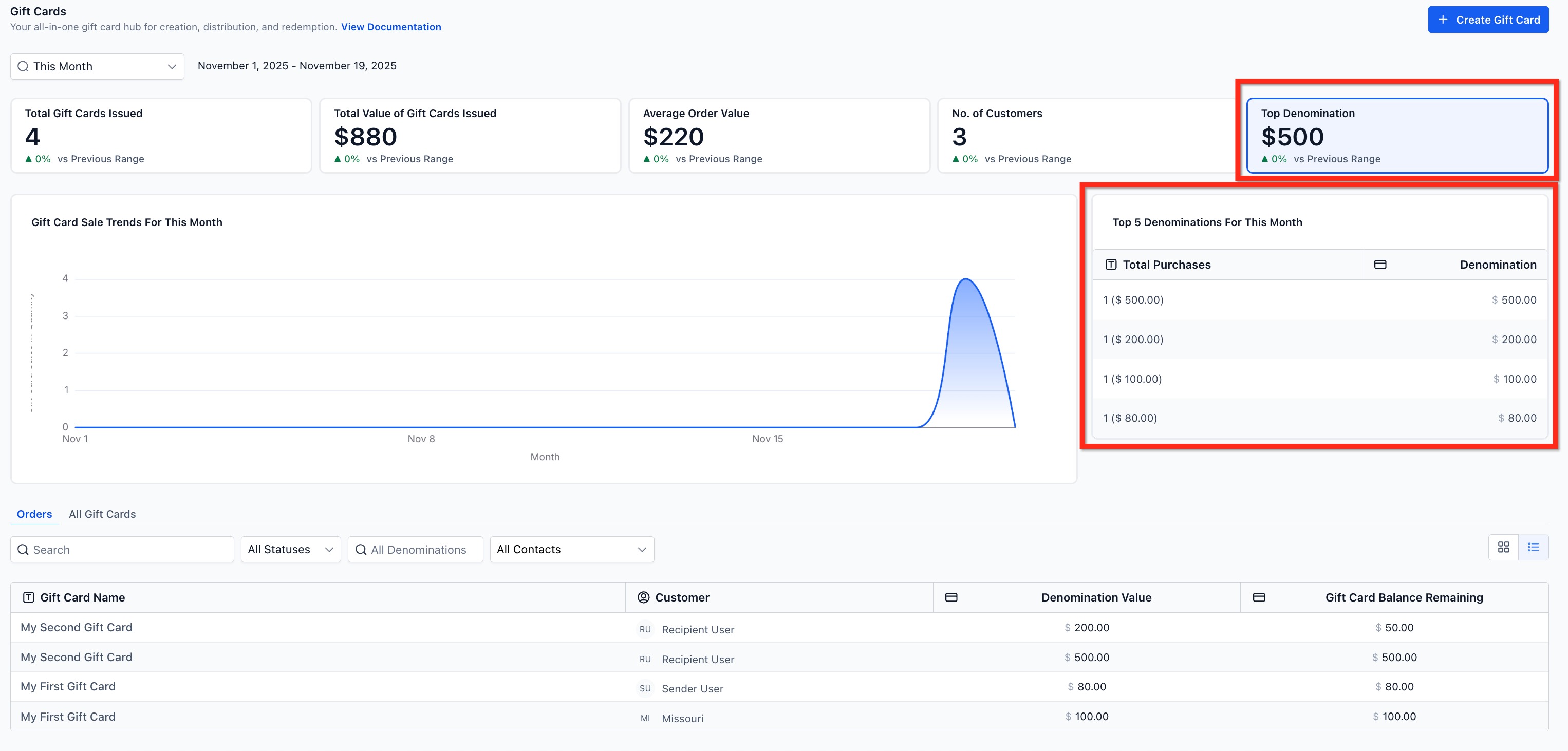
This section highlights:
The most frequently issued denomination
A Top 5 denominations chart
Use these insights to plan which gift card amounts to promote or feature going forward.
For example, a Top 5 breakdown might read: $1,000 → $500 → $2,000 → $250 → $5,000.
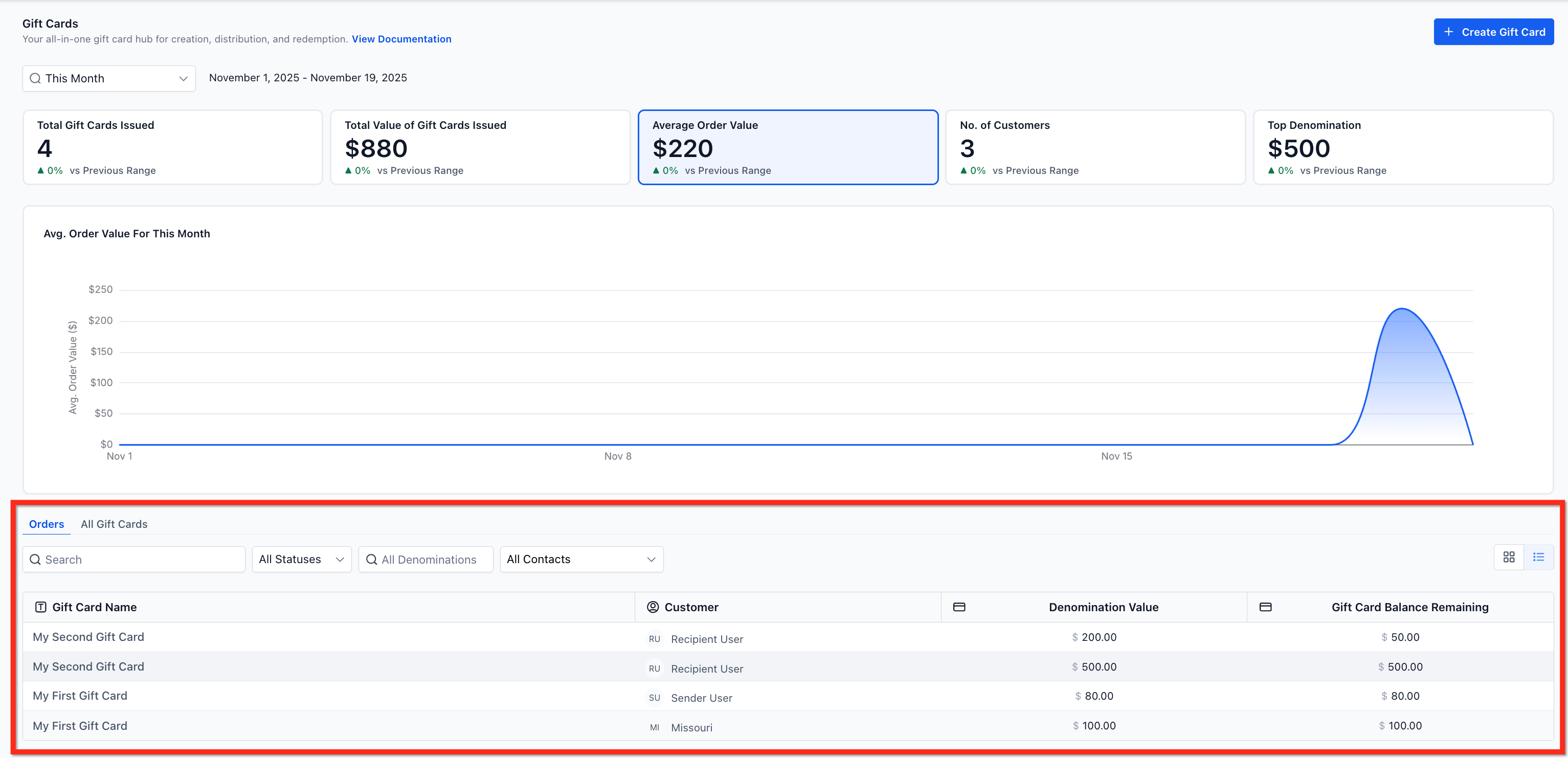
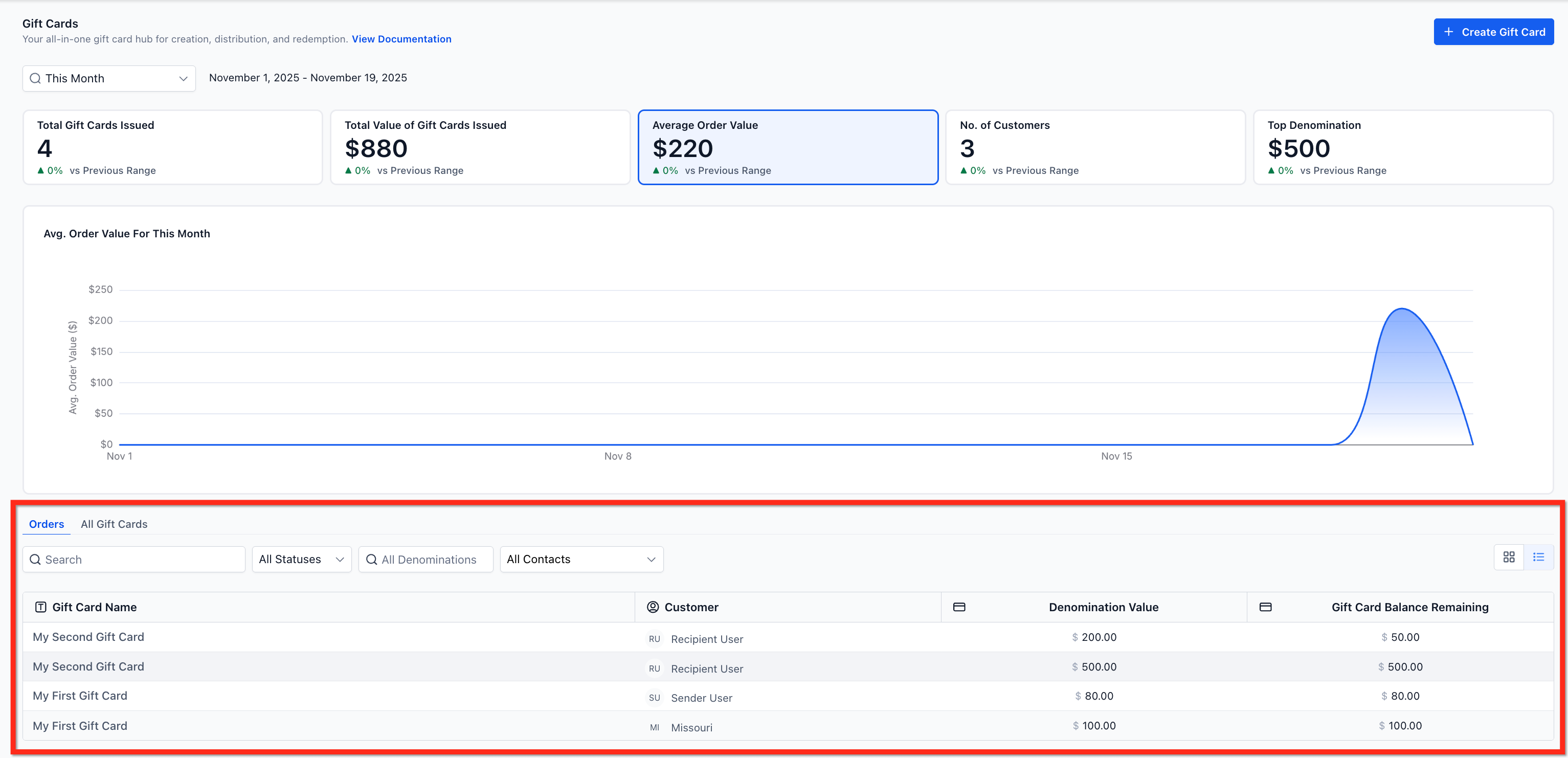
The Gift Card Orders page lists every gift card that's been sold or sent, along with its status, remaining balance, and customer details. Every row is clickable and opens a detailed view for that order, so this page acts as the single source of truth for all gift cards in your account. Use the filters on this page to slice results by contact, status, or denomination.
Tip: Gift card checkout and payment processing run through the same payment provider as the rest of your store. If you haven't switched over yet, AX Pay offers better processing rates than Stripe and is built directly into Aesthetix CRM. See the Payments collection for how to connect AX Pay.
Product catalog setup, taxes, coupons, and checkout configuration for gift cards live in the Payments collection. Getting your gift card program set up in the first place, or sending and selling individual cards, is covered in the other guides in this Digital Products & Gift Cards sub-collection.
How are scheduled gift cards counted in the dashboard? Scheduled issues are included in the issuance totals for the selected date range. Use the Status filter to look at Scheduled or Active gift cards specifically.
What's the difference between Gift Card Orders and the regular Orders page? Gift Card Orders (inside Payments → Gift Cards) track every gift card issued or purchased. The general Orders page only records paid transactions, so it won't show cards that were sent for free.
Do gift cards created in test mode affect the analytics? No. Gift cards created in Test mode have no effect on the metrics shown in the Gift Card Dashboard.
Can I see gift card performance for a custom date range instead of the presets? Yes. In addition to Today, Yesterday, Last 7 Days, Last 30 Days, This Month, and Last Month, you can set a custom start and end date to compare any period you need.
Does the "Total Gift Cards Issued" metric include cards I sent manually to a patient? Yes. It combines cards sold through checkout and cards sent directly through the Send flow, so manual gifts to loyal or referring patients are counted too.
Why would I check the Number of Unique Customers metric instead of just the order count? Order count can be inflated by one patient buying several gift cards. Unique customers tells you how many different people actually engaged with your gift card program, which is a better read on reach.
Where do I go to actually sell or send a gift card, not just track it? Selling and sending gift cards are covered in their own guides in the Digital Products & Gift Cards sub-collection. This dashboard is for tracking performance after cards have been issued.
Can I use denomination data to decide what gift card amounts to offer? Yes. The Top Denominations & Popularity Chart shows which amounts patients choose most often, which is a good starting point for deciding what denominations to keep, retire, or promote.
