Delivering Digital Products
Aesthetix CRM's Store lets you sell digital downloads alongside (or instead of) physical products. Think skincare guides, pre/post-treatment instruction PDFs, meal-prep plans for weight-loss programs, or a downloadable e-gift certificate. Once a customer purchases, the file is delivered automatically through a secure link, no manual emailing required.
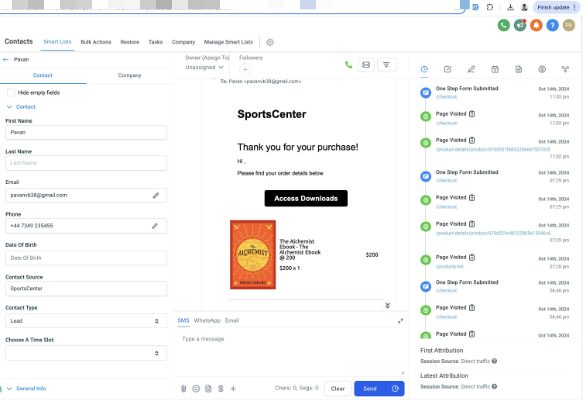
When a purchase includes a digital product, the customer gets an "Access Downloads" button in their order confirmation email. Clicking it takes them to the Customer Access Center, where they log in with a one-time passcode (OTP) sent to the email they used at checkout. From there they can download every file tied to their order.
Customers can reach their downloads three ways: the Access Downloads button in the order confirmation email, a download button on the store Thank You page (when that option is enabled), or directly through the Customer Access Center in their order history. Every path still requires OTP verification before any files are released.
The Download button only appears if at least one valid file has been uploaded to that product or variant. If nothing has been uploaded yet, customers will see "No downloads available yet" instead.
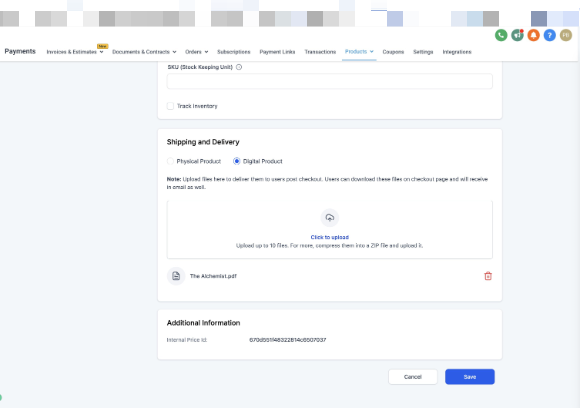
Go to Payments > Products, select a product, open the variant you want to sell as a download, and go to the Shipping and Delivery section. Set the product type to Digital (instead of Physical).
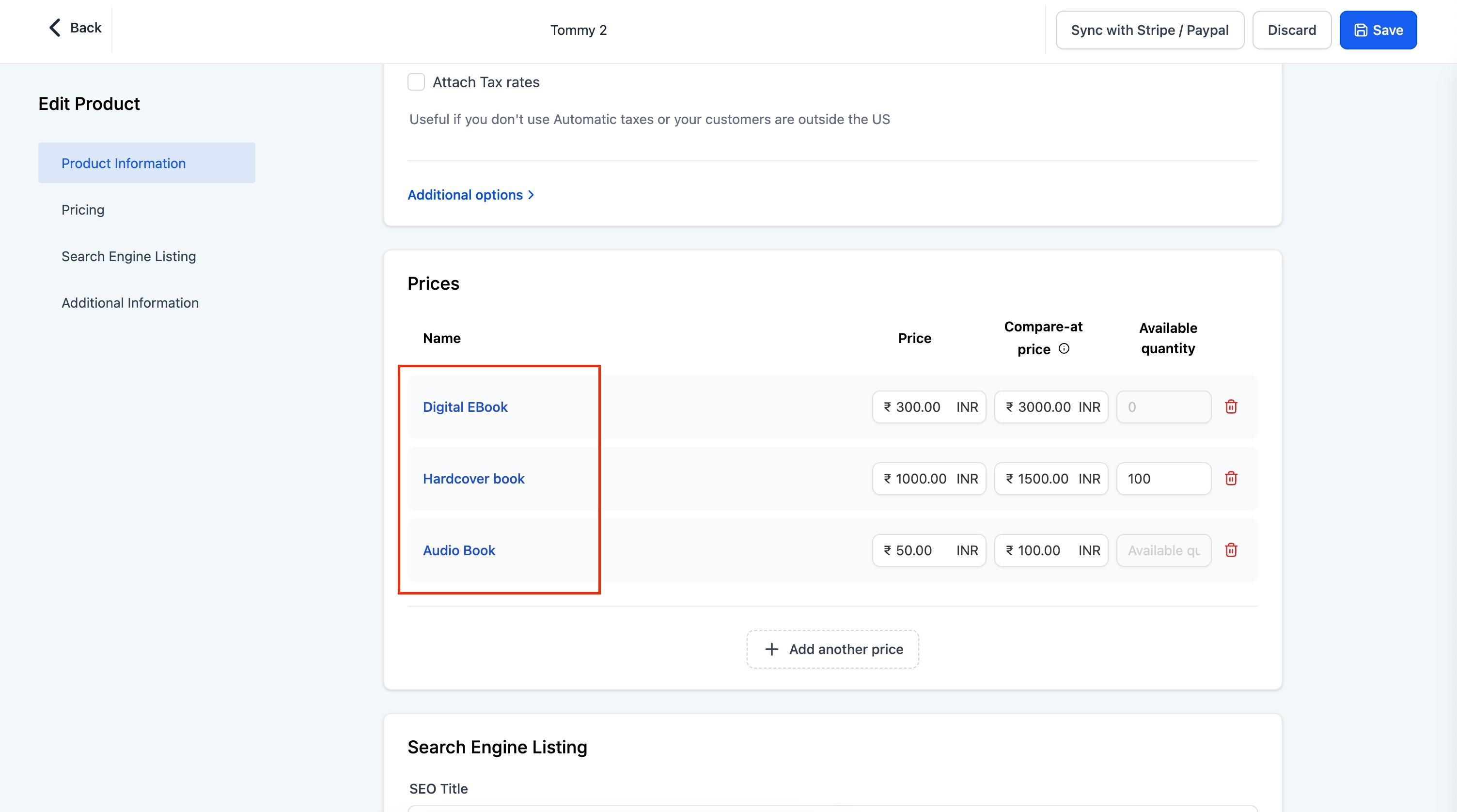
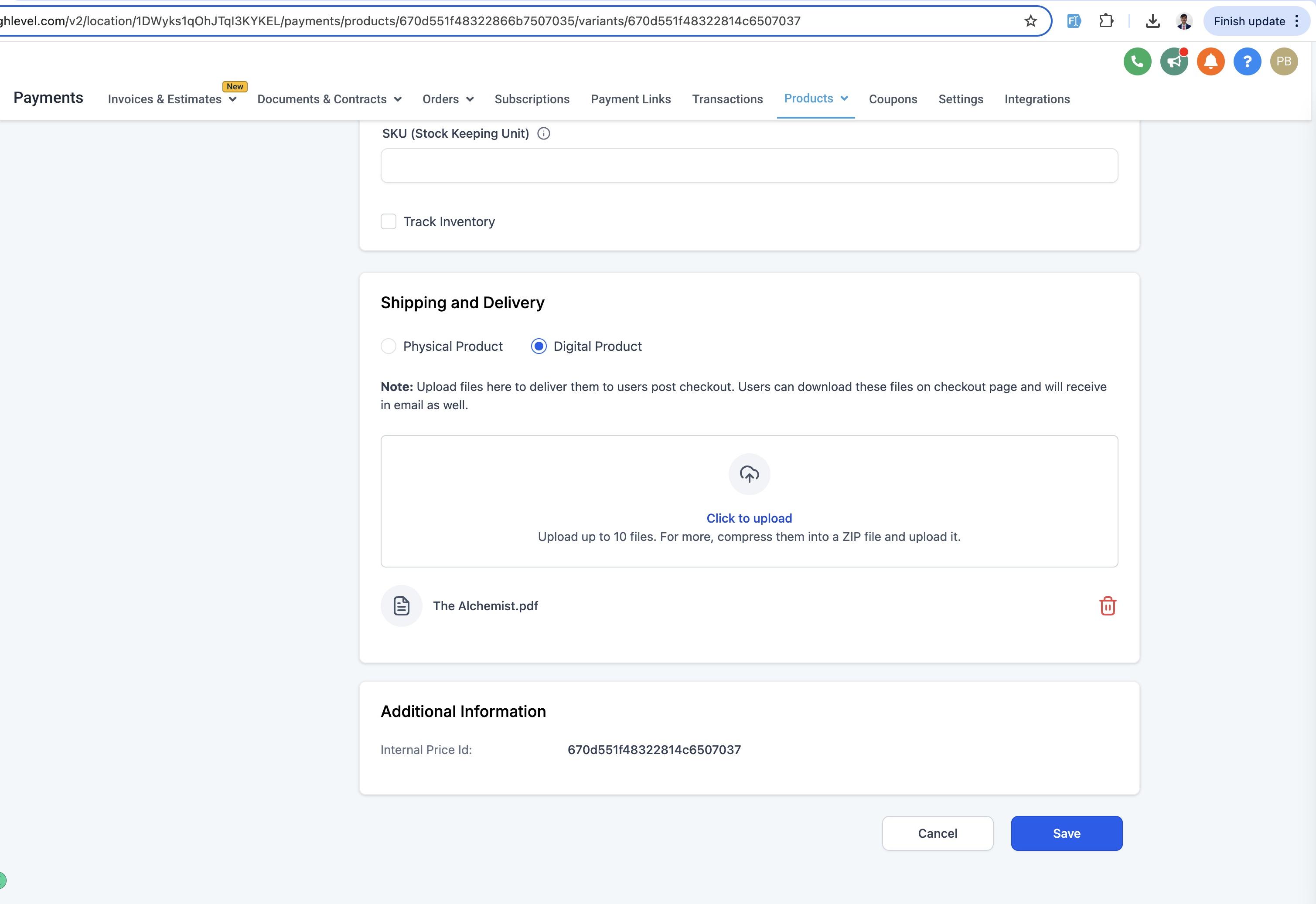
You can mix product types within the same product. For example, a skincare e-book could have an Ebook variant (digital) and a Printed Guide variant (physical), each with its own price and delivery method.
Click Upload on the variant to add your digital files.
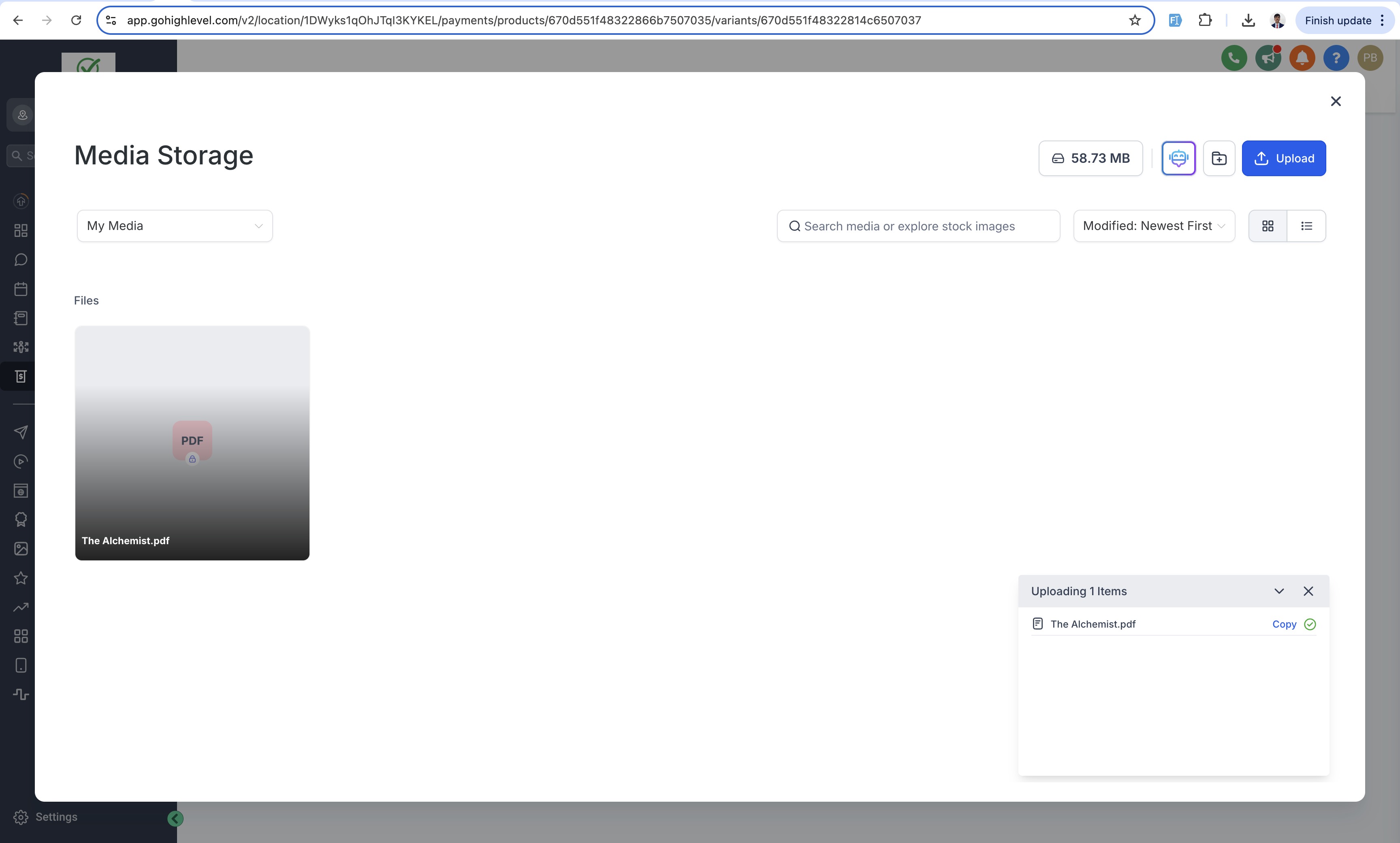
A few limits to plan around:
Up to 10 files per product, each up to 100 MB.
If you need to deliver more or larger files, zip them into a single archive under 100 MB and upload that instead.
Supported file types include images, audio, video, documents, and ZIP files.
Save the variant after uploading, or the files won't be attached to the product.
Once uploaded, you can review or manage the files at any time from the same variant page.
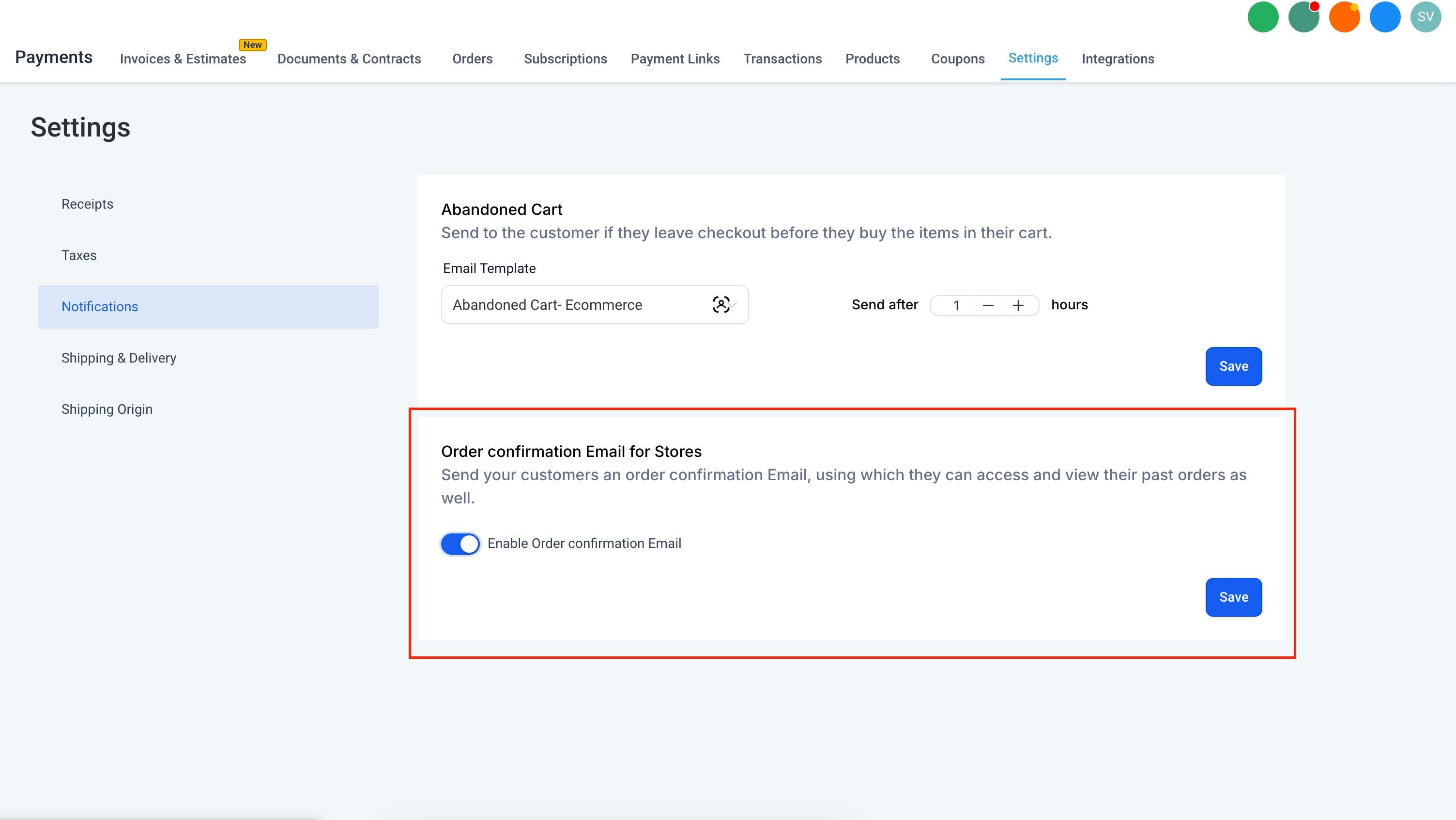
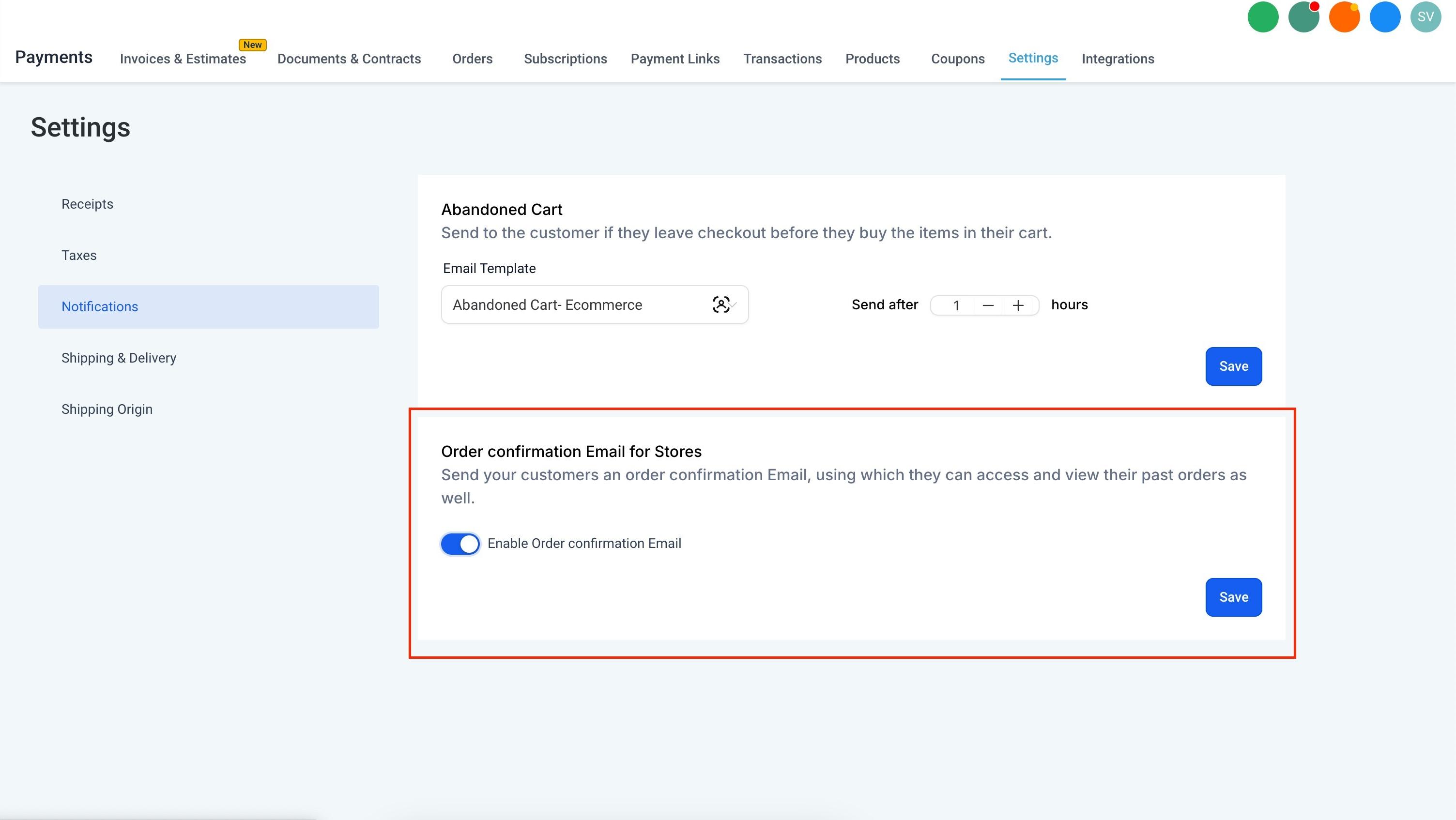
Digital products are delivered by email, so this toggle has to be on. Go to Payments > Settings > Notifications and enable Order Confirmation Email. Without it, customers won't receive the "Access Downloads" link after checkout.
On the Prices/Variants list, tiles highlight on hover so it's easier to open a variant's details, and each tile includes quick Edit/Delete actions for faster management.
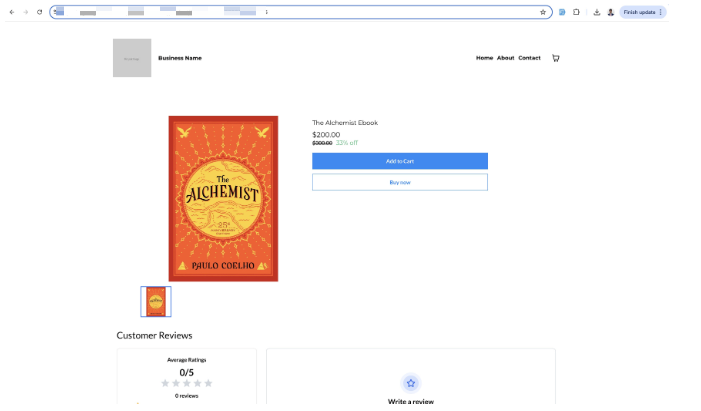
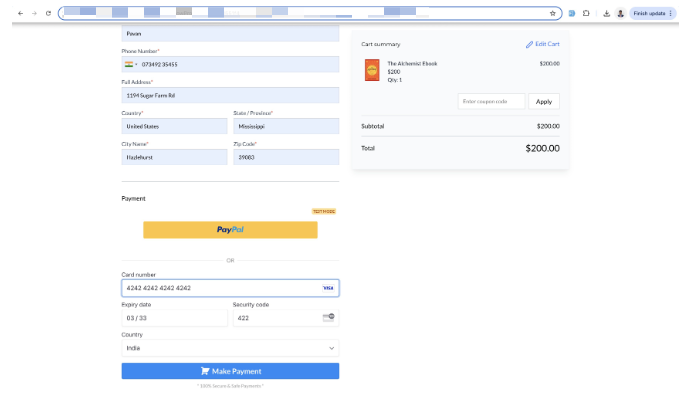
The patient or customer completes checkout in your online store.
They receive an Order Confirmation Email with an Access Downloads button (only shown if the product has an uploaded file).
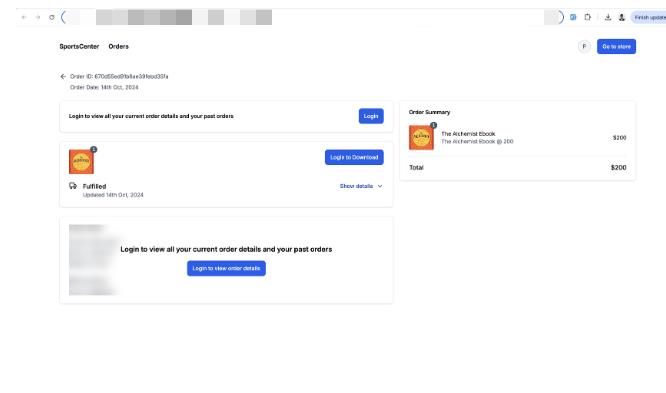
The order details page prompts them to log in before they can download anything.
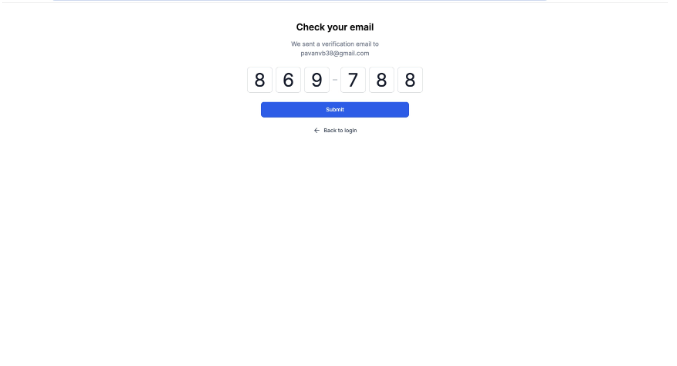
They log in with a one-time passcode sent to the email used at checkout.
Once logged in, they can download every file attached to their order from the Customer Access Center.
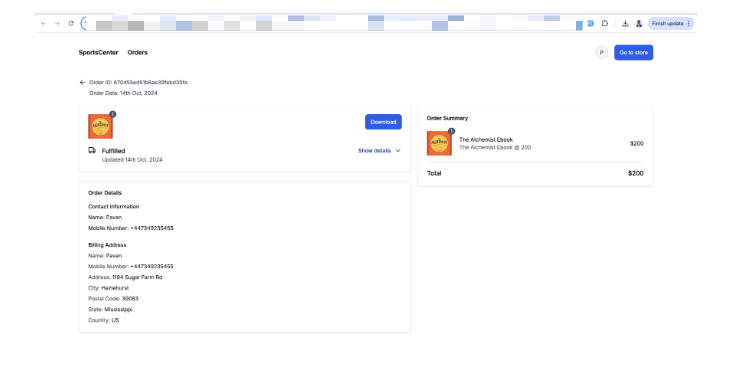
Customers can also skip the email entirely and go straight to their order history at <yourstoreurl>/store/account/orders.
Optionally, you can enable a download button directly on the store Thank You page. When it's on, eligible digital orders show a download option immediately after checkout, so customers don't have to open the confirmation email first. They still verify with the one-time passcode before any files are released.
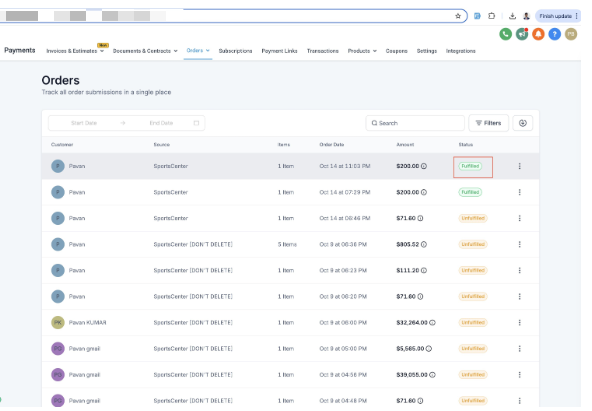
Digital orders fulfill themselves automatically, with fulfillment details left blank, so there's nothing for your team to mark as shipped.
Digital product delivery only works for purchases made through your Aesthetix CRM Store. If you're selling through a funnel or landing page instead of the store, see "Selling through a funnel" below.
Cash on Delivery (COD) isn't available on any order that contains a digital product.
Digital products never carry a shipping fee. If a physical product is also in the cart, standard shipping still applies to that item.
If a customer pays for a physical item with COD but the order also includes a digital upsell, the digital portion must be paid through an online payment method.
Files always download individually, not bundled into a single zip, even if you uploaded several.
Customers must be logged in through the OTP flow to access their downloads. There's no way to download without authenticating.
Physical products never show a Download button. In a mixed order, only the digital items with uploaded files will show one.
Keep uploaded files general and non-clinical (a skincare guide or pre/treatment PDF is fine). Don't attach anything that identifies an individual patient's chart, diagnosis, or treatment history to a downloadable product file.
The Customer Access Center and secure download links only work for purchases made through the native Store. If you're selling a digital product through a Funnel page instead, build a small workflow as a workaround: trigger on Form Submitted, then add an Email step that sends the download link directly to the customer. It won't use the Customer Access Center, but it gets the file to them right away. For anything beyond a one-off workaround, moving the offer into the Store is the more reliable path.
Checkout, payment methods, taxes, and coupon codes for your store live under Payments, this guide only covers how digital files attach to and deliver from a product once that setup is done. If you're connecting an external storefront, Shopify and WooCommerce integrations are managed separately under Integrations.
Tip: If you're still deciding how to accept payment on your store, AX Pay is Aesthetix CRM's own built-in payment processor and typically comes in at better rates than Stripe. See the AX Pay help article for setup details.
Why isn't the Download button showing after a purchase? The button only appears when the product or variant has at least one valid file uploaded to it. If no files exist, the button stays hidden.
Can customers download right from the Thank You page? Yes, if you enable the download button on the store Thank You page. Eligible digital orders then show a download option immediately after checkout, though customers still verify with the one-time passcode before any files are released.
What happens if I upload files after a customer has already purchased? The Customer Access Center updates automatically. As soon as you upload and save the files, they become available to any customer who bought that product.
What happens if I delete a product's uploaded files? The Download button disappears immediately, both on the order confirmation page and in the Customer Access Center, since there's nothing left to deliver.
How are mixed orders of digital and physical items handled? Only the digital items with uploaded files show a Download option. Physical products never display one, and shipping only applies to the physical items in the order.
Why does the Customer Access Center say "No downloads available yet"? That message means the purchased product doesn't have any files attached to it yet. Upload files to the variant and the message will be replaced with the download links.
Can I sell a digital product through a funnel or landing page instead of the store? Not with the automatic Customer Access Center flow, that's store-only. You can work around it with a workflow that emails the file directly when a form is submitted, but moving the offer into the Store is more reliable long-term.
Can I offer Cash on Delivery for a digital product? No. COD isn't available for any order containing a digital item. If a digital upsell is added to a COD physical order, it has to be paid through an online method.
Is there a limit on file size or number of files? Yes. Up to 10 files per product, 100 MB each. For larger libraries, zip your files into a single archive under 100 MB.
Can the same product have both a physical and a digital version? Yes. Create separate variants (for example, a printed guide and an ebook) and set the product type to Physical or Digital on each variant independently.
Do customers need an account to download their files? They don't need a pre-existing account, but they do need to authenticate with the one-time passcode sent to their checkout email before the Customer Access Center will release the files.
