Attribution shows you which channel brought each lead into your practice, whether that's a Google search, a Facebook ad, a referral link, or a walk-in phone call. Aesthetix CRM records this automatically on every contact so you can see which marketing channels are actually filling your appointment book. You'll find attribution data on the contact record's activity tab, and rolled-up attribution reporting under Reporting.
Every contact carries two attribution values, and both are stored permanently on the record.
First Attribution is the very first interaction that contact ever had with your practice. For example, a prospective patient fills out a Contact Us form on your website. That session's source is locked in as the first attribution and never changes.
Latest Attribution is the most recent tracked interaction. If that same person later books a consult through a two-step order form, the latest attribution updates to reflect that newer session. First attribution stays fixed; latest attribution keeps updating as the contact interacts with you again.
Go to Contacts, open a contact record, and select the Activity tab. First and latest attribution appear in the bottom right column.
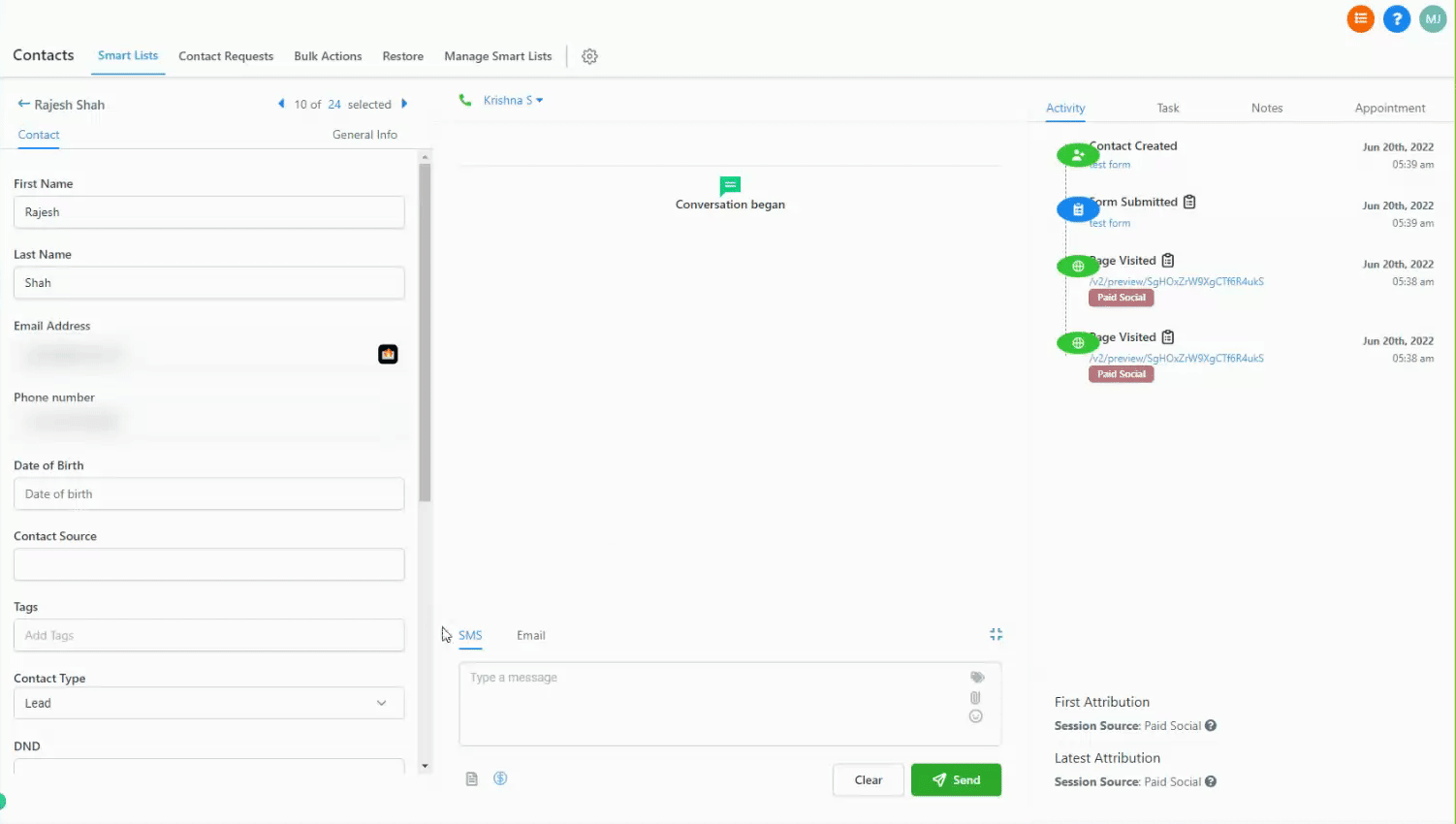
For newly created contacts, the two values are defined as:
First attribution: the contact's first recorded interaction with your system, usually their first visit to your website or their first touch with any of the sources below.
Latest attribution: the contact's last interaction before they were converted into a contact record.
Every first or latest attribution value will fall into one of these categories:
Traffic tagged as Paid Search comes from a paid search campaign, most commonly Google Ads. This category feeds your Google Ad Reporting.
UTM parameters must match exactly, and they're case-sensitive:
{YourLandingPageUrl.com}?utm_source=adwords&utm_medium={adname}&utm_campaign={campaignname}&utm_content={adgroupname}&utm_keyword={keyword}&utm_matchtype={matchtype}&campaign_id={campaignid}&ad_group_id={adgroupid}&ad_id={creative}Google Ads UTM Parameters
Name | Key | Value | Notes |
|---|---|---|---|
UTM Source | utm_source | adwords | |
UTM Medium | utm_medium | {adname} | |
UTM Campaign | utm_campaign | {campaignname} | Manual, changeable (e.g. summer_sale) |
UTM Content | utm_content | {adgroupname} | |
Match Type | utm_matchtype | {matchtype} | |
Campaign ID | campaign_id | {campaignid} | Set by Google Ads, constant |
Ad Group ID | ad_group_id | {adgroupid} | |
Ad ID | ad_id | {creative} |
For step-by-step setup, see the Google Ads Reporting guide in Ads Manager > Ad Reporting.
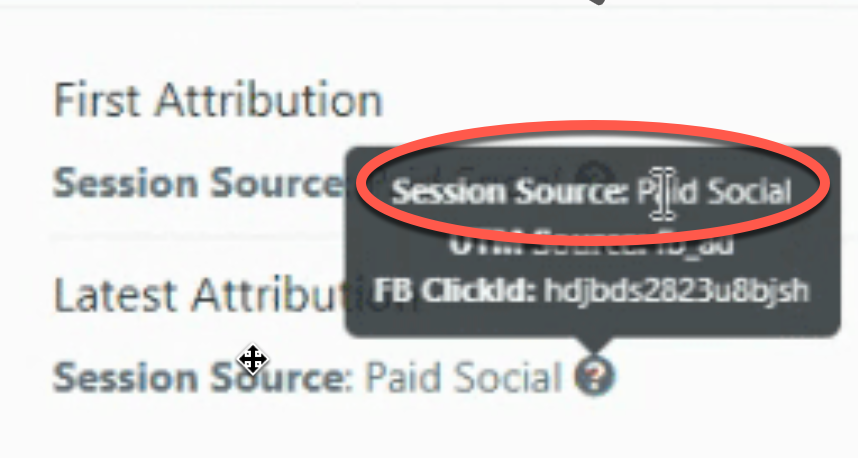
Traffic tagged as Paid Social comes from a paid social campaign, which feeds your Facebook and Instagram Ad Reporting.
UTM parameters must match exactly, and they're case-sensitive:
{YourLandingPageUrl.com}?utm_source=fb_ad&utm_medium={{adset.name}}&utm_campaign={{campaign.name}}&utm_content={{ad.name}}&campaign_id={{campaign.id}}Facebook and Instagram Ads UTM Parameters
Name | Key | Value | Notes |
|---|---|---|---|
UTM Source | utm_source | fb_ad | |
UTM Medium | utm_medium | {{adset.name}} | |
UTM Campaign | utm_campaign | {{campaign.name}} | Manual, changeable (e.g. summer_sale) |
UTM Content | utm_content | {{ad.name}} | |
Campaign ID | campaign_id | {{campaign.id}} | Set by Facebook Ads, constant |
For step-by-step setup, see the Facebook Ad Reporting guide in Ads Manager > Ad Reporting.
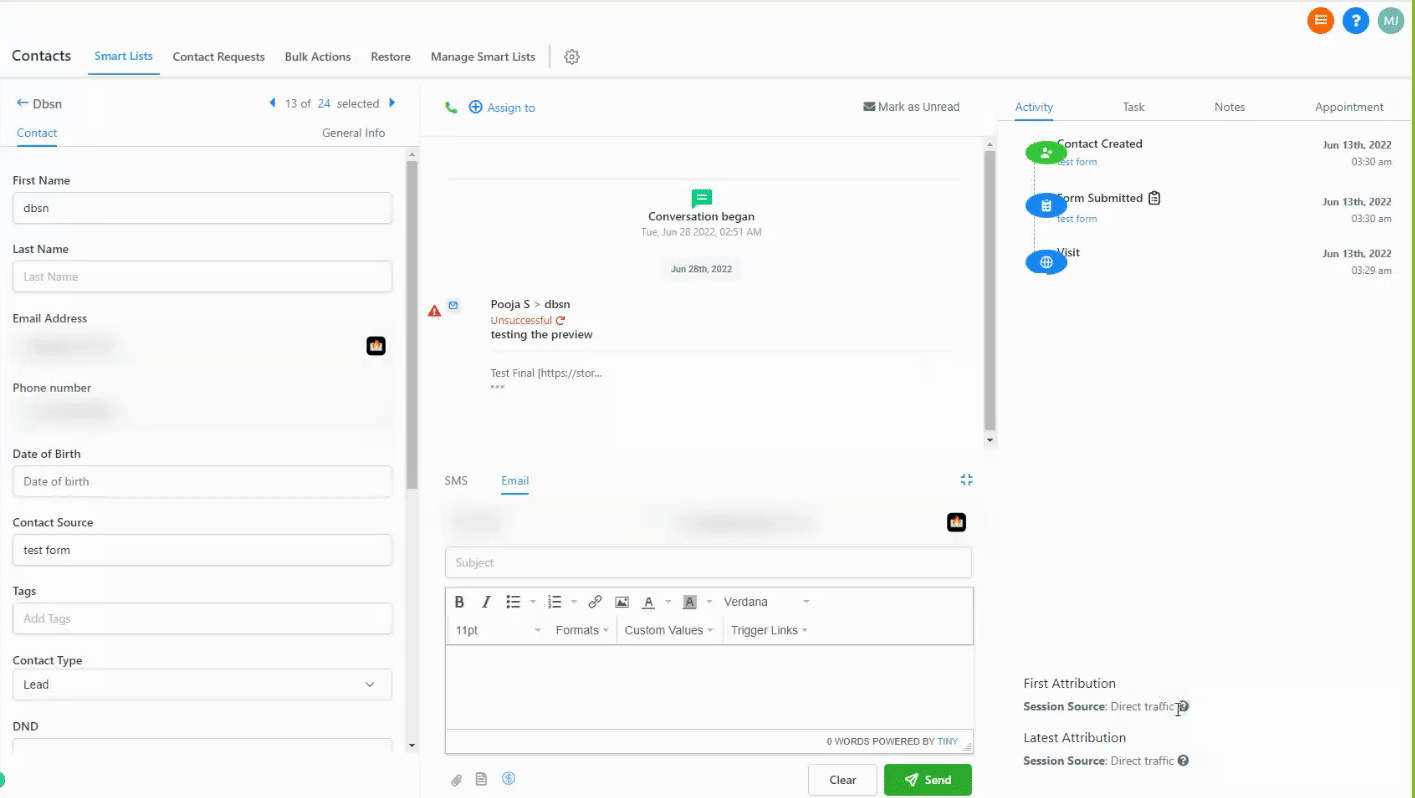
Direct Traffic has no indication of source. Typically this is someone who typed your URL directly into their browser, or who arrived with all query parameters stripped away.
Click the Direct Traffic source in your Sources table to view the specific URLs those visitors landed on.
Organic Search covers non-paid results from a known search engine such as Google, Bing, Yahoo, or DuckDuckGo.
Click the Organic Search source to view the keywords visitors used. When you see "Unknown keywords (SSL)," that's the search engine encrypting the user's search terms on its end, most commonly with Google.
Social Media (organic) covers traffic from social platforms and apps, for example when a follower shares your post or a link from your practice's account and someone clicks through.
Referrals covers traffic from an external site linking to yours that isn't a search engine or social platform. A single referring domain can have multiple pages linking to your site.
Leads generated through phone calls, SMS, email, WhatsApp, or Facebook messages fall under Others. Grouping these together keeps every lead visible in one place so nothing slips through the cracks, regardless of which channel a prospective patient used to reach you.
When your team manually creates a lead inside Aesthetix CRM, its source is recorded as CRM UI. This makes it easy to separate manually entered leads from ones captured automatically.
When a lead is created through a third-party integration, such as a Zapier connection, its source is recorded as Third-Party.
Within the same session, a contact must complete one of the following actions for attribution to be captured:
Form or survey submission
Calendar booking submission
Chat widget interaction (after submitting contact info)
Order form submission (one-step or two-step)
Native Aesthetix CRM forms, surveys, calendars, chat widgets, and order forms capture this data automatically. Third-party forms built outside Aesthetix CRM can also capture attribution data when they're connected through External Tracking. External Tracking automatically detects supported DOM-based forms on your pages and captures the same attribution data, UTM parameters, page URL, and session details, once a visitor submits the form. Forms that aren't native and aren't connected through External Tracking won't record attribution data, including any UTM parameter data attached to the visit.
Aesthetix CRM checks the full page URL and, when available, the referring domain against a fixed set of rules, applied in this order:
Order | Rule | Source Assigned |
|---|---|---|
1 | The | Paid Search |
2 | A | Paid Search |
3 |
| Paid Search |
4 |
| Paid Social |
5 | Referring domain is a social media site | Social Media |
6 | Referring domain is a search engine (Google, Yahoo, Bing, DuckDuckGo) | Organic Search |
7 | Referring domain exists but isn't a social site or search engine | Referral |
8 | No referring domain or tracking URL | Direct Traffic |
9 | Lead came from a call, SMS, email, WhatsApp, or Facebook message, or any other source not covered above | Others |
10 | Lead was created manually inside Aesthetix CRM | CRM UI |
11 | Lead was generated by a third-party integration such as Zapier | Third-Party |
Note: the older utm_source=facebook value has been deprecated in favor of fb_ad. Use fb_ad in your Facebook and Instagram UTM templates going forward.
Reliable attribution starts with consistent tracking. Apply UTM parameters the same way across every campaign, keep campaign names structured and predictable, and avoid special characters or emojis, since they can interfere with tracking accuracy.
Every campaign, ad set, and ad should have a unique, descriptive name so reporting stays clean and every data point can be traced back to its source.
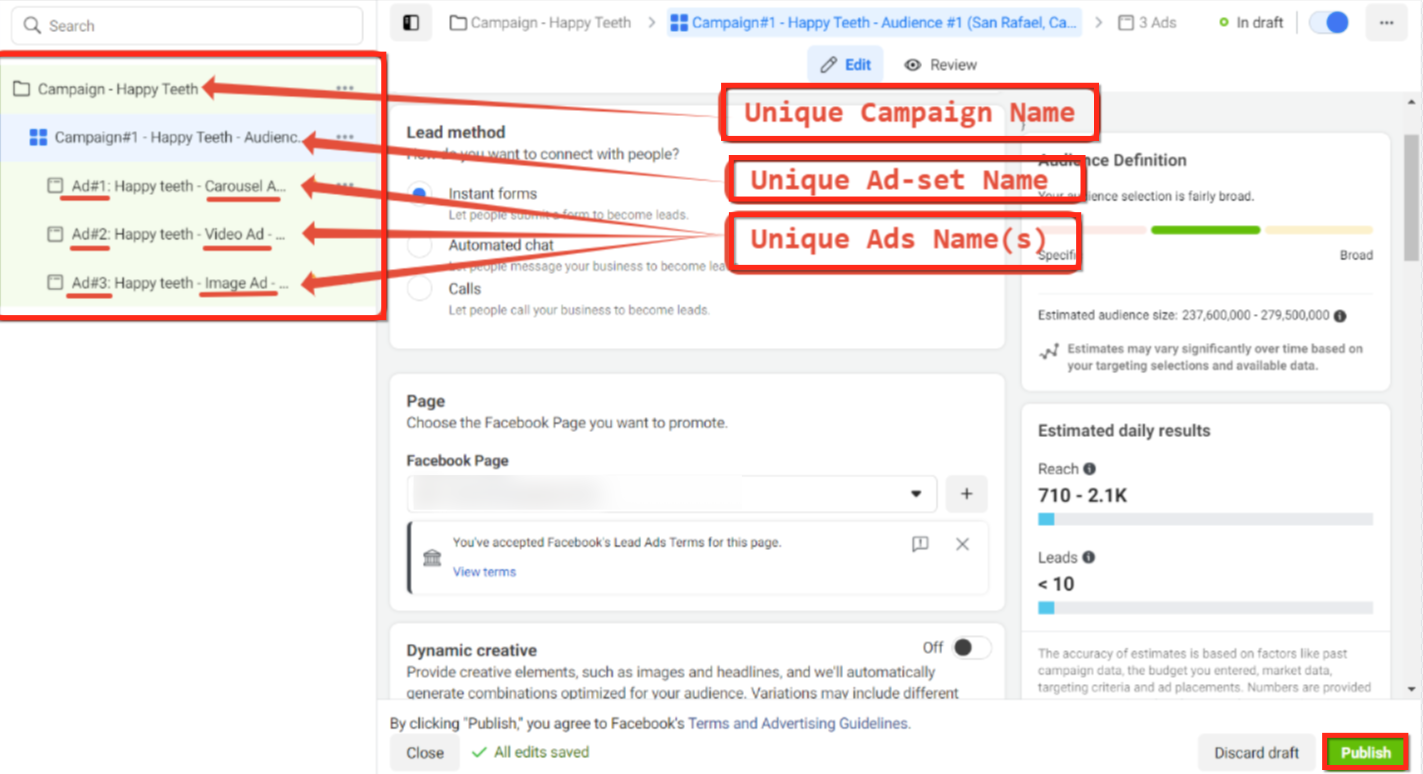
If you need to change a campaign, create a new one instead of renaming an existing one. Renaming an active campaign can break attribution continuity for leads already tracked under the old name.
Edit your ad and open its tracking section rather than pasting parameters into the destination URL directly.
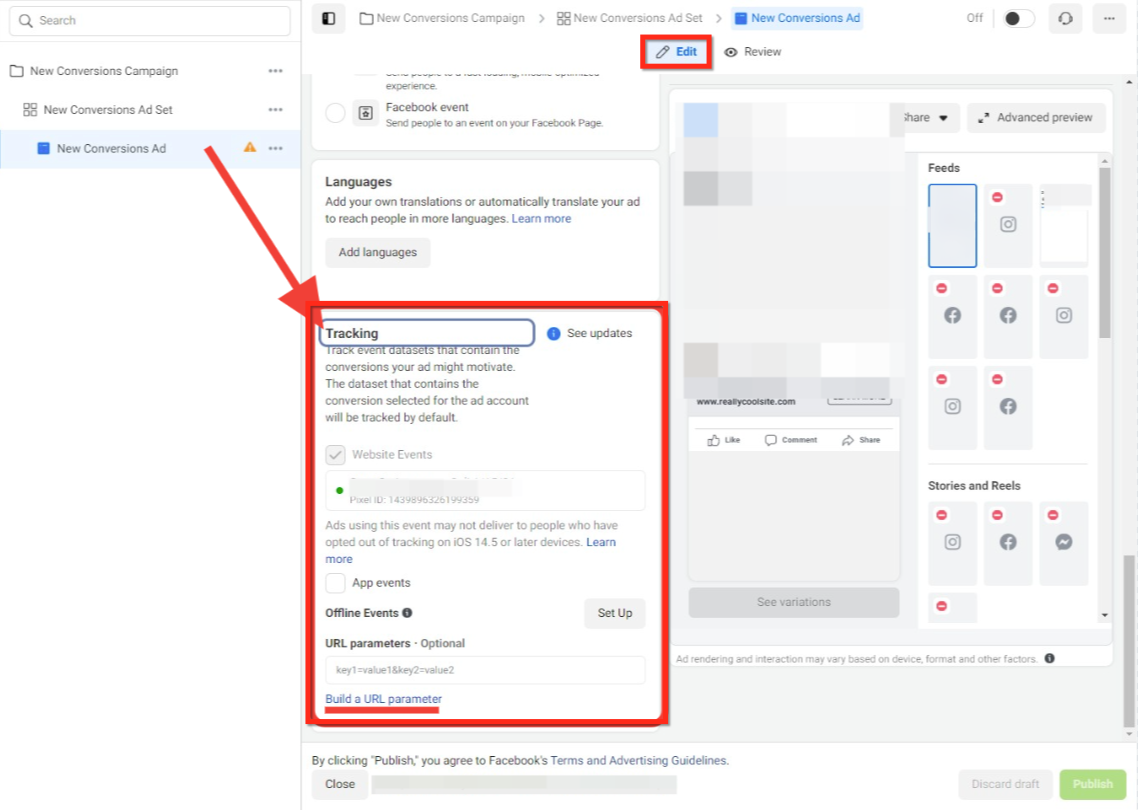
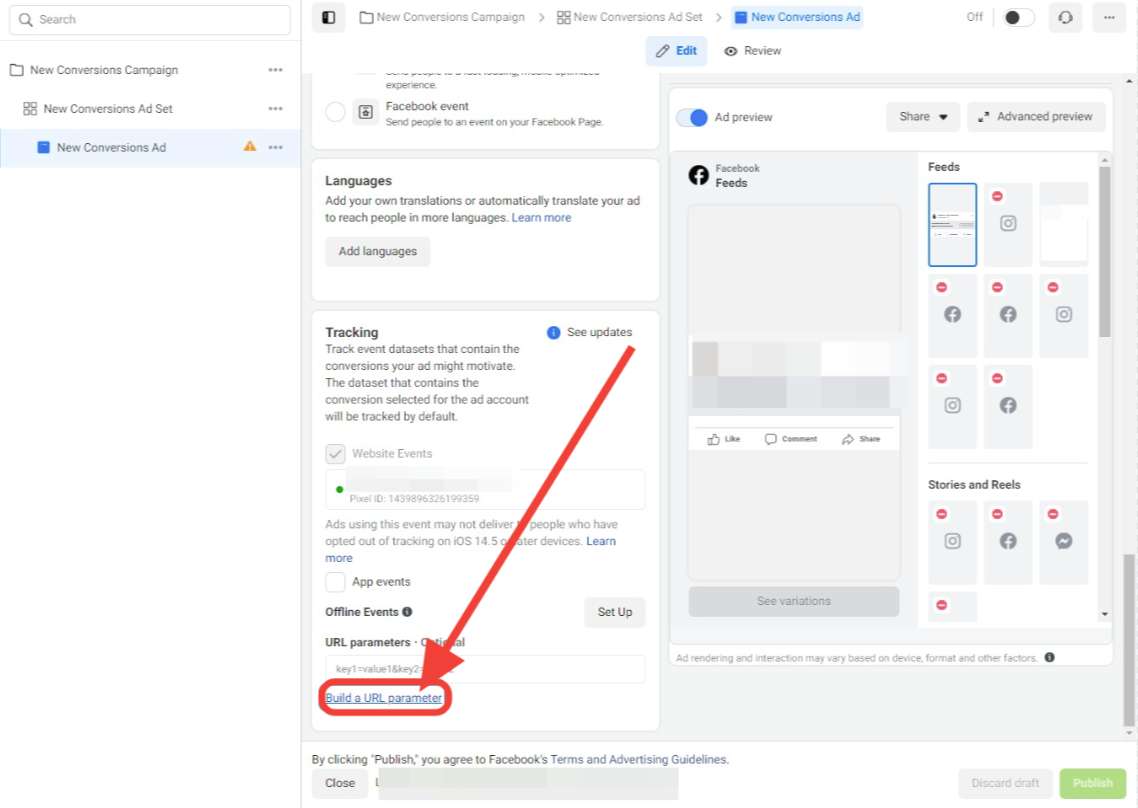
Use the URL parameter builder to construct your tracking string.
Enter the required UTM fields exactly as documented above, including source, medium, campaign name, content, and campaign ID. Using dynamic values (the bracketed placeholders shown in the UTM tables) lets each ad automatically pass its own accurate data into your reporting.
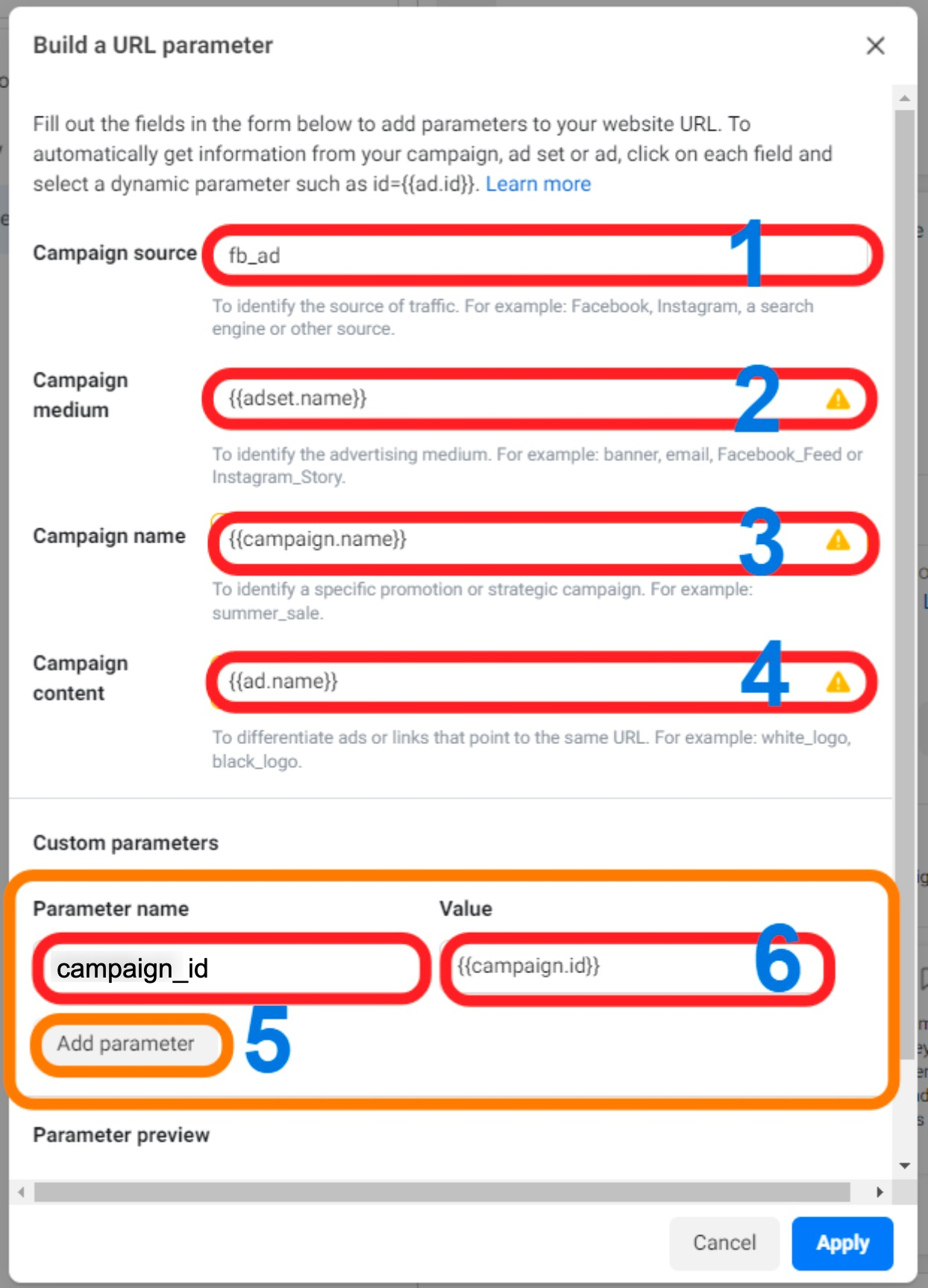
Do not add custom UTM parameters on top of these templates. Sticking to the documented format avoids missing or broken attribution data.
Once campaigns are live and UTM tracking is in place, attribution data starts appearing in your reporting dashboard, letting you see which campaigns are generating leads, conversions, and revenue.
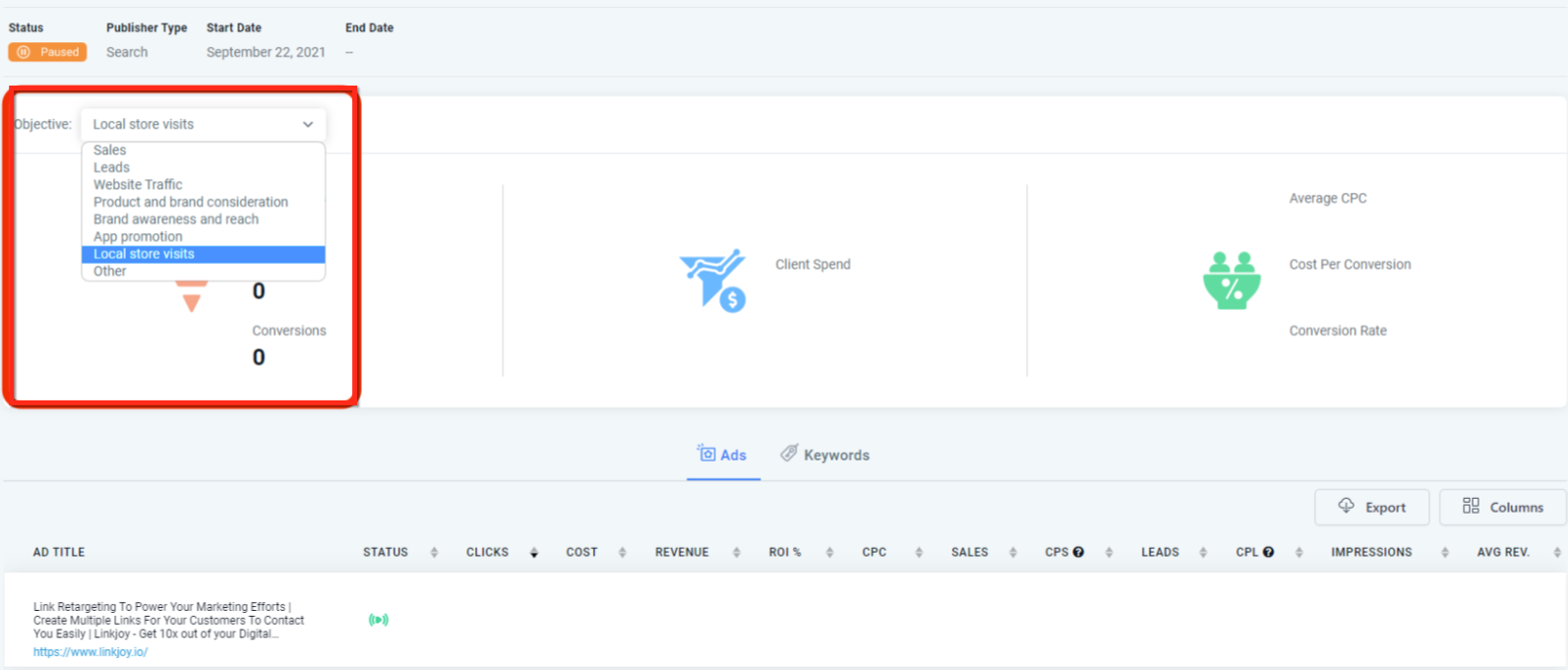
Review this regularly to spot your top-performing campaigns and reallocate budget away from underperforming ones. For a full walkthrough of the attribution reporting dashboard and cross-channel conversion views, see the Understanding Attribution: All-In-One Guide in Essential Guides.
If attribution isn't showing up after you've set up ad tracking, work through these checks:
Check for spaces or misspellings in the final URL. The "final URL" is the link a prospective patient clicks from your ad, which takes them to the page where they take their next action. Copy and paste the UTM templates exactly rather than retyping them, and double-check case sensitivity: an unexpected capital letter will break attribution.
Confirm the form submission happens on the final landing page. UTM parameters are only recorded if the visitor completes the form, booking, or chat interaction without navigating to a different page first. If your funnel sends visitors to a second page to convert, add a popup or embedded form section on the landing page itself so the submission happens where the tracking data lives.
Don't add custom UTM parameters on top of the standard templates. Stick to the documented Google Ads and Facebook/Instagram Ads templates. Layering custom parameters on top can cause missing or inaccurate data.
For channel-specific ad setup and deeper reporting terminology, see the Facebook Ad Reporting and Google Ad Reporting guides under Ads Manager > Ad Reporting.
Do first and latest attribution ever match? Yes. If a contact converts on their very first interaction with your practice, first and latest attribution will show the same source and session.
Why don't I see UTM parameters when previewing an ad? UTM parameters aren't visible in ad previews. They only appear in attribution data once the ad is published and live.
Why is attribution missing for some leads? Attribution only records when a contact completes a tracked action, a native form, survey, calendar booking, chat widget submission, or order form, in the same session as their click-through. It's also captured on supported third-party forms that are connected through External Tracking.
Why did my reporting change after I renamed a campaign? Renaming an active campaign can disrupt attribution continuity for leads already tracked under it. Create a new campaign instead of renaming one that's live.
Are UTM parameters required for accurate tracking? Yes. Without matching UTM parameters, paid traffic typically falls back to Direct Traffic or Referral instead of Paid Search or Paid Social.
Where should UTM parameters be added, the destination URL or the tracking section? Add them in the ad platform's tracking section, not pasted directly into the destination URL field.
What's the difference between Social Media and Paid Social? Social Media covers organic (unpaid) traffic from a social platform, like a shared post. Paid Social covers traffic from a paid ad campaign on that same platform, identified by matching UTM parameters.
Can I see attribution for leads that called or texted my practice instead of filling out a form? Yes. Those are categorized under Others, alongside SMS, email, WhatsApp, and Facebook message leads, so every channel stays visible in one place.
Does a manually created contact have attribution data? Yes, its source is recorded as CRM UI, so you can filter those out when analyzing marketing-driven lead sources.
Can a third-party form capture attribution data? Yes, if it's connected through External Tracking. External Tracking automatically detects supported DOM-based forms and captures UTM parameters, page URL, and session data when a visitor submits one.
