Aesthetix CRM's Affiliate Manager lets you pull a full export of every tracked affiliate sale, so your team can reconcile revenue, calculate payouts, and keep clean books outside the CRM. The export lives on the Affiliate Manager dashboard and is available any time you need a snapshot of referral activity for your practice's partner or patient-referral program.
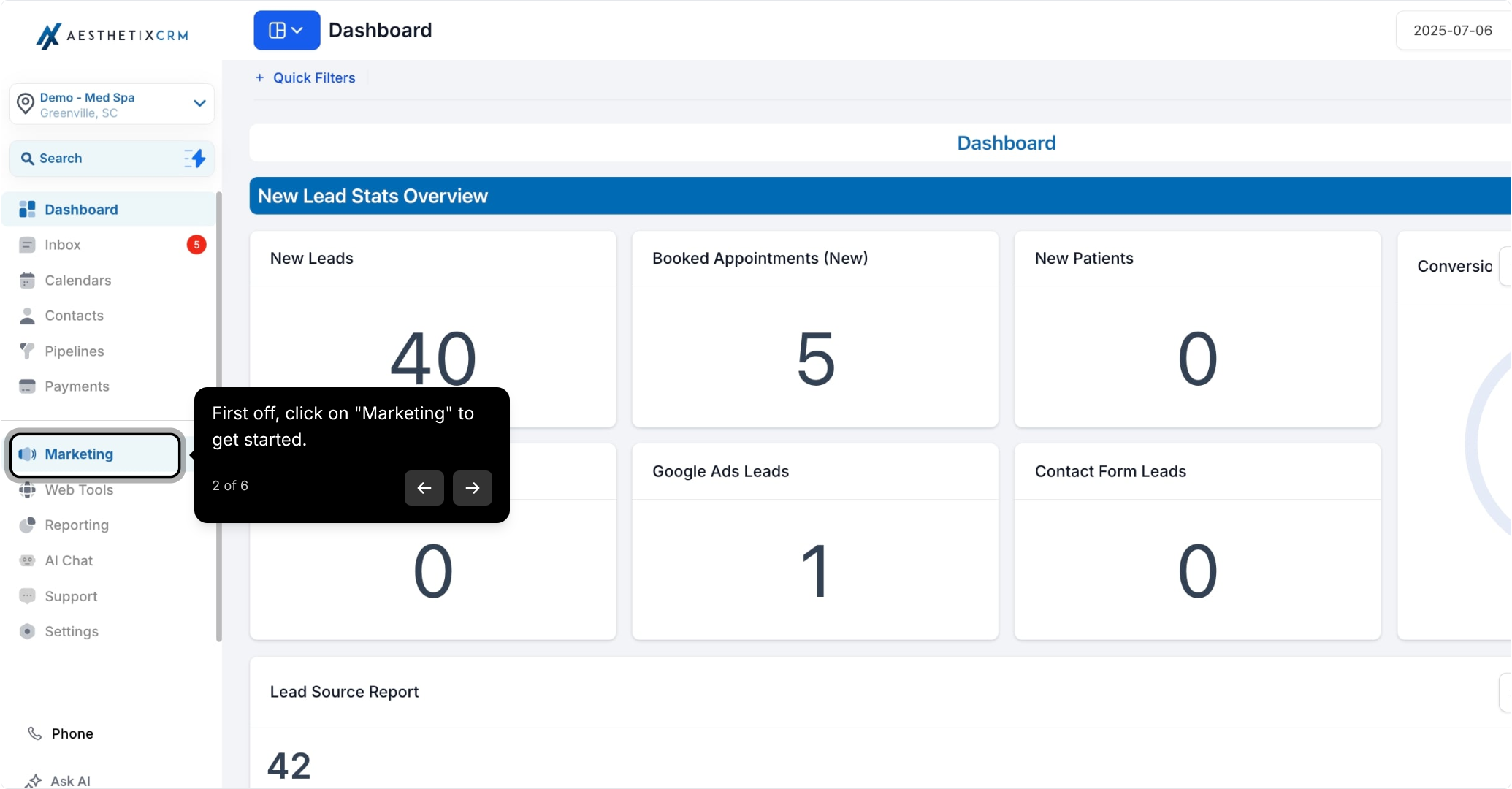
From the left navigation, click Marketing.
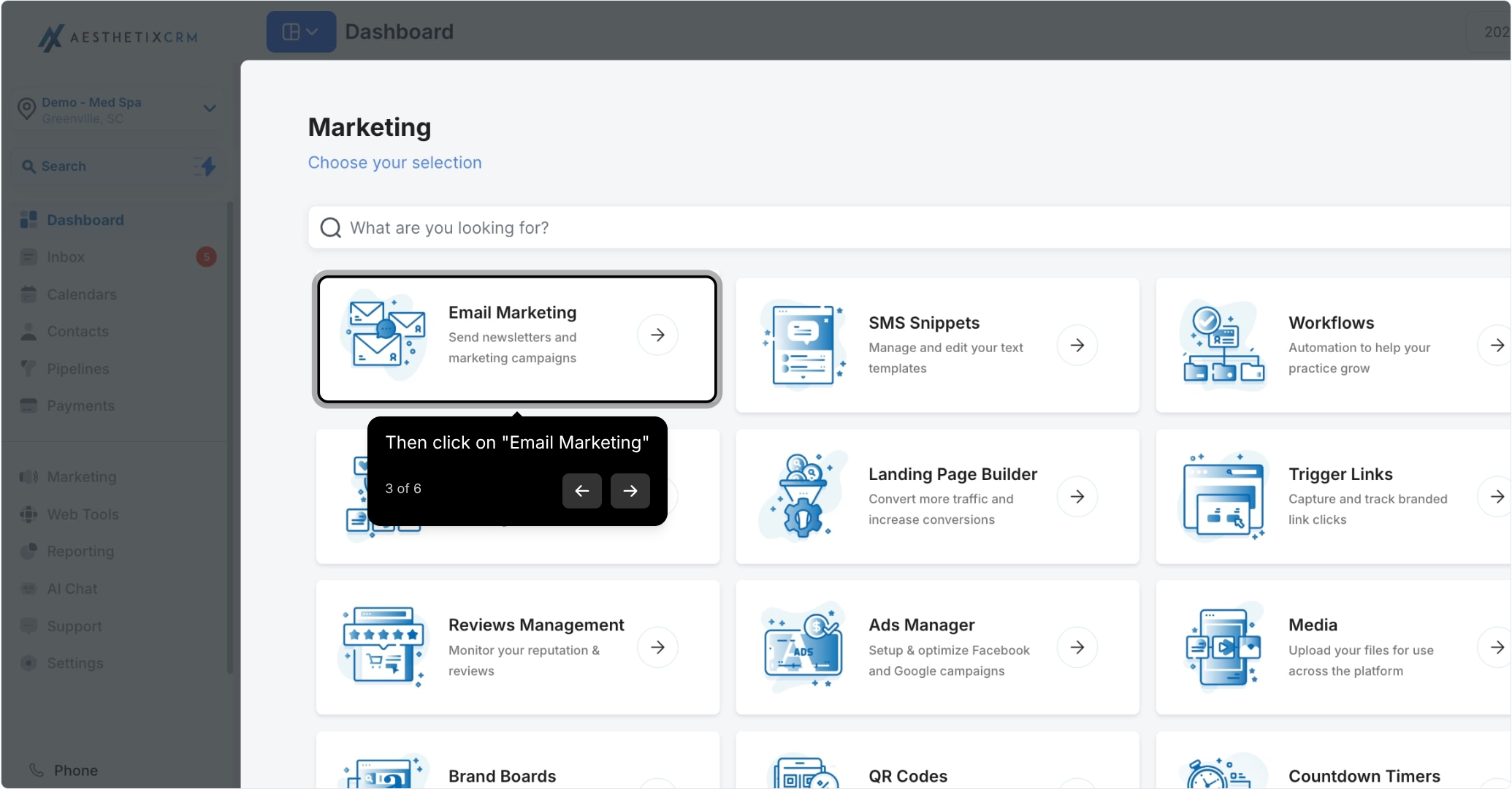
Select Email Marketing.
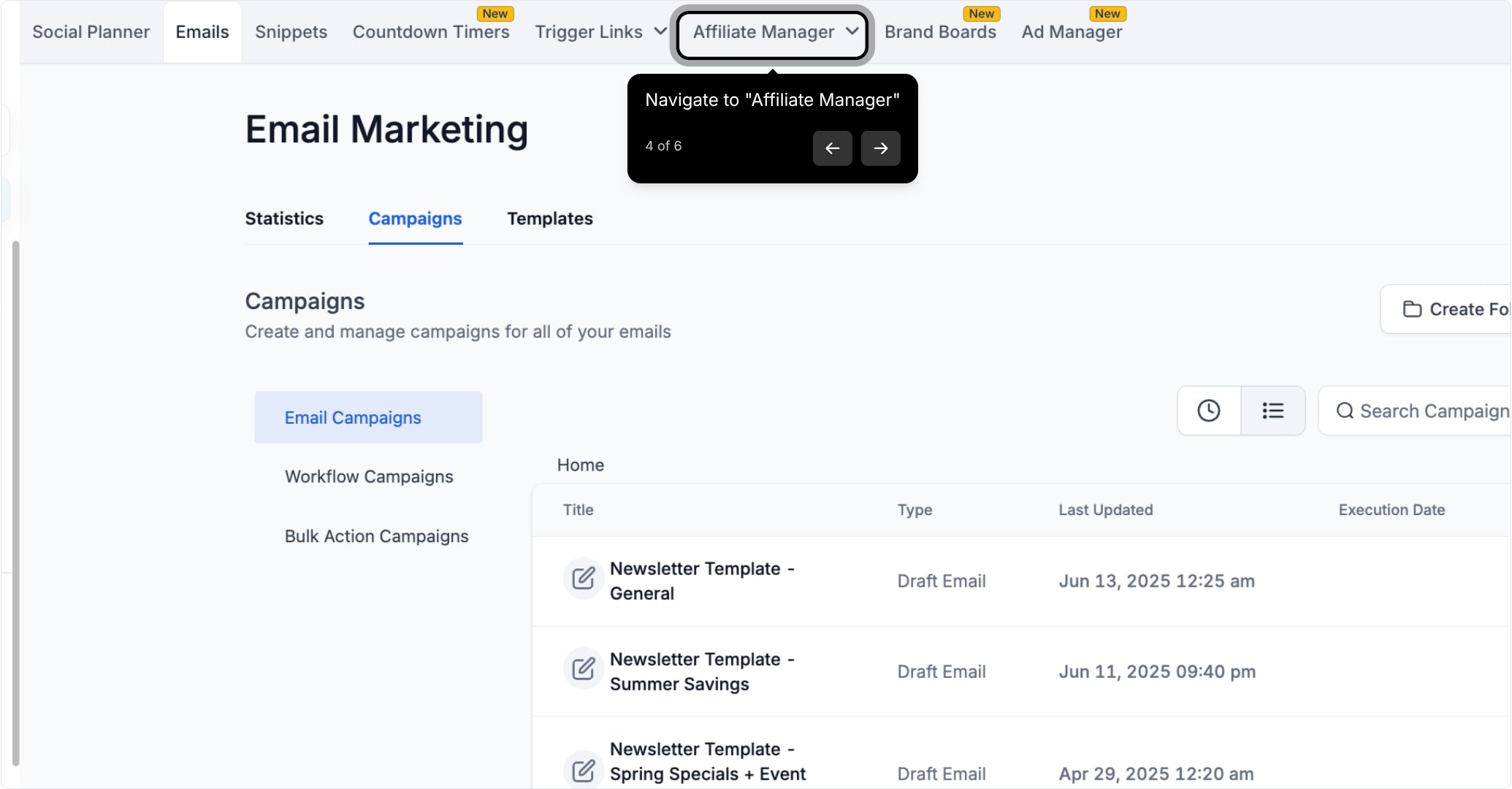
Click into Affiliate Manager.
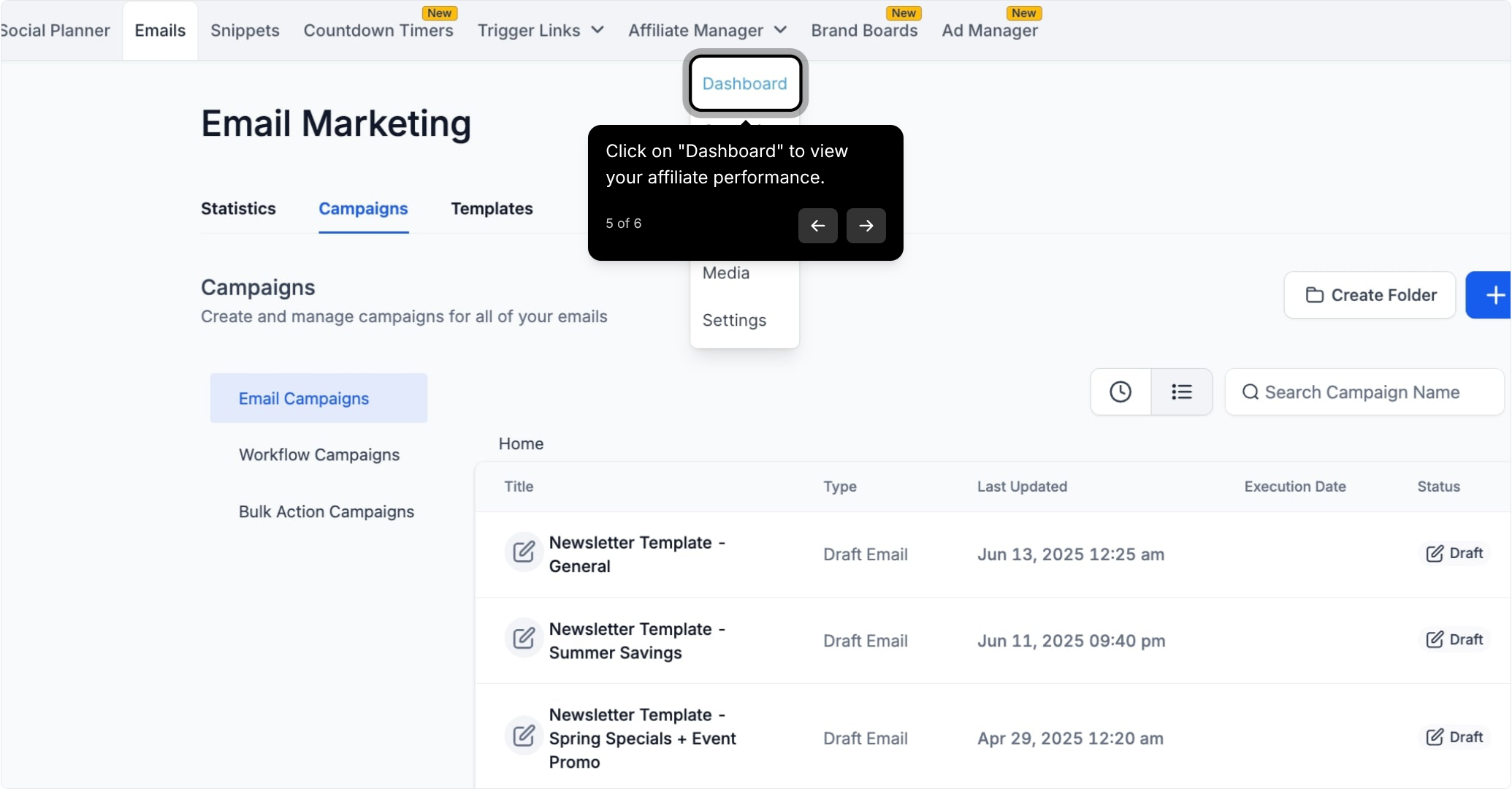
Open the Dashboard tab to view your affiliate performance at a glance.
Click Export Sales CSV to download your affiliate sales records.
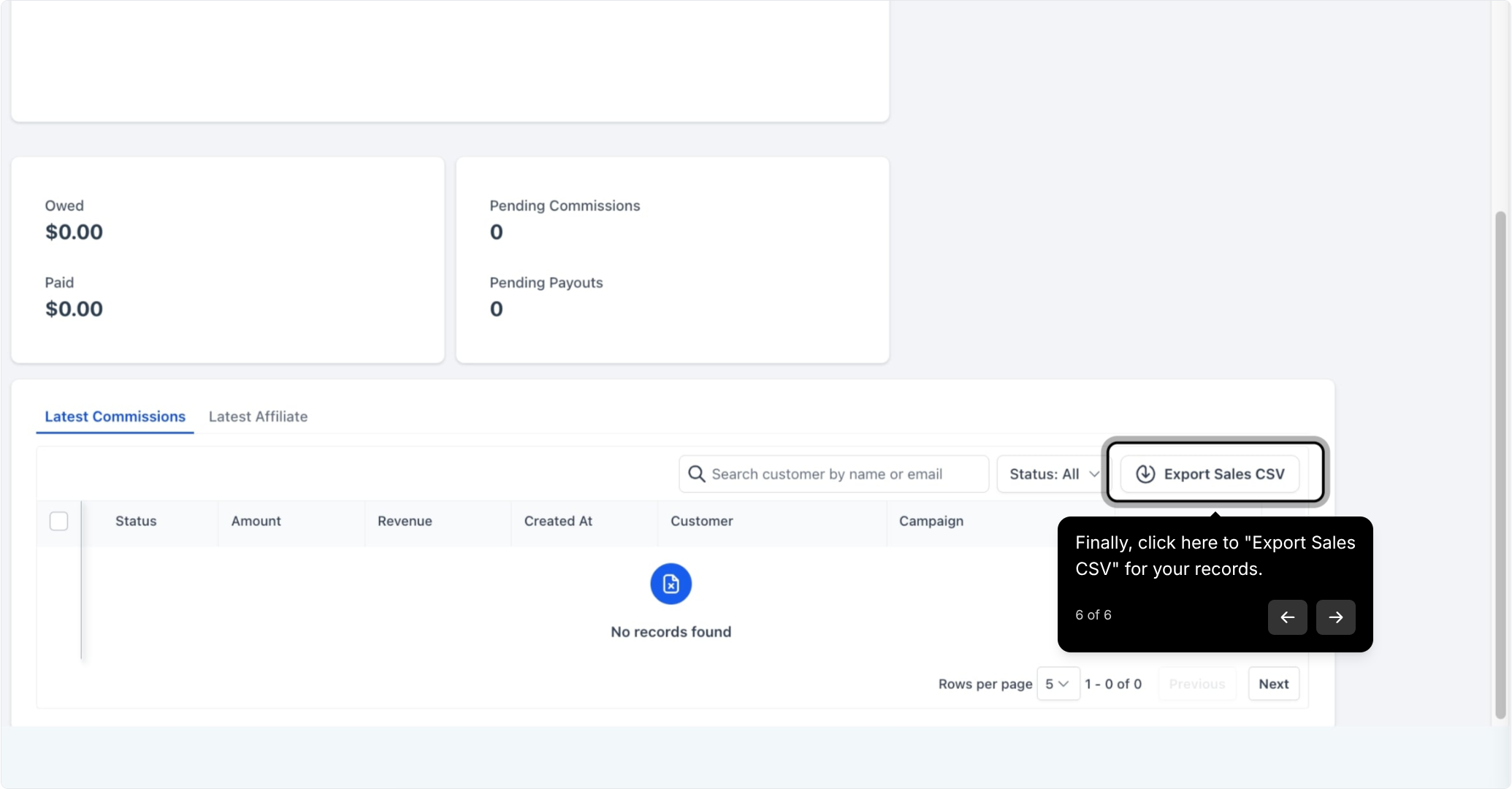
The download starts immediately and reflects the sales data currently visible on your Affiliate Manager dashboard.
The CSV includes one row per tracked transaction, with the following fields:
Field | Description |
|---|---|
Campaign Name | The affiliate campaign the sale is attributed to |
Affiliate ID | Unique identifier for the referring affiliate |
Affiliate Name | The affiliate's name |
Affiliate Email | The affiliate's email address |
Customer Email | Email of the customer/patient who made the purchase |
Customer Name | Name of the customer/patient who made the purchase |
Transaction Date | Date the sale occurred |
Revenue | Total sale amount |
Commission | Amount owed to the affiliate for the sale |
Currency | Currency the transaction was processed in |
Status | Current status of the transaction |
This gives you everything needed to reconcile affiliate-driven revenue against your books, verify commission amounts before running payouts, and cross-check individual transactions if a partner disputes a payout.
Using AX Pay for payment processing? Since Revenue and Commission figures in this export trace back to the payment method used at checkout, running your affiliate sales through AX Pay, Aesthetix CRM's own payment provider, keeps rates lower than Stripe and settlement data consistent with what you see here. See the AX Pay help article for setup details.
Once downloaded, treat the CSV as your source of truth for affiliate payouts:
Import it into your accounting or spreadsheet tool to total commissions owed per affiliate over a given period.
Filter by Status to separate completed sales from pending or refunded ones before calculating payouts.
Match Transaction Date ranges to your payout schedule (weekly, monthly, etc.) so each export cycle lines up cleanly with the last.
Keep exports on file for a rolling period to make it easy to answer affiliate questions about specific referrals.
If you're setting up or adjusting how affiliate commissions are triggered and tracked in the first place, that configuration lives in Workflows, where affiliate-related triggers and actions handle attribution and commission automatically as sales come in.
Because the export includes customer name and email alongside sale details, treat downloaded CSV files the same way you would any patient contact list: store them securely, limit access to staff who need them for reconciliation, and avoid emailing the raw file to outside parties whenever possible.
Does the CSV update in real time? The export reflects the sales data on your Affiliate Manager dashboard at the moment you click Export, so run a fresh export any time you need the most current numbers.
Can I filter the export before downloading? The export pulls the sales currently shown on your dashboard, so apply any dashboard filters (date range, campaign, affiliate) before clicking Export Sales CSV.
What does the Status field tell me? It shows the current state of each transaction (such as completed, pending, or refunded), which you should check before finalizing commission payouts.
Is Customer Email always populated? Yes, every tracked sale includes the purchasing customer's email and name so you can trace a transaction back to the original order if needed.
Can I export commissions for a single affiliate only? Filter your dashboard view down to that affiliate before exporting, since the CSV mirrors whatever is currently displayed.
What currency does Revenue and Commission show? Both fields are reported in the currency shown in the Currency column for that transaction, which reflects how the original sale was processed.
Where do I set up affiliate commission rates and rules? Commission structure and campaign setup happen elsewhere in Affiliate Manager; this export is strictly for pulling completed and pending sales data for reporting.
How often should I export the CSV? Most practices export on a set cadence that matches their payout schedule (weekly or monthly), but you can export as often as needed for spot checks.
Can I automate affiliate payouts based on this data? The CSV is a manual export for reconciliation. Automated commission tracking and triggers run through Workflows, which can flag or route sales as they happen.
