When you sell products or packages through your funnels or websites, the payment gateway you connect is also what powers commission attribution in Affiliate Manager. A sale processed through a connected gateway is automatically credited to the referring affiliate, so getting the right gateway connected is the first step to running a working referral program.
Aesthetix CRM supports four payment gateways for product sales and transactions:
Stripe
NMI
Authorize.net
PayPal
These gateways handle payments for any product sold through your funnels or websites, including products promoted by your affiliates. Once a gateway is connected, follow the steps below to get it set up.
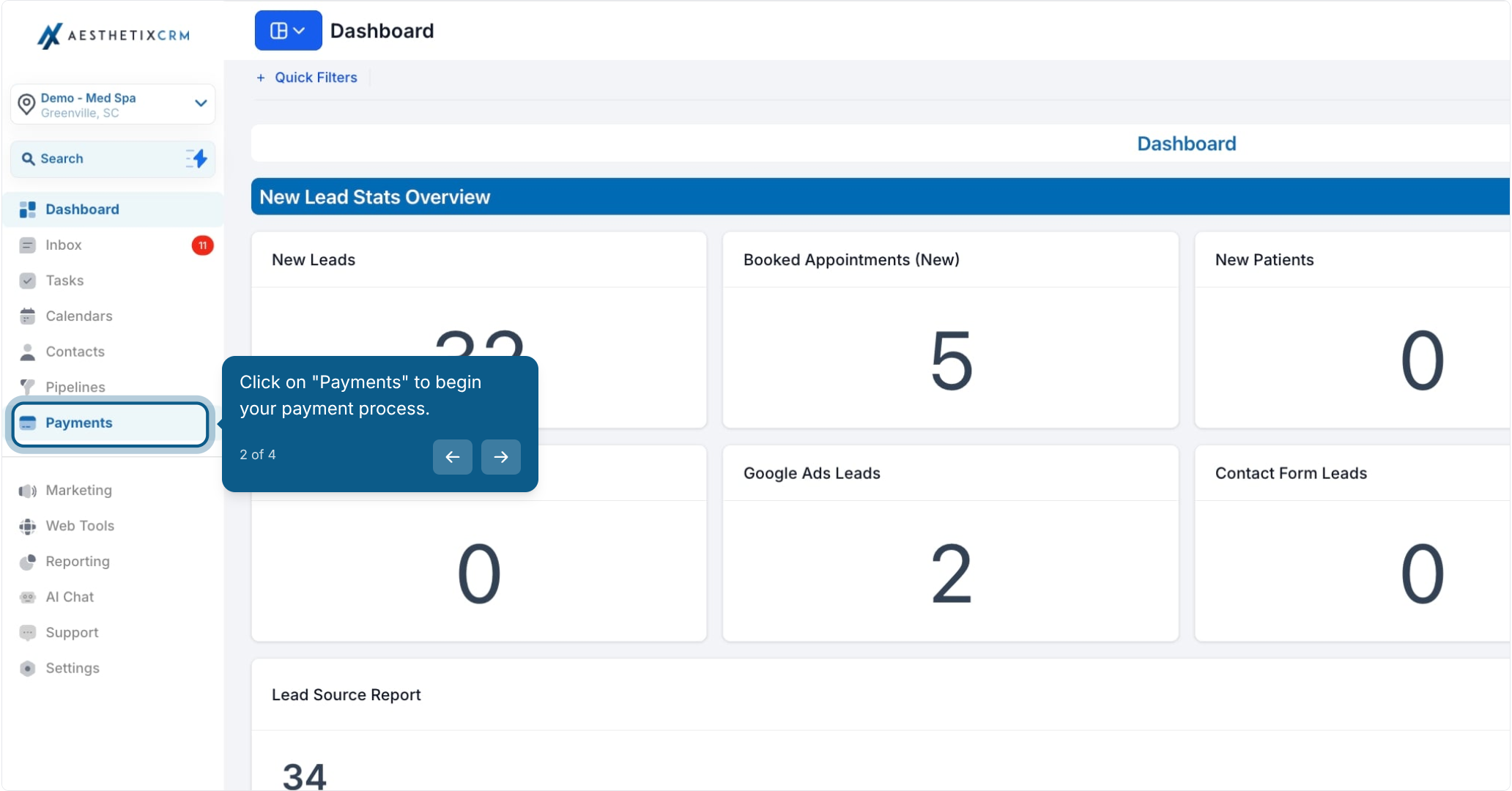
From your account, click Payments in the left navigation to begin.
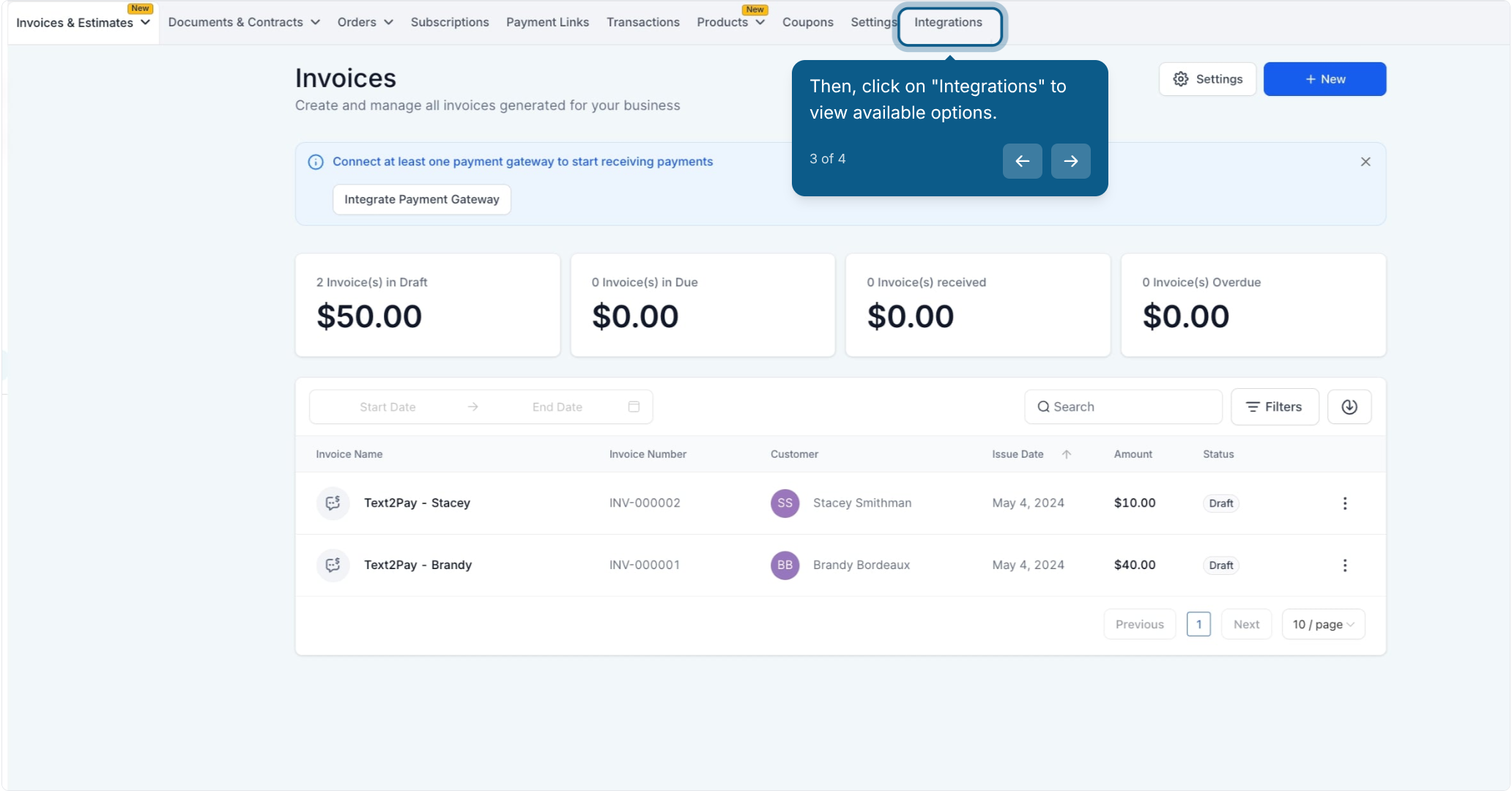
Click Integrations to view the available payment gateway options.
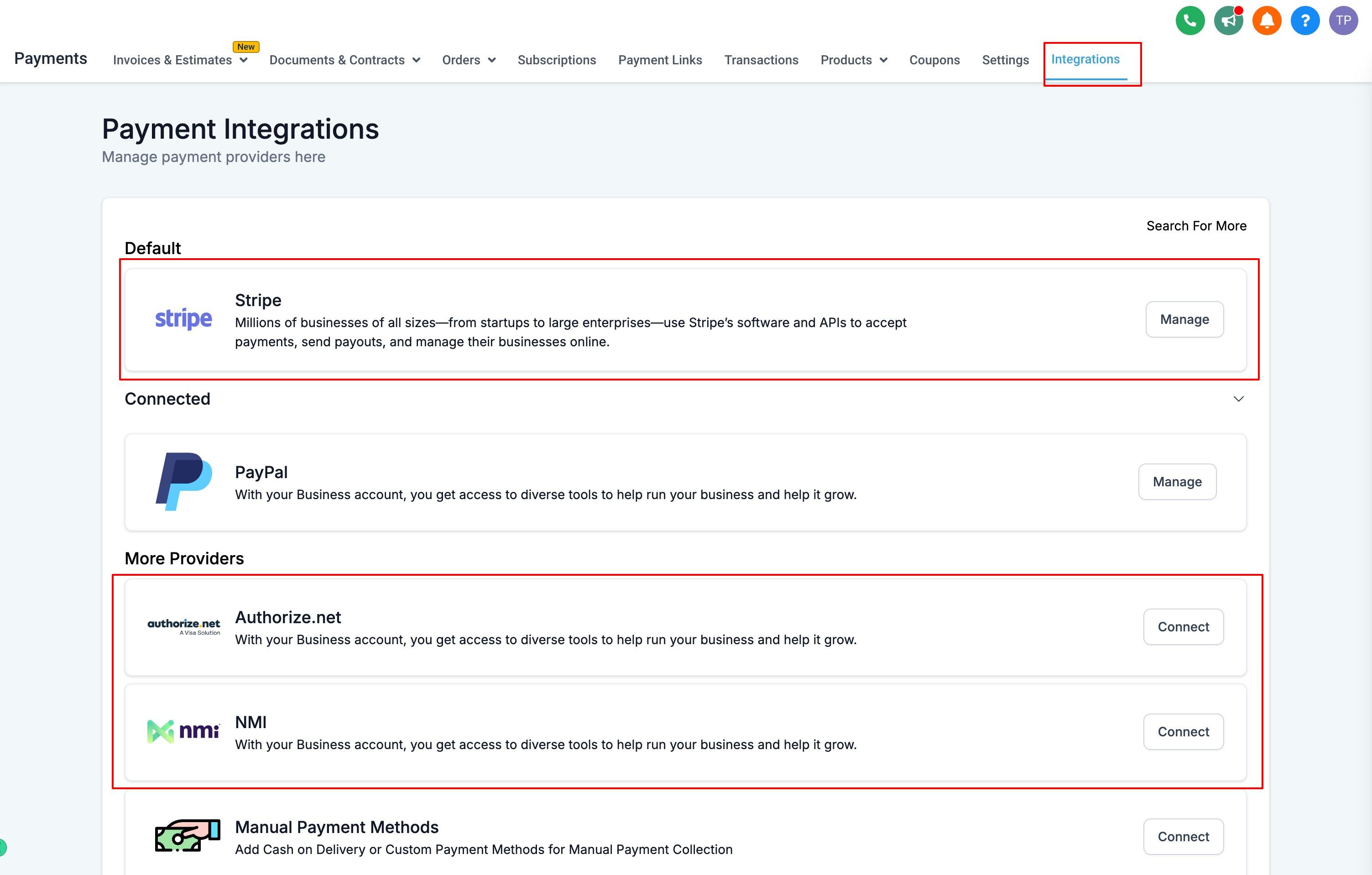
Choose the gateway you want to use and follow its connection flow. Each gateway has its own setup requirements (API keys, account credentials, or a guided OAuth connection), covered in the Payments collection:
Stripe: connect your Stripe account to accept cards directly.
NMI: connect your NMI merchant account.
Authorize.net: connect your Authorize.net merchant account.
PayPal: connect your PayPal business account.
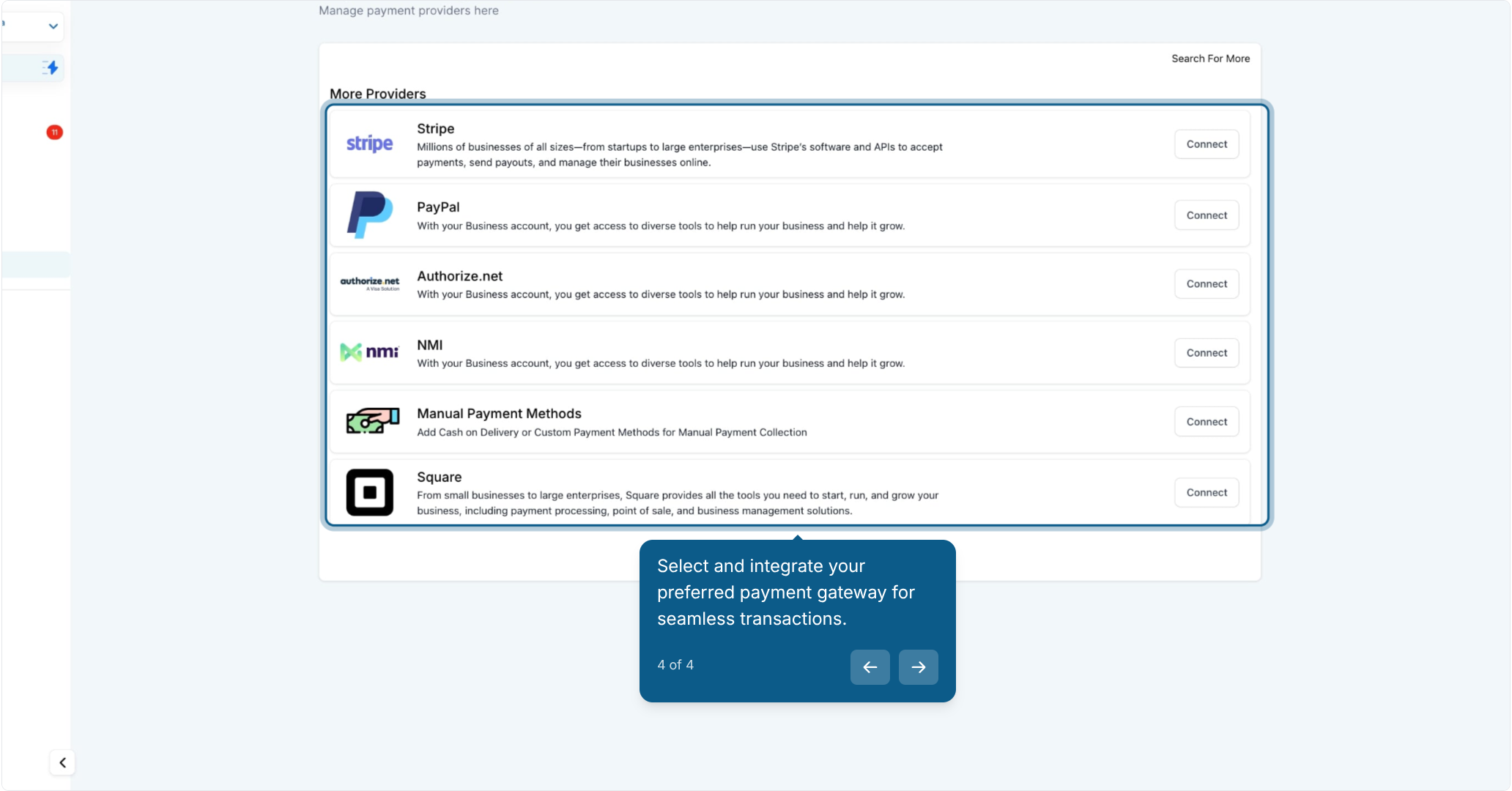
Tip: For a lower-cost alternative to Stripe, consider AX Pay, Aesthetix CRM's own built-in payment provider. AX Pay offers better processing rates than Stripe and connects the same way through Payments > Integrations. See the AX Pay help article for setup details and current rates.
Once you've connected one or more gateways, set your preferred option as the default. The default gateway is used to process transactions automatically when a patient or customer checks out, unless a specific product or order form specifies otherwise.
With a gateway connected, you're ready to list products on your funnels or websites so patients and prospects can purchase them, whether directly or through an affiliate's referral link. For full setup details on connecting each gateway, managing your product catalog, taxes, and coupons, see the Payments collection. Once sales start coming in, head to the Affiliate Payouts guides in this collection to learn how to pay your affiliates their commissions, and to Workflows if you want to trigger automations (like a thank-you email or a tag) whenever an affiliate-referred sale comes through.
Which payment gateways does Aesthetix CRM support for product sales? Stripe, NMI, Authorize.net, and PayPal, plus AX Pay as a built-in alternative to Stripe.
Do I need a payment gateway connected for Affiliate Manager to work? Yes. Affiliate Manager attributes commissions based on completed sales, so a connected gateway is required to process and track those transactions.
Can I connect more than one gateway at the same time? Yes. You can connect multiple gateways and then choose one as your default for everyday transactions.
Where do I connect a payment gateway? Go to Payments, then Integrations, and select the gateway you want to connect.
What happens if I don't set a default gateway? Checkout may prompt for a gateway selection or fail to process, depending on how your products and order forms are configured. Setting a default keeps checkout running smoothly.
Does the gateway I choose affect how affiliates get paid? No. The gateway you connect handles the sale itself. How and when affiliates receive their commission payouts is managed separately in Affiliate Payouts.
Is AX Pay better than Stripe? AX Pay offers better processing rates than Stripe while working the same way inside Payments, making it a strong default choice for new accounts.
Can I switch gateways later? Yes. You can connect a new gateway and change your default at any time from Payments > Integrations.
Do these gateways work for both funnels and websites? Yes. Any gateway connected here processes payments for products sold on either your funnels or your websites.
Where can I find detailed setup instructions for a specific gateway? Each gateway (Stripe, NMI, Authorize.net, PayPal, and AX Pay) has its own detailed setup guide in the Payments collection.
