
If your practice runs a patient or partner referral program through Affiliate Manager, each affiliate needs a payout method on file before they can receive their commission. Affiliates handle this themselves from their own Affiliate Portal, so your team doesn't have to enter banking details on their behalf.
Accessing the Affiliate Portal
Step 1: Log in with your magic link
Affiliates log in to their Affiliate Portal using the magic link your practice provided (usually sent by email when they're added to the program). No separate username or password is needed, the link takes you straight into your portal.
Step 2: Open the Payout Methods tab
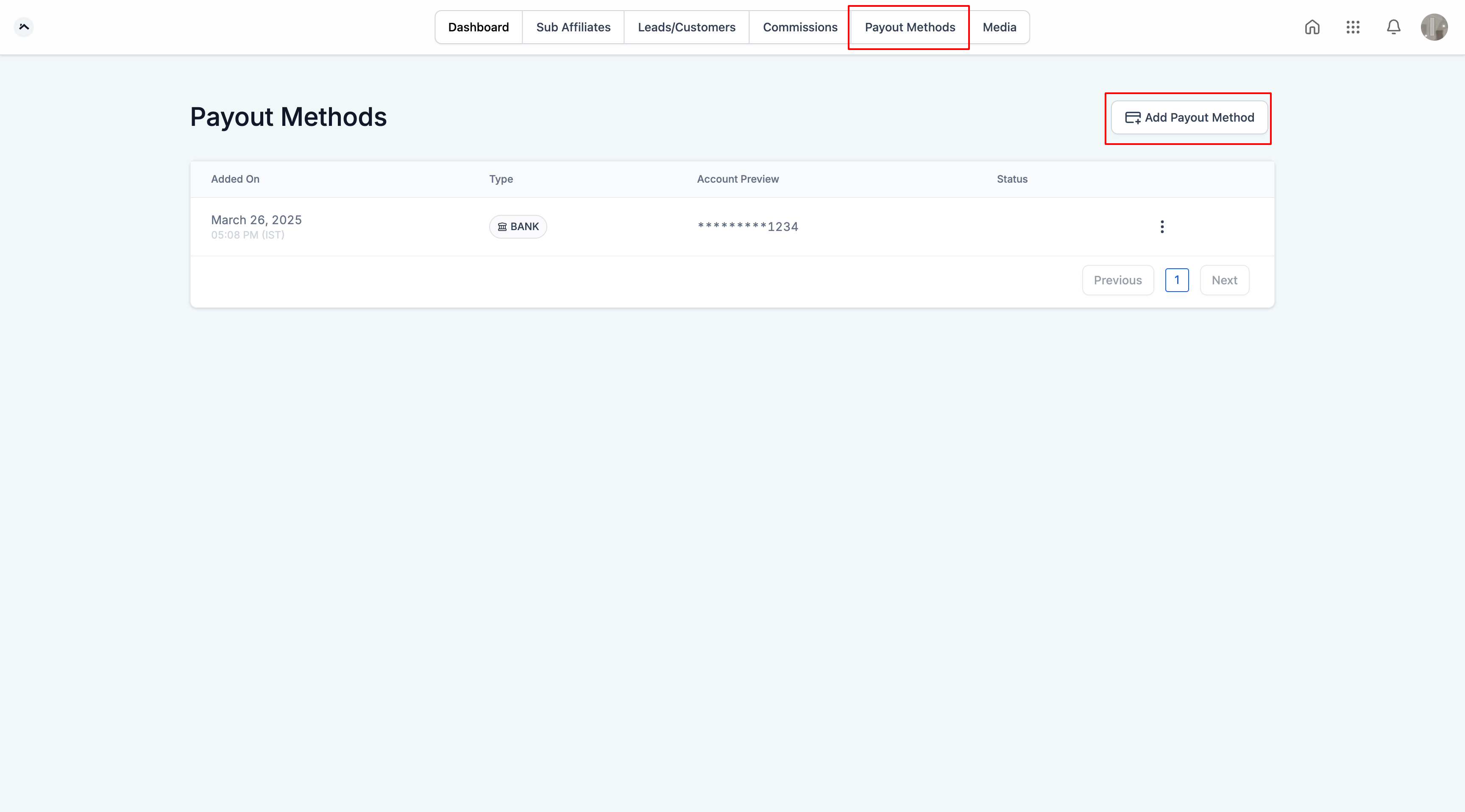
Inside the portal, switch to the "Payout Methods" tab. This is where you'll add and manage the account you want your commissions sent to.
Adding a payout method
Step 3: Click "Add Payout Method"
From the Payout Methods tab, click "Add Payout Method" to start setting up a new payout account.
Step 4: Choose your method and enter your details
Two payout options are typically available:
PayPal: Enter a valid PayPal email address. This is the account your commission payouts will be sent to.
Bank Transfer: Select your country, then fill in the required banking details for that country (account number, routing information, and similar fields).
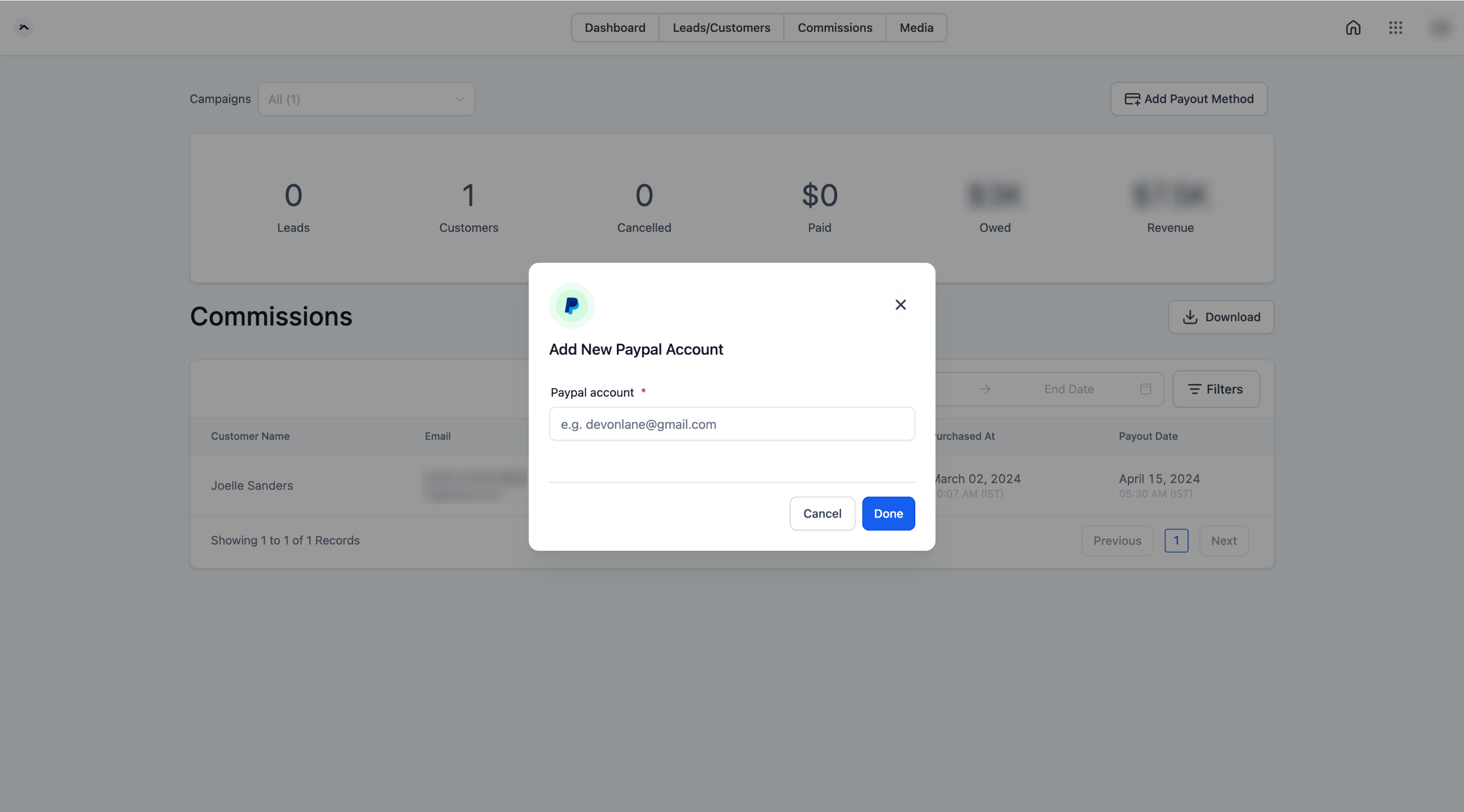
Which of these options you see depends on what your practice has enabled in Affiliate Manager, some practices only offer one payout method.
Step 5: Click "Done" to save
Once your details are entered, click "Done" to save the payout method. You can add more than one payout method to your account and mark one as your primary, so if you ever want to switch how you get paid, you don't need to delete and re-add anything.
A note on PayPal accuracy
PayPal's payout system does not currently validate that an email address is linked to an active PayPal account before sending funds. Double-check your PayPal email is entered correctly before saving, an incorrect address can delay or misdirect your payout.
Frequently Asked Questions
Do I need a password to access my Affiliate Portal? No. You log in using the magic link your practice sent you. If you can't find it or it's expired, reach out to your practice contact for a new one.
What payout methods can I choose from? PayPal and Bank Transfer are the two options supported. Your practice controls which of these are turned on for affiliates, so you may only see one depending on their settings.
Can I have more than one payout method on file? Yes. You can add multiple payout methods and choose which one is your primary. Commissions are sent to whichever method is set as primary.
How do I change my primary payout method? Open the Payout Methods tab, add the new method if it isn't already there, and set it as primary. You don't need to remove your old method first.
I entered the wrong PayPal email. What happens? Because PayPal doesn't validate email addresses against active accounts before sending a payout, funds could go to the wrong place or simply fail to arrive. Go back into Payout Methods and correct the email as soon as possible, and let your practice know if a payout may already be in transit.
Why don't I see the Payout Methods tab? This usually means the affiliate program hasn't fully activated your account yet, or your practice hasn't enabled payouts for affiliates. Contact your practice for help.
Is my bank information secure? Your banking and PayPal details are stored to process your payouts and are only used for that purpose. If you have specific security questions, ask your practice contact.
When will I actually get paid once my payout method is set up? Payout timing and frequency are set by your practice, not by this setup step. Adding a payout method only tells the practice where to send commissions once a payout runs, check with your practice for their payout schedule.
Can my practice see which payout method I chose? Yes, practices manage affiliate payout settings from their own Affiliate Manager and can see which method you have on file.
What if my country isn't listed under Bank Transfer? If your country doesn't appear in the bank details form, use PayPal instead, or contact your practice to ask about alternate payout arrangements.