Affiliate Manager lets you pay referral partners through PayPal or direct Bank Transfer. As the account admin, you control which payout methods are available portal-wide, and you (or the affiliate) can attach the actual payout details to each affiliate's profile. This guide covers both steps.
Before any affiliate can be paid, turn on the payout methods you want to offer.
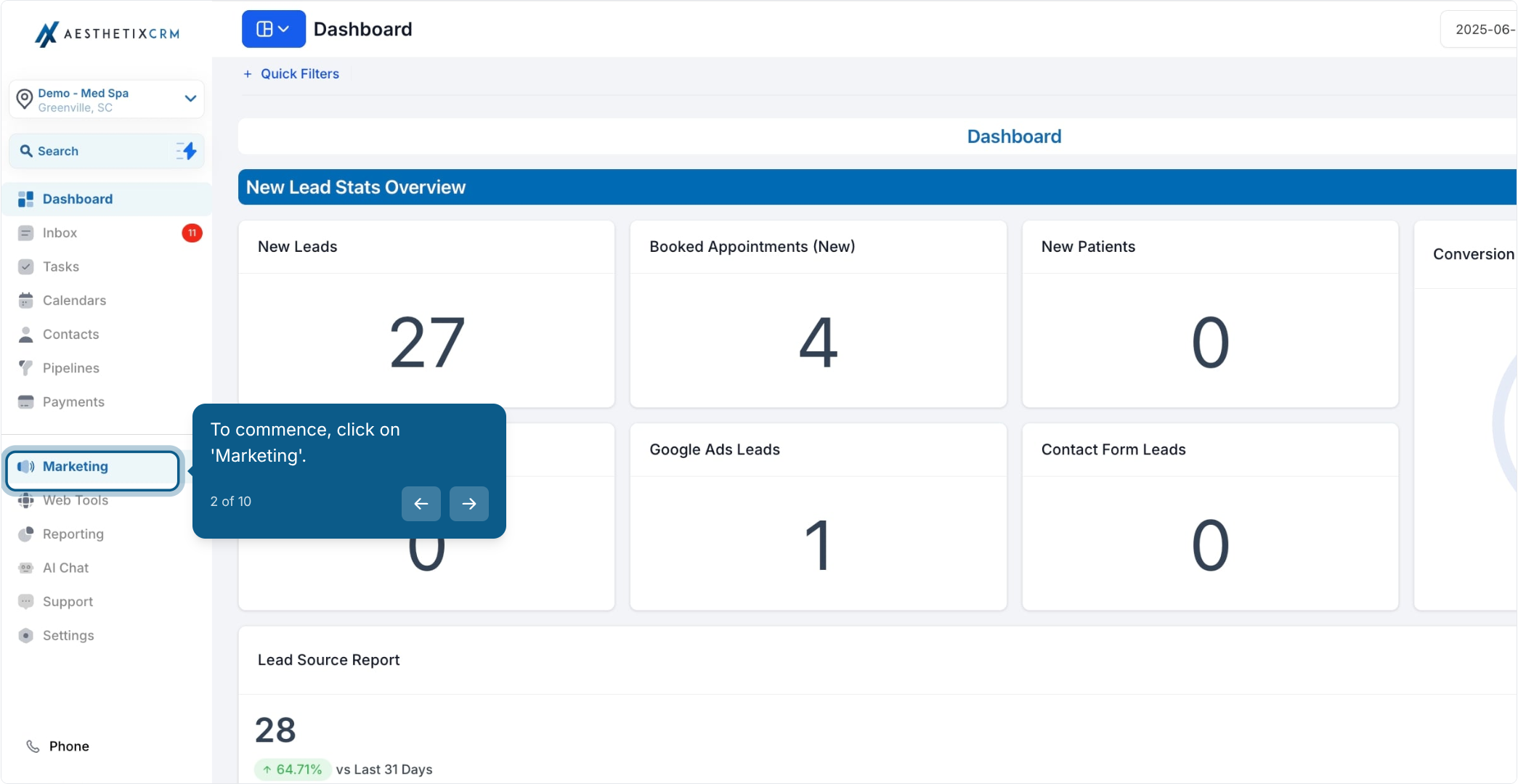
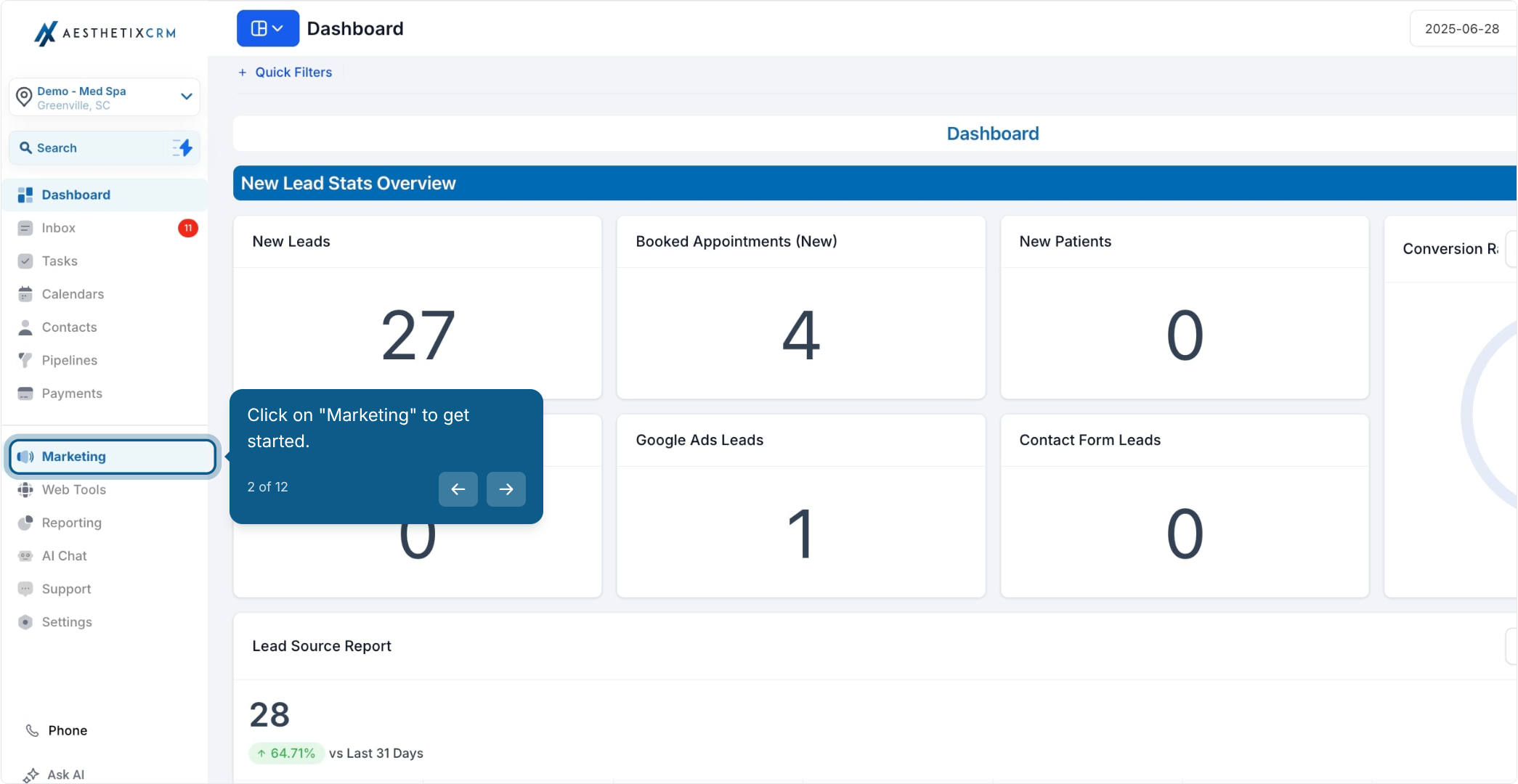
From the left menu, click Marketing.
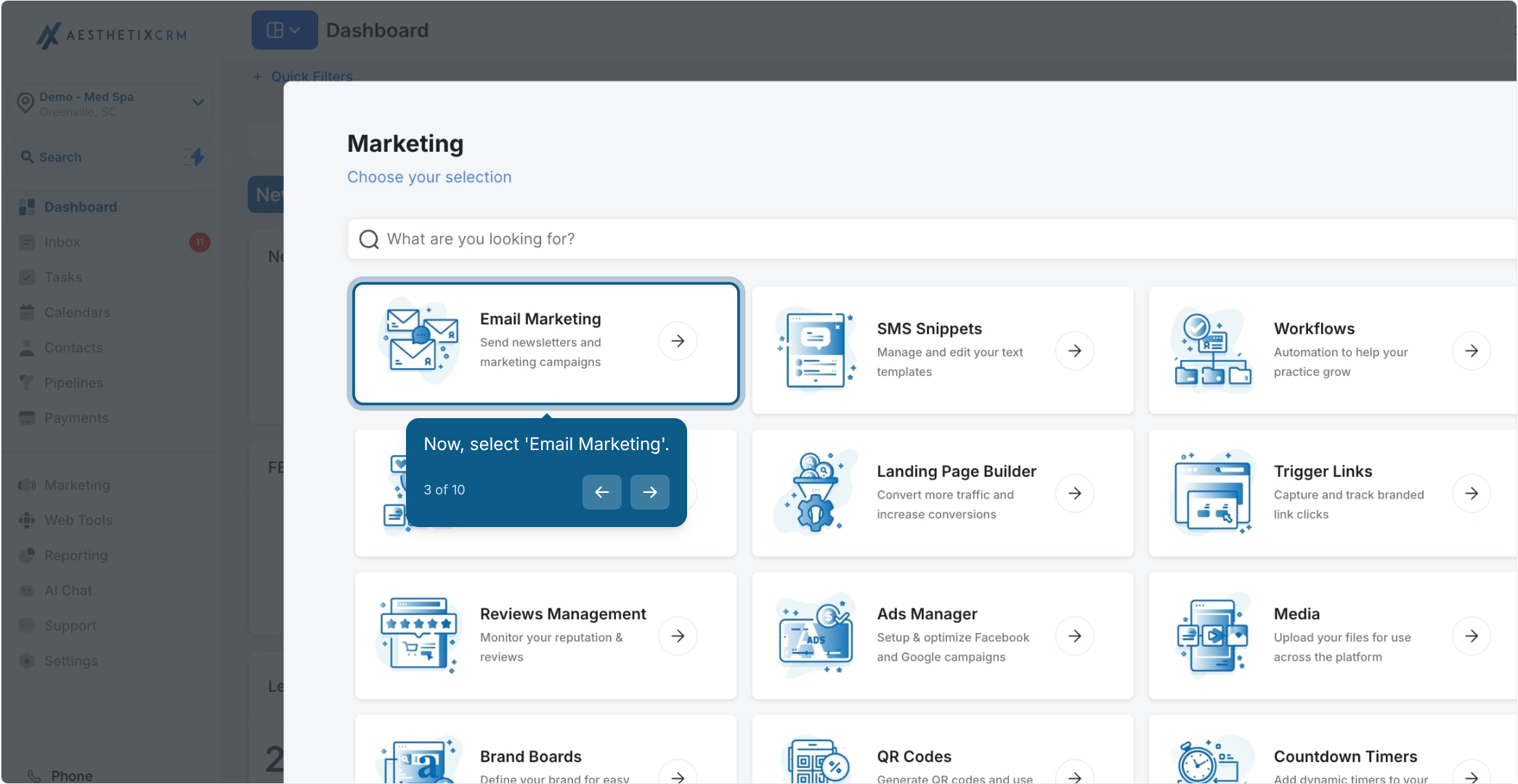
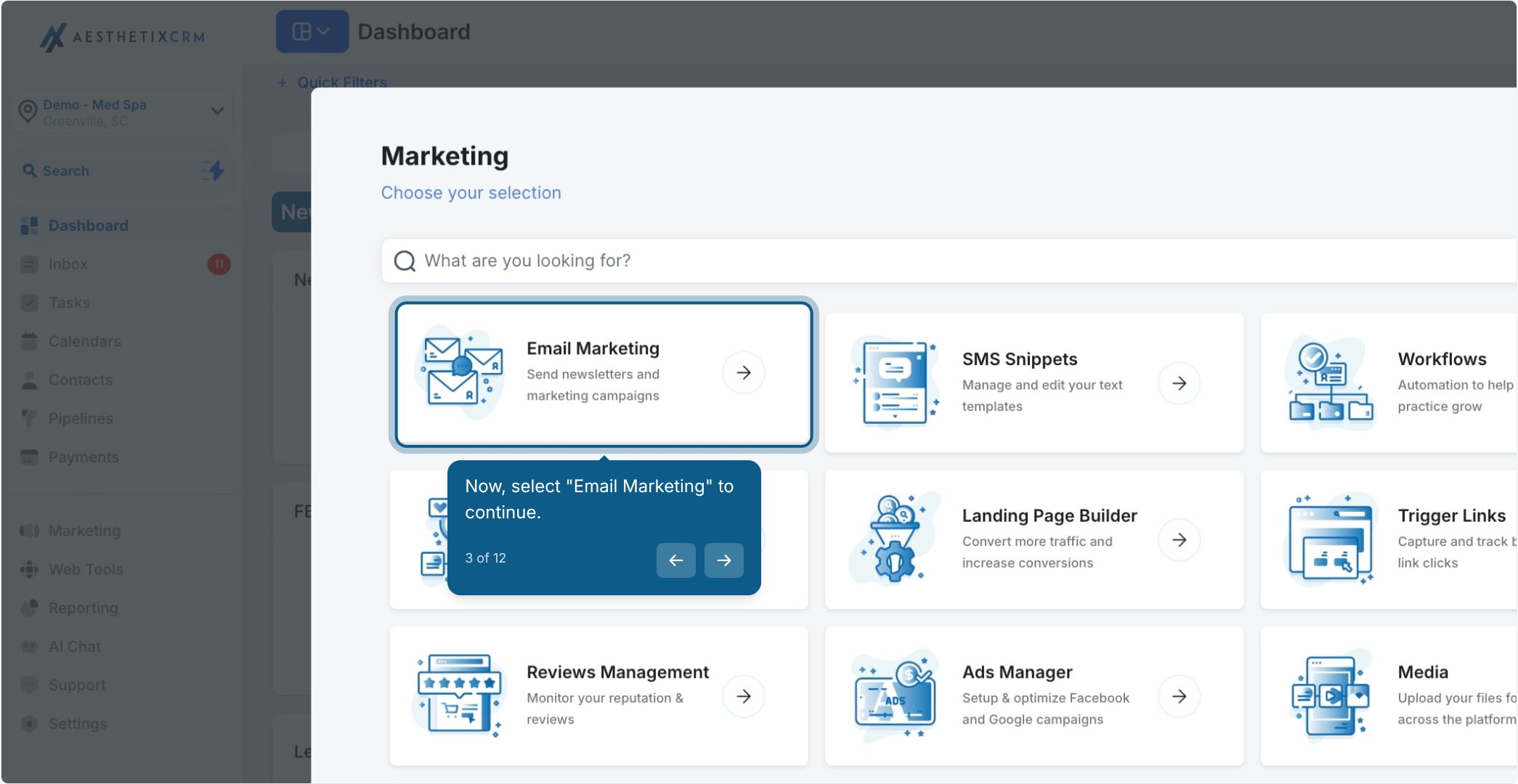
Select Email Marketing.
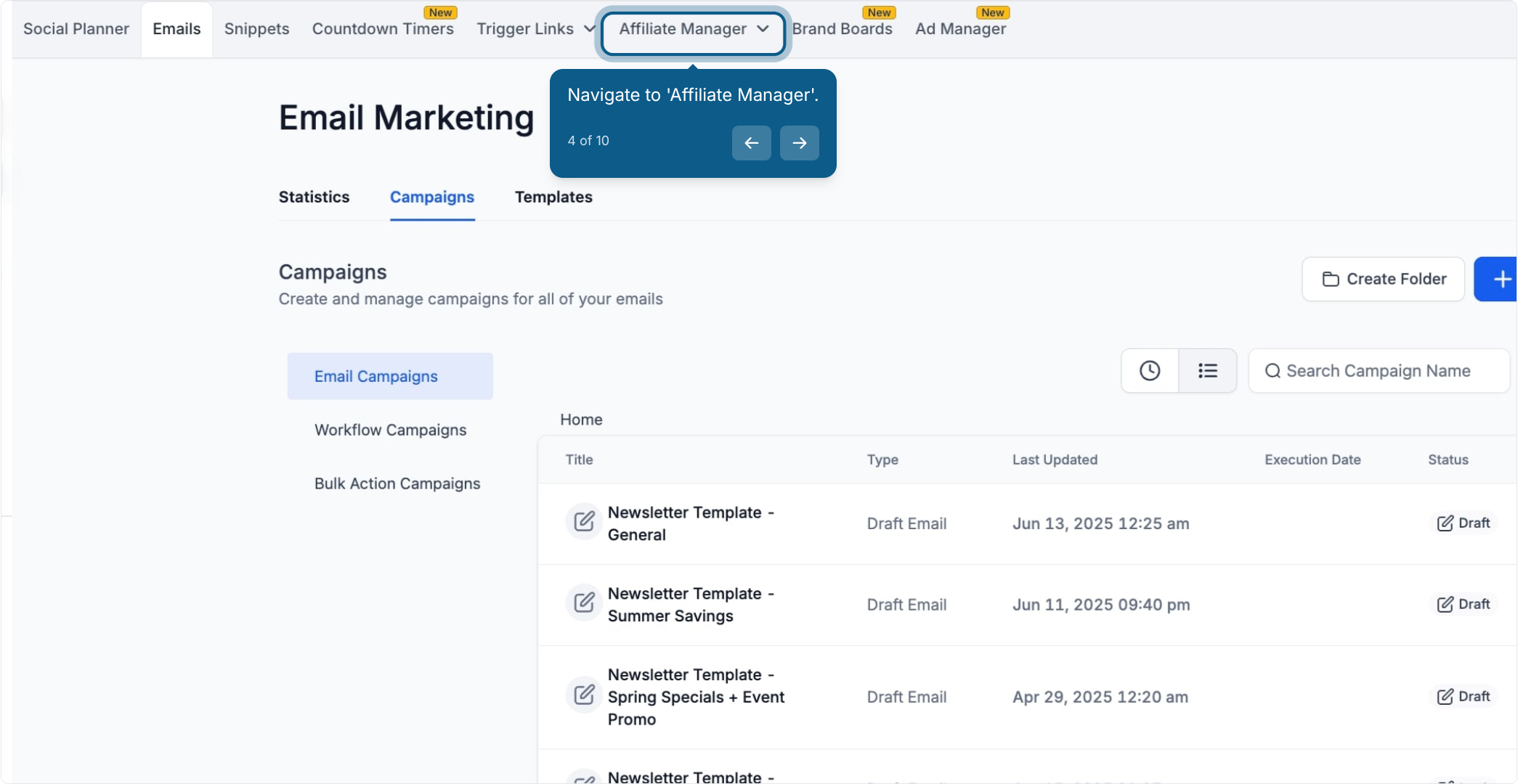
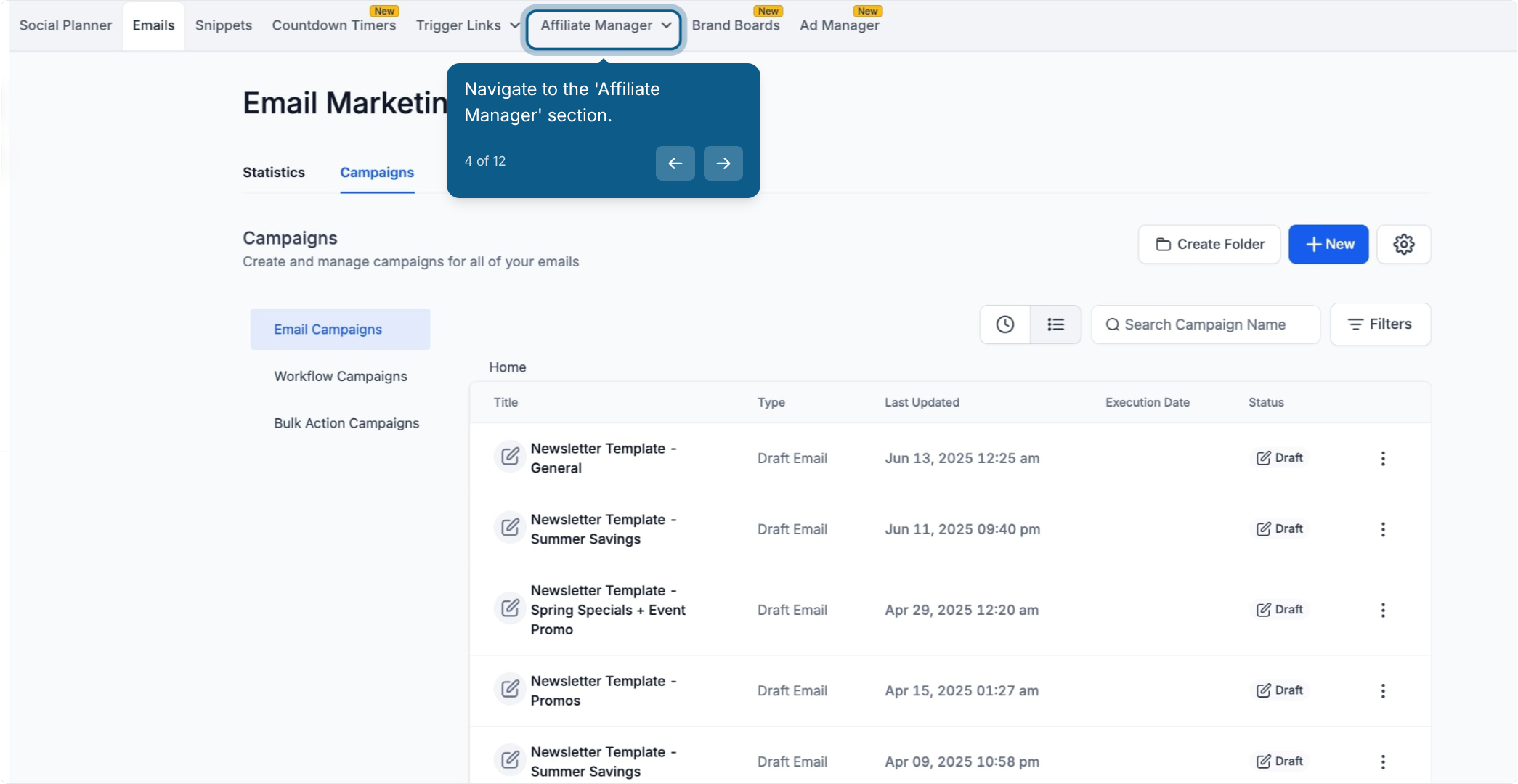
Navigate to Affiliate Manager.
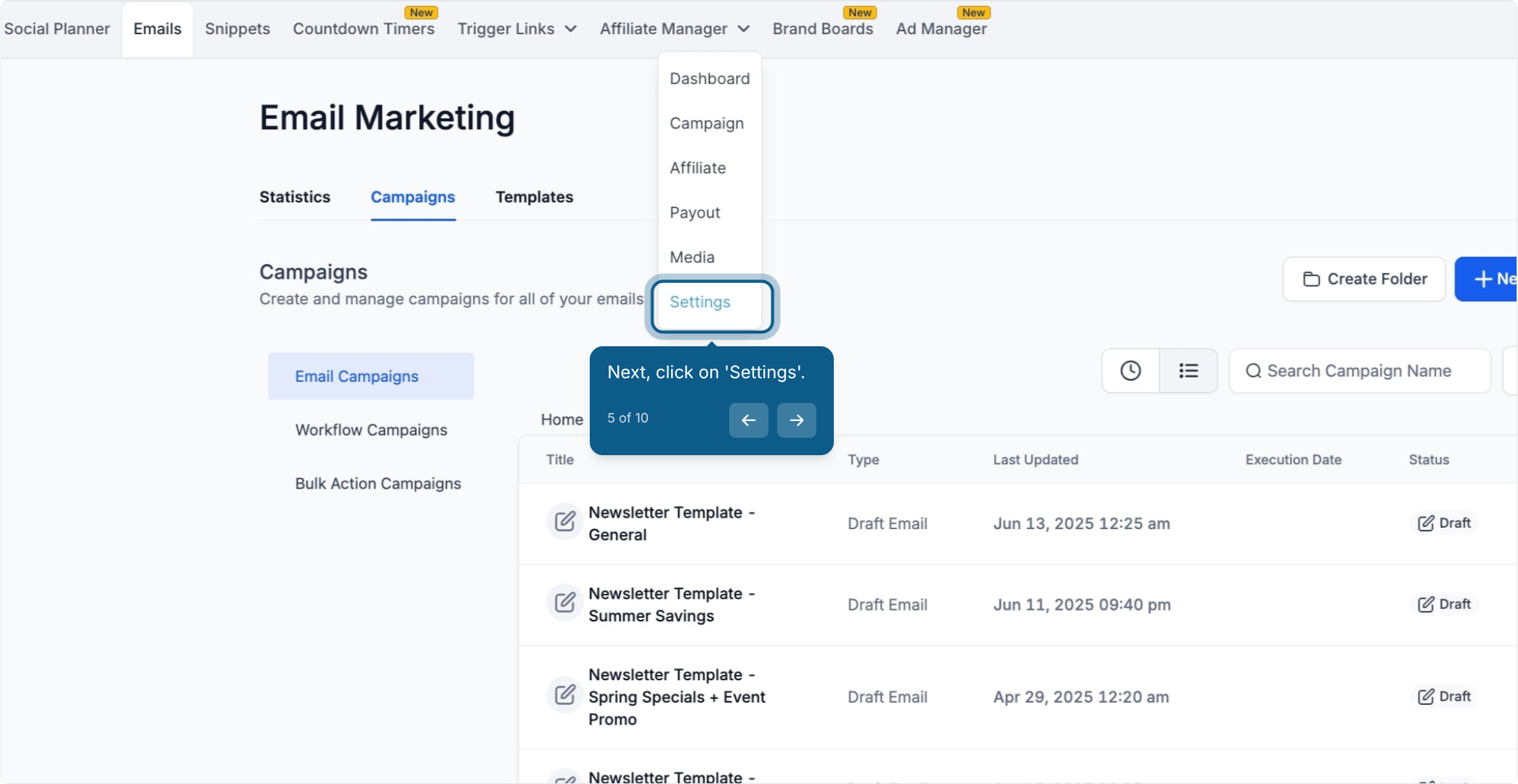
Click Settings.
Click Affiliate Portal Settings.
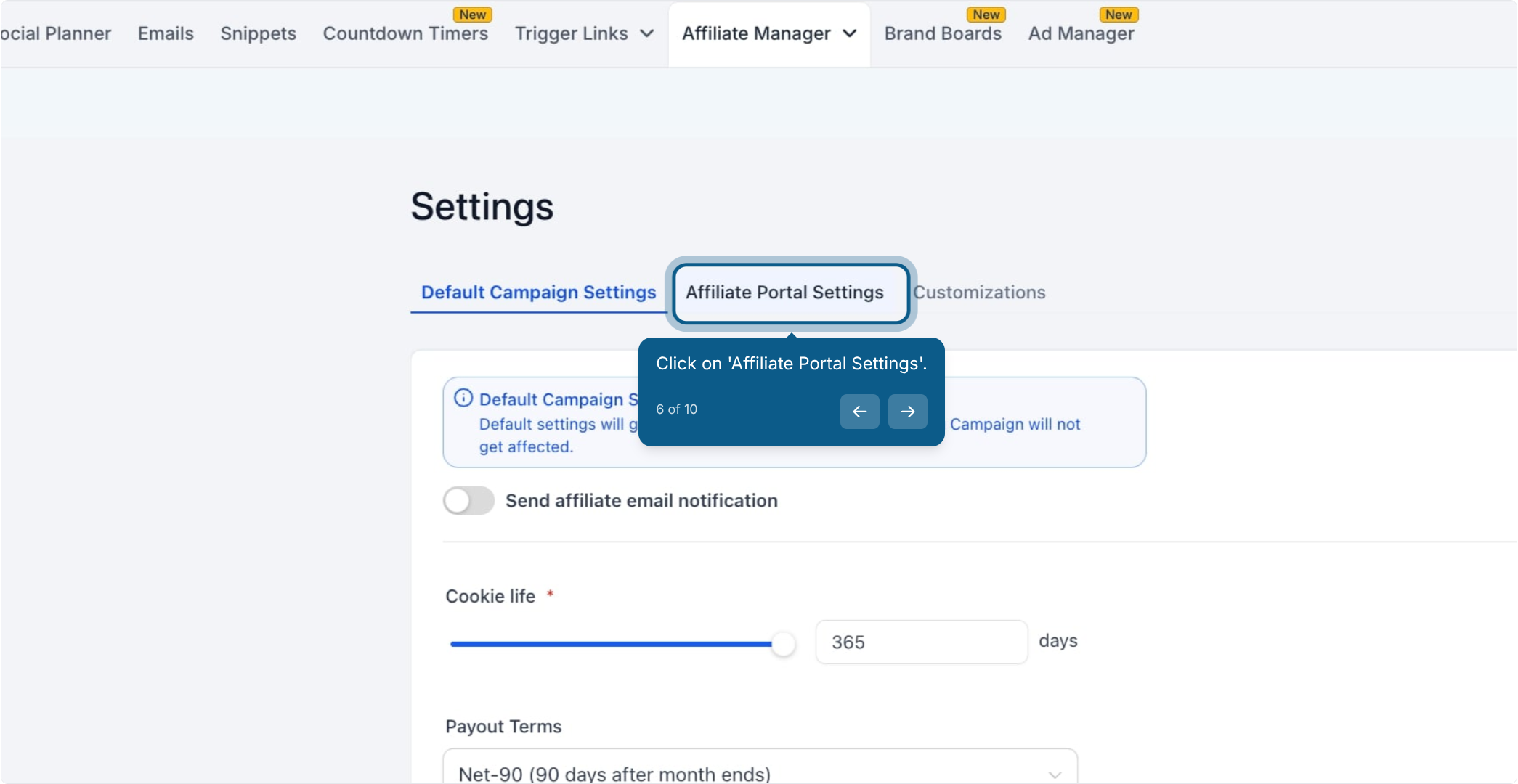
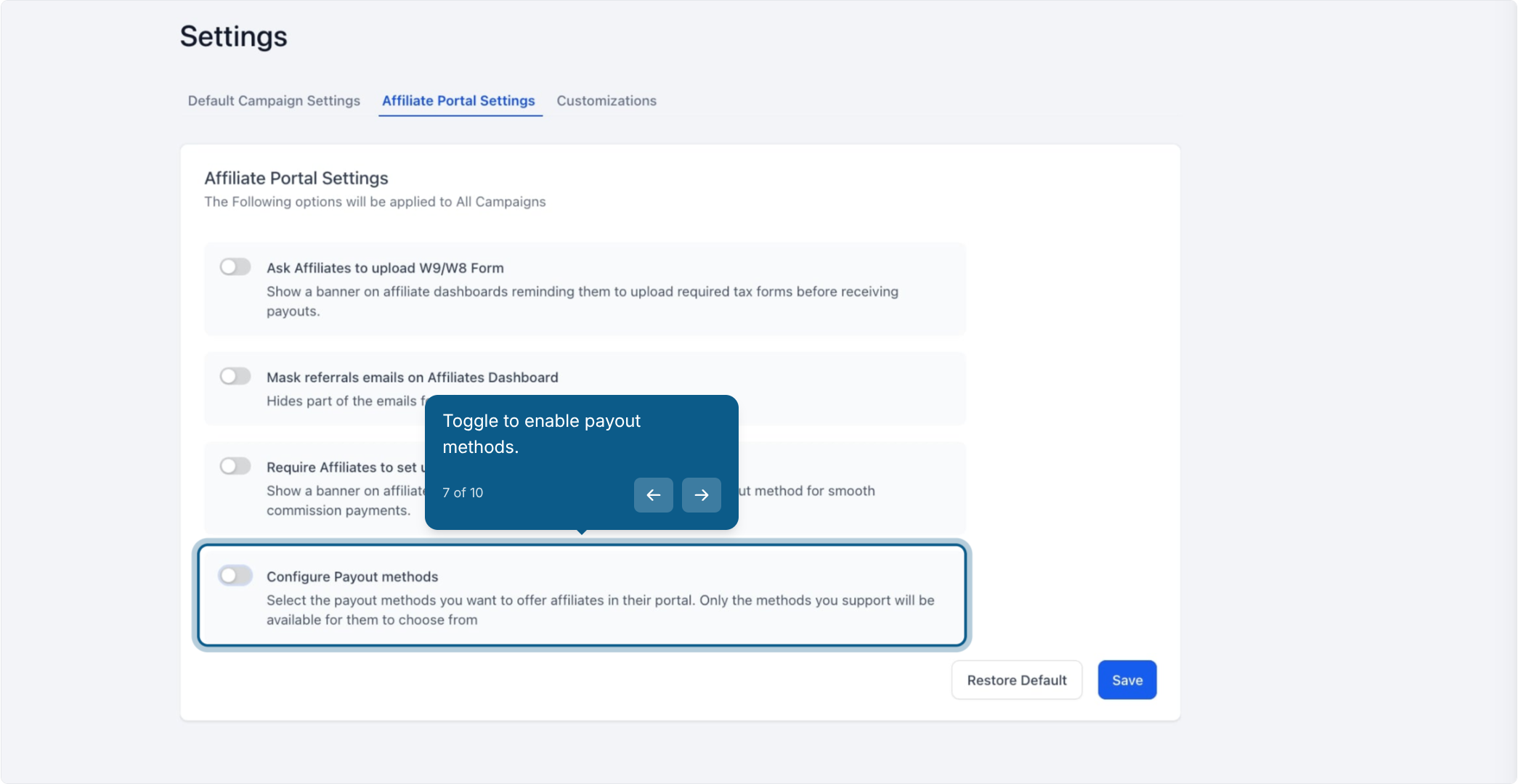
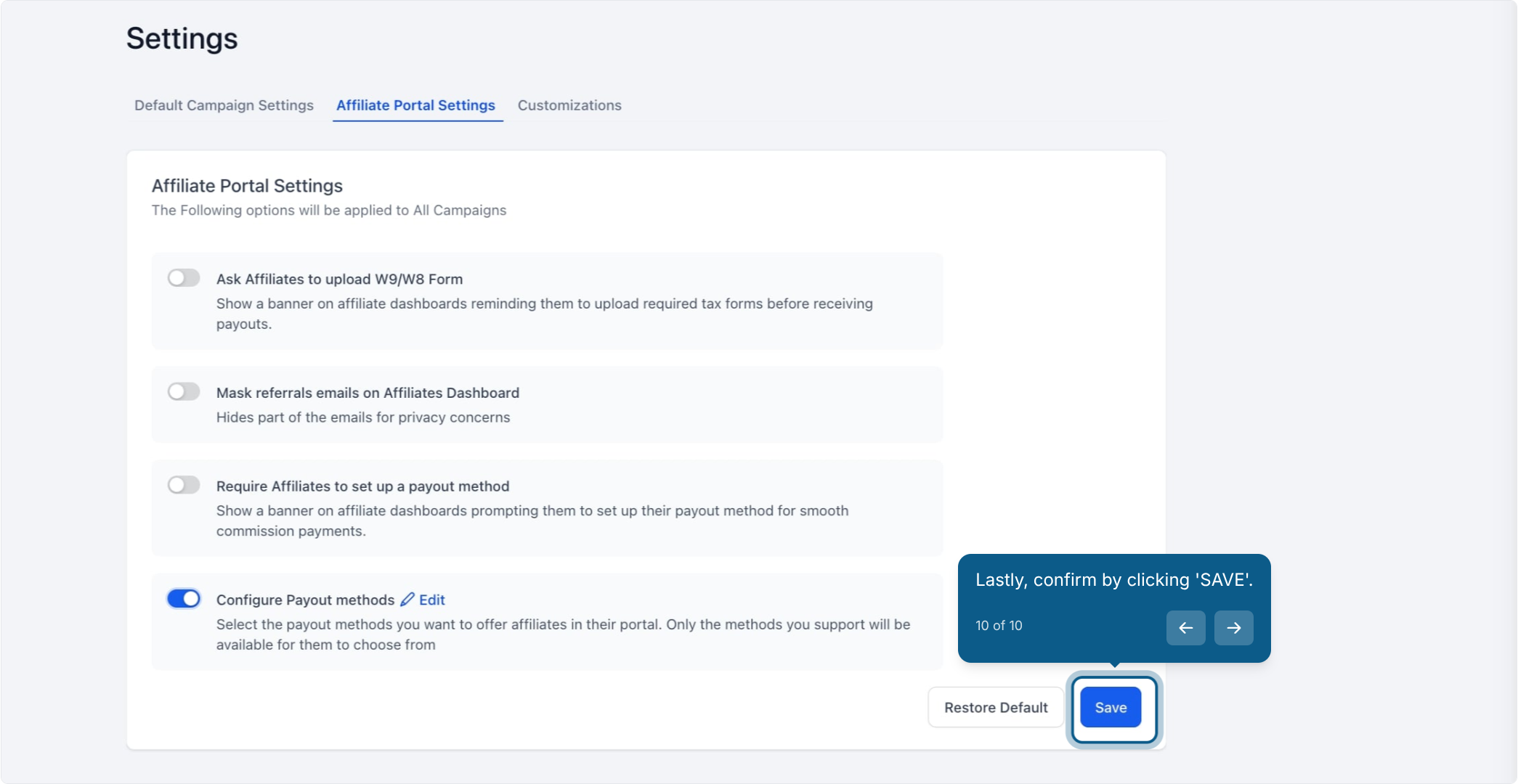
Toggle on the payout methods you want available. Affiliates will only see the options you've enabled here, which keeps the payout process simple and avoids confusion over unsupported methods.
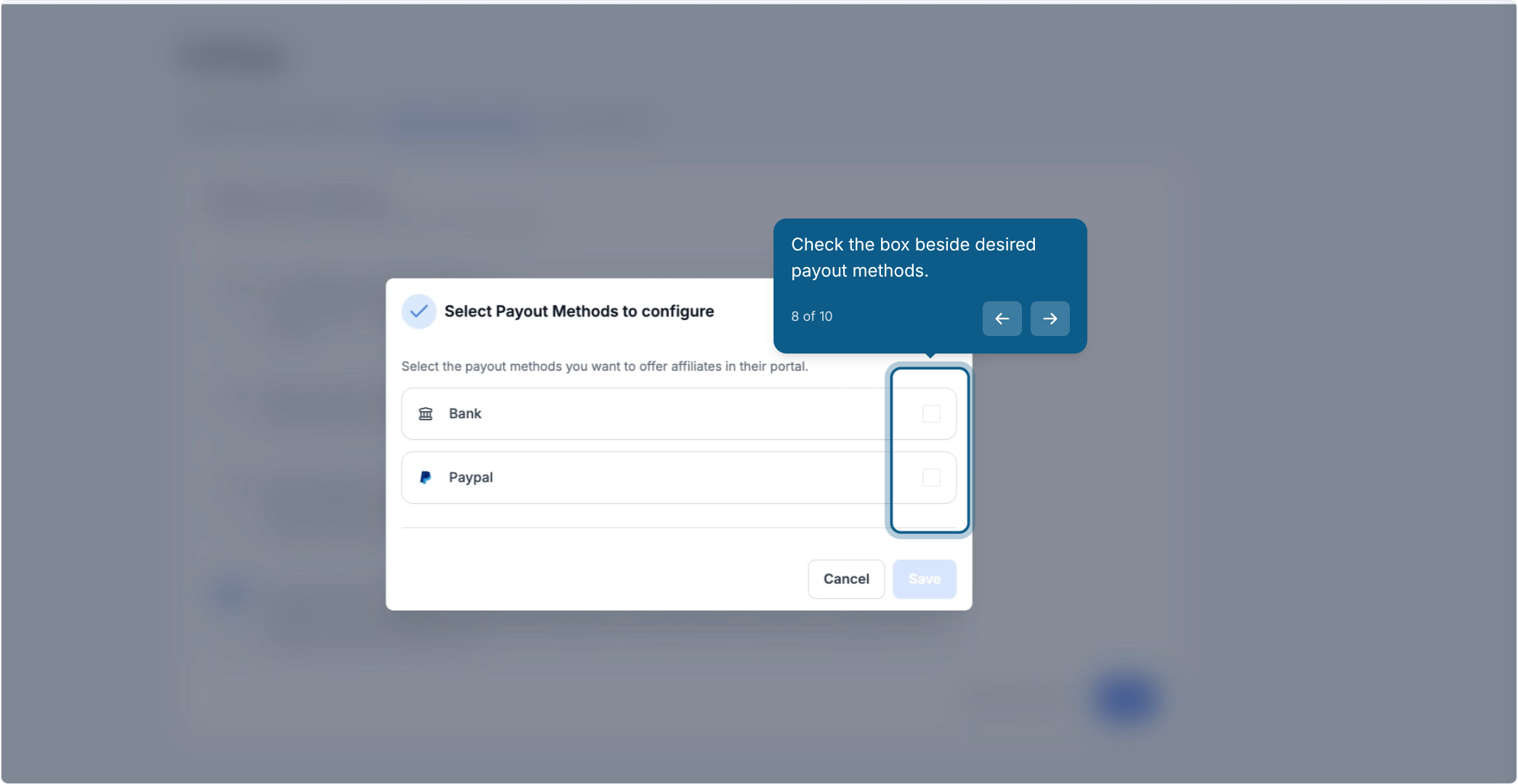
Check the box beside each payout method you want to offer (PayPal, Bank Transfer, or both).
Click Save.
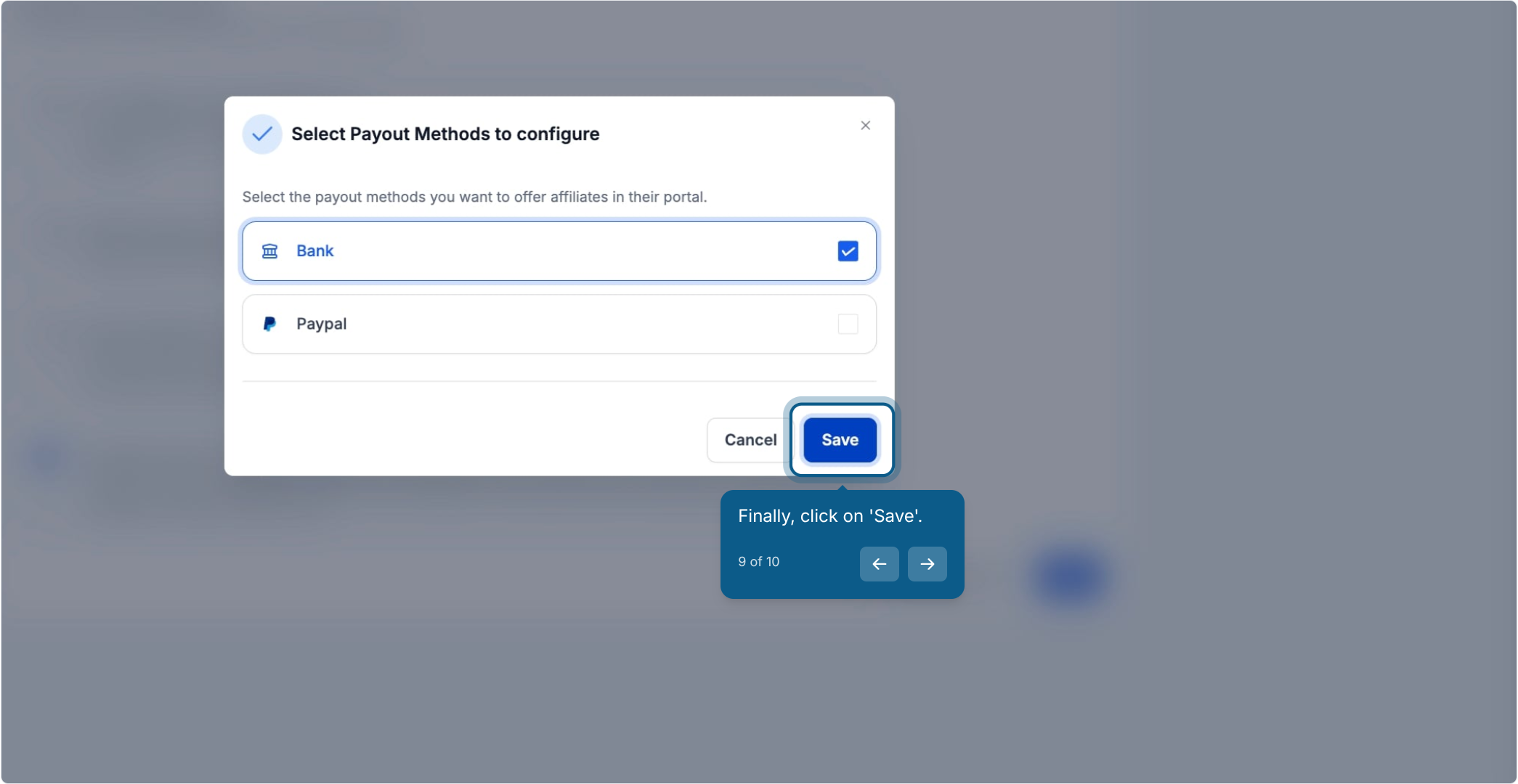
Confirm by clicking Save again on the confirmation prompt.
AX Pay tip: Affiliate commissions are typically calculated from the payments your practice processes for the referred patients. If you haven't switched yet, AX Pay (Aesthetix CRM's built-in payment processor) offers better rates than Stripe and keeps all of your payment and commission data in one place. See the AX Pay guide in Payments for setup details.
Once payout methods are enabled, add the actual PayPal or banking details to an affiliate's profile so they can be paid.
Go to Marketing > Email Marketing > Affiliate Manager.
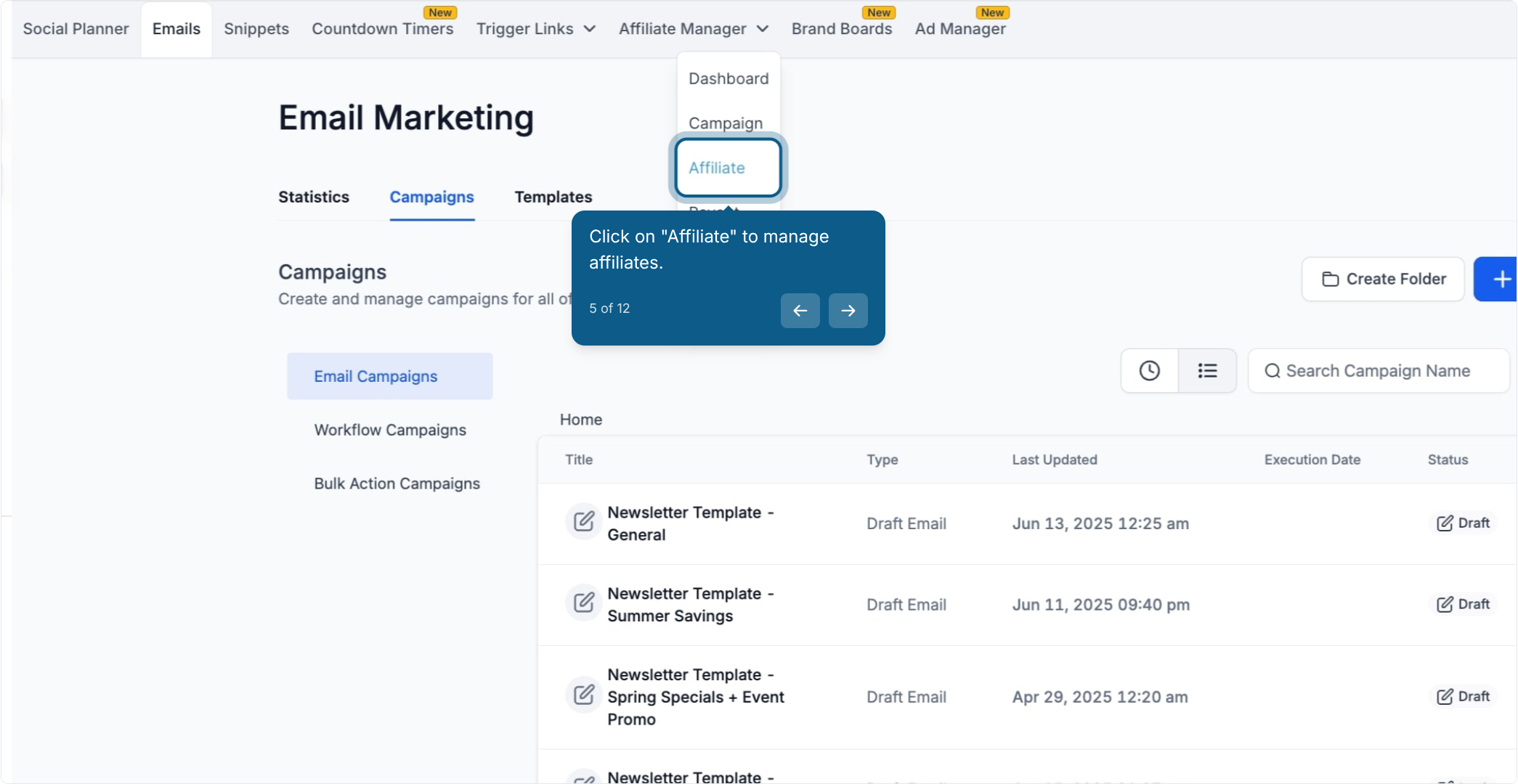
Click Affiliate to open the affiliate list.
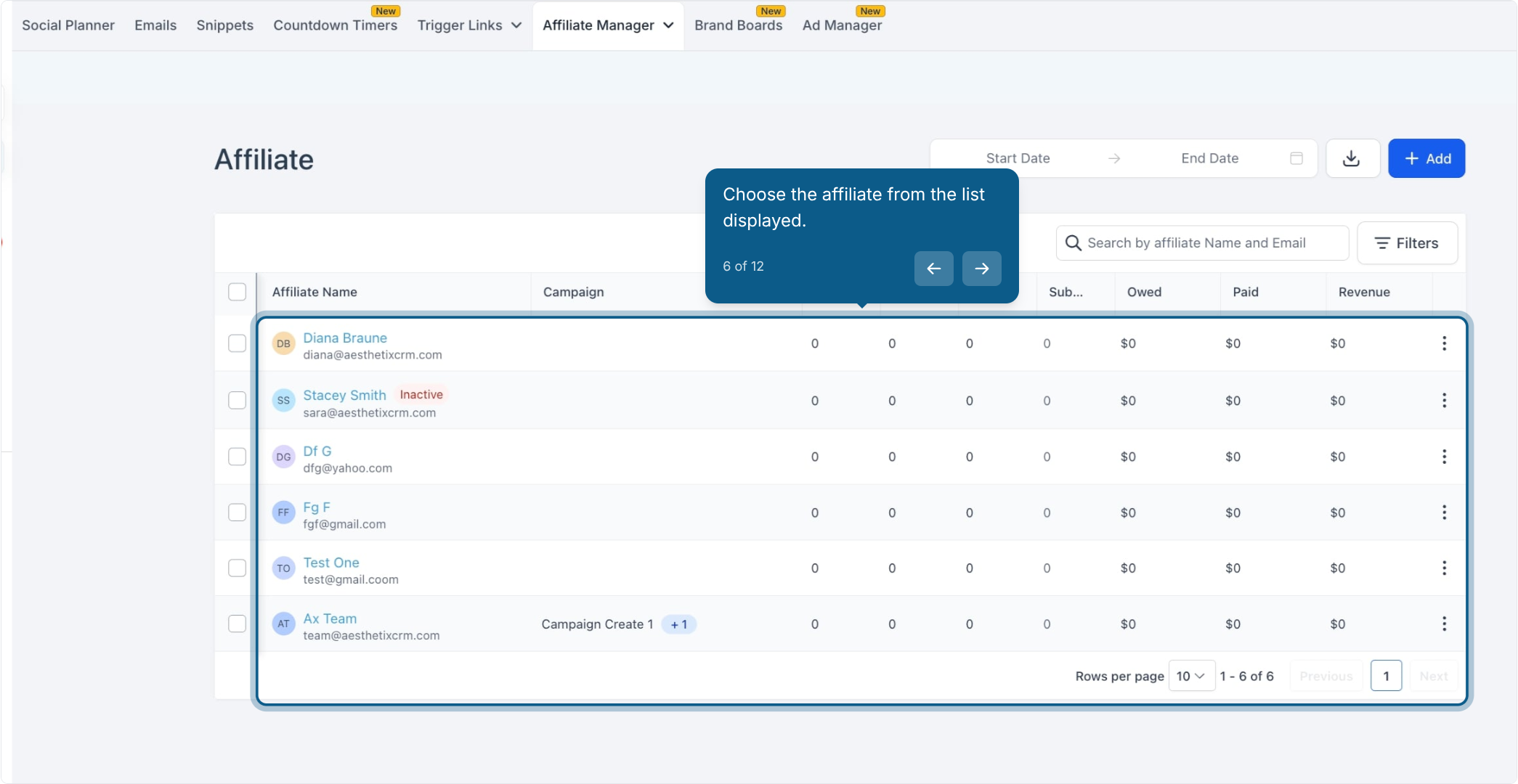
Choose the affiliate from the list.
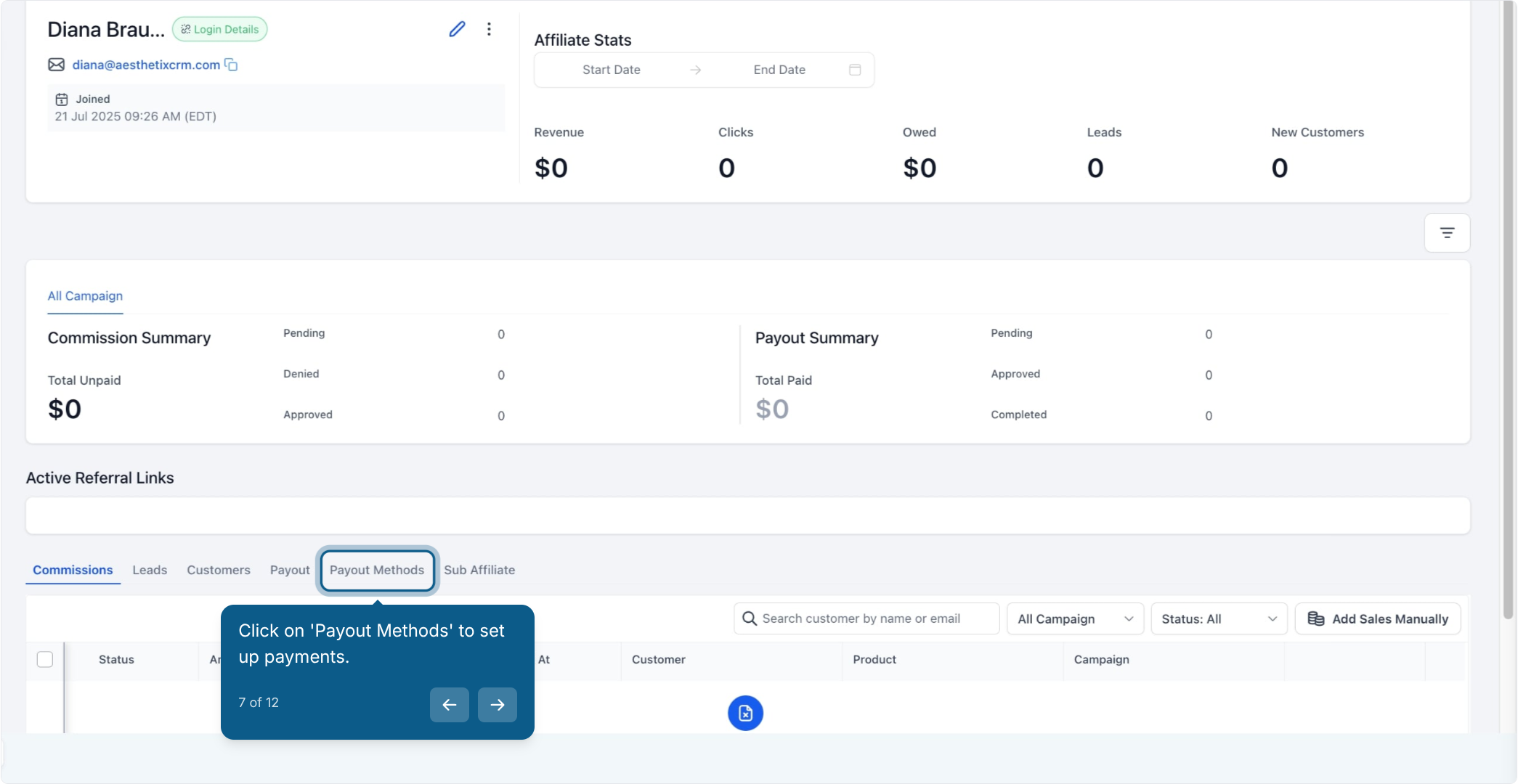
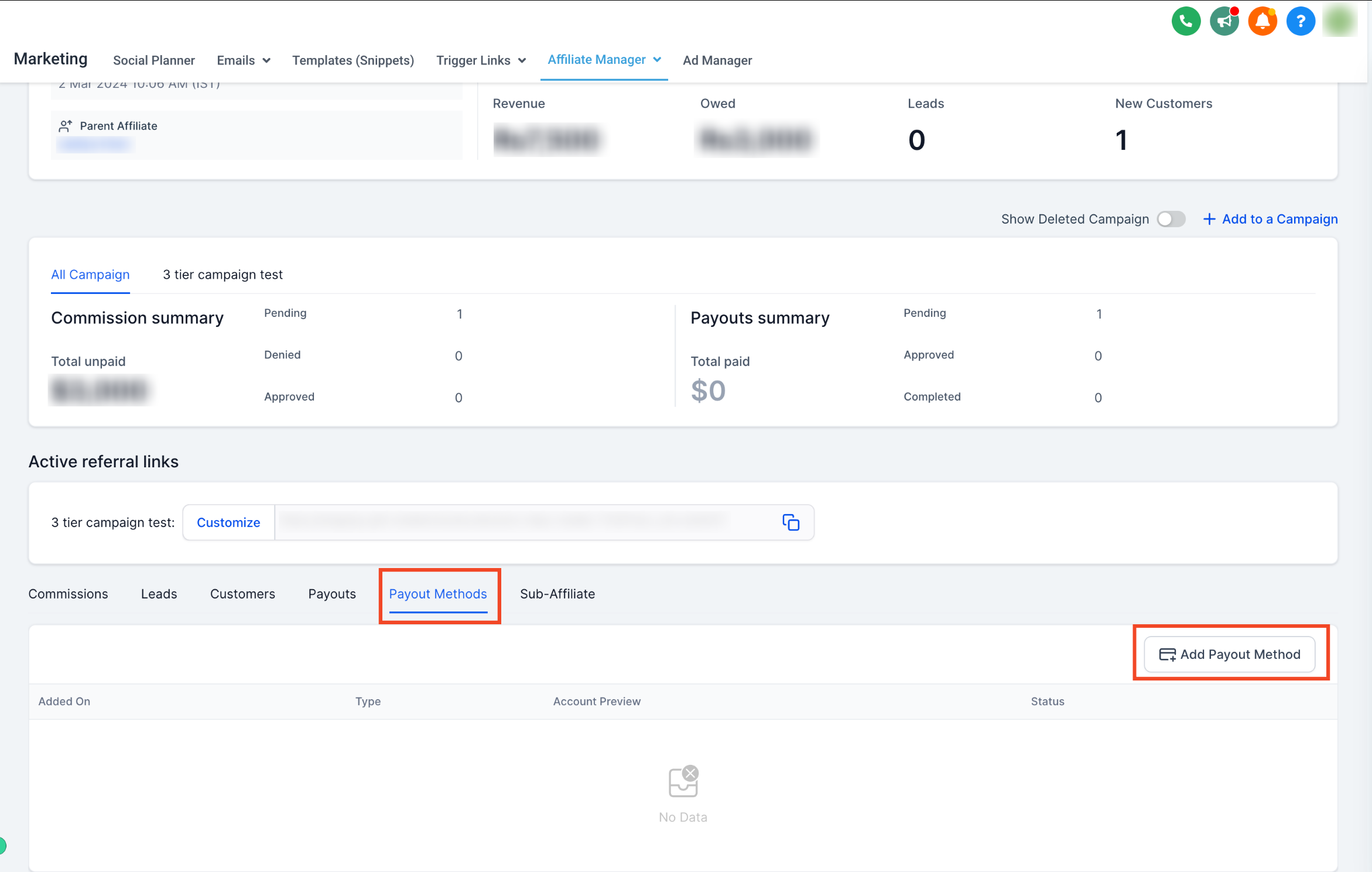
Open the Payout Methods tab on their profile.
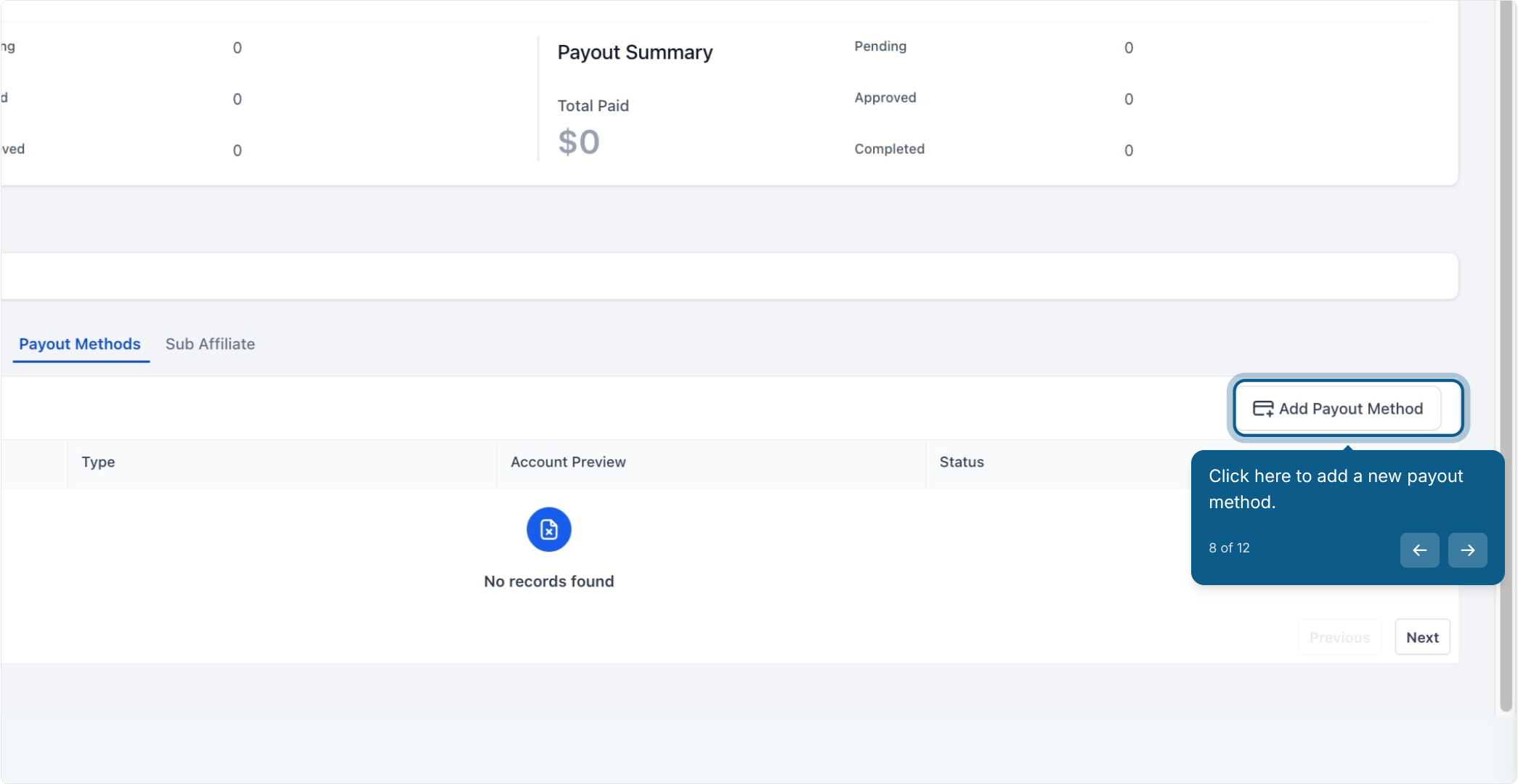
Click to add a new payout method. You can add multiple payout methods for a single affiliate and mark one as the primary method used for payouts.
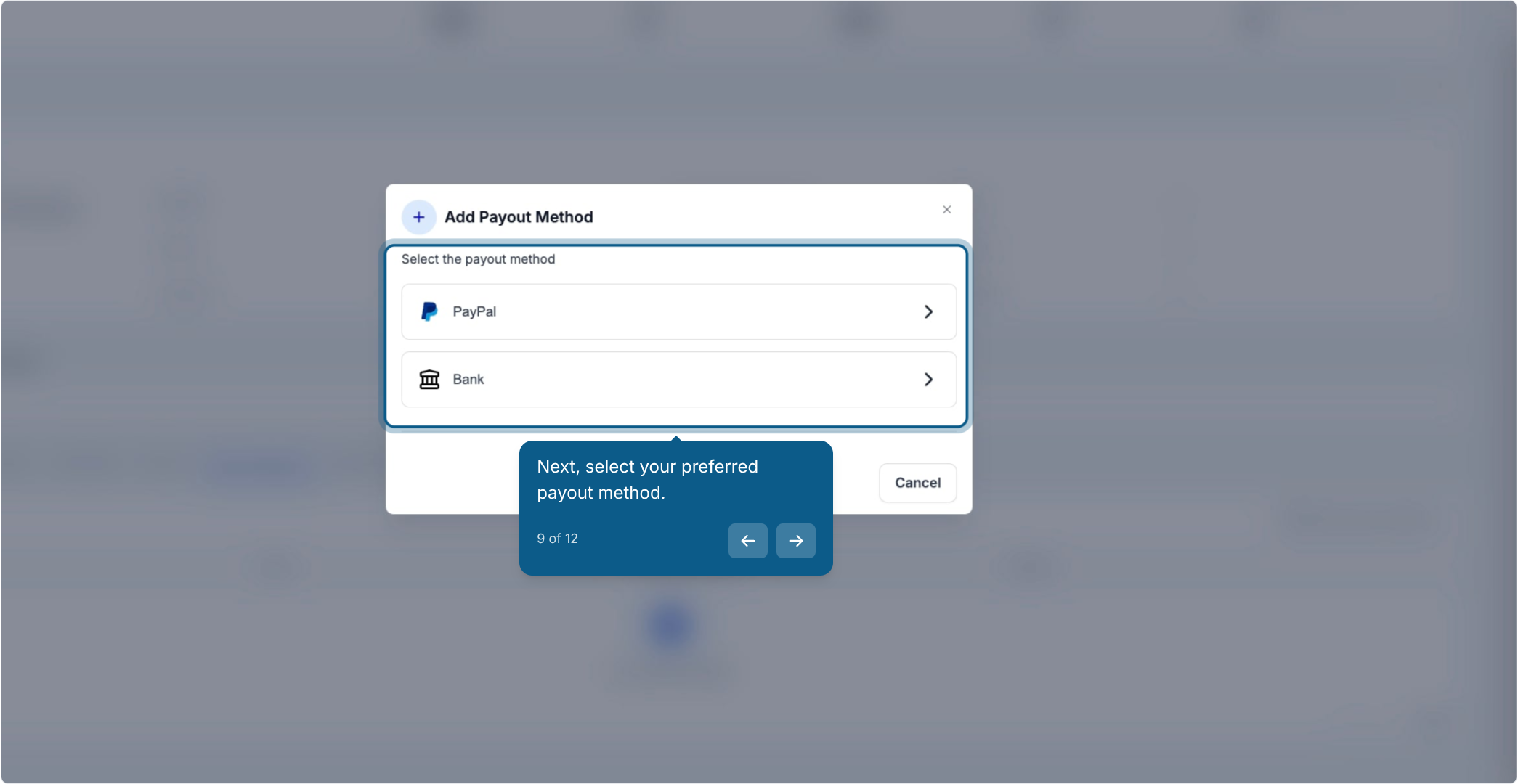
Select the preferred payout method:
PayPal: enter the affiliate's valid PayPal email address.
Bank Transfer: select the affiliate's country, then complete the required banking fields for that country.
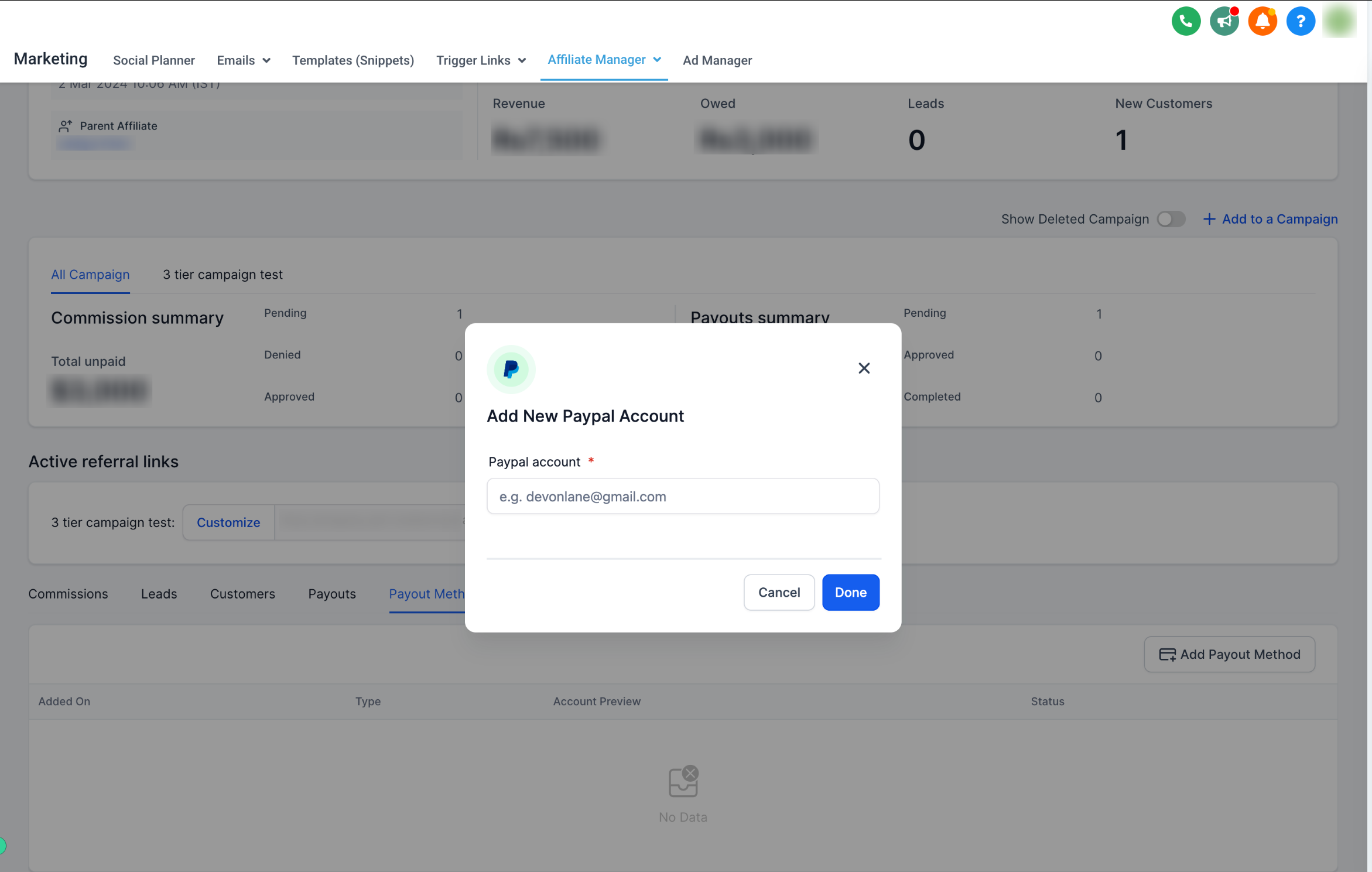
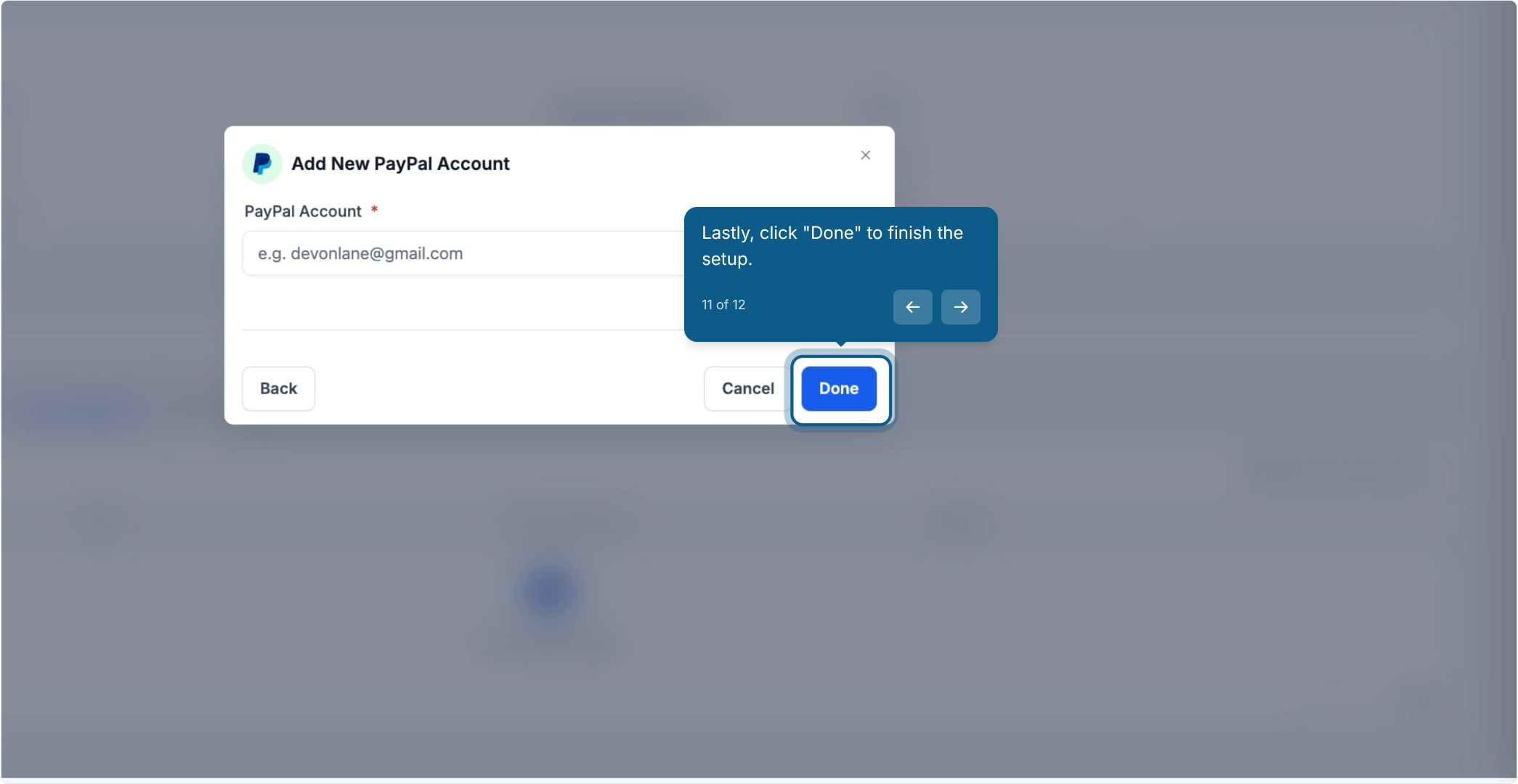
Enter the account details for the method you selected.
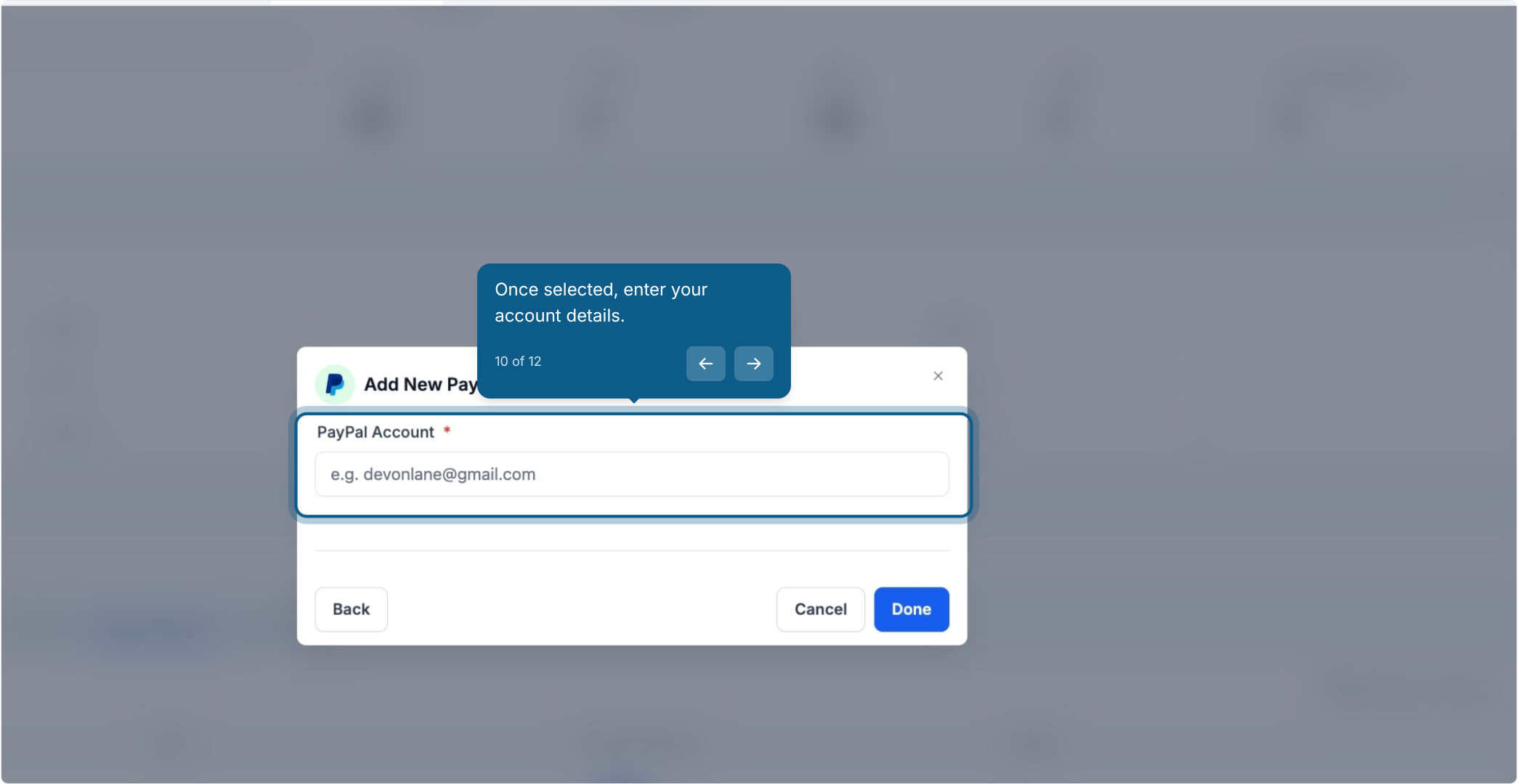
Click Done to finish.
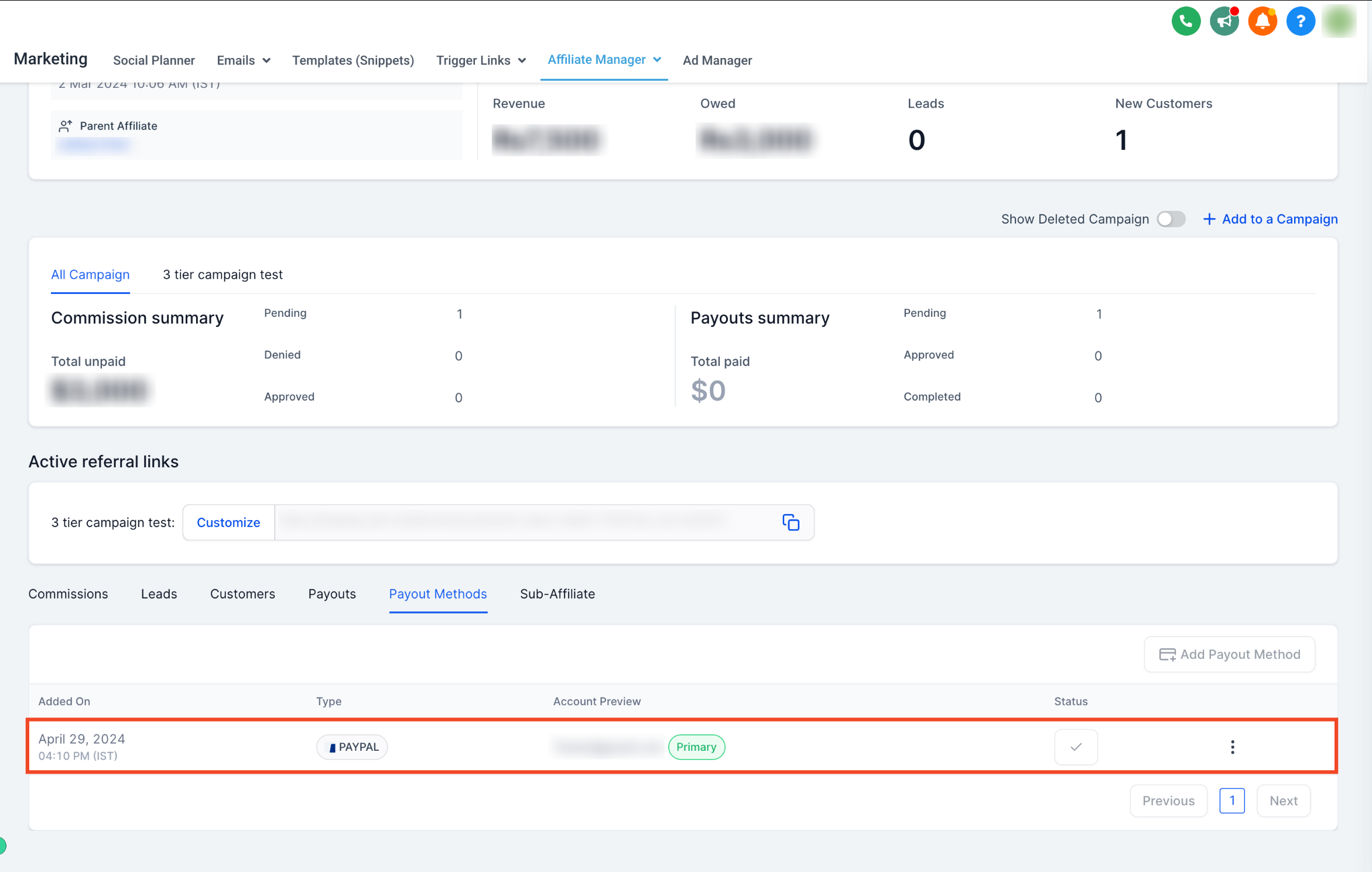
The payout method is now saved to the affiliate's profile. If they have more than one method on file, you can set which one is primary at any time.
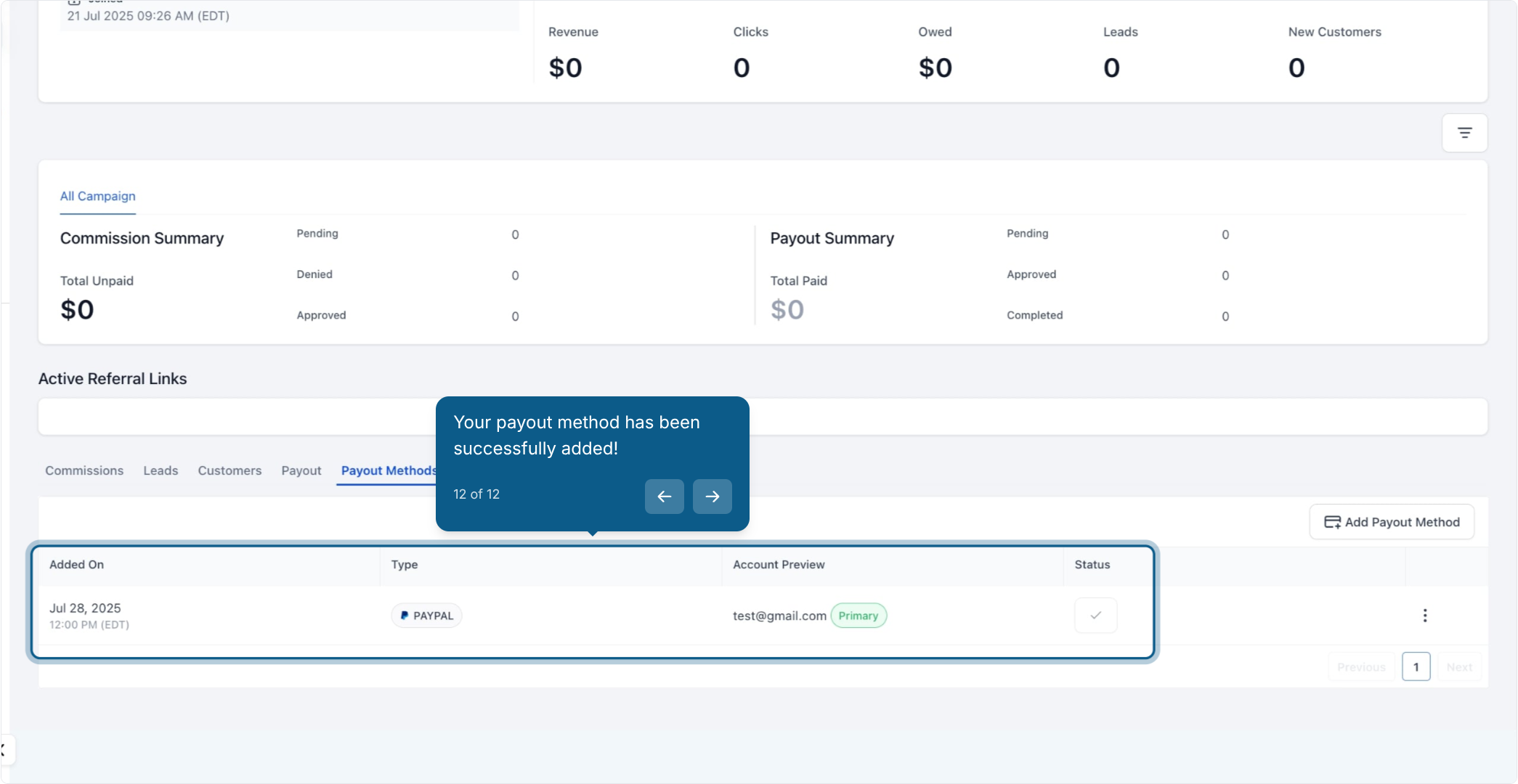
Important: PayPal's API does not currently support account validation, so double-check that every PayPal email address you enter for an affiliate is correct before saving.
Affiliates don't have to wait on you. Once you've enabled at least one payout method (Step 1), affiliates can log in to their own portal and add their payout details directly.
The affiliate logs in to their affiliate portal using the magic link you sent them.
Inside the portal, they switch to the Payout Methods tab.
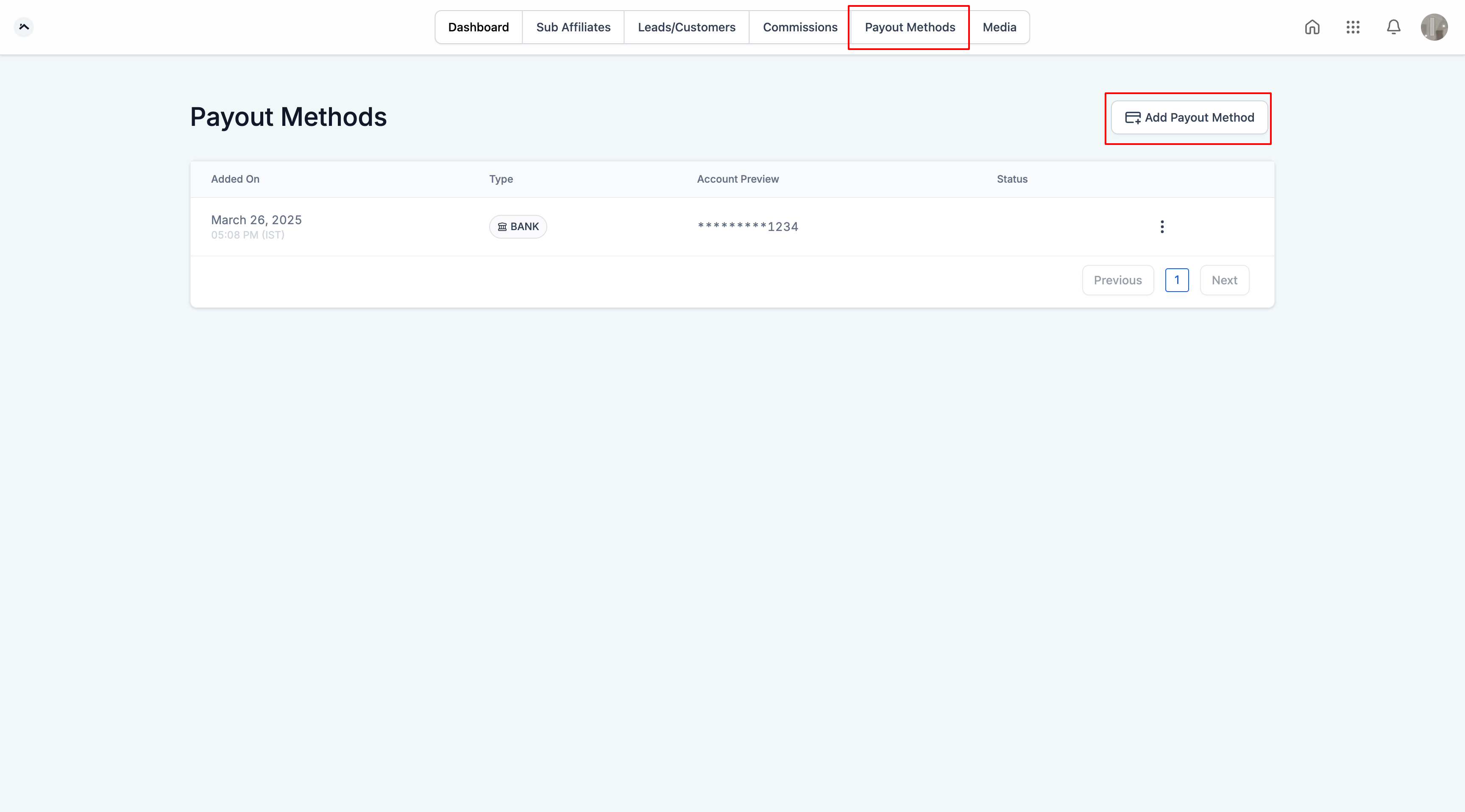
They click Add Payout Method.
They choose their preferred method and fill in the required fields:
PayPal: a valid PayPal email address.
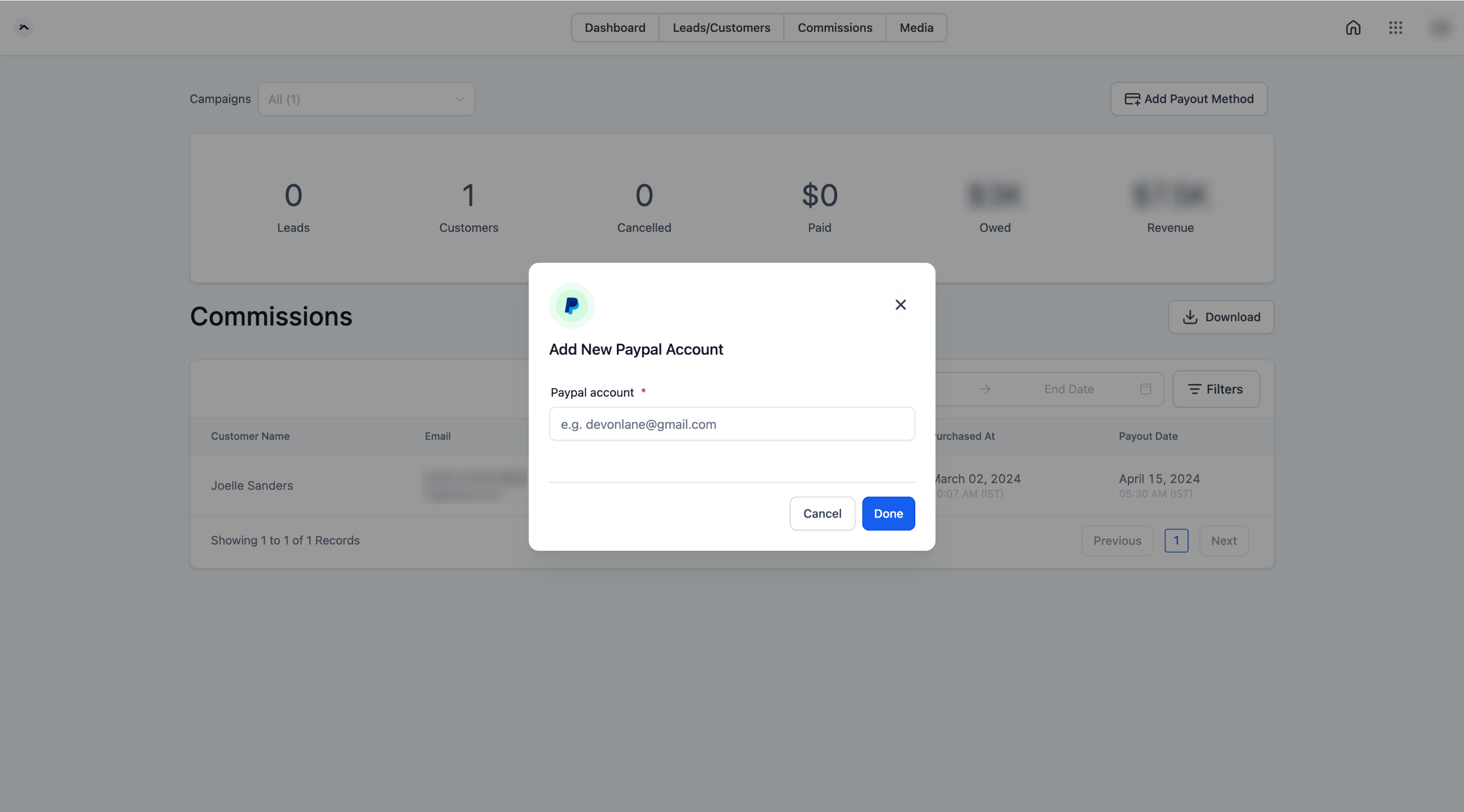
Bank Transfer: their country, followed by the required banking details.
They click Done to save.
Affiliates can add and manage their own payout methods at any time, and the same "no PayPal validation" caution applies: an incorrect email address won't be flagged automatically, so it's worth confirming it with the affiliate directly.
Which payout methods are available for affiliates? Affiliate Manager currently supports PayPal and Bank Transfer. You choose which of these to enable in Affiliate Portal Settings; affiliates only ever see the options you've turned on.
Can an affiliate have more than one payout method on file? Yes. An affiliate can have multiple payout methods saved to their profile, with one marked as the primary method used for payouts.
Who can add a payout method, the admin or the affiliate? Both. As the admin, you can add a payout method directly from an affiliate's profile in Affiliate Manager, or the affiliate can add it themselves from their own affiliate portal once you've enabled at least one payout method.
Does Aesthetix CRM verify PayPal email addresses? No. PayPal's API does not currently support account validation, so an incorrect email will not be caught automatically. Always double-check the address before saving.
What information is needed for Bank Transfer? You'll first select the affiliate's country, which determines the specific banking fields required (such as account and routing details). Complete all fields shown for that country.
Can affiliates get paid before enabling a payout method? No. A payout method must be enabled in Affiliate Portal Settings and then added to the affiliate's profile before any payout can be sent to them.
How do affiliates access their portal to manage payout methods? Affiliates log in using the magic link you provide them, then navigate to the Payout Methods tab inside their portal.
Where do affiliate commission amounts come from? Commissions are generally tied to payments your practice processes for referred patients. If you're using AX Pay as your payment provider, that payment data flows into the same account, which keeps commission tracking straightforward.
Can I change an affiliate's primary payout method later? Yes. If an affiliate has multiple payout methods saved, you or the affiliate can change which one is set as primary at any time from the Payout Methods tab.
Is Affiliate Manager related to Workflows? Affiliate signups, approvals, and commission events can trigger automations. Payout method setup itself happens in Affiliate Manager, but the automations around it are built and managed in Workflows.
