Affiliate Manager isn't limited to pages you build inside Aesthetix CRM. You can add any external website URL and start tracking affiliate sales on it in minutes, using one universal link that covers your entire domain (including subdomains). This lives under Affiliate Manager > Campaigns.
External website support: Add your external site's URL and your affiliates are tracking sales on it right away.
Universal tracking: One affiliate link tracks sales across your whole website, including subdomains, so affiliates don't need a separate link for every page.
Product-based commissions: Set custom commission rates for specific products, or fall back to a default rate for everything sold through your connected Stripe account.
Recurring subscriptions: Upgrades, downgrades, and recurring payments are tracked automatically, so affiliates keep earning commission on every eligible transaction, not just the first sale.
Affiliates and referral partners can promote your practice's products or offers on any website, not just funnels or pages built in Aesthetix CRM. With domain-wide tracking and a single universal link, you can run a broader referral program (think retail product lines, membership offers, or skincare bundles) without asking partners to manage multiple tracking links.
Only products sold through a connected Stripe account are currently supported for affiliate tracking on external websites.
One-time products always follow your default commission setting.
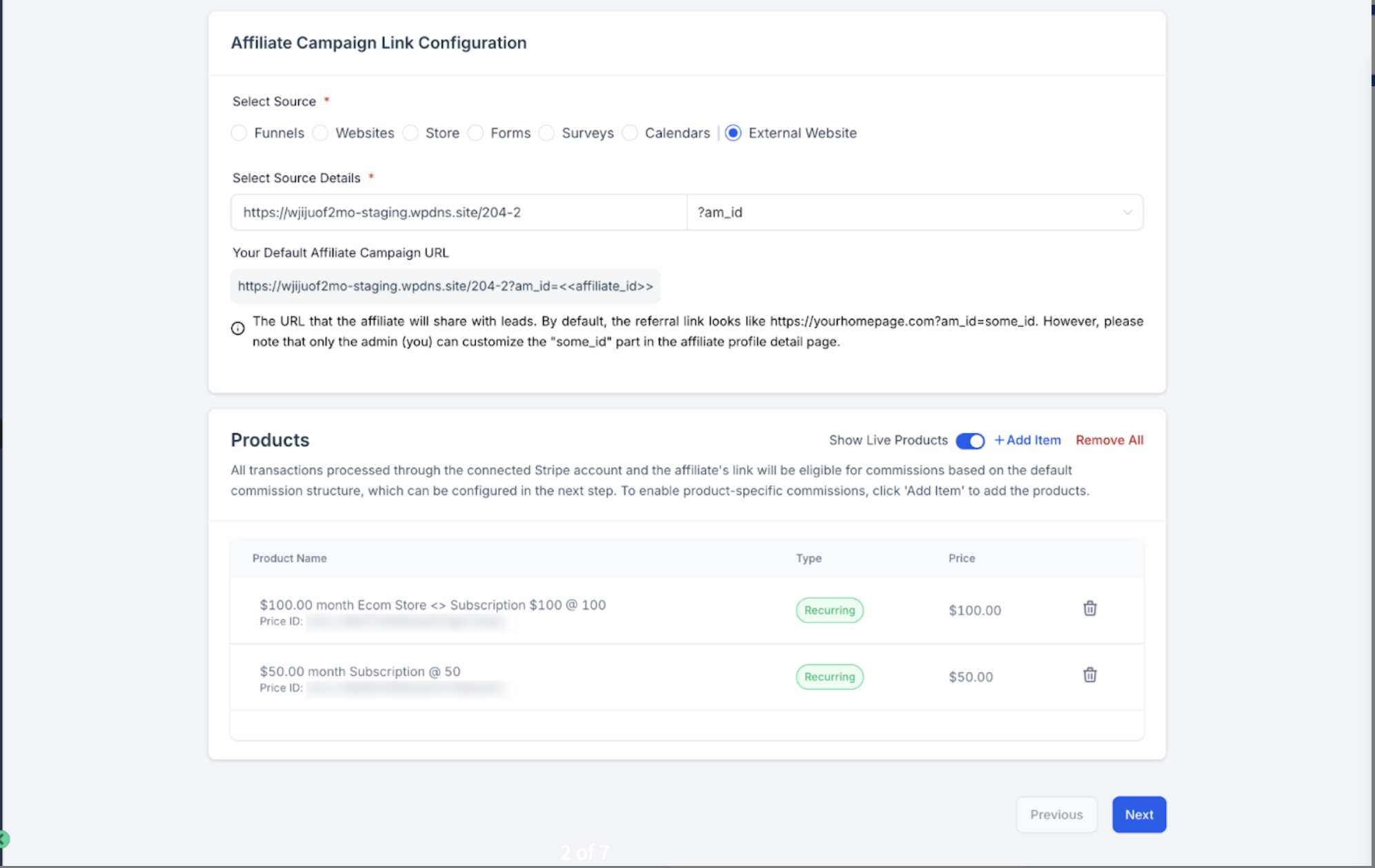
Recurring products can have their own custom commission rate. Add the product in Step 1 below to configure product-based commissions for it.
To exclude a product from commissions entirely, add it and set its commission to 0%.
AX Pay tip: Aesthetix CRM's own payment processor, AX Pay, offers better processing rates than Stripe and is the recommended way to take payment across your practice. External-website affiliate tracking currently requires a connected Stripe account for the tracked product sales specifically, so keep Stripe connected for that purpose even if you run the rest of your checkout through AX Pay. See the AX Pay help article for setup details.
Step 1: Go to Affiliate Manager and open the Dashboard tab.
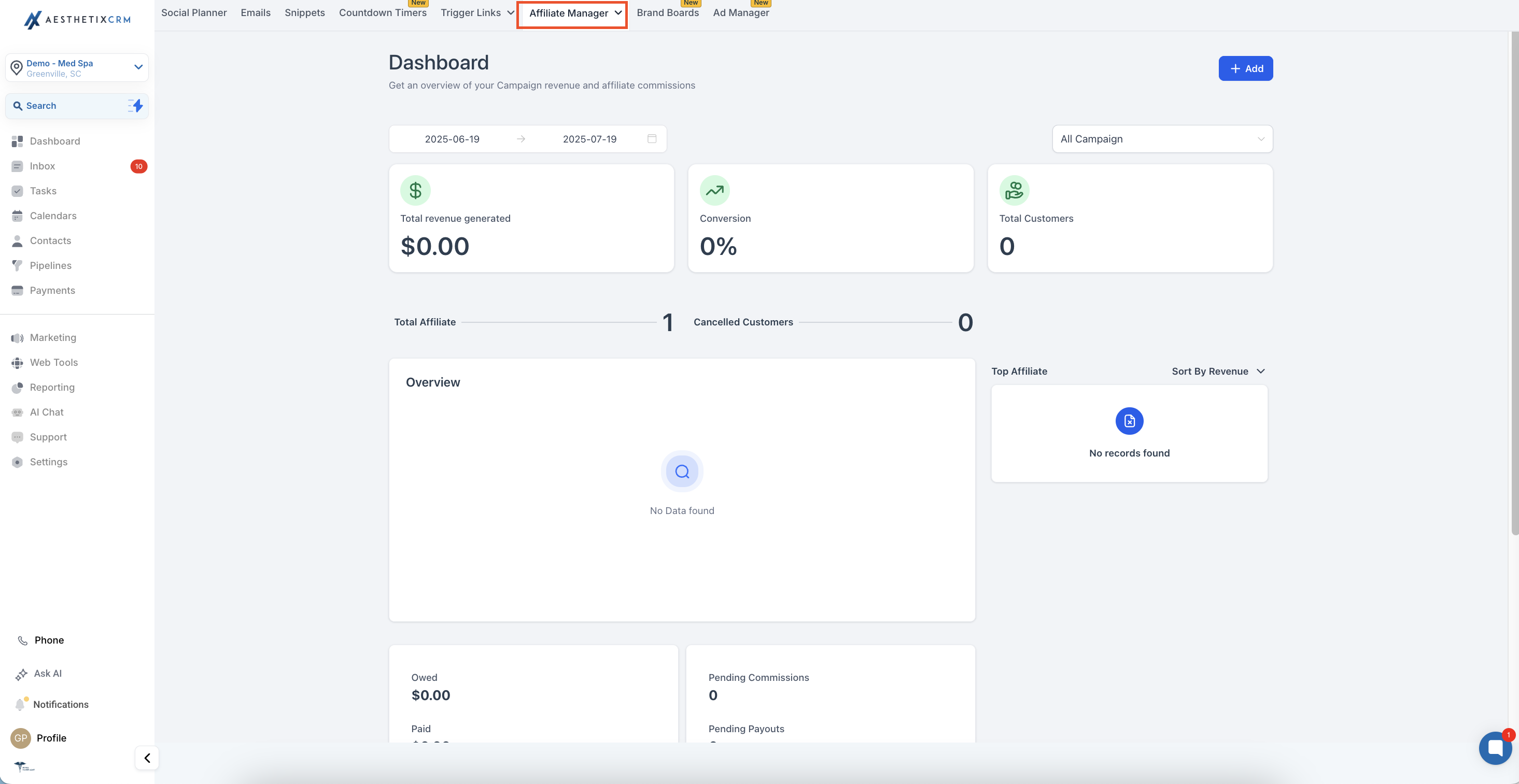
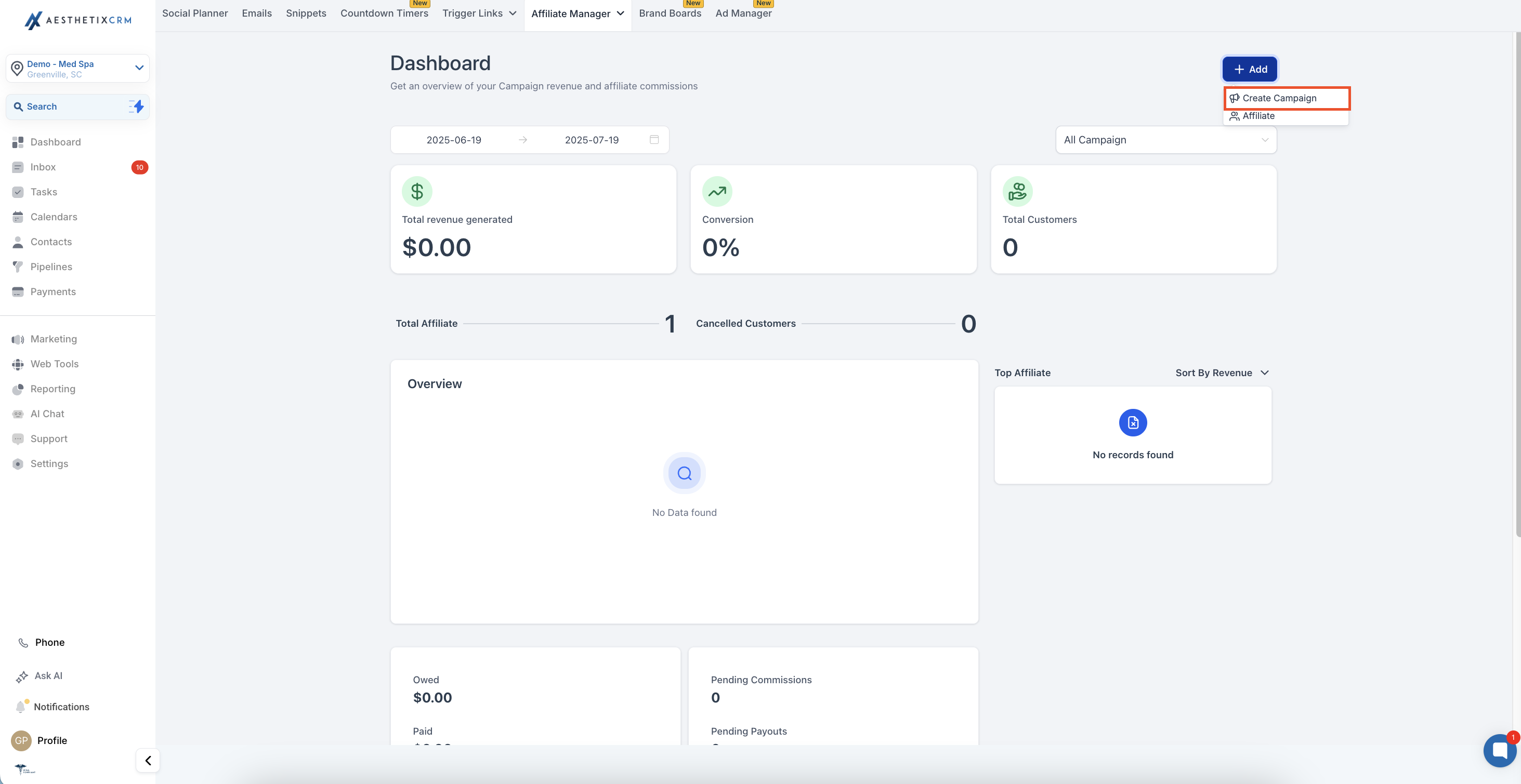
Step 2: Click +Add to create a new campaign.
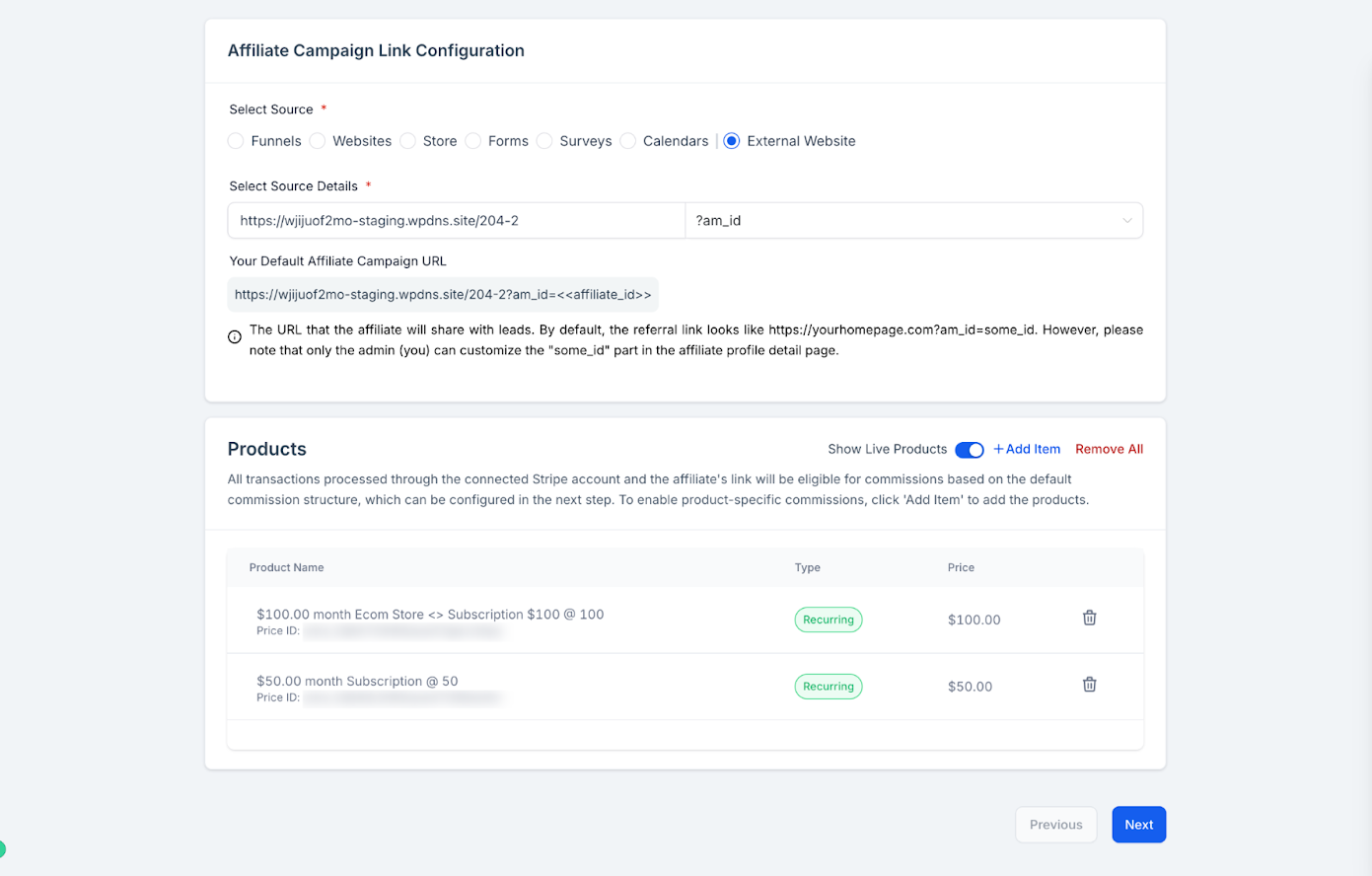
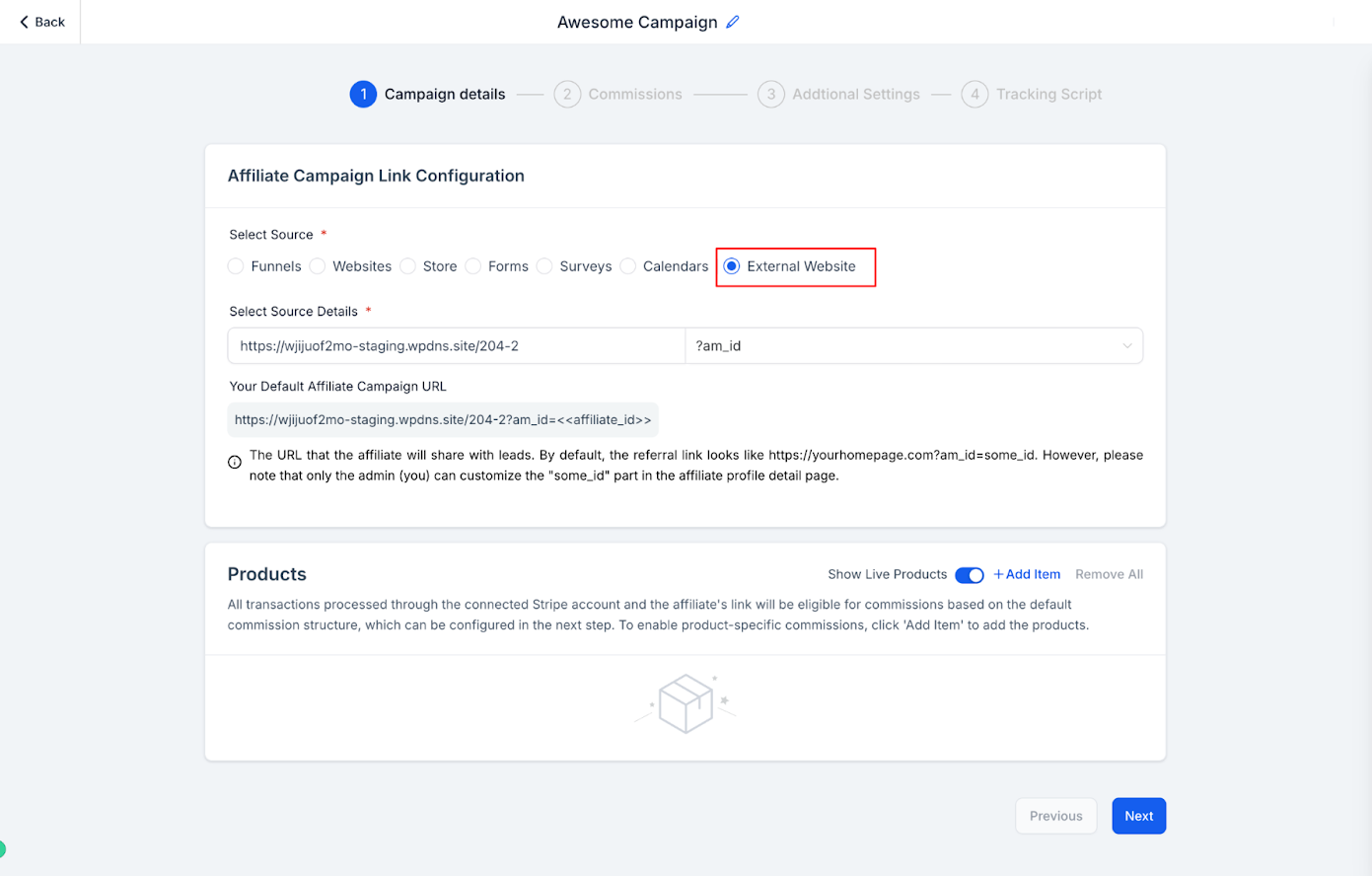
Step 3: Select "External Website" as the source.
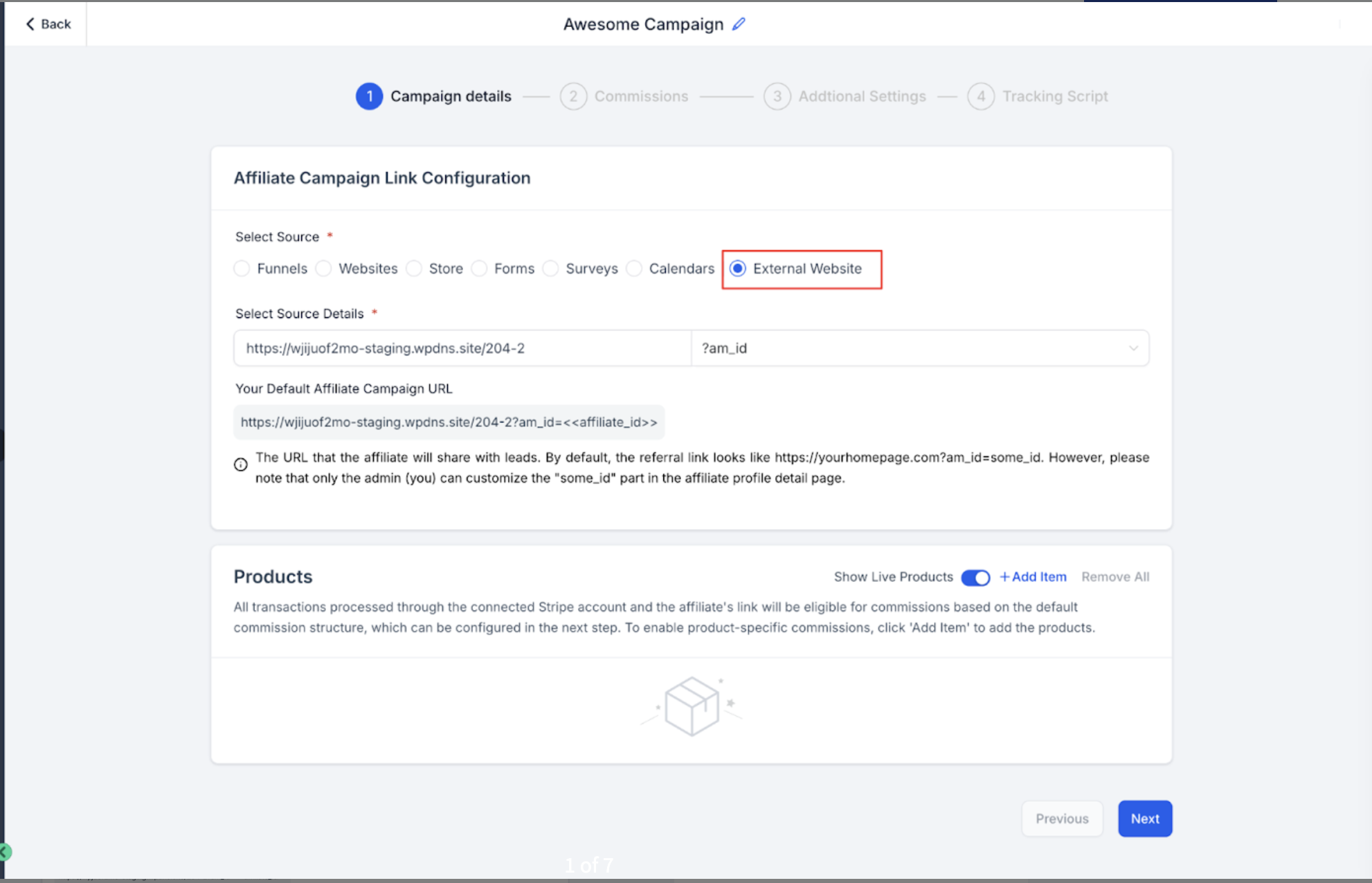
Step 4: Enter your website URL to generate an affiliate tracking link.
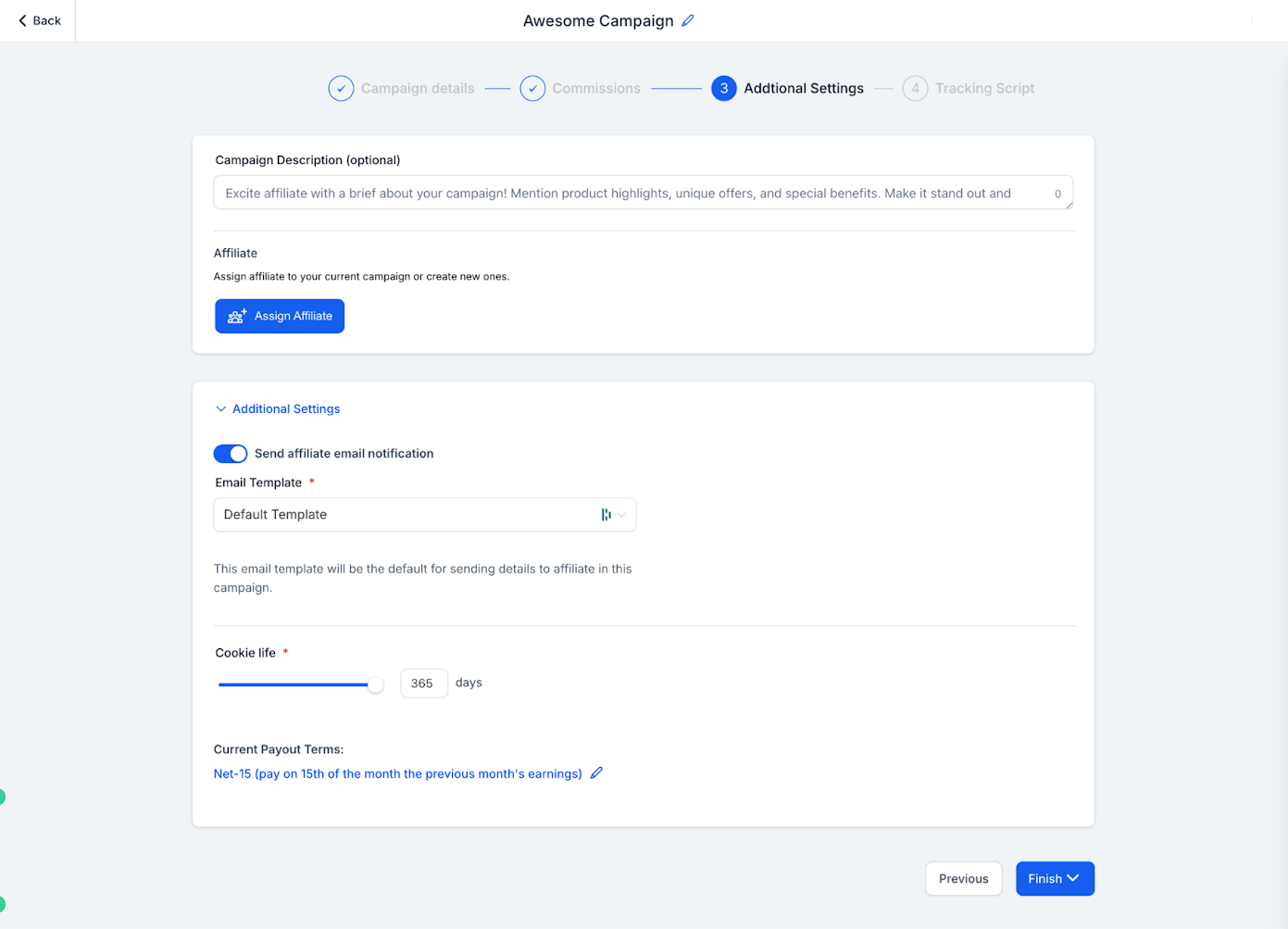
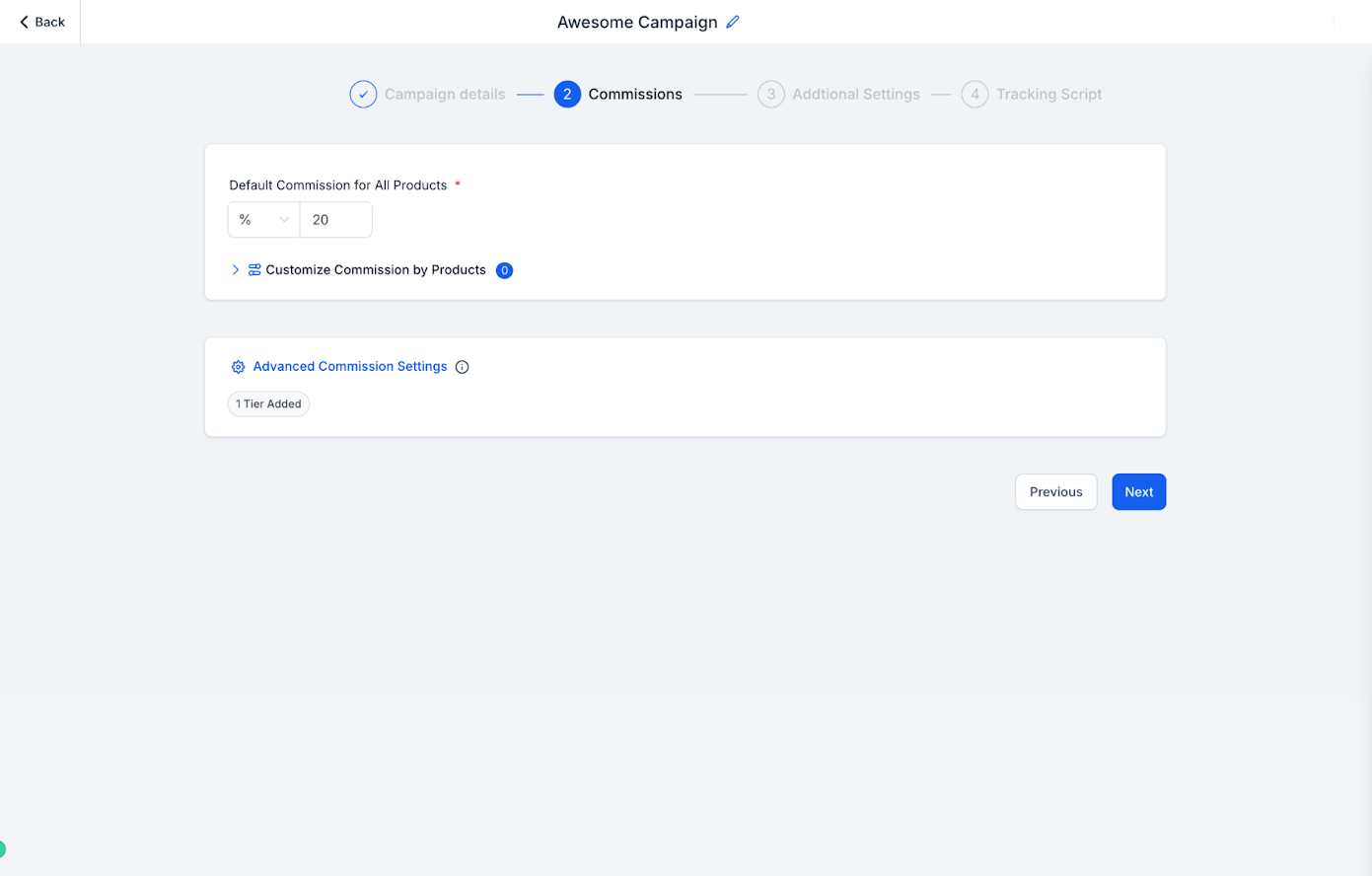
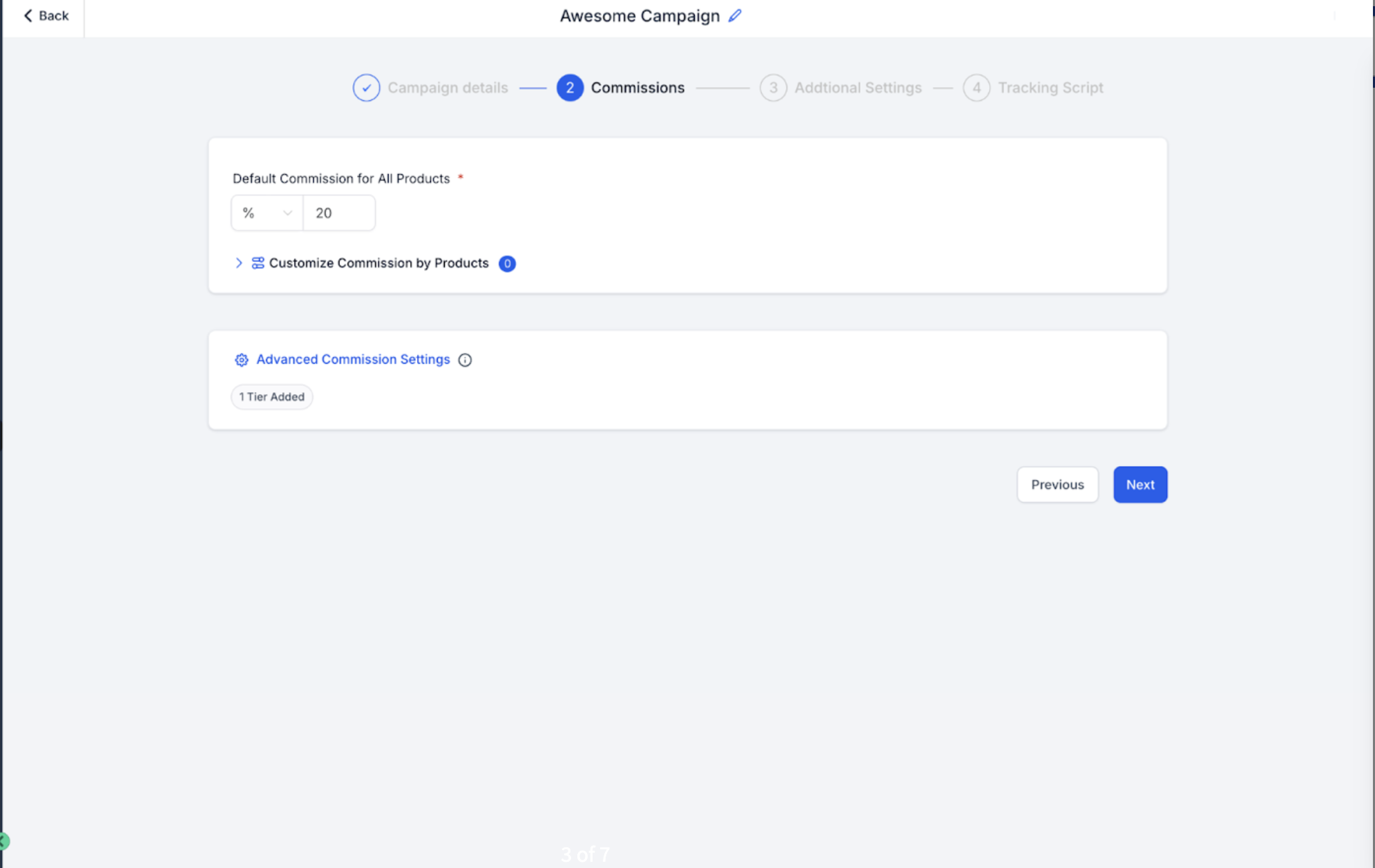
Step 5: Set your default or product-specific commissions, and tier levels if needed.
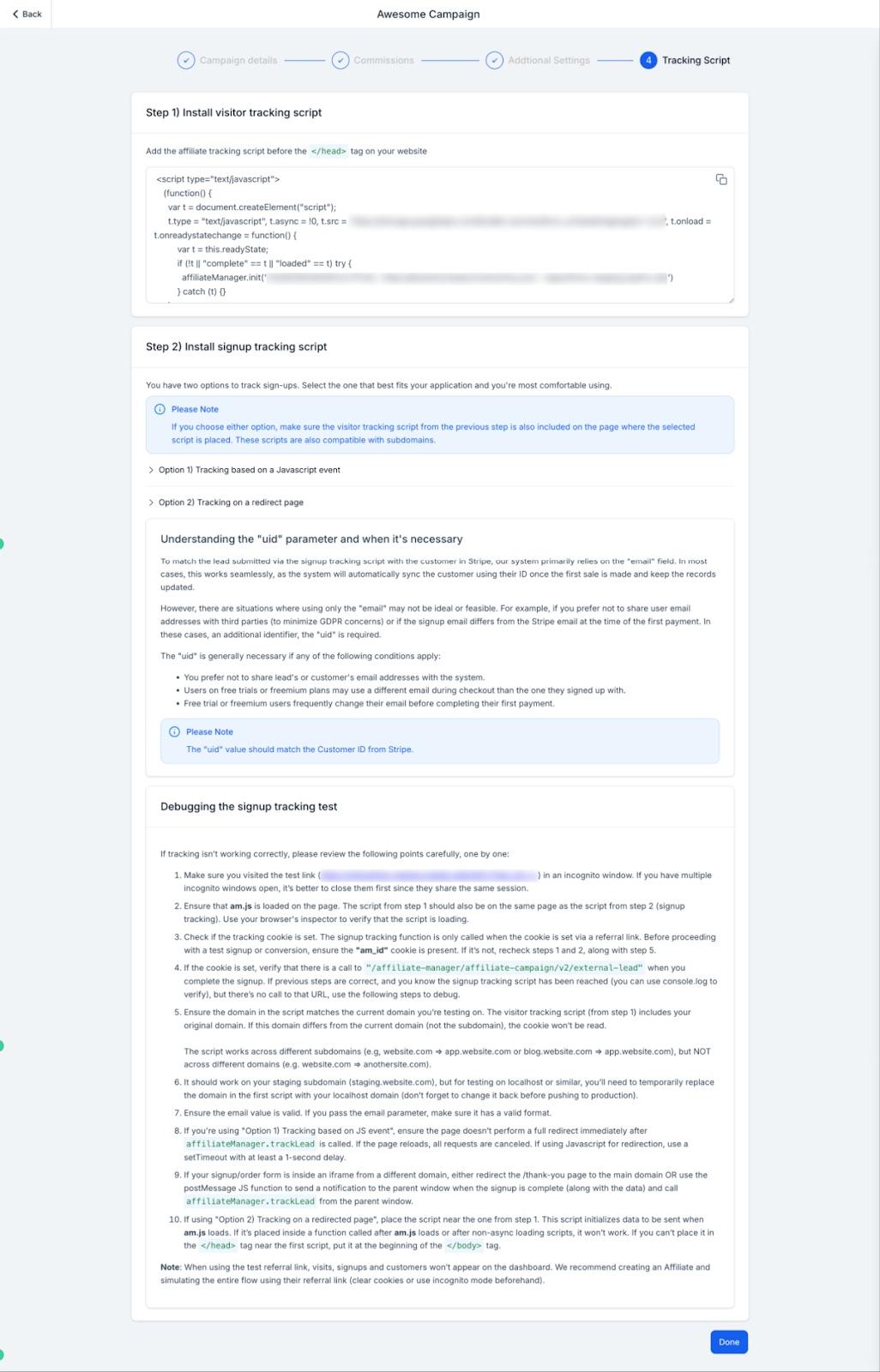
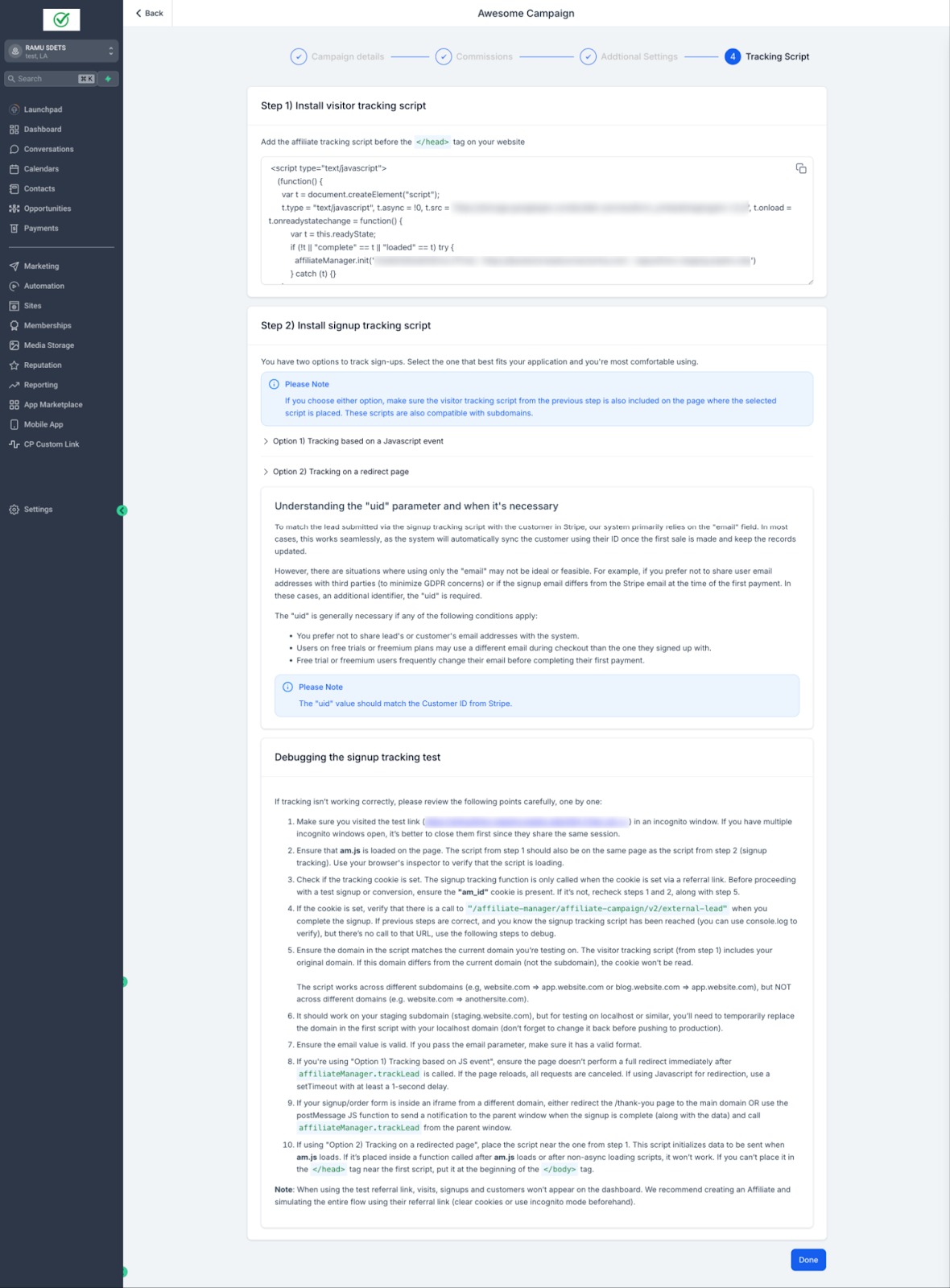
Step 6: Add the tracking script to your external website.
Paste the generated script into your site's header or footer (or through your website platform's custom code / tracking-code section) so every page picks up the affiliate link.
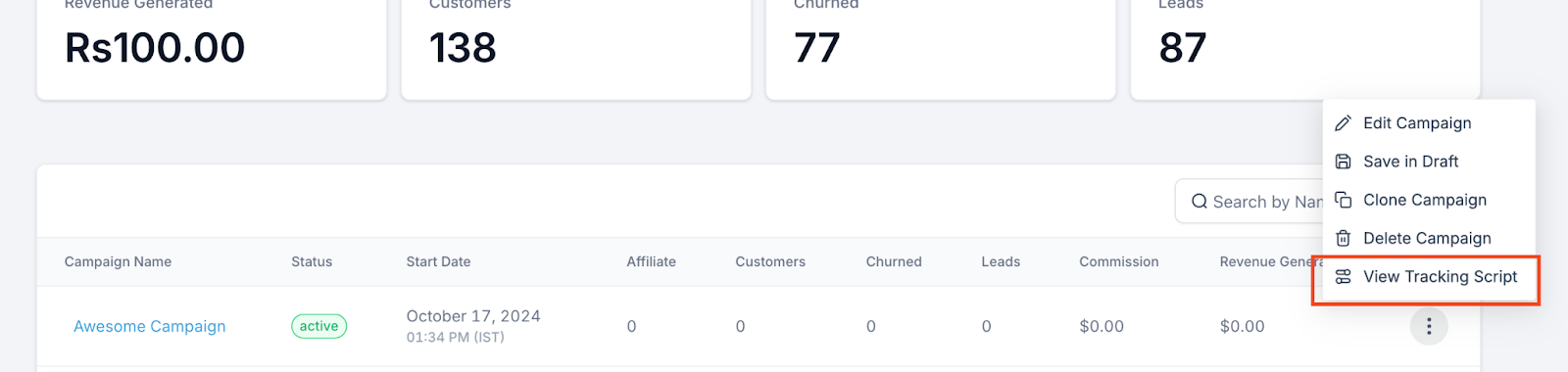
Step 7: Publish your campaign and monitor tracking.
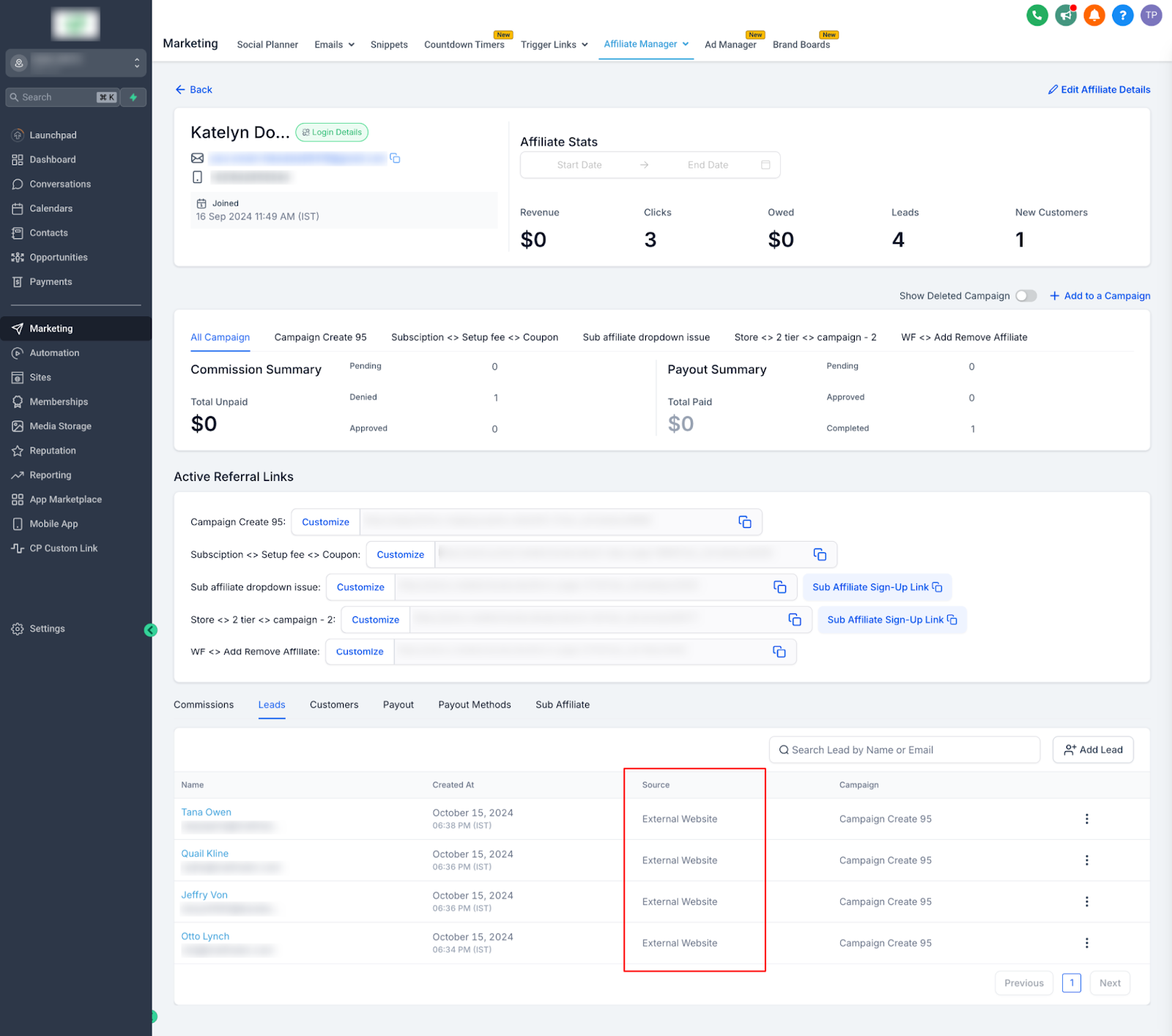
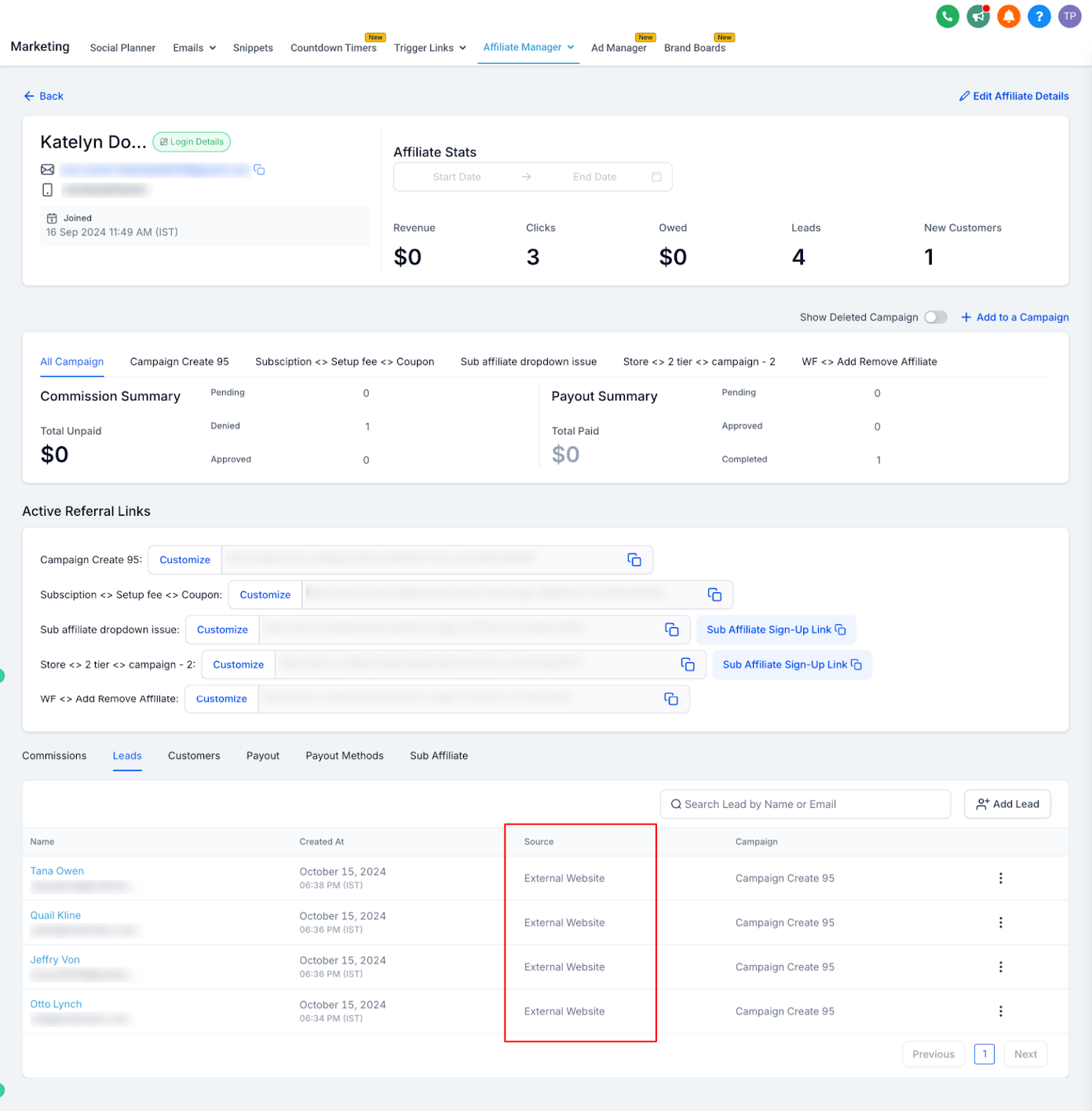
Once your campaign is live, affiliates can start sharing the link, and you can view attributed sales, commissions, and tier activity from the Campaigns tab.
Affiliate workflow triggers and actions (like "affiliate signed up," "commission earned," or "payout sent") live in Workflows if you want to automate follow-up emails or notifications based on affiliate activity.
Some banks, especially for internationally issued cards, require 3D Secure (3DS) authentication (usually a one-time passcode, or OTP) before they'll approve a card online. If a patient or customer's card is declined or stalls while completing a purchase through your affiliate-tracked website, this is often why.
The checkout flow will prompt for a bank-authentication step (OTP or in-app approval) if the card requires 3DS.
The purchase completes automatically once the customer approves the authentication with their bank.
About the $1 authorization
To trigger 3DS when it's required and confirm the card is valid, the checkout may place a temporary $1 authorization on the card.
This is not a real charge for the product or subscription.
It shows as a temporary pending authorization and clears based on the customer's bank processing time.
If authentication keeps failing
Try again in an up-to-date browser.
Disable ad blockers on the checkout page.
Allow pop-ups and redirects so the bank's authentication page can open.
Try a different card if the bank continues to decline verification.
Does this work with any external website? Yes. Add the URL for any website you control, and Affiliate Manager generates a universal tracking link and script for it. This includes any subdomains on that site.
Do I need a page built in Aesthetix CRM for this to work? No. External website support is specifically for tracking affiliate sales on sites built outside Aesthetix CRM, using the tracking script from Step 6.
Which payment processor does affiliate tracking work with? Currently, only products sold through a connected Stripe account are supported for affiliate commission tracking on external websites.
How are commissions calculated for one-time versus recurring products? One-time products always use your default commission setting. Recurring products can have a custom commission rate if you add that product when setting up the campaign; otherwise they also follow the default.
Can I exclude a specific product from earning affiliate commissions? Yes. Add the product to the campaign and set its commission rate to 0%.
Does the tracking link cover subscription upgrades and downgrades, not just the initial sale? Yes. Recurring subscriptions are tracked automatically, including upgrades, downgrades, and ongoing recurring payments, so affiliates continue earning on eligible transactions over time.
Where do I add the tracking script on my website? Add the script Affiliate Manager generates in Step 6 to your website's header or footer (or the custom tracking-code area of your website builder) so it loads across every page.
A customer's card is asking for extra bank verification during checkout. Is that normal? Yes, this is 3D Secure (3DS) authentication, which some banks require to approve online card payments. It may also place a temporary $1 authorization to verify the card; this is not an actual charge and clears automatically.
Can I set different commission tiers for different affiliates? Yes. When setting default or product-specific commissions in Step 5, you can configure tier levels if you want different rates for different affiliate levels.
Where do I manage automated notifications tied to affiliate activity, like a new signup or a paid commission? Set those up in Workflows, using the affiliate-related triggers and actions there. Affiliate Manager itself handles tracking and commission calculation, not messaging automation.
