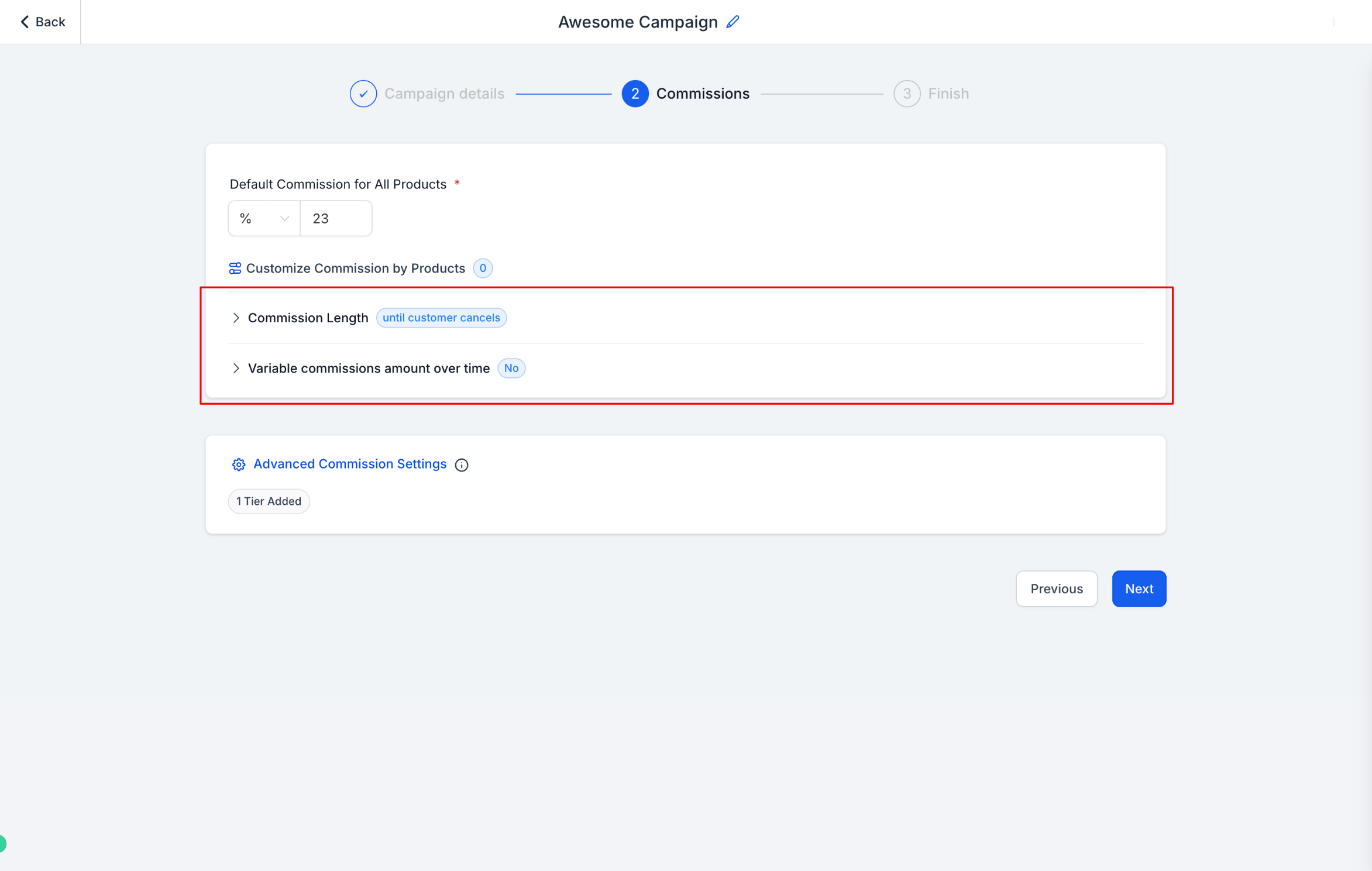
Commission Length and Variable Commissions give you finer control over how referral partners are paid in Affiliate Manager. Commission Length lets you pay an affiliate for a limited number of charges instead of for the life of the subscription, and Variable Commissions lets you offer a different rate once a referral crosses a certain number of charges. Both settings live inside the Commission step of an affiliate campaign.
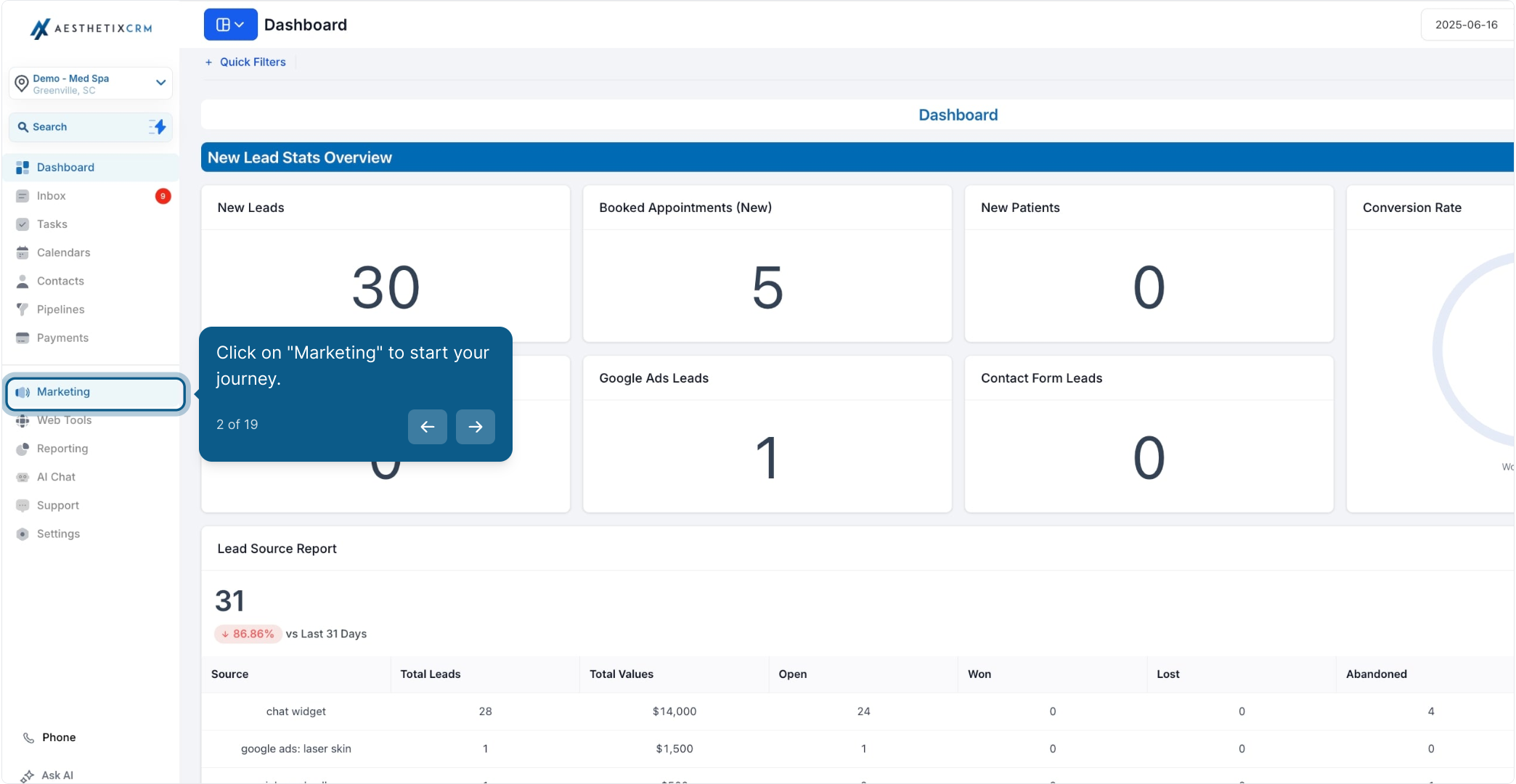
From the left menu, click Marketing.
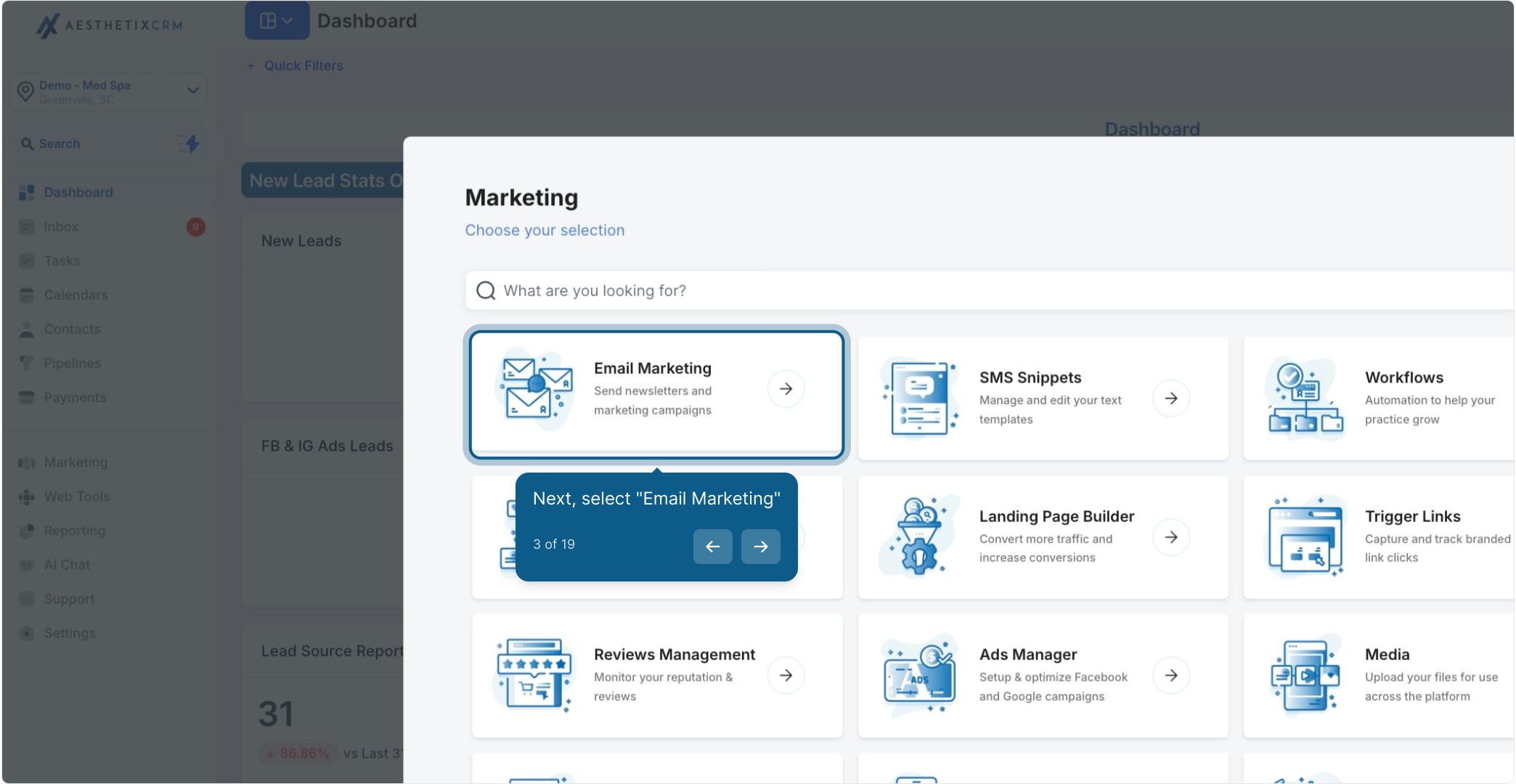
Select Email Marketing.
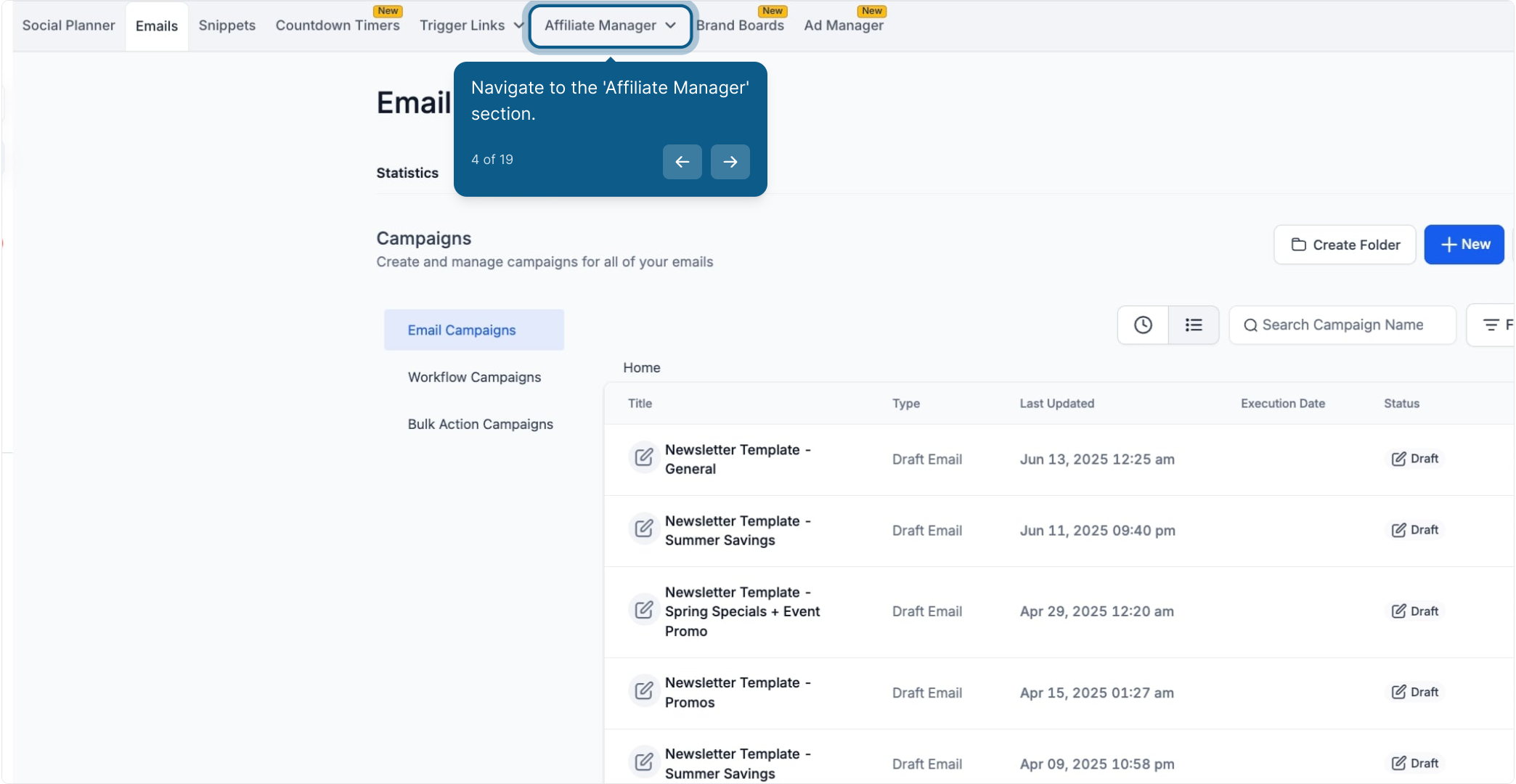
Open the Affiliate Manager section.
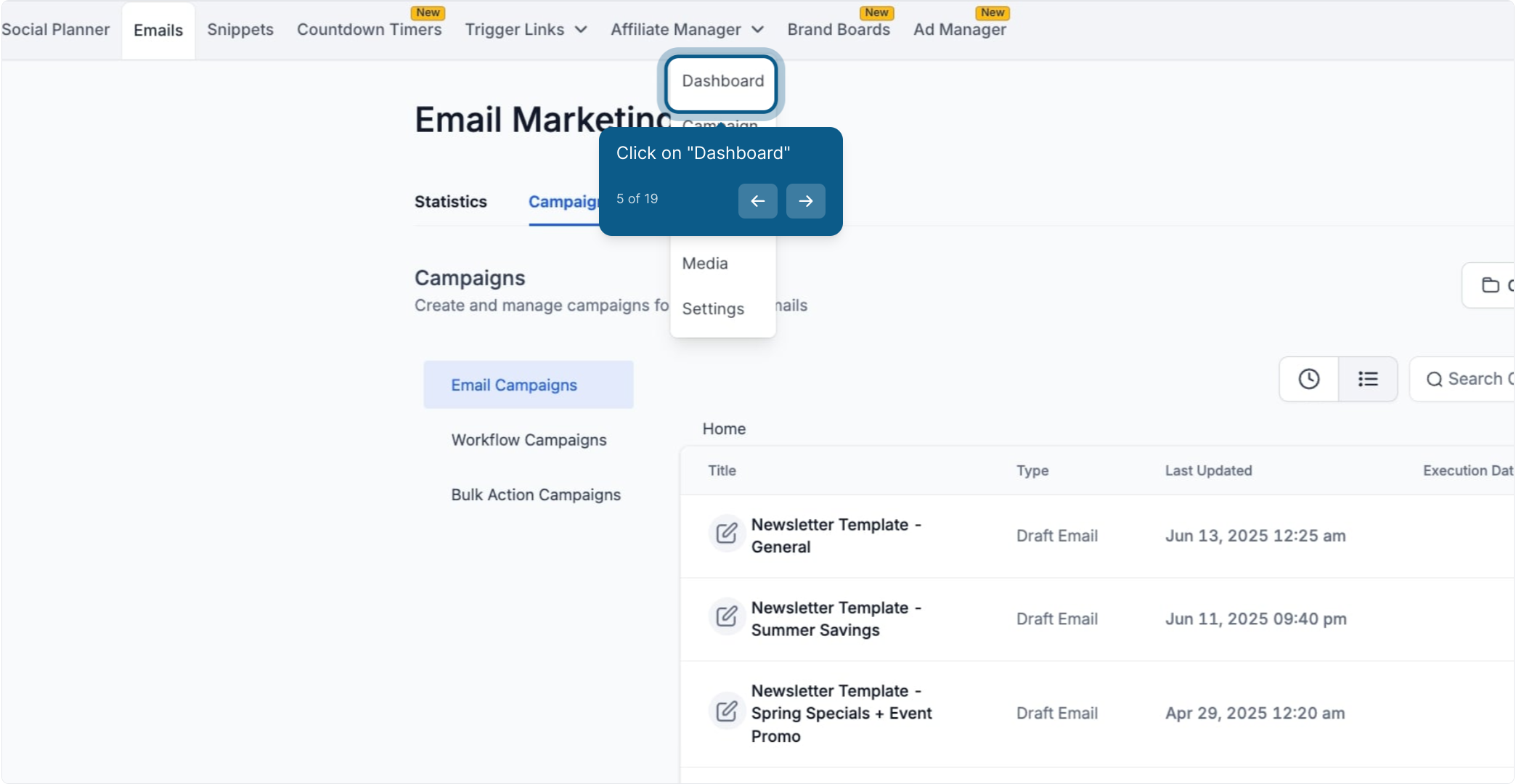
Click Dashboard.
Click the Add button to start a new campaign, or open an existing campaign to edit it.
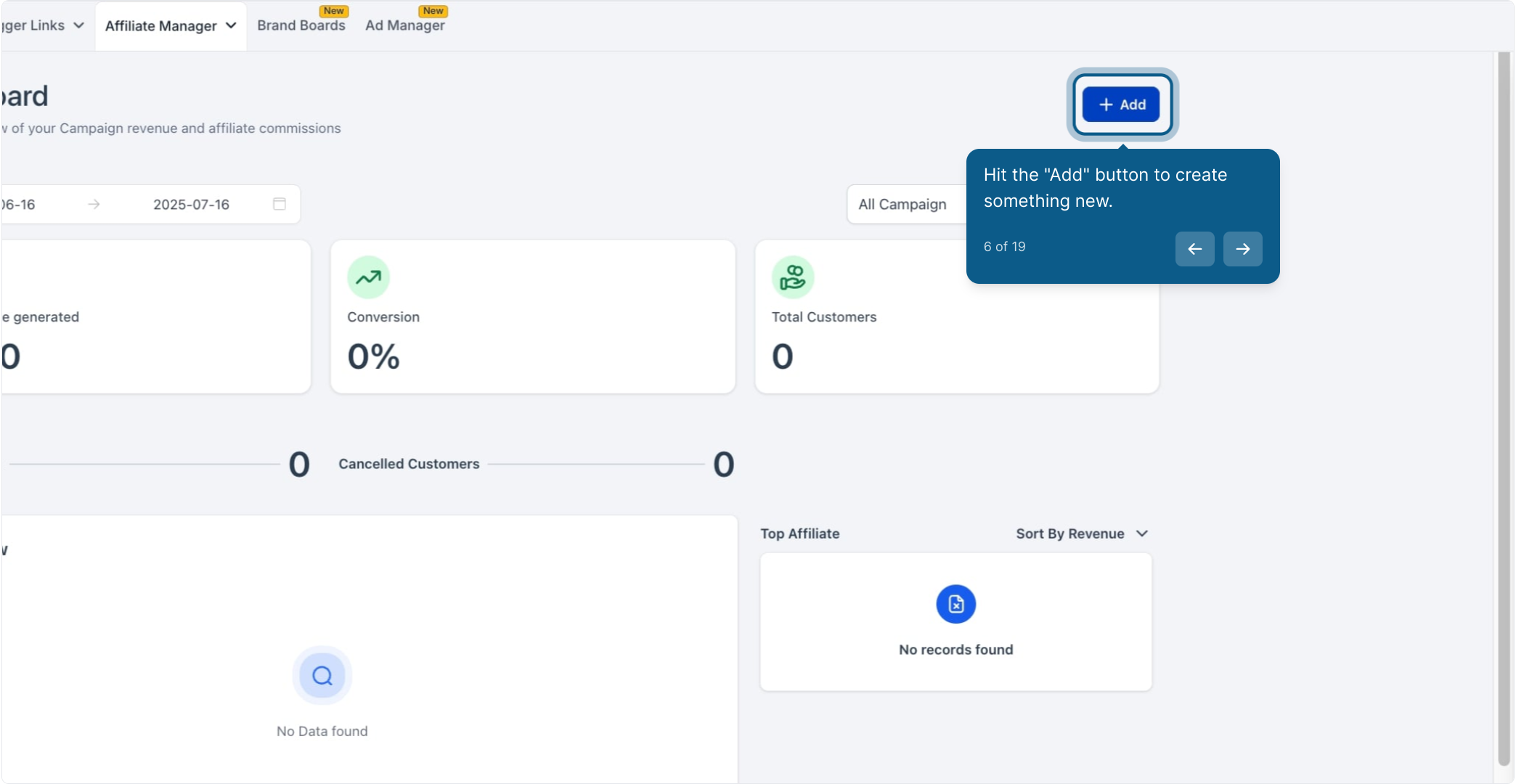
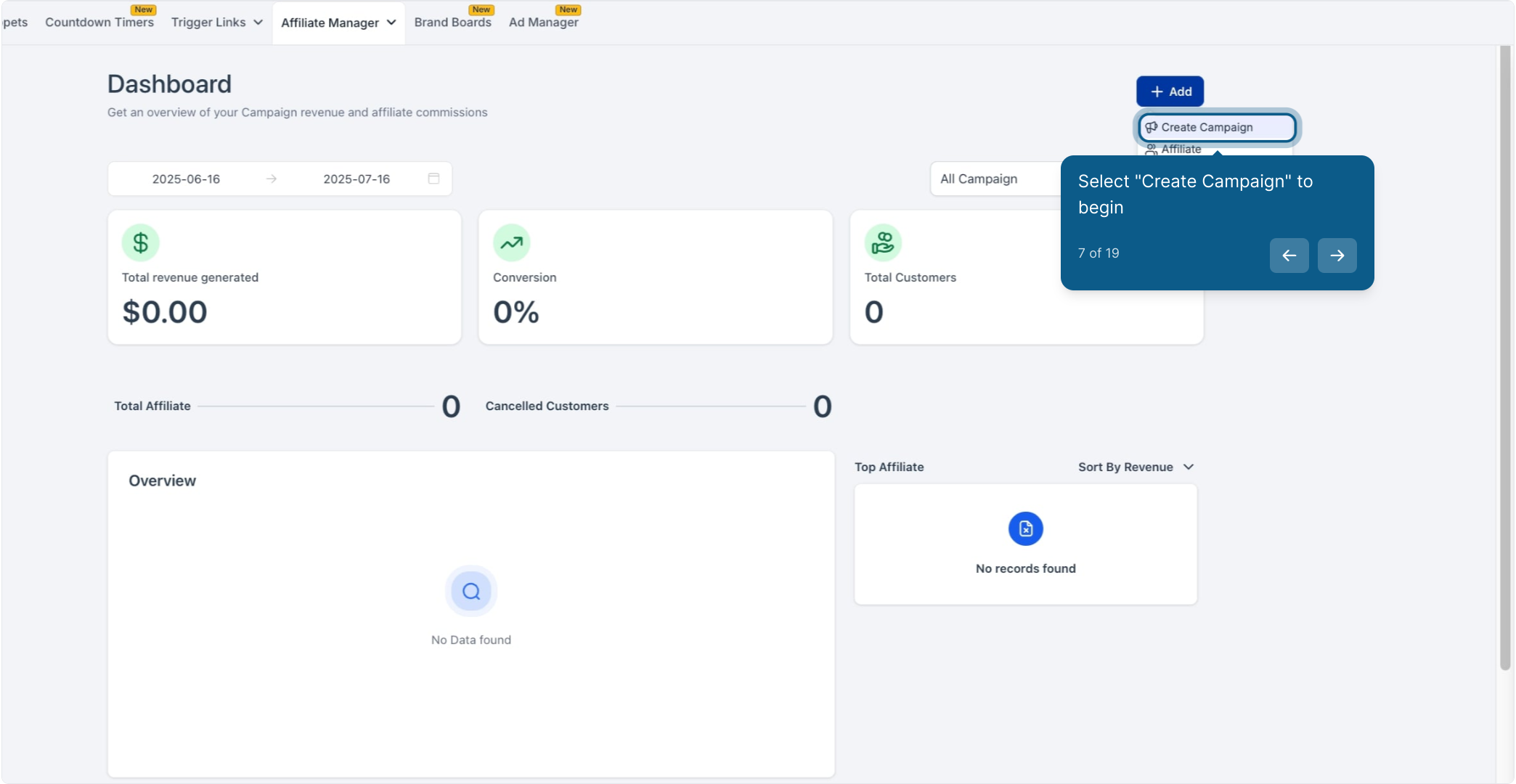
Select Create Campaign.
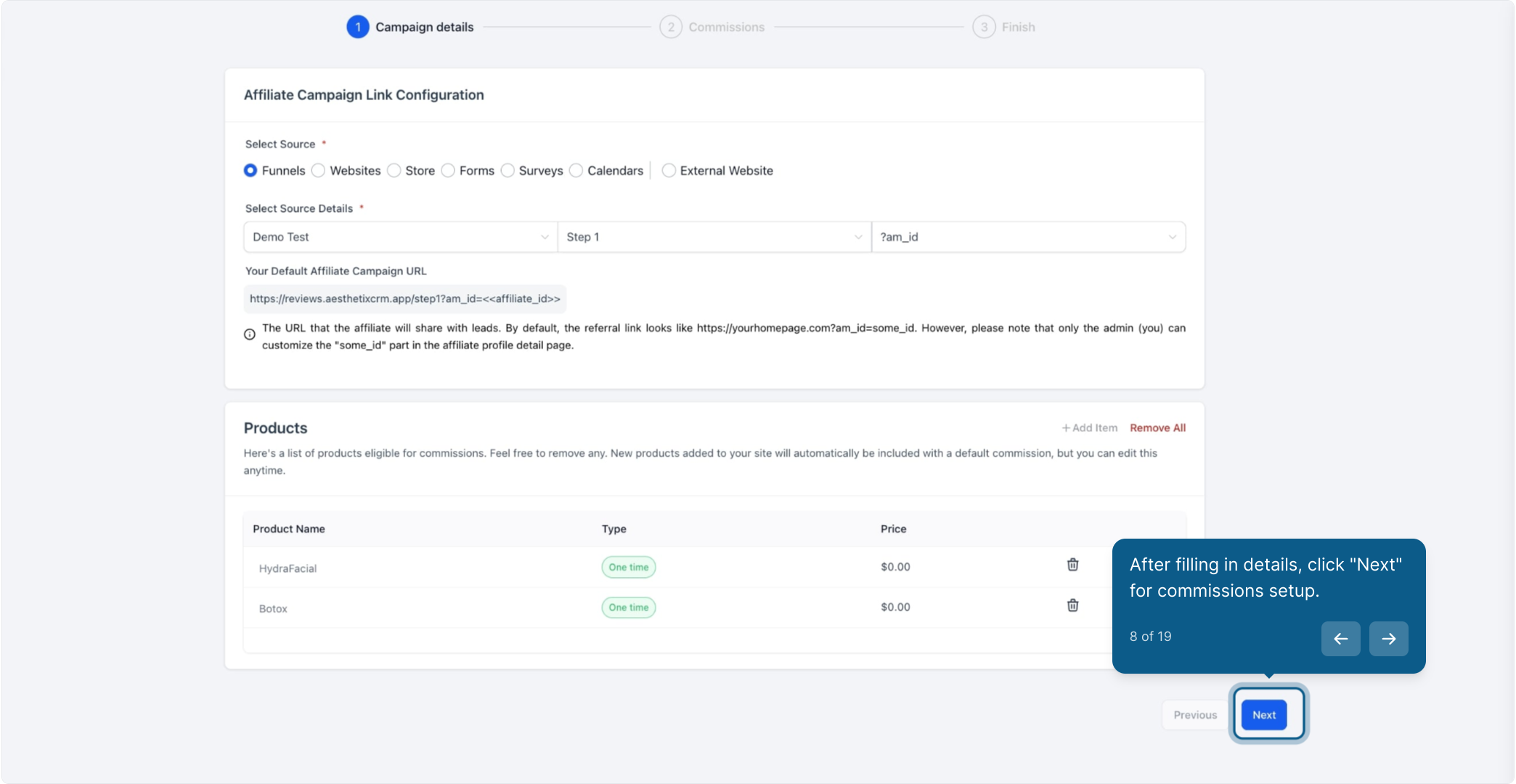
Fill in the campaign details, then click Next to move into commission setup.
In this step of the campaign builder, enter the default commission value: the rate or flat amount an affiliate earns for a referral by default. This is the baseline rate that applies unless a product-based or variable commission overrides it.
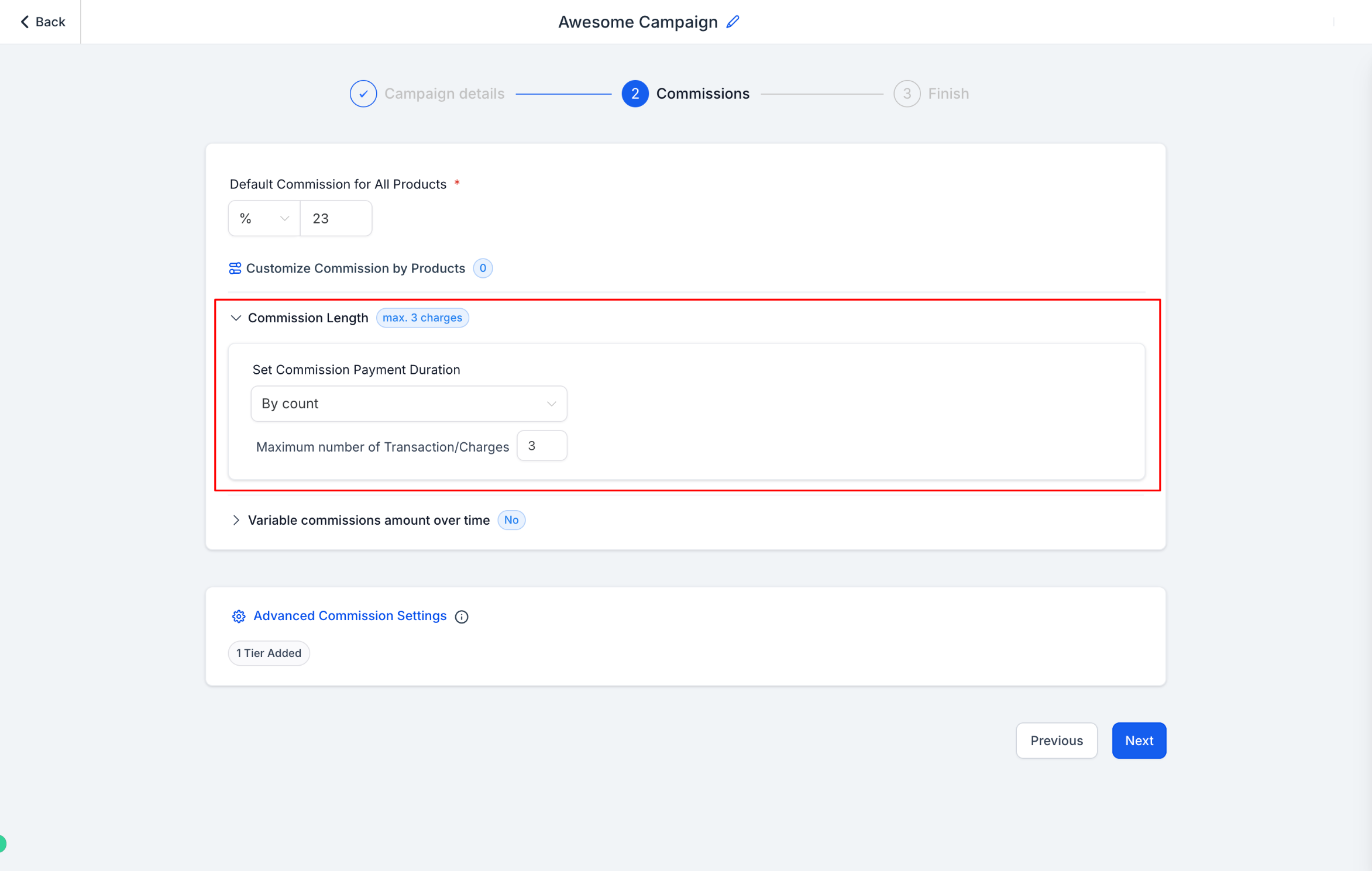
Under the Commission tab, click Commission Length.
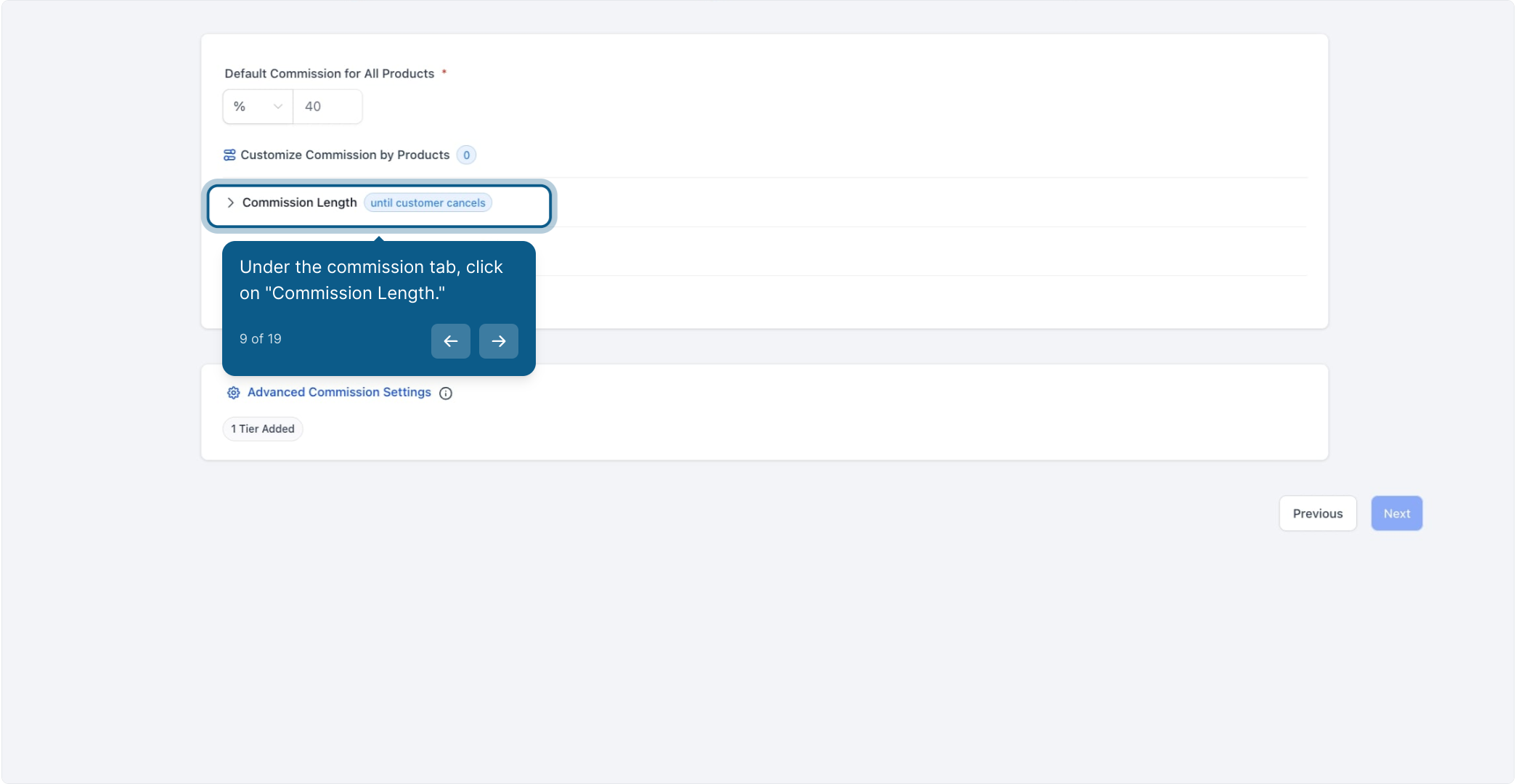
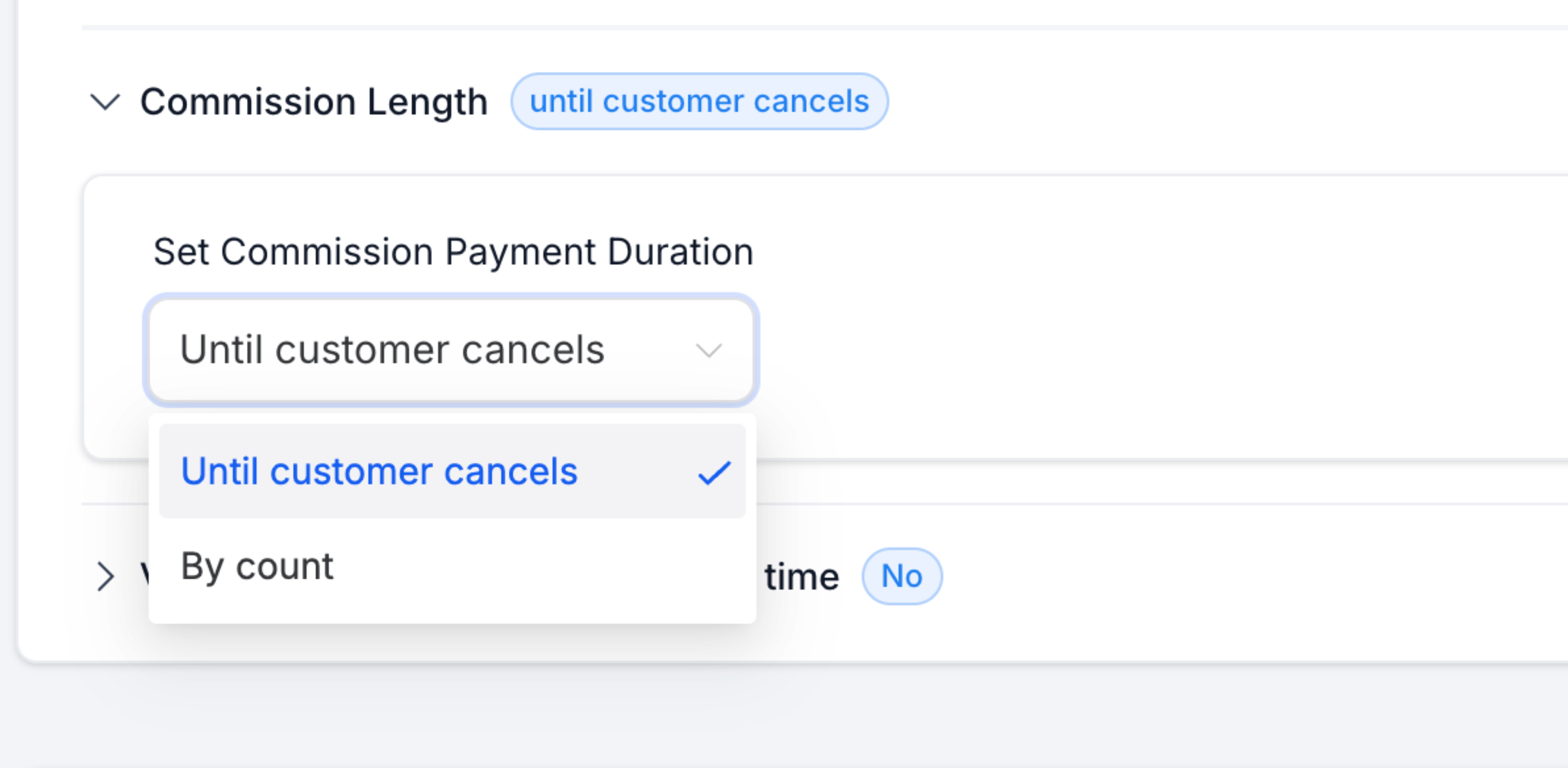
Choose Set Commission Payment Duration to control how long an affiliate keeps earning on a referral's recurring charges.
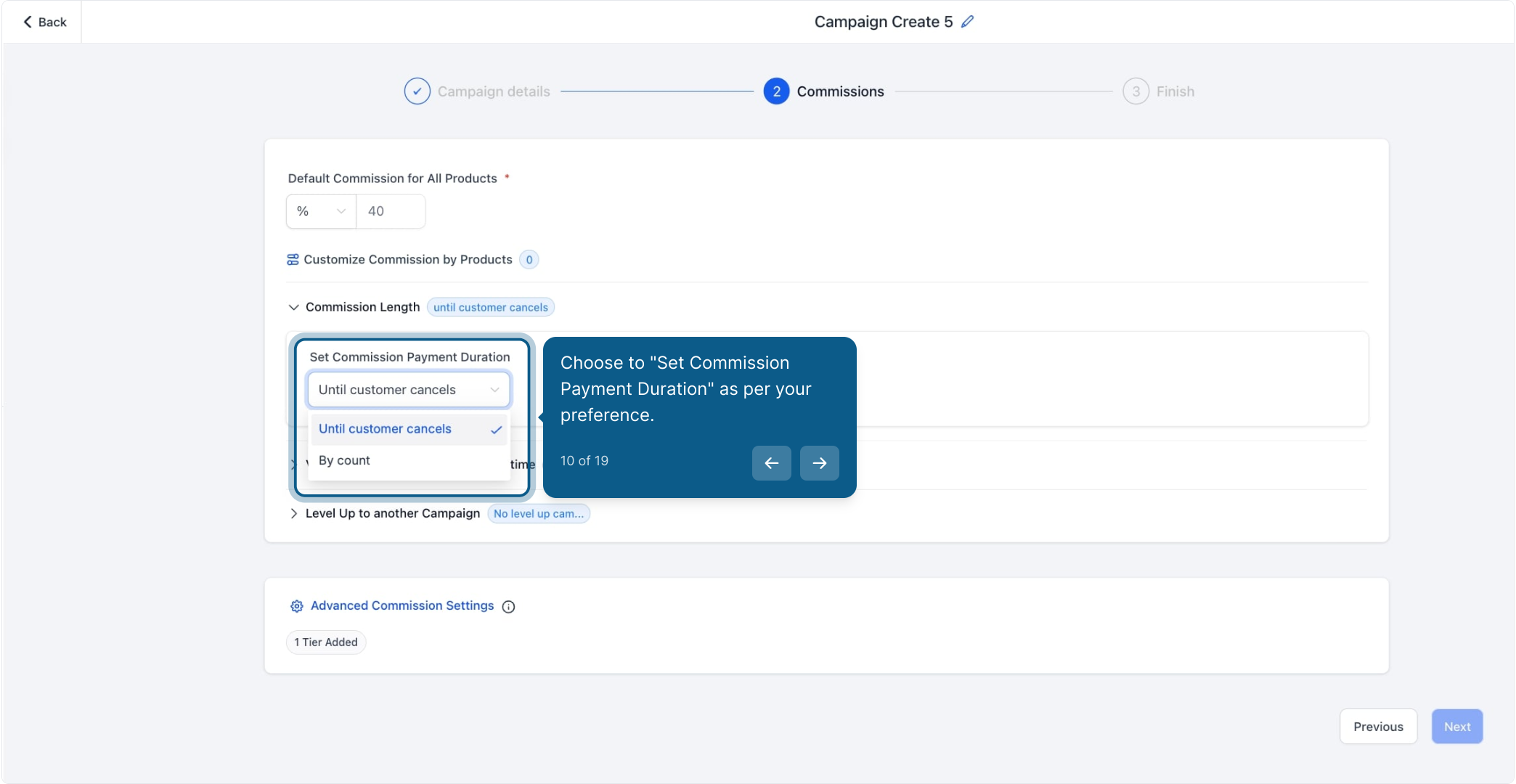
By default, commissions continue for as long as the referred customer stays subscribed, they only stop when the customer cancels.
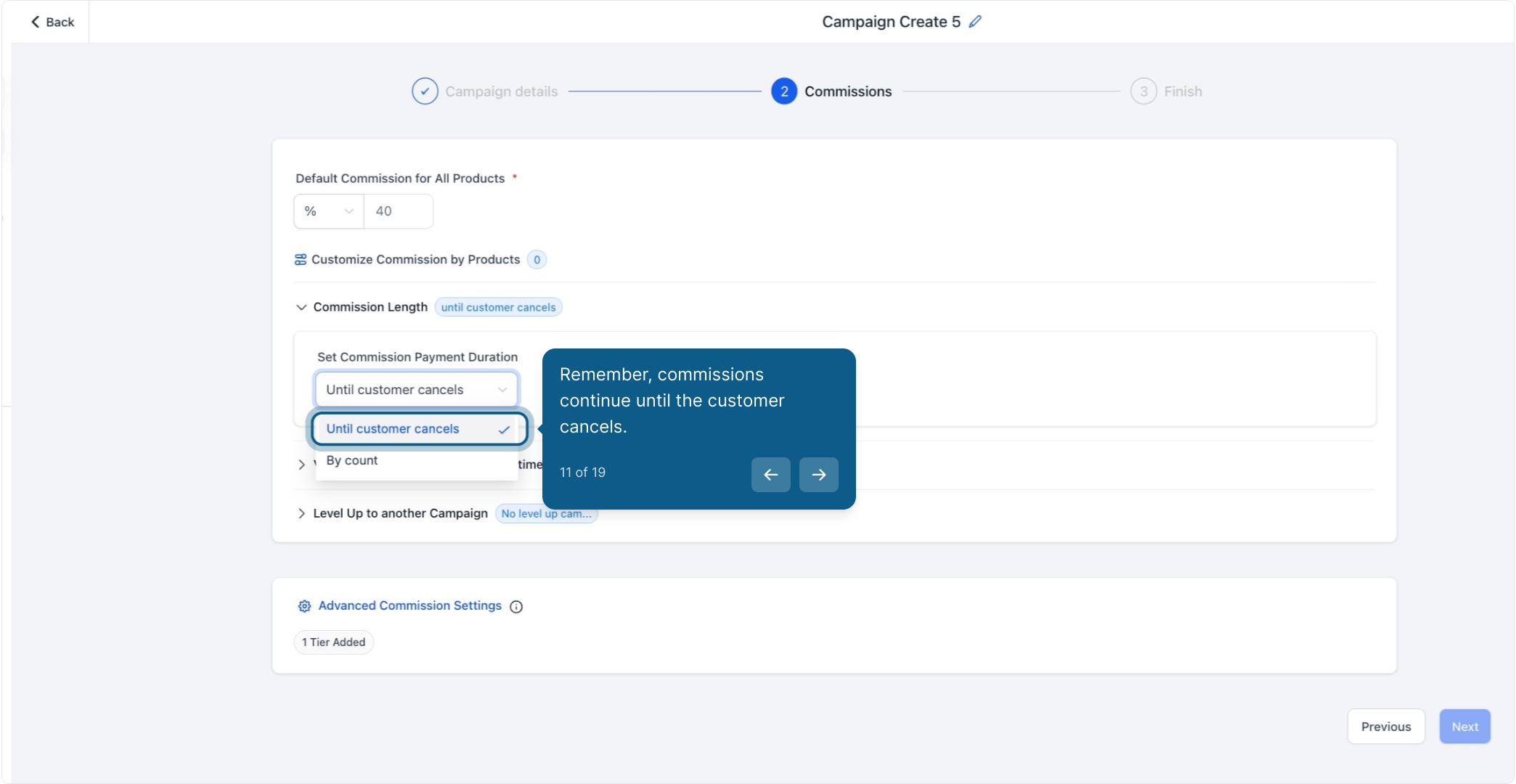
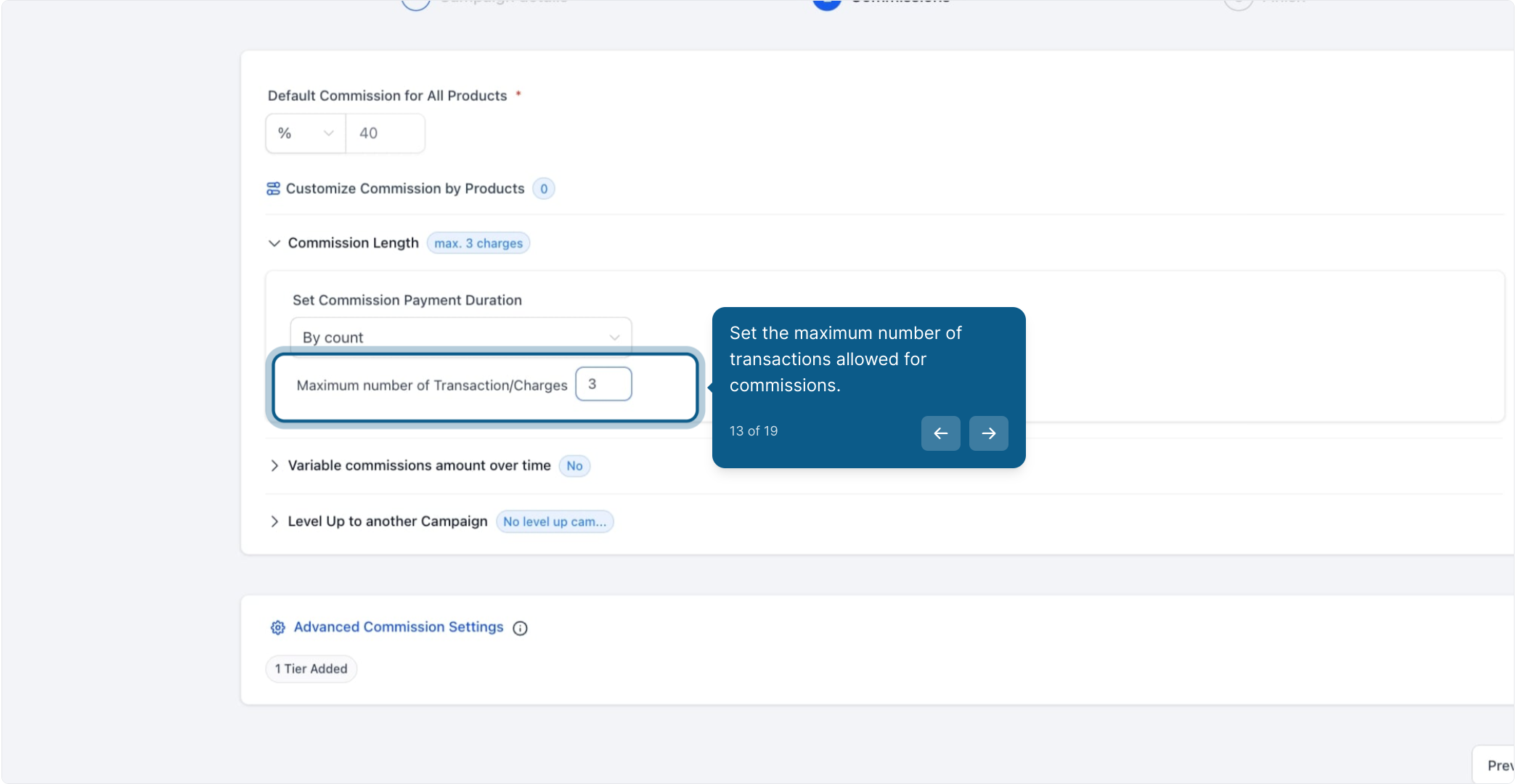
If you'd rather cap the payout window, choose By Count to limit the number of charges an affiliate is paid on.
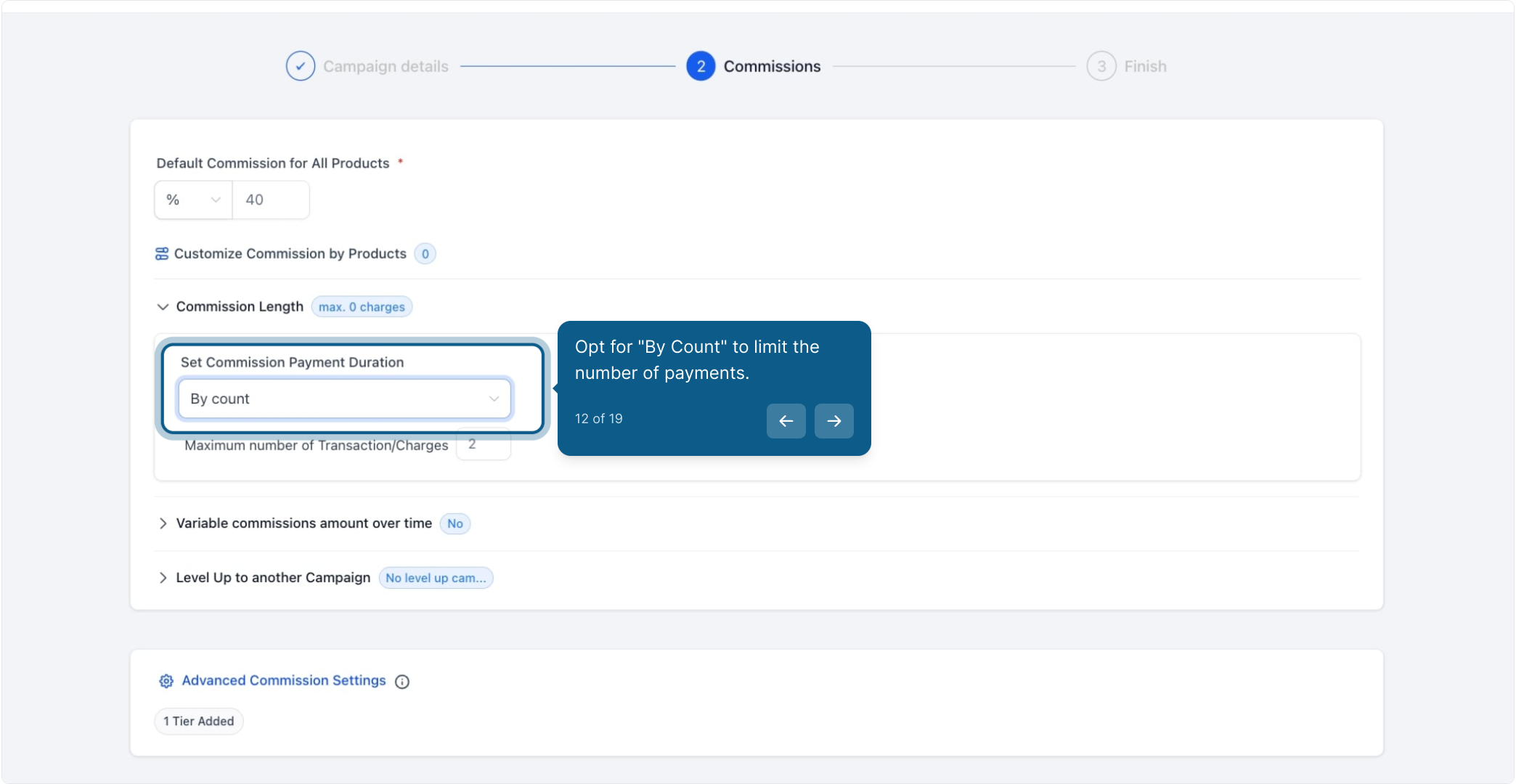
Enter the maximum number of transactions that qualify for a commission.
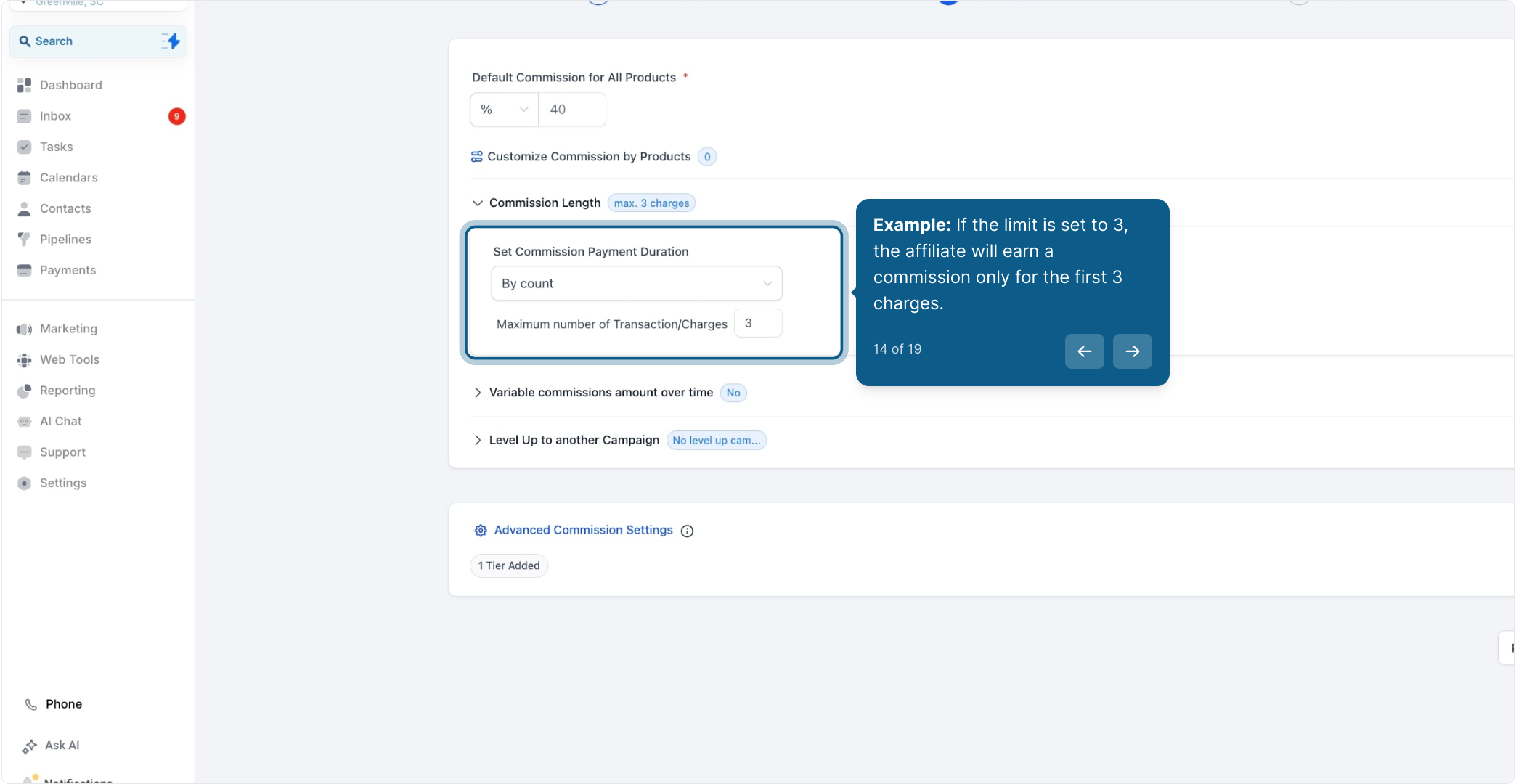
Example: If you set the limit to 3, the affiliate earns a commission only on the first 3 charges. After that, the referral keeps paying and stays active in your practice, but the affiliate no longer earns on it.
Note: The By Count limit applies to the number of successful charges, not to a length of time. Whether the plan bills monthly or yearly, the affiliate is paid on the first however-many charges that go through, not on a fixed number of months.
Click Variable Commissions Amount Over Time to open the tiered-rate options.
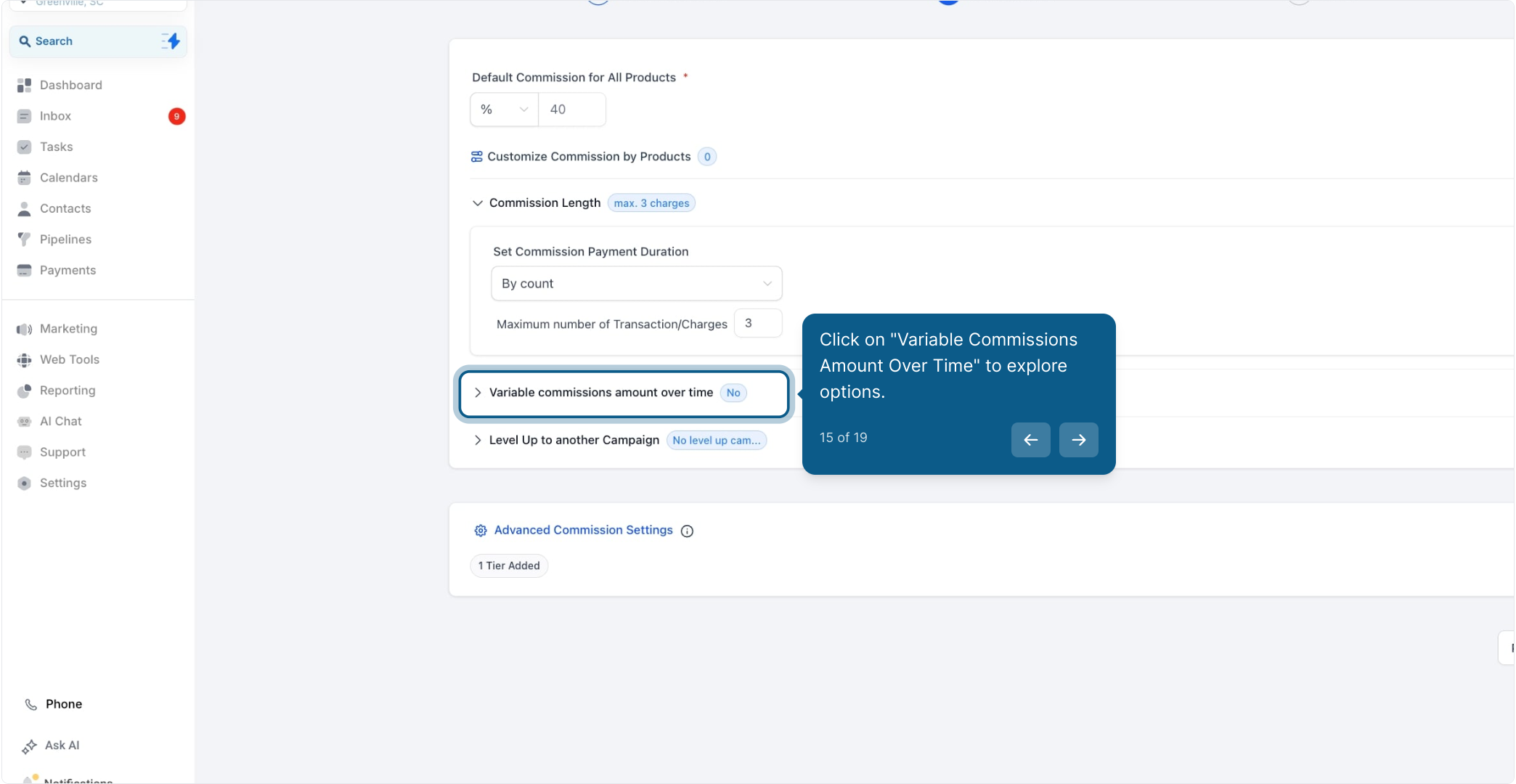
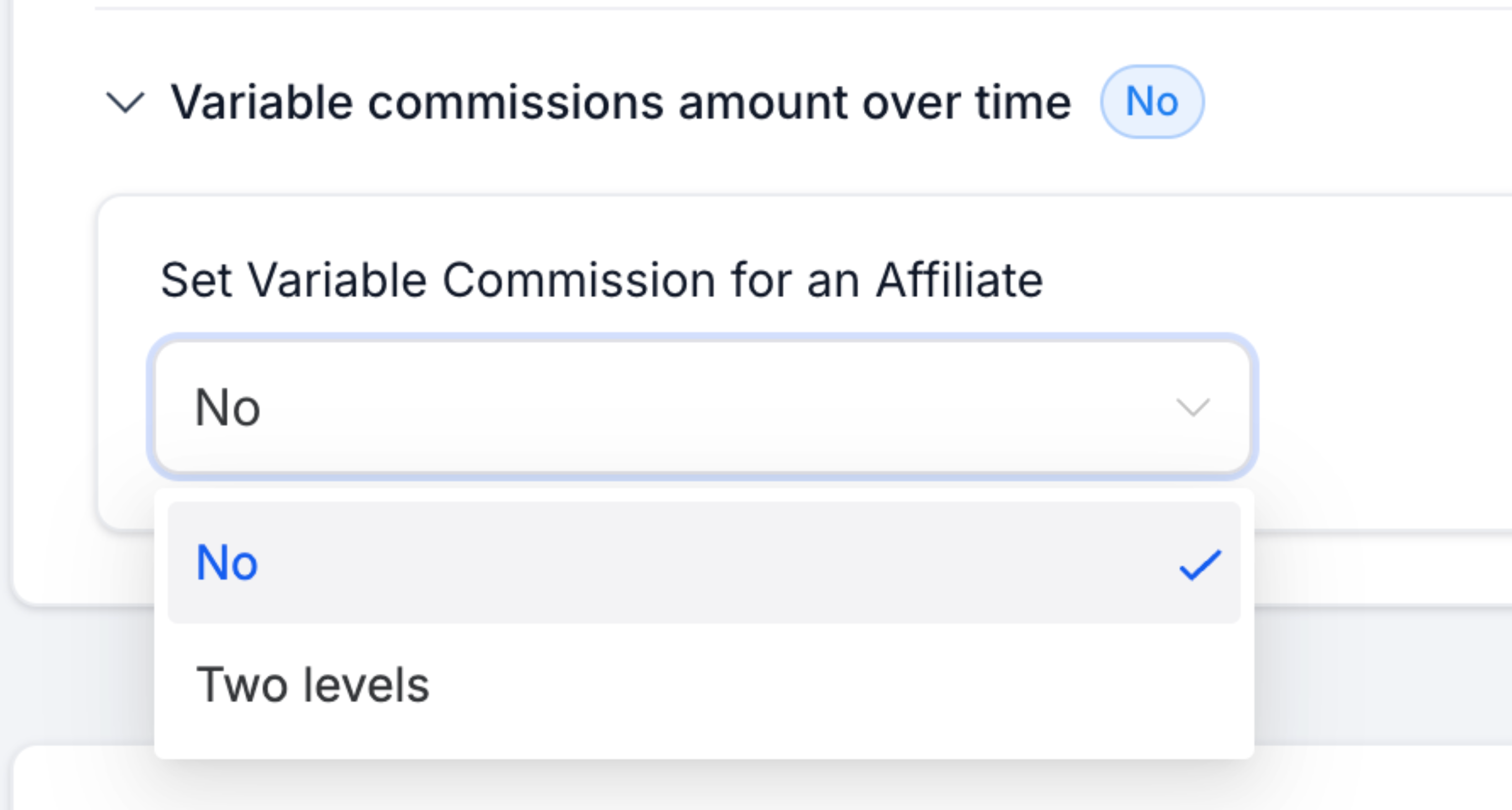
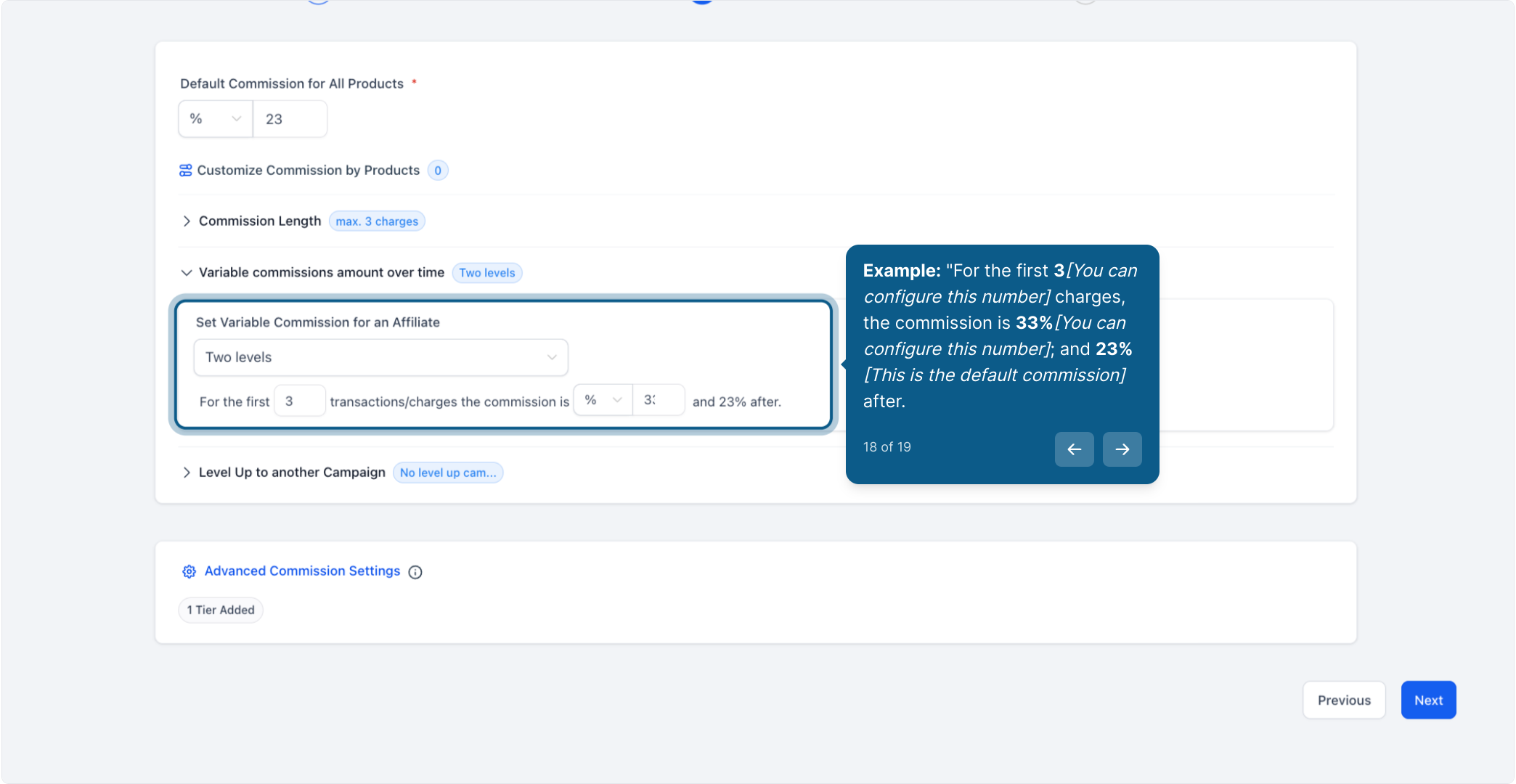
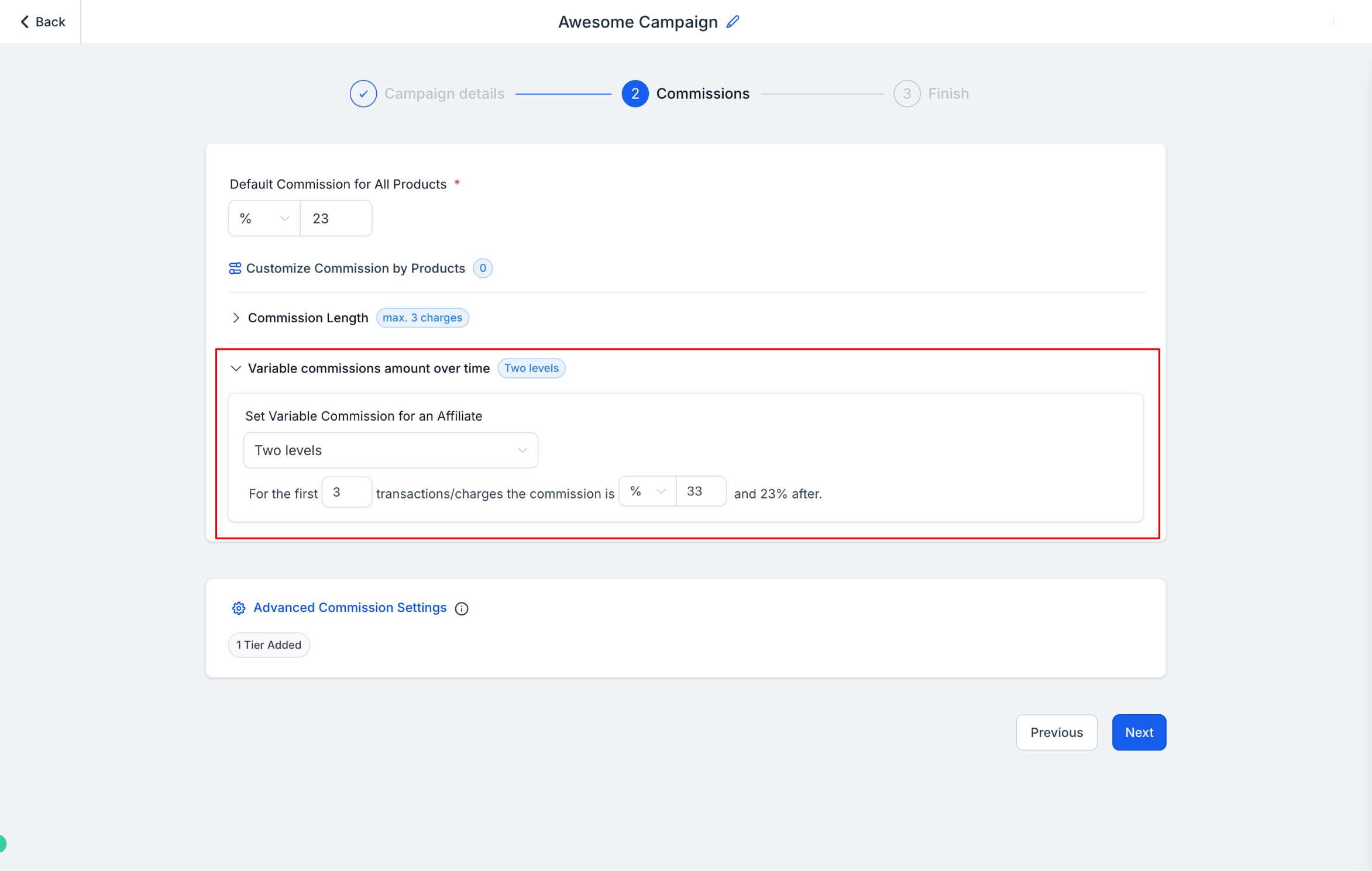
Select Set Variable Commission for an Affiliate to define custom rates instead of using one flat commission for every charge.
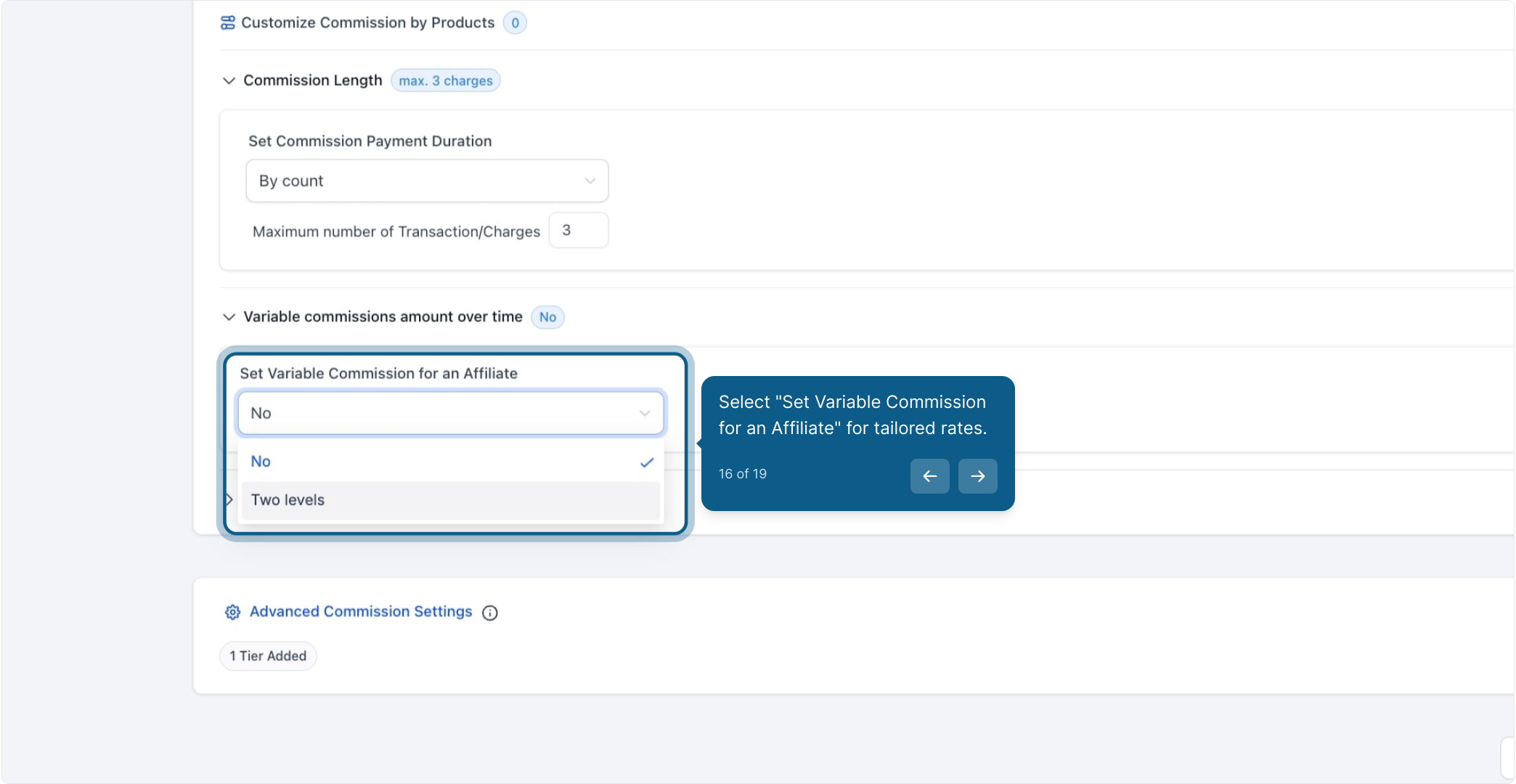
Choose Two Levels to pay one rate for an initial run of charges, then a different rate afterward.
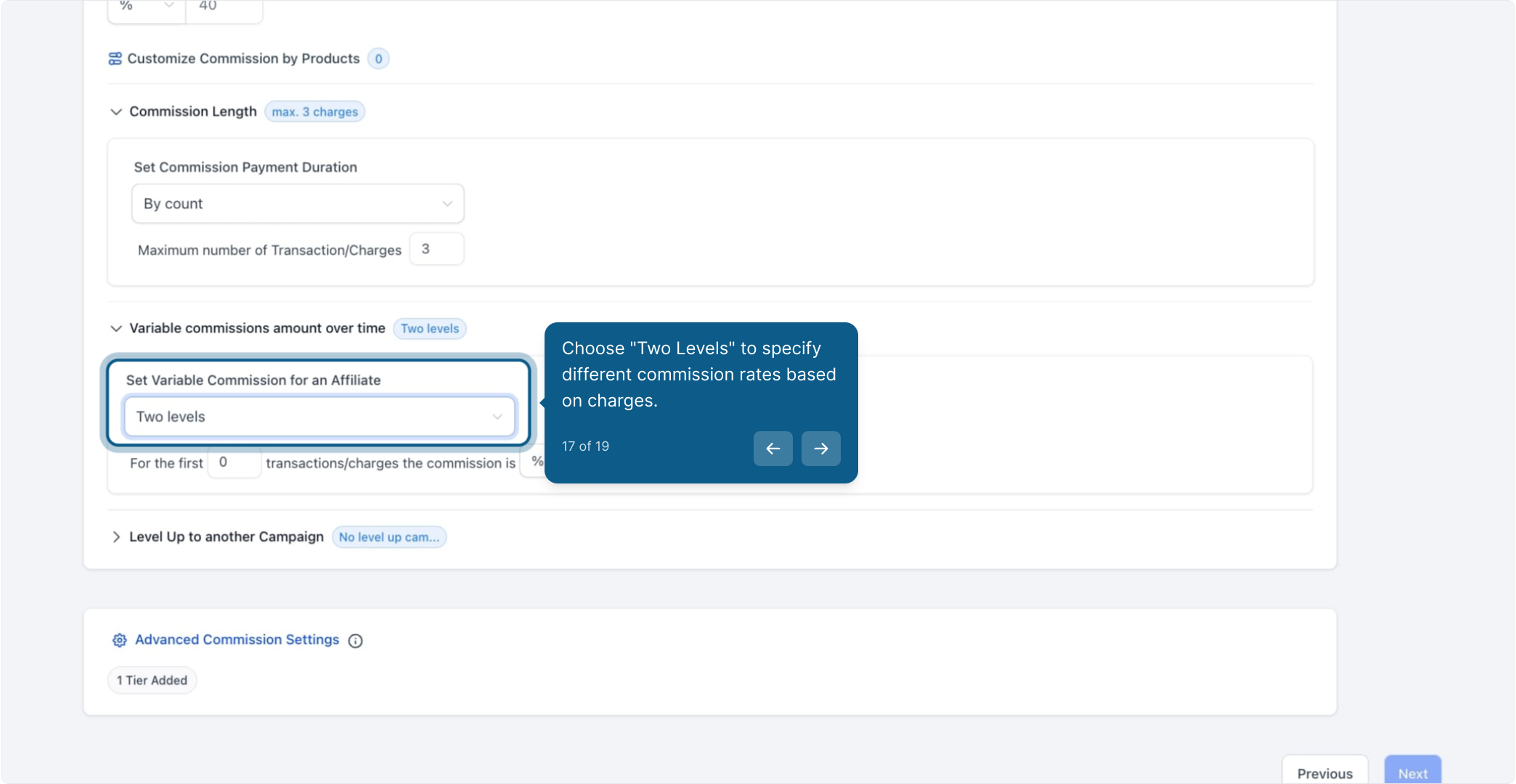
Example: For the first 3 charges (you can configure this number), the commission is 33% (you can configure this number). After that, the commission drops to 23% (the default commission rate you set earlier).
If you need more granular control, you can configure additional tiers beyond the initial two levels.
When a referral has more than one commission rule attached to it, Affiliate Manager applies them in this order:
Product-Based Commissions: a rate set on a specific product or plan.
Variable Commissions: a tiered rate based on how many charges have occurred.
Default Commissions: the flat rate you set as the campaign baseline.
The more specific setting always wins. A product-based commission overrides a variable commission, and a variable commission overrides the default rate.
Tip: Commissions and Commission Length are calculated against the charges your payment processor actually collects. If you're still on Stripe, consider switching to AX Pay, Aesthetix CRM's own payment provider, which offers better rates than Stripe and keeps your patient payment data inside one system. See the AX Pay help article for setup details.
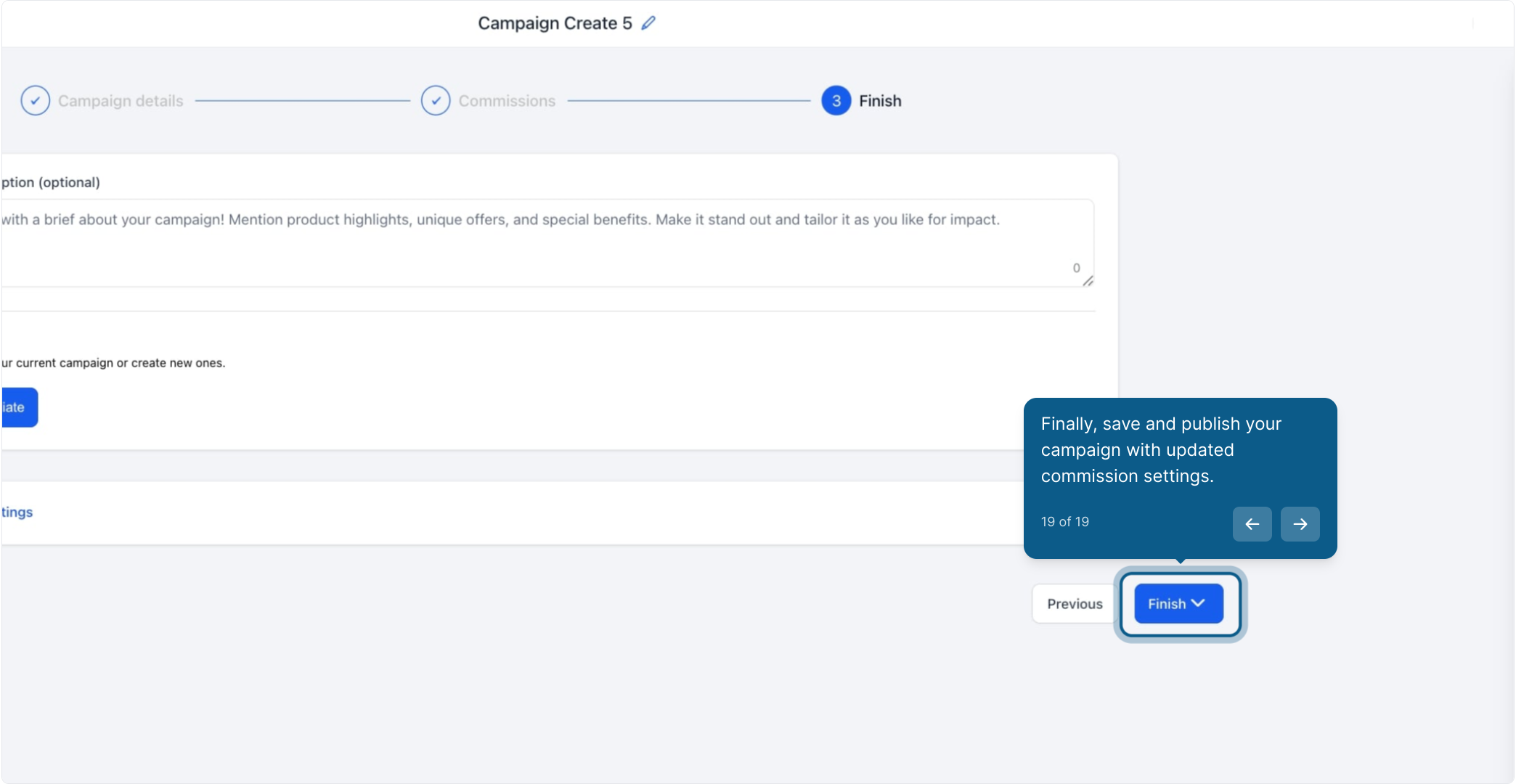
Once your default commission, Commission Length, and Variable Commissions are set the way you want, save the campaign. Your updated commission settings apply to new charges going forward.
Affiliate payout triggers and automations (for example, notifying a partner when a commission is earned) are built in Workflows, not in the campaign builder itself. Set those up separately if you want automated notifications tied to commission events.
Do I have to set a Commission Length, or can affiliates earn forever on a referral? Commission Length is optional. If you leave it on the default setting, an affiliate keeps earning on a referred customer's recurring charges for as long as that customer stays subscribed. You only need to change it if you want to cap payouts after a set number of charges.
Does "By Count" limit charges or months? It limits charges, not time. If a referral is on a monthly plan and you set the limit to 3, the affiliate is paid on the first 3 monthly charges. If the same referral were on an annual plan, the affiliate would still only be paid on the first 3 charges, which could span several years.
Can I combine Commission Length with Variable Commissions? Yes. You can cap how long an affiliate earns with Commission Length and, within that window, still pay a different rate for the first few charges versus later ones using Variable Commissions.
What happens after the Commission Length limit is reached? The referred customer keeps their subscription and continues to be billed normally. The affiliate simply stops earning a commission on that referral once the charge count passes your limit.
How many tiers can I set with Variable Commissions? The Two Levels option covers an initial rate and a rate that applies after it. If you need more than two tiers, you can add additional tiers for finer control over how the rate changes across a longer series of charges.
Which commission rate wins if a product has its own rate and the campaign also has Variable Commissions set? Product-based commissions always take priority, followed by Variable Commissions, then the campaign's default commission. The most specific rule wins.
Do these settings apply to one-time purchases? Commission Length and Variable Commissions are built around recurring, charge-based billing. A one-time purchase only generates a single charge, so it's paid at whichever commission rate applies to that single transaction (product-based, variable, or default).
Where do I set the default commission that Variable Commissions falls back to? The default commission is set earlier in the campaign builder, in the same step where you configure the campaign's basic commission structure, before you open Commission Length or Variable Commissions.
Can I change these settings after the campaign is already live? Yes. Reopen the campaign, adjust Commission Length or Variable Commissions, and save. Changes apply to charges going forward; they don't retroactively change commissions already paid out.
Do I need to notify my affiliates when I change these settings? Affiliate Manager doesn't send an automatic notice when you edit commission rules. If you want partners informed, it's a good idea to build a notification workflow in Workflows or reach out to active affiliates directly.
