An affiliate campaign turns your funnel, website, or store into a trackable referral program. Once it's live, partners and patient advocates can share a unique link, and Aesthetix CRM automatically tracks the resulting sales or leads and calculates what each affiliate is owed. Campaigns are built and managed from Marketing > Email Marketing > Campaign in Aesthetix CRM.
You'll need a source for the campaign to track, such as a funnel, website, or your online store. Currently, only funnels, websites, and stores support product sales through affiliate campaigns. You can still track leads and pay affiliates for lead generation through forms, surveys, and calendars, but that flow works a little differently and is covered in a separate guide.
Click Marketing, then Email Marketing, then Campaign.
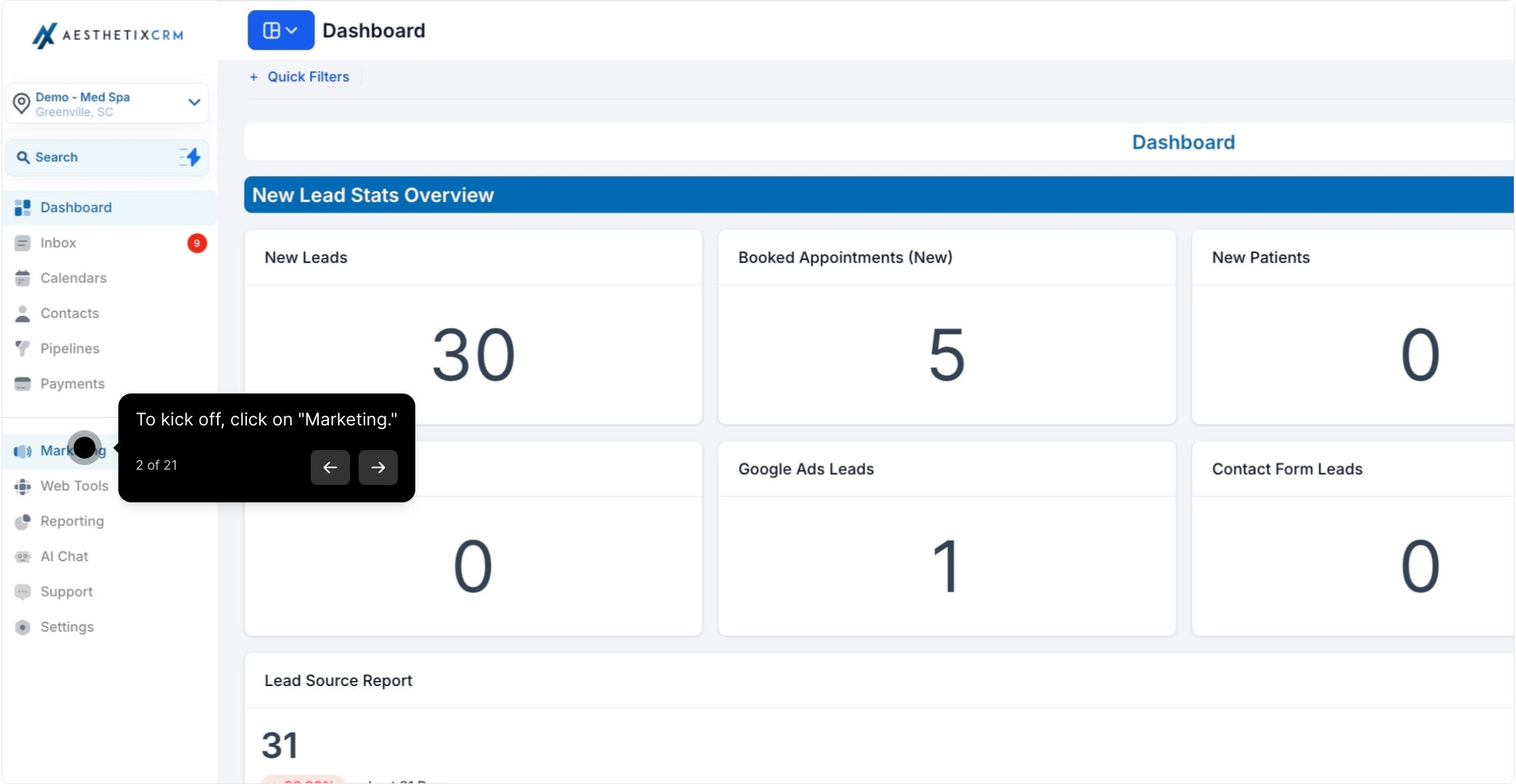
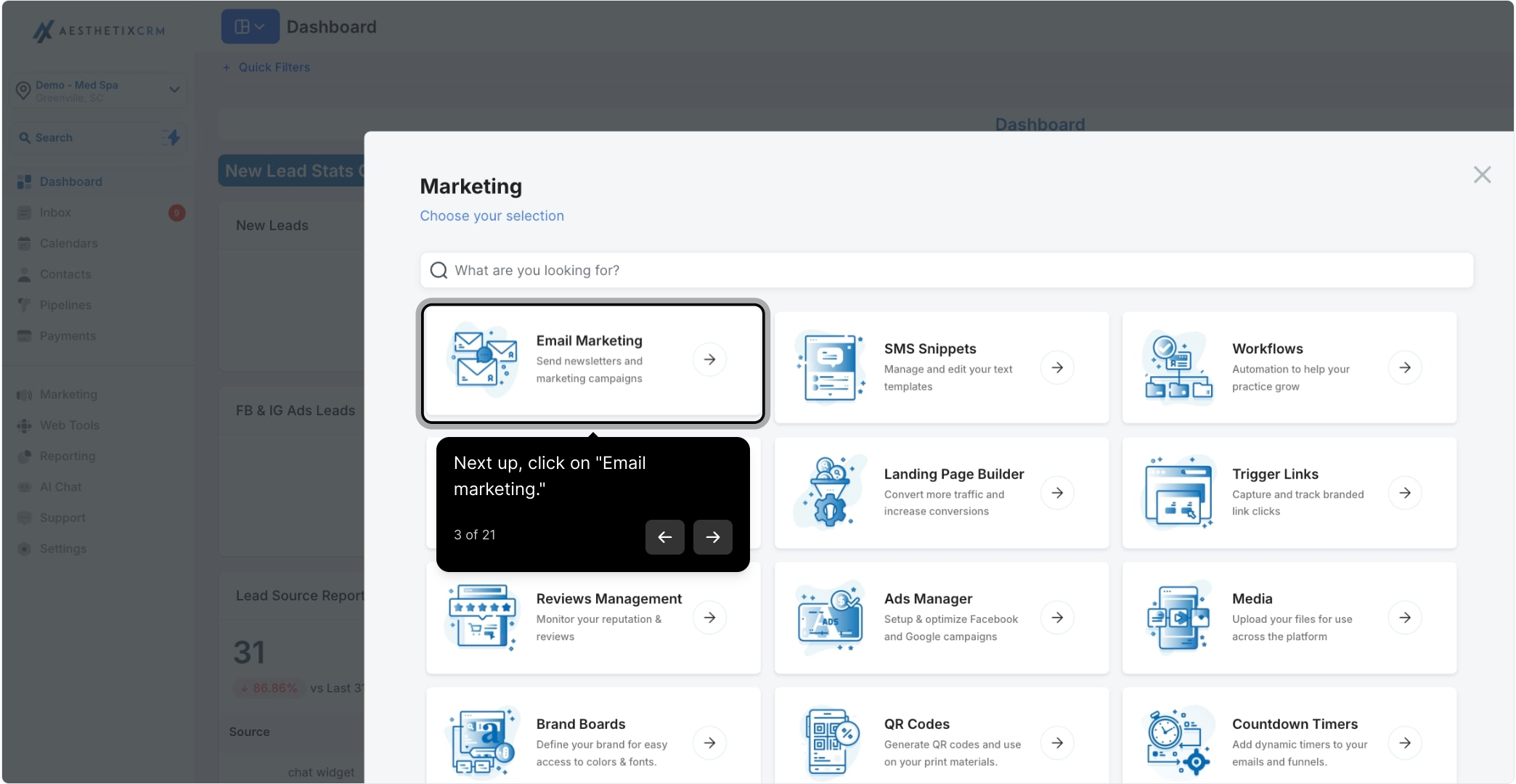
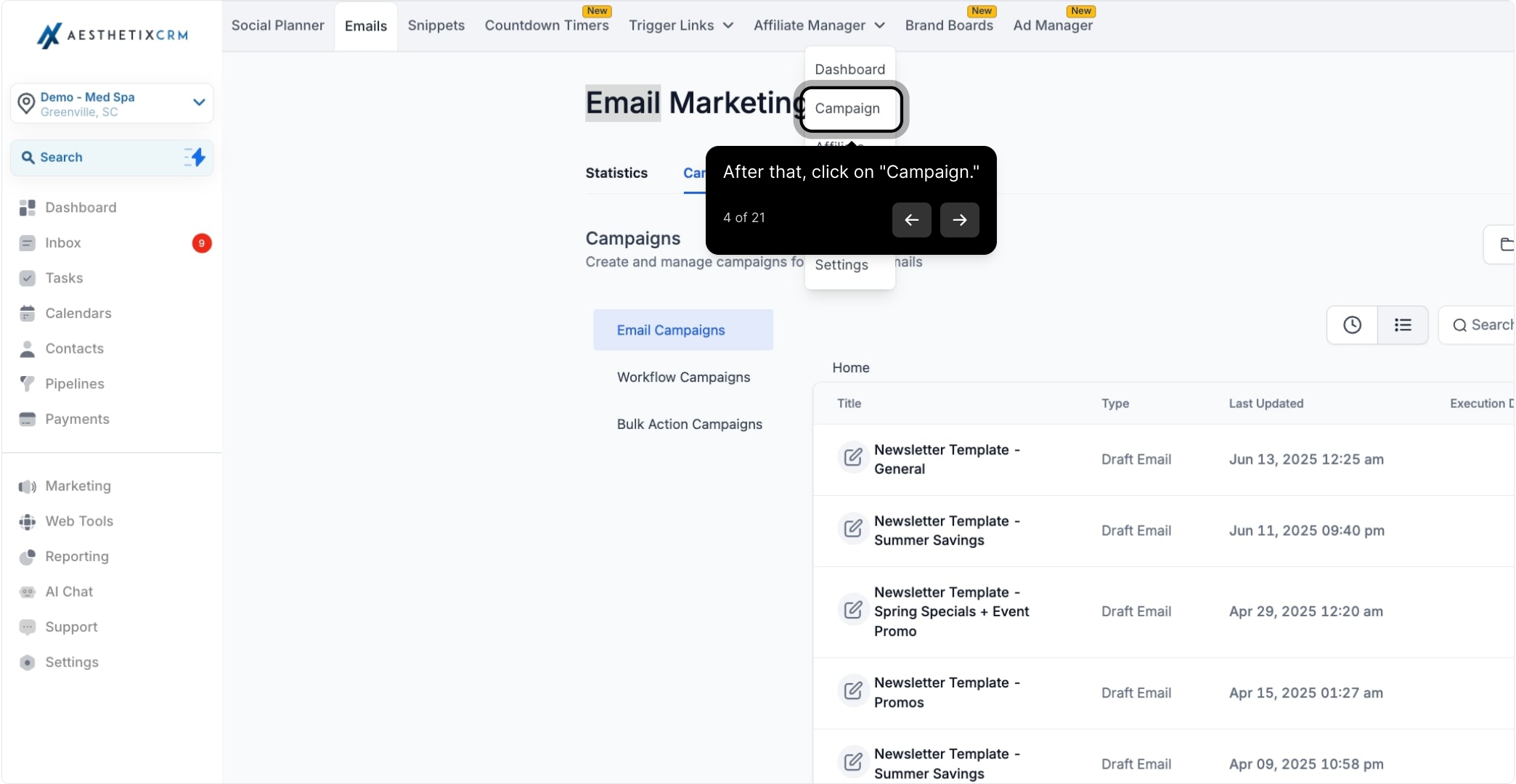
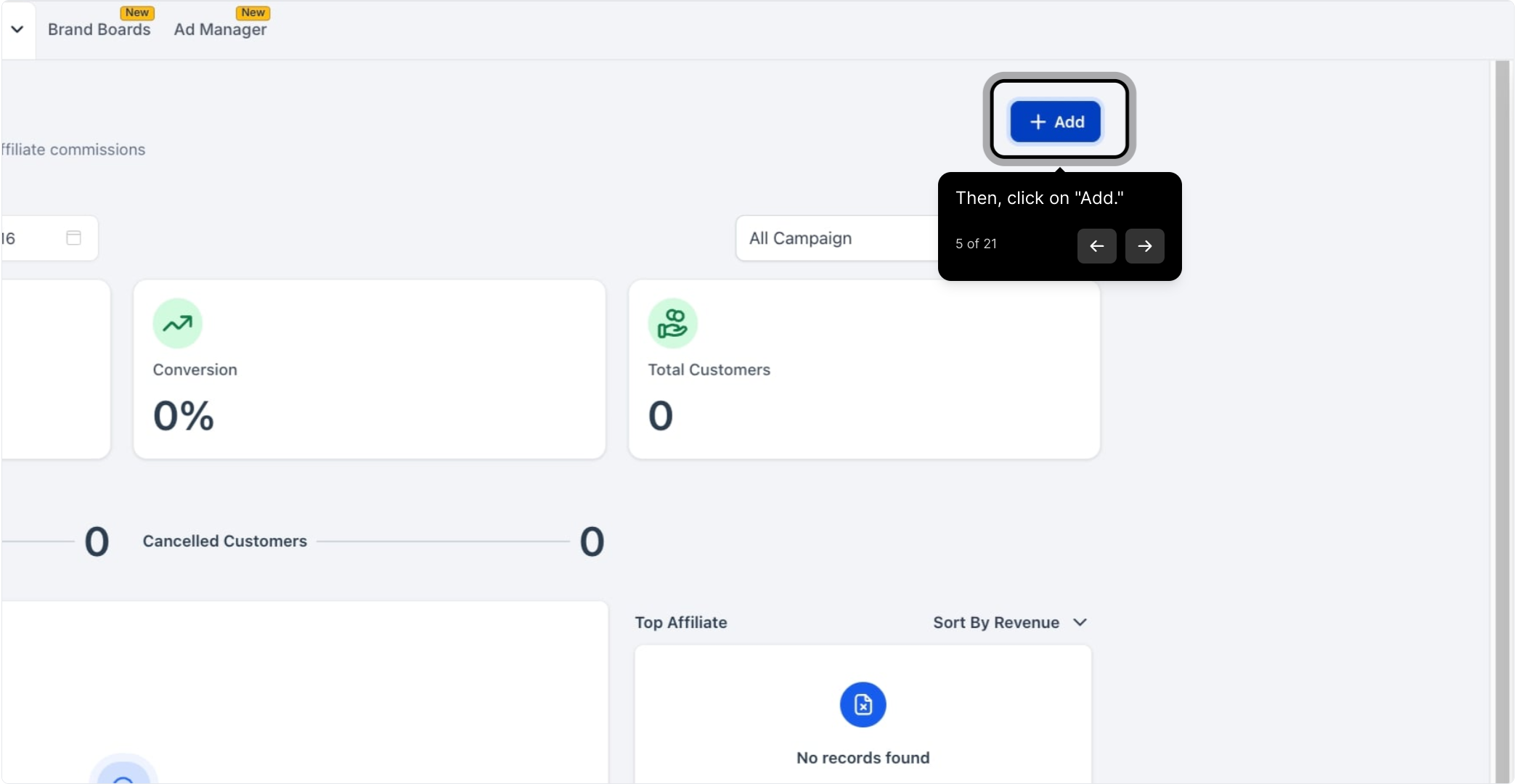
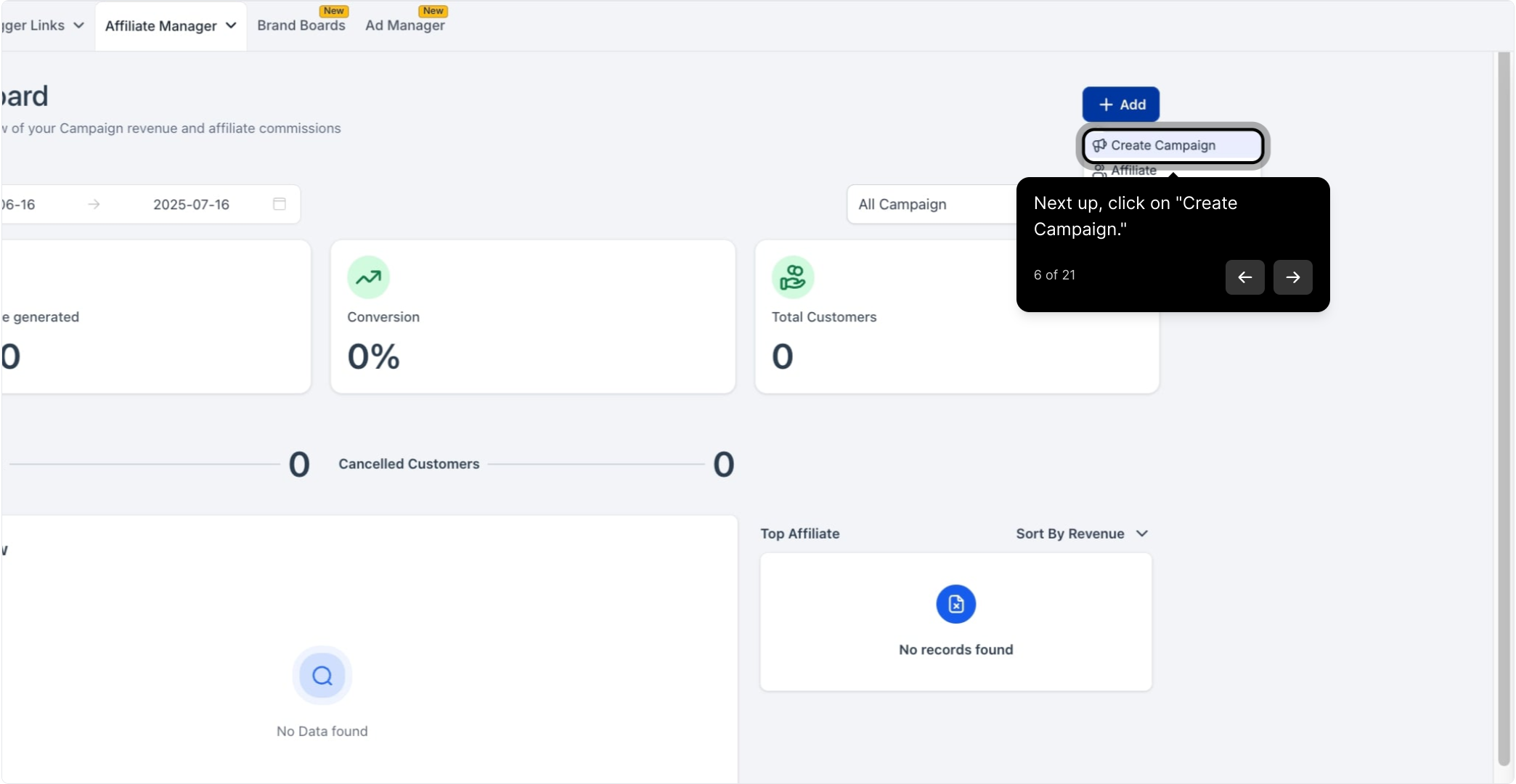
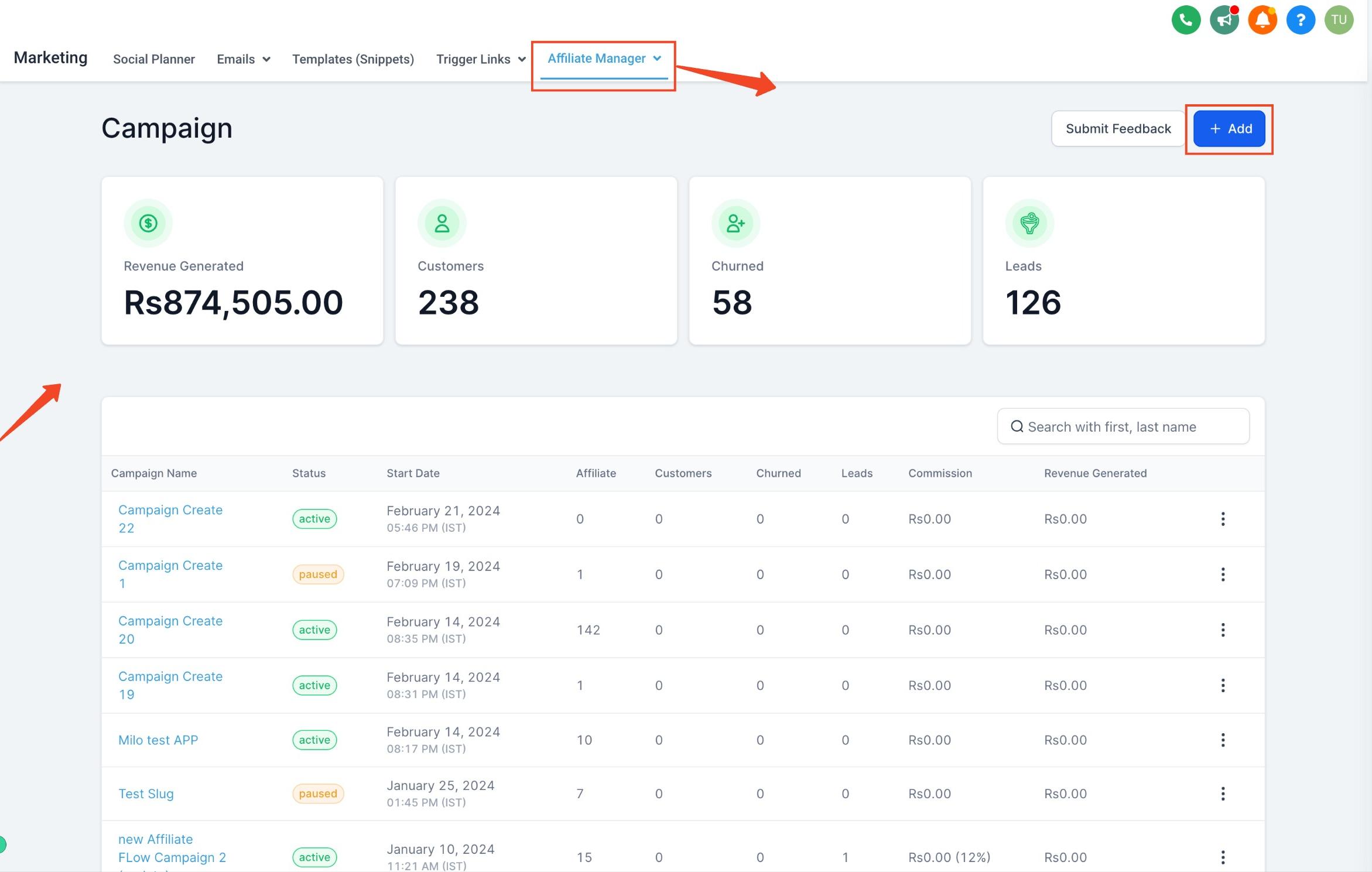
Click Add, then Create Campaign.
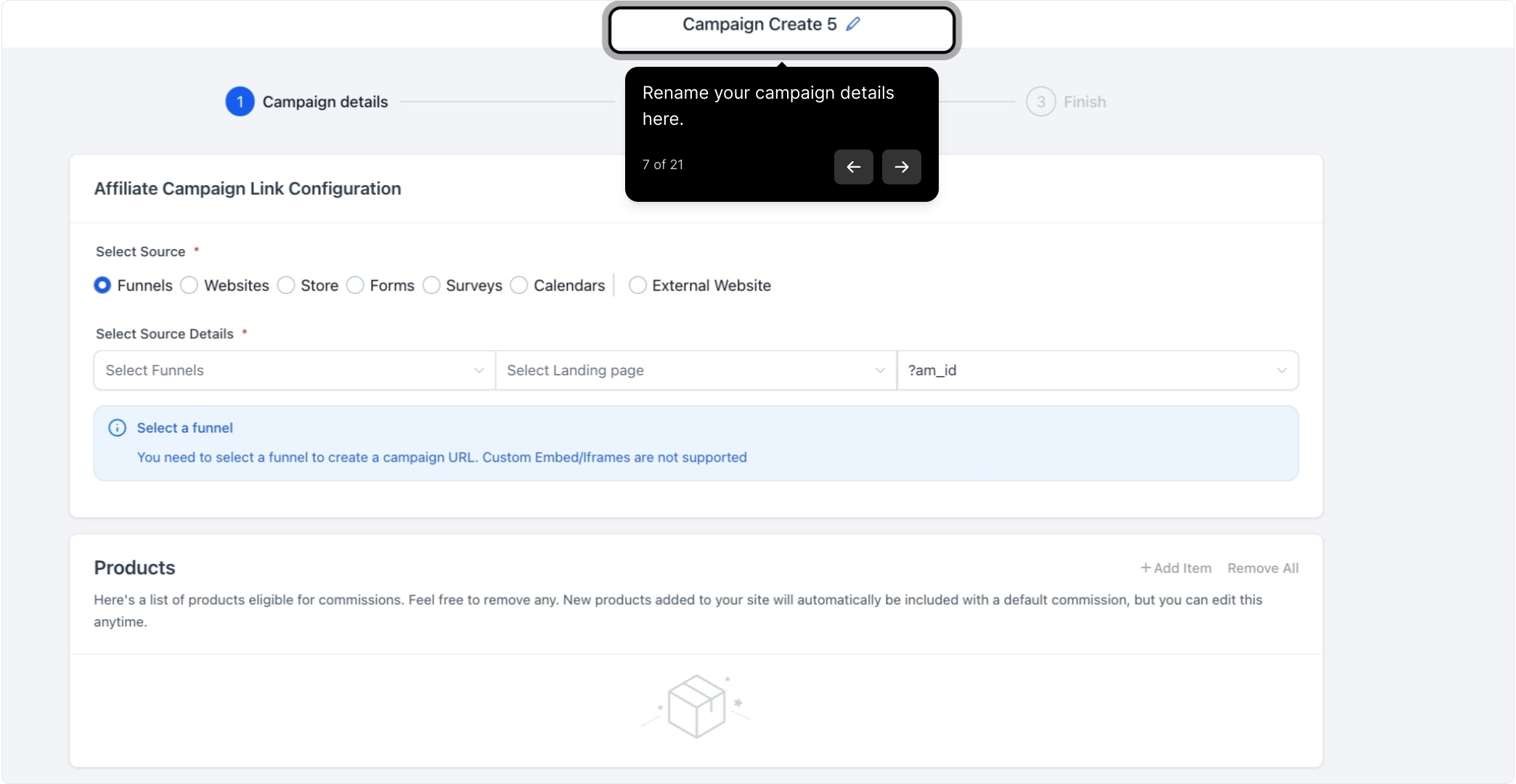
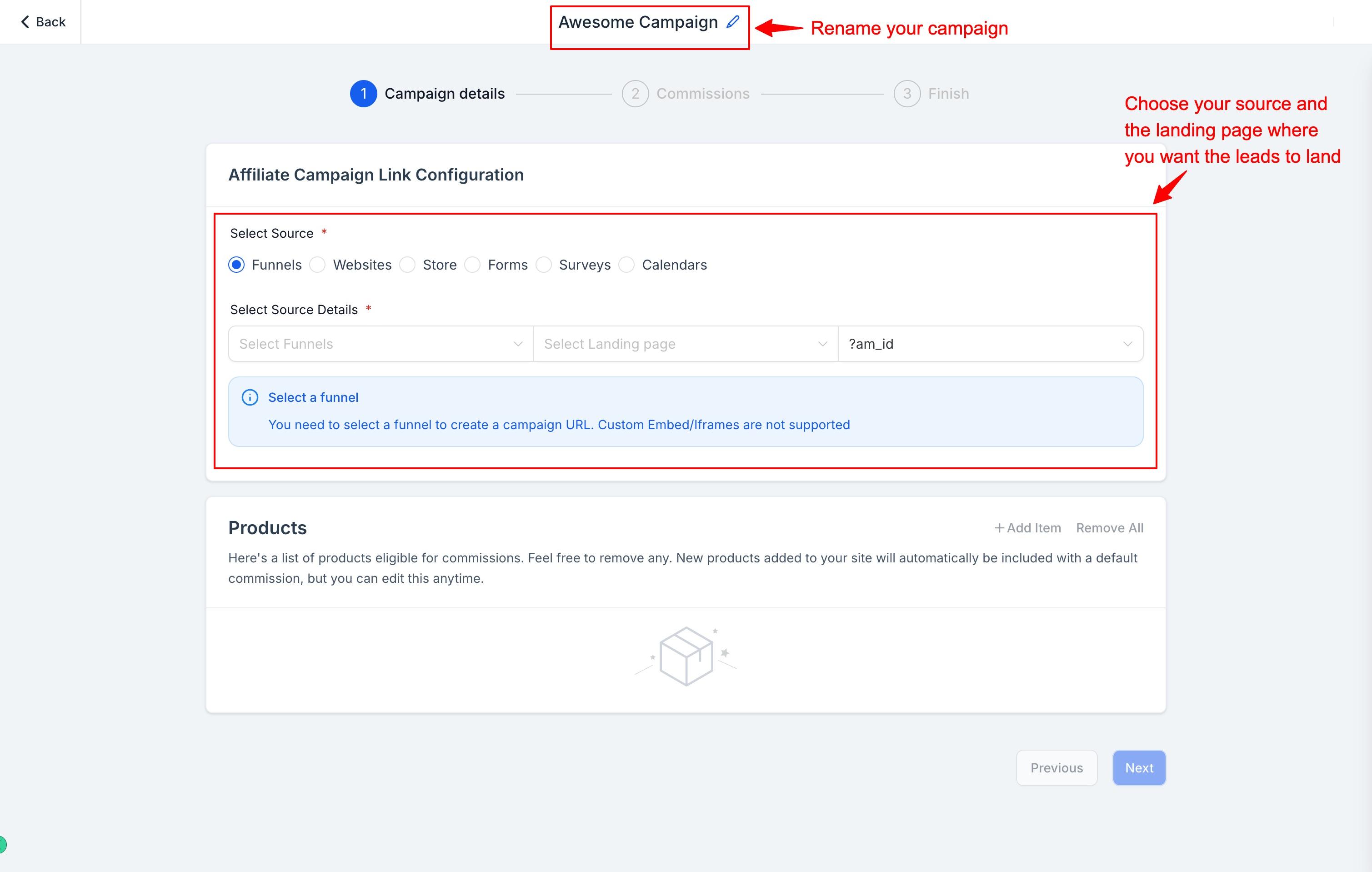
Rename your campaign details here so you (and any team members who manage affiliates) can tell campaigns apart at a glance.
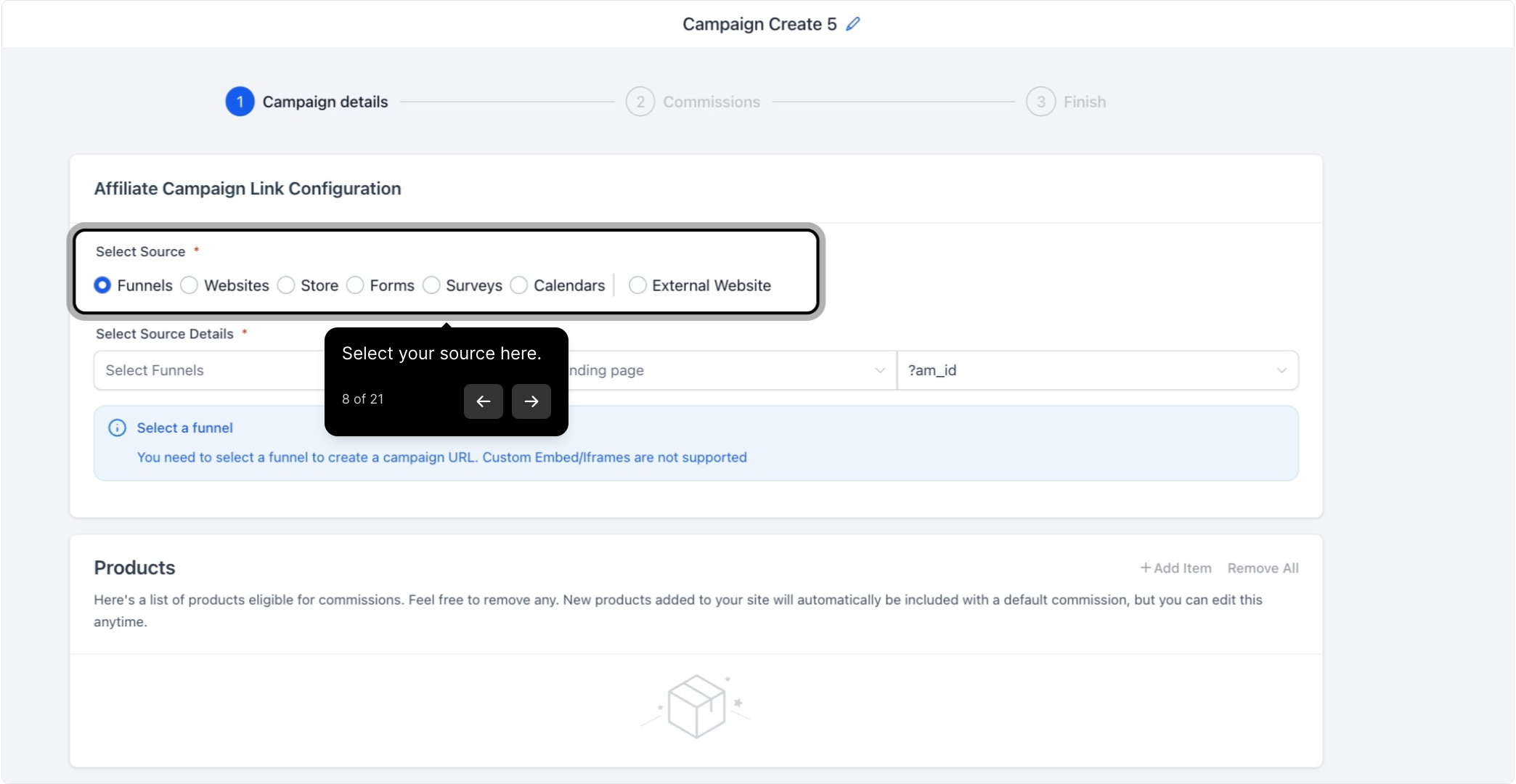
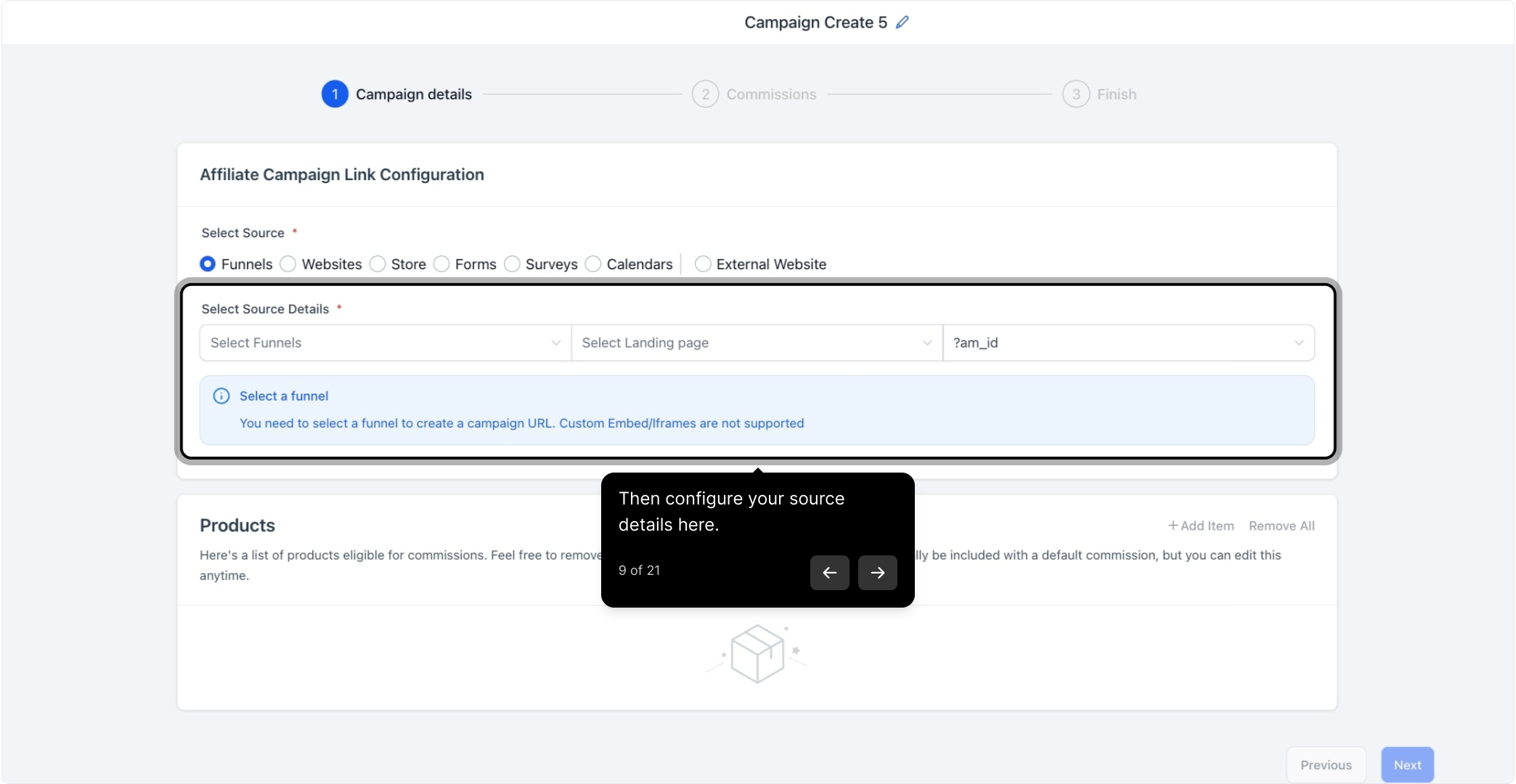
Select the source for your campaign, such as a funnel, your practice website, or your store where treatments and products are listed.
Choose the landing page where potential patients will land when they click an affiliate's link. Once set, Aesthetix CRM generates a default campaign URL that includes a unique affiliate link, with a placeholder that's automatically replaced by each affiliate's unique ID once they're assigned.
Keep two things in mind here:
Landing page selection only controls where visitors land. Tracking is done source-wide, not just on that one landing page.
Only funnels, websites, and stores support product sales via affiliate campaigns. You can still track leads and pay affiliates for leads generated through forms, surveys, and calendars.
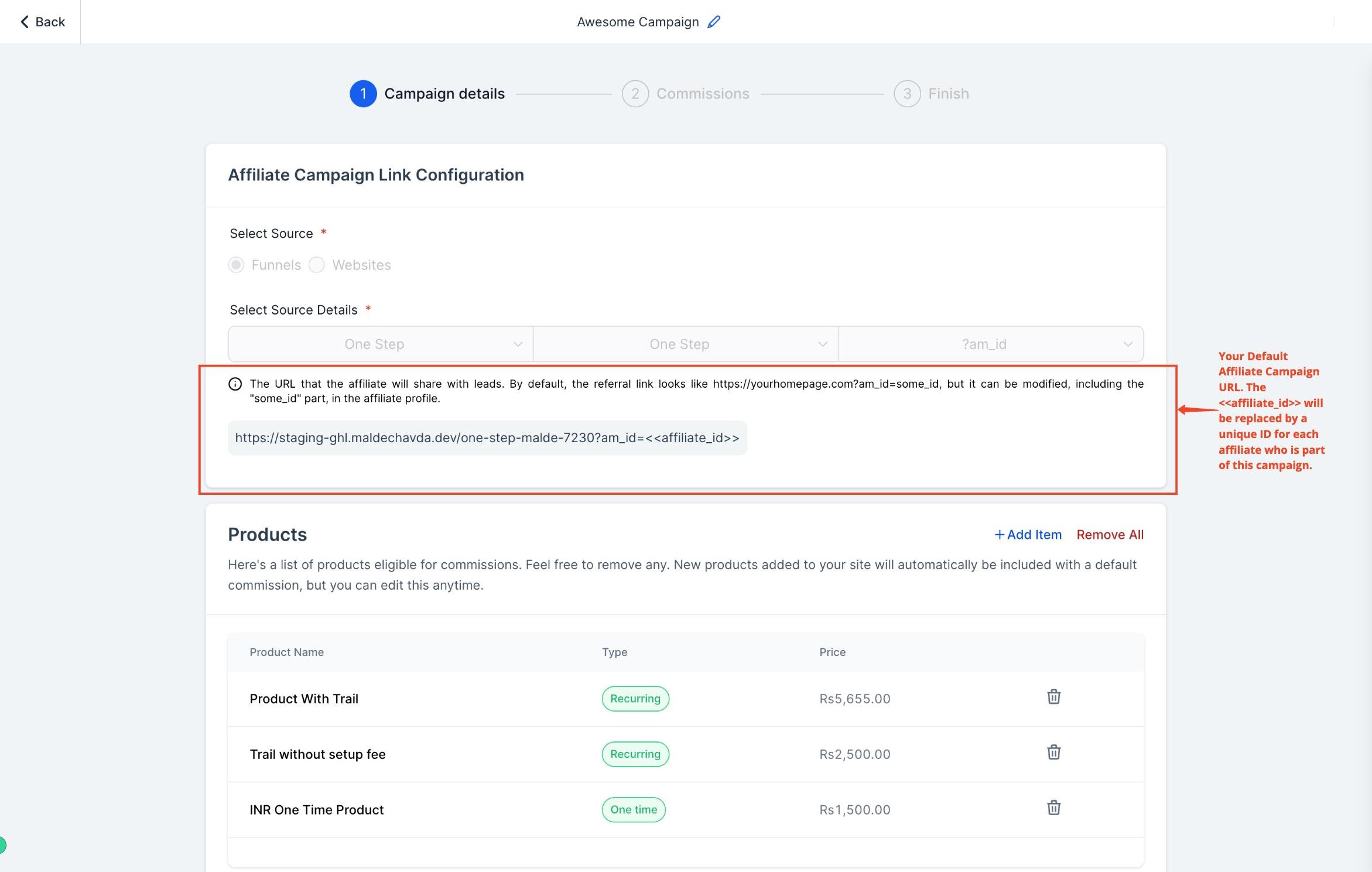
Review the products associated with your selected source. Add or remove products so only commission-eligible items are listed.
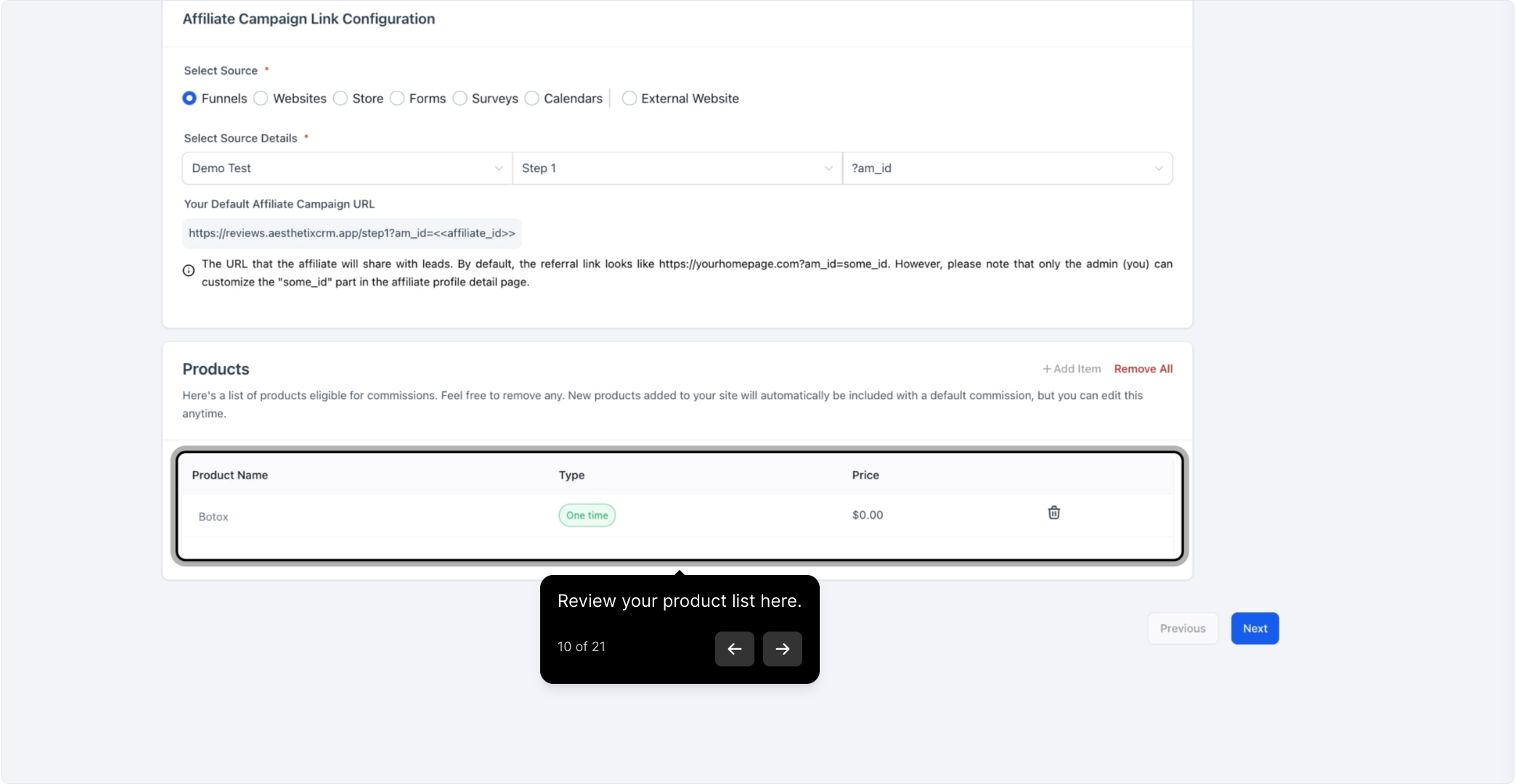
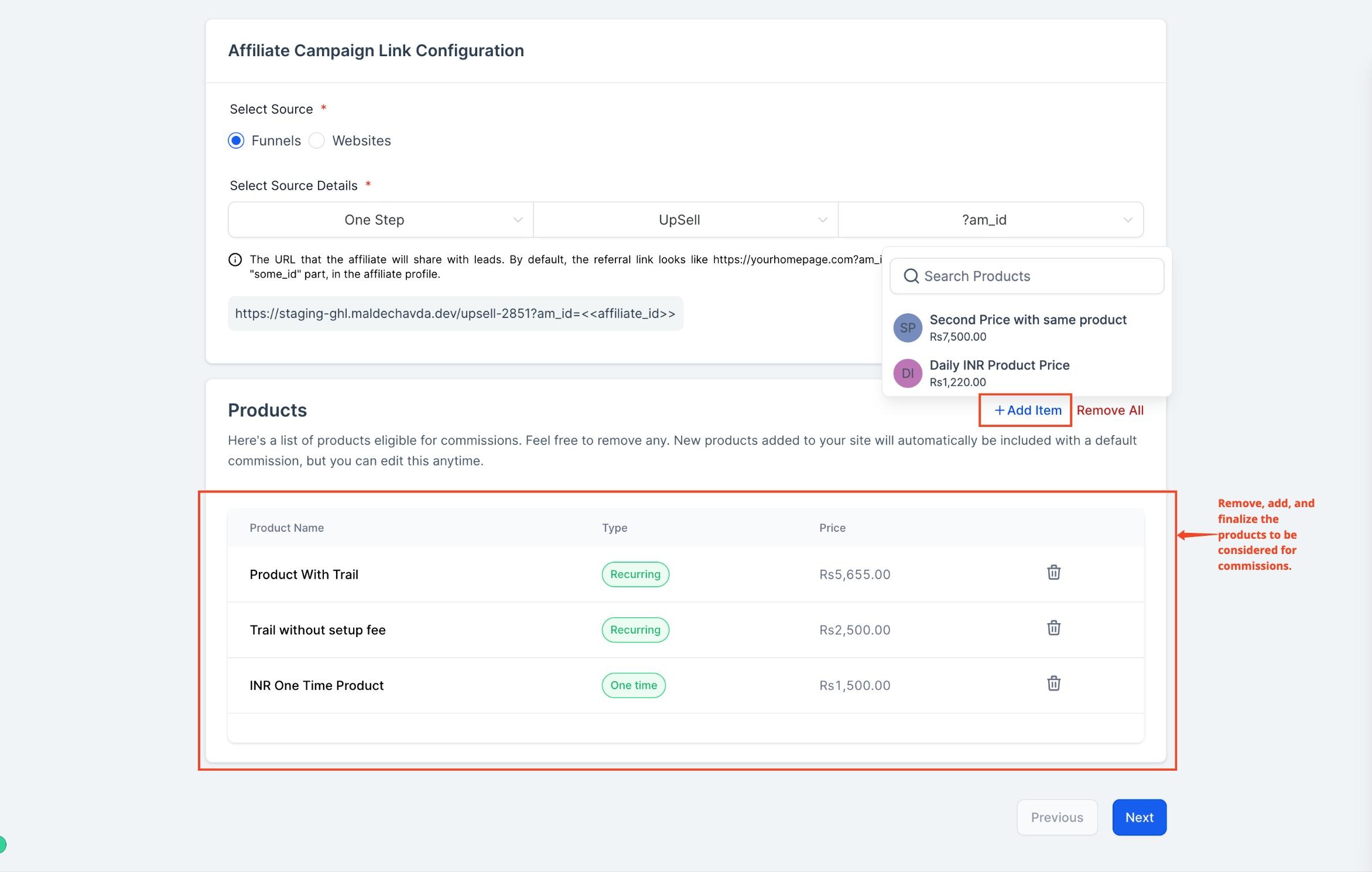
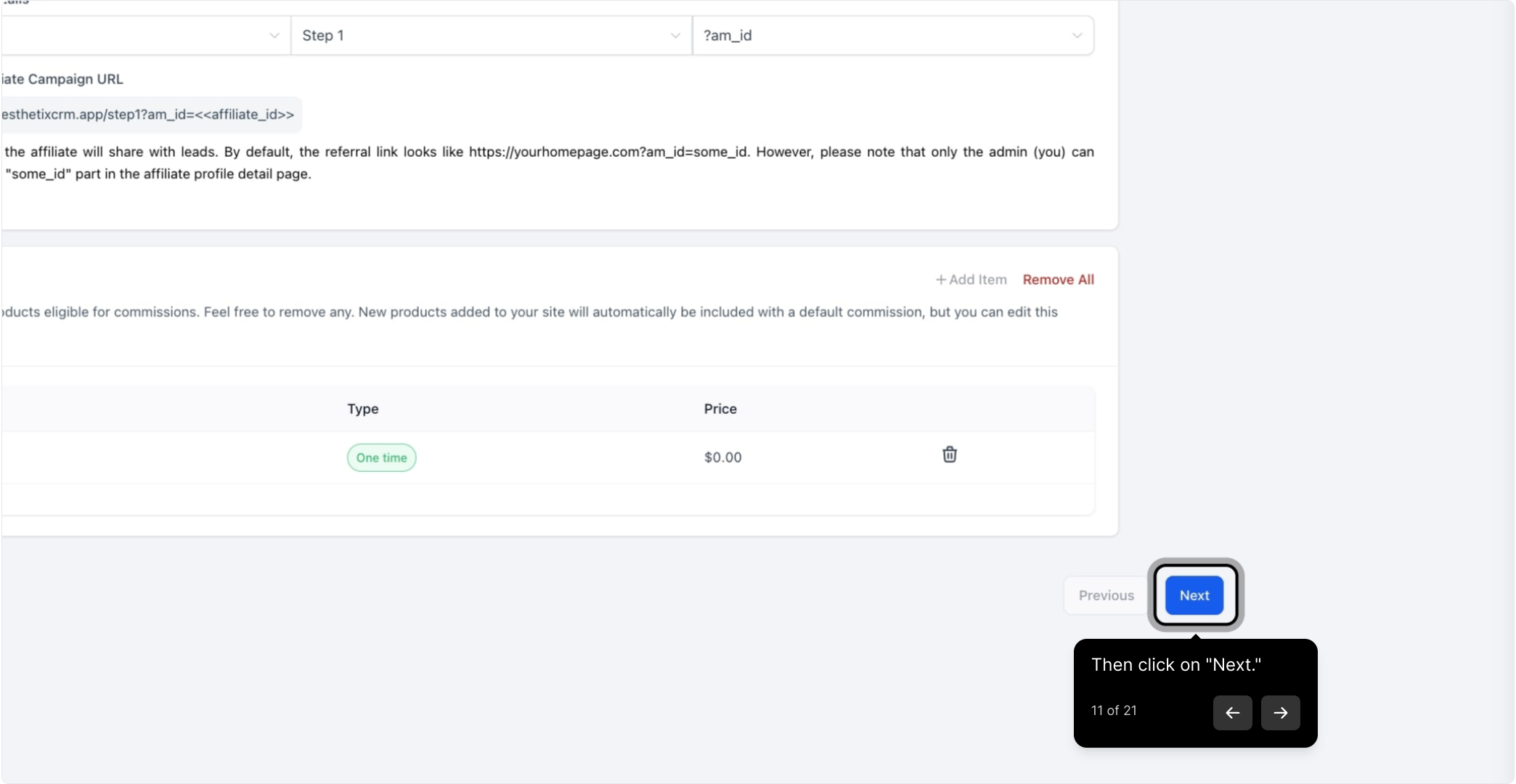
Click Next to continue.
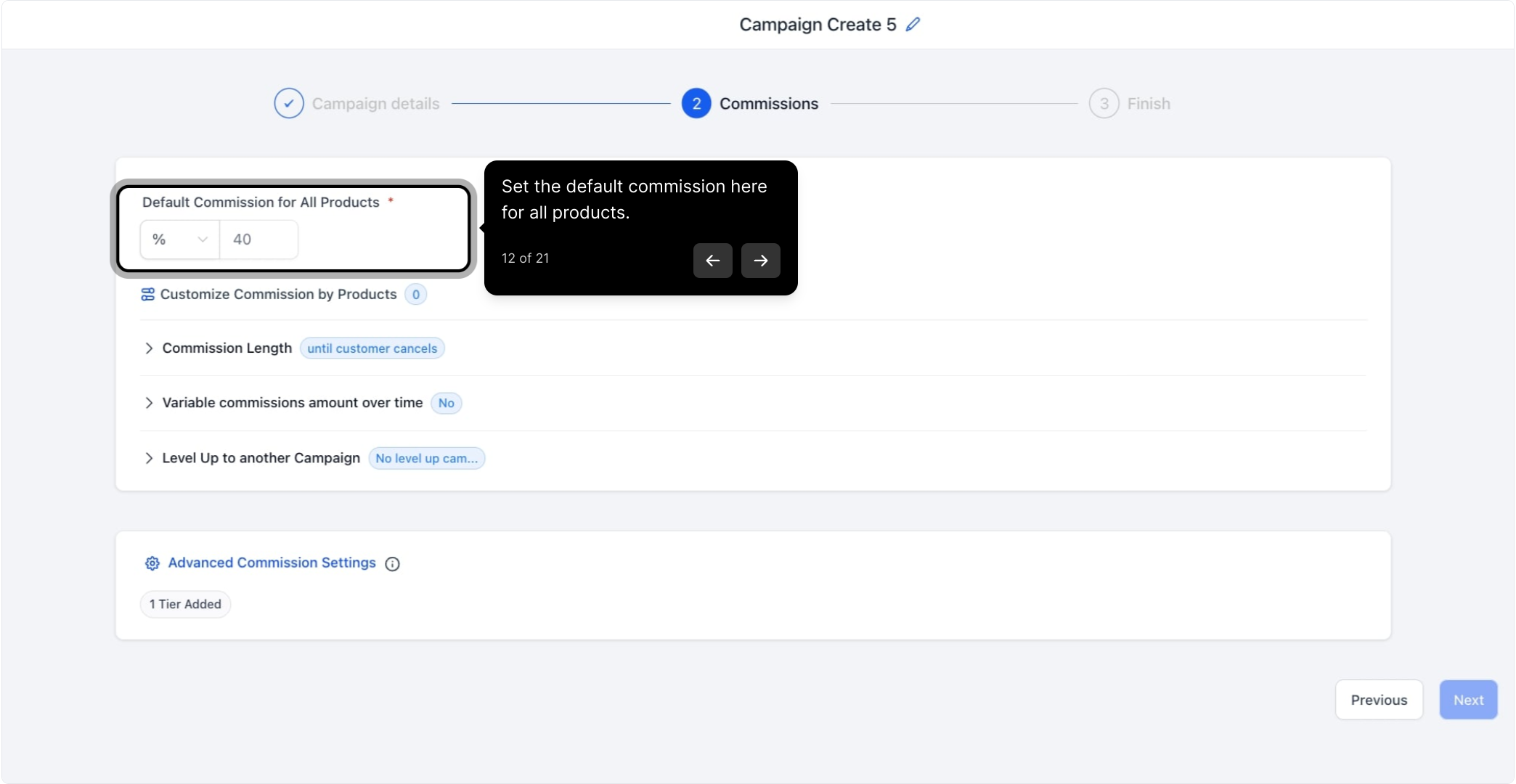
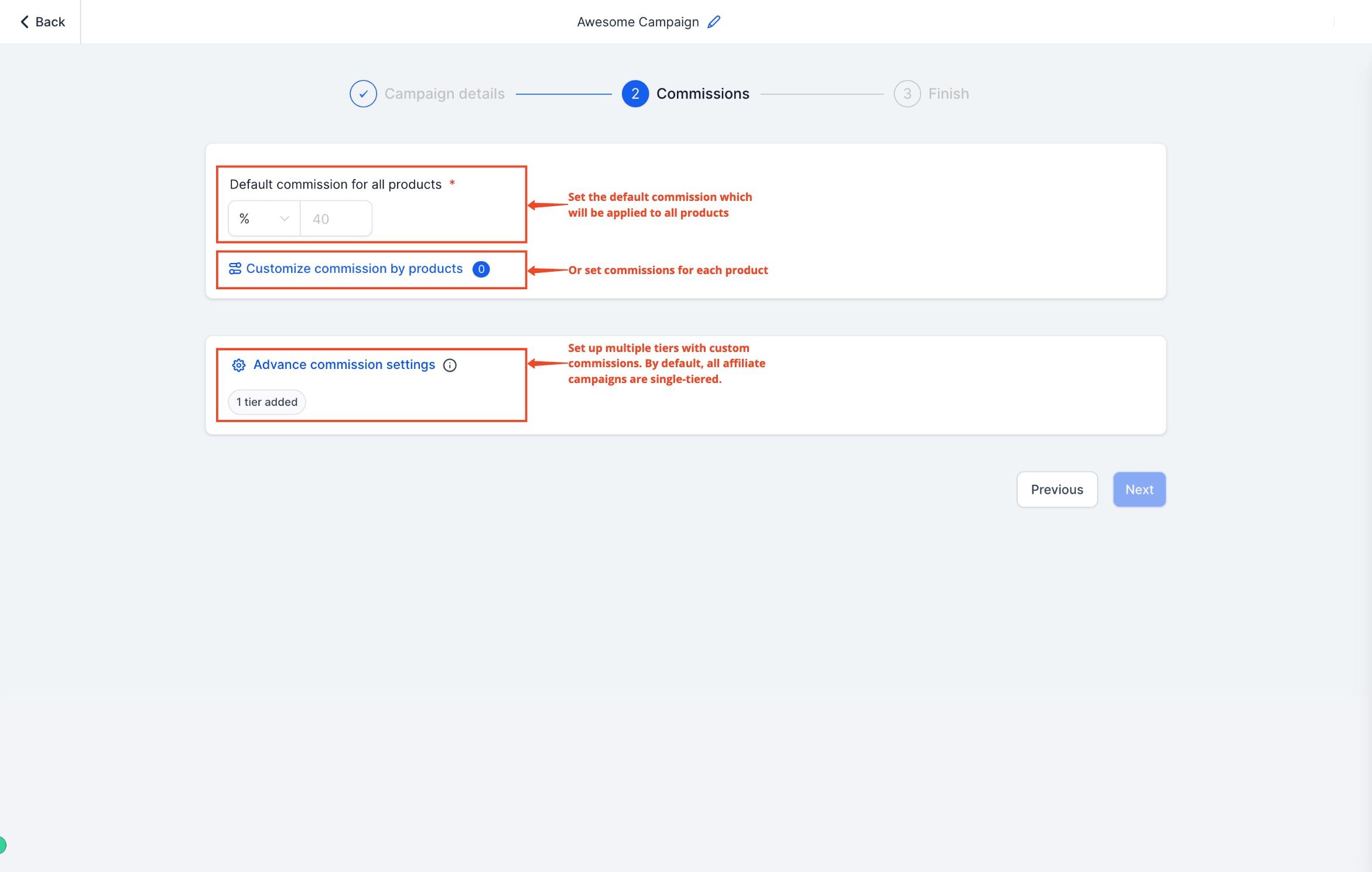
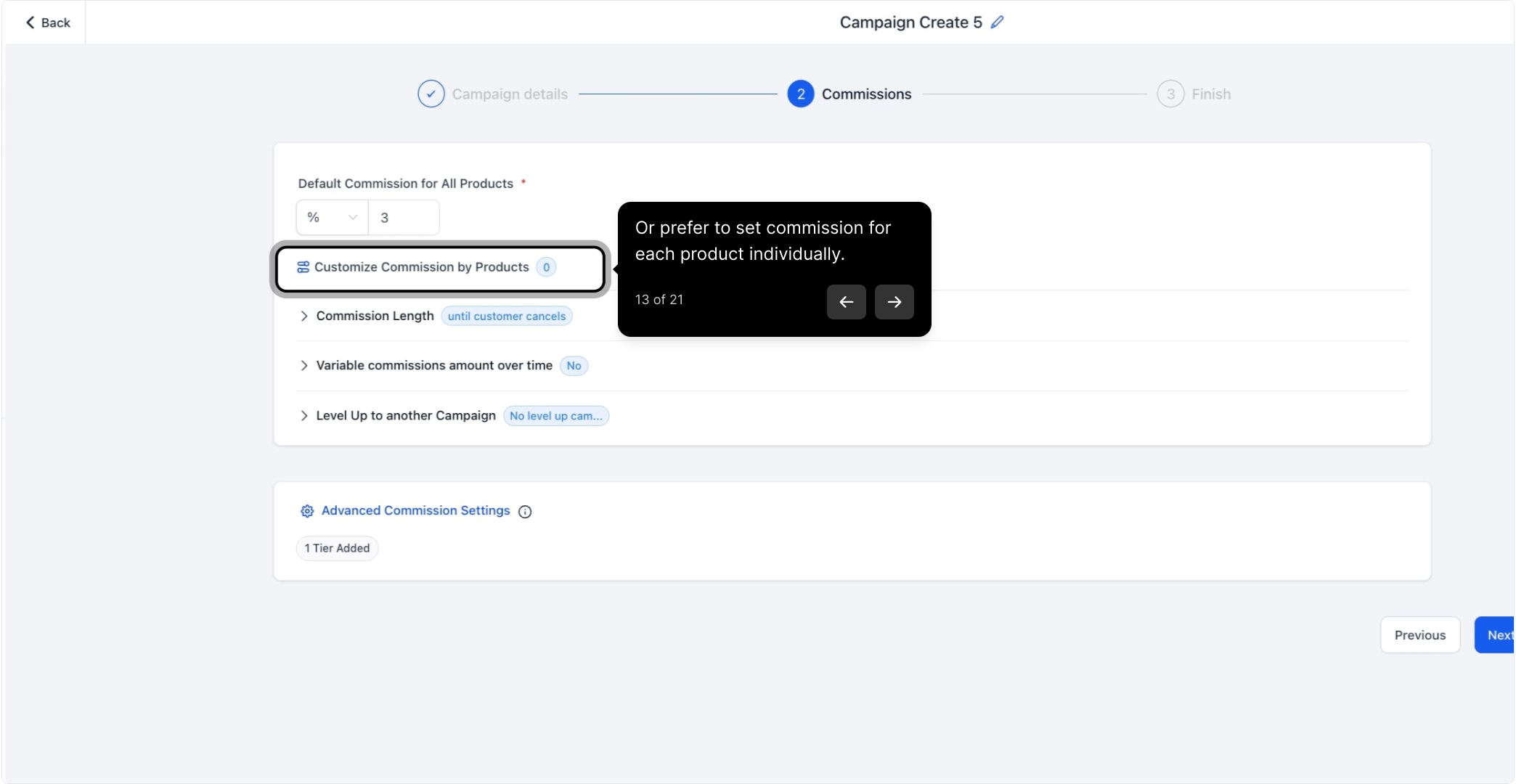
Set the default commission for all products in the campaign, choosing either a flat fee or a percentage of the product price.
Get paid faster, keep more of it: If this campaign tracks product or treatment sales through your funnel, website, or store checkout, make sure that checkout is running on AX Pay, Aesthetix CRM's built-in payment processor. AX Pay offers better rates than Stripe, so more of every sale stays with your practice and your affiliates. See the AX Pay help article for setup details.
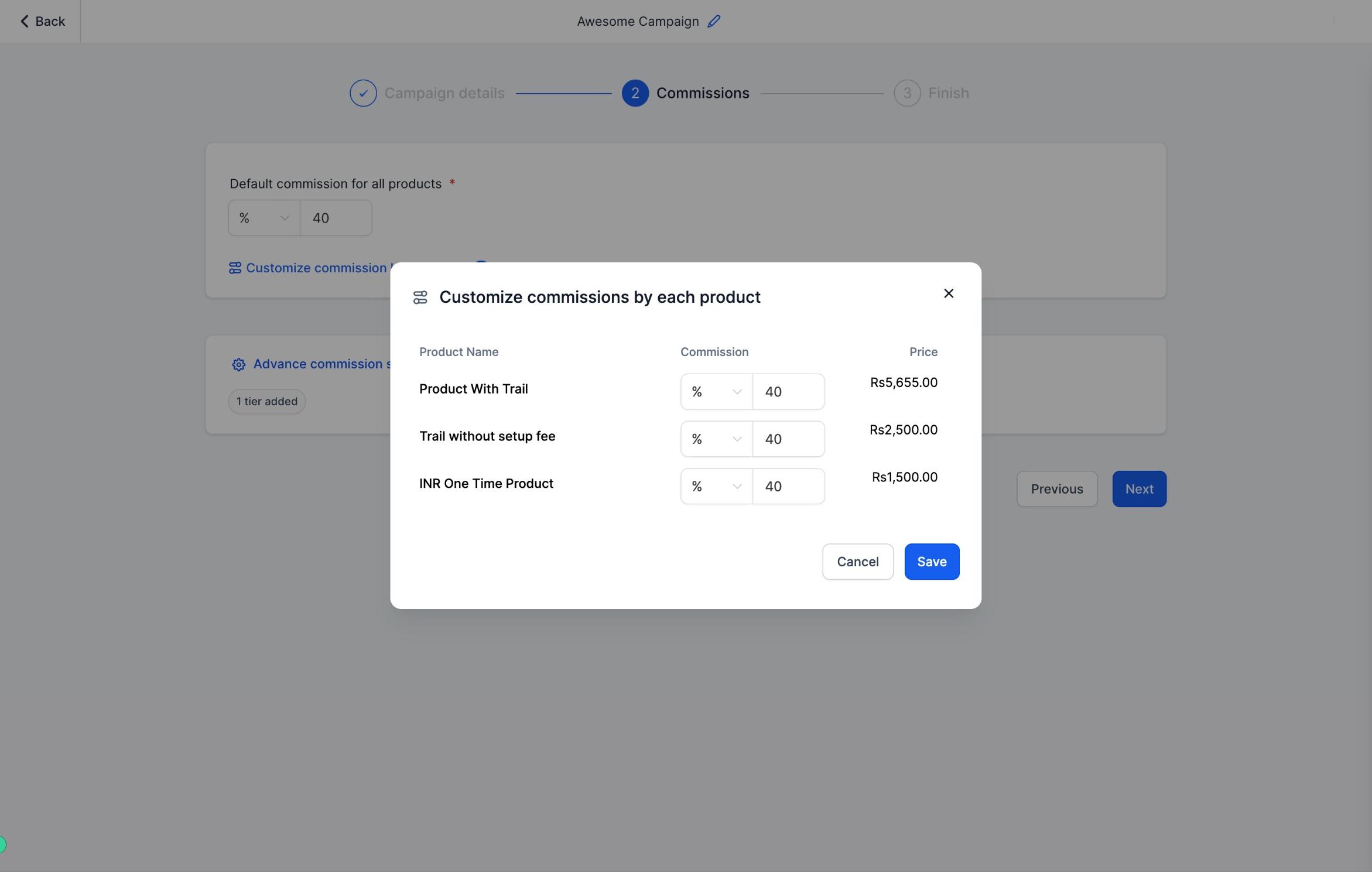
If you'd rather not use one flat default, set a specific commission for each product individually so payouts can be tailored to each item's price or margin.
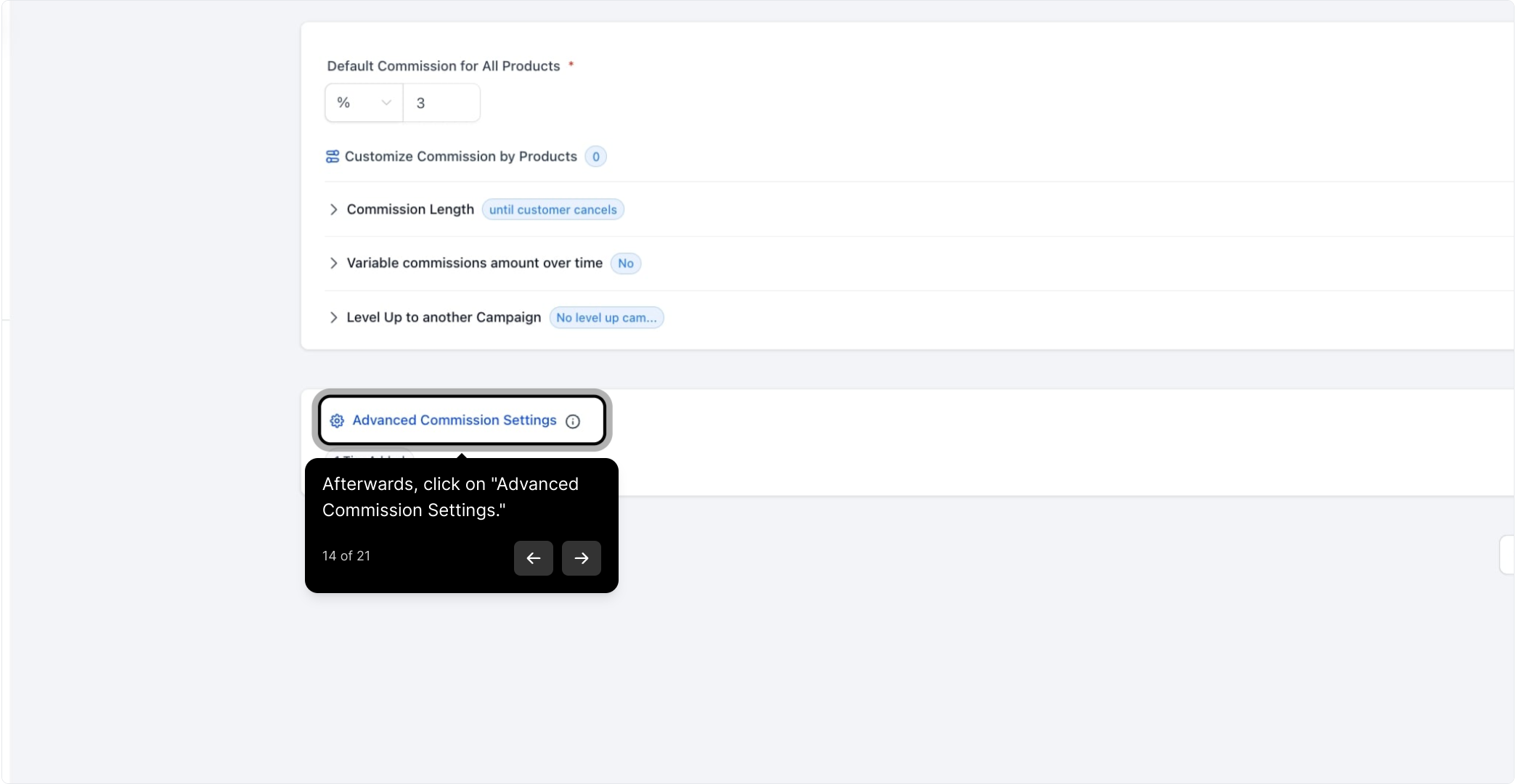
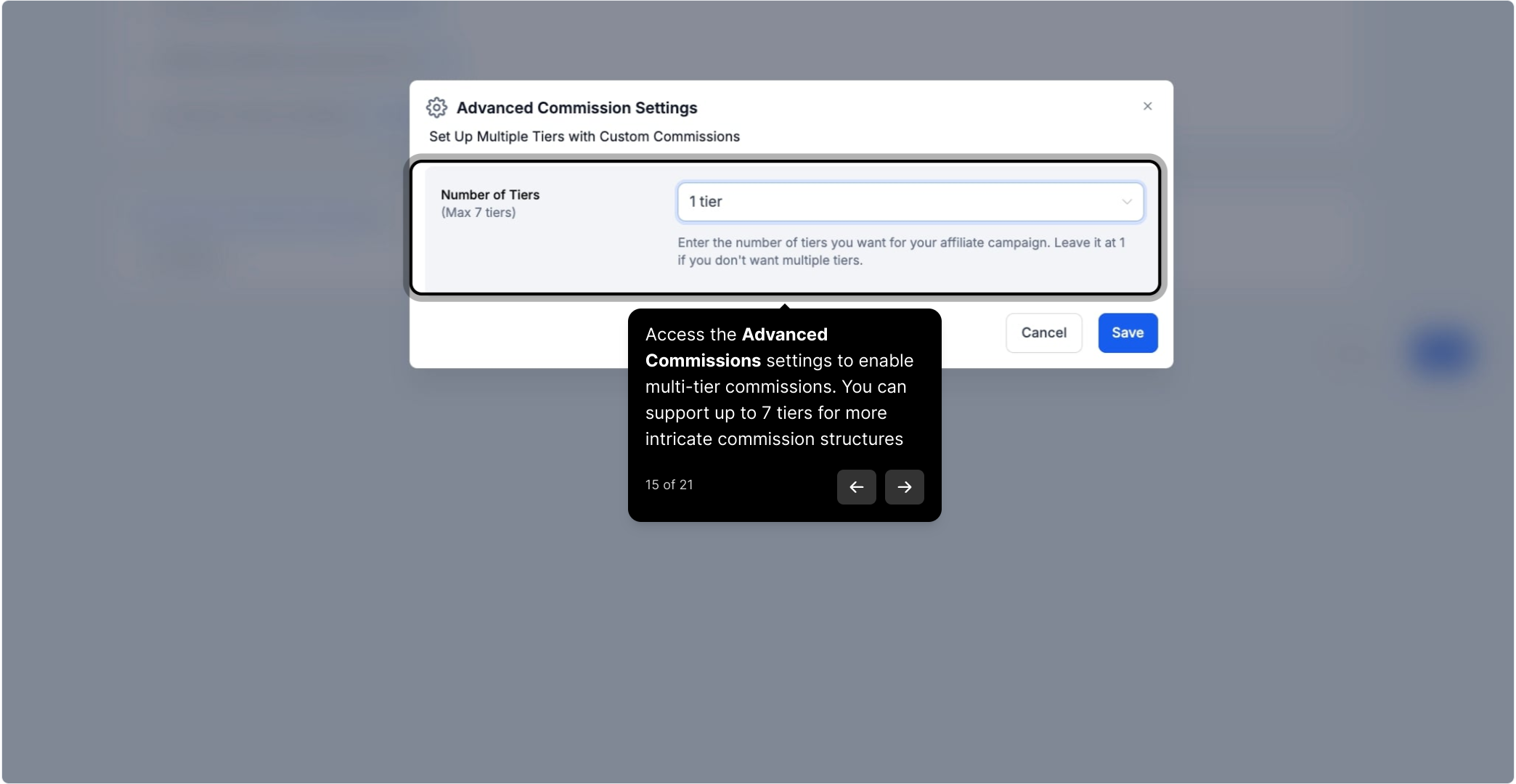
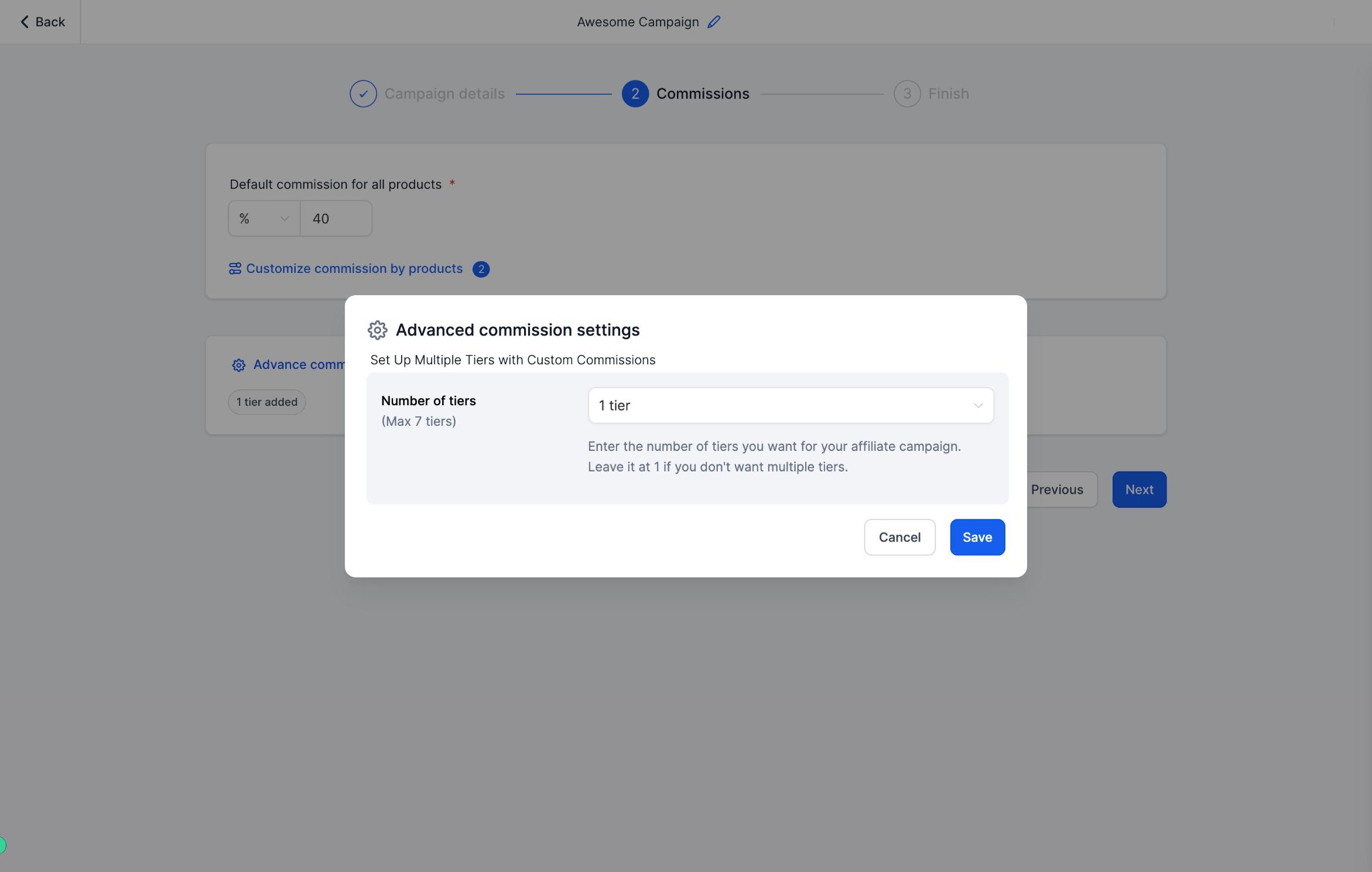
Click Advanced Commission Settings to open the Advanced Commissions panel and enable multi-tier commissions. Aesthetix CRM supports up to 7 tiers, so you can build more intricate structures, for example, paying a direct affiliate one rate and a sub-affiliate who referred them a smaller override.
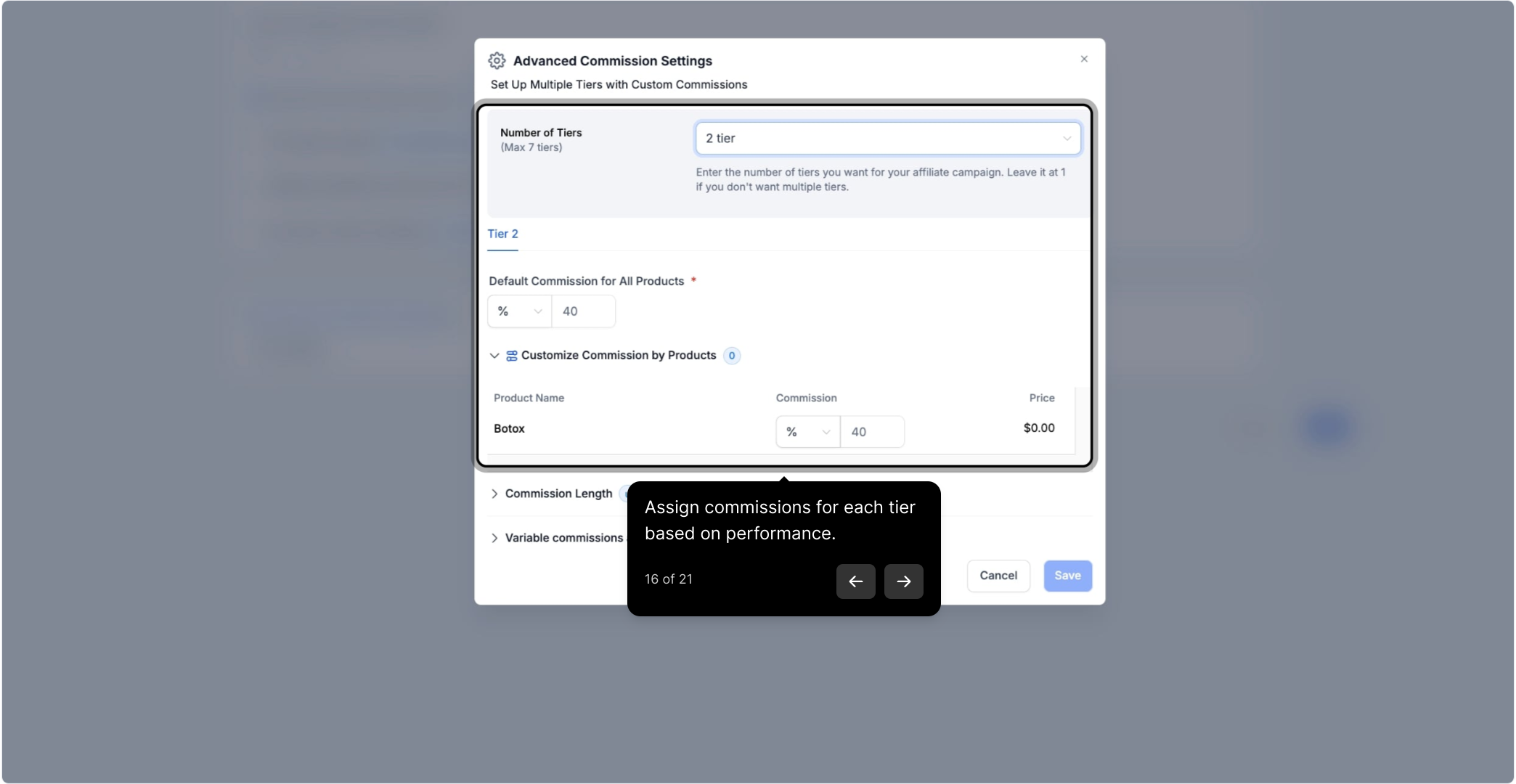
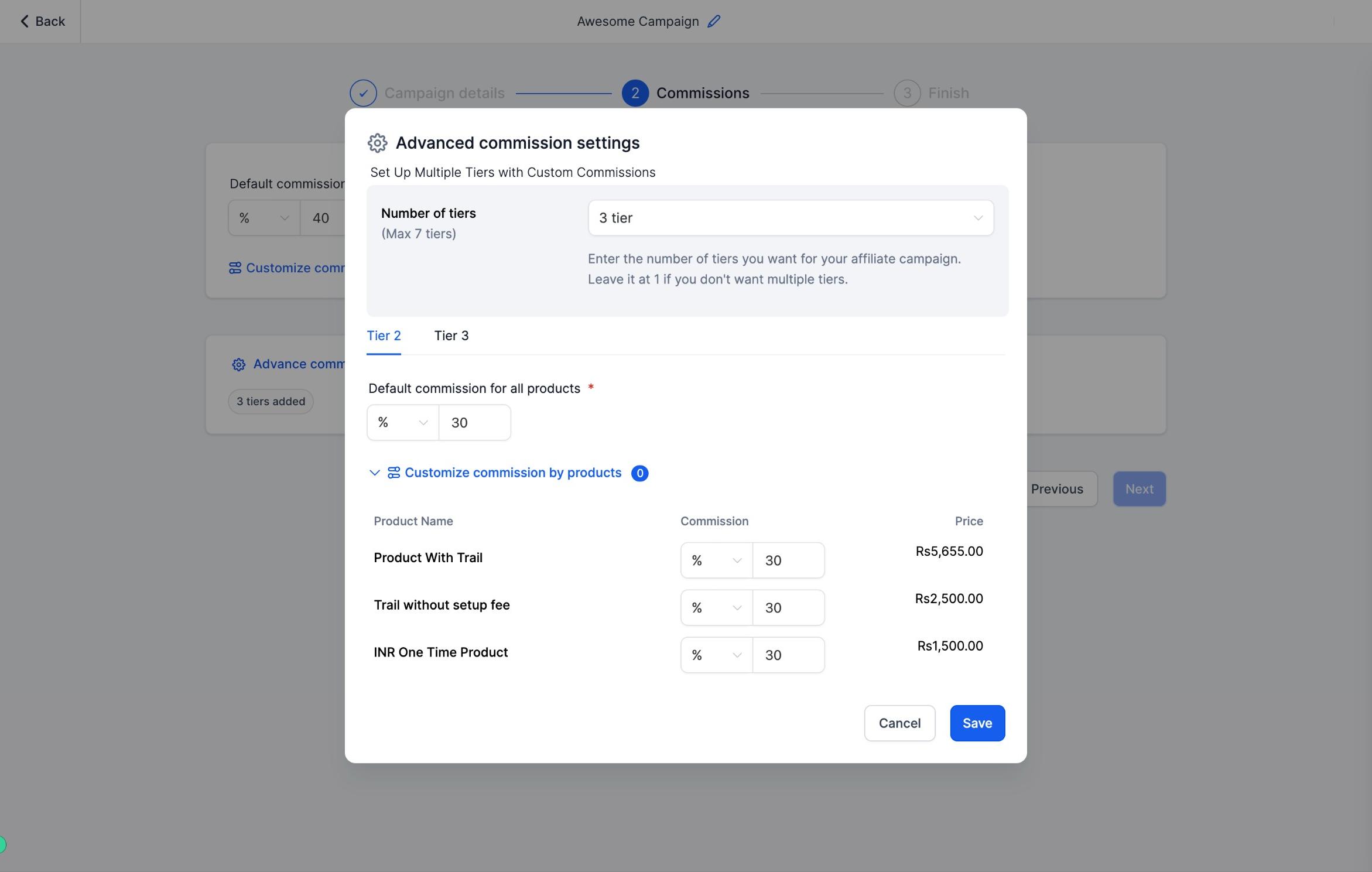
Assign a commission to each tier, either applying your default rate across the board or customizing the rate for each tier based on performance.
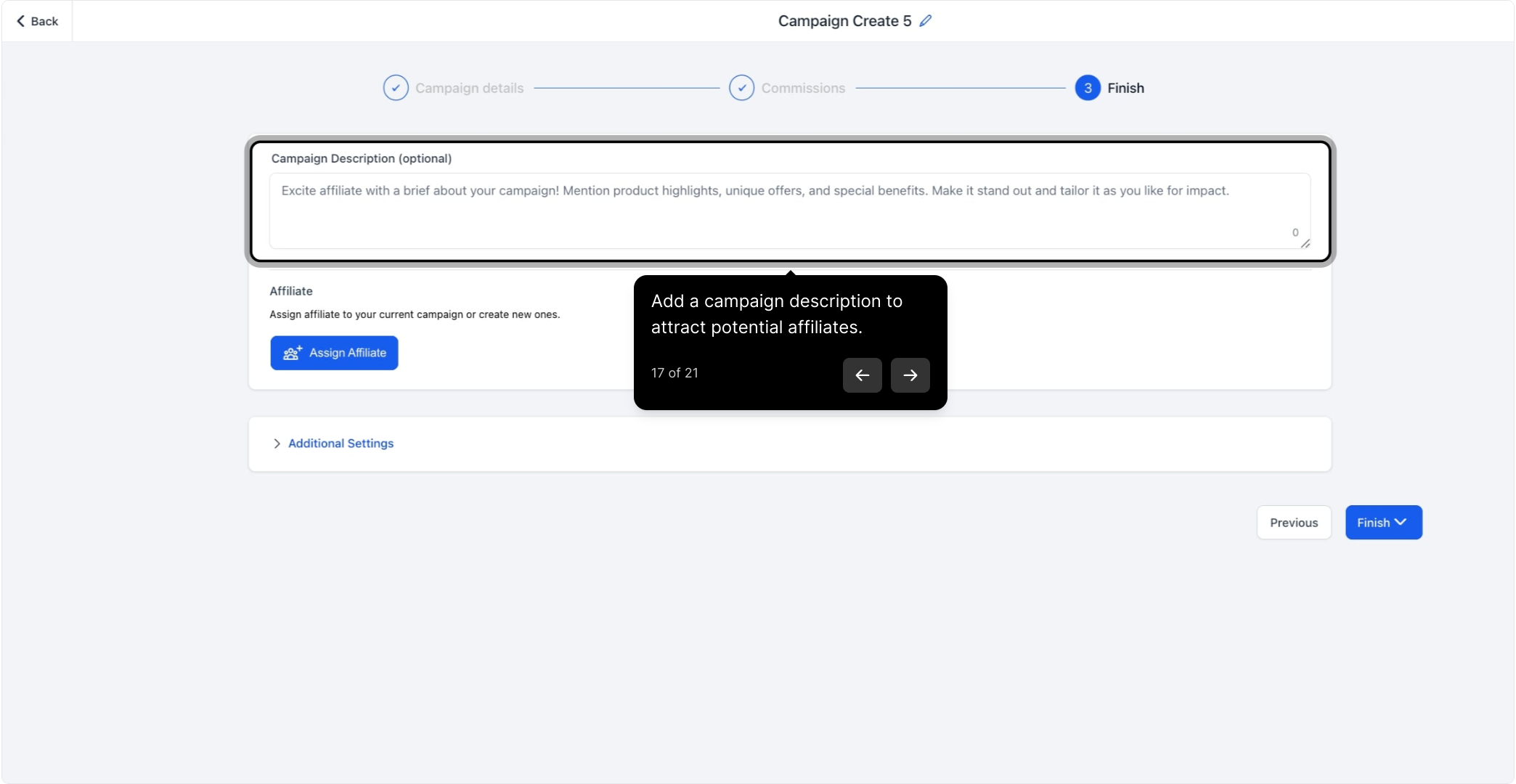
Add a campaign description that outlines its purpose. A clear, specific description makes the campaign more attractive to potential affiliates browsing your programs, for example, spelling out which treatments or products are included and what makes the offer worth sharing.
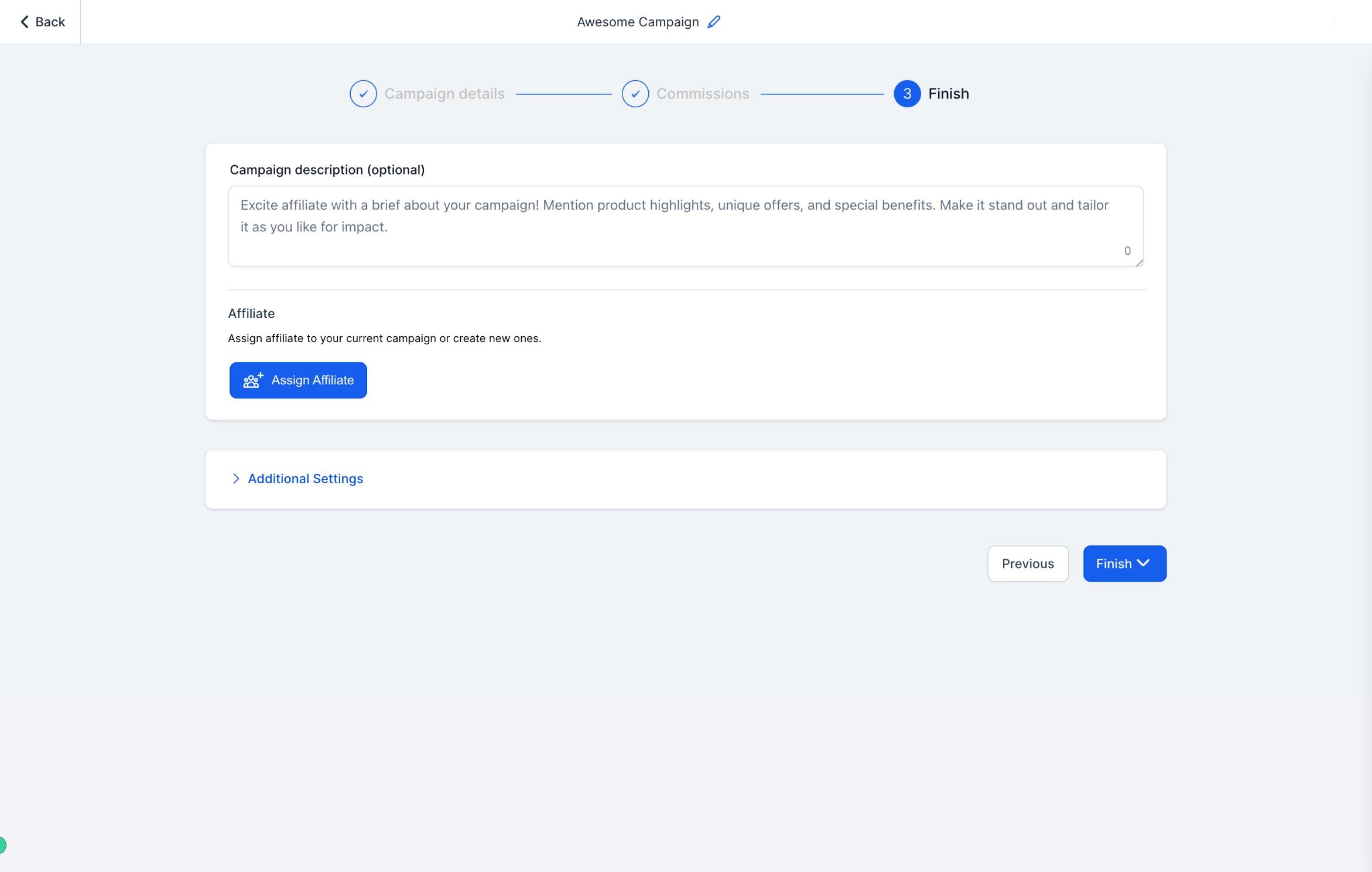
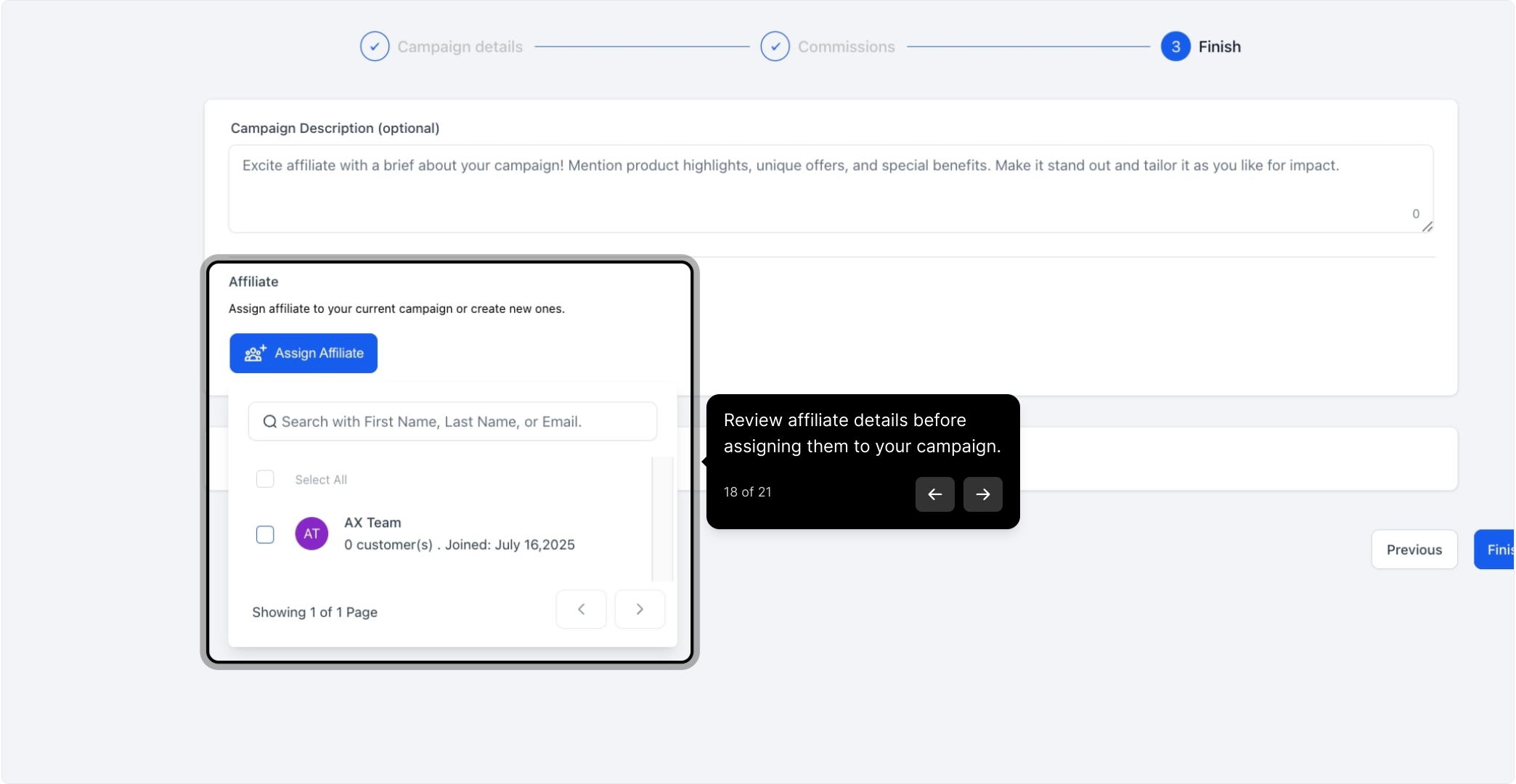
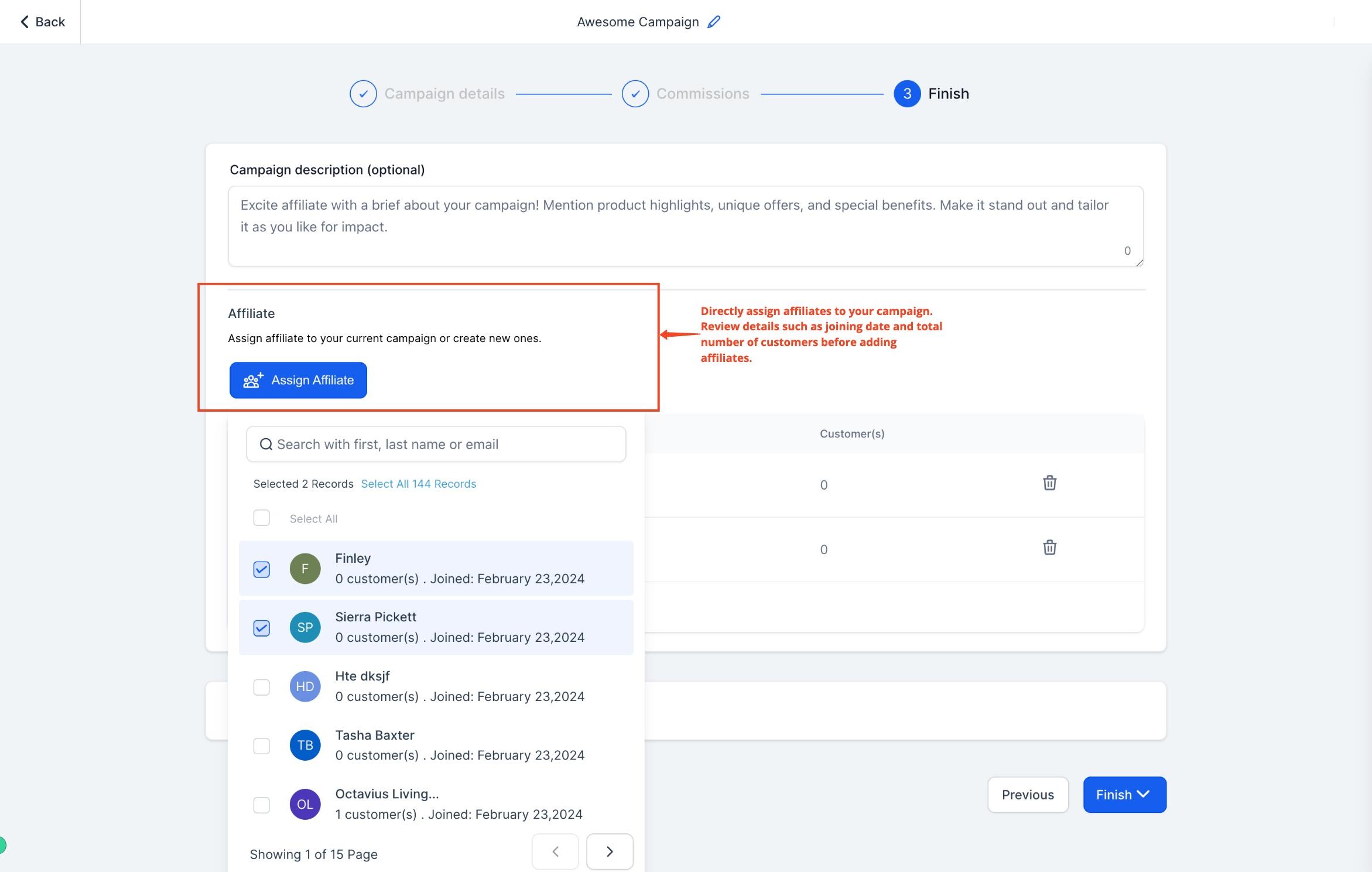
Review affiliate details, such as join date and total affiliate count, before assigning them directly to your campaign.
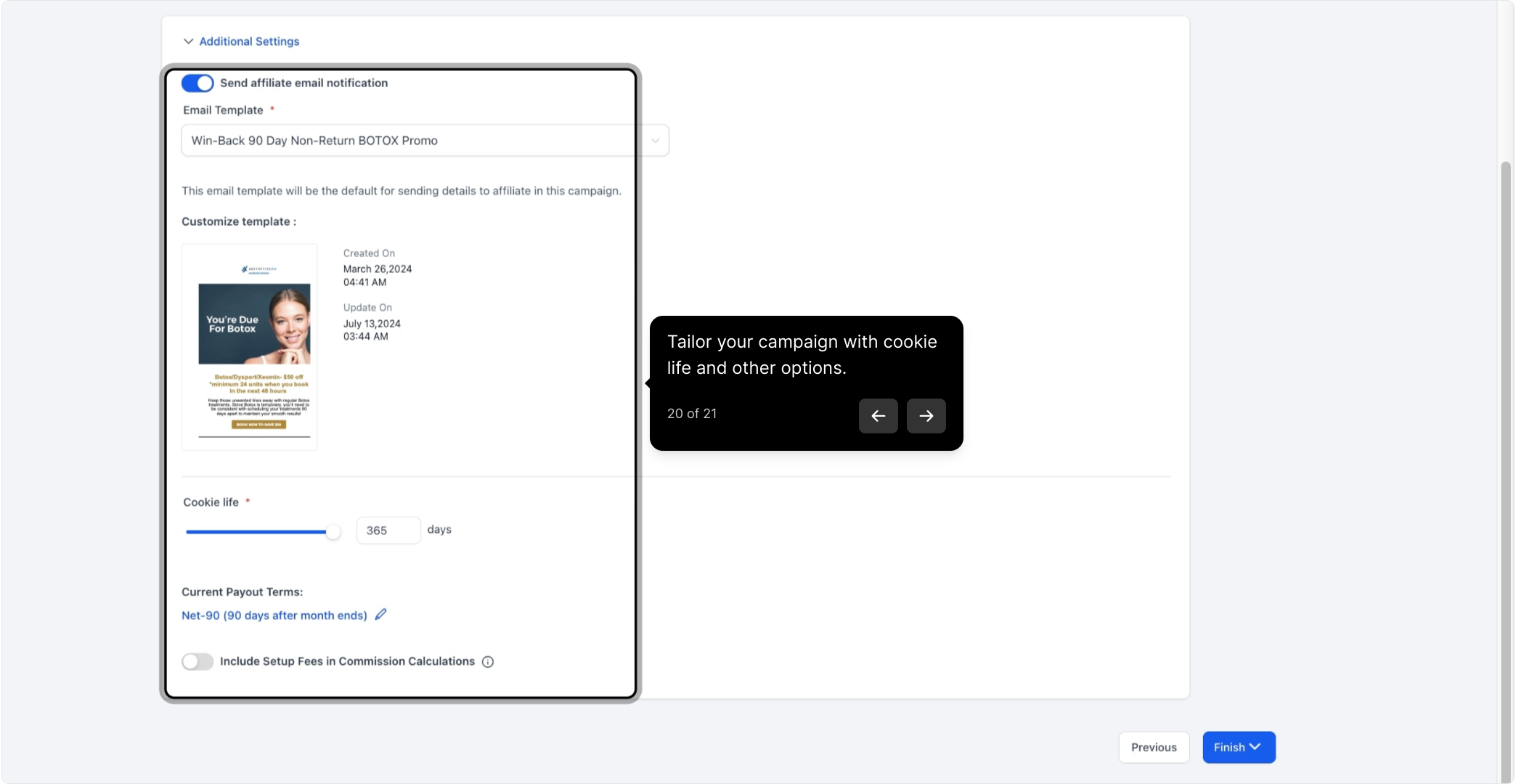
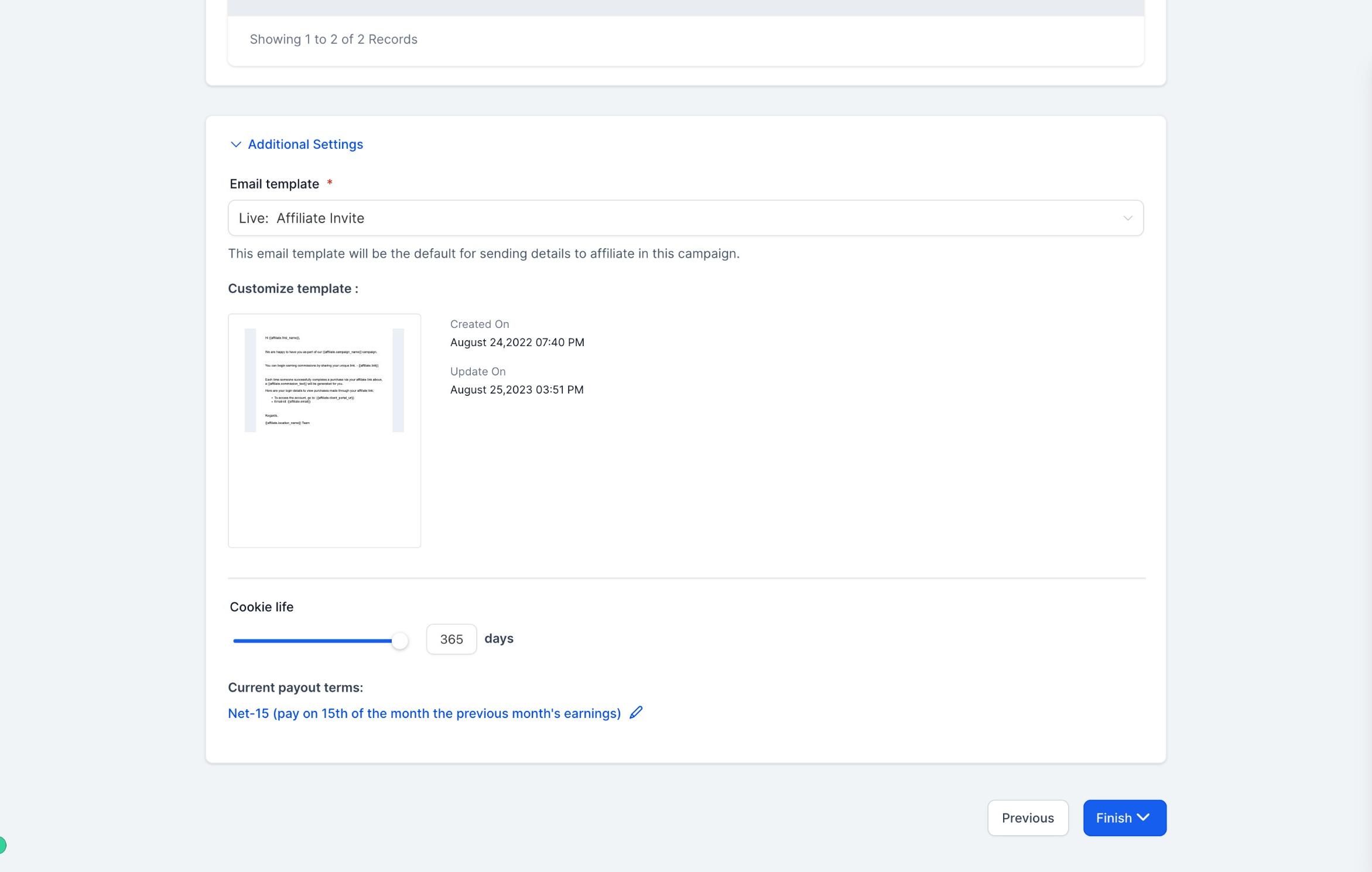
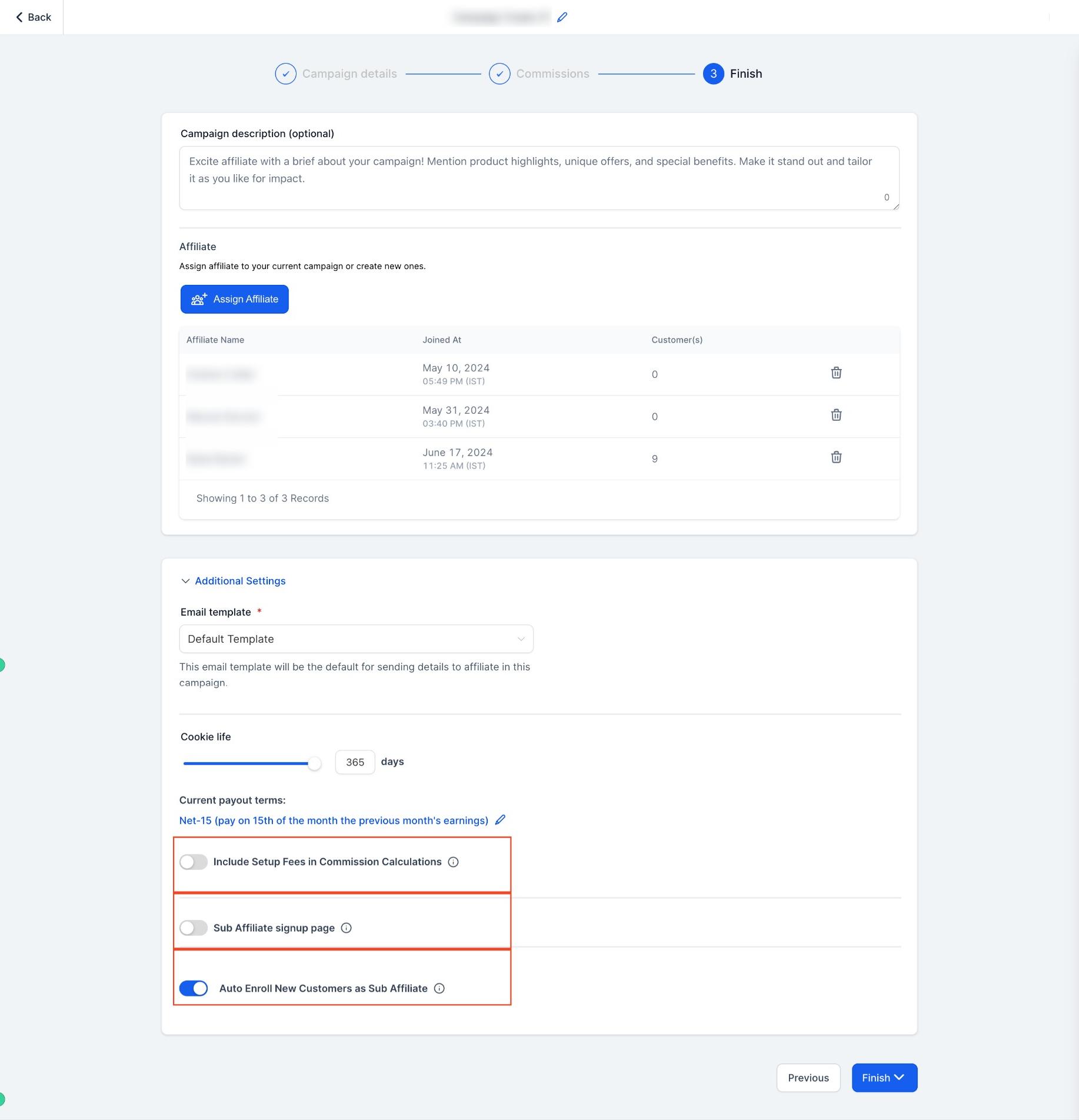
Click Additional Settings to fine-tune the campaign further.
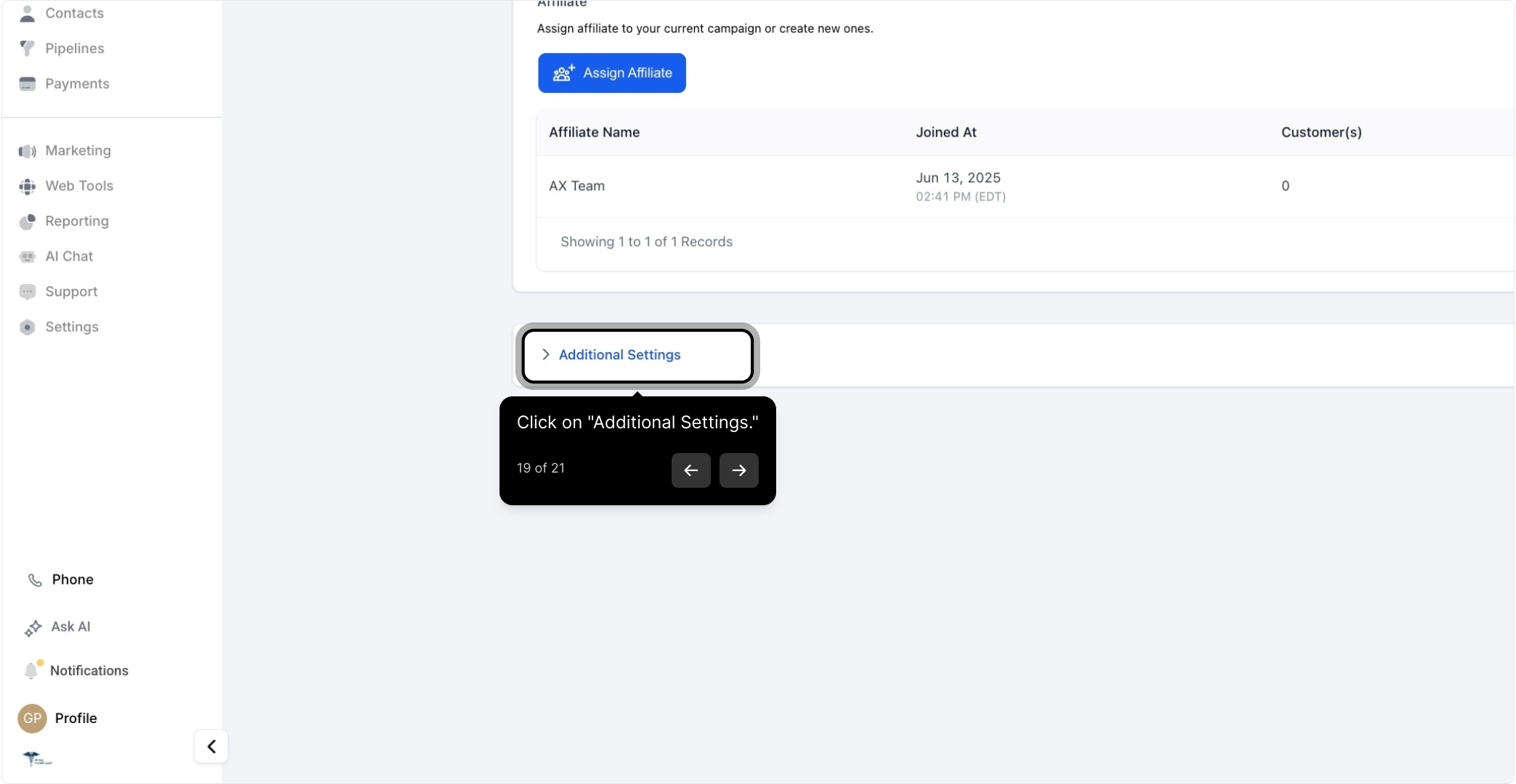
Options here include:
Email templates for affiliate onboarding
Cookie duration for tracking affiliate activity
Payout terms
Whether to include setup fees in commission calculations
Enabling sub-affiliate signups
Auto-enrolling new customers as sub-affiliates
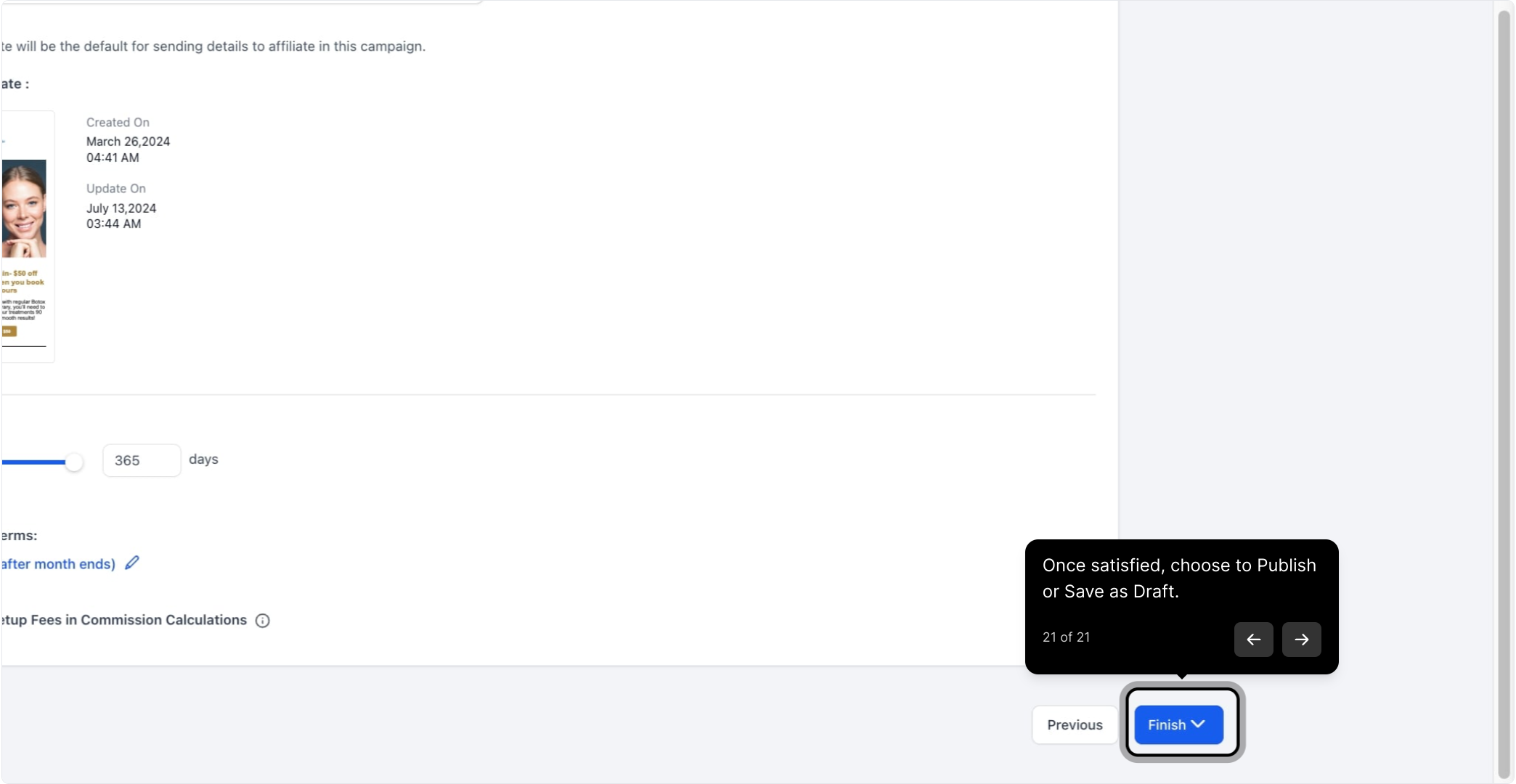
Once you're happy with the setup, choose Publish to make the campaign live immediately, or Save as Draft if you want to keep editing before affiliates can join.
Your campaign is now ready to drive referrals. Affiliates you've assigned (or who sign up, if enabled) can start sharing their unique links and earning commissions right away.
You can edit the source of an affiliate campaign even after it's published, for example, if the funnel, course, or website it was linked to has been deleted or replaced.
Keep in mind: when you change the source, the affiliate referral URL changes with it. The old URL stops tracking, and only the new one works going forward. All other campaign settings and past performance data stay unaffected.
Whenever you change a campaign's source:
Inform your affiliates that their referral links have changed.
Ask them to update any shared links right away so they don't miss out on commissions.
A quick heads-up to your affiliates avoids confusion and unnecessary support tickets about links that stop working.
The automations that fire when an affiliate is added, a referral converts, or a commission is earned live in Workflows, not in Affiliate Manager itself. If you want to auto-tag a new affiliate, notify your team, or trigger a payout reminder, build that in Workflows and reference this campaign as the trigger source.
What sources can an affiliate campaign track? Funnels, websites, and your store currently support product sales tracking. Forms, surveys, and calendars can be used to track and pay affiliates for leads instead of sales.
Does the landing page I choose limit where tracking happens? No. The landing page only controls where a visitor lands after clicking an affiliate link. Tracking applies across the entire source, not just that one page.
How many commission tiers can I set up? Up to 7 tiers. This lets you pay a direct affiliate one rate and a chain of sub-affiliates smaller override rates for the same sale.
Can I set a different commission for each product? Yes. After setting a default commission for the campaign, you can override the rate for individual products if some treatments or items should pay out differently.
What happens if I change a campaign's source after it's published? The referral URL changes to match the new source, and the old URL stops tracking. Past performance data and every other campaign setting stay exactly as they were, so you'll only need to redistribute the new link to your affiliates.
Can new customers automatically become sub-affiliates? Yes, if you enable it under Additional Settings. You can also allow open sub-affiliate signups and set your own cookie duration and payout terms in that same panel.
Where do I set up the actual payment provider that processes these sales? On the checkout for your funnel, website, or store. For the best rates on the sales your affiliates are generating commission from, connect AX Pay as your payment processor rather than a third-party provider.
Can I save a campaign without publishing it? Yes. Choose Save as Draft at the end of setup to keep working on it, then publish whenever it's ready to go live.
Where do I manage the actual affiliates who join my campaigns? Affiliate profiles, applications, and payouts are managed separately from campaign setup. This guide covers building the campaign itself; assigning and reviewing affiliates happens in step 12 above, with ongoing affiliate management handled in the Affiliates area of Affiliate Manager.
Do I need a description for my campaign? It's optional but recommended. A clear description of what the campaign promotes and how commissions work helps potential affiliates decide whether to join.
