Social Listening is a research workspace built into the Social Planner that surfaces real-time trends and cultural signals from multiple public sources. Instead of reacting to what already happened, it helps your practice anticipate what patients are searching for, watching, and talking about, so you can plan timely posts before a trend peaks.
For a med spa, this means spotting a rising interest in a treatment, seasonal skincare concern, or viral aesthetic look early, then moving from that insight straight to a scheduled post in the same workspace.
Social Listening tracks online conversations and trend momentum, not just what got posted, but what is gaining attention right now. It centralizes trend discovery from Google, Pinterest, Wikipedia, TikTok, and YouTube and presents each source with its own metrics and context. Because it lives alongside your planning tools, you can go from discovery to a drafted post without leaving Aesthetix CRM or logging into third-party tools.
With Social Listening you can:
Spot trends early, from Google searches to TikTok breakout songs to trending YouTube videos.
Understand cultural moments, including what people are talking about and the emotions behind it.
Align your content strategy with what patients actually care about.
Build smarter campaigns powered by real-time signals.
Make data-driven content decisions instead of guessing.
When you open the Social Listening tab, you will find trend discovery powered by several data sources. Use this quick reference to understand what each source contributes and which on-screen metrics appear.
Data source | What it tells you | What you will see |
|---|---|---|
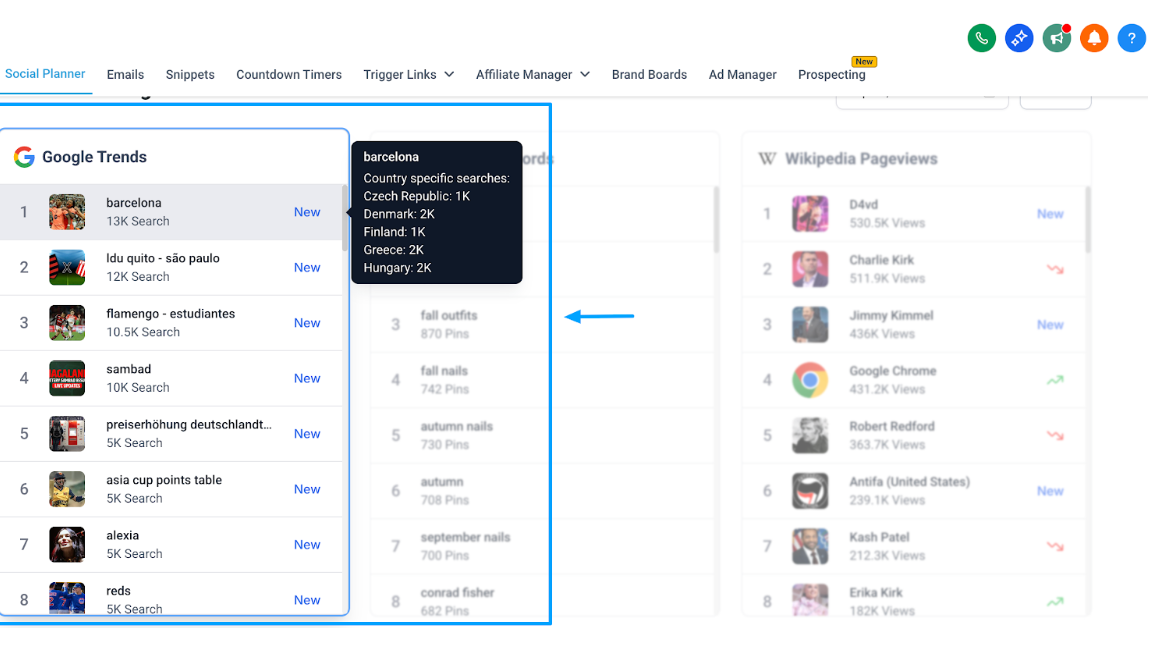
Google Trends | Real-time search momentum and demand by location, so you can prioritize topics people are actively looking for. | Country-specific search volumes for each trend. |
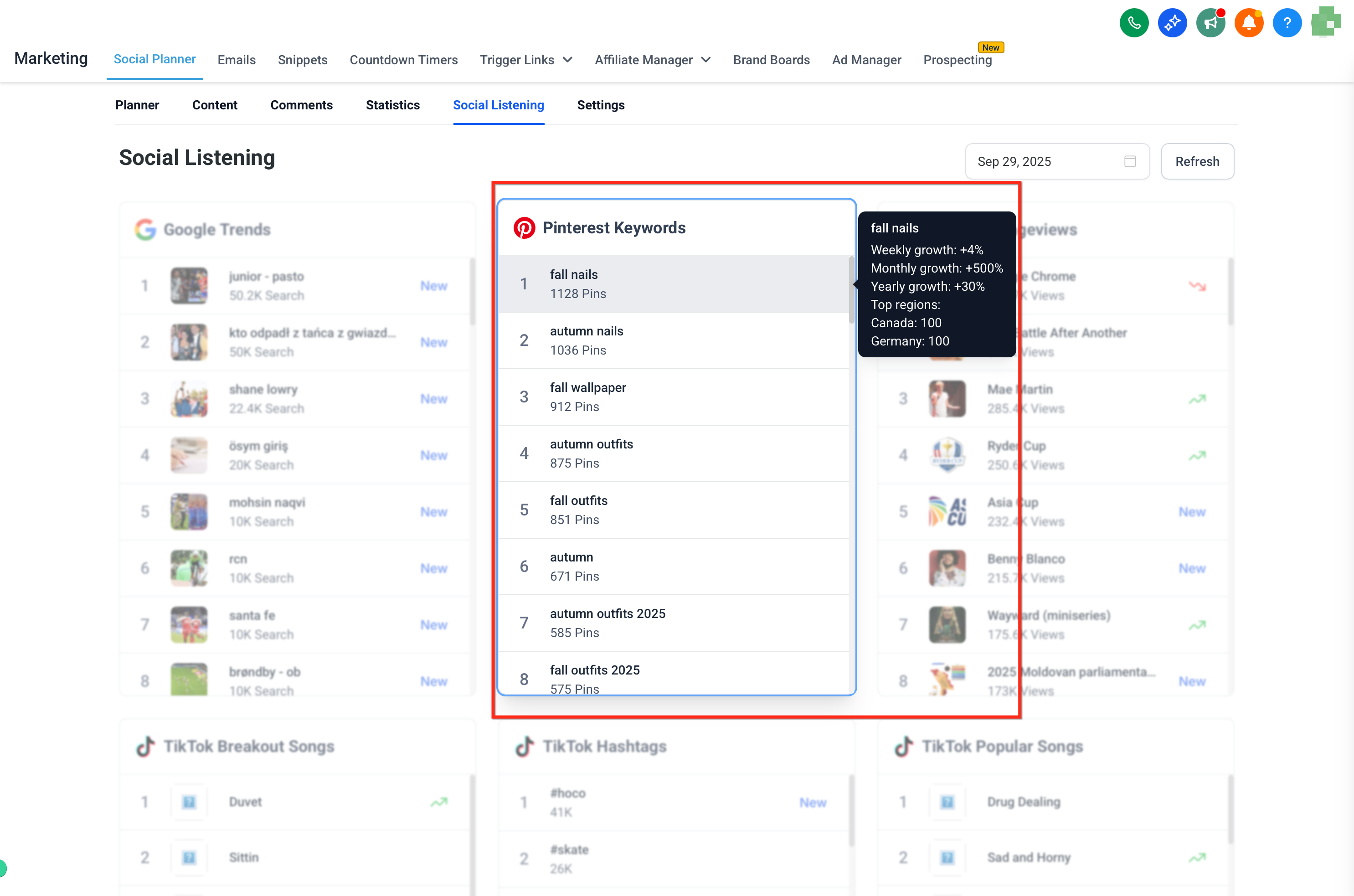
Pinterest Keywords | Emerging visual discovery patterns and seasonal interest shifts, great for creative and blog inspiration. | Total Pins, Weekly growth %, Monthly growth %, Yearly growth %, Top regions (countries), Trend score (0 to 100). |
Wikipedia Pageviews | Rising public awareness of topics, events, and people, useful for educational content. | Total views (current week), Average views (last week), Daily views trend %, Weekly views trend %. |
TikTok Breakout Songs | Rapid week-over-week audio momentum to help you join trends early in short-form content. | Song name, Artist name. |
TikTok Hashtags | Conversations and communities that are surging, plus scale by volume and industry context. | Hashtag, Search volume, Industry. |
TikTok Popular Songs | Evergreen audio with steady usage for predictable reach beyond short-lived spikes. | Song name, Artist name. |
YouTube Popular Channels | Creators gaining traction, useful for competitive research and collaboration ideas. | Channel name, Author URL, Top video URL. |
YouTube Popular Keywords | High-interest search terms to improve video discoverability. | Keywords. |
YouTube Trending Videos | Fast-climbing formats and topics you can model for titles, hooks, and thumbnails. | Video name, Channel name, Comments, Author URL, Likes. |
Social Listening is available wherever the Social Planner is enabled in your account. You do not need to connect any social accounts to use it, since it pulls public trend data. Use what you discover to inform your content calendar, campaign ideas, or real-time posts.
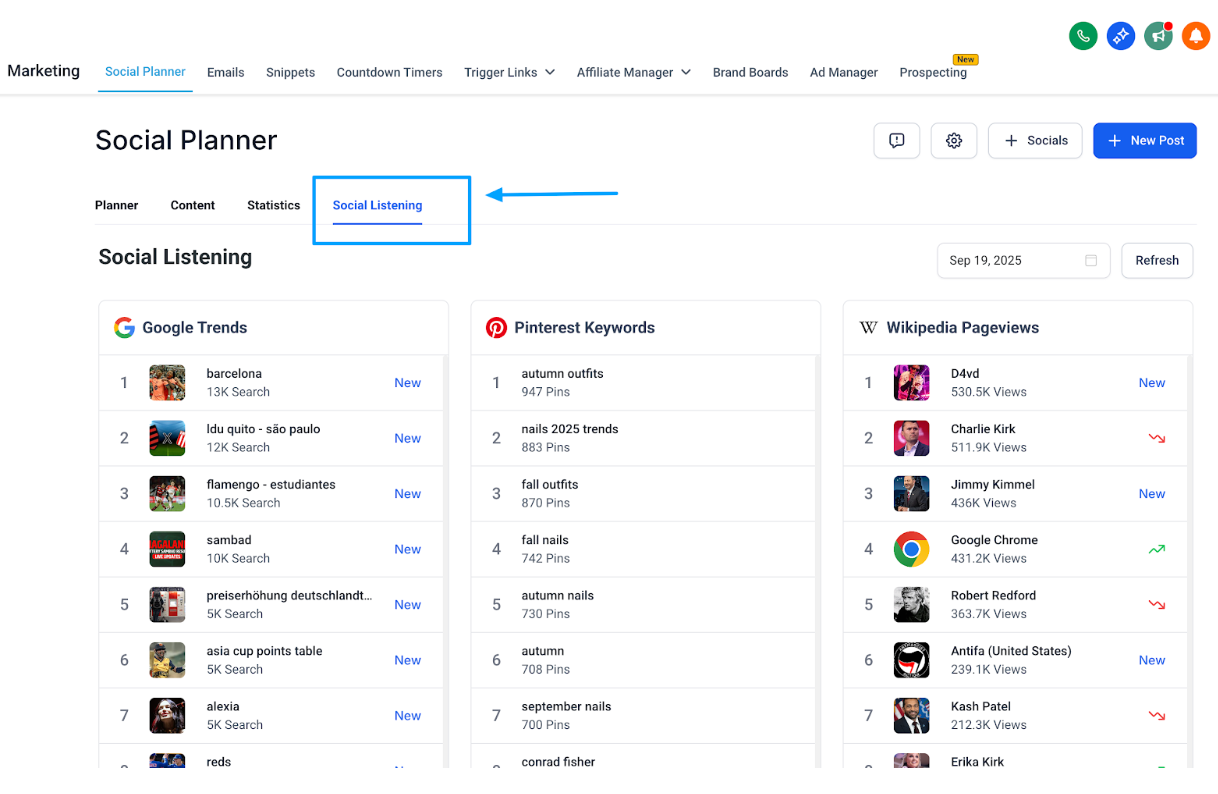
Open the Social Planner and click the Social Listening tab.
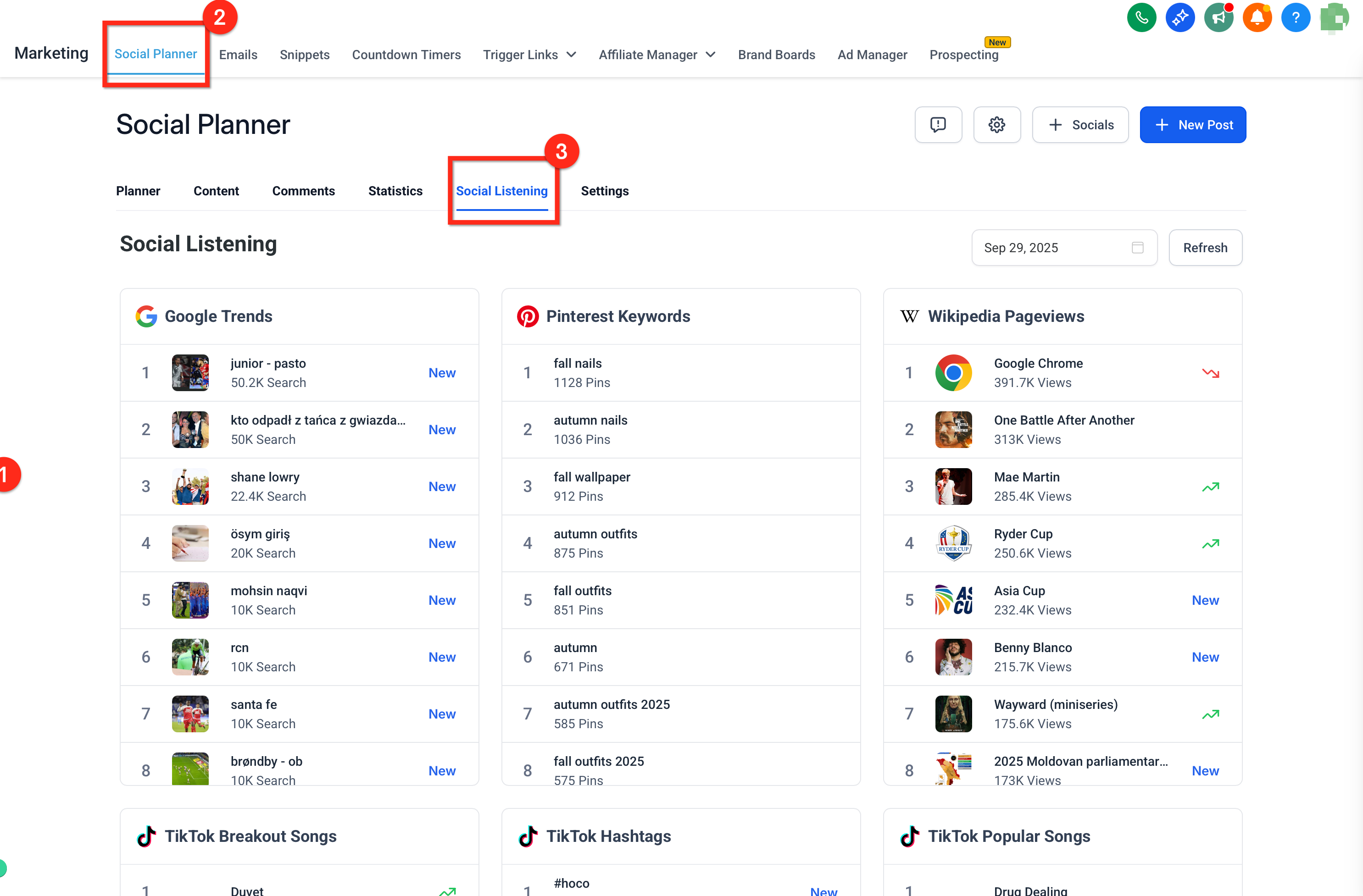
Choose the data source you want to analyze, for example a hashtag, keyword, song, or channel. The selected source will be highlighted, and you can scroll through the full list to view detailed insights.
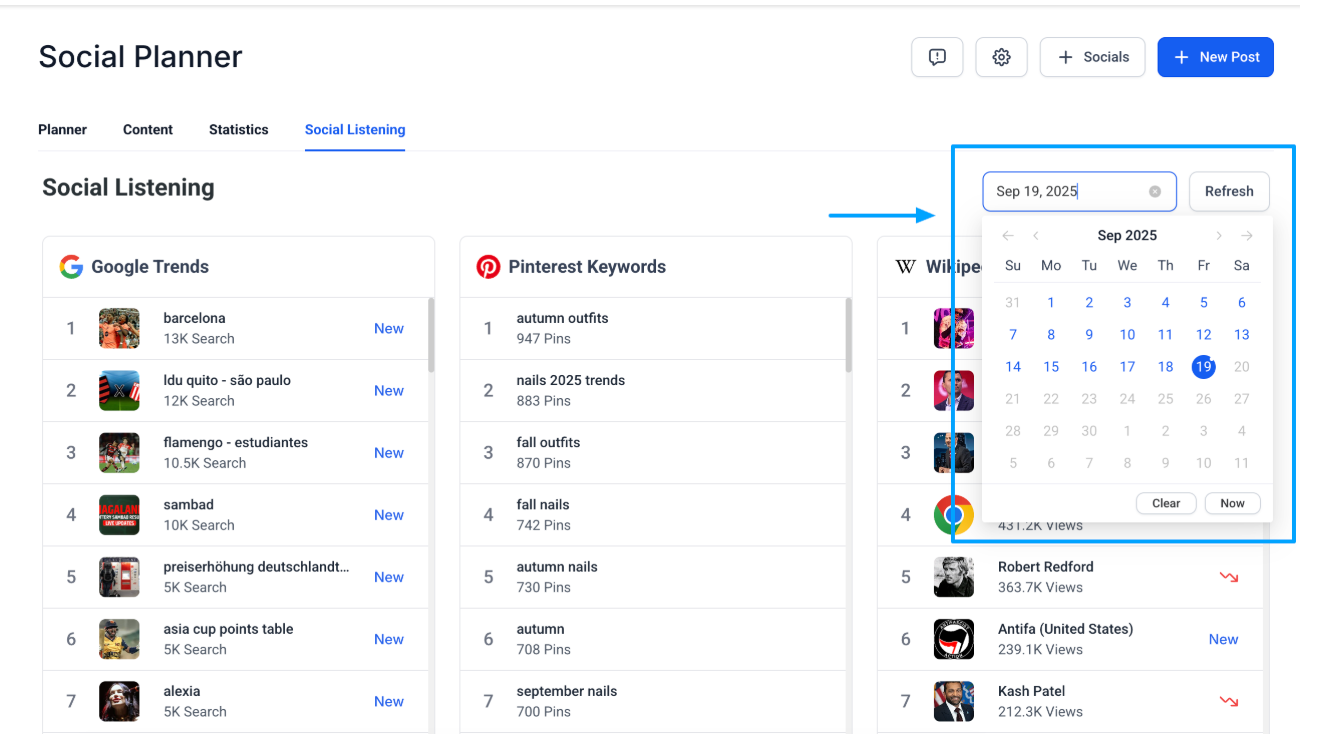
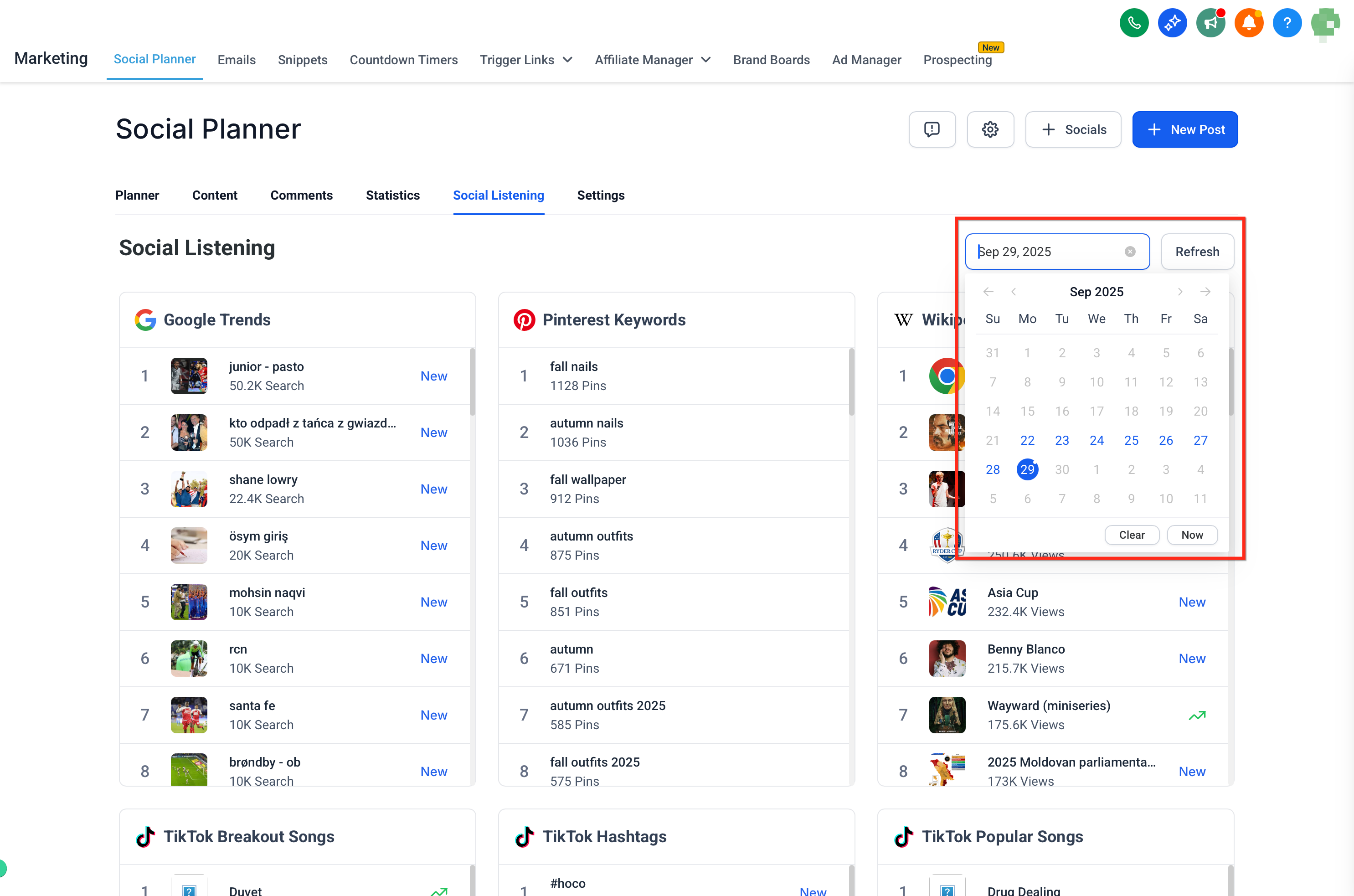
Use the date filters to focus on a specific time range and track trends for the dates you have selected. The real-time trend stats refresh automatically when you change the filter.
Clicking a trend card opens the source website in a new tab so you can explore the original chart or dataset with similar parameters, when supported. For example, Wikipedia Pageviews cards open the official Pageviews tool with the article pre-selected. Changes you make on the external site do not modify your Aesthetix CRM data.
Scenario | Best source |
|---|---|
"What are people searching for right now?" | Google Trends |
"What content are people planning or saving?" | Pinterest Keywords |
"Which topics are gaining attention broadly?" | Wikipedia Pageviews |
"What is going viral on TikTok?" | TikTok Trends |
"Which creators, keywords, or videos are trending?" | YouTube Insights |
Weekly content planning: Pull 3 to 5 high-signal topics from multiple sources, such as Google plus YouTube, and draft posts immediately while momentum is high. For example, if searches for a specific injectable spike, publish a myth-busting reel that week.
Seasonal and event content: Combine Pinterest growth percentages (seasonality) with Wikipedia pageview trends (awareness) to time education posts, checklists, or pre-summer skincare guides.
YouTube discovery to script drafting: Use YouTube Popular Keywords to outline hooks and titles for a treatment explainer, then study Trending Videos for pacing and format cues before filming.
Thought leadership and explainers: Validate a rising treatment or ingredient trend via Google Trends plus Wikipedia, then publish a timely explainer or FAQ carousel that meets patient demand.
Creator and competitor research: Track YouTube Popular Channels to map collaboration prospects and spot topics other practices are covering so you can differentiate.
Check in weekly or daily: Trends move fast. Spend 10 to 15 minutes each week or day in Social Listening.
Match to your audience: Not every global trend fits your practice, so focus on what resonates with your brand and your patients.
Act quickly: Trends decay fast, so aim to draft and schedule within 24 to 72 hours of detection when it makes sense.
Watch for the New tag: Look for the "New" tag next to a keyword, which highlights fresh content starting to spike in popularity.
Triangulate trends: Validate an idea across at least two sources before committing resources.
Protect brand safety: Avoid sensitive or misleading topics, and cross-check with authoritative references before posting.
Measure intentionally: Use consistent naming or a project label in your post titles to group Social Listening content, then compare results in Social Planner analytics.
Do I need to connect my social accounts to use Social Listening? No. Social Listening pulls public trend data from sources like Google, Pinterest, Wikipedia, TikTok, and YouTube, so no account connection is required.
Is Social Listening an add-on or paid upgrade? No. Social Listening is available wherever the Social Planner is enabled in your account.
How often is the data refreshed? Trend data updates periodically, and cards refresh automatically when you change the date filter. The exact cadence varies by source.
The trend looks too broad. What should I do? Use the date filter to narrow results to a specific timeframe, so you only see what is trending within your chosen period.
Can I download these insights? Not at the moment. Social Listening is currently view-only inside the dashboard.
Does Social Listening recommend the best time to post? No. Social Listening surfaces what to talk about. For when to publish, use the Best Time to Post feature in the post composer or the bulk scheduling flow.
Can Social Listening help me discover potential leads? Yes. While it is not a direct lead-generation tool, it helps you uncover conversations, trending topics, and keywords your target patients are engaging with, giving you openings to join the right discussions and create content that attracts new leads.
