WhatsApp Audit Logs give you full visibility into changes made to your WhatsApp Business setup in Aesthetix CRM. You can quickly see who made a change, what they changed, when it happened, and which WhatsApp asset it affected. This is especially useful for practices where several team members manage WhatsApp numbers, templates, and automations.
WhatsApp Audit Logs are part of the shared Audit Logs system in Aesthetix CRM, and you access them from the WhatsApp area of your account settings.
Each audit entry captures the essentials of a change so you can reconstruct exactly what happened:
The user who performed the action
The action taken
The timestamp
The affected WhatsApp entity, such as a phone number, template, or flow
These logs help you troubleshoot faster, hold your team accountable, and keep a reliable history of important WhatsApp changes.
Instant visibility: Quickly see who changed a WhatsApp number, template, or flow, and when it happened.
Greater accountability: Hold team members responsible for changes to WhatsApp assets across your account.
Faster troubleshooting: Use the audit trail to pinpoint when a change caused an issue and who can help fix it.
Reduced miscommunication: Remove the guesswork and back-and-forth when something breaks or behaves differently.
Stronger operational control: Keep a clear record of important WhatsApp configuration changes over time.
The following WhatsApp-related actions are logged in your account.
WhatsApp Entity | Logged Actions |
|---|---|
Phone Number | Added |
WhatsApp Business Account (WABA) | Deleted, Deactivated |
Default Phone Number | Updated |
Template | Created, Updated, Deleted |
Phone Number Profile | Updated |
Flow | Created, Published, Deprecated, Deleted |
Each event creates a time-stamped entry, so when a change impacts your WhatsApp conversations or workflows, you can see precisely what happened and when.
WhatsApp Audit Logs live in your account settings.
Go to Settings → Audit Logs.
Use the search and Module filter to focus on the WhatsApp-related activity you want to investigate.
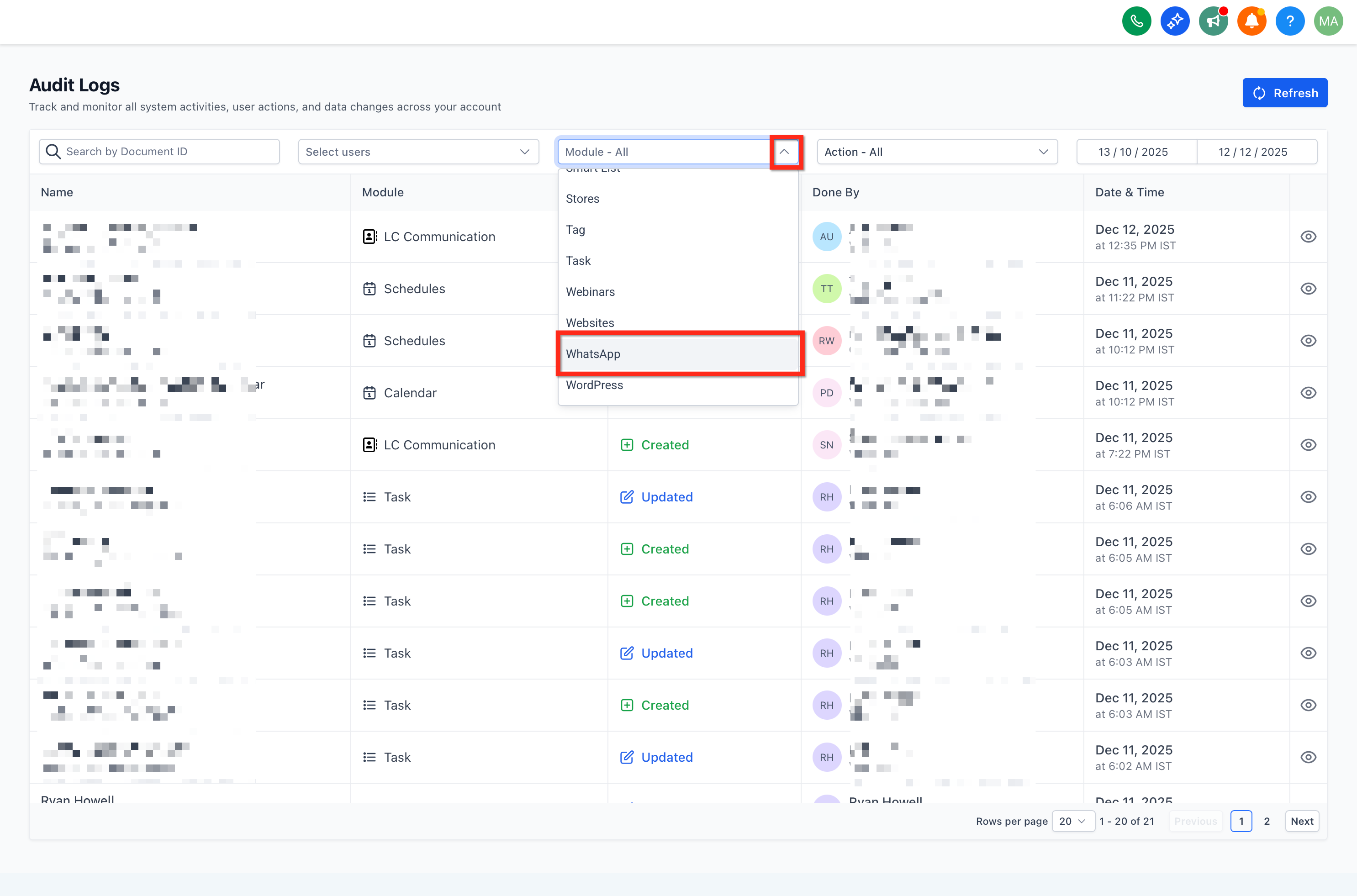
Click any row to open the details drawer and review who changed what and when.
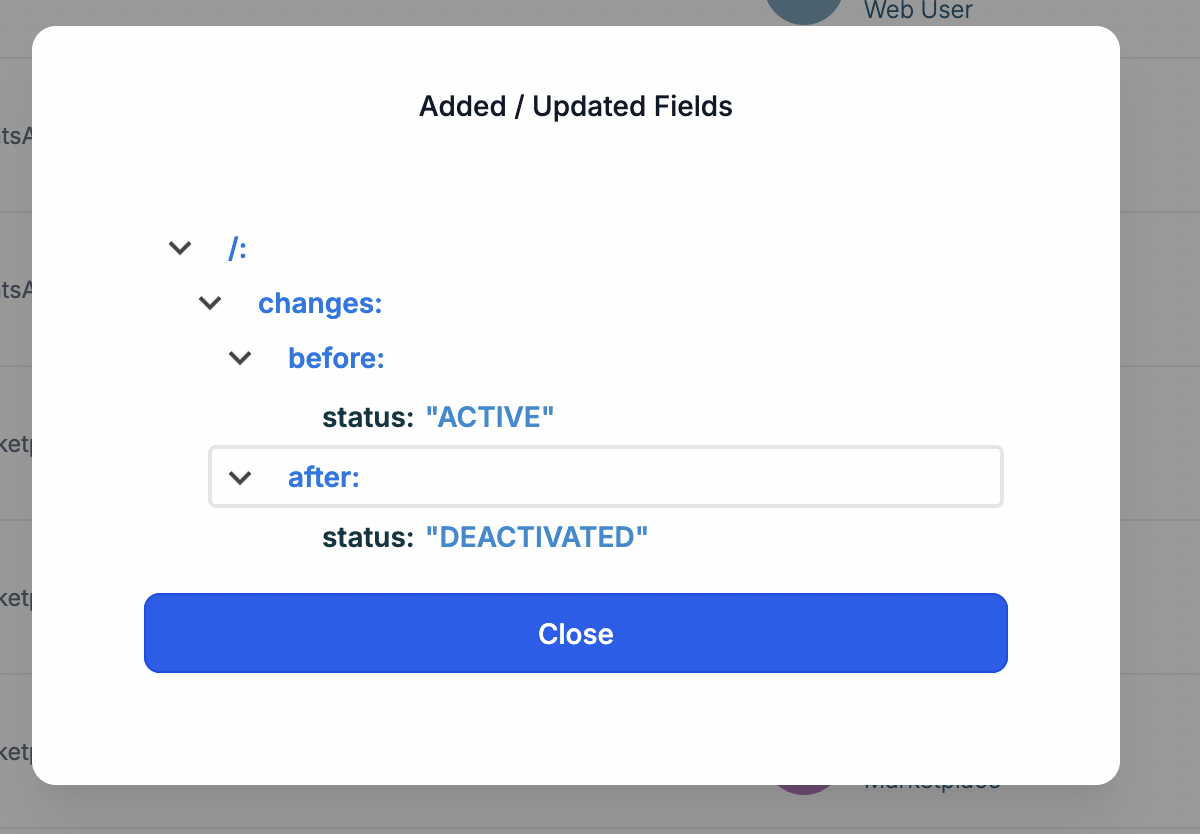
Here are common scenarios where the audit trail saves time:
A WhatsApp phone number disappeared or changed. Check for events where a phone number was added, a default phone number was updated, or a WABA was deleted or deactivated.
Templates stopped sending or were modified unexpectedly. Look for Template Created, Updated, or Deleted events to see which user changed or removed a template.
Flows behave differently than before. Filter for Flow Created, Published, Deprecated, or Deleted to find recent configuration changes.
By reviewing the user, action, time, and entity together, you can resolve issues quickly and assign follow-up to the right team member.
WhatsApp Audit Log entries are recorded within your account.
Entries are retained for 60 days and then automatically removed, in line with the other Audit Logs in Aesthetix CRM.
Because entries expire after 60 days, plan your review cadence around key projects or staffing changes so you do not lose the history you need.
Where do I find WhatsApp Audit Logs?
Open Settings → Audit Logs in your account, then filter by the WhatsApp module. Audit access is tied to your account where WhatsApp is configured.
I don't see any WhatsApp events. What should I check?
Confirm you are looking in the right account, expand your date range, and remove restrictive filters, such as a specific user or entity, to broaden your results.
How long are WhatsApp audit events kept?
Entries are retained for 60 days and then automatically removed, so schedule reviews accordingly.
Can I get alerts when certain events happen?
Built-in notifications are not currently available. For sensitive projects, plan scheduled log reviews instead.
Who can view Audit Logs?
Visibility depends on your account roles and permissions. If you cannot open Settings → Audit Logs, contact an account admin.
Do audit logs capture the content of WhatsApp messages with patients?
No. Audit Logs record configuration changes to WhatsApp assets like numbers, templates, and flows, not the message content itself. Patient conversations live in the Inbox, where standard privacy and access controls apply.
Can I use audit logs to see who edited a specific template?
Yes. Filter for Template Created, Updated, or Deleted events, then open the row to see the user, timestamp, and affected template.
