Marketing Messages Lite, or MM Lite, is Meta's optimized delivery system for eligible WhatsApp marketing messages. It helps your practice send promotions, offers, and re-engagement campaigns more efficiently by prioritizing delivery to the patients most likely to engage. MM Lite is built for marketing use cases, while standard WhatsApp messaging continues to handle conversations, support, and other non-marketing communication.
Meta has introduced stricter messaging limits to reduce spam, so delivery now depends on quality, engagement, and timing. MM Lite is designed to help you succeed in that environment. Once enabled, your eligible marketing messages use optimized delivery logic while your existing templates, workflows, and campaigns keep working exactly as before.
You manage WhatsApp inside the WhatsApp area of Aesthetix CRM. For the message threads themselves, patient replies land in your Inbox alongside every other channel.
MM Lite improves WhatsApp marketing performance without asking you to rebuild anything. Instead of broadcasting the same message to everyone at once, it intelligently decides who should receive your message and when, so more messages reach patients who are likely to respond.
Standard WhatsApp messaging still supports conversations, support, and other non-marketing message types. MM Lite is an enhancement layered on top of your current setup, not a replacement for it.
MM Lite is most useful for practices that send WhatsApp marketing at scale and want better control over delivery timing, audience engagement, and campaign efficiency. These benefits protect the patient experience while supporting stronger marketing results.
Optimized delivery: Eligible marketing messages are prioritized for patients who are more likely to engage, so more messages reach the inbox.
Improved marketing efficiency: Campaigns send with smarter delivery logic instead of relying only on broad distribution.
Time-based messaging: Time-to-Live (TTL) prevents outdated messages, such as an expired promotion, from being delivered after they are no longer relevant.
No template rebuild required: Your existing approved WhatsApp templates keep working after MM Lite is enabled.
Workflow continuity: Existing workflows, automations, and campaigns continue running without disruption after activation.
Marketing-focused sending: MM Lite handles marketing messages, while standard WhatsApp messaging stays available for support, conversations, and service replies.
MM Lite is best for promotional WhatsApp messaging where timing, engagement, and audience quality matter. Knowing when it applies helps you pick the right sending approach for each type of patient communication.
Use MM Lite for eligible WhatsApp marketing messages, such as:
Promotions on treatments or packages
Limited-time offers
Re-engagement campaigns for lapsed patients
Campaign broadcasts
Marketing follow-ups
New service or product announcements
Continue using standard WhatsApp messaging for non-marketing use cases, such as:
Patient support conversations
Service conversations
Transactional or utility updates, like appointment confirmations
Authentication messages
Free-form replies within an active service window
WhatsApp messages are categorized into Marketing, Utility, Authentication, and Service types, and each category can follow different sending behavior. Keep in mind that appointment and treatment details are protected health information, so send them through utility or service messaging with patient consent rather than marketing broadcasts.
MM Lite requires the correct WhatsApp and Meta account access before activation. Confirming these prerequisites avoids setup delays and ensures the upgrade can be approved from the correct business account.
Before enabling MM Lite, make sure you have:
An active WhatsApp setup in Aesthetix CRM.
Access to the connected Facebook Business Manager.
A WhatsApp Business Account linked to the correct business portfolio.
Permission to approve business-level access requests.
Approved WhatsApp marketing templates if you plan to send template-based marketing campaigns.
Approved WhatsApp templates are required before you can send template-based outbound WhatsApp messages. Templates are created from Settings → WhatsApp → Templates and submitted to Meta for approval.
Upgrading is quick and does not disrupt your existing campaigns. Follow these steps.
Access your account. Log in to Aesthetix CRM and navigate to Settings → WhatsApp.
Enable MM Lite. On the dashboard, you will see a banner prompting you to enable MM Lite. Click Enable MM Lite to begin.
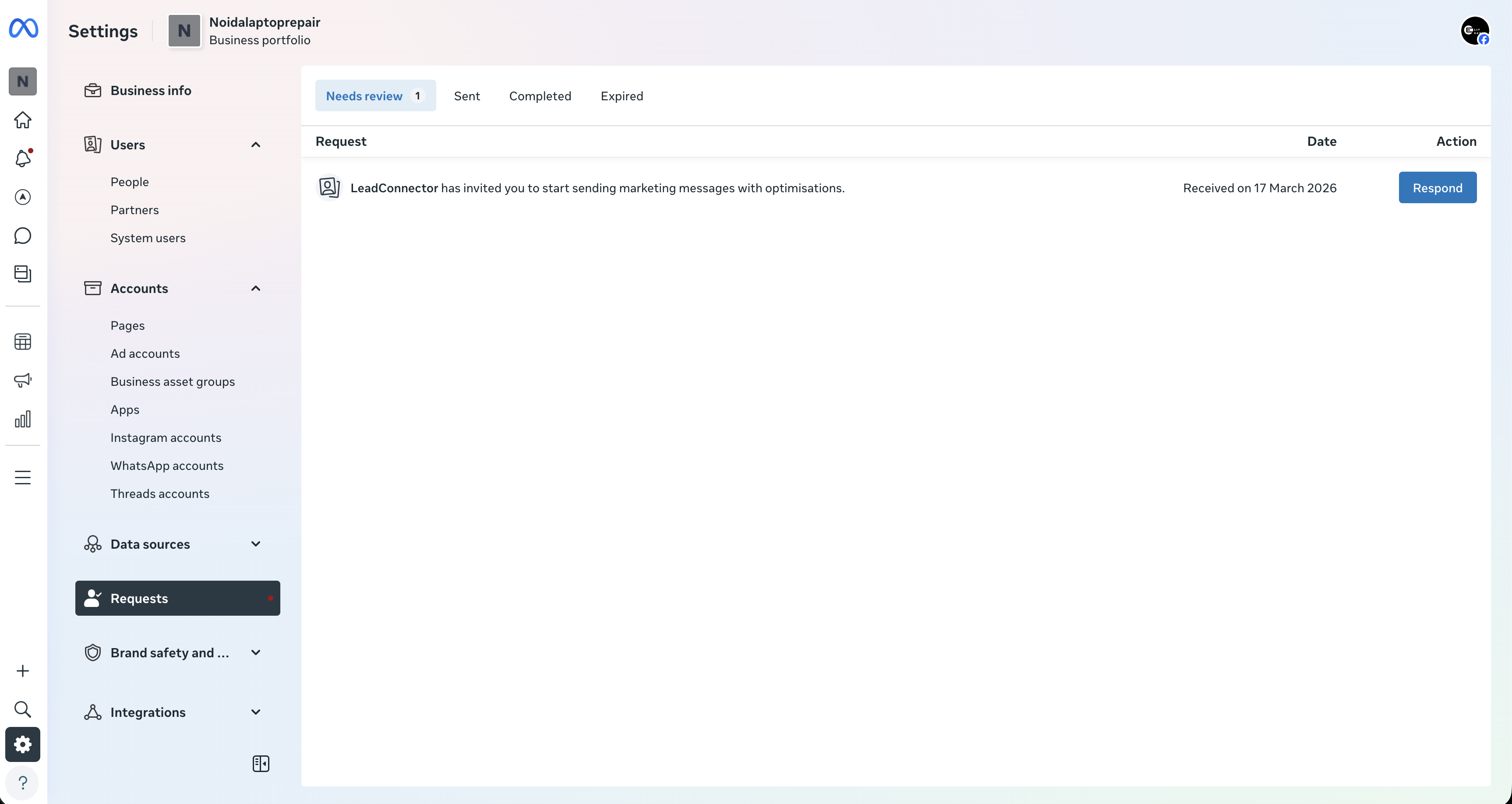
Continue to your WhatsApp account page. You will be taken to your WhatsApp account interface. Open the Request tab.
Review the request. Click Review Request.
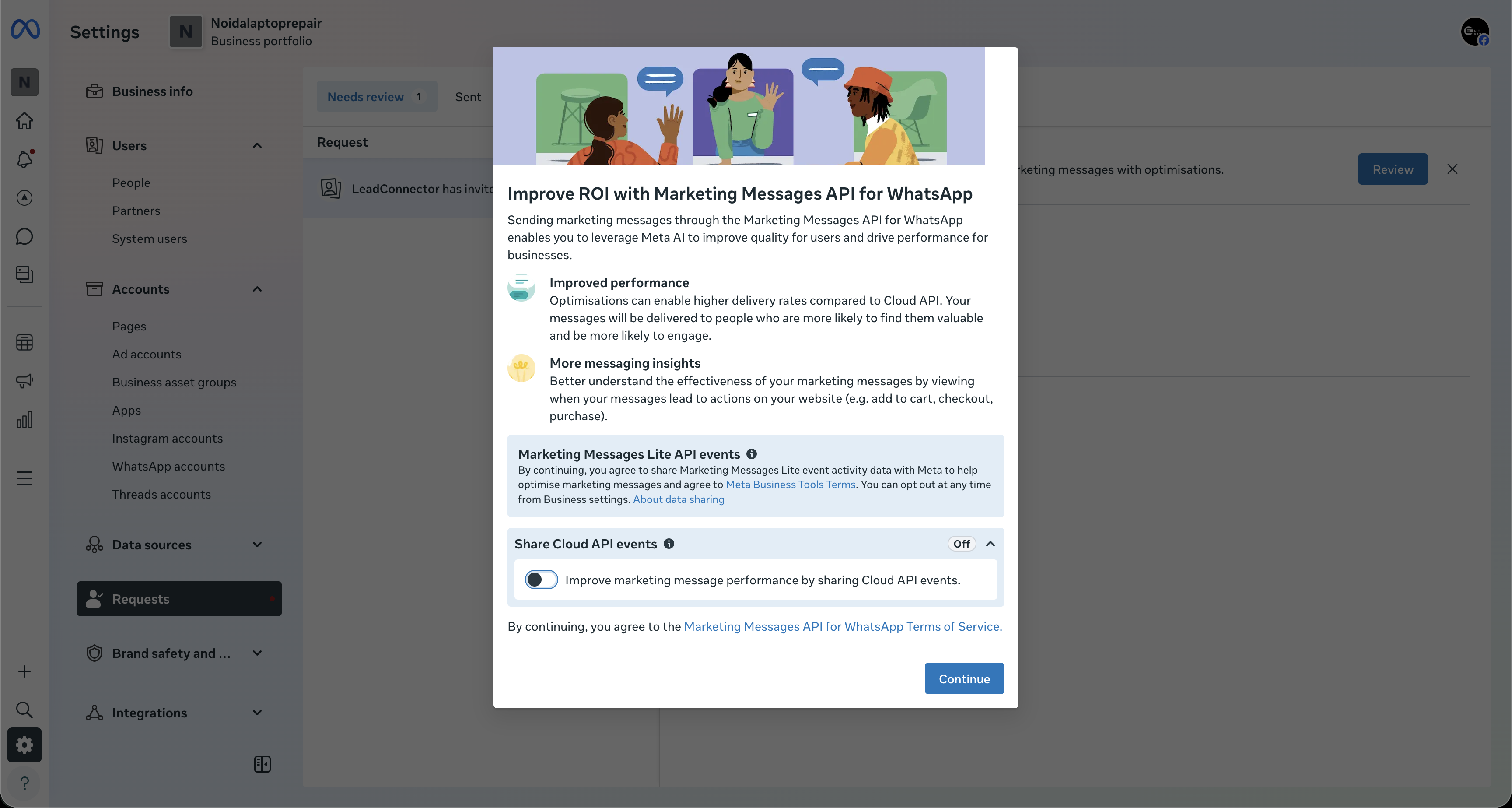
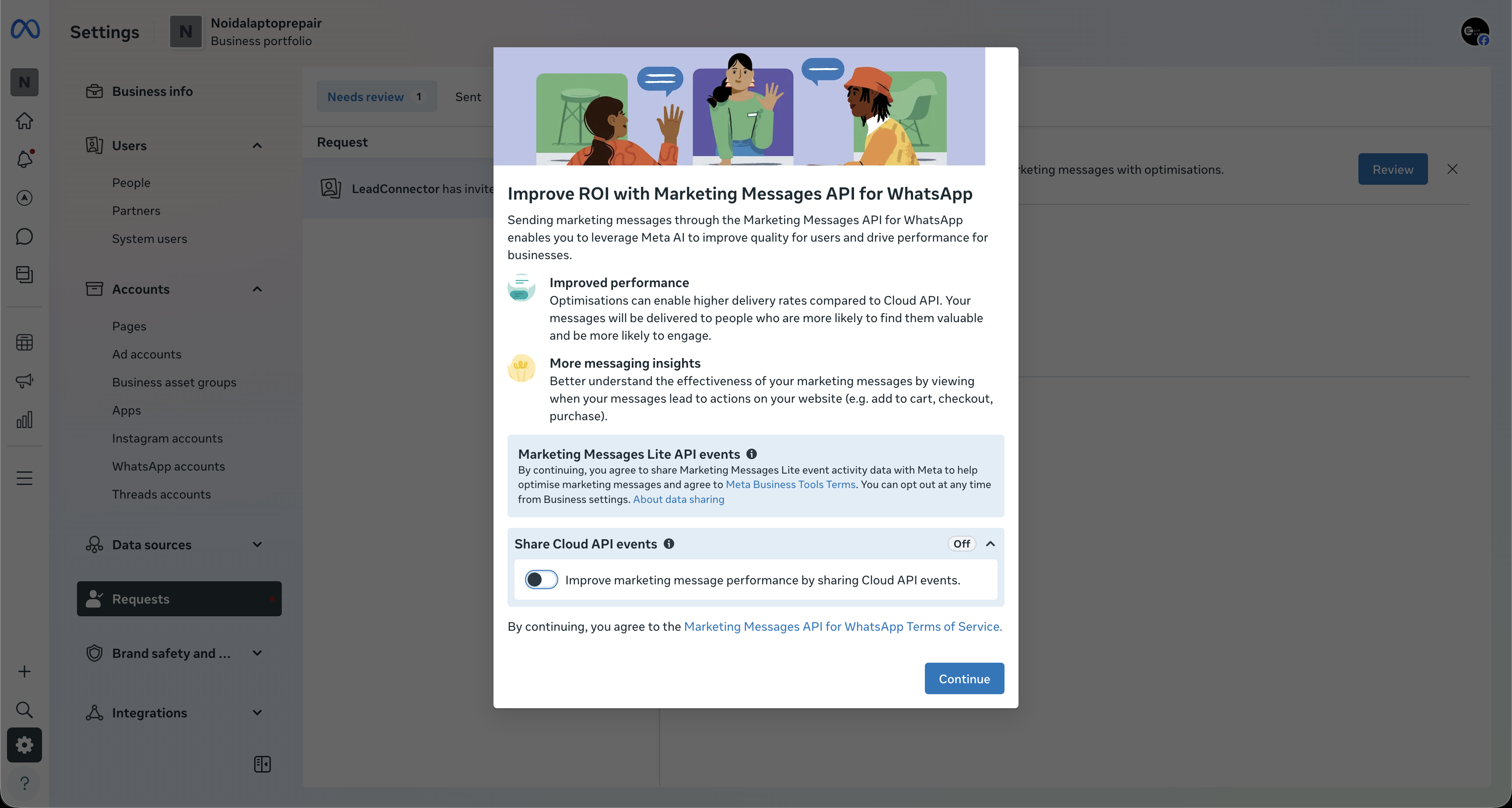
You will see a prompt about improving ROI with the Marketing Messages API. Click Continue.
Approve access. A new screen displays "Review LeadConnector's access request." This consent screen names LeadConnector because it is the underlying WhatsApp messaging provider, so it is expected and safe. Click Finish to approve.
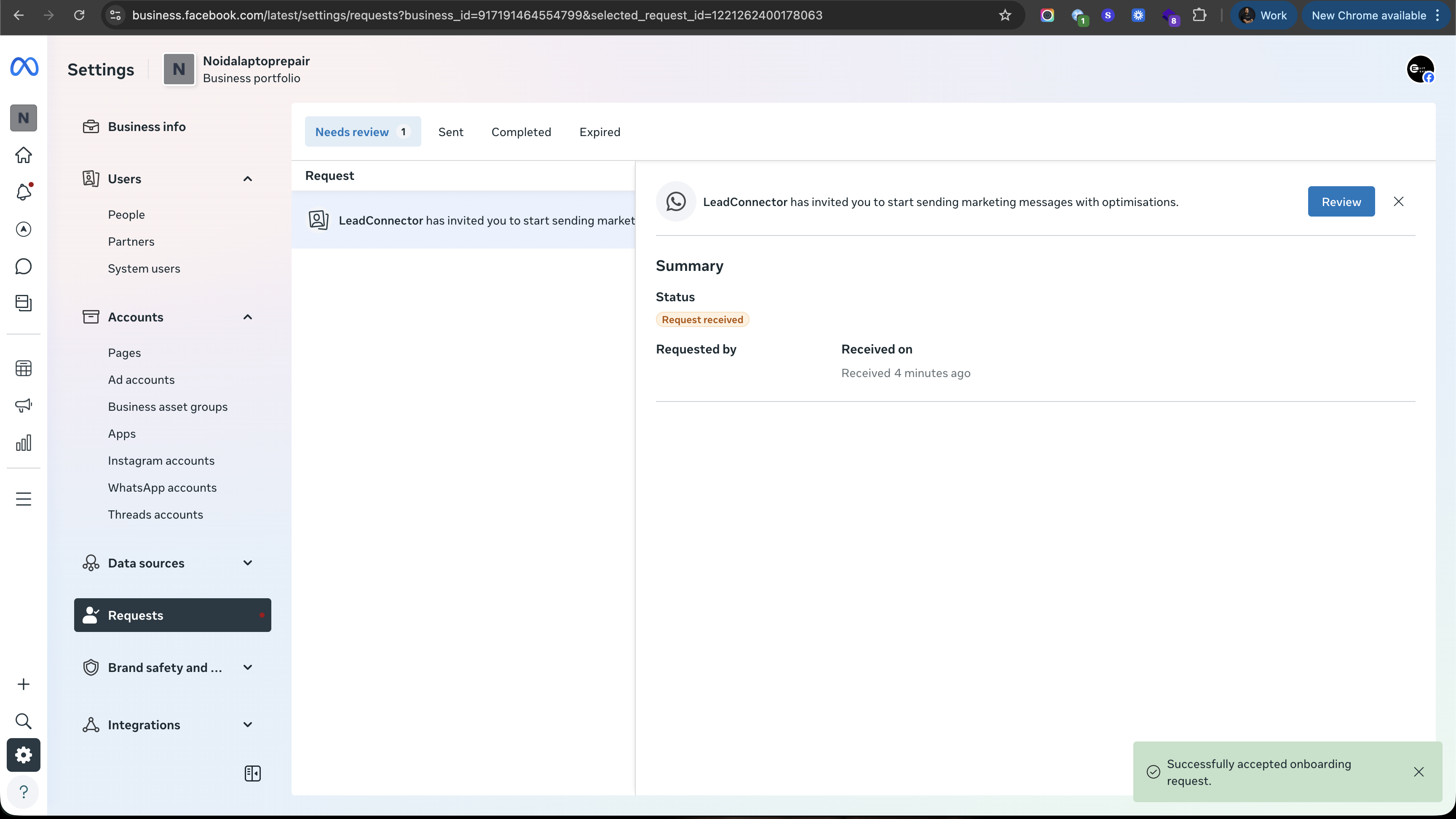
Once these steps are complete, MM Lite is enabled for your account.
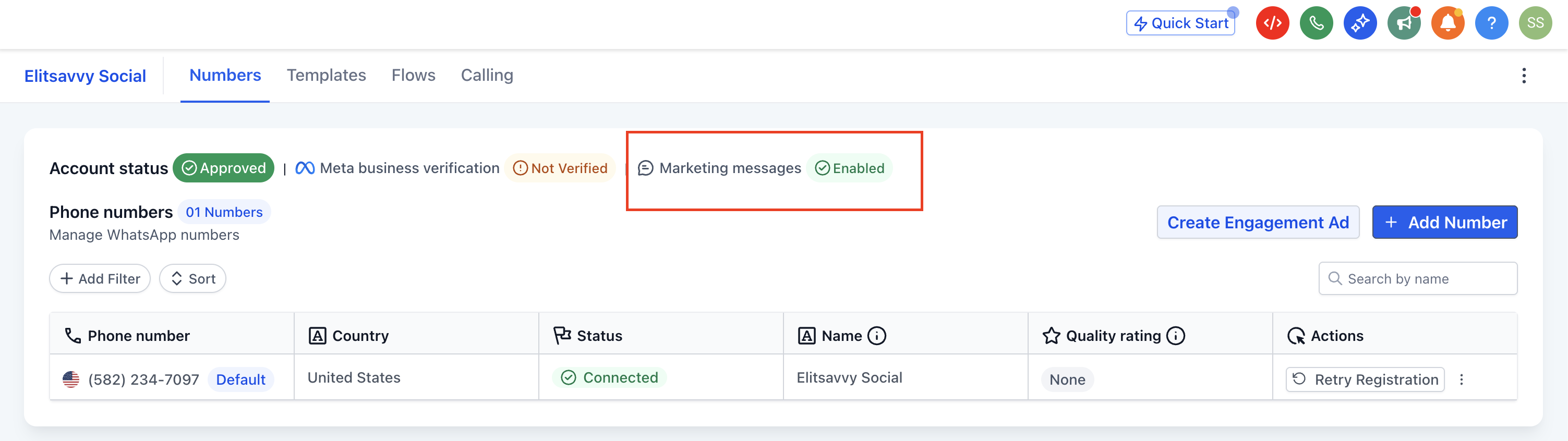
Your existing templates, workflows, and campaigns continue to work without interruption.
After activation:
Your marketing messages start using optimized delivery logic.
Campaign performance may gradually improve as the system learns and adapts.
You can keep running campaigns as usual, just with better efficiency.
You can pair MM Lite with tools like Meta Pixel and the Conversions API to track conversions, measure ROI, and optimize future campaigns.
What is Marketing Messages Lite (MM Lite)?
MM Lite is Meta's enhanced system for delivering WhatsApp marketing messages. It uses intelligent optimization to help messages reach patients who are more likely to engage, resulting in stronger campaign performance.
How is MM Lite different from standard WhatsApp messaging?
Standard messaging sends without the same marketing delivery optimization. MM Lite prioritizes patients with higher engagement potential, optimizes delivery timing, and improves overall campaign performance.
Will upgrading affect my existing campaigns?
No. Your templates stay unchanged, your automations and workflows keep running, and your campaigns are not disrupted.
Do I need technical knowledge to enable MM Lite?
No. The upgrade requires no coding or API changes. You complete it through the guided setup flow.
Can I still use WhatsApp for patient support after upgrading?
Yes. MM Lite is specifically for marketing messages. You can continue using standard WhatsApp messaging for patient conversations, support queries, transactional messages, and service communication.
What is Time-to-Live (TTL), and why does it matter?
TTL defines how long a message stays eligible for delivery. If a message becomes irrelevant, such as an expired offer, it will not be delivered after the defined window, which protects the patient experience.
How does MM Lite help prevent over-messaging patients?
MM Lite uses engagement signals and frequency controls to optimize delivery. This reduces over-messaging, prevents fatigue, and supports more relevant communication.
Do I need Facebook Business Manager access for the upgrade?
Yes. Access to your Facebook Business Manager is required to approve permissions and complete the MM Lite upgrade.
Can I track conversions and campaign performance with MM Lite?
Yes. MM Lite can work with Meta Pixel and the Conversions API to help you track conversions, measure ROI, and optimize future campaigns.
Is MM Lite suitable for every type of message?
No. MM Lite is for marketing use cases like promotions, offers, and campaign broadcasts. For transactional, utility, authentication, or service messages, continue using standard WhatsApp messaging.
Does MM Lite support one-to-one, bulk, and workflow messaging?
Yes. It supports personalized one-to-one outreach, bulk broadcast campaigns, and workflow-based automation such as drip campaigns and lead nurturing, all from a single setup.
