Email Sequences let you automate multi-step email follow-ups while keeping every message in a single threaded conversation. This makes it easier to send timely outreach, keep context with each recipient, and track how each step performs. Sequences are ideal for lead follow-up, patient nurturing, appointment reminders, onboarding new patients, and any email outreach that needs several touches over time.
For broader automation across multiple channels, see the Workflows area. For one-time sends, see your regular email campaigns in the Email Marketing area.
An Email Sequence is a series of automated emails sent in order to selected contacts, lists, or segments. Each sequence can include multiple email steps, delays between steps, conditional sending rules, and reply-based stopping.
Unlike a standard one-time campaign, a sequence is built for ongoing follow-up that keeps messages connected in a single email thread. This is especially useful when follow-up emails should feel connected to the original message instead of arriving as separate, unrelated emails. The result is personalized, behavior-based communication without manual follow-up.
Sequences automate your follow-up without losing the personal feel of a connected conversation. By combining delays, conditions, and threaded emails, you can create more relevant outreach while cutting repetitive manual work.
Threaded conversations: Keep automated follow-up emails in one thread so a prospective patient can easily see the full conversation history.
Behavior-based follow-ups: Send follow-up emails based on recipient behavior, such as open or delivery status.
Time savings: Automate repetitive outreach instead of manually sending each follow-up.
Reply-based stopping: Stop future sequence emails once a recipient replies, so you avoid unnecessary follow-ups.
Flexible email formats: Use designed emails or plain-text emails depending on the communication style you need.
Performance visibility: Review sequence-level and step-level statistics to understand how each email performs.
Sequences work well any time you want consistent, timely communication without manual effort:
Follow-ups: Automatically follow up with leads who have not responded to a consultation request.
Welcome series: Onboard new patients after their first visit or booking.
Reminders: Send scheduled reminders for events, open houses, or membership renewals.
Nurture campaigns: Gradually educate and engage prospects considering a treatment.
Regular campaigns are best for one-time sends, scheduled sends, or batch-style delivery. Sequences are different because they support multiple email steps, delays, conditions, and automated follow-ups inside a single threaded conversation.
Use a regular campaign when you want to send one email to an audience.
Use an Email Sequence when you want to send a series of follow-up emails that continue over time based on timing, delivery, opens, or replies.
Workflows are broader automations that can include many types of actions, triggers, channels, and business logic. Email Sequences focus specifically on automated email follow-up from the Email Marketing area.
Use Email Sequences when your goal is a structured email follow-up series.
Use Workflows when your automation requires multiple channels, complex branching, pipeline changes, task creation, or other non-email actions.
Single-threaded conversations let each email in the sequence appear as part of the same ongoing conversation. This helps recipients understand the context of every follow-up and reduces the chance that messages feel disconnected. Threaded sequences are especially helpful when each message builds on the previous one, such as lead follow-up, consultation outreach, onboarding, or appointment-related communication. You will also find all of the sequence emails threaded together in your Inbox.
Stop on Reply prevents contacts from receiving unnecessary follow-up emails after they respond. When enabled, the sequence stops sending future emails to a recipient as soon as that recipient replies. This keeps communication relevant: once a patient replies, your team can continue the conversation manually without the sequence continuing to send automated follow-ups.
Delays and conditions control when each step in the sequence should send.
Delays space out follow-up emails.
Conditions determine whether a contact should receive a specific email step.
Sequences support conditional targeting based on open or delivery status, so you can create more relevant follow-ups. Example logic:
Send the first email immediately.
Wait a set amount of time before sending the next email.
Send a follow-up only when the previous email was delivered.
Send a follow-up based on whether the recipient opened a previous email.
Sequences support both designed and plain-text emails:
Designed emails work well for branded communication, newsletters, or visually formatted outreach.
Plain-text emails work well when you want messages to feel more direct, personal, and conversational.
Choose the format that matches each sequence. For example, a consultation follow-up sequence might use plain-text emails, while a new-patient onboarding sequence might use designed emails with helpful links and visual formatting.
Sequences include performance analytics at both the sequence level and the individual step level. Sequence-level statistics help you understand overall performance, while step-level statistics help you identify which specific emails are performing well or need improvement.
Before you build a sequence, confirm your audience, timing, email content, and stopping rules so the sequence supports your outreach goal without sending unnecessary emails.
Navigate to Marketing → Email → Campaigns.
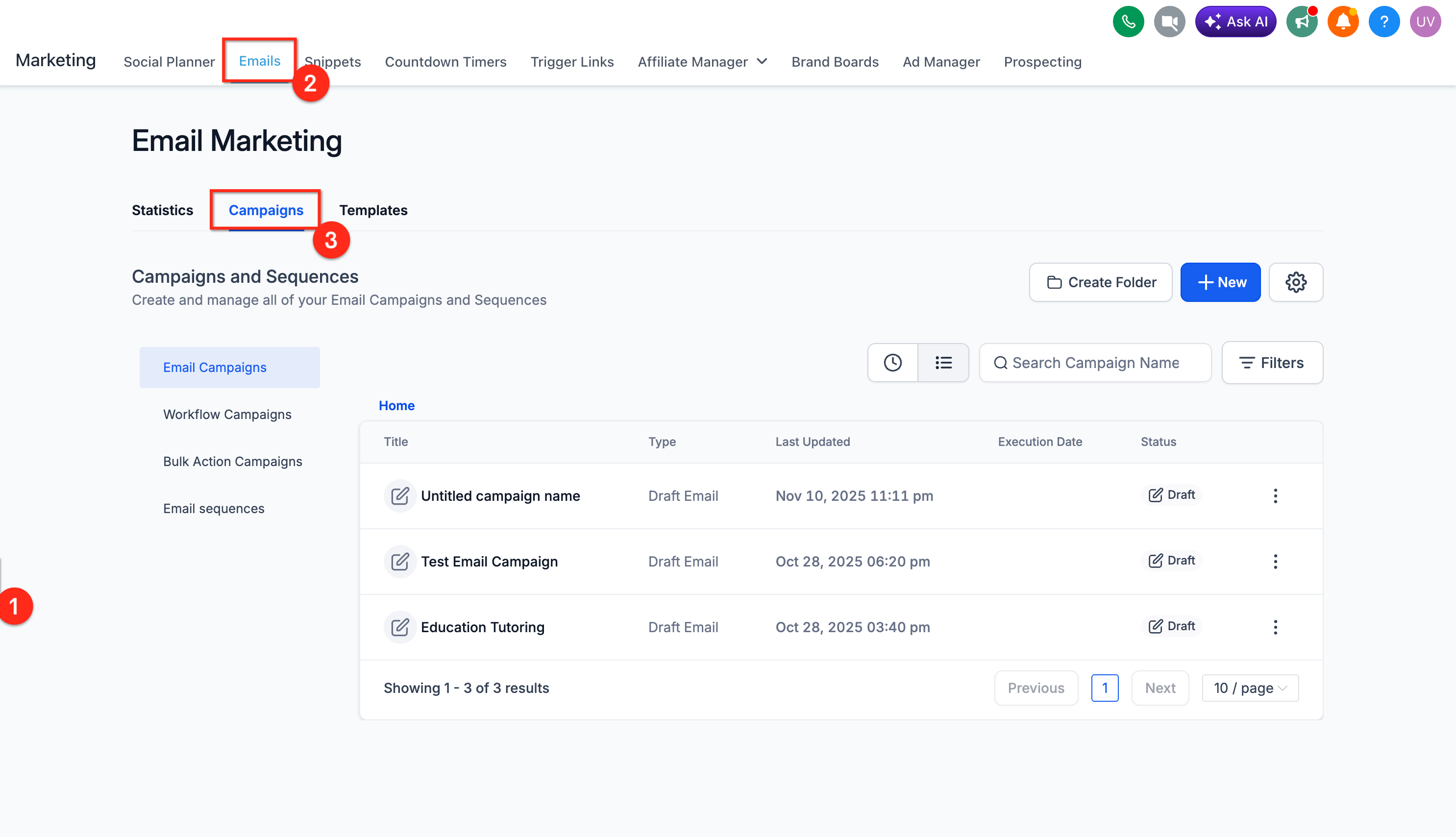
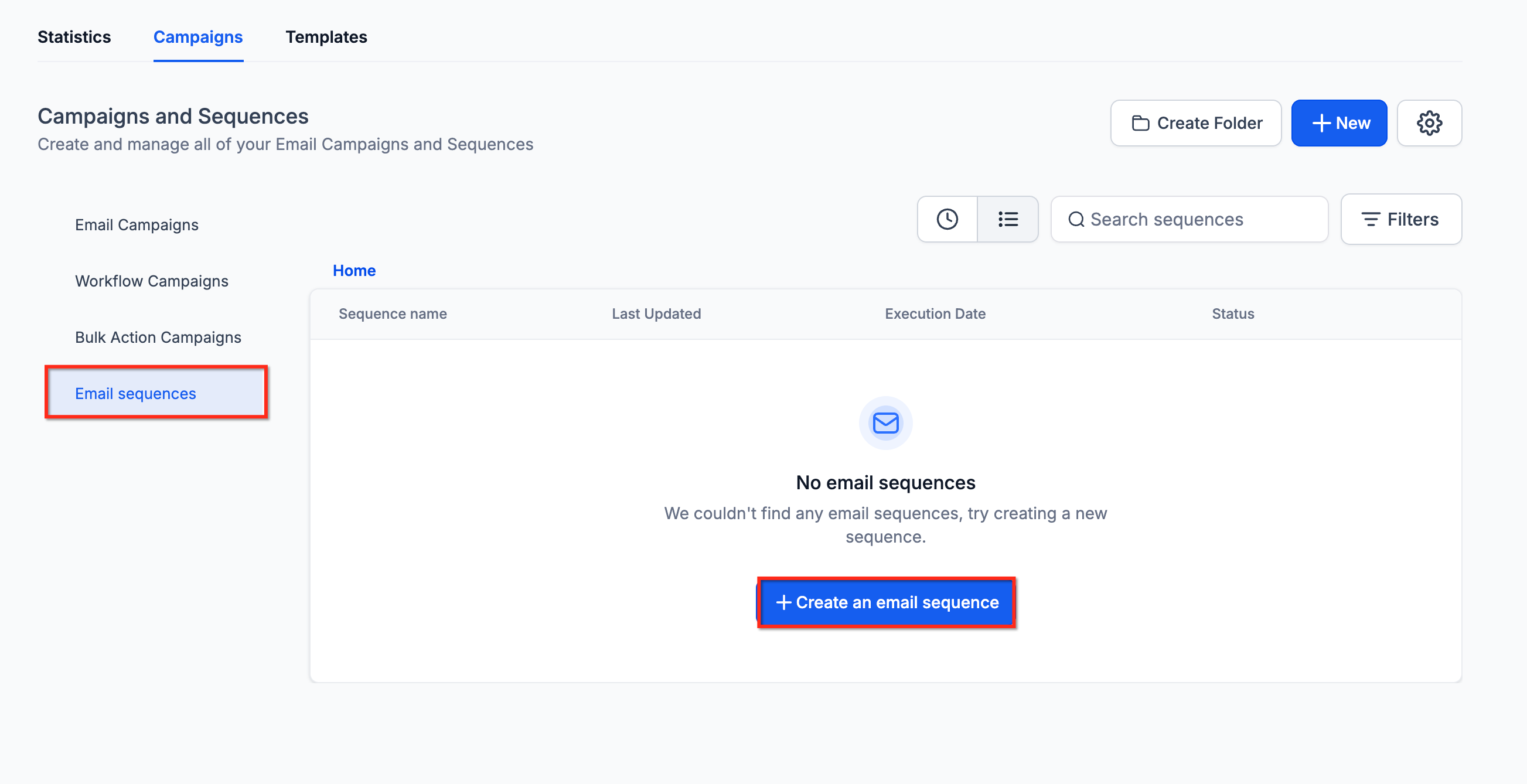
Create a new campaign or email asset, then select Create an Email Sequence.
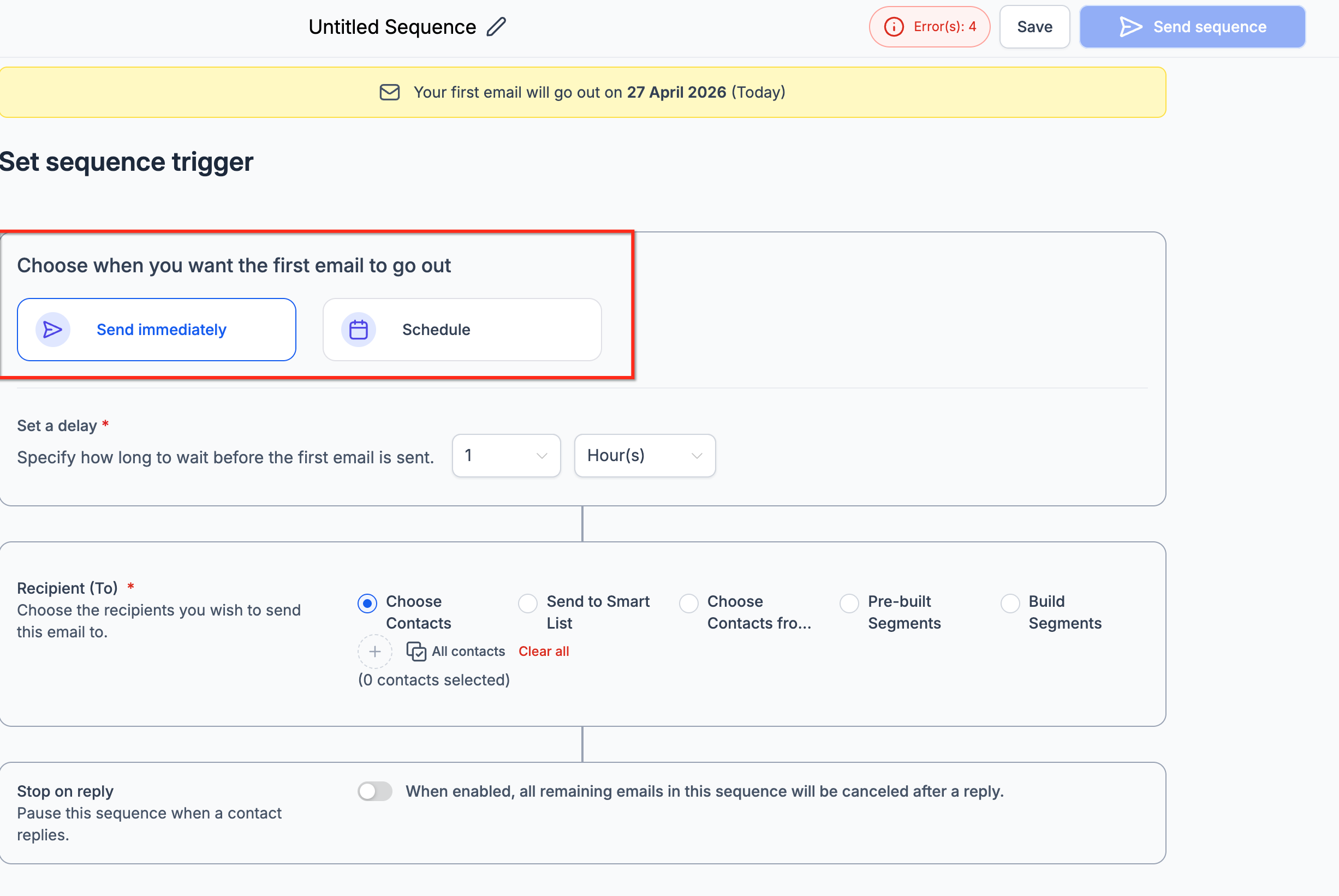
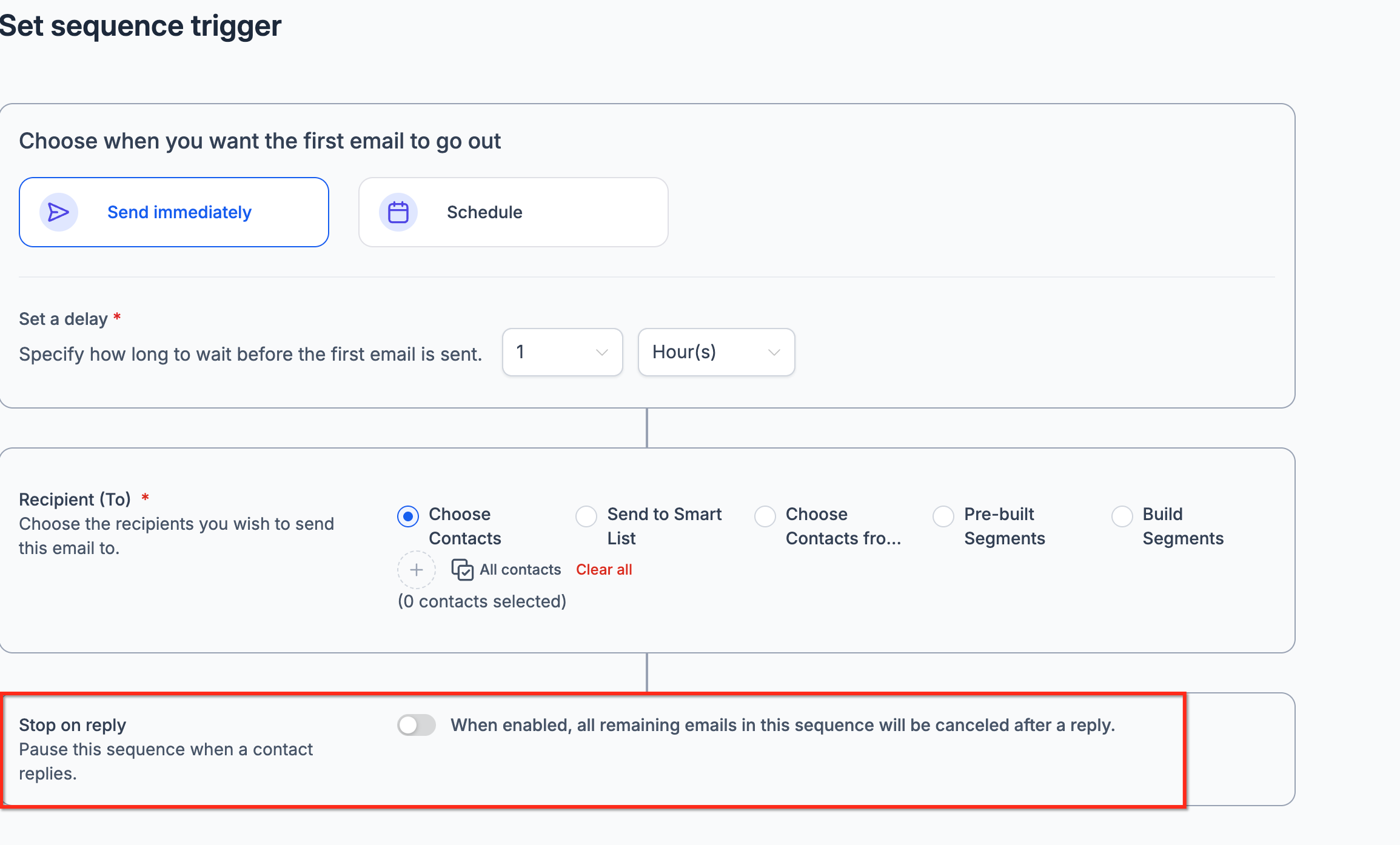
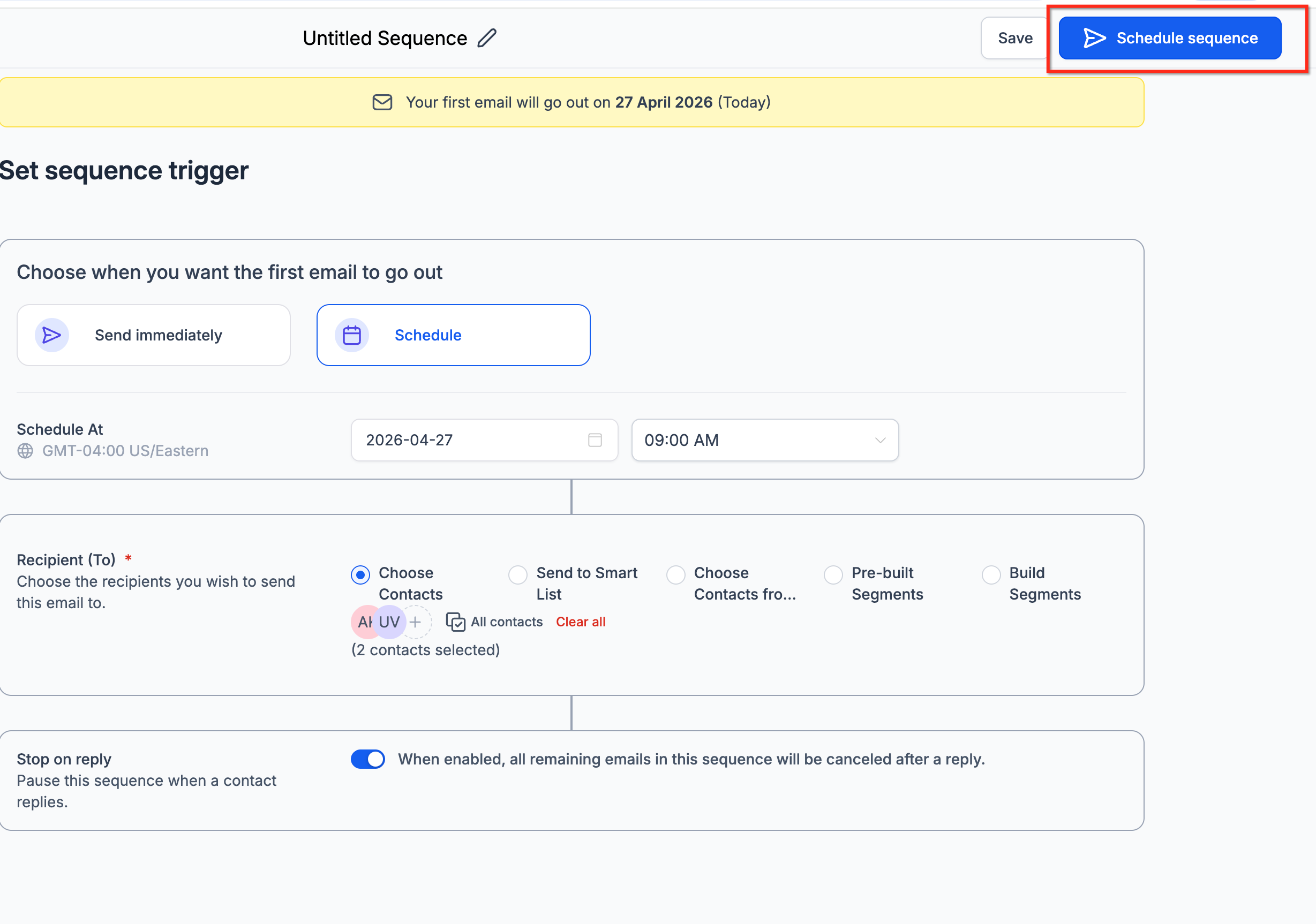
Set the sequence trigger. Choose whether the sequence should start immediately or be scheduled for a later time.
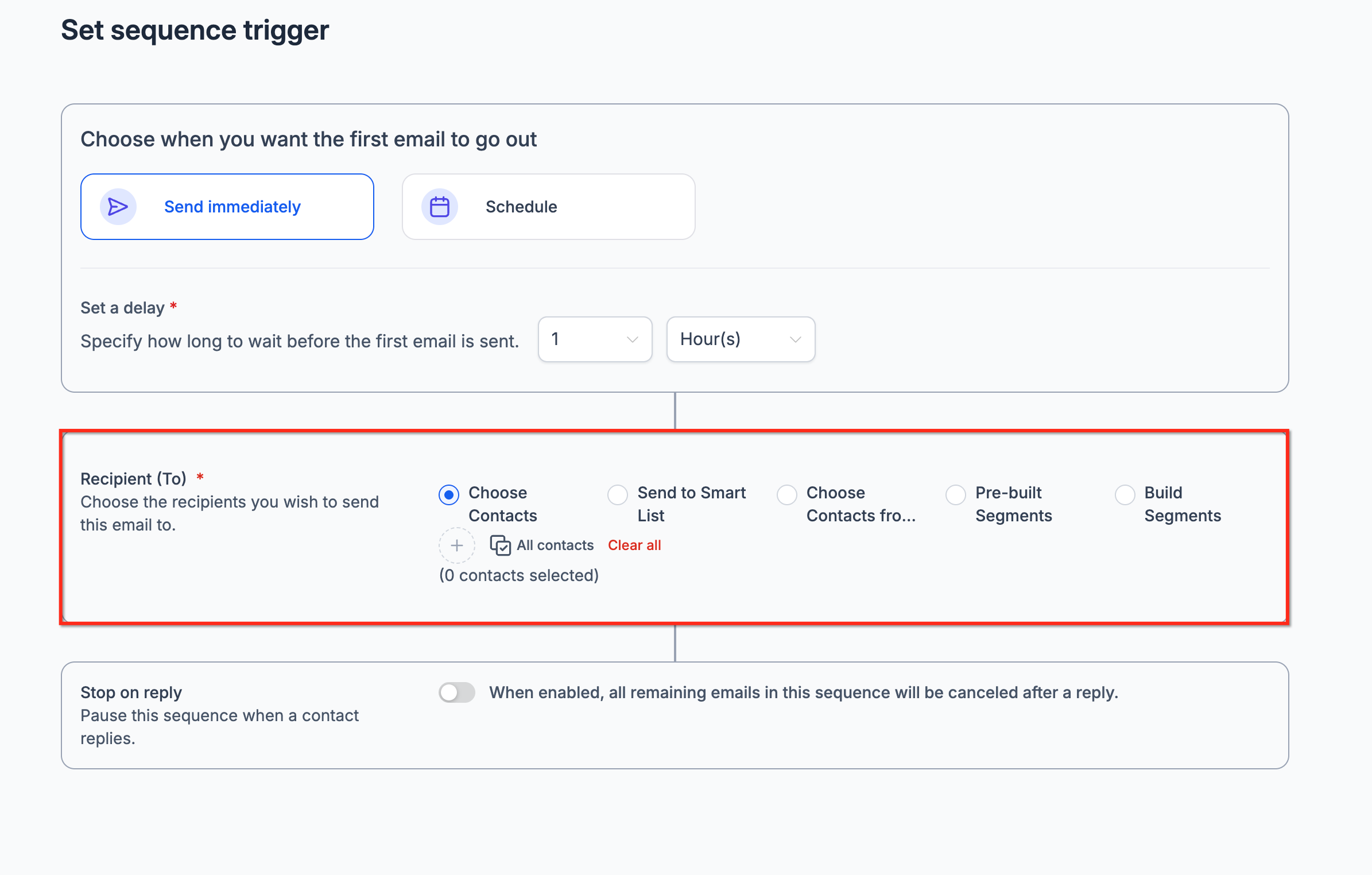
Choose the sequence audience. Select the contacts, lists, or segments that should enter the sequence.
Configure Stop on Reply. Enable this when you want the sequence to stop sending future emails after a recipient replies.
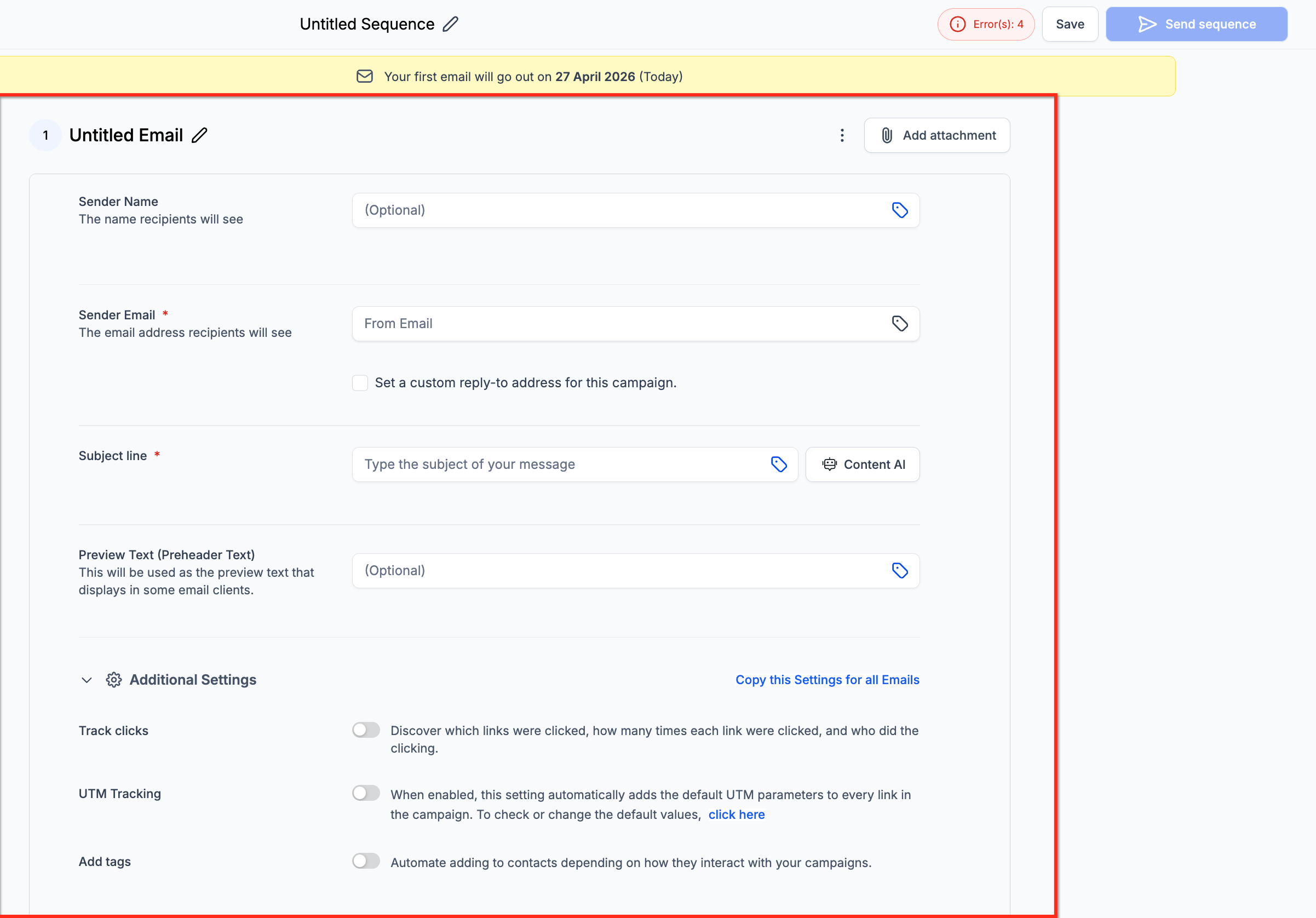
Add email steps. Create the emails that should send as part of the sequence.
Add delays between steps to control when each follow-up is sent.
Add conditions to steps, such as open or delivery status, to control whether a contact receives specific steps.
Configure each step. Select or create the content, choose designed or plain-text, and configure tracking where available.
Review and activate the sequence. Confirm the trigger, audience, delays, conditions, and content before starting.
View performance statistics. From the sequence list, open the three-dot menu and select Statistics to review sequence-level and step-level performance.
Are Email Sequences the same as regular email campaigns? No. Regular campaigns are typically used for one-time email sends, while Email Sequences are used for automated multi-step follow-up in a single thread.
Are Email Sequences the same as Workflows? No. Workflows support broader automation across many actions and channels. Email Sequences focus on automated email follow-up from the Email Marketing area.
What does a single-threaded conversation mean? It means the emails in the sequence send as part of one ongoing email conversation, helping the recipient keep context across every follow-up.
What does Stop on Reply do? Stop on Reply stops future sequence emails for a recipient once that recipient replies.
Can I use both designed and plain-text emails? Yes. Sequences support both designed emails and plain-text emails, and you can mix formats across steps.
Can I send steps based on recipient behavior? Yes. Sequences support conditional targeting based on open or delivery status.
Will the emails appear as separate messages to my patient? No. Emails are sent as part of a single threaded conversation, which helps maintain context across each touch.
Where can I view sequence statistics? Open the three-dot menu for the sequence and select Statistics to view sequence-level and step-level performance analytics.
