To run ads on Instagram through Ad Manager, you must connect your Instagram Business account to your Facebook Page. This connection is done on the Meta platform, not inside Ad Manager. Once connected, the Instagram account is automatically selected whenever you choose that Facebook Page to publish an ad. This guide covers connecting Instagram to your Page, verifying the connection, publishing an Instagram ad, and delinking the account when you need to move it to a different Page.
Note: Only one Instagram account can be connected to a Facebook Page.
This guide is for paid ads. To schedule and publish organic (unpaid) Instagram posts, use the Social Media Planner instead.
Running ads on Instagram alongside Facebook lets you reach a wider mix of potential patients by playing to each platform's strengths. Instagram tends to reach a younger, more visually driven audience, which works well for before-and-after content and Reels, while Facebook reaches a broader age range, including patients who are further along in their decision to book. Advertising on both platforms also supports cross-platform retargeting, so someone who sees your ad on one platform can be re-engaged on the other, and campaign management and reporting stay in one place inside Ad Manager.
Skip this step if your Instagram is already a Business account.
Open the Instagram app and go to your profile.
Tap the menu icon in the top right to open Settings and activity.
Scroll down and tap Account type and tools > Switch to professional account.
Choose Business (recommended for ads) or Creator.
Select your business category (for example Health & Wellness).
Tap Next and follow the prompts to complete the setup.
Go to Facebook and open your business Page.
Click Settings in the left sidebar.
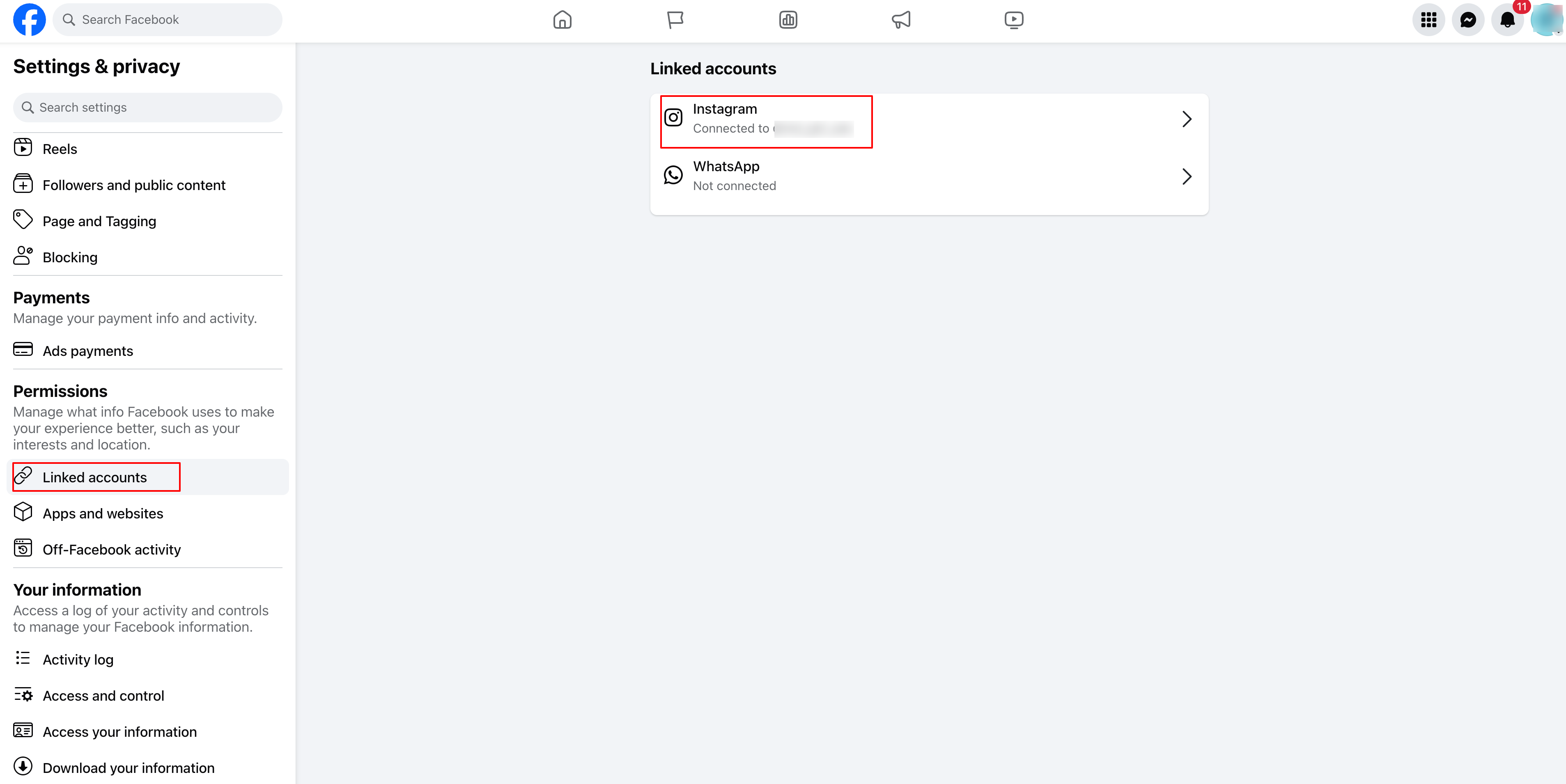
Select Linked Accounts > Instagram.
Click Connect Account and log in to your Instagram account.
Make sure Allow Access to Messages & Connected Experiences is enabled.
Click Confirm to complete the connection.
This option is available if you already have a professional account.
Go to your Instagram profile.
Tap Edit Profile and scroll to Public Business Information.
Tap Page, then Connect or Create a Facebook Page.
Select your existing Facebook Page or create a new one.
Tap Done to save.
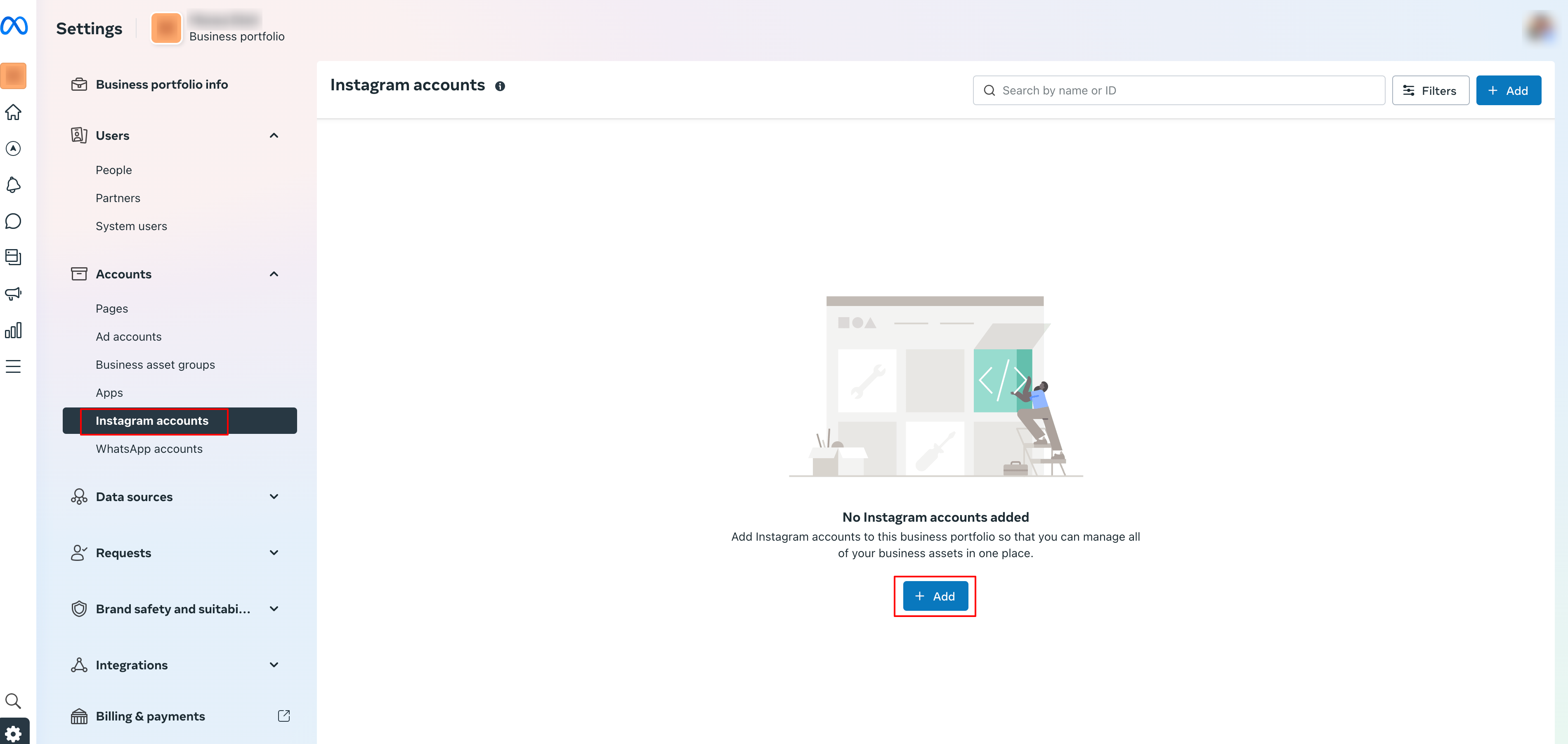
Open Meta Business Suite at business.facebook.com.
Click Settings > Instagram Accounts.
Your Instagram account should be listed. If it is not, click Add Instagram Account and follow the login steps.
Final check before you advertise:
Instagram is set as a professional (Business or Creator) account.
It is connected to the correct Facebook Page.
It is verified in Meta Business Suite.
You are now ready to publish ads.
Once your Instagram account is connected to the Facebook Page, you can publish Instagram ads from the campaign builder in Ad Manager.
Choose the Facebook Page you want to advertise from.
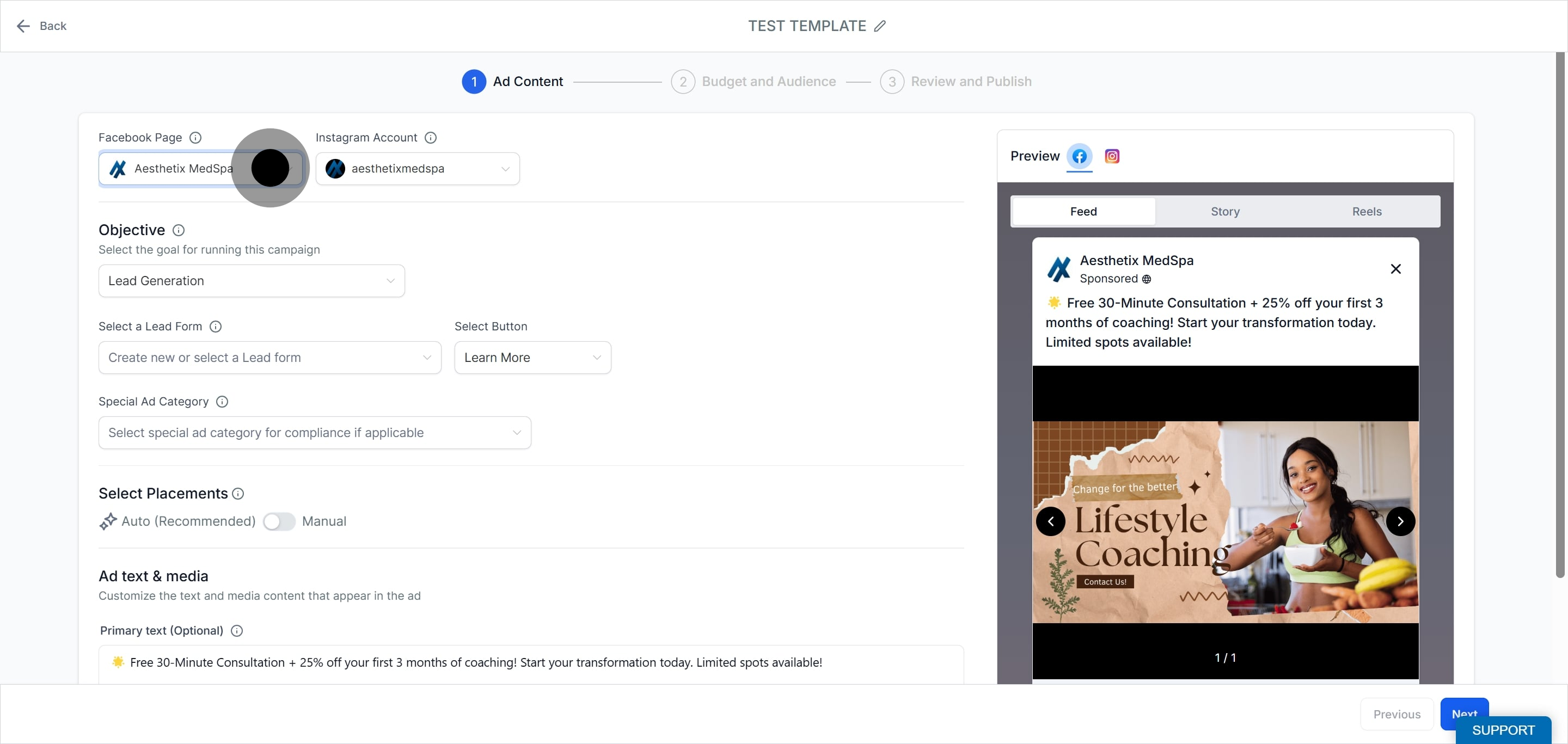
Select the Instagram account you want to use. It appears automatically because it is linked to the Facebook Page you chose.
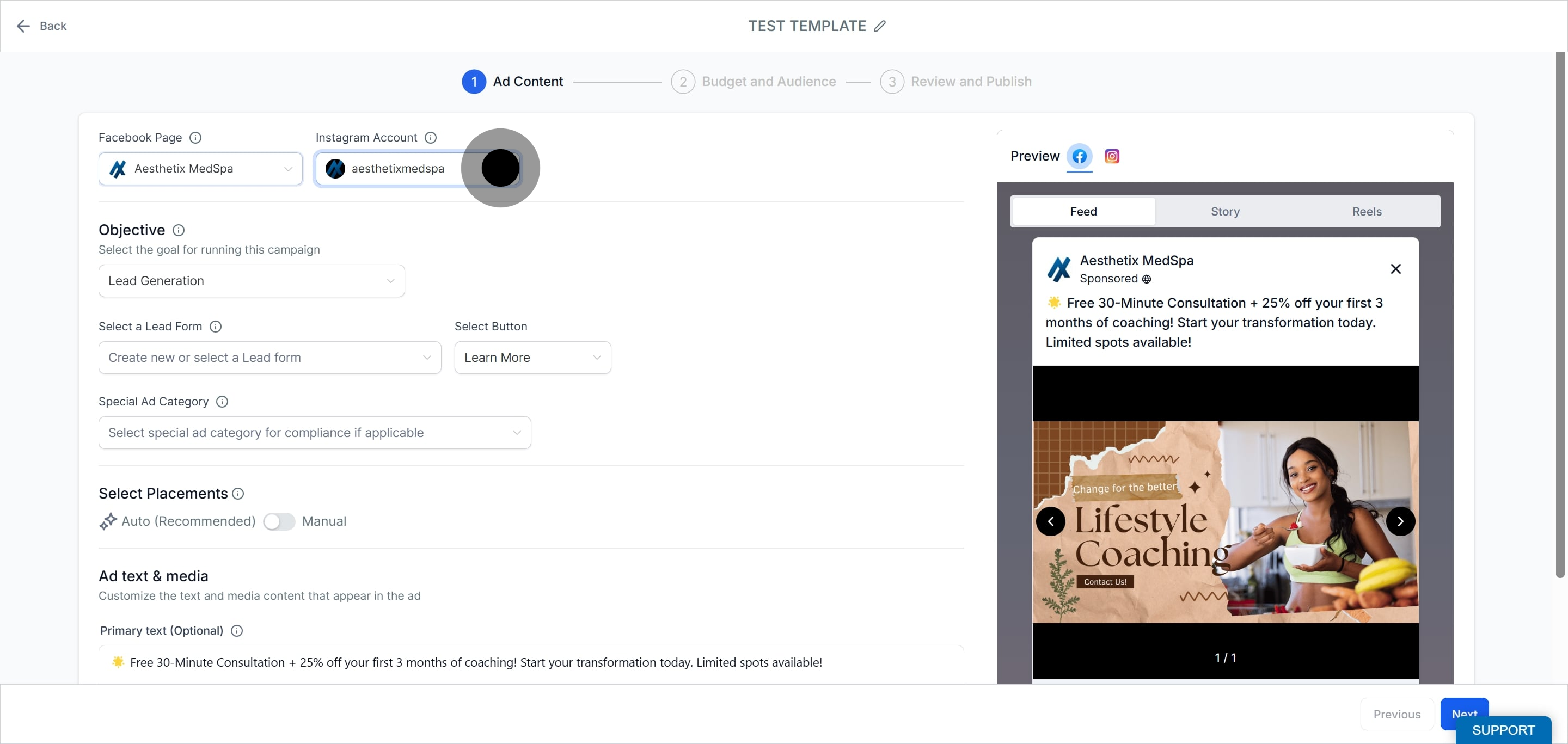
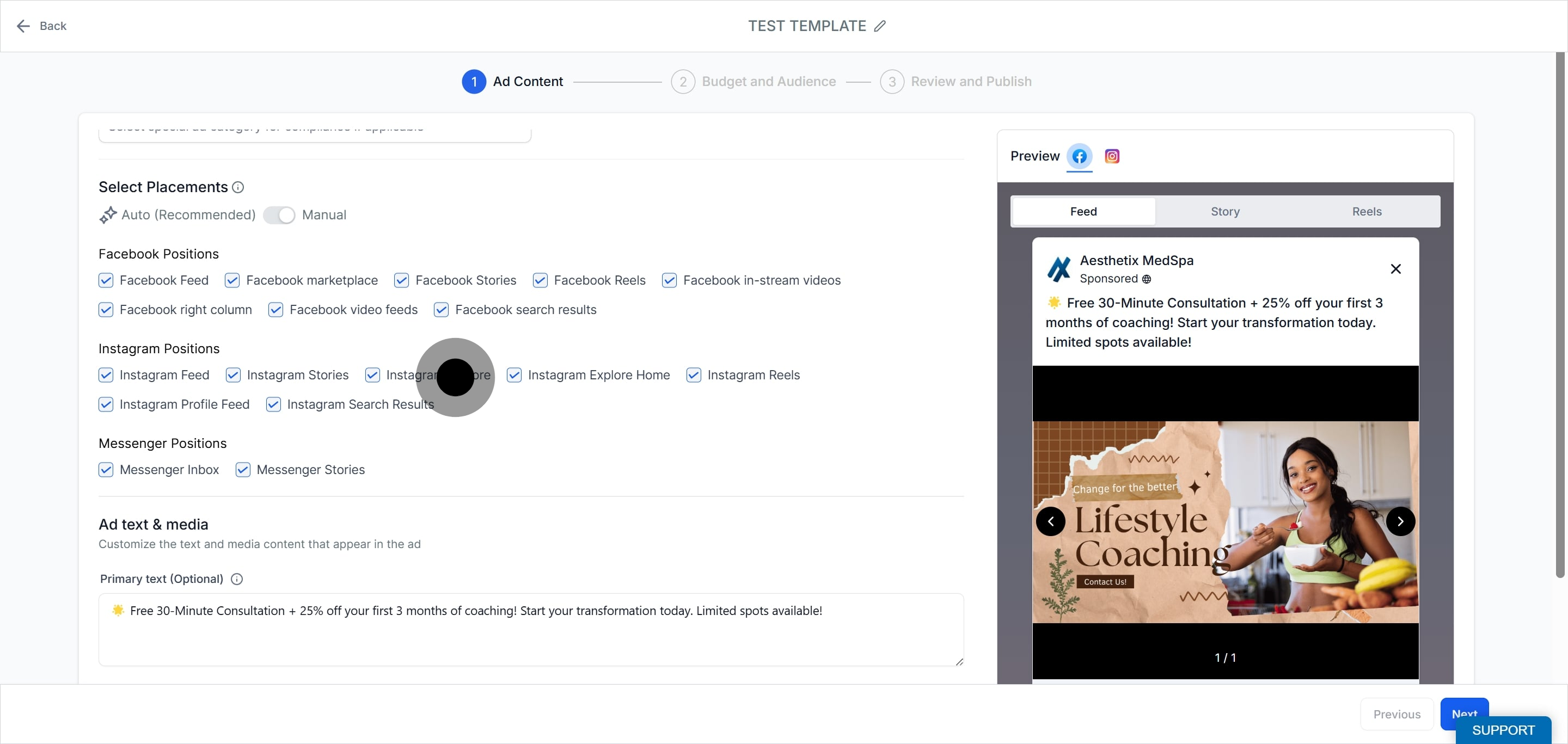
Toggle on the option to manually set your Instagram ad placements.
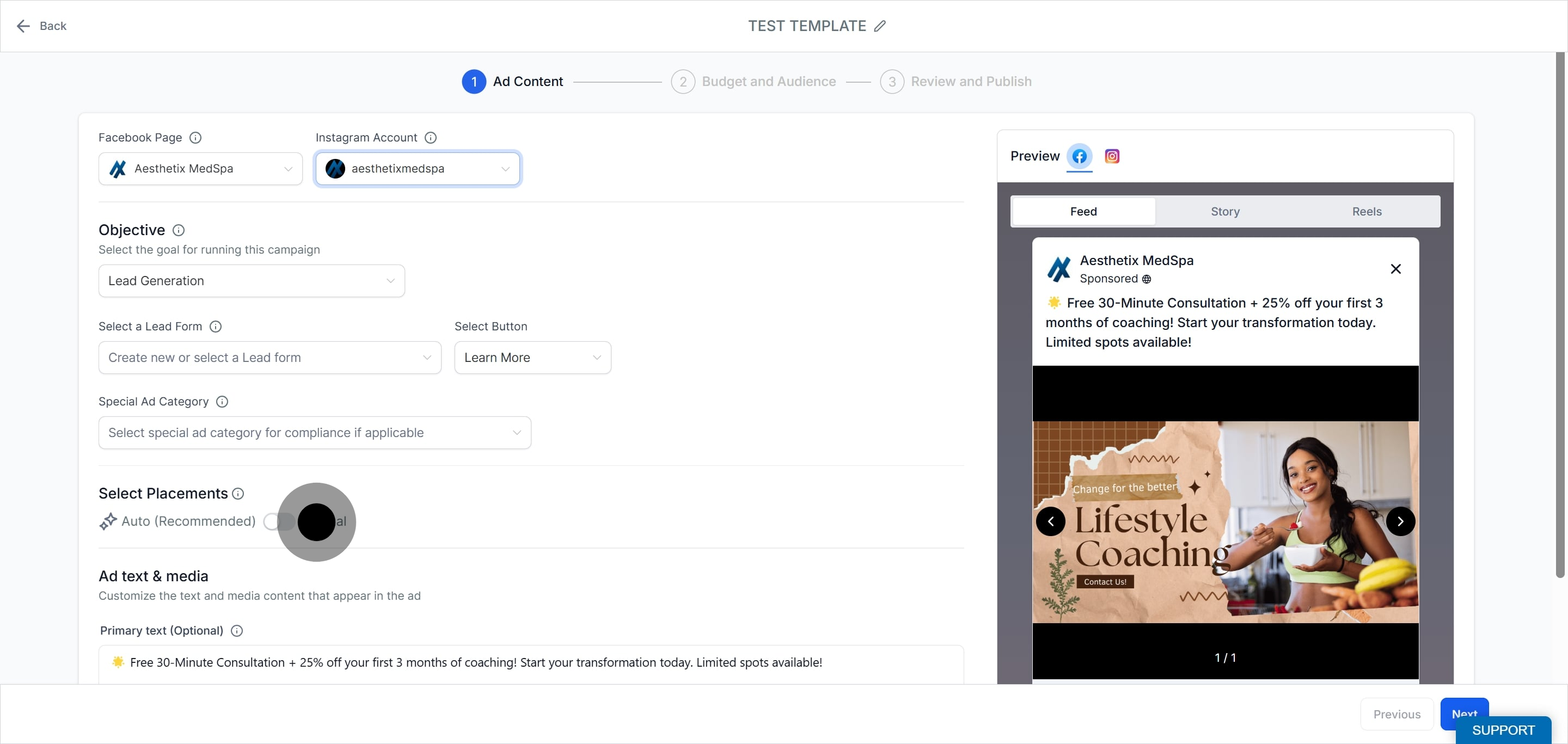
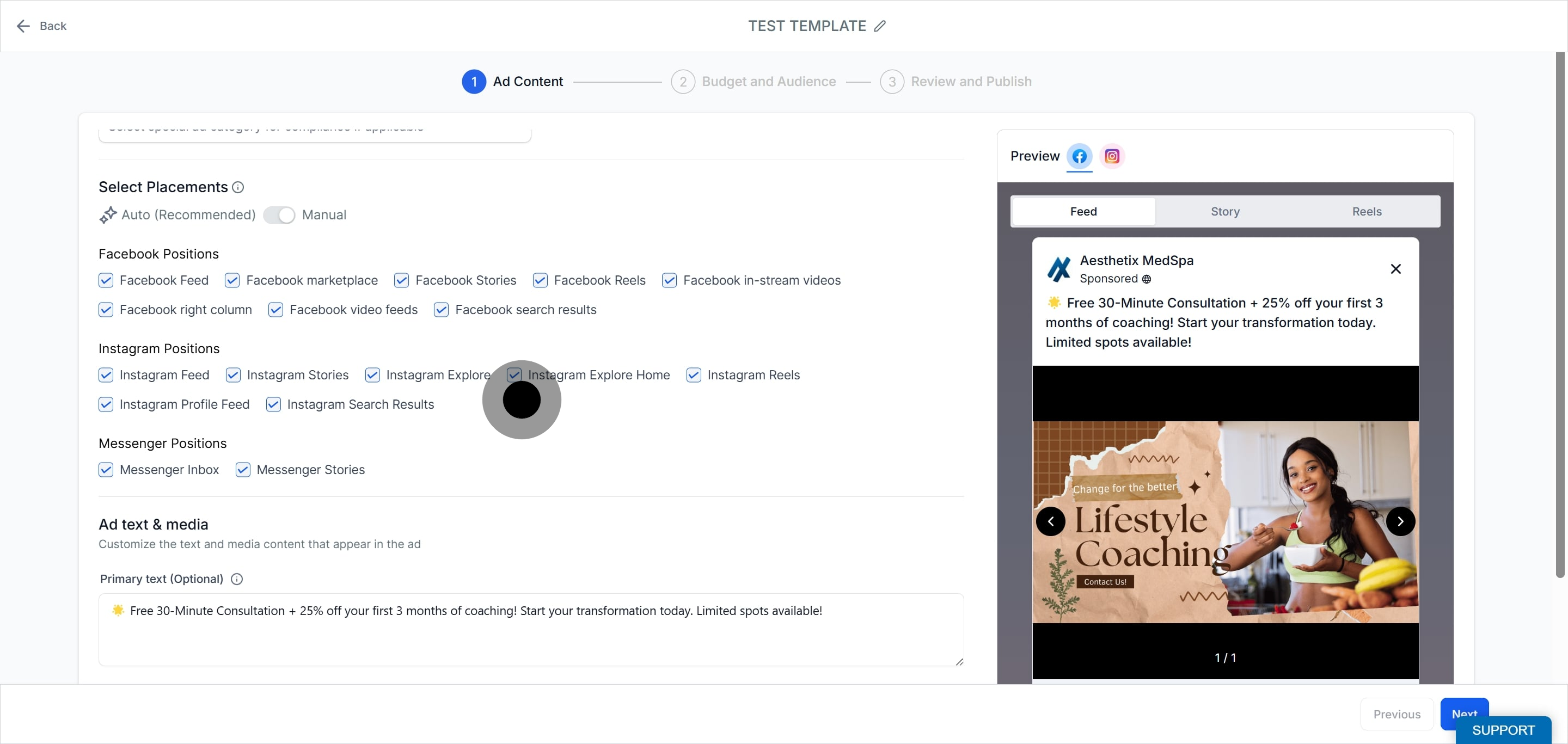
Choose the specific placements you want for your Instagram ads, such as Feed, Stories, or Reels.
Enter your ad text, media, budget, and the rest of your campaign details. For example, a med spa might promote a seasonal Botox offer with a strong call to action to book a consult.
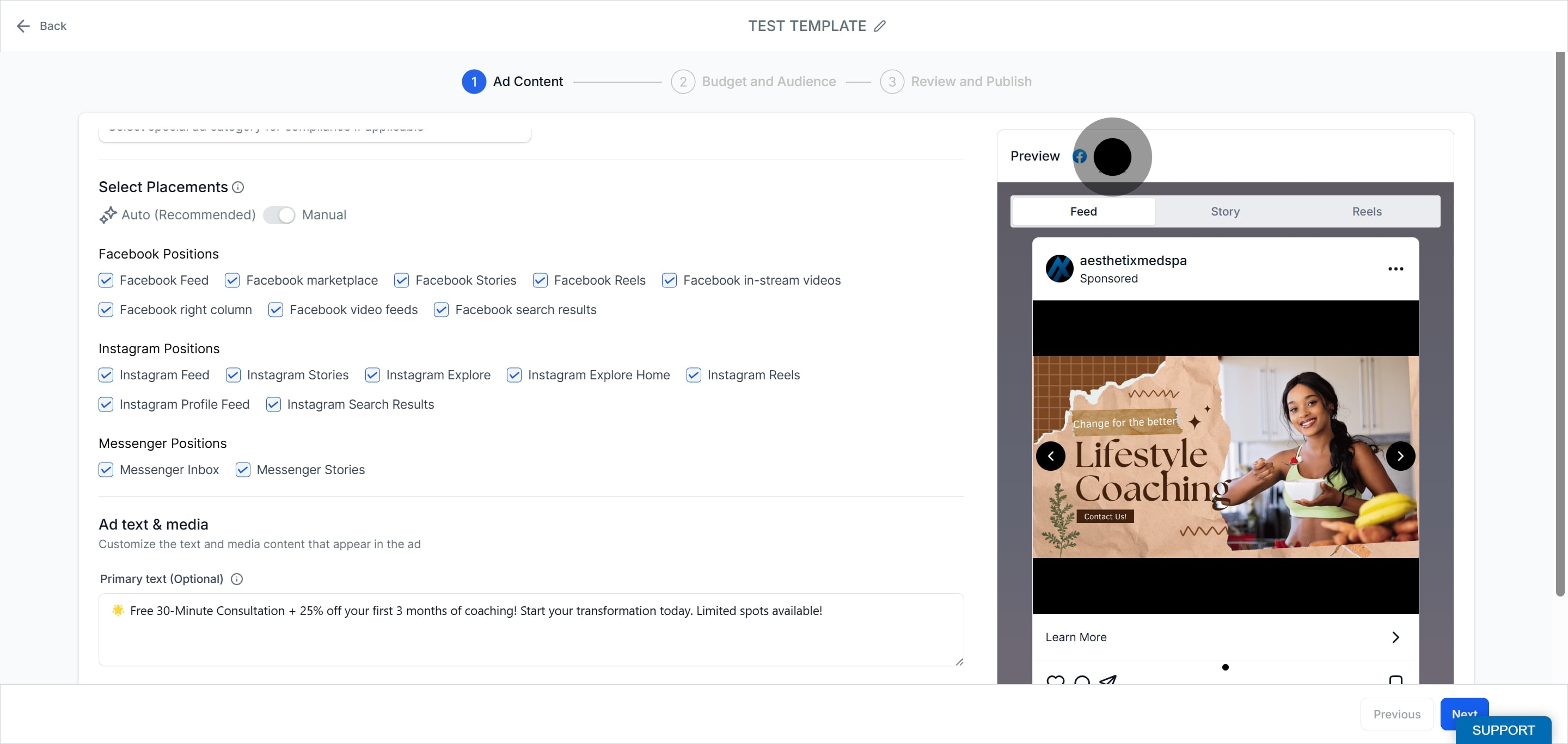
Review how your Instagram ad will look by opening the preview tab, then publish when it is ready.
When you connect an Instagram Business account, it is linked to the Facebook Page and is automatically selected each time that Page is used to publish ads. If you want to move the Instagram account to a different Page, first disconnect it from the current Page. This is done in Facebook.
Log in to Facebook, then click your profile photo in the top right.
Click See all profiles, then select the Page you want to switch into.
Click your Page's profile picture in the top right of Facebook.
Click Settings & privacy, then Settings.
Under Permissions, click Linked accounts.
Next to Instagram, click View.
Click Disconnect account, then click Yes, disconnect to confirm.
After delinking, you can connect the Instagram account to a different Facebook Page using the steps above.
Where do I connect Instagram to my Facebook Page? The connection is made on the Meta platform, either through your Facebook Page settings or the Instagram app, not inside Ad Manager.
Do I need a Business account on Instagram to run ads? Yes. Switch your Instagram to a professional account (Business is recommended, Creator also works) before connecting it to your Facebook Page.
Can I connect more than one Instagram account to a single Facebook Page? No. Only one Instagram account can be connected to a Facebook Page at a time.
Why is my Instagram account selected automatically when I build an ad? Once an Instagram account is linked to a Facebook Page, it is automatically selected whenever you choose that Page in the campaign builder.
How do I run an ad only on Instagram placements? In the campaign builder, toggle on manual placements and choose the specific Instagram placements you want, such as Feed, Stories, or Reels.
How do I move my Instagram account to a different Facebook Page? Delink it from the current Page in Facebook using the disconnect steps above, then connect it to the new Page.
What is the difference between Instagram ads and Social Media Planner posts? Instagram ads are paid campaigns built and published in Ad Manager. Organic (unpaid) Instagram posts are scheduled and published through the Social Media Planner.
My Instagram account is not showing in Meta Business Suite. What do I do? Open Meta Business Suite, go to Settings > Instagram Accounts, click Add Instagram Account, and follow the login steps to add it.
