A Customer List Custom Audience lets your practice use its own patient contact data, such as emails and phone numbers, to reach specific people on Facebook and Instagram. Meta matches your data to its user profiles so you can deliver targeted ads to people you already know, such as past patients you want to invite back for a seasonal promotion. You can build the audience by uploading a CSV file or by pulling from a Smart List, and Smart List audiences can be either static (frozen at creation) or dynamic (updating automatically).
Uploading a customer list shares your patients' contact identifiers with Meta, where the data is hashed and matched to user profiles. Before you upload:
Get the appropriate patient consent and follow your practice's HIPAA policies.
Upload only basic contact identifiers such as name, email, and phone number.
Never include protected health information such as procedures, diagnoses, treatment history, appointment reasons, or clinical notes.
Be aware that Meta hashes and uses the data you provide to match it to profiles on its platforms.
Keeping your uploads to plain contact identifiers keeps you compliant while still letting you reach the right people.
You can create a customer list custom audience in two places.
During campaign creation. At the ad set level, under Audience Controls, go to the Intended Audience section.
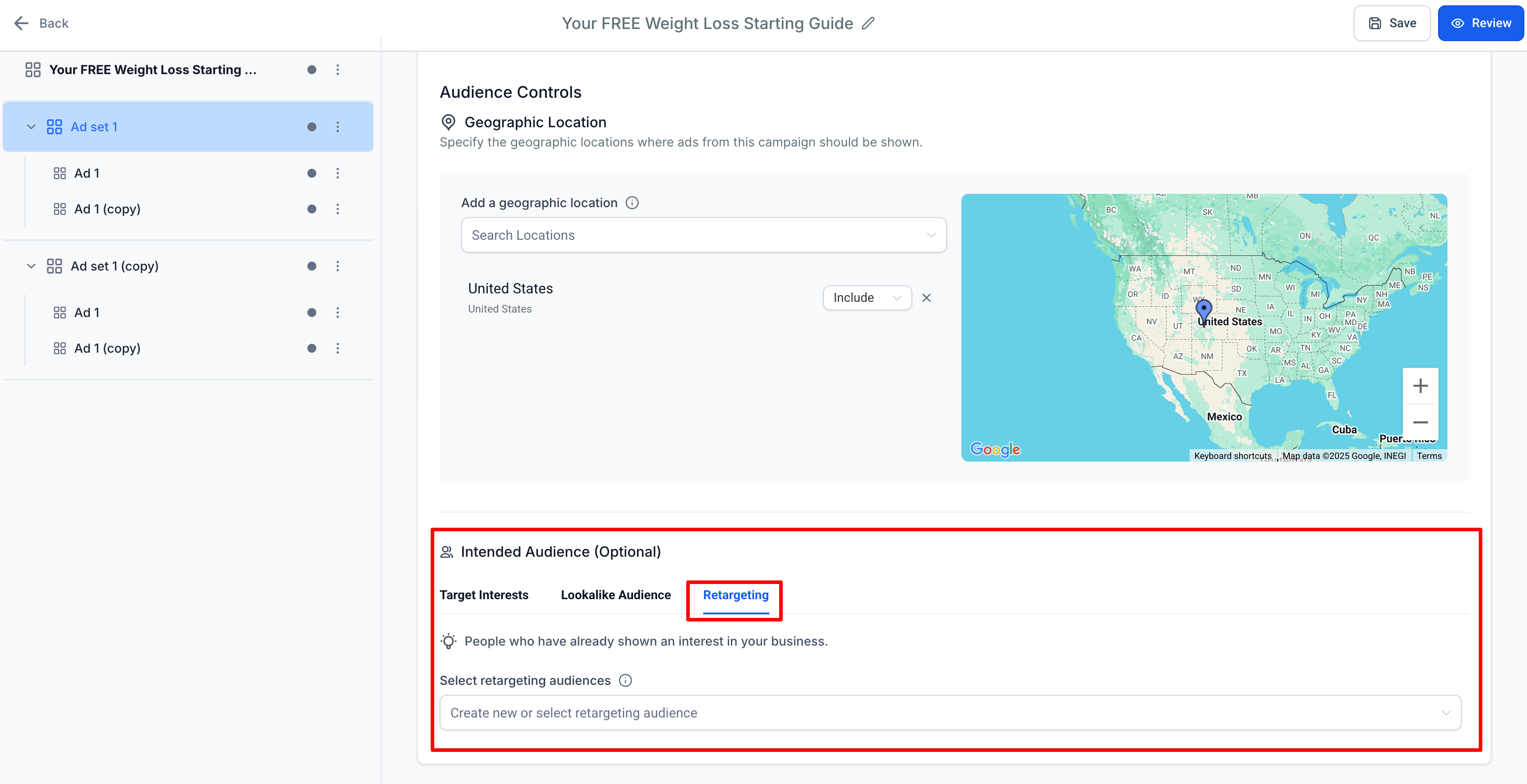
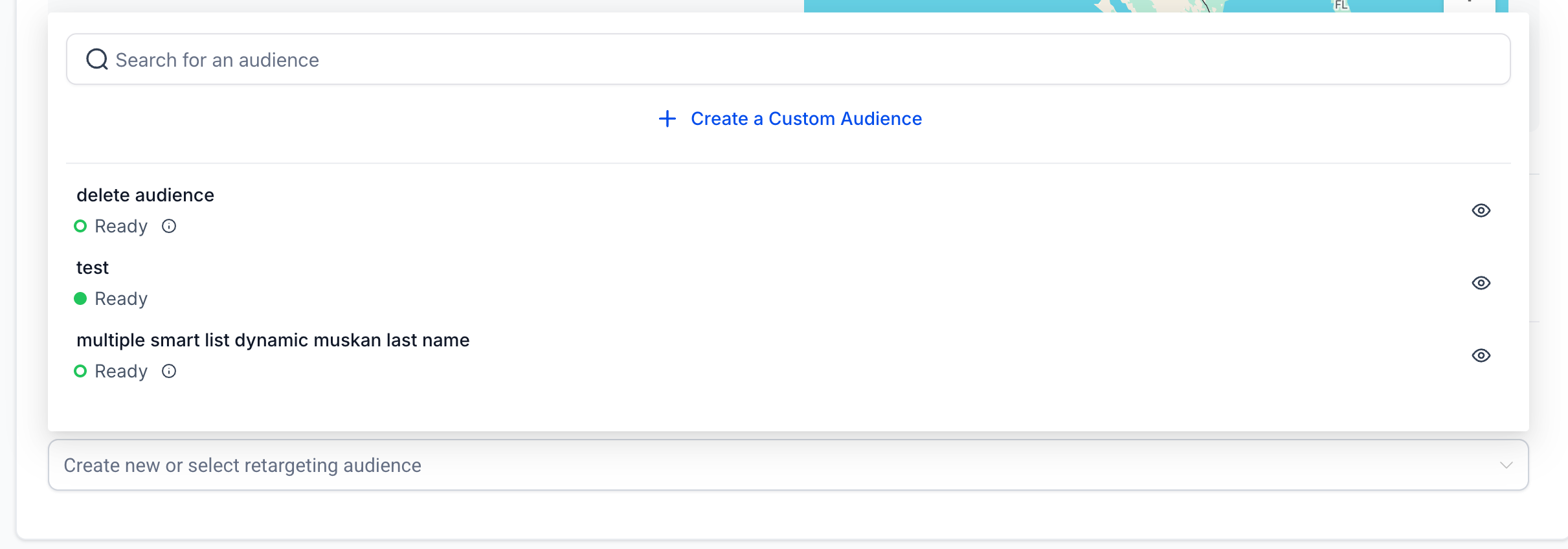
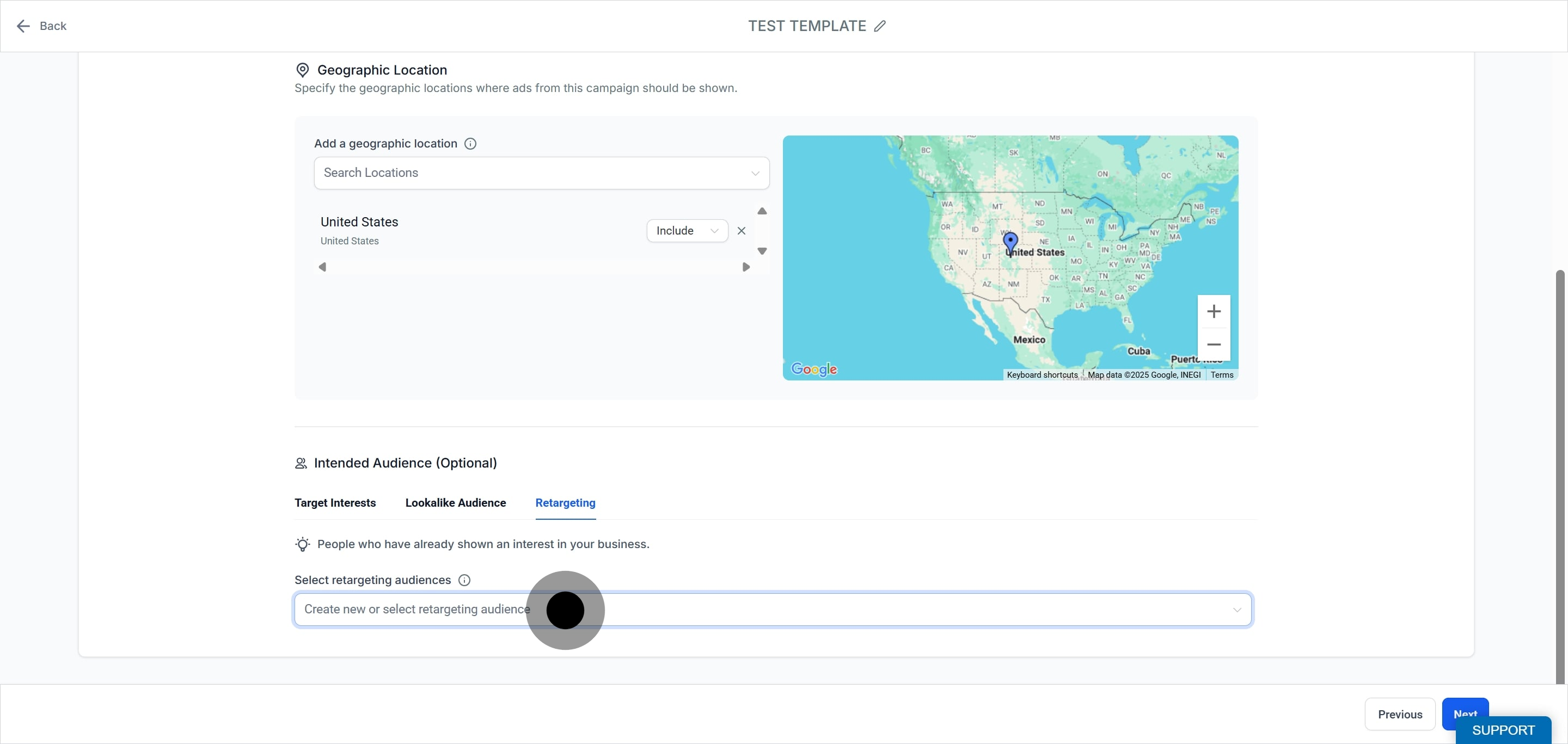
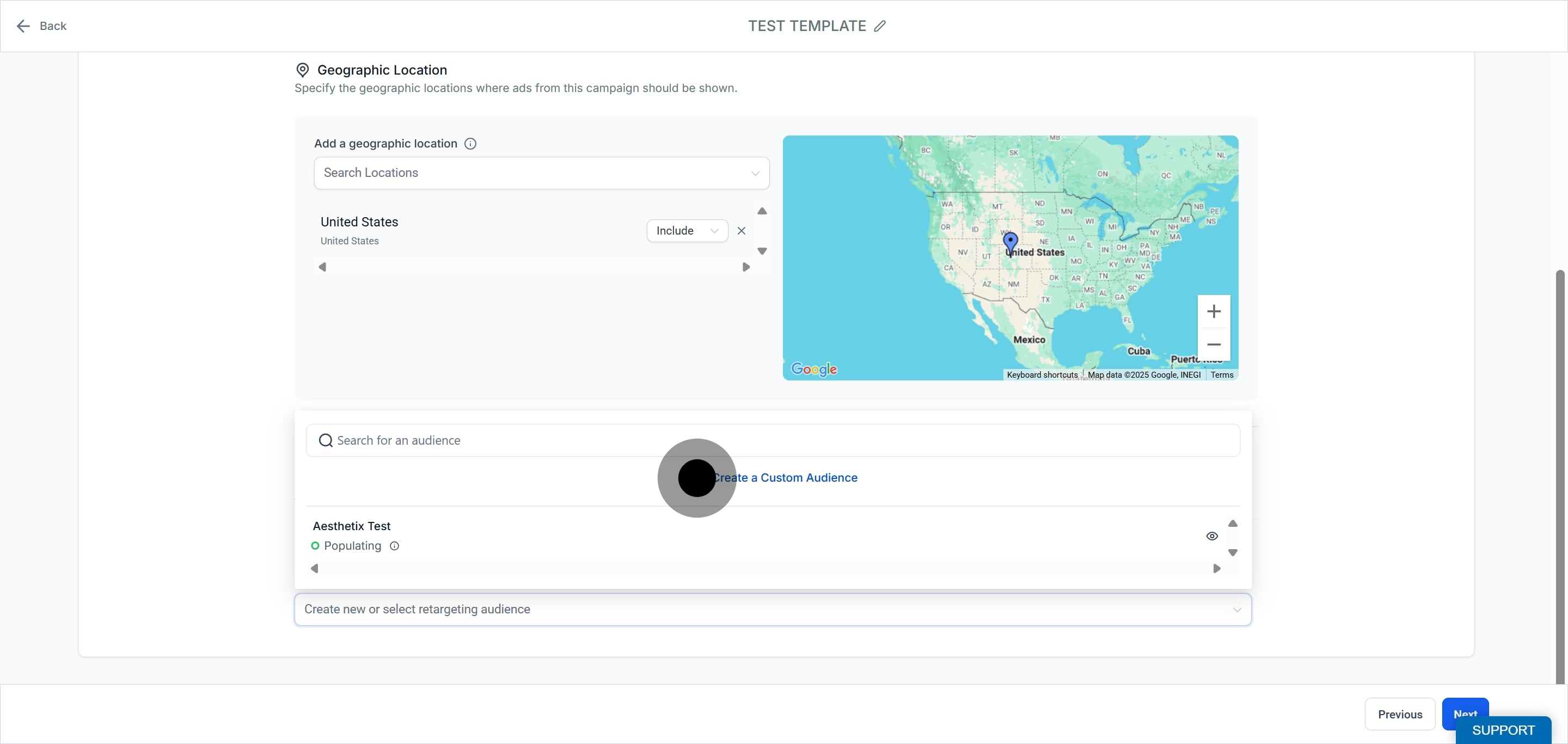
Under the Retargeting tab, click the dropdown for Create new or select retargeting audience and choose Create a Custom Audience.
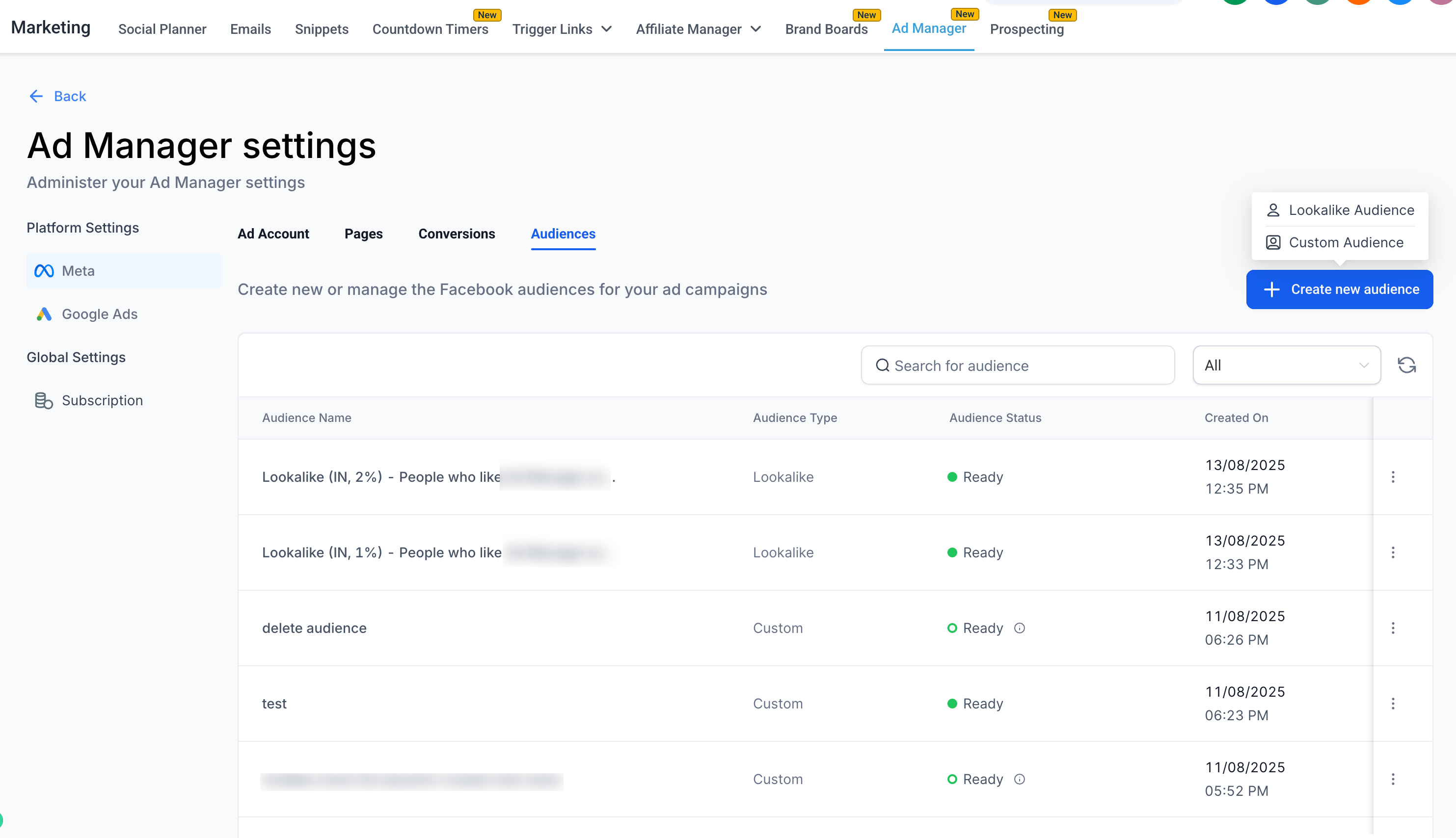
From Ad Manager settings. Navigate to Ad Manager Settings > Audiences to create audiences in advance for future campaigns.
Audience creation: Build a list from your own data sources such as website sign-ups, CRM records, or visit history.
Data matching: Meta matches your data against its user profiles.
Ad targeting: Deliver highly relevant ads to matched patients.
Privacy and compliance: The feature is built to comply with privacy regulations such as GDPR. Your own HIPAA obligations still apply, as noted above.
Audience segmentation: Target groups such as recent patients or high-value patients.
Lookalike audiences: Use the list as a source to reach new people similar to your existing patients.
Customer list format: Requires a CSV file with valid identifiers.
The benefits are precise targeting of existing patients, better ad relevance and performance, and an easy way to re-engage past patients and encourage repeat visits.
Creating a customer list custom audience is a two step process.
Start by selecting the Retargeting tab.
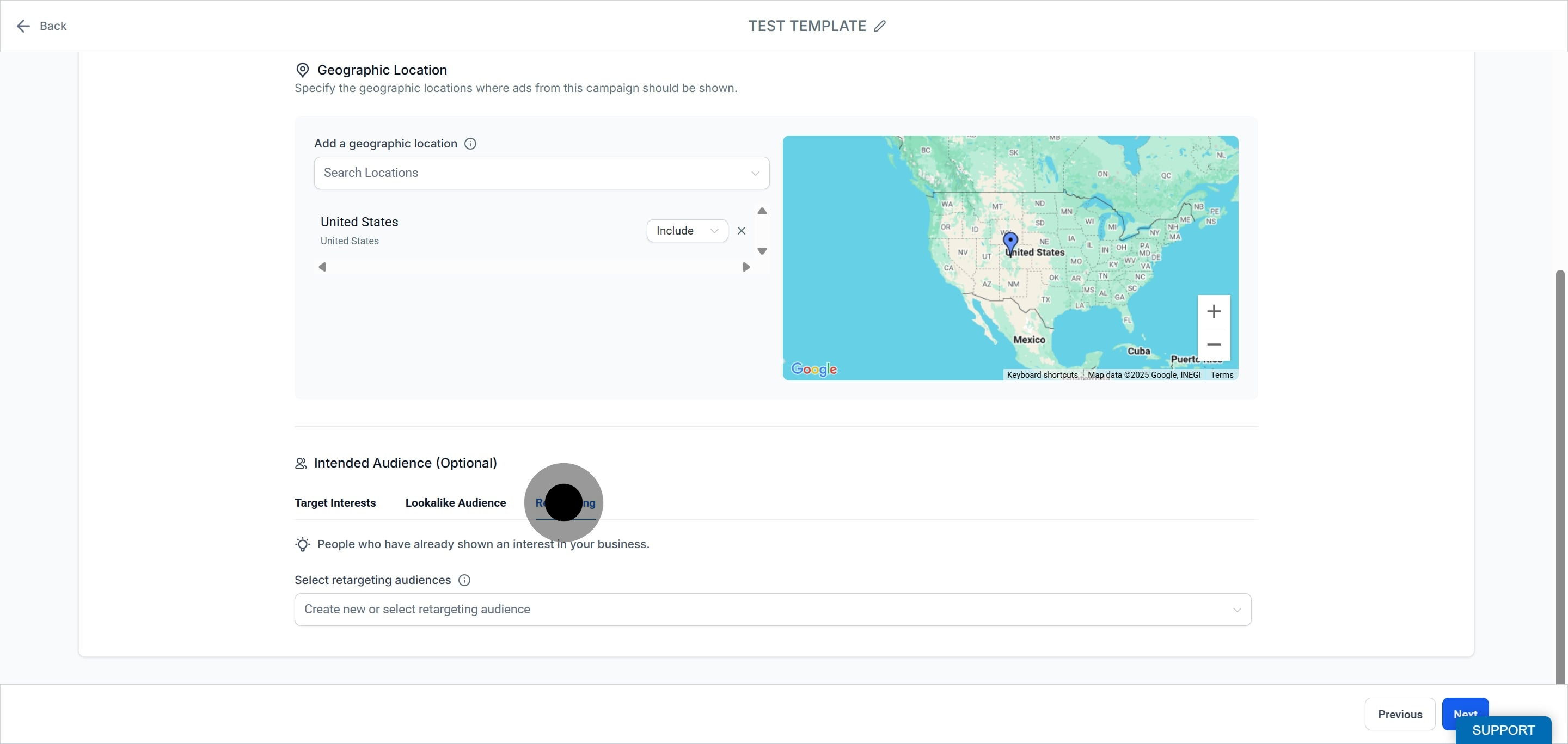
Choose to create a new audience or select an existing one.
Click to Create a Custom Audience.
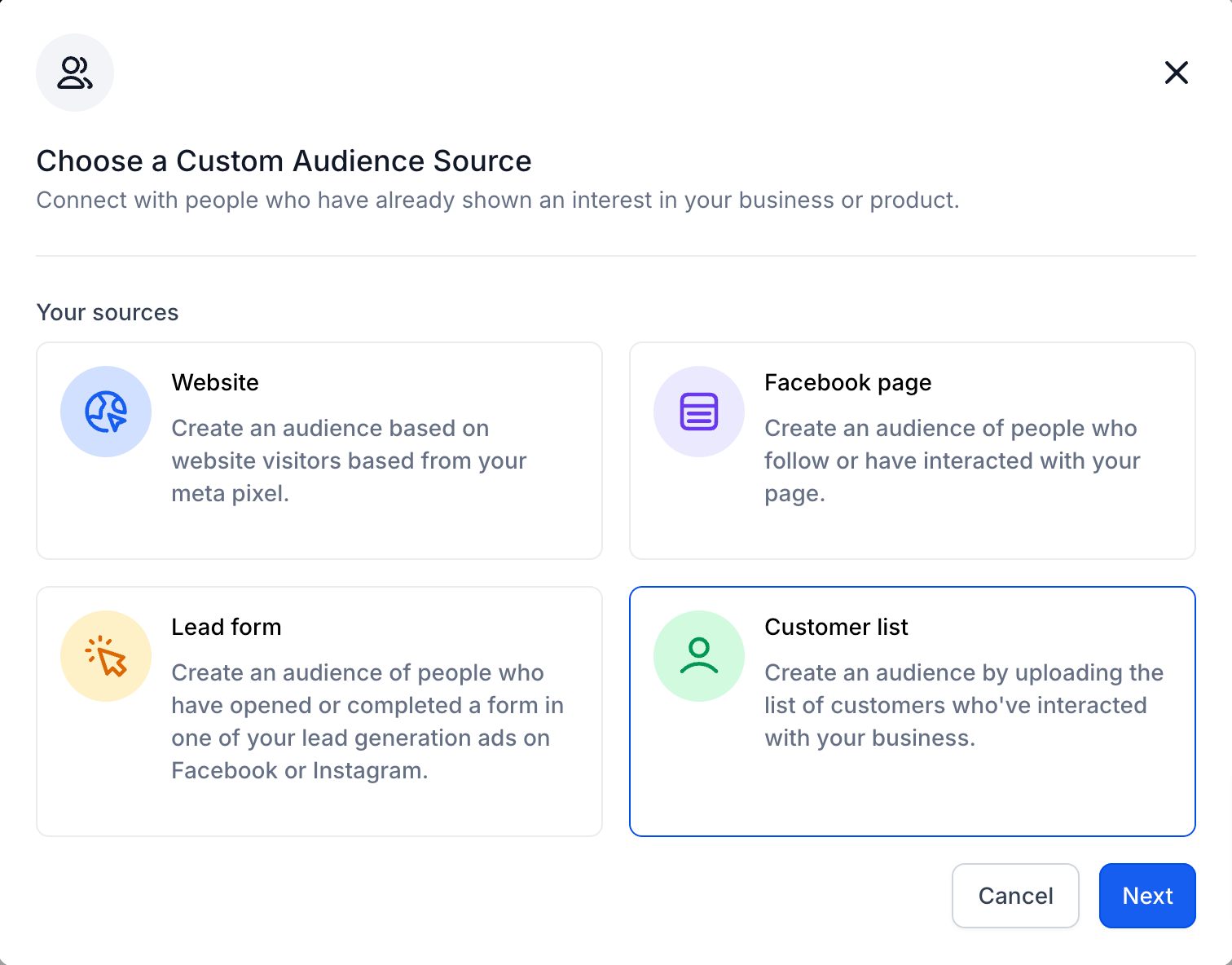
Choose Customer List as your audience source.
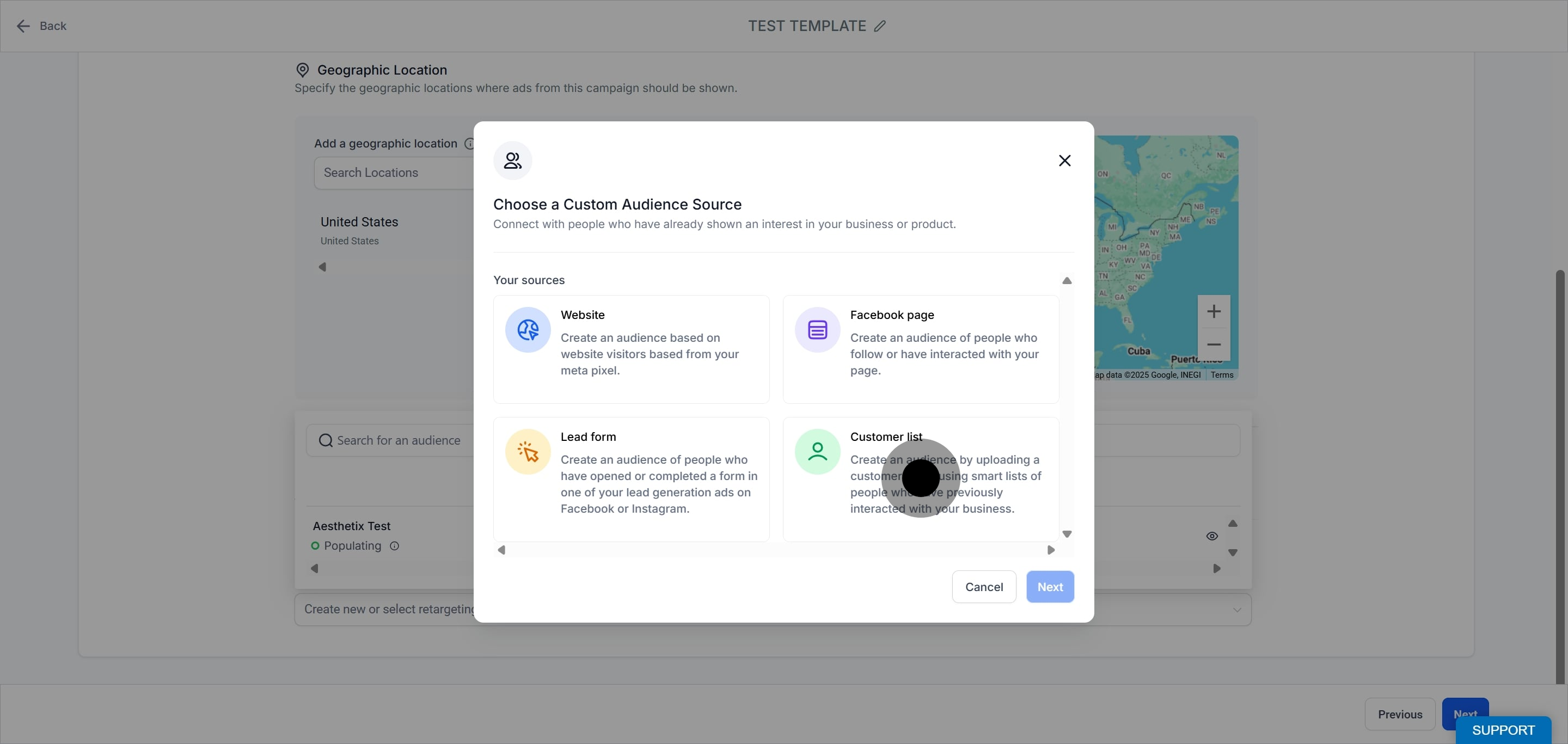
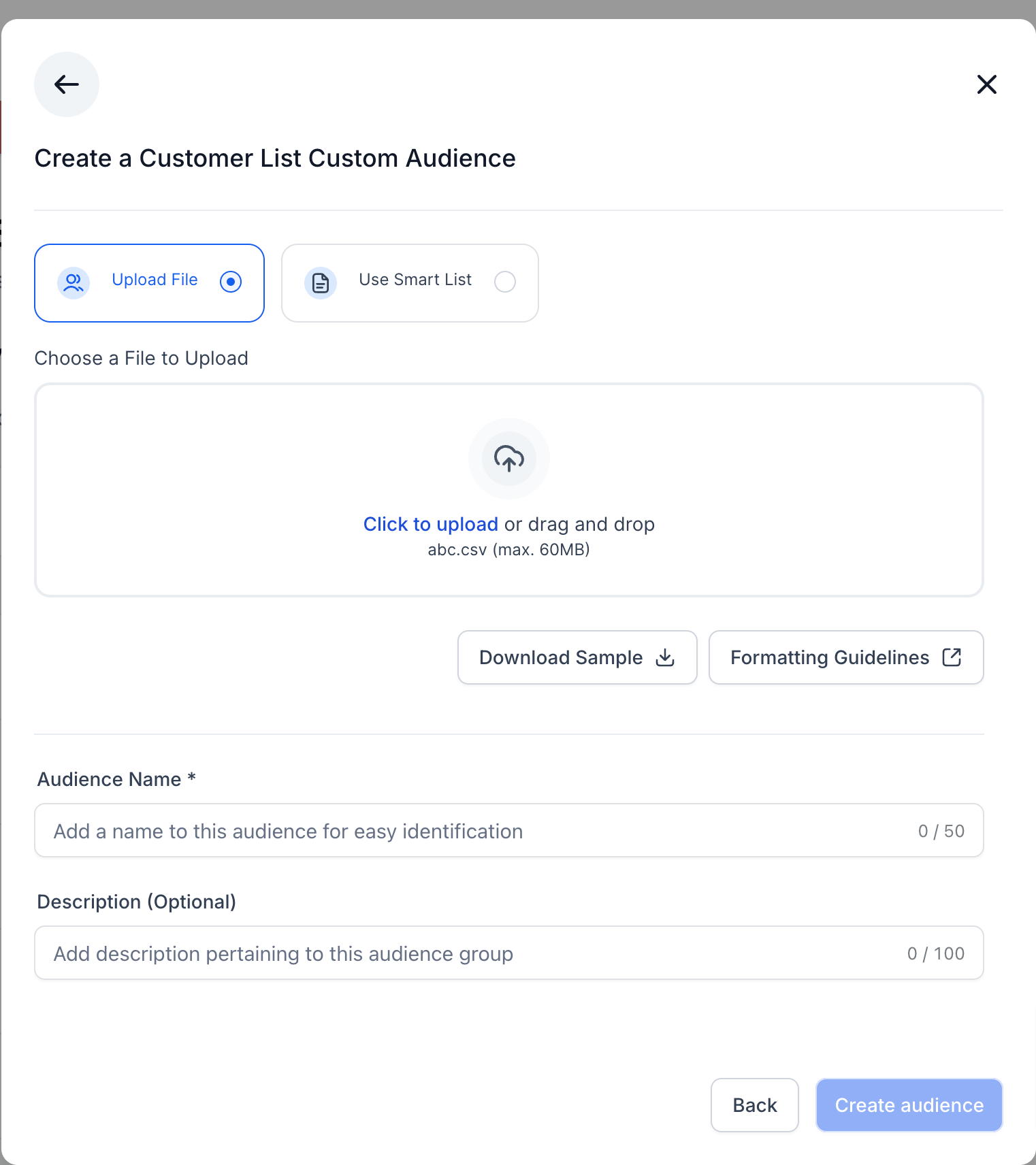
Click Next.
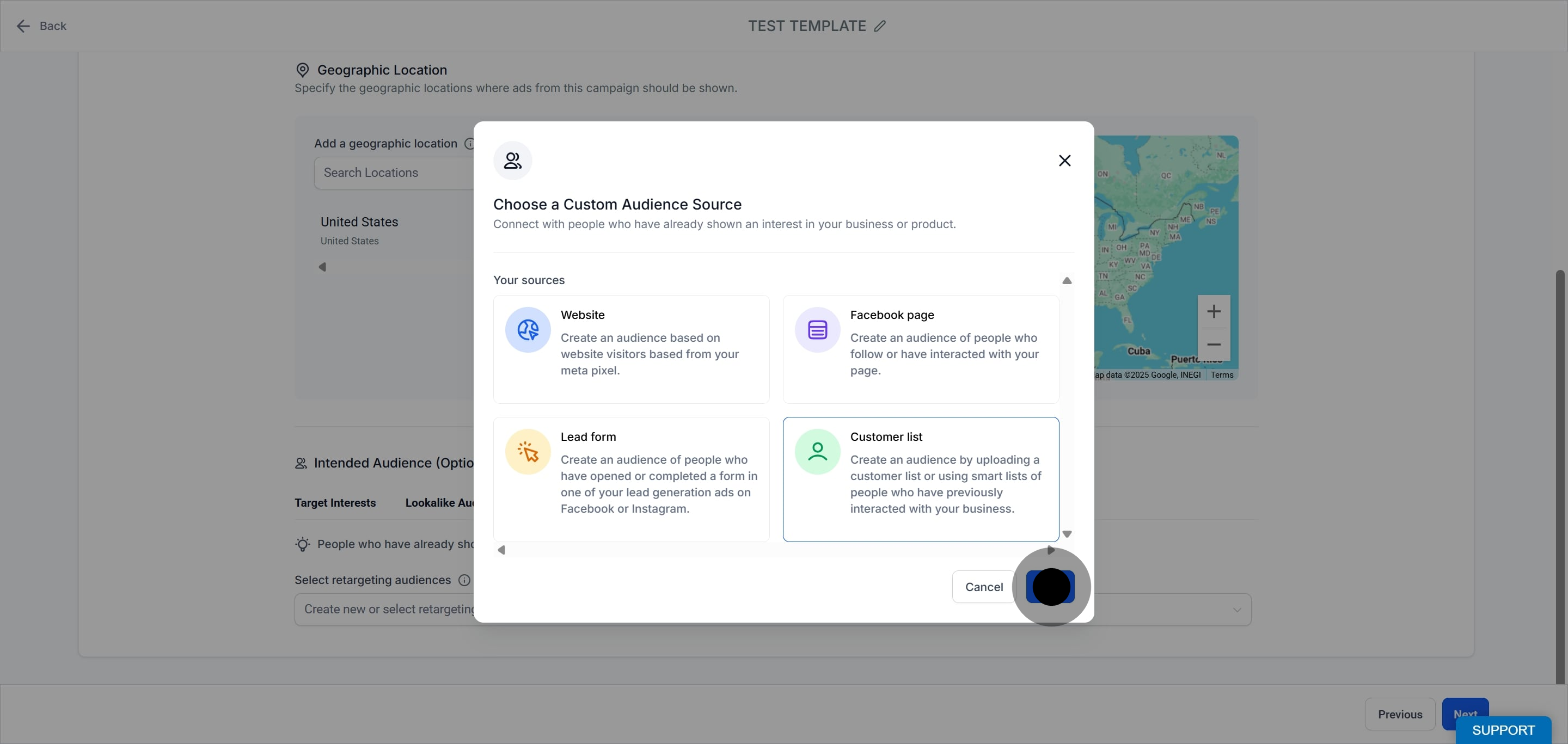
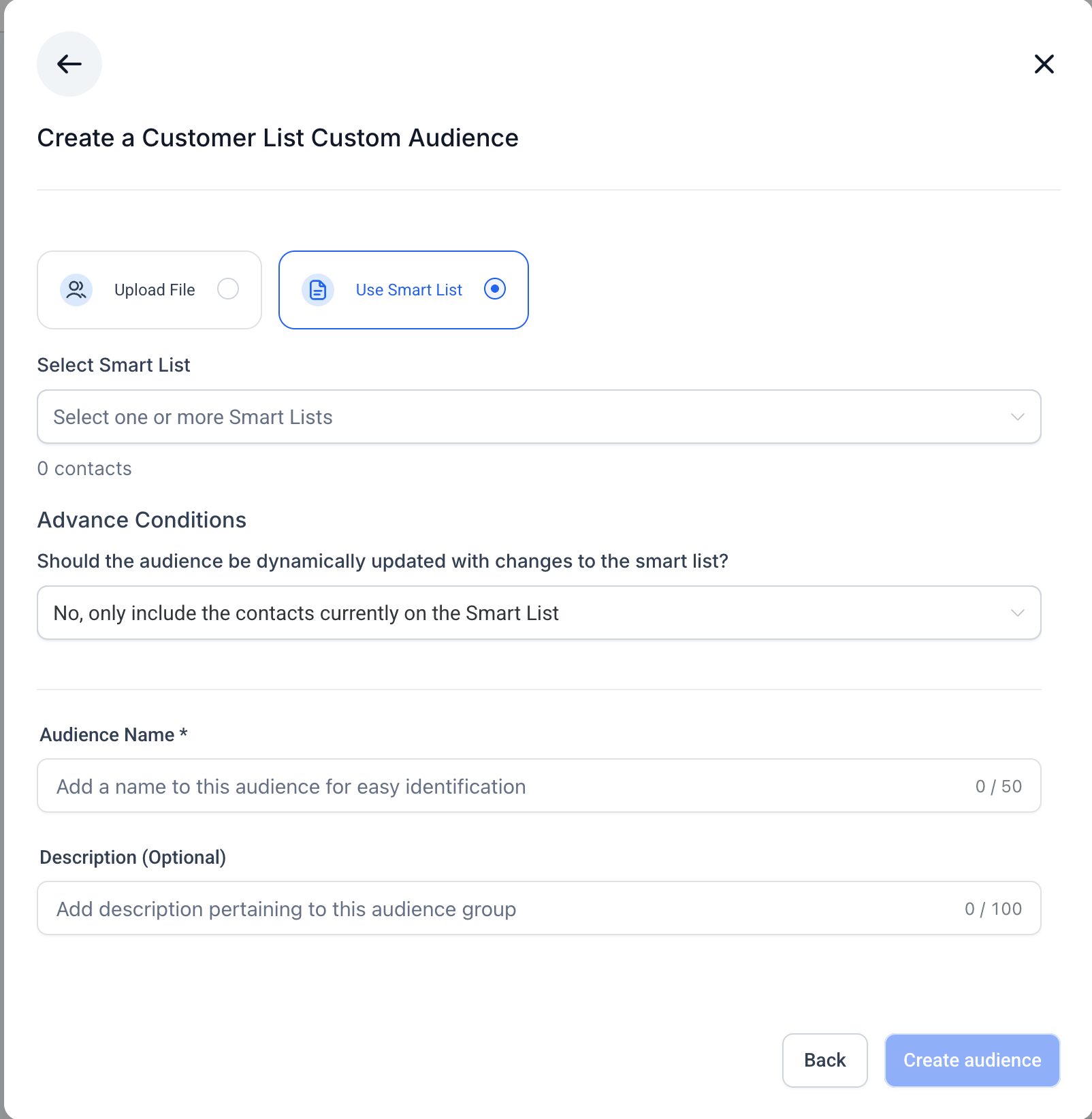
Choose how to add customers: by CSV upload or using Smart Lists.
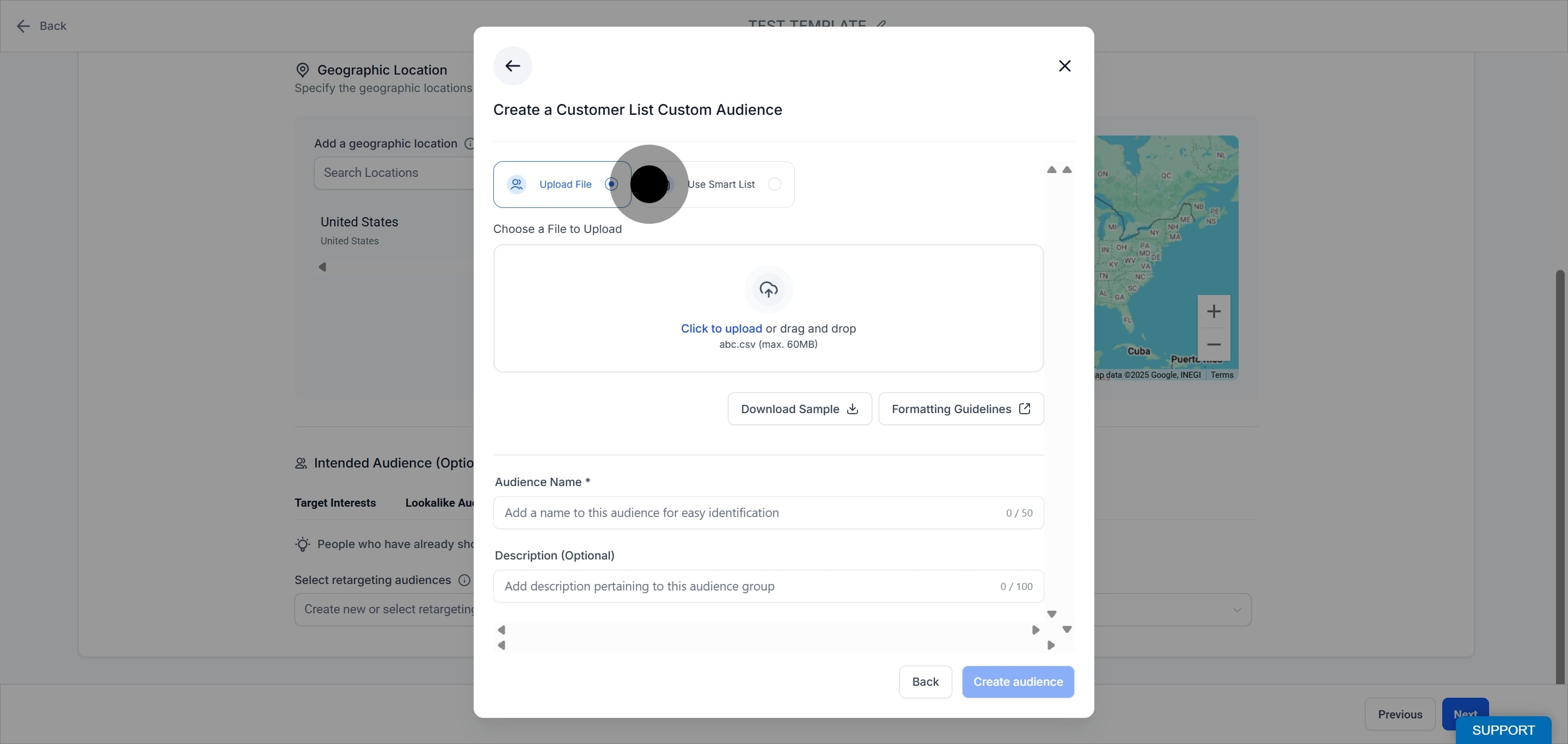
Click CSV upload.
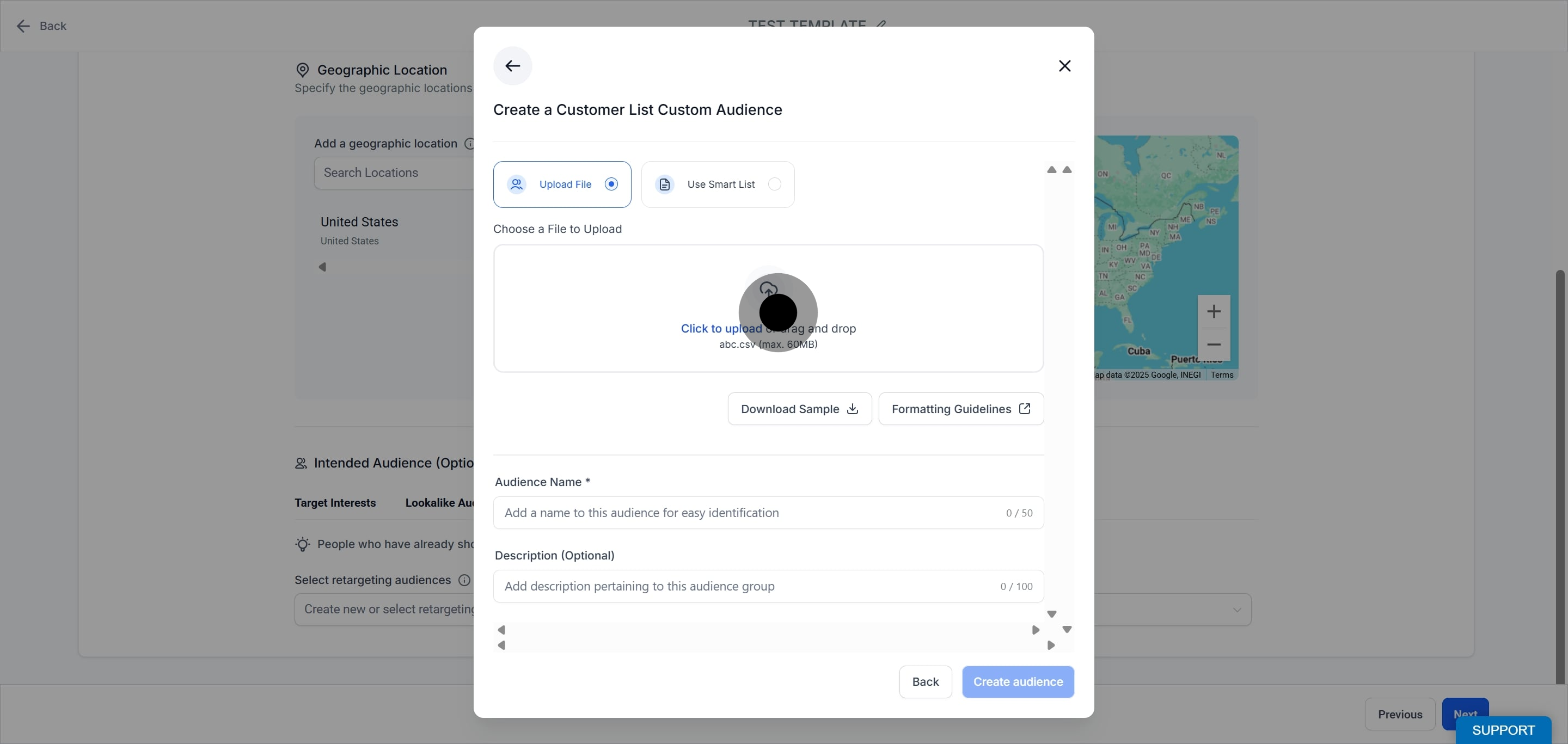
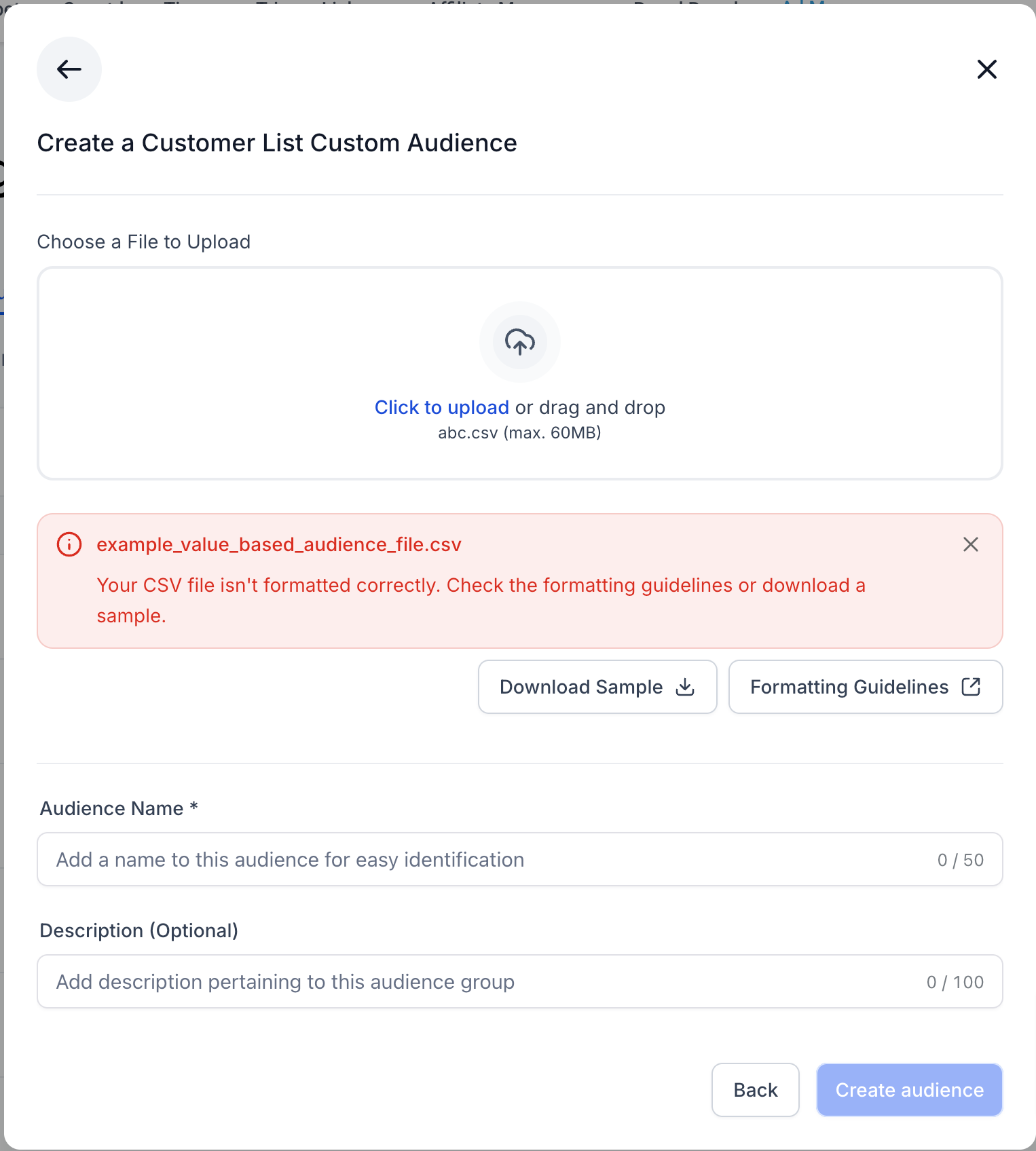
Upload your CSV file containing customer identifiers. Follow Meta's formatting guidelines, and use the provided sample file to prepare your data correctly. If the file is not formatted correctly, the upload fails with an error message.
Add a name for your audience.
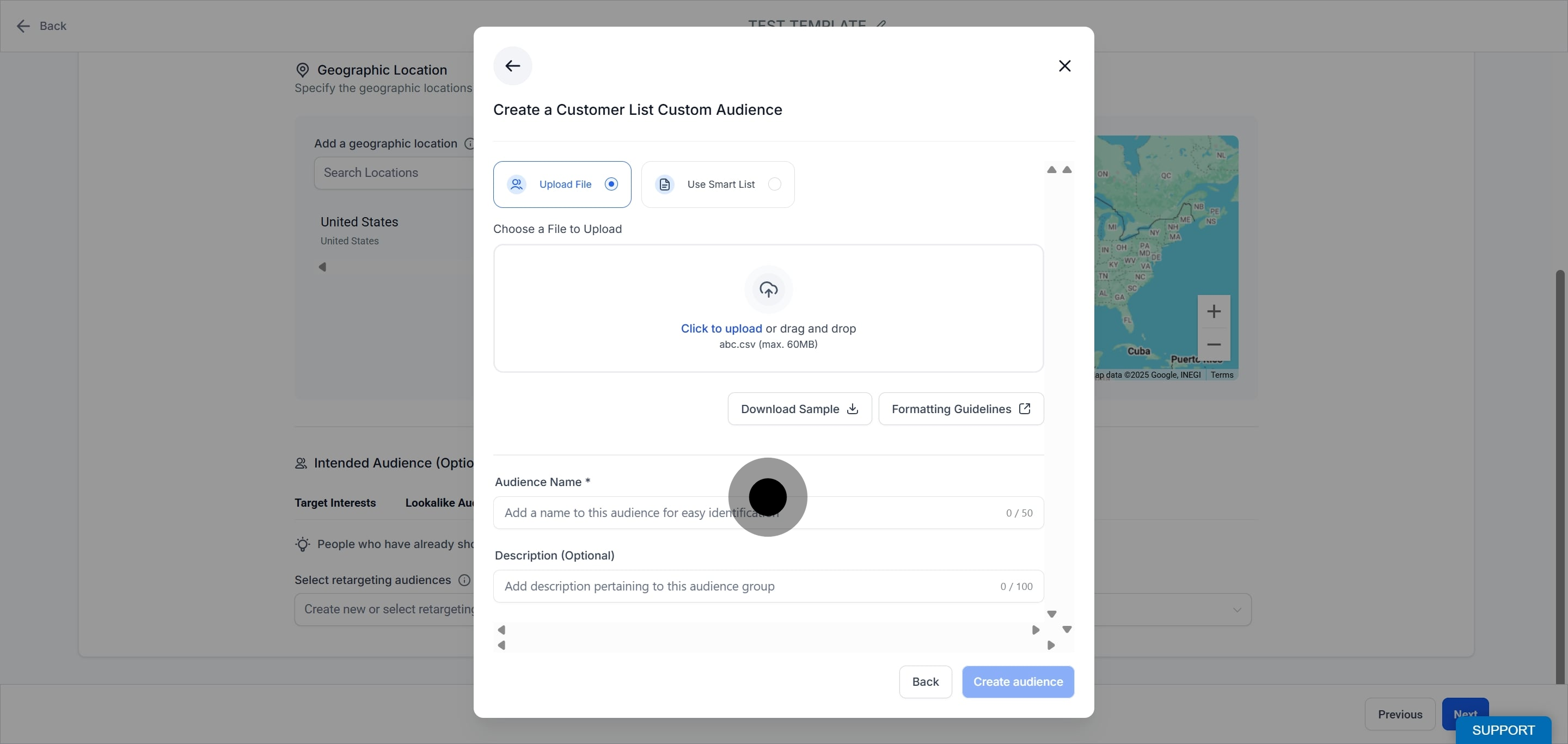
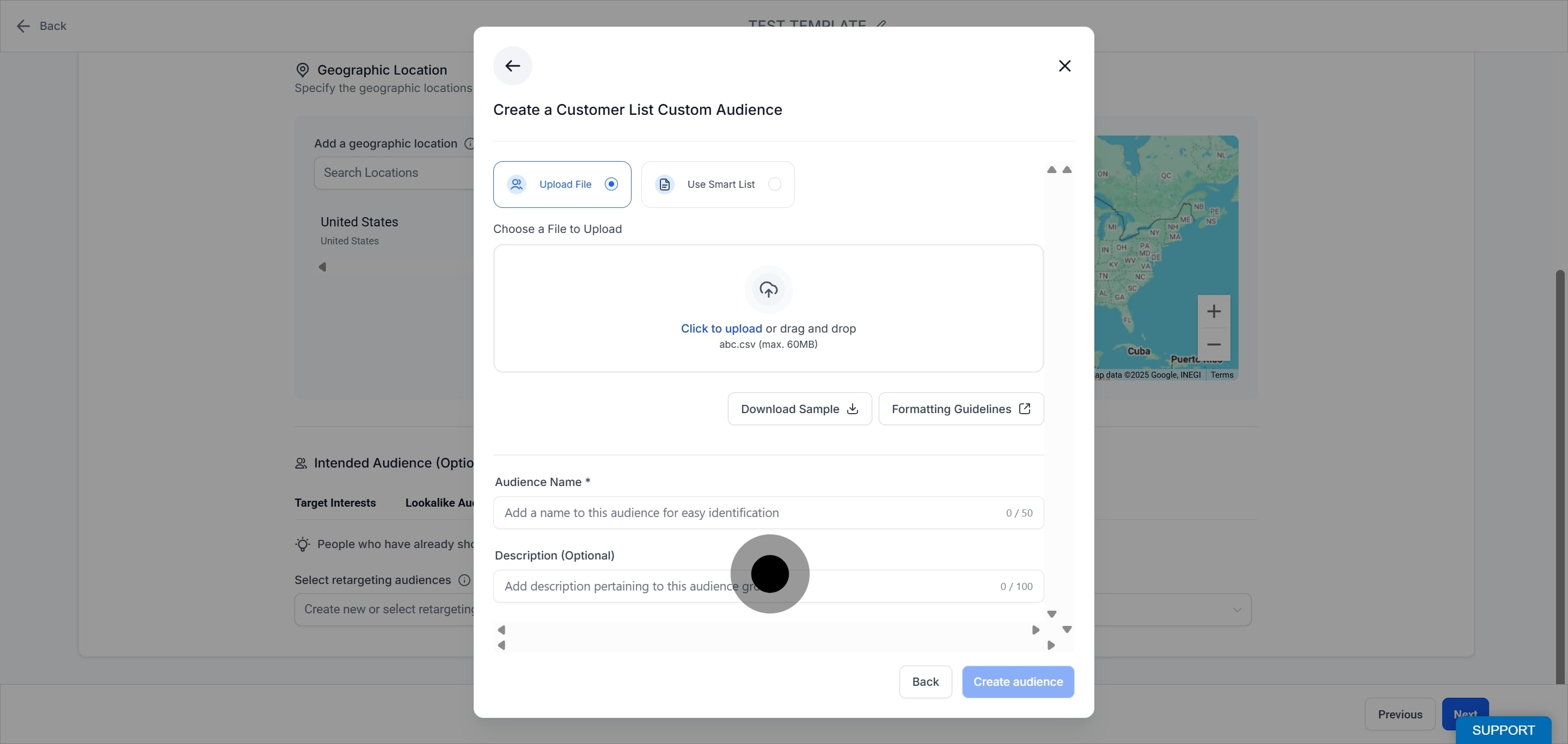
Provide a description for your audience.
When you build the audience from a Smart List, you can choose whether it stays fixed at creation time (static) or updates automatically as the Smart List changes (dynamic).
Static audience
Includes only the contacts present in the selected Smart List(s) at the time of creation.
Does not update if contacts are added or removed later.
Ideal for controlled targeting or when you need a fixed audience.
Dynamic audience
Automatically reflects changes to the Smart List(s).
New contacts added to the Smart List are included, and removed contacts are excluded.
Ideal for keeping an audience continuously up to date.
Steps:
Select the Smart List option.
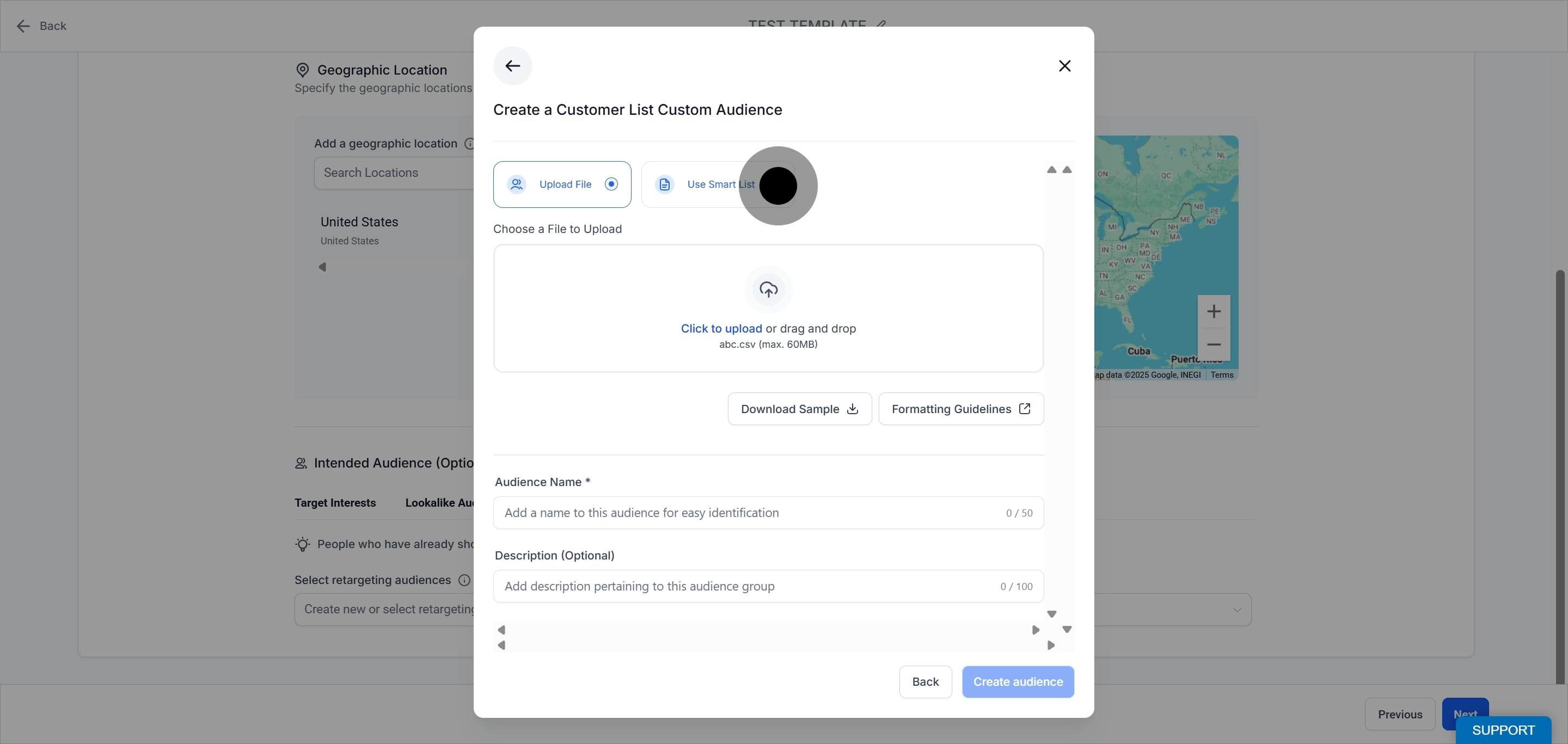
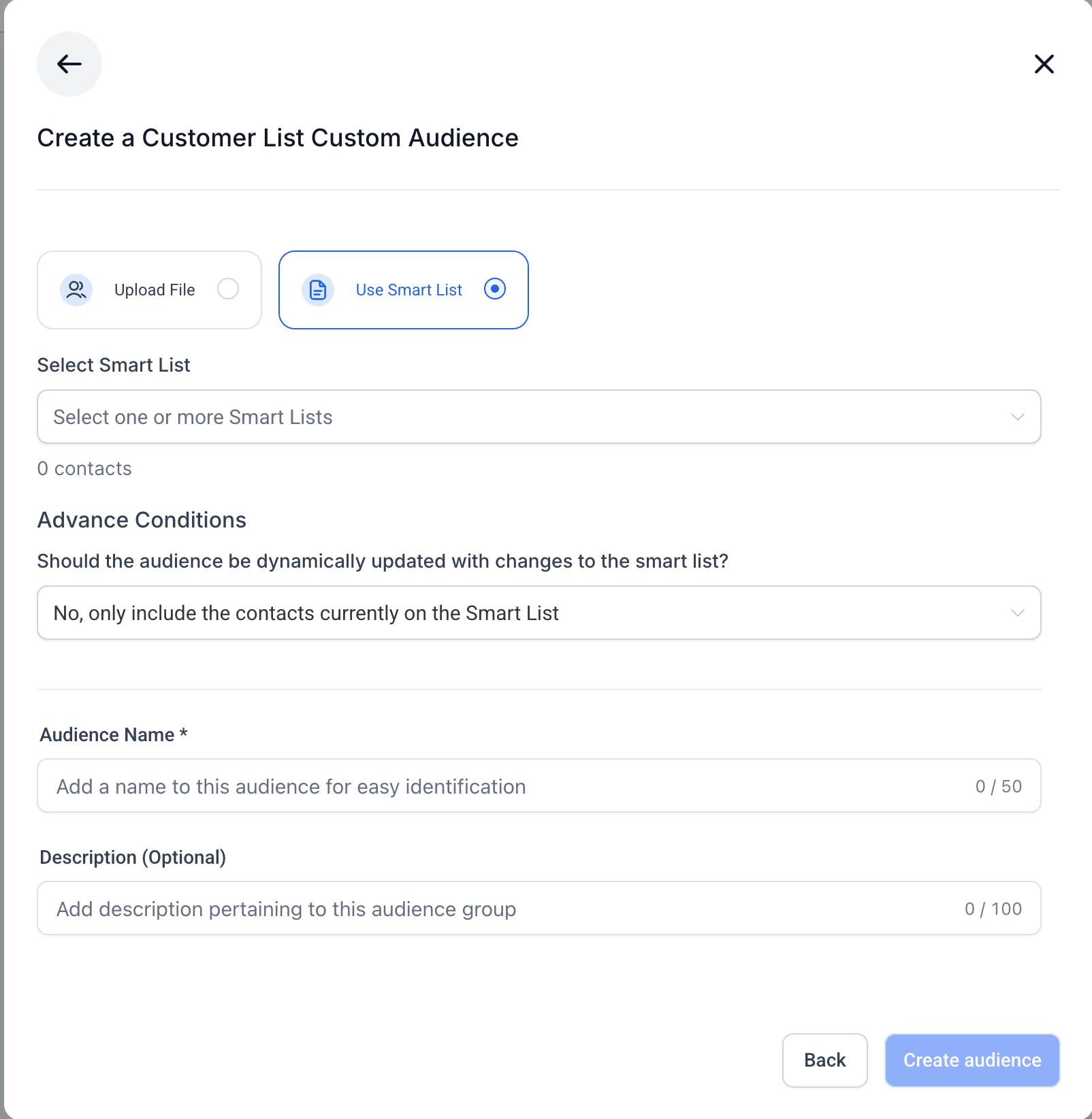
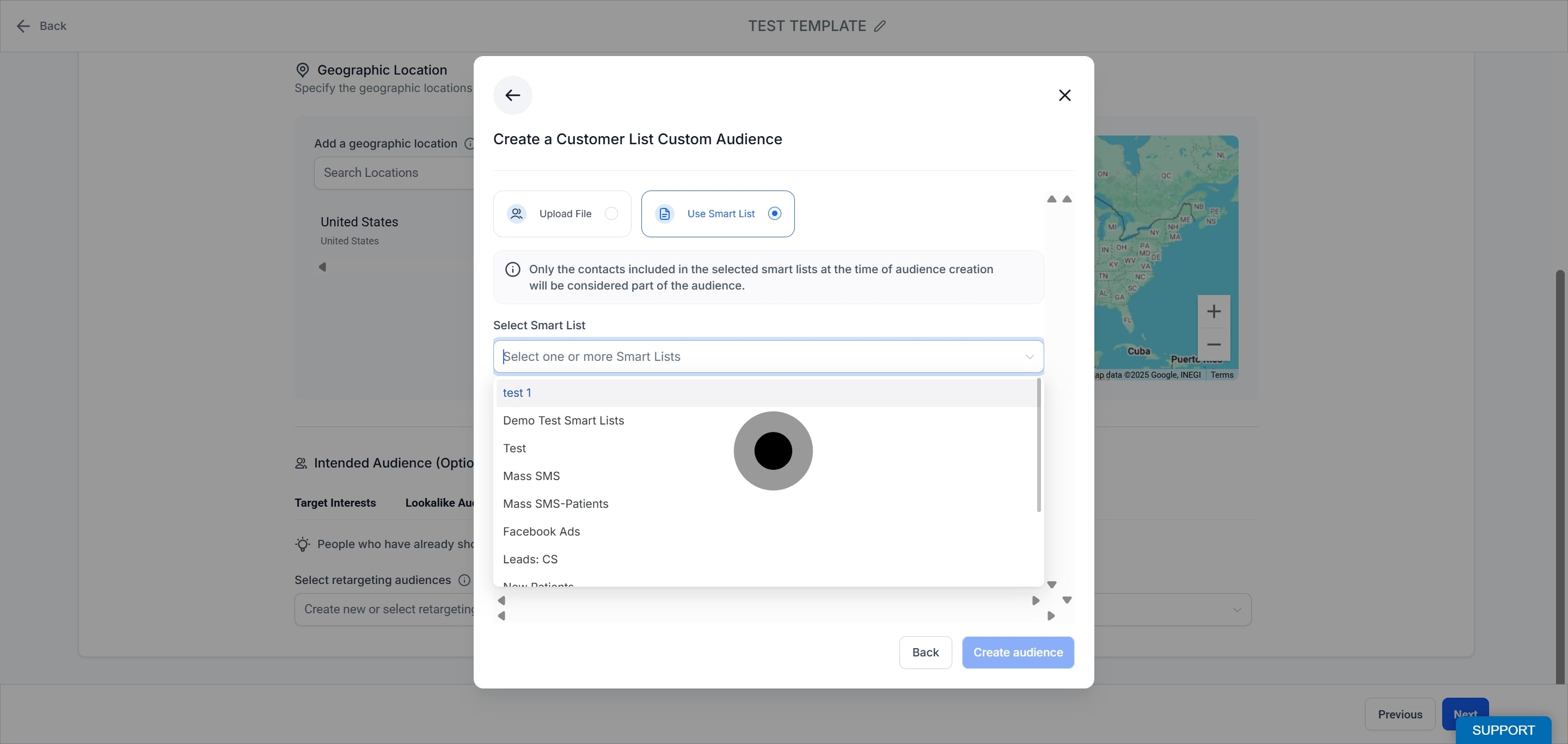
Choose one or more Smart Lists from the dropdown. Only pre-created lists from the Contacts section are available.
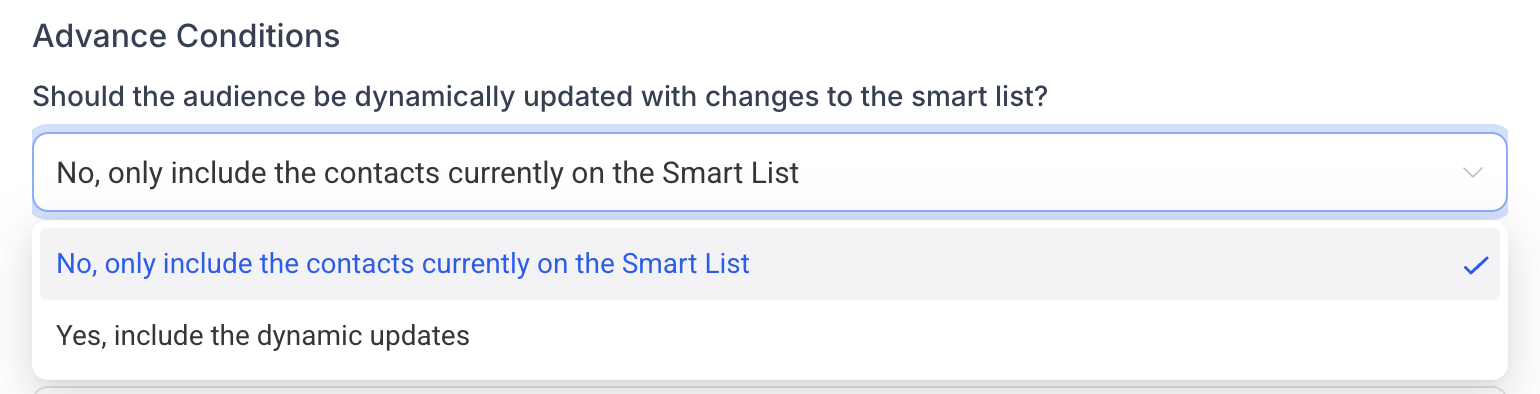
In Advanced Conditions, choose:
No, only include the contacts currently on the Smart List for a static audience.
Yes, include the dynamic updates for a dynamic audience.
Review the total contacts count.
Enter a unique name for this audience.
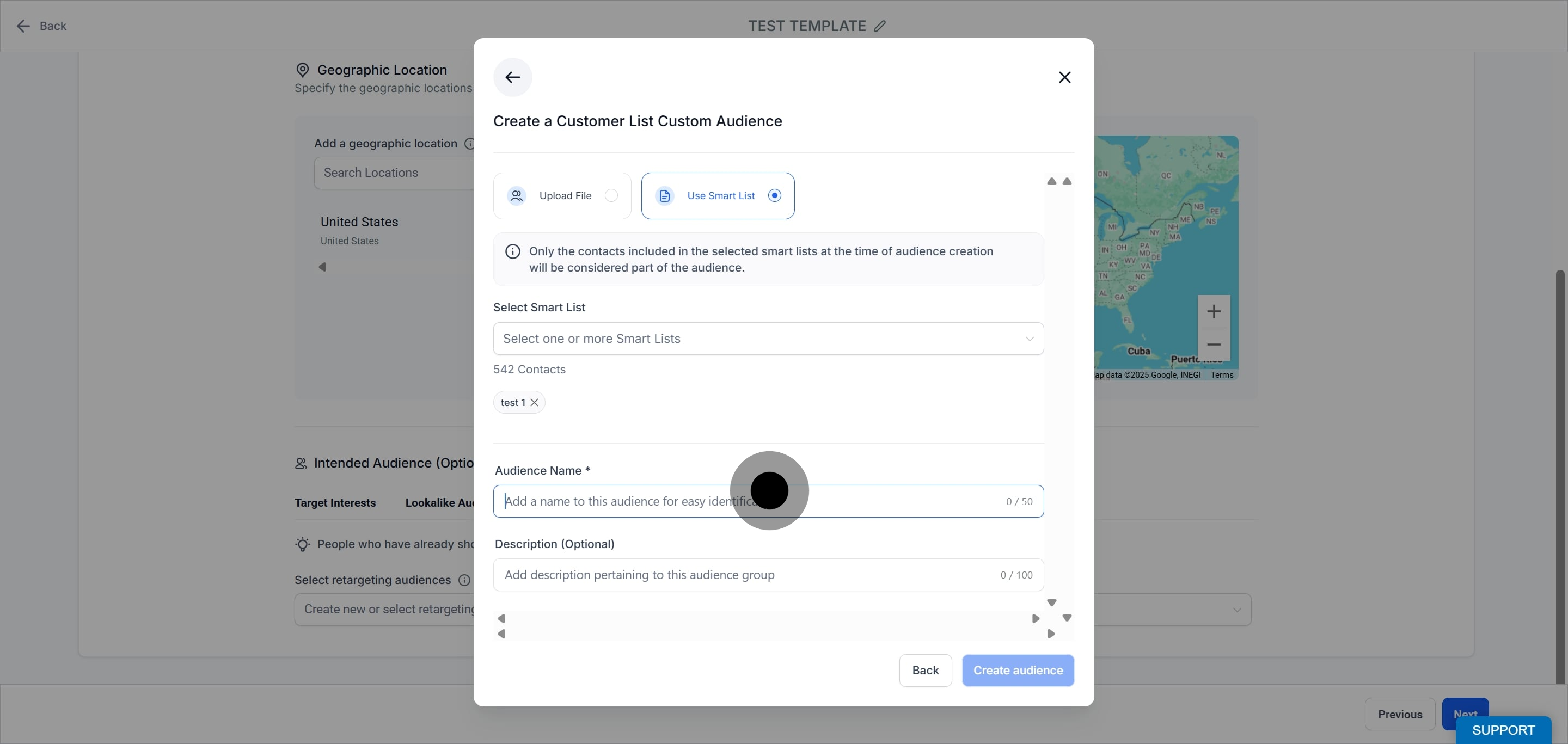
Add a clear, brief description.
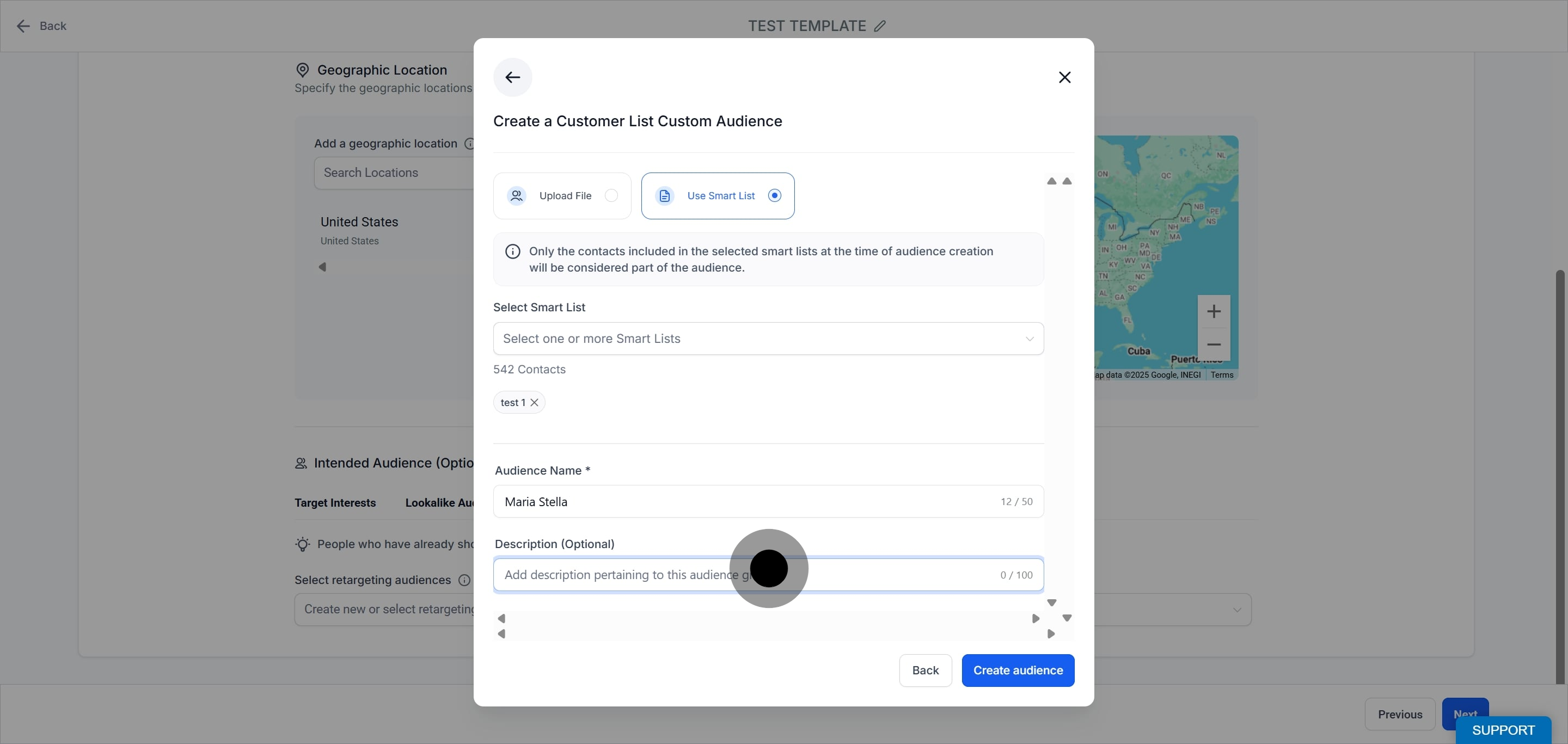
Click Create Audience. The summary displays whether the audience is static or dynamic.
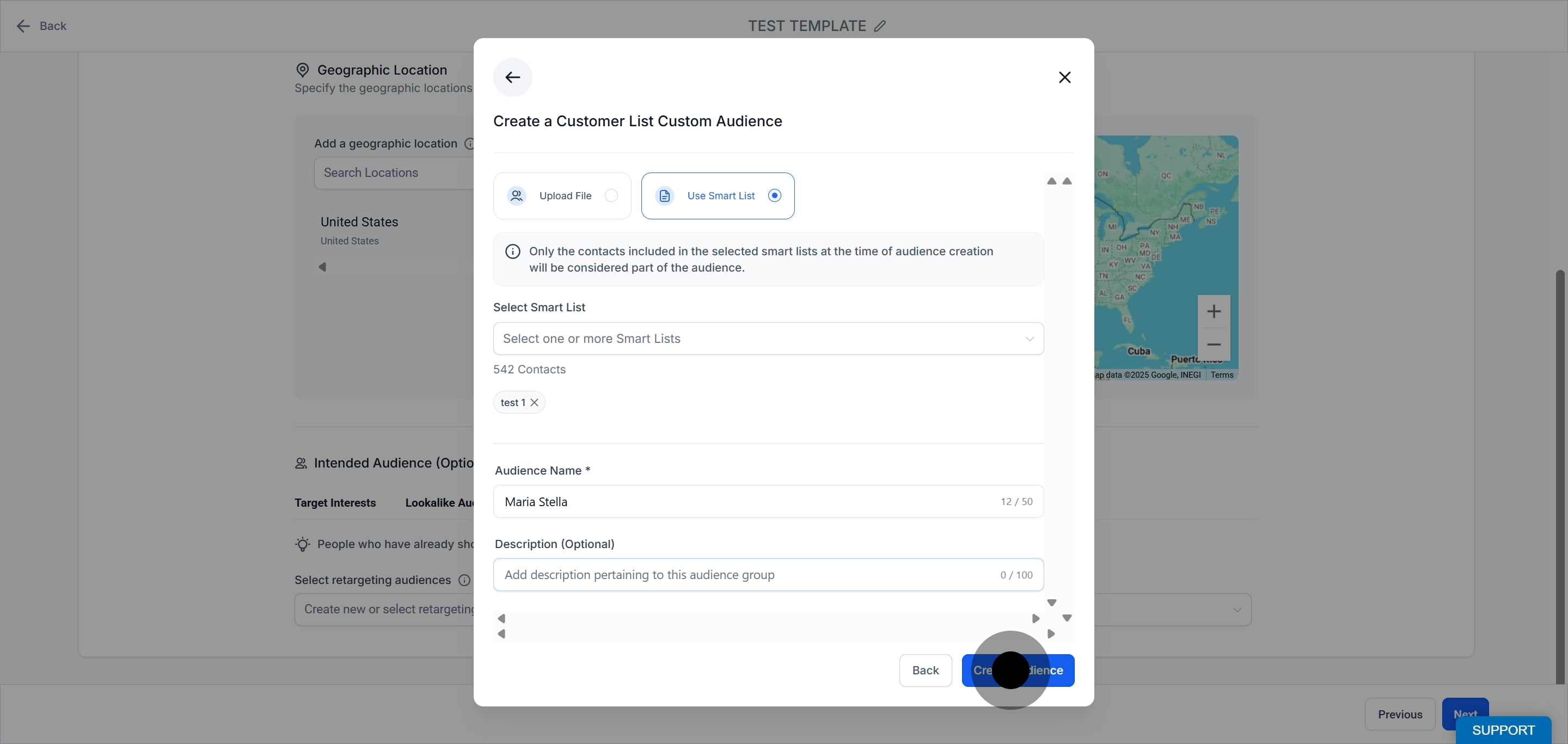
Minimum audience size requirements apply for campaign use.
For CSV uploads, incorrect formatting causes an upload error.
For Smart List audiences, the static or dynamic choice determines how the audience behaves after creation.
Before creating an audience, you must accept Meta's Customer List Custom Audience Terms of Service.
Once created and ready, the audience appears in the Retargeting Audience dropdown and in the Audiences tab.
Is it safe to upload my patient list to Meta? You may upload basic contact identifiers such as name, email, and phone number, provided you have patient consent and follow your HIPAA policies. Never include clinical information such as procedures or diagnoses. Meta hashes the data to match it to profiles.
What is the difference between a static and a dynamic audience? A static audience is frozen at the moment you create it and never changes. A dynamic audience is linked to a Smart List and updates automatically as contacts are added or removed.
Where do the Smart Lists come from? Only Smart Lists you have already created in the Contacts section are available in the dropdown. Build the Smart List first, then select it here.
Why did my CSV upload fail? The file was likely formatted incorrectly. Follow Meta's formatting guidelines and use the provided sample file, then try again.
Do I have to accept anything before creating the audience? Yes. You must accept Meta's Customer List Custom Audience Terms of Service before the audience can be created.
Where does the finished audience appear? Once it is created and ready, it appears in the Retargeting Audience dropdown during campaign creation and in the Audiences tab in Ad Manager settings.
Can I use a customer list audience to find new patients? Not directly, but you can use it as the source for a lookalike audience, which reaches new people similar to the patients on your list. See the Lookalike Audiences guide.
Is there a minimum audience size? Yes. Meta enforces minimum audience size requirements before an audience can be used in a campaign. Very small lists may not qualify.
