Aesthetix CRM lets your practice accept payments for treatment packages, procedure deposits, memberships, and retail products directly through the platform. You can connect a payment provider once and then use it across invoices, payment links, order forms, online stores, forms, and in-person checkouts. This guide walks through the providers available to you and helps you choose the right one for your practice.
Tip: Aesthetix CRM offers AX Pay, our own payment processing with rates better than Stripe. It is the recommended way to accept payments because it keeps billing, reporting, and support in one place while saving you money on every transaction. See AX Pay Overview and Setup Guide.
AX Pay is Aesthetix CRM's built-in payment processing. It offers rates better than Stripe and works natively across the platform, so you do not need to manage a separate provider account for day-to-day billing. Because it is native, your transactions, subscriptions, and payouts all appear in one place and are supported directly by our team. For most practices, AX Pay is the simplest and most cost-effective option. See the AX Pay Overview and Setup Guide to get started.
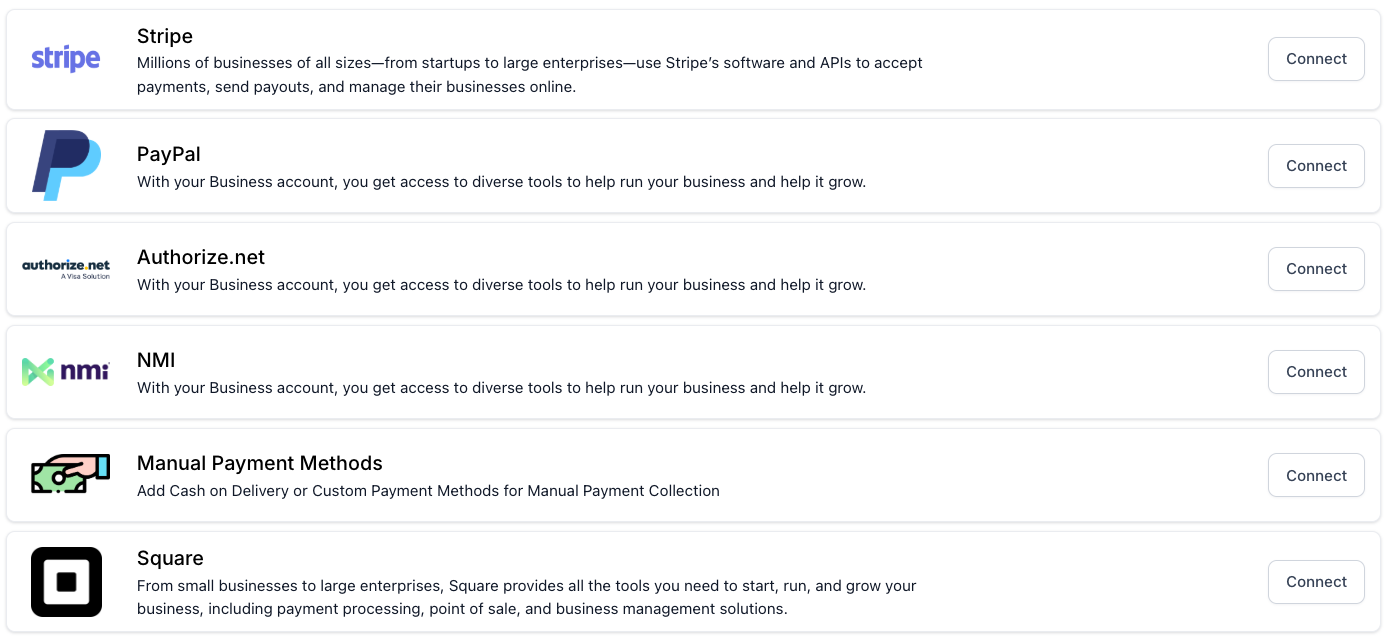
Stripe is one of the most widely used payment gateways and lets you securely accept credit card payments online. With Stripe, you can:
Enable one-time payments or recurring subscriptions (for example, a monthly membership).
Accept all major credit and debit cards.
Store payment details securely for future transactions.
Benefit from fraud protection and compliance tools.
PayPal offers a trusted option for practices that want to give patients more flexibility. With PayPal integration, you can:
Accept payments from patients using their PayPal account or a credit/debit card.
Leverage PayPal's buyer and seller protection.
Provide an option familiar to many online shoppers.
Authorize.net is a robust and secure payment solution that has long been a leader in the industry. Features include:
Support for recurring billing and subscriptions.
Advanced fraud detection tools.
The ability to accept payments from credit cards and electronic checks.
NMI is a versatile payment gateway designed for practices that want advanced customization and flexibility. With NMI you can:
Connect with multiple merchant accounts.
Access a wide range of reporting and analytics.
Enable secure, tokenized transactions.
Square is another trusted provider, especially popular with practices that also accept in-person payments at the front desk. With Square integration, you can:
Accept both in-person and online payments.
Use Square's point-of-sale tools alongside Aesthetix CRM.
Access detailed reporting through Square's dashboard.
For practices that prefer to manage some payments outside of digital processing, Aesthetix CRM also supports manual methods. These may include:
Recording cash transactions.
Logging check payments.
Tracking in-office terminal payments.
This option ensures your CRM reflects all payment activity, even when the transaction itself takes place offline.
Different providers and payment methods are supported in different parts of Aesthetix CRM. Use the table below to confirm where a provider or method works before you build a checkout experience. A "Y" means the provider or method is supported in that area.
Note: Some payment methods only support one-time payments, not subscriptions or recurring billing. Always test your recurring use case before launch.
Payment Providers / Methods | Order Forms | Form Payments | Survey Payments | Email Direct Checkout | Store | Invoices | Invoices (Recurring) | Payment Links | Courses | Communities | Contact page (charge a card) | Calendar / Services | Service Menu | POS |
|---|---|---|---|---|---|---|---|---|---|---|---|---|---|---|
Stripe (Card) | Y | Y | Y | Y | Y | Y | Y | Y | Y | Y | Y | Y | Y | Y |
Stripe: Apple Pay / Google Pay | Y | Y | Y | Y | Y | Y | Y | Y | Y | Y | N | Y | N | Y |
Stripe: Affirm / Klarna / Afterpay | Y | Y | Y | Y | Y | Y | N | Y | N | N | N | N | N | |
Stripe: ACH Direct Debit | N | N | N | N | N | Y | Y | N | N | N | N | N | N | N |
Stripe: iDEAL / Bancontact | Y | Y | Y | Y | Y | Y | Y | Y | Y | Y | N | Y | N | N |
Stripe: SEPA | Y | Y | Y | Y | Y | Y | Y | Y | Y | Y | N | N | N | N |
Stripe: Amazon Pay / Revolut Pay | Y | Y | Y | Y | Y | Y | Y | Y | Y | Y | N | N | N | N |
Stripe: Link | Y | Y | Y | Y | Y | Y | Y | Y | Y | Y | N | N | N | N |
Stripe: Card Reader (M2, BBPOS WisePad 3) | N | N | N | N | N | N | N | N | N | N | N | N | N | Y |
PayPal | Y | Y | N | Y | Y | Y | Y | Y | Y | Y | N | N | N | N |
Authorize.net: Cards | Y | Y | Y | Y | Y | Y | Y | Y | Y | Y | Y | Y | Y | Y |
NMI: Cards | Y | Y | Y | Y | Y | Y | Y | Y | Y | Y | Y | Y | N | Y |
Square: Cards | Y | Y | Y | Y | Y | Y | Y | Y | Y | Y | Y | Y | N | Y |
Square: Card Reader | N | N | N | N | N | N | N | N | N | N | N | N | N | Y |
Order Forms: Funnel or website-based forms tailored for selling products and offers.
Form Payments: Standard forms enhanced with the Payment element for collecting payments or deposits.
Survey Payments: Surveys that include the Payment element so you can accept payments during submission.
Email Direct Checkout: Checkout initiated directly from an email using a payment link.
Store: Storefront and product catalog with a native checkout.
Invoices: One-time invoice generation and collection flows.
Invoices (Recurring): Recurring invoice templates and automated billing cycles.
Payment Links: Links to a hosted checkout for one or more products.
Courses: Payments tied to course purchases or access.
Communities: Payments for community memberships or groups.
Contact page (charge a card): Charge a saved or new card directly from the patient record.
Calendar / Services: Collecting payments alongside calendar bookings or services.
Service Menu: Menu-based service ordering experiences.
POS: In-person payments via mobile or supported card readers.
The best payment provider for your practice depends on your specific needs:
Best overall value and simplest setup: AX Pay, with rates better than Stripe and native support.
Ease of setup and flexibility: Stripe or PayPal are often the simplest third-party options to get started.
Advanced reporting and fraud protection: Authorize.net and NMI are strong choices.
In-person and online transactions: Square is ideal if you want one platform for both the front desk and online.
Traditional or offline payments: Manual methods let you record cash, check, and terminal payments in one place.
To set up your preferred payment provider:
Log in to your Aesthetix CRM account.
Go to the Payments section and open Integrations.
Select your desired provider and follow the on-screen instructions to connect your account.
Each provider has its own connection guide in this collection with step-by-step instructions.
Which payment provider does Aesthetix CRM recommend?
AX Pay is the recommended option. It offers rates better than Stripe, works natively across the platform, and keeps your billing, reporting, and support in one place. See the AX Pay Overview and Setup Guide to get started.
Can I connect more than one payment provider at a time?
Yes. You can connect multiple providers depending on your needs. When more than one is available at checkout, patients can choose their preferred option, and you can designate a default gateway for card processing.
Where do I go to connect a provider?
Open the Payments section and select Integrations. From there you can connect, reconnect, or manage each provider.
Do subscriptions work with every provider and method?
Not always. Some payment methods only support one-time payments. Check the table above and test your recurring billing use case before you launch a membership or payment plan.
Why does a wallet button like Apple Pay or Google Pay not appear even though the table shows "Y"?
Wallet buttons only appear in supported environments: Apple Pay on Apple devices (iPhone, iPad, Mac) and Google Pay on Android. Confirm the method is enabled with your provider and the wallet is set up on the device.
Do card readers work on order forms or invoices?
No. Card readers are only supported for POS (in-person) checkouts. Use POS for in-person payments.
Can I record cash or check payments that happen at the front desk?
Yes. Manual payment methods let you log cash, check, and in-office terminal payments so your CRM reflects all payment activity, even when the transaction happens offline.
What if I need help choosing?
Our support team can help you select and configure the best payment solution for your practice. Reach out through the Help Center and we will walk you through the options.
