The Social Planner in Aesthetix CRM lets you publish and schedule TikTok videos directly, with no push notifications required. You can create, customize, and schedule your content ahead of time so your practice keeps a steady, well-timed presence on TikTok without daily manual posting. This is ideal for treatment demos, trend-driven clips, staff introductions, and behind-the-scenes content.
TikTok posting in the Social Planner lets you upload a video, add a caption, choose who can view it, set interaction options, and publish or schedule to your connected TikTok profiles from one place. Managing TikTok alongside your other social channels simplifies planning, approvals, and reporting so your team works more efficiently.
Efficiency: Skip manual push notifications and save time distributing content.
Consistent scheduling: Plan ahead and keep a well-timed presence on TikTok without daily manual work.
Enhanced planning: Strategize around optimal posting times and frequency for better engagement.
Better analytics: Track post performance and refine your content strategy over time.
Multi-platform integration: Distribute content across multiple social accounts from one calendar.
Go to Marketing > Social Planner.

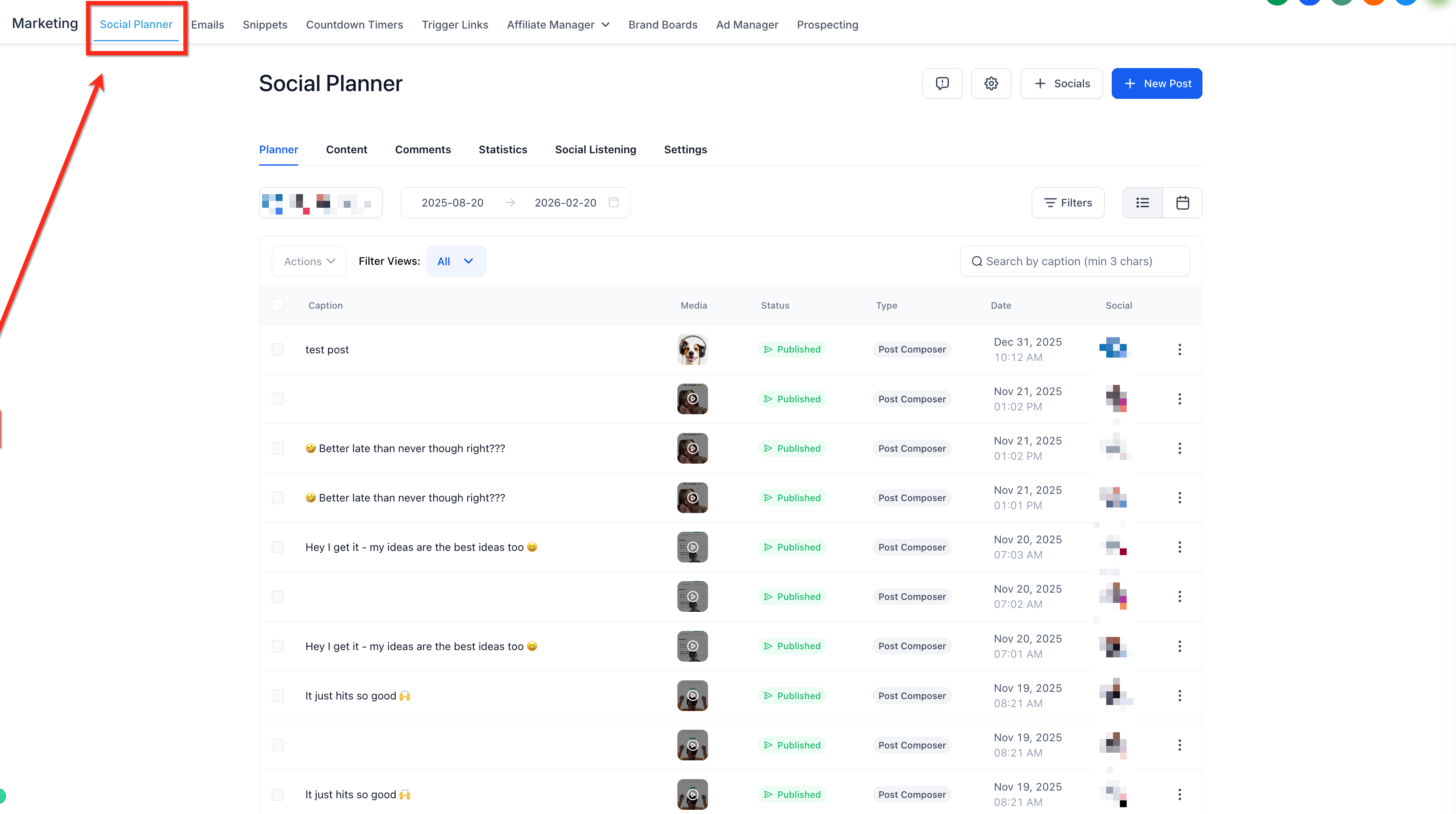
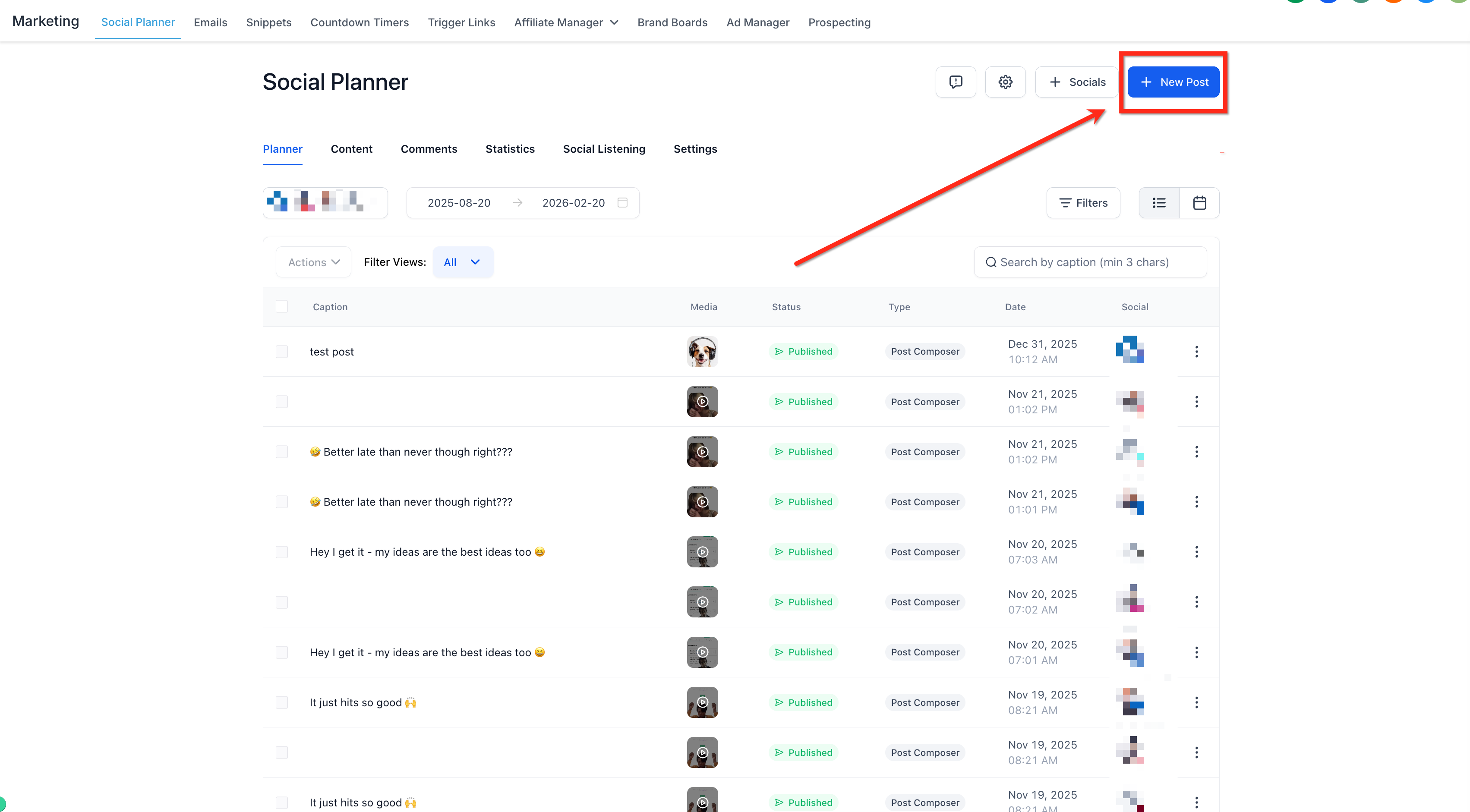
Create a new post by selecting + New Post and choose your TikTok Personal or Business account.
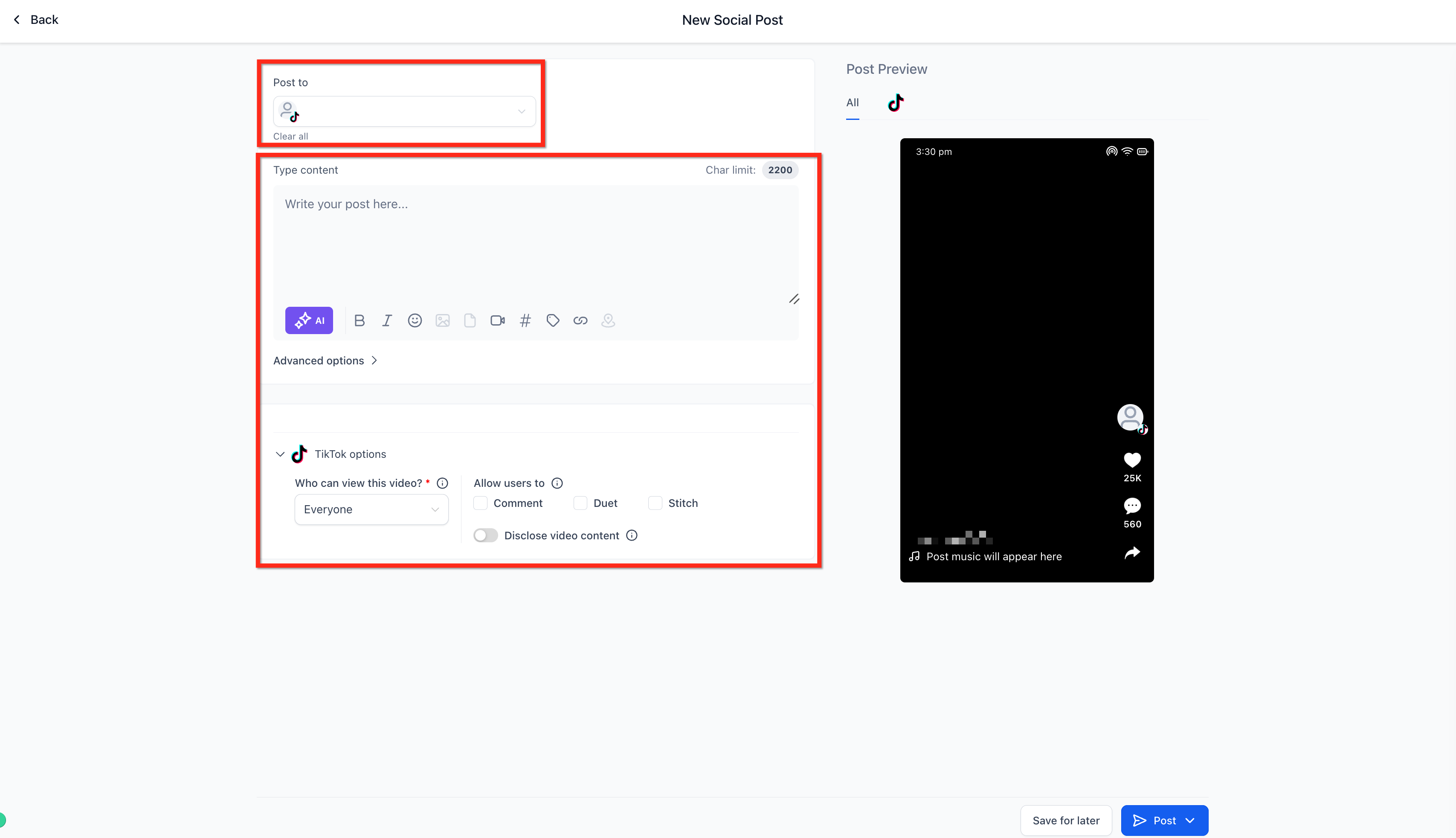
From the Post To dropdown, select the TikTok account, then add your post content and configure the settings:
Add the caption for your post.
Choose who can view the video: Everyone, Friends, or Only me.
Allow or disallow users to Duet, Comment, and Stitch on the shared video.
Disclose the video content when it is a paid promotion or branded content.


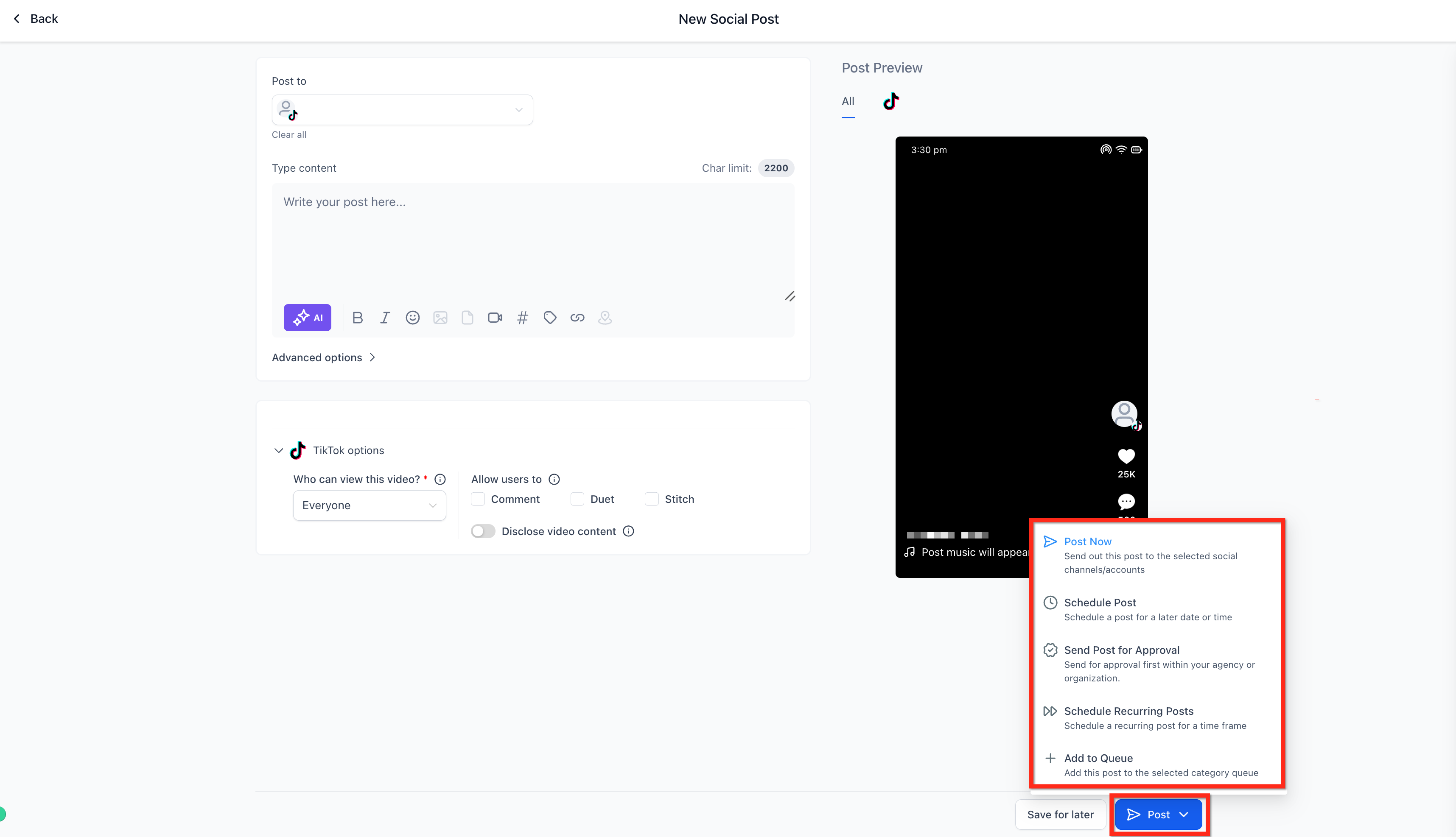
Click Post. From here you can Post Now, Schedule Post, Send Post for Approval, Schedule Recurring Posts, or Add to Queue.
Can I edit a scheduled TikTok post? You can reschedule the time and update certain fields. If the media or its requirements change, create a new post instead to avoid processing errors.
Can I manage TikTok comments inside the Social Planner? Not at this time. Handle comments directly on TikTok, or use automation features where available. You can also set up TikTok comment automations. If your team replies to comments or direct messages, avoid discussing any patient's treatment or health details in a public reply, and move those conversations to a private, secure channel.
Why did my scheduled post fail? The most common causes are a disconnected TikTok profile, expired permissions, or video specs that were not met. Reconnect the profile or re-export the file and reschedule.
What is the difference between a Personal and a Business TikTok account? You can connect either type. A Business account gives you access to TikTok's analytics and commercial features, which is usually the better fit for a practice, while a Personal account works for standard posting.
Can I control who is allowed to Duet, Comment, or Stitch my video? Yes. Those interaction options are set on each post when you configure the settings, so you can enable or disable them per video.
Do I need to disclose branded or promotional content? Yes. Use the disclosure option when the video is a paid promotion or branded content so the post complies with TikTok's requirements.
Can I schedule recurring TikTok posts? Yes. When you click Post, you can choose Schedule Recurring Posts or Add to Queue in addition to posting now or scheduling a single time.
