Short-form video keeps growing in social media marketing, and Facebook Reels are a great way to put treatment highlights, quick tips, and results in front of a wider audience. With the Social Planner in Aesthetix CRM, you can create and schedule Facebook Reels alongside your Feed posts and Stories, all from one place.
Reels can only be published to Facebook Pages. If you choose a group, the content is shared as a Feed post instead.
Connect your Facebook account in Settings → Integrations and grant the requested permissions to the Facebook account.
Prepare a single video for the Reel. Facebook Reels use one video attachment.
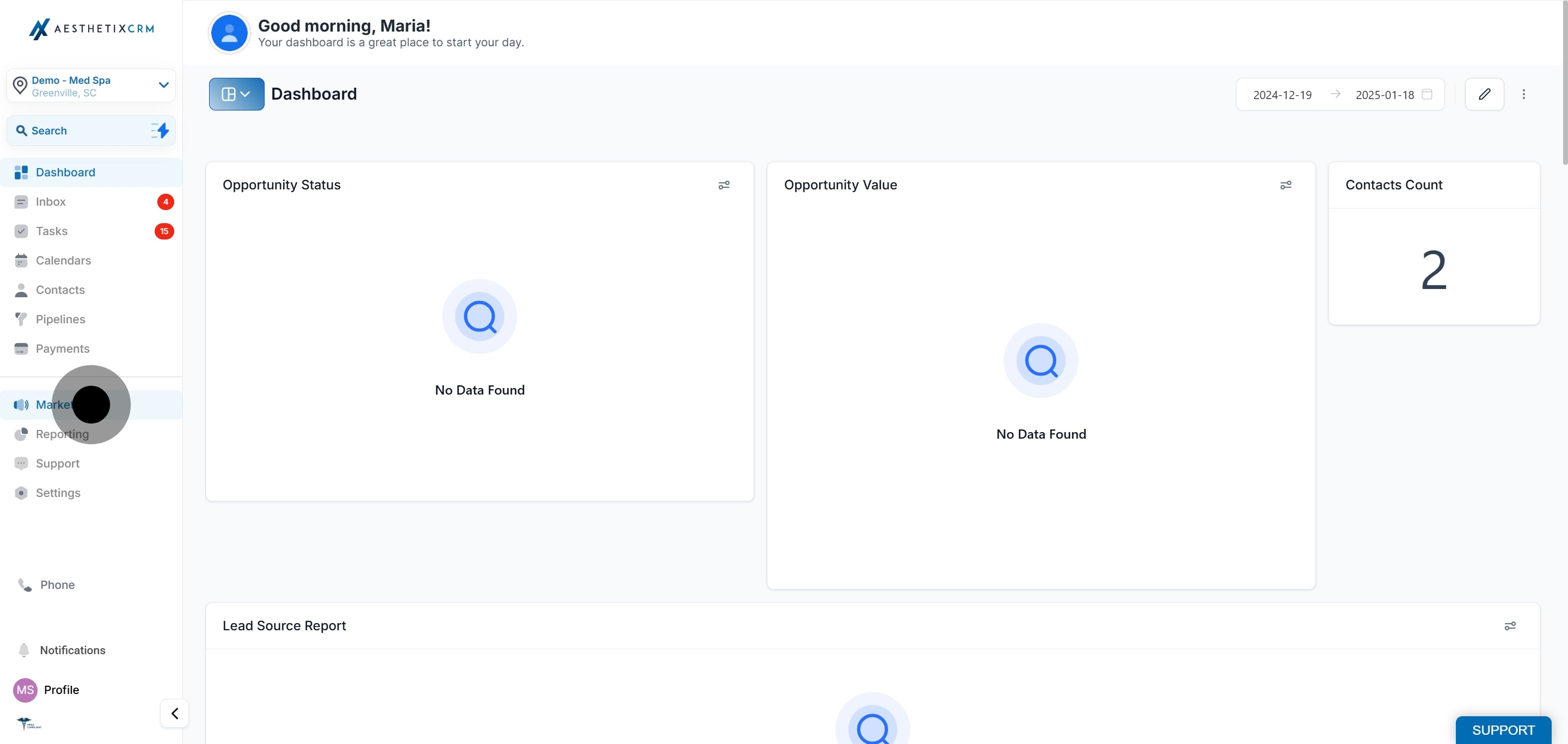
Click Marketing.
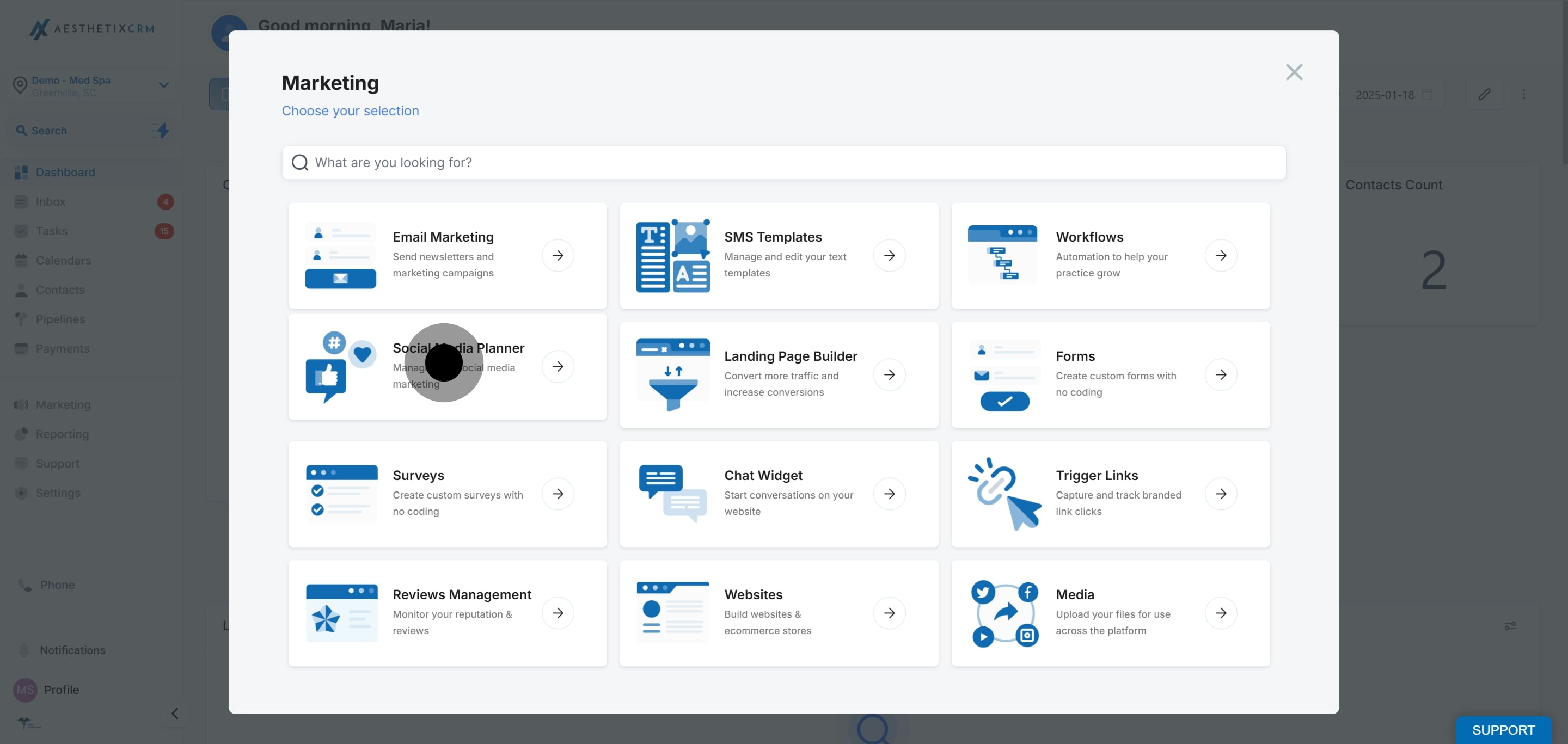
Click Social Planner.
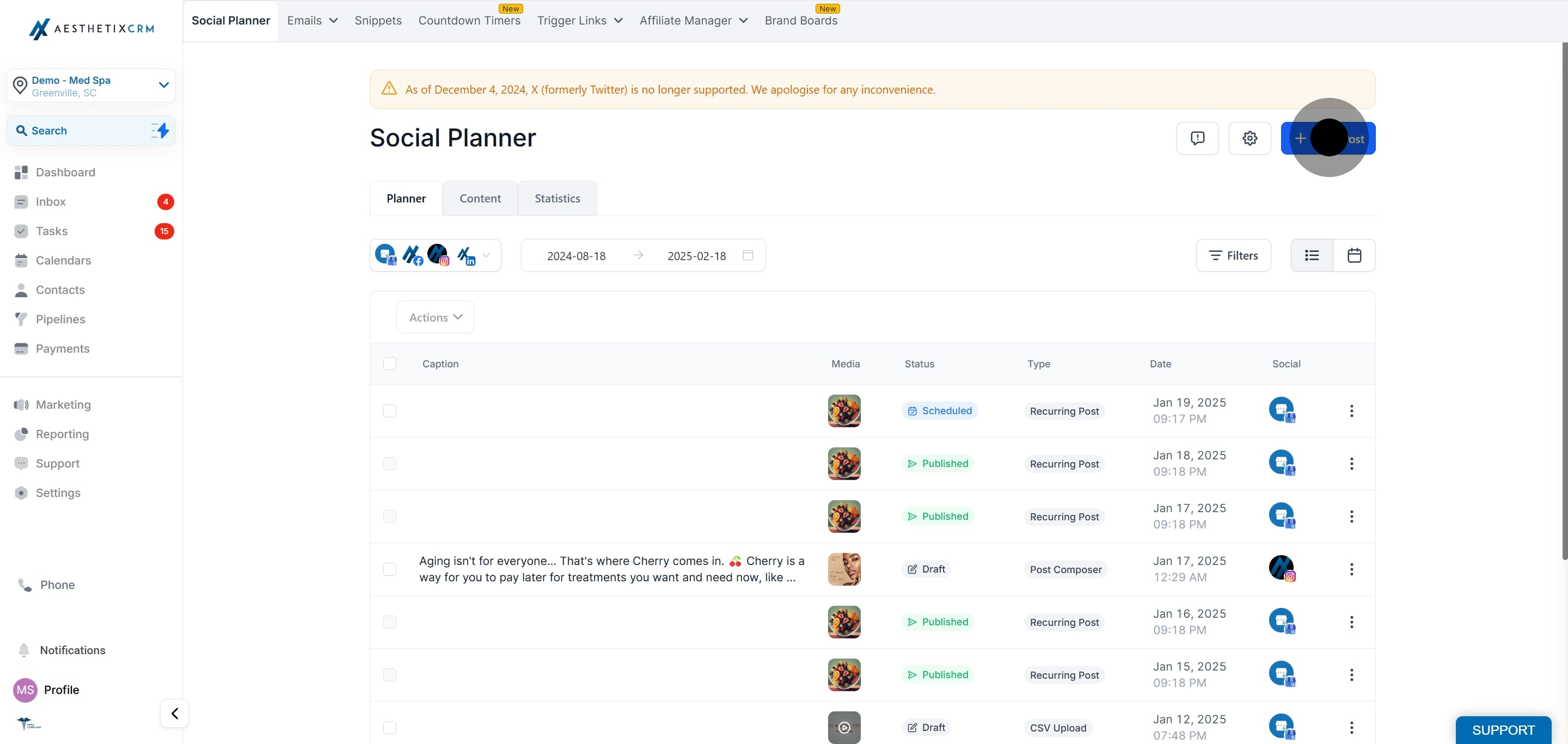
Click New Post.
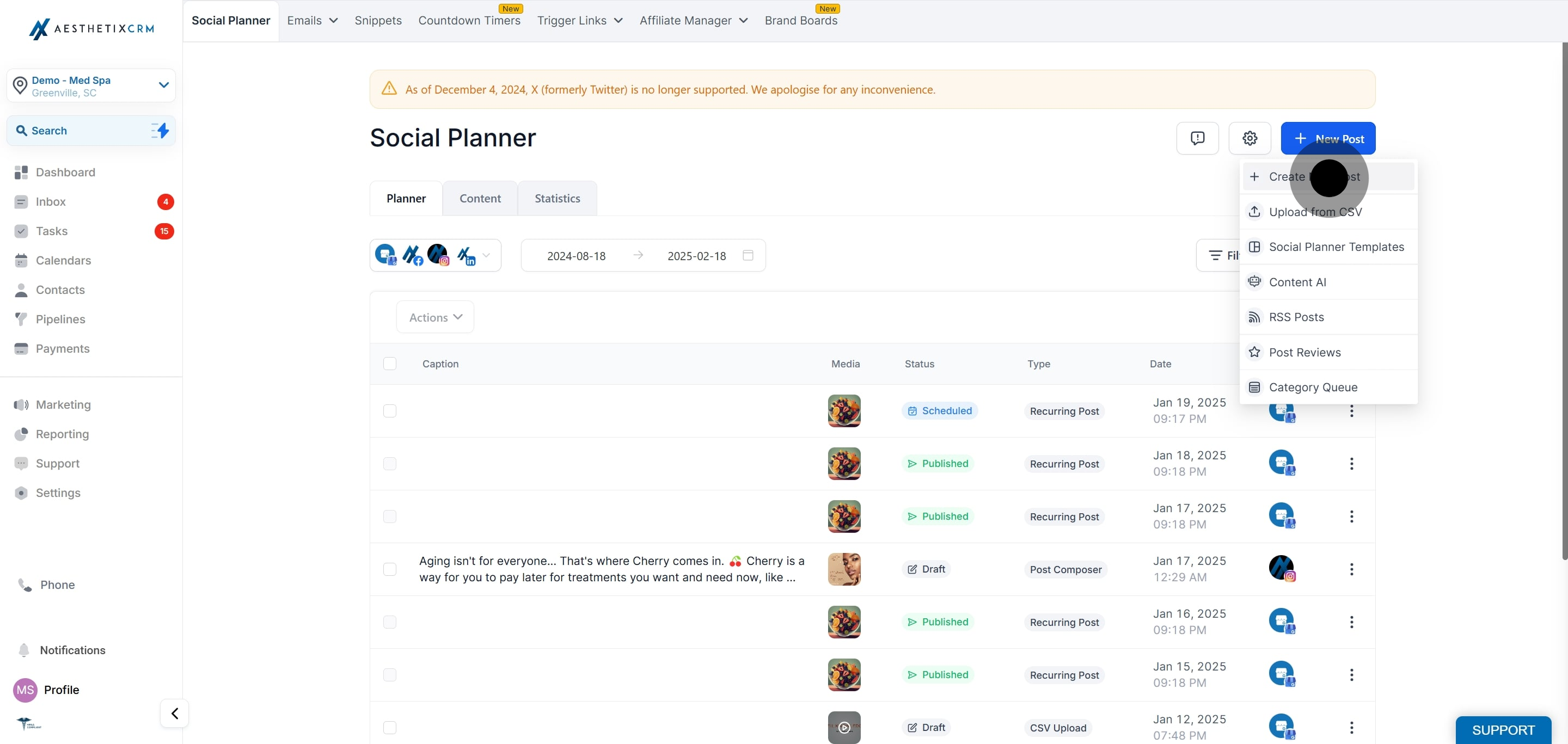
Click Create New Post.
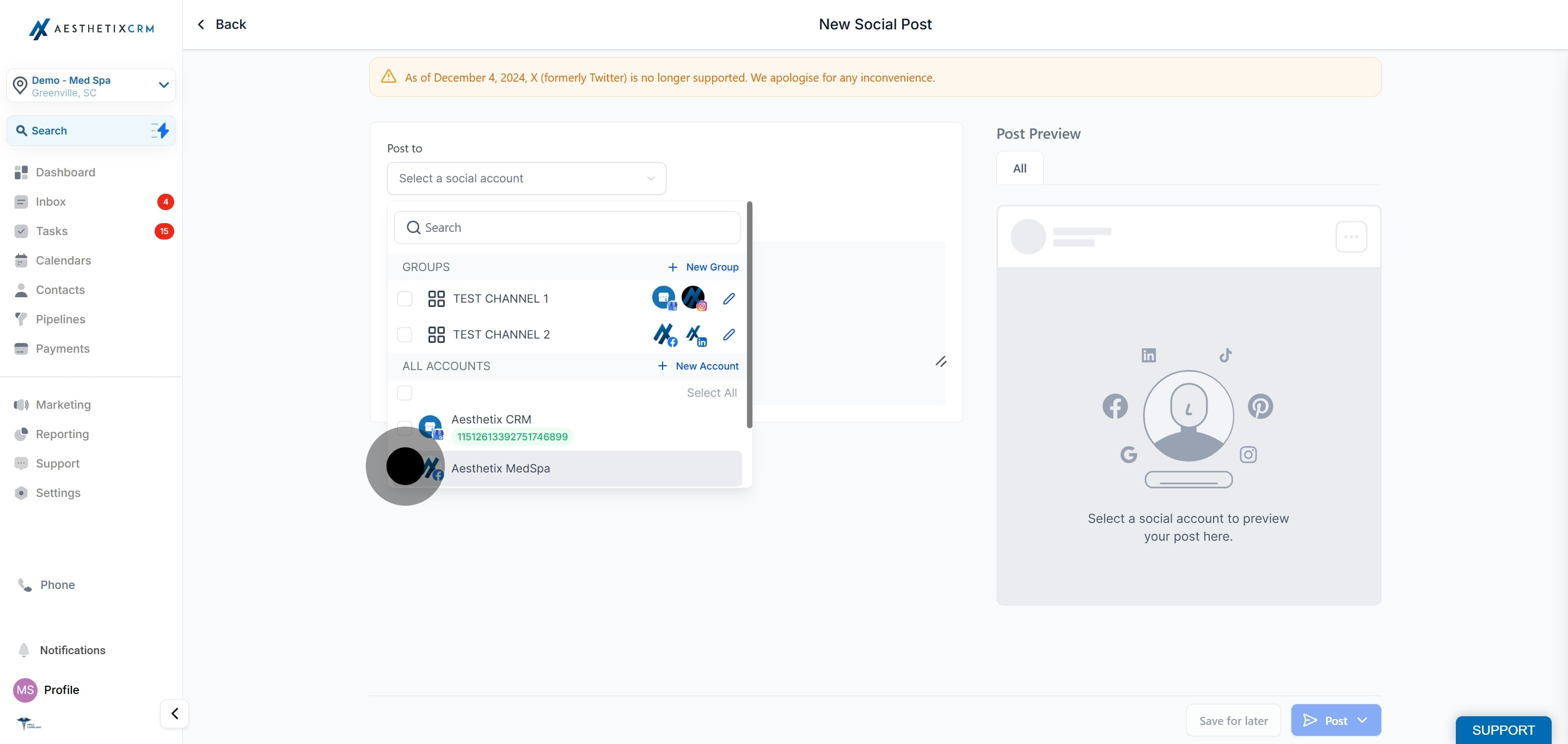
Select your Facebook Page. Reels are only available for Pages. If you choose a group, the content is shared as a Feed post instead.
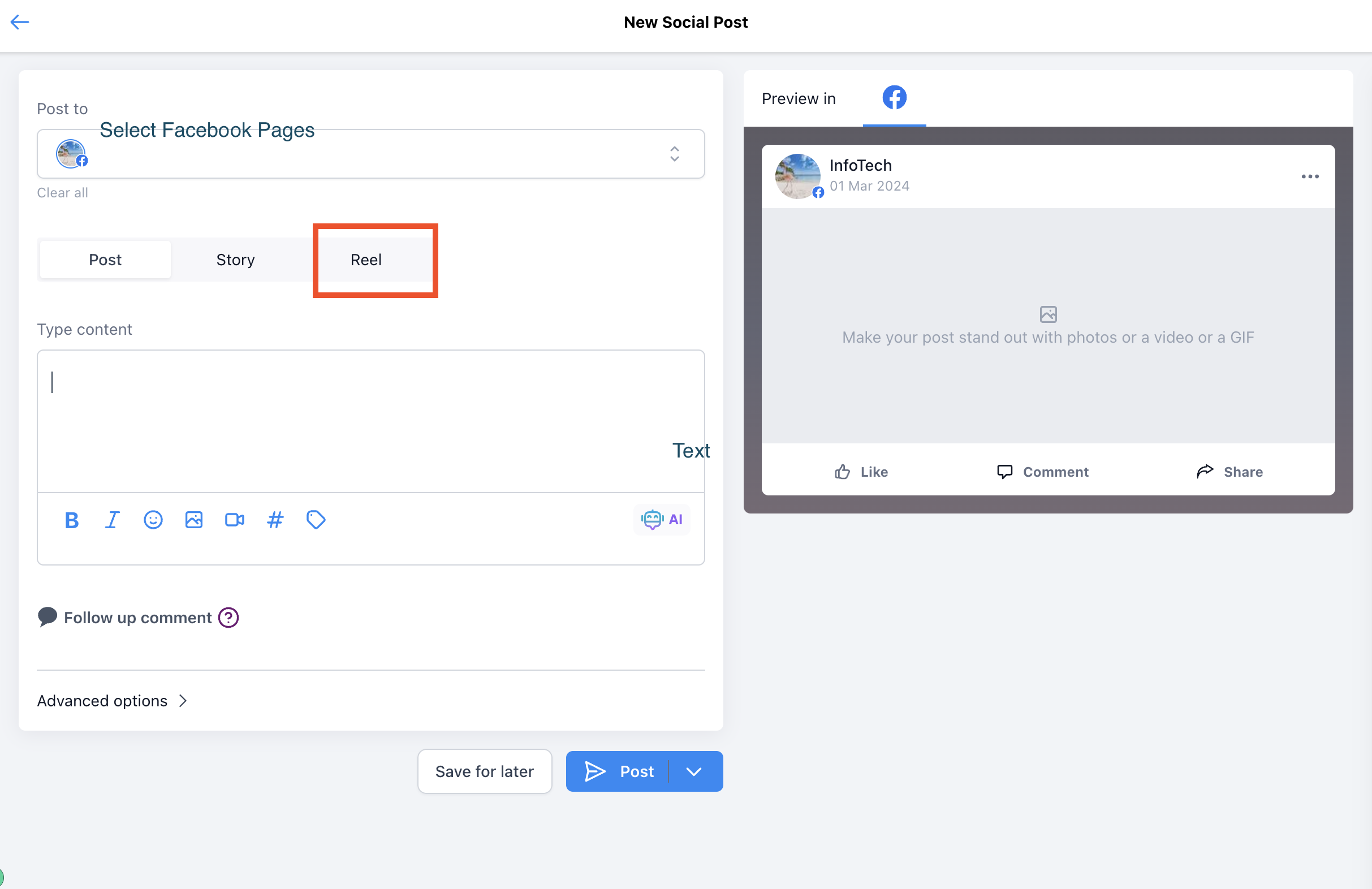
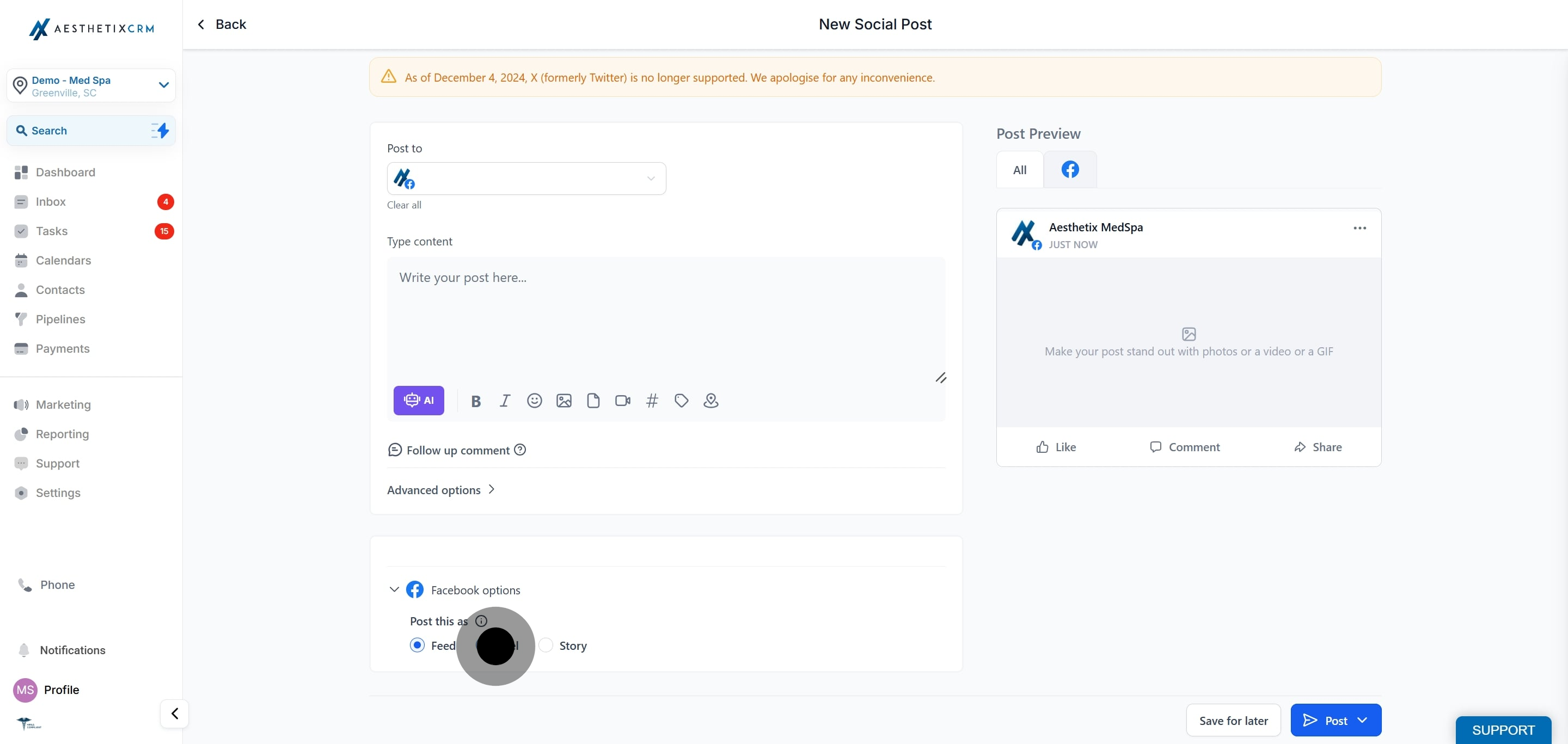
Go to the Reels tab.
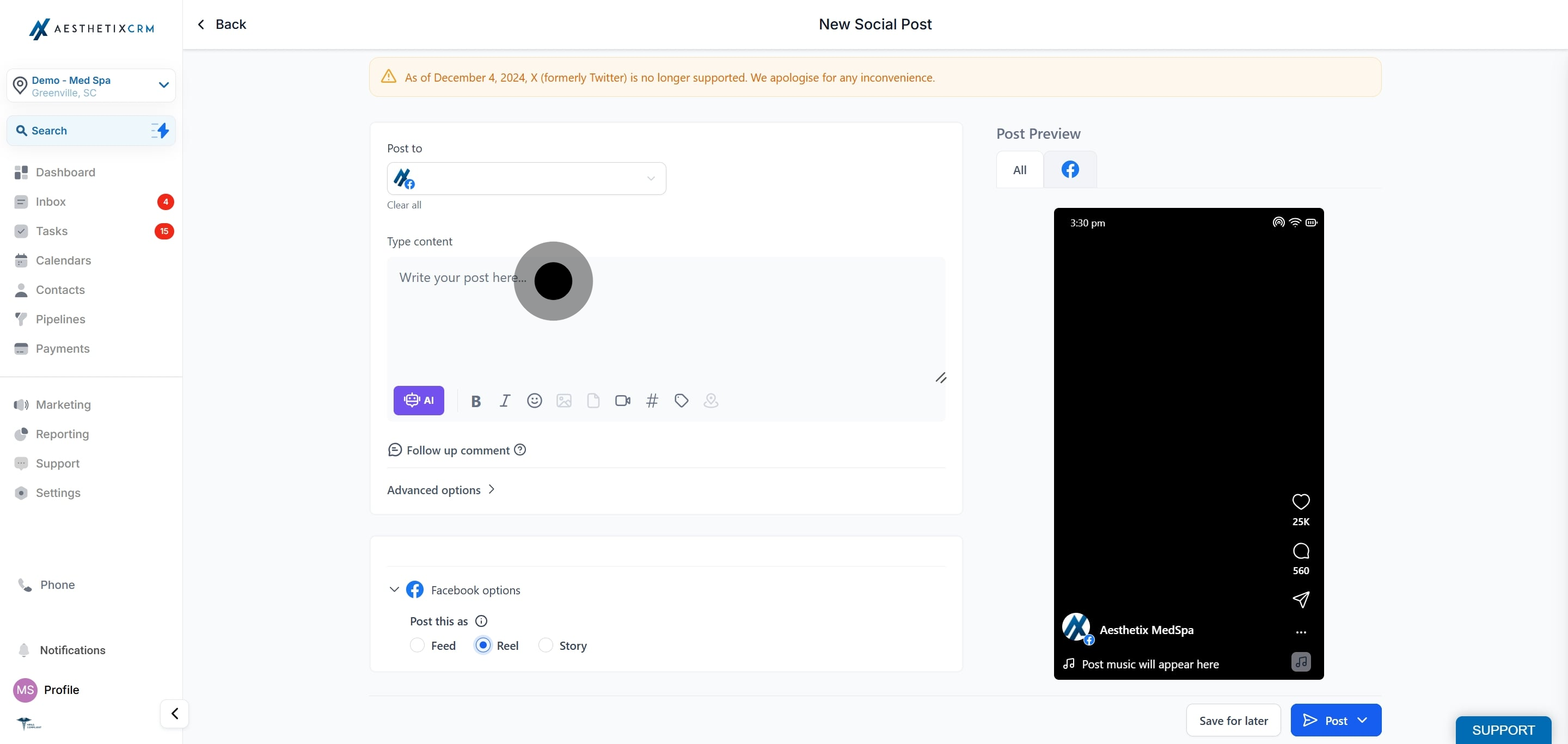
Add a caption and one video attachment.
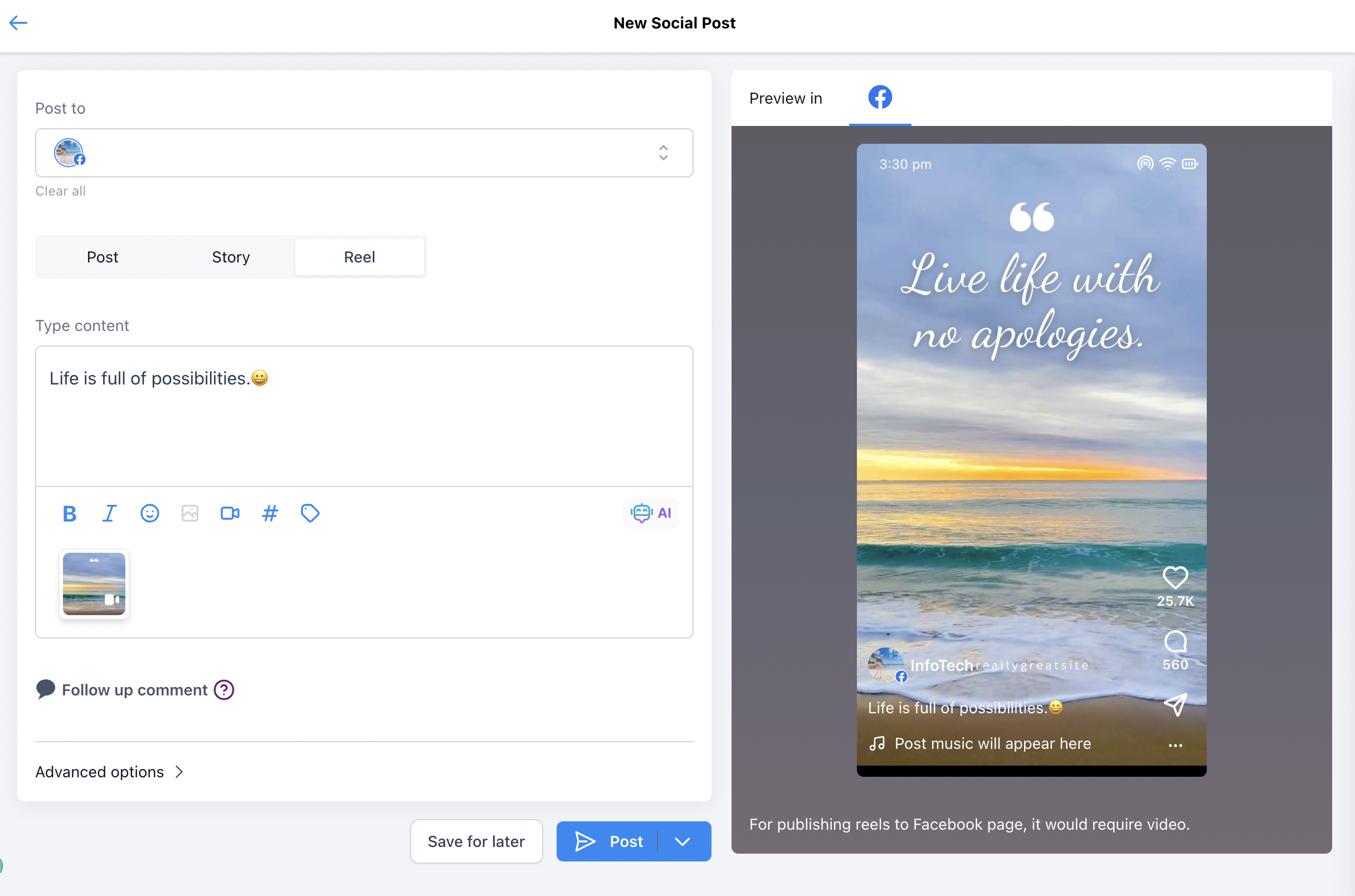
Schedule your Reel, or publish it now.
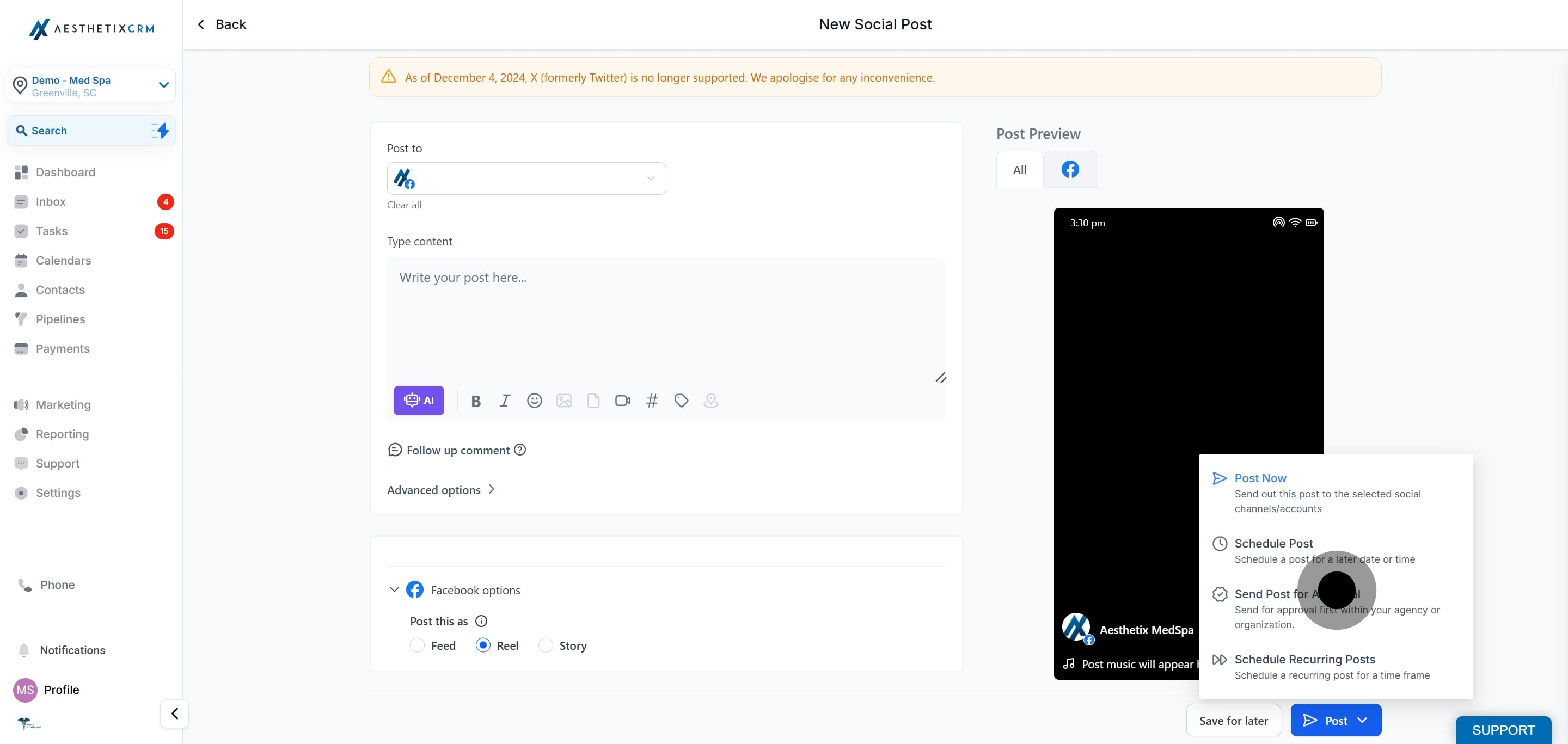
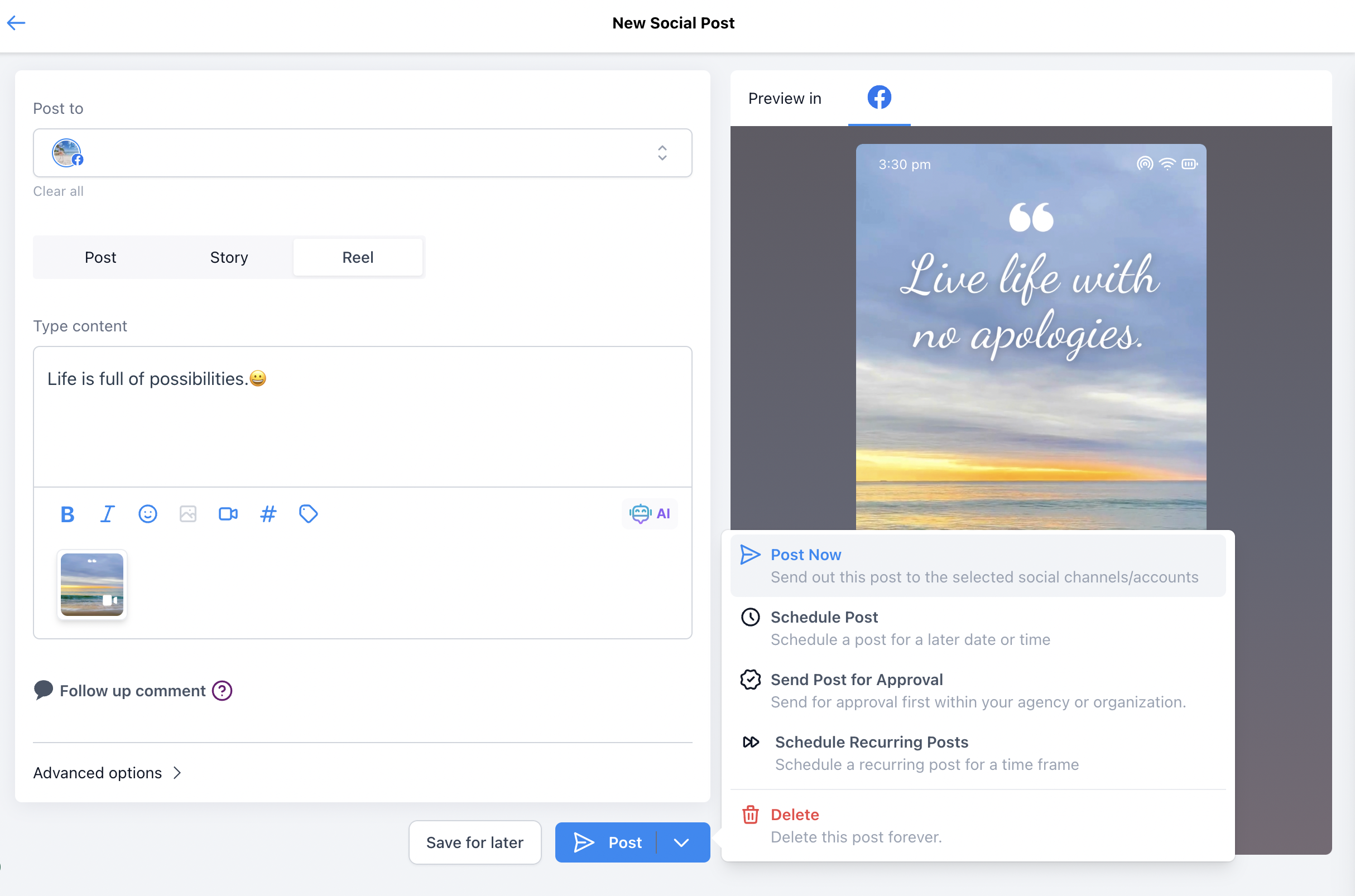
If your Reel includes patient before and after footage, confirm you have written consent to use those images publicly before you publish. Once a Reel is live on Facebook it is outside Aesthetix CRM and cannot be recalled through the planner.
Video file size: up to 1 GB.
Duration: 3 to 90 seconds (up to 1 minute 30 seconds).
Video format: MP4, MOV, or WEBM.
Recommended resolution: 1080 x 1920 px. Minimum is 540 x 960 px.
Aspect ratio: 9:16.
Thumbnail support is not available for Facebook Reels.
Can I publish a Reel to a Facebook group? No. Reels are only available for Facebook Pages. If you select a group, the content is shared as a Feed post instead.
How many videos can a Facebook Reel include? One. A Facebook Reel uses a single video attachment.
What video formats are supported? MP4, MOV, and WEBM.
What are the length and size limits? A Reel can be 3 to 90 seconds long, with a video file up to 1 GB.
What resolution should I use? 1080 x 1920 px is recommended, with a 9:16 aspect ratio. The minimum is 540 x 960 px.
Can I set a custom thumbnail for a Facebook Reel? No. Thumbnail support is not available for Facebook Reels.
Can I schedule a Facebook Reel in advance? Yes. After adding your caption and video, choose a date and time in the Social Planner, or publish immediately.
Do I need to connect Facebook first? Yes. Connect your Facebook account in Settings → Integrations and grant the requested permissions before creating a Reel.
