Instagram Reels are short, engaging videos that help your practice reach new audiences. Because Reels can surface on the Explore page and in the Reels tab, they are one of the best ways to showcase treatments, share quick skincare tips, and build visibility with prospective patients who do not yet follow you. With the Social Planner in Aesthetix CRM, you can create Reels and either publish them now or schedule them for later, all from one place.
Reach a wider audience: Reels can appear on the Explore page, where people who do not follow you can discover your content and become new followers.
Show your work creatively: short-form video is an ideal format for treatment highlights, results, and behind-the-scenes moments at your practice.
Improve discoverability: Instagram surfaces Reels to users based on their interests, so consistent, engaging Reels are more likely to be recommended.
Humanize your brand: Reels let your practice connect with prospective patients in a personal, approachable way.
Meet audiences where they are: short, easily consumed video fits how people browse social media today.
Connect an Instagram Professional account. Publishing Reels from a personal or creator account is not supported.
Upload the images and videos you want to use to the Media Library before you create the Reel.
Reels visibility (Feed vs. Reels tab): by default, Reels publish to both the Instagram Feed and the Reels tab. This reflects current Instagram API behavior. To publish to the Reels tab only, turn off the composer option for sharing to the Feed.
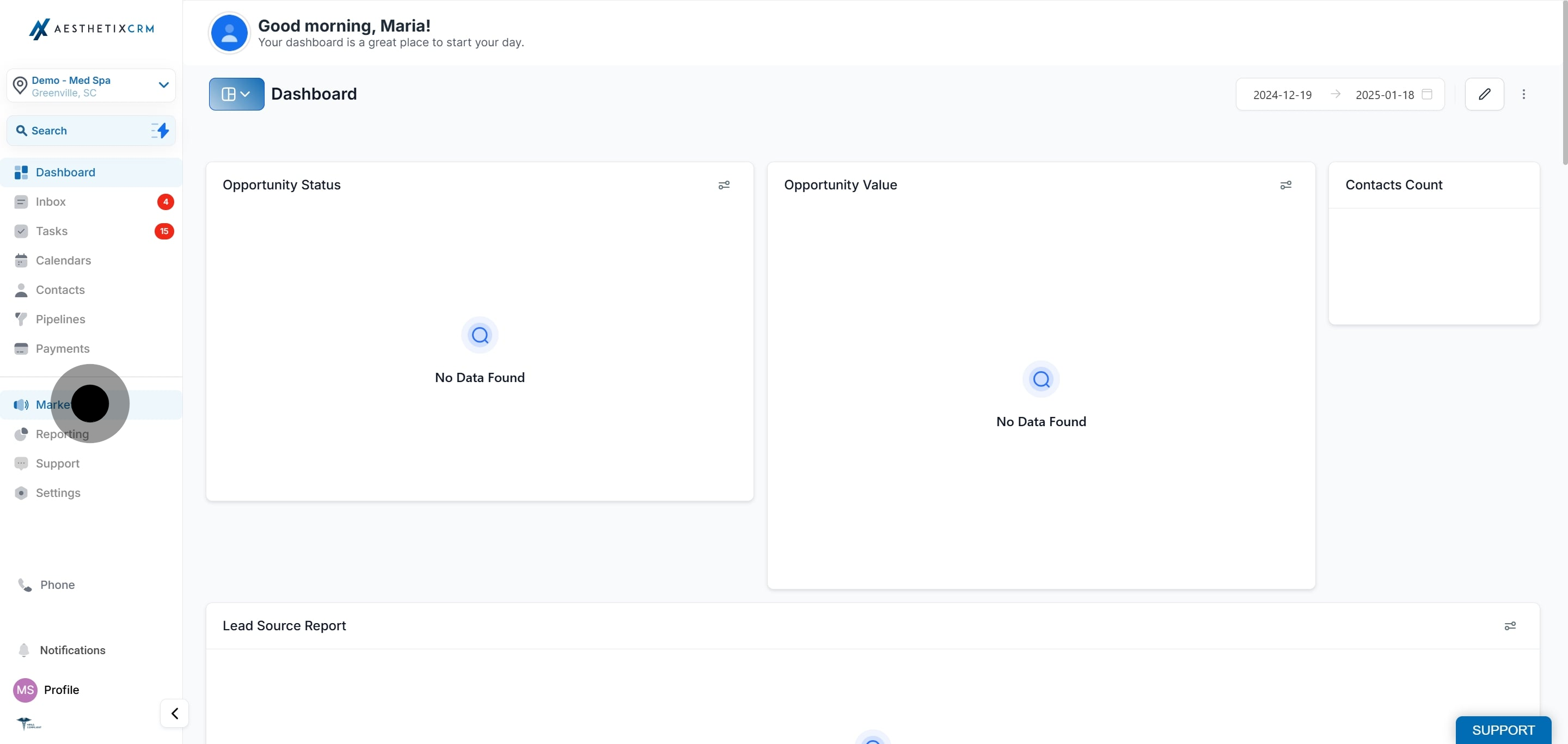
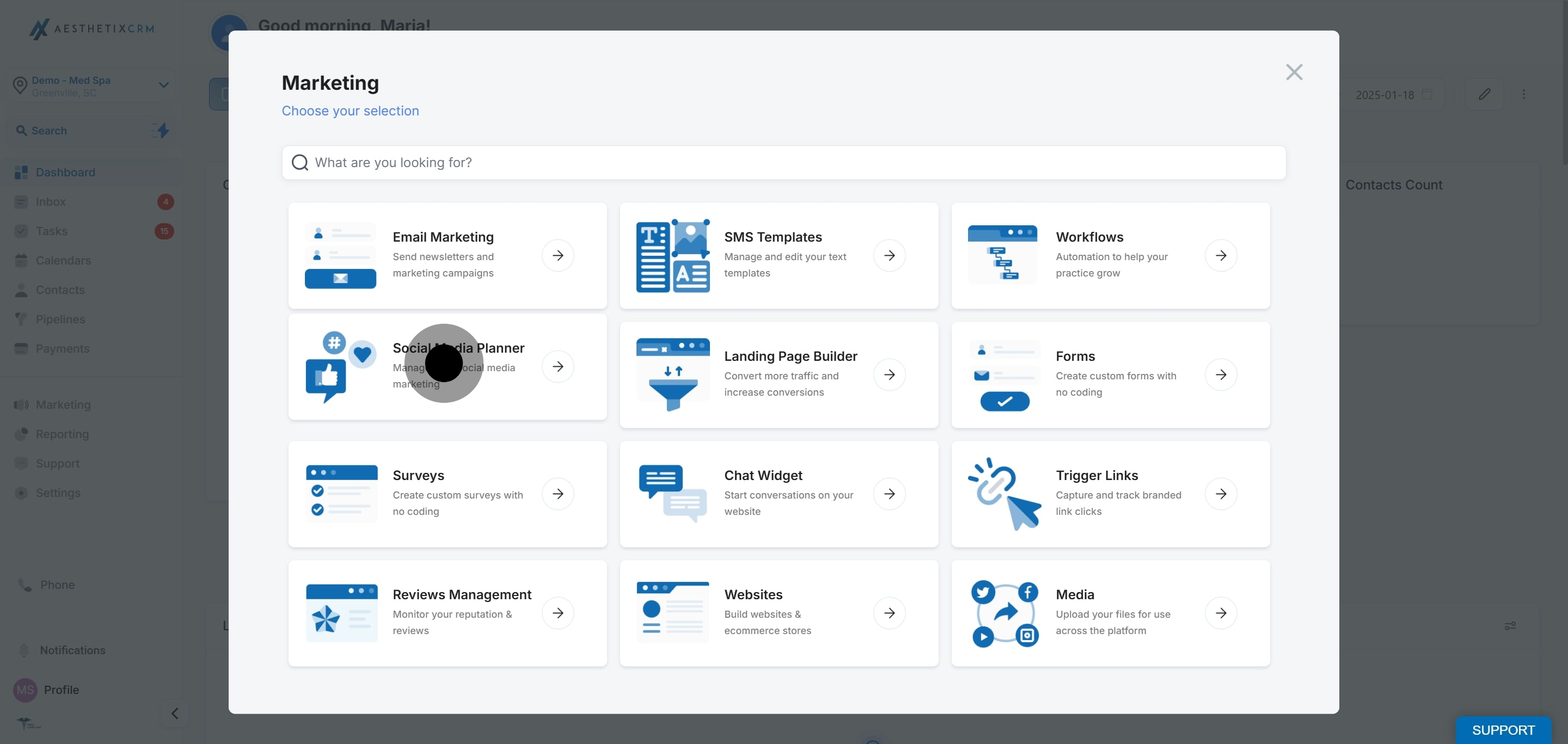
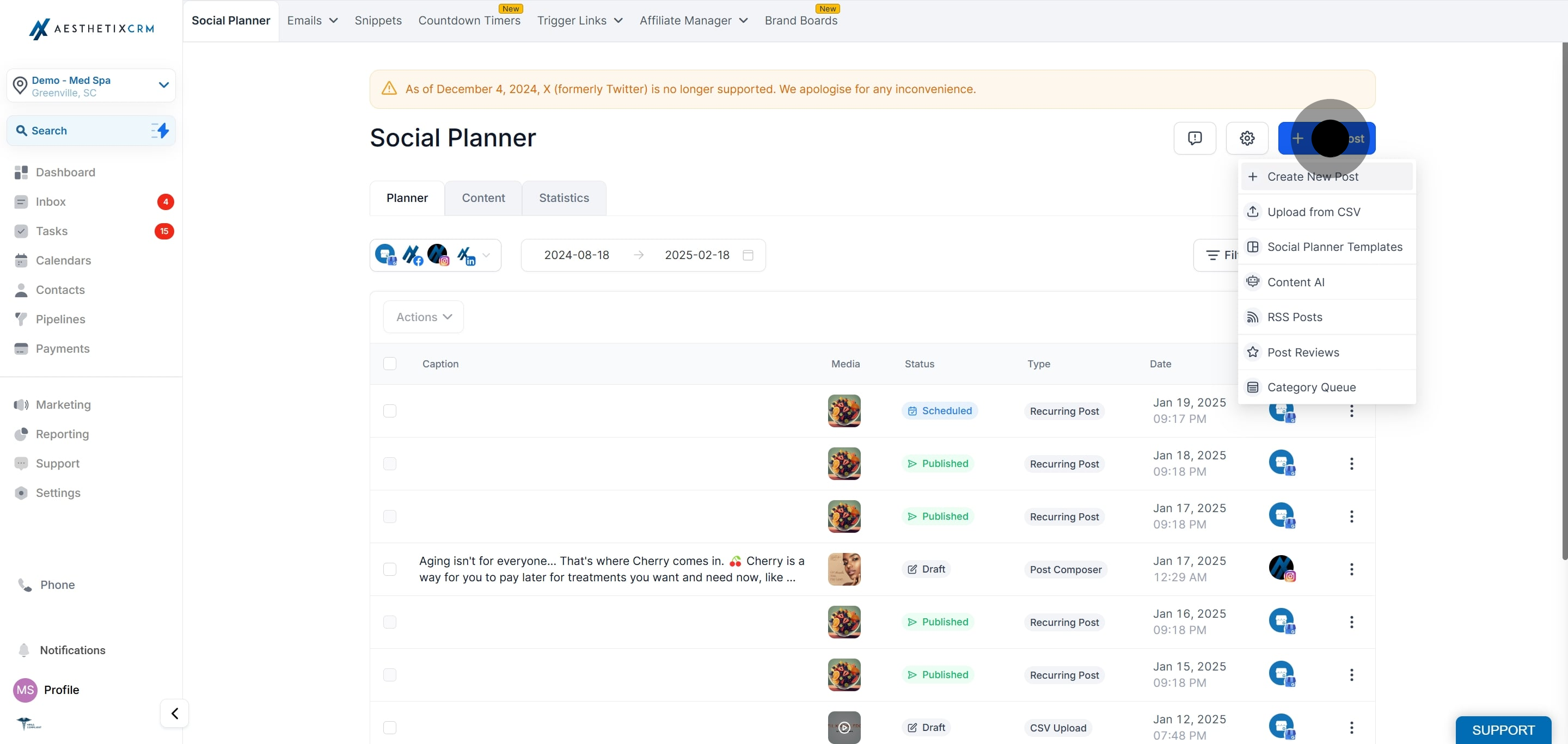
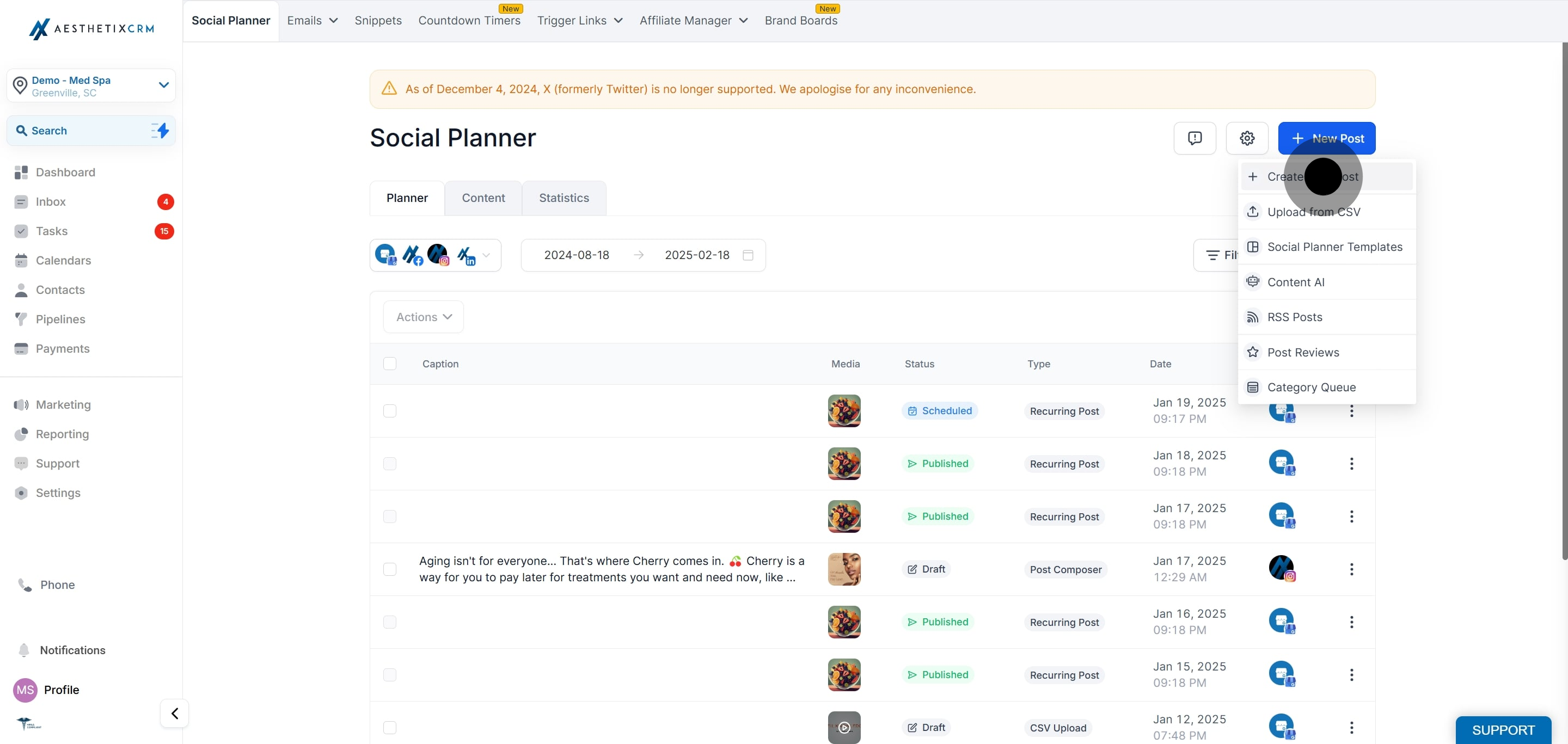
Go to the Marketing tab, open Social Planner, and click New Post, then Create New Post.
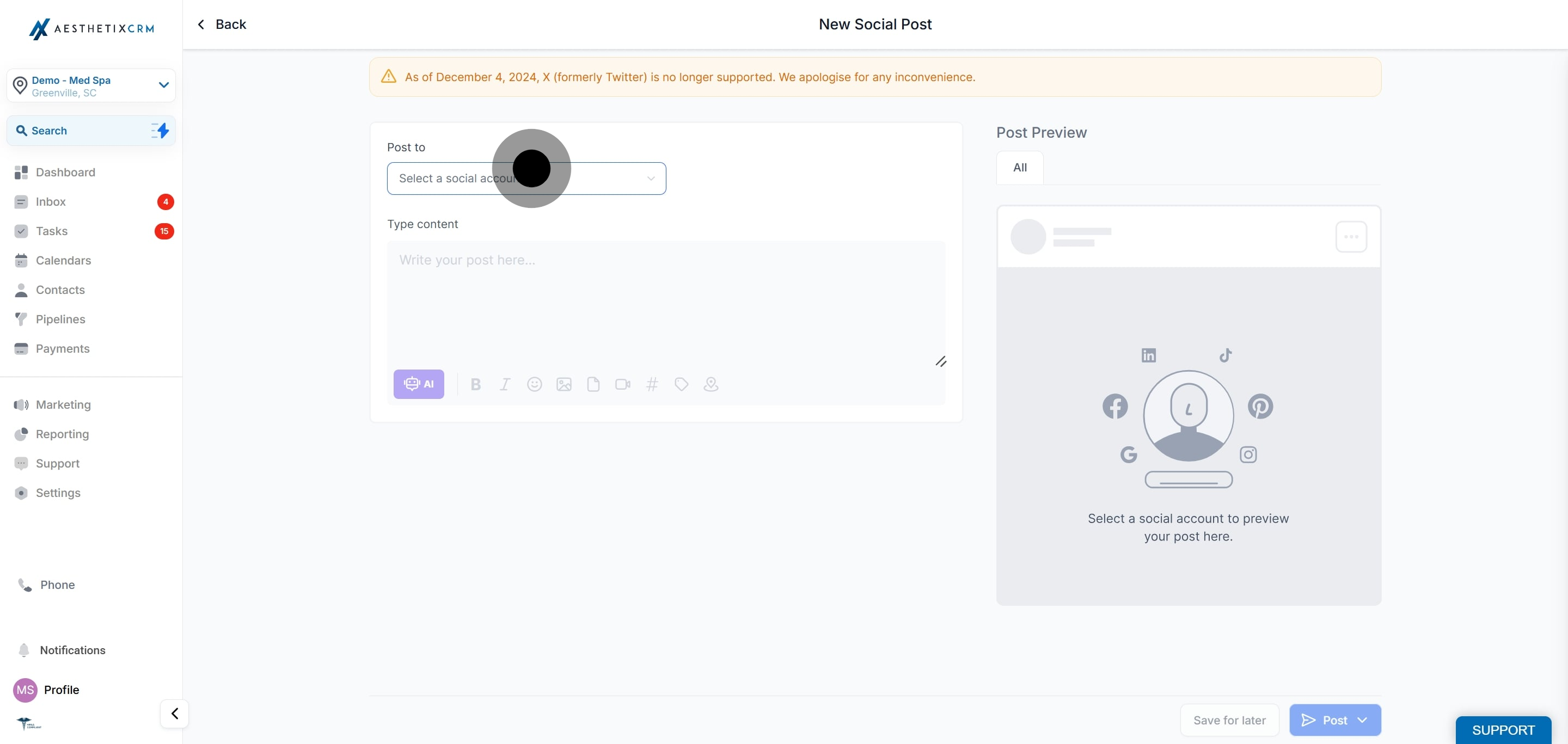
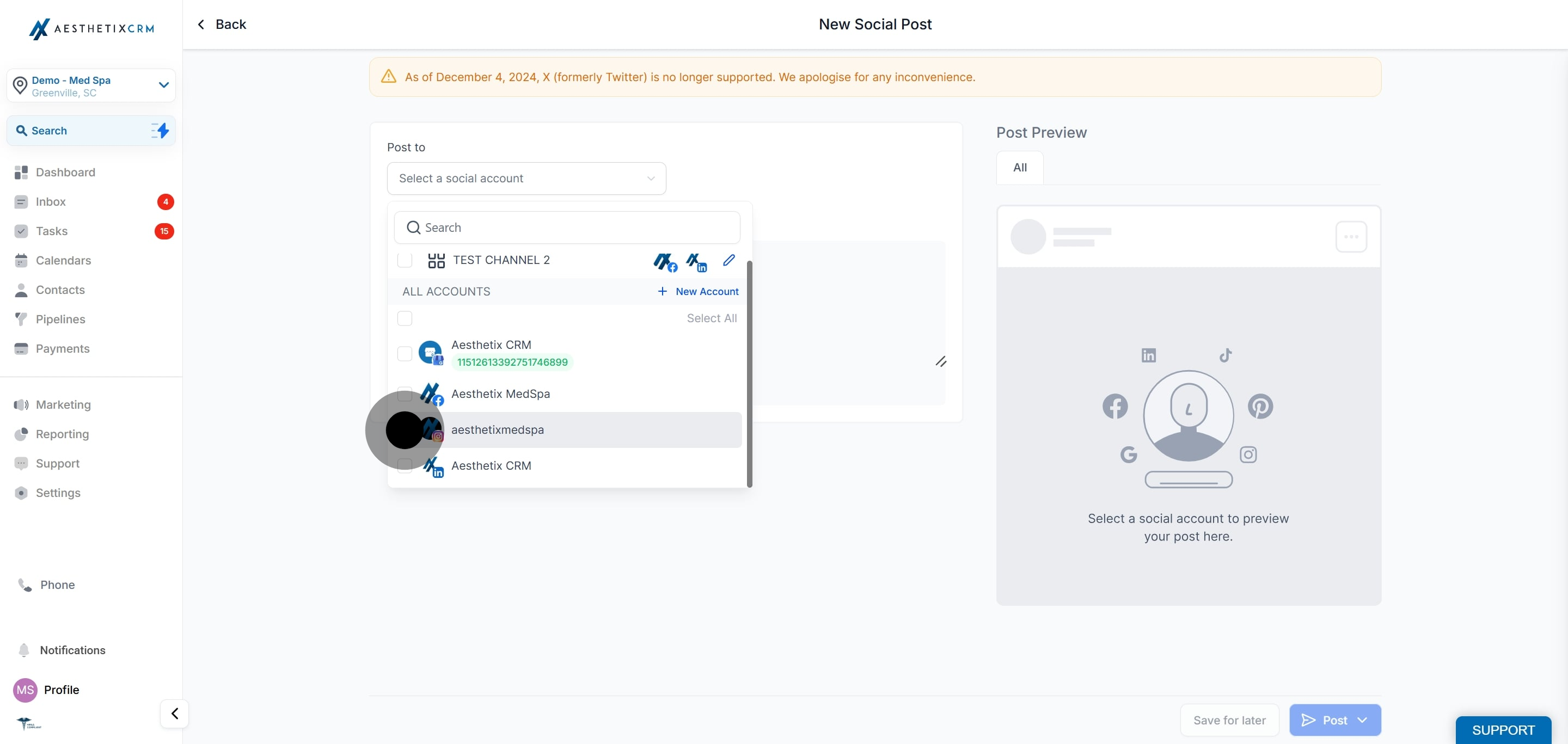
Under Post to, click Select a social account and choose one or more Instagram Professional accounts. If you select another type of social account, the Reels option will not be available. Reels can only publish to Instagram Professional accounts.
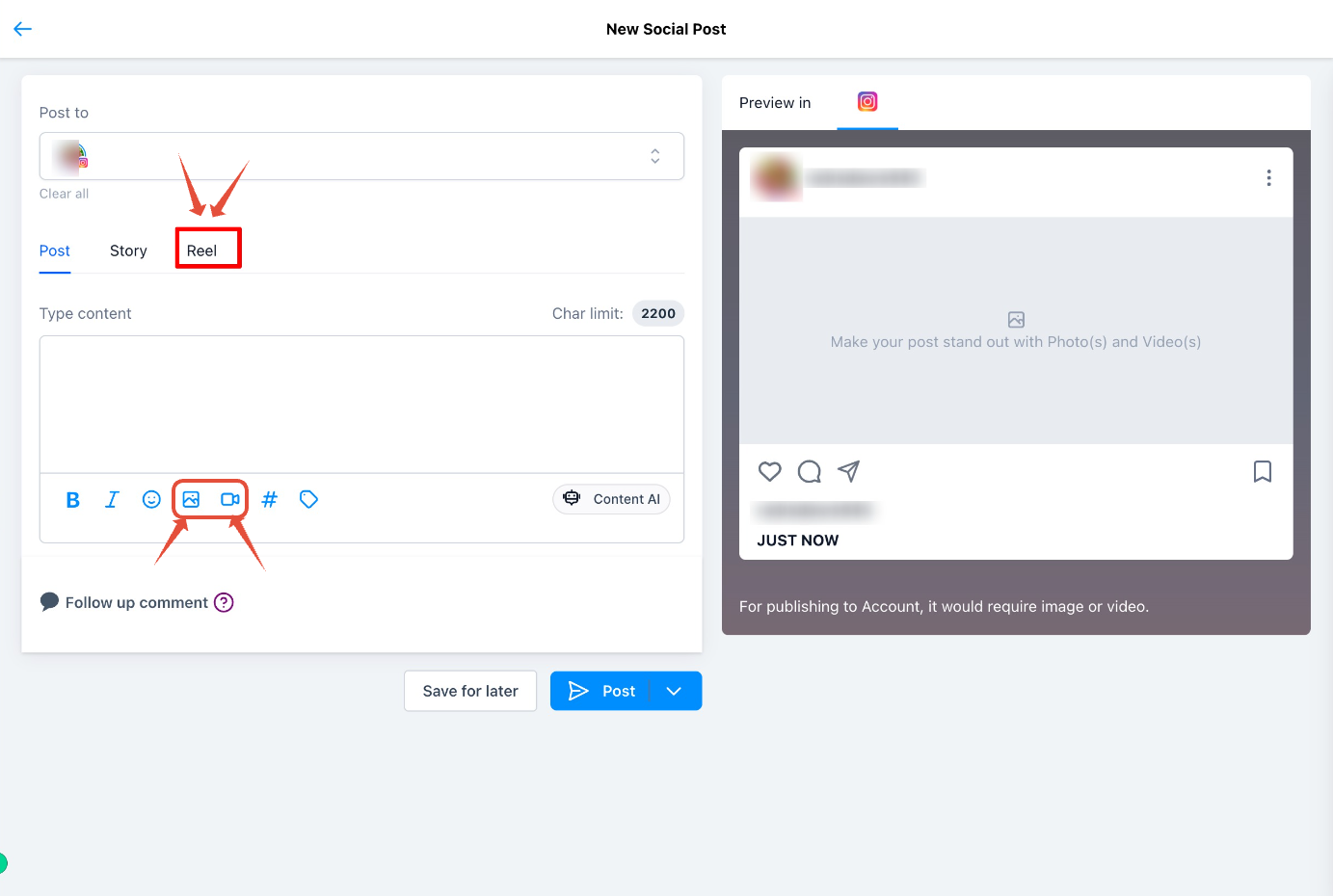
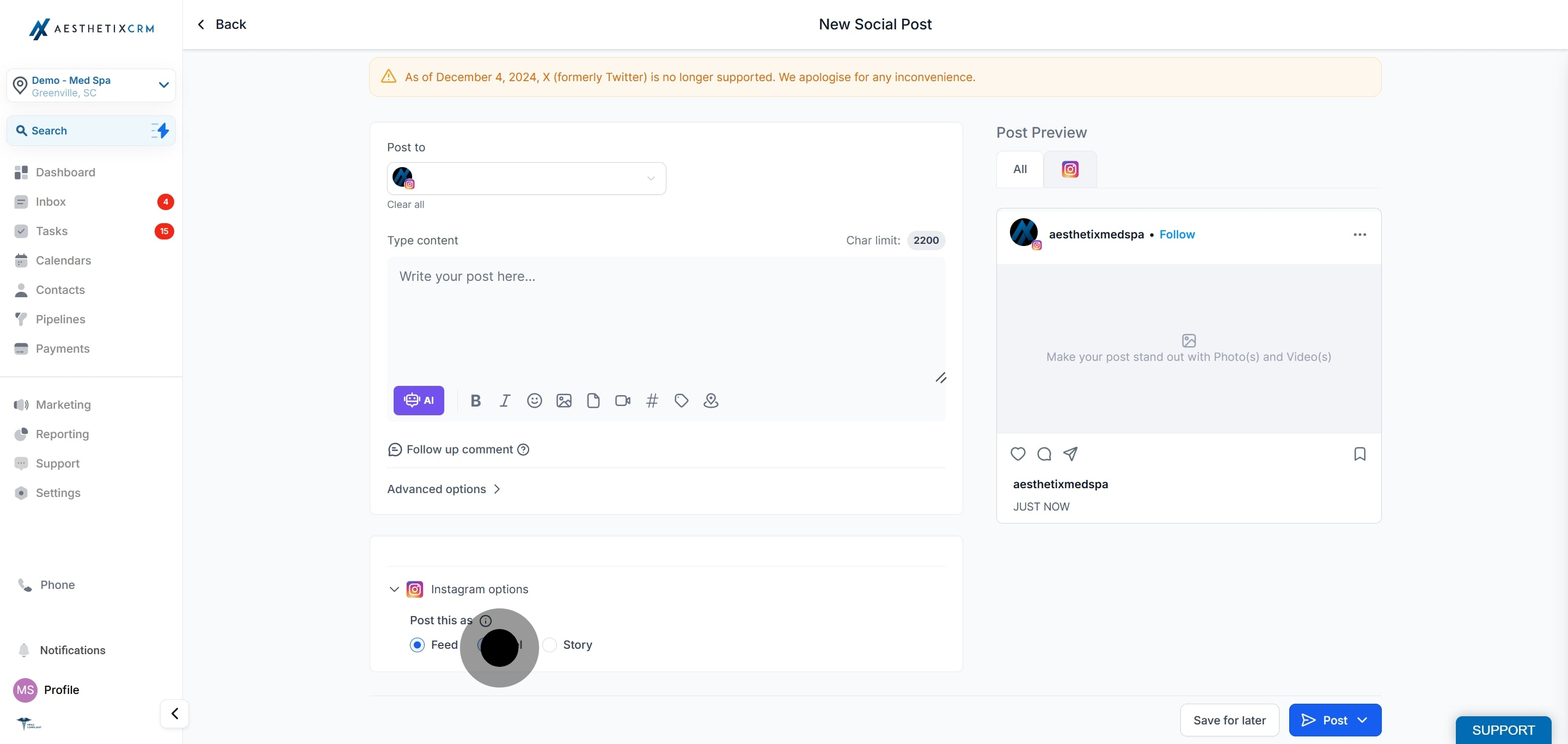
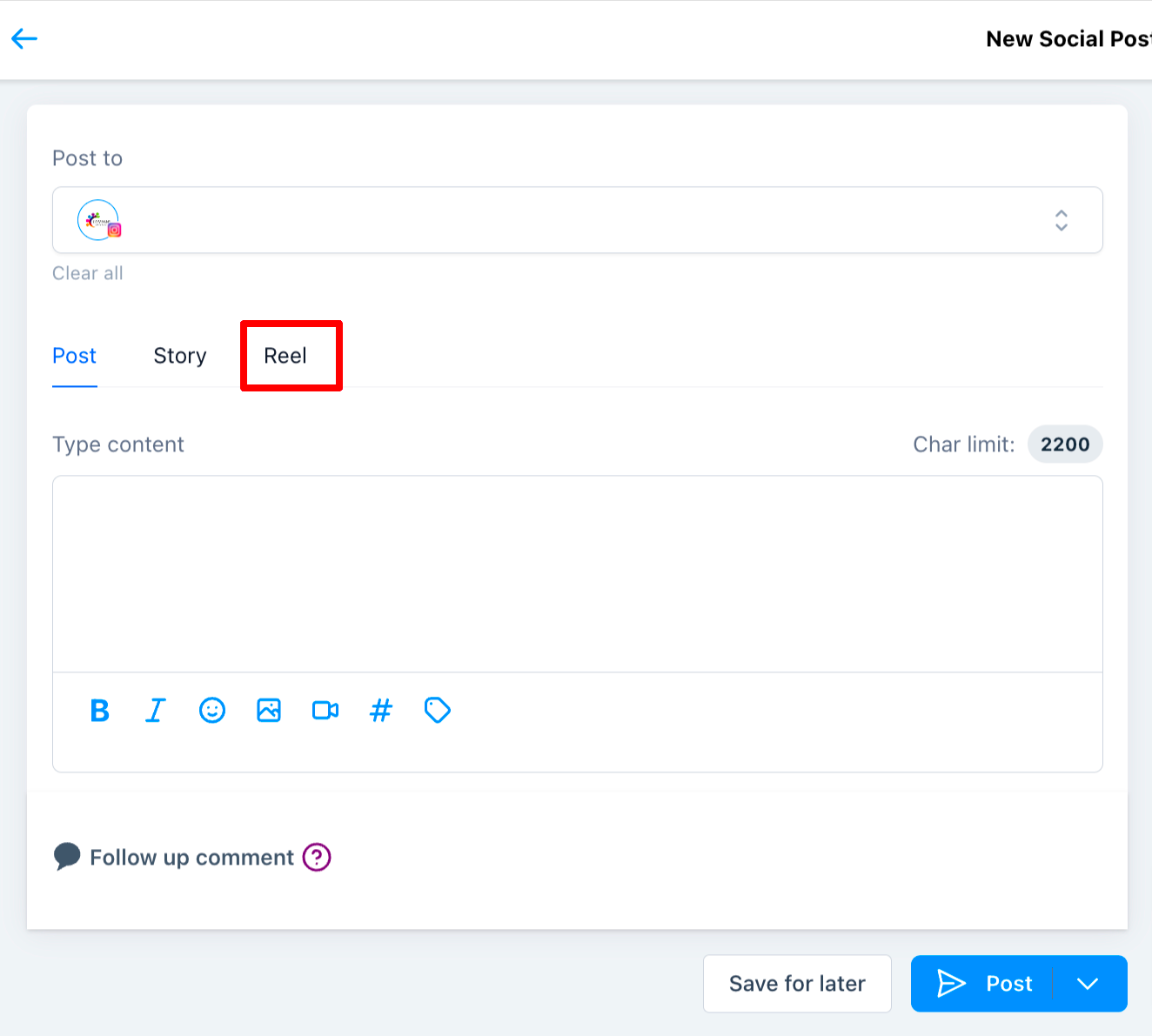
Select Reels as your Instagram content type.
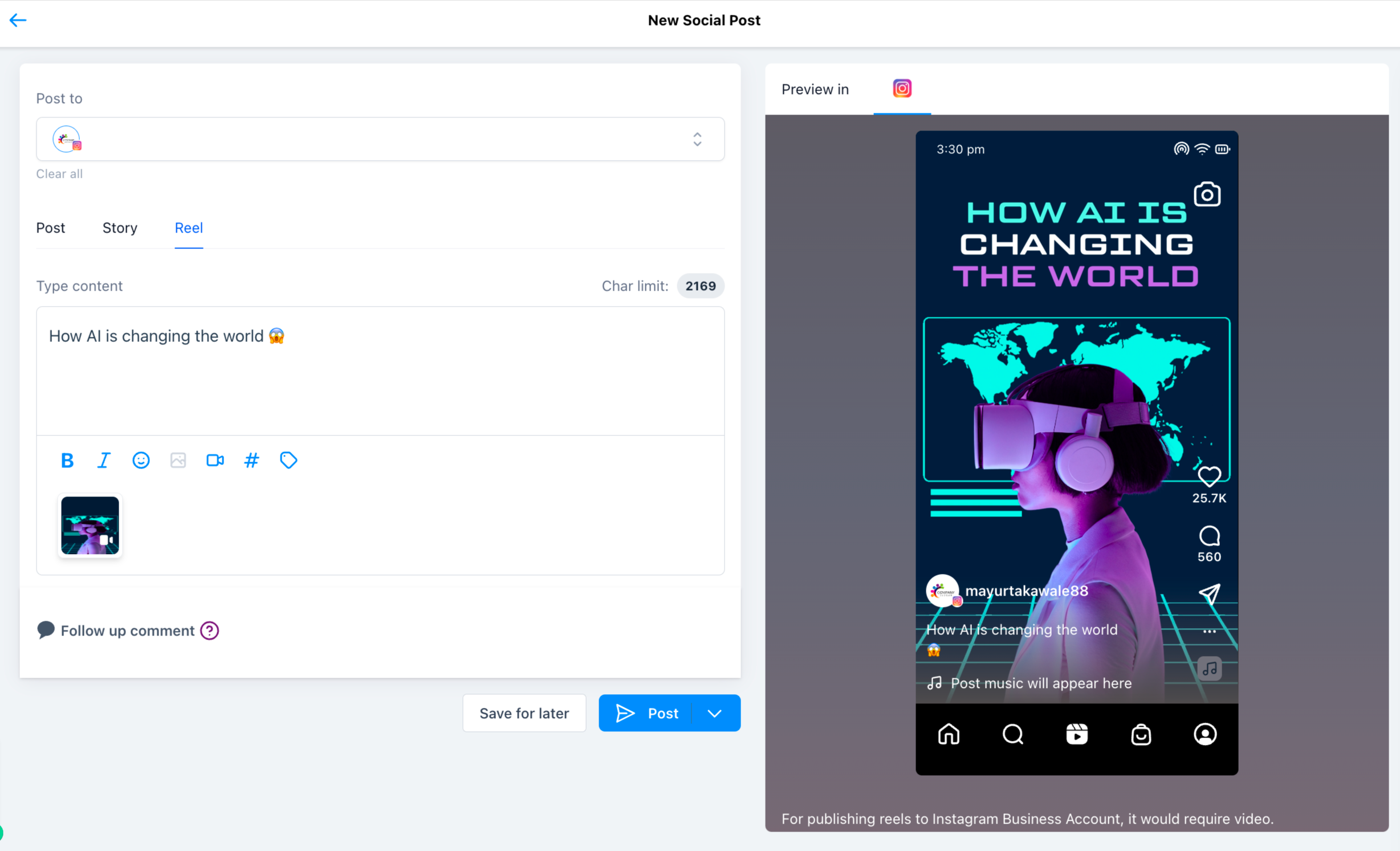
Create your Reel by uploading up to 10 images or videos.
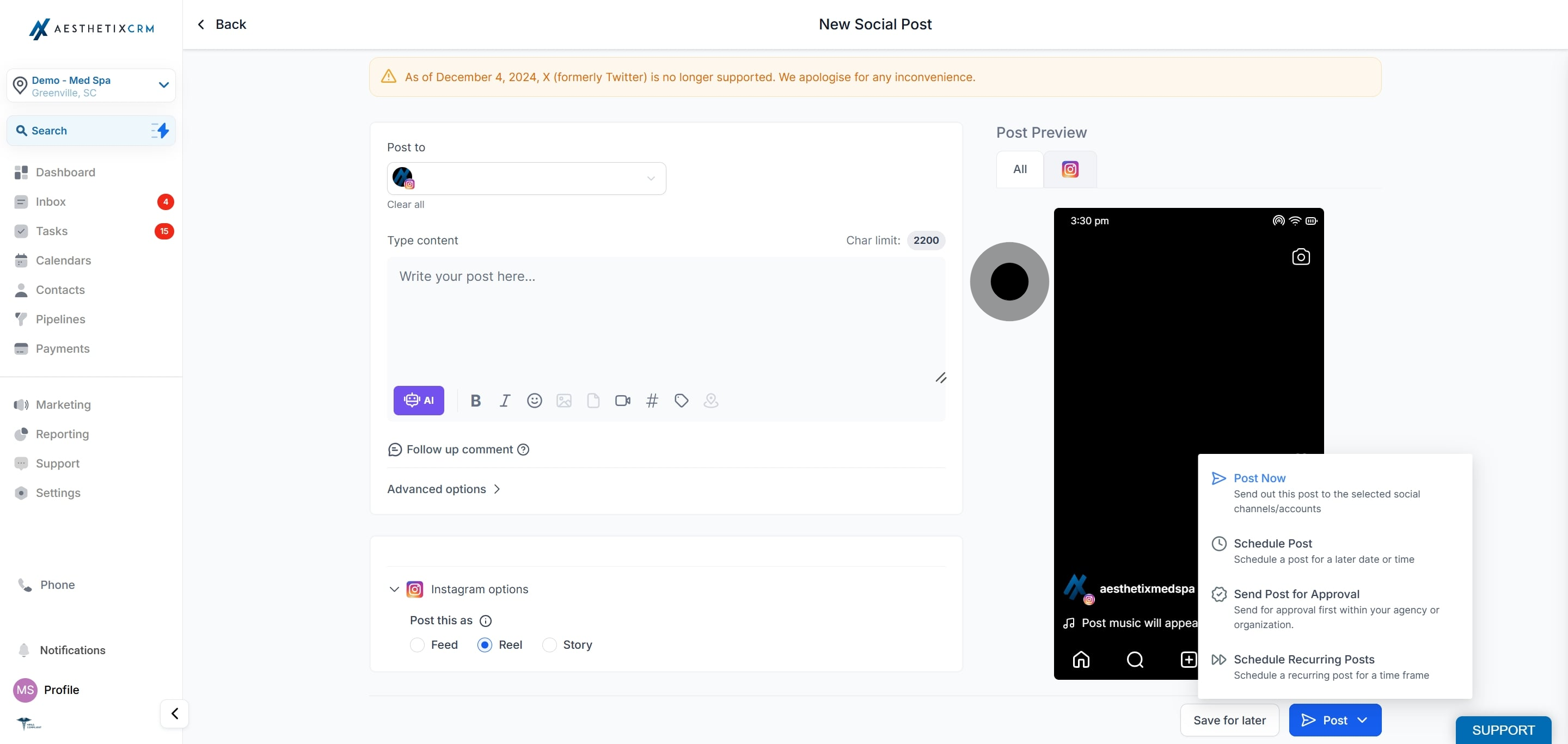
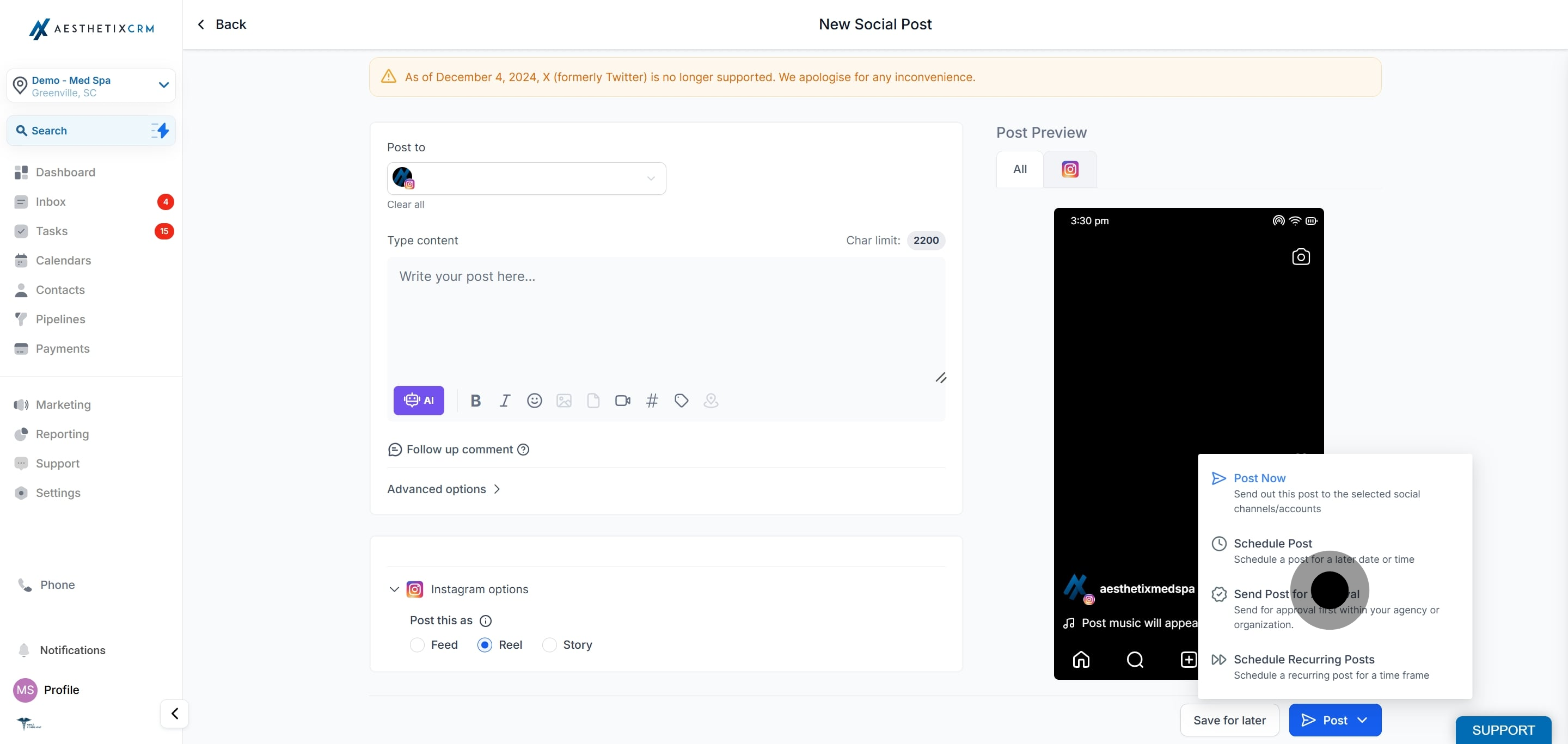
Choose Post Now or Schedule for Later. You can also save the Reel as a draft. If you scheduled it, the Reel appears under the Scheduled posts tab.

Caption note: Instagram measures caption length using URL-encoded characters, which means some special characters and emojis can count as more than one character. A caption that appears to be within the limit inside the composer may still be rejected by Instagram if it exceeds the limit once encoded.
If your Reel includes patient before and after footage, confirm you have written consent to use those images publicly before you publish. Once a Reel is live on Instagram it is outside Aesthetix CRM and cannot be recalled through the planner.
Video file size: up to 1 GB. Thumbnail: up to 8 MB.
Recommended aspect ratio: 9:16.
Duration: minimum 3 seconds, maximum 15 minutes.
Maximum width: 1920 px (horizontal pixels).
Format: MOV or MP4.
Can I use Instagram Reels with any Instagram account? No. Reels can only be published from Instagram Professional accounts. If you select another type of account, the Reels option will not be available.
What types of content can I include in a Reel? You can include up to 10 images or videos in a single Instagram Reel.
Is there a time limit for Reels? Yes. A Reel should be between 3 seconds and 15 minutes long, with a maximum width of 1920 px.
Can I schedule a Reel for later? Yes. After creating your Reel, choose Schedule for Later and it will be saved to publish at your chosen date and time.
Can I publish Reels from a personal or creator account? No. Only Instagram Professional accounts can publish Reels. Personal and creator accounts do not have access to this feature.
Where will my Reel be posted, the Feed or the Reels tab? By default, Reels publish to both the Feed and the Reels tab, which reflects current Instagram API behavior. To publish to the Reels tab only, turn off the composer option for sharing to the Feed.
Is there a limit to how many Reels I can create? No. There is no set limit on the number of Reels you can create and publish from the Social Planner.
Why did my caption fail even though it looked within the limit? Instagram counts caption length using URL-encoded characters, so emojis and special characters can count as more than one character. Shorten the caption or reduce special characters if it is rejected.
