Media Optimization is a Social Planner feature that gets your images ready for smooth, error-free scheduling automatically. Instead of manually resizing or reformatting an image for each network, the Social Planner adjusts it for you so it meets platform-specific requirements before it publishes.
Automatic image resizing: images are adjusted to meet each platform's requirements, with no manual resizing needed.
Preserved quality: your images keep their visual appeal without losing quality.
Better compatibility: formatting is corrected so images comply with each network's technical rules.
Faster uploads: optimized images are lighter, which speeds up scheduling.
Fewer errors: common problems like wrong dimensions, oversized files, or unsupported formats are fixed automatically.

Create a new post.

Upload an image to the Social Planner. You will see a toggle for "Media Optimization."

The toggle is ON by default. When it is on, the Social Planner does two things:

Analyze: the image is checked for compatibility issues.

Optimize: the image is adjusted to match the platform's requirements.

You can manage this feature from the Settings tab, turning optimization on or off as needed. Turn it off if you want to keep your original media exactly as uploaded.

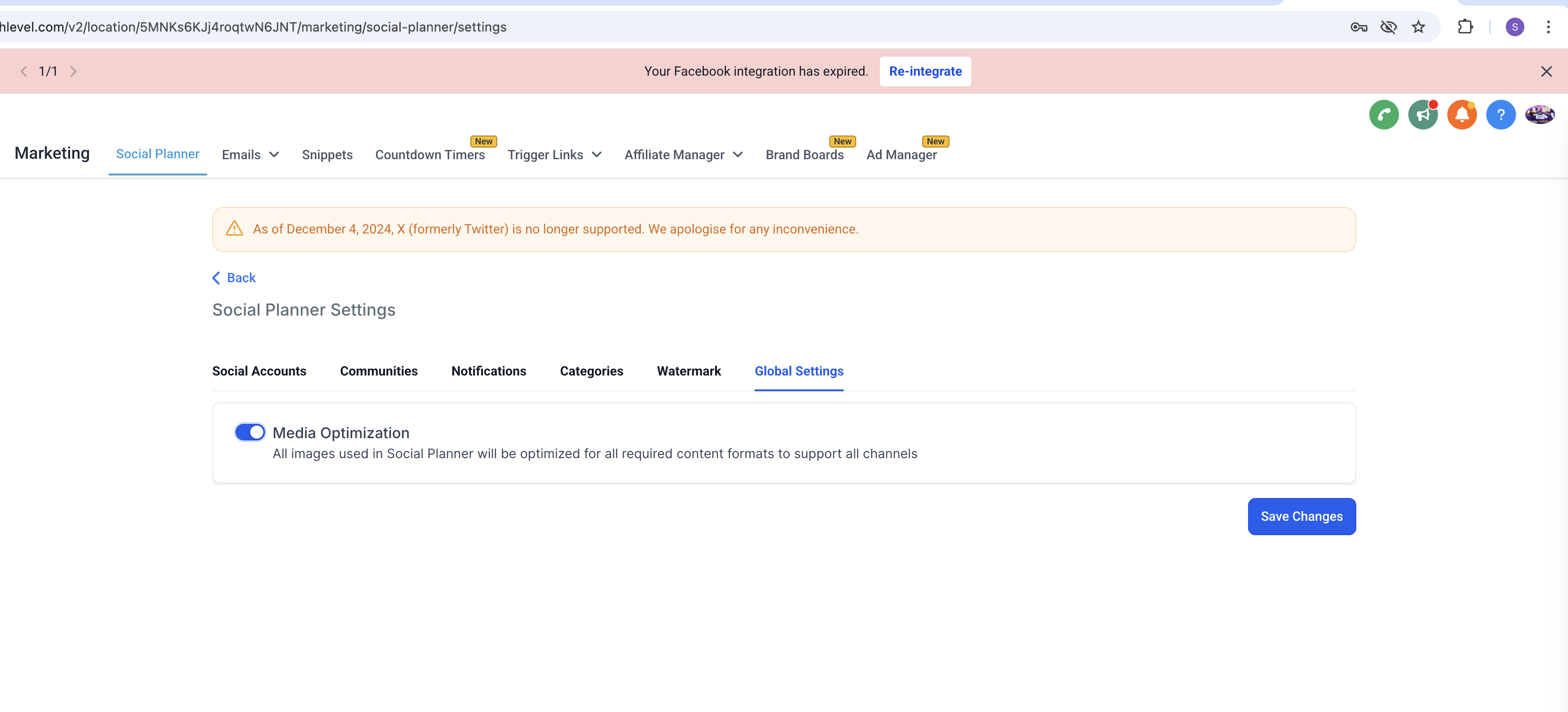
Media Optimization resolves platform-specific issues with:
Format
Size
Aspect ratio
Dimensions
It corrects the following errors per network so the post does not fail:
Facebook Post: supports JPEG, PNG, and GIF formats, and images up to 10 MB.
Facebook Story: supports JPEG, PNG, and GIF formats, and images up to 4 MB.
Instagram Post: supports JPEG, PNG, and GIF formats, images up to 8 MB, and aspect ratios between 4:5 and 1.91:1.
Instagram Story: supports JPEG format, and images up to 8 MB.
Google Business Profile: supports JPEG and PNG formats, images up to 5 MB, and dimensions from a minimum of 720 x 720 to a maximum of 3000 x 3000.
LinkedIn: supports JPEG, PNG, and GIF formats, images up to 8 MB, and dimensions from a minimum of 250 x 250 to a maximum of 6012 x 6012.
Pinterest: supports JPEG and PNG formats, and images up to 10 MB.
Community: supports JPEG, PNG, SVG, GIF, and WEBP formats, and images up to 10 MB.
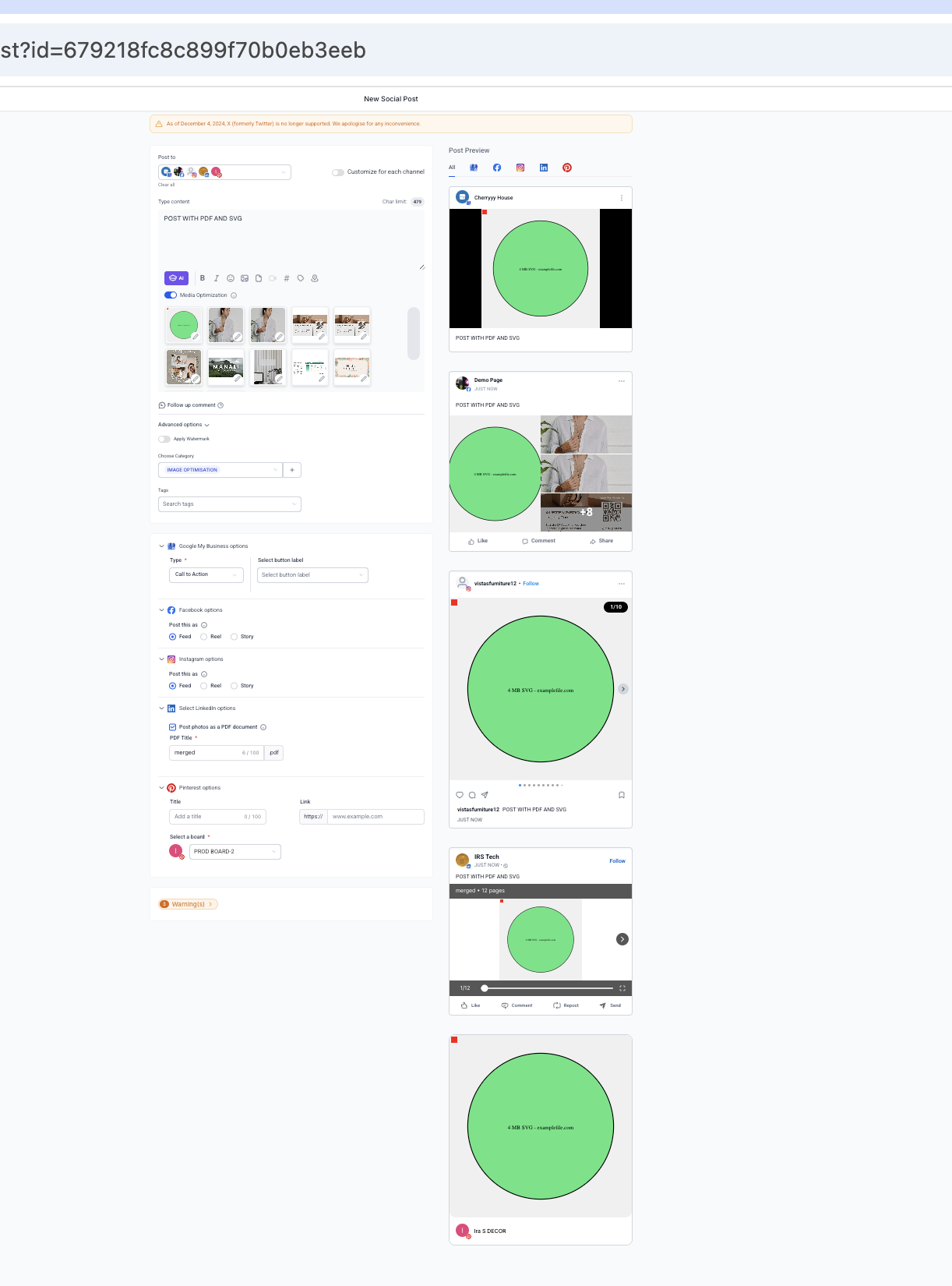
Image errors are frustrating when you are planning content. With Media Optimization, you can focus on creating engaging posts while the Social Planner handles the technical details.

Video Optimization is coming soon, bringing the same seamless experience to your videos.
Note: the optimized version is not shown in the post preview. The change appears in the actual image published on the platform.


Is Media Optimization on by default? Yes. The toggle is turned on by default when you upload an image, so your images are optimized automatically unless you turn it off.
How do I turn it off? Open the Settings tab in the Social Planner and disable optimization. Turn it off when you want to keep your original media exactly as uploaded.
What does it actually fix? It corrects platform-specific problems with format, file size, aspect ratio, and dimensions, so images that would otherwise be rejected can publish successfully.
Will it lower the quality of my images? No. The feature is designed to keep your image's visual quality while adjusting it to meet each network's requirements.
Why doesn't the change show in the post preview? The preview shows your uploaded image. The optimized version is applied to the image that actually publishes on the platform, not the preview.
Does it work for videos? Not yet. Media Optimization currently applies to images. Video Optimization is planned for a future release, so videos should still meet the network specifications before you schedule.
Which networks does it optimize for? It handles format, size, aspect ratio, and dimension rules for Facebook, Instagram, Google Business Profile, LinkedIn, Pinterest, and Community, among others.
Can it fix an unsupported file format? It resolves many format issues automatically. If a network does not support a format at all, converting or re-exporting the image to JPEG or PNG before uploading is the safest option.
