Your WhatsApp Business profile is the public-facing page customers see when they tap your business name or number inside a conversation. It includes your profile picture, business name, category, description, website, email address, and physical address. For a medical aesthetics practice, a complete, professional profile confirms your business is legitimate, active, and easy to reach, which builds the trust patients need before booking or replying to a message.
You can manage all of this directly from your account without logging in to Meta Business Manager.
To reach your profile settings, start from your account:
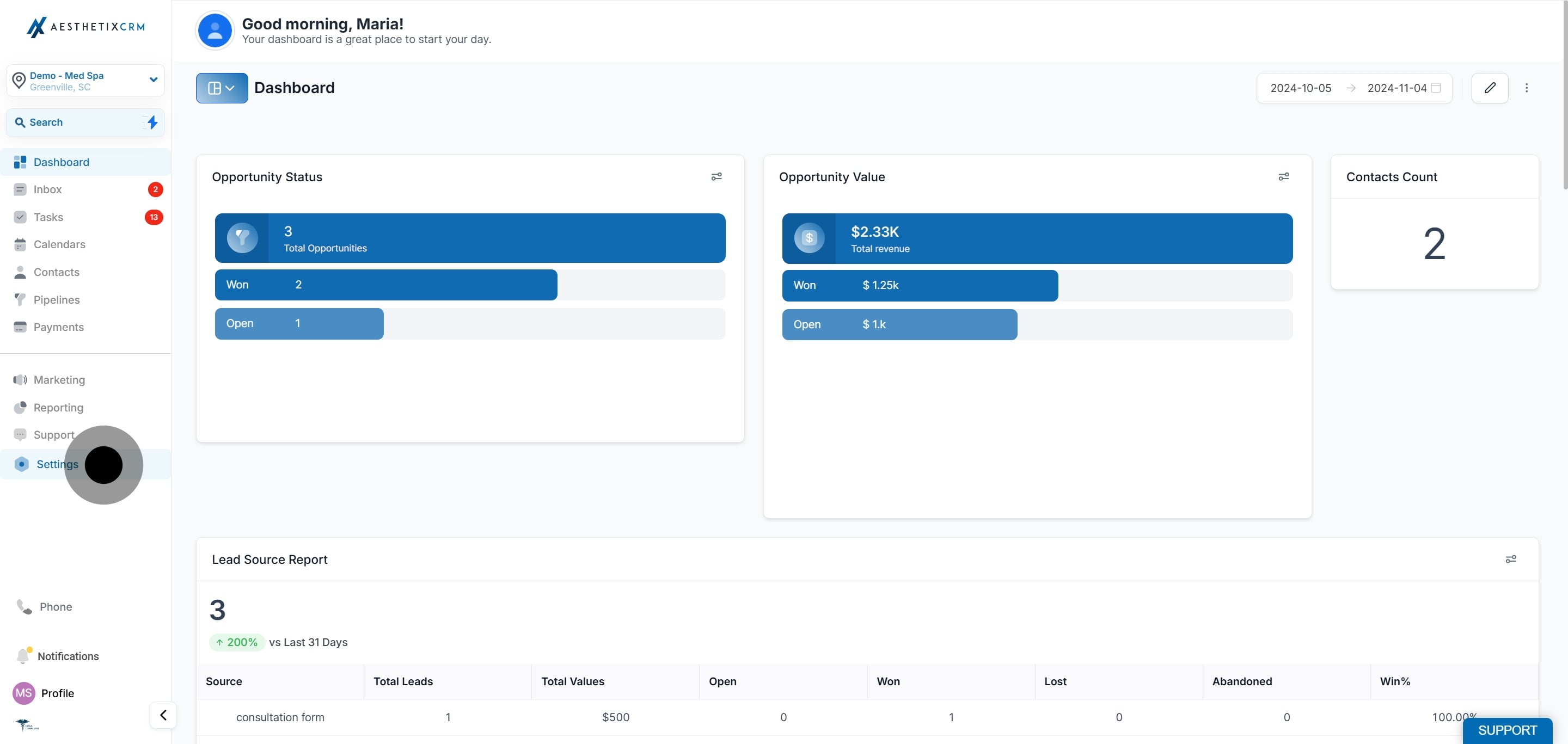
Click Settings.
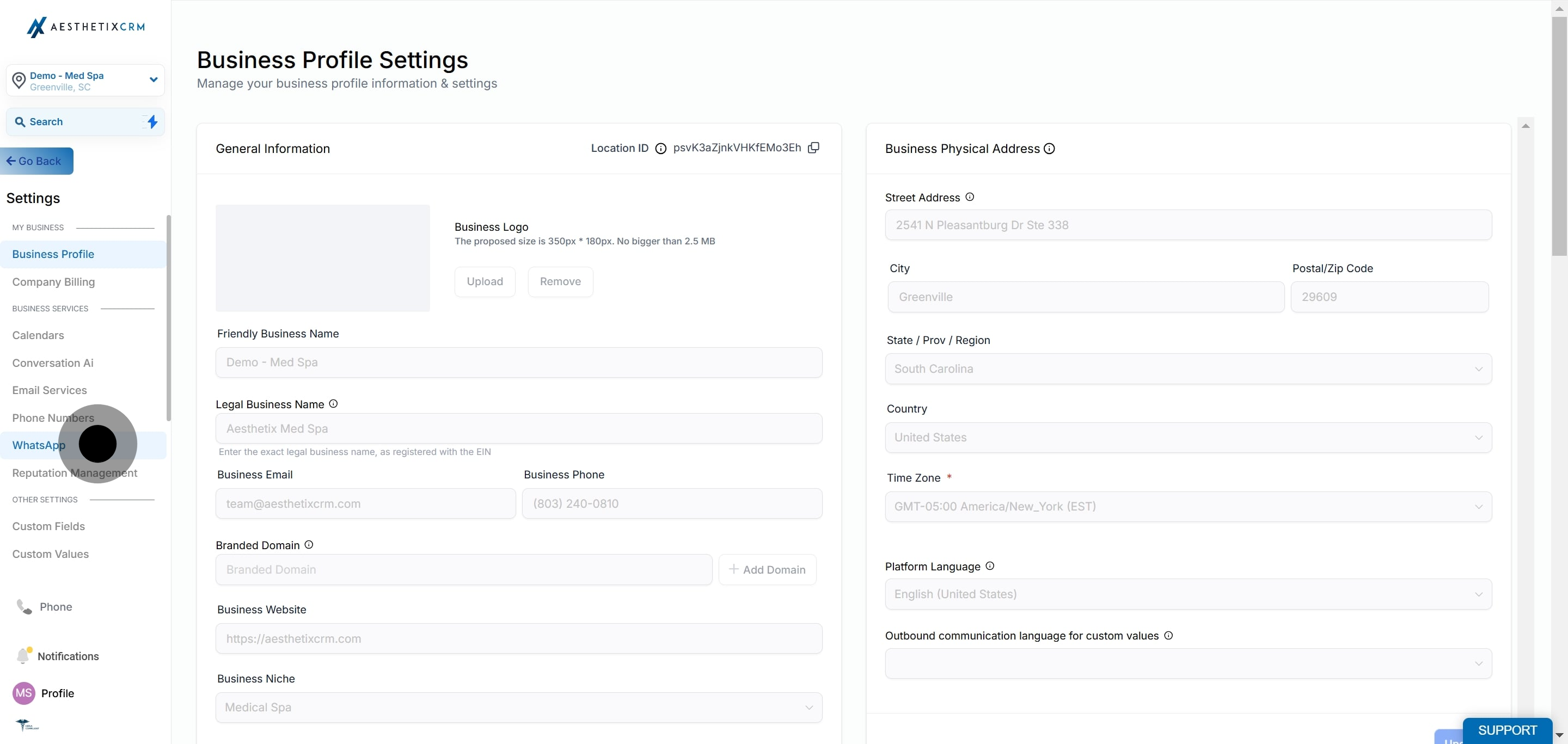
Click WhatsApp.
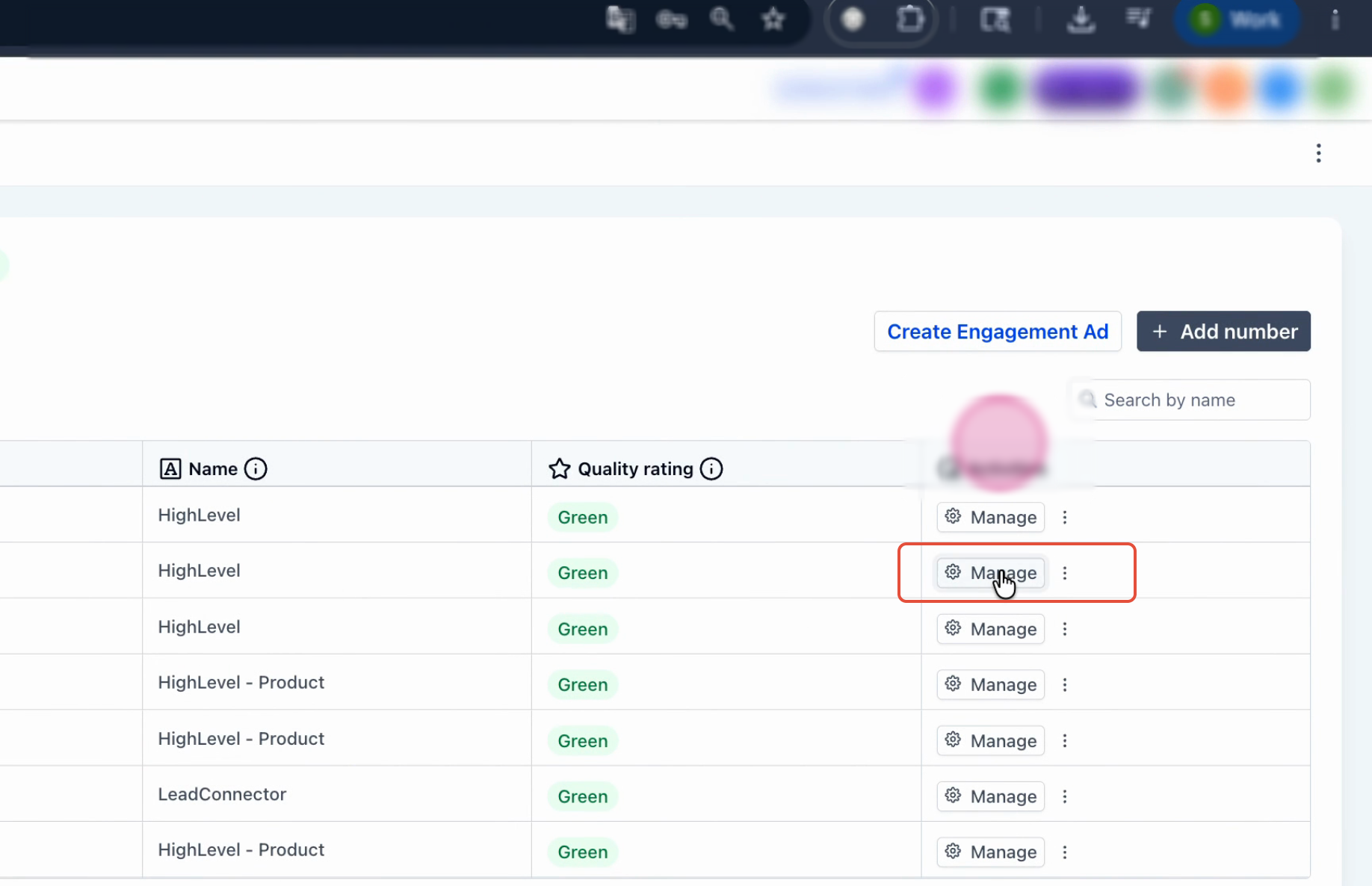
Click Manage in your WhatsApp Business settings panel.
Click Profile from the menu.
Your profile picture is the first visual impression patients get of your practice, so use a clear logo or brand image.
Note: Profile photos are automatically cropped to a square with a maximum edge of 640px and a maximum file size of 5MB. Images smaller than 192px in either dimension may have resizing issues. A 640x640px image is recommended for best results.
Click Update Profile.
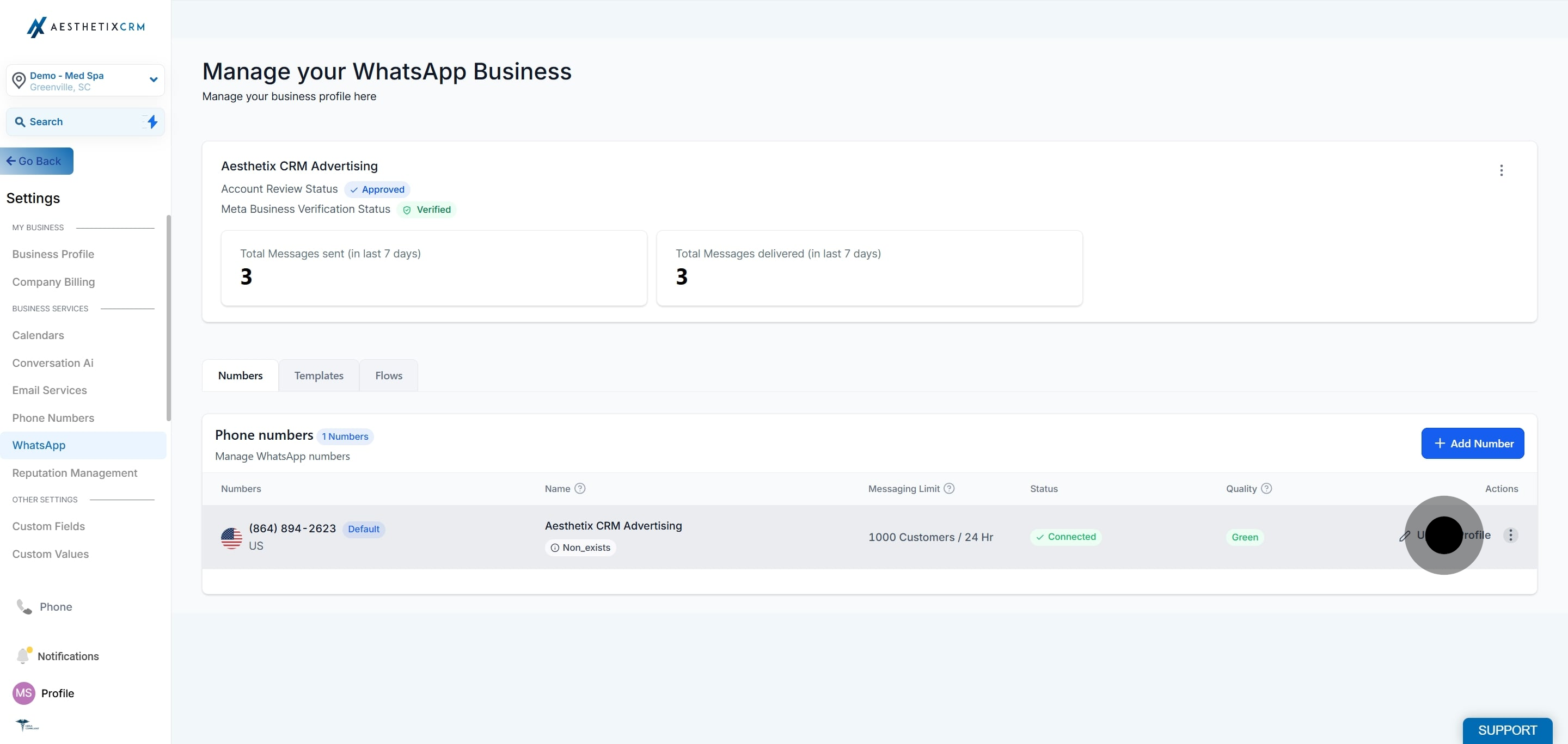
Click the profile picture area to begin editing, then click Upload to choose your business logo or brand image.
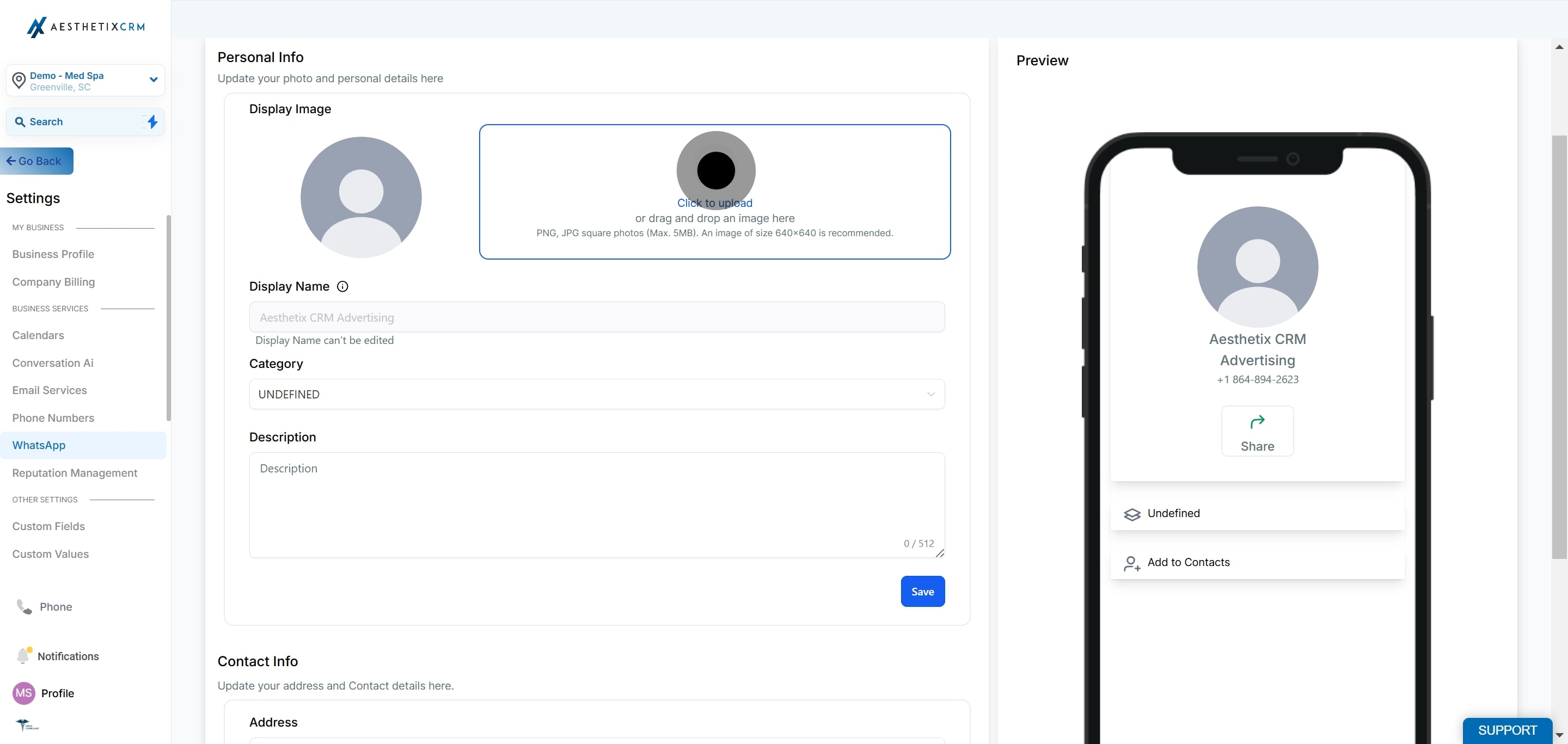
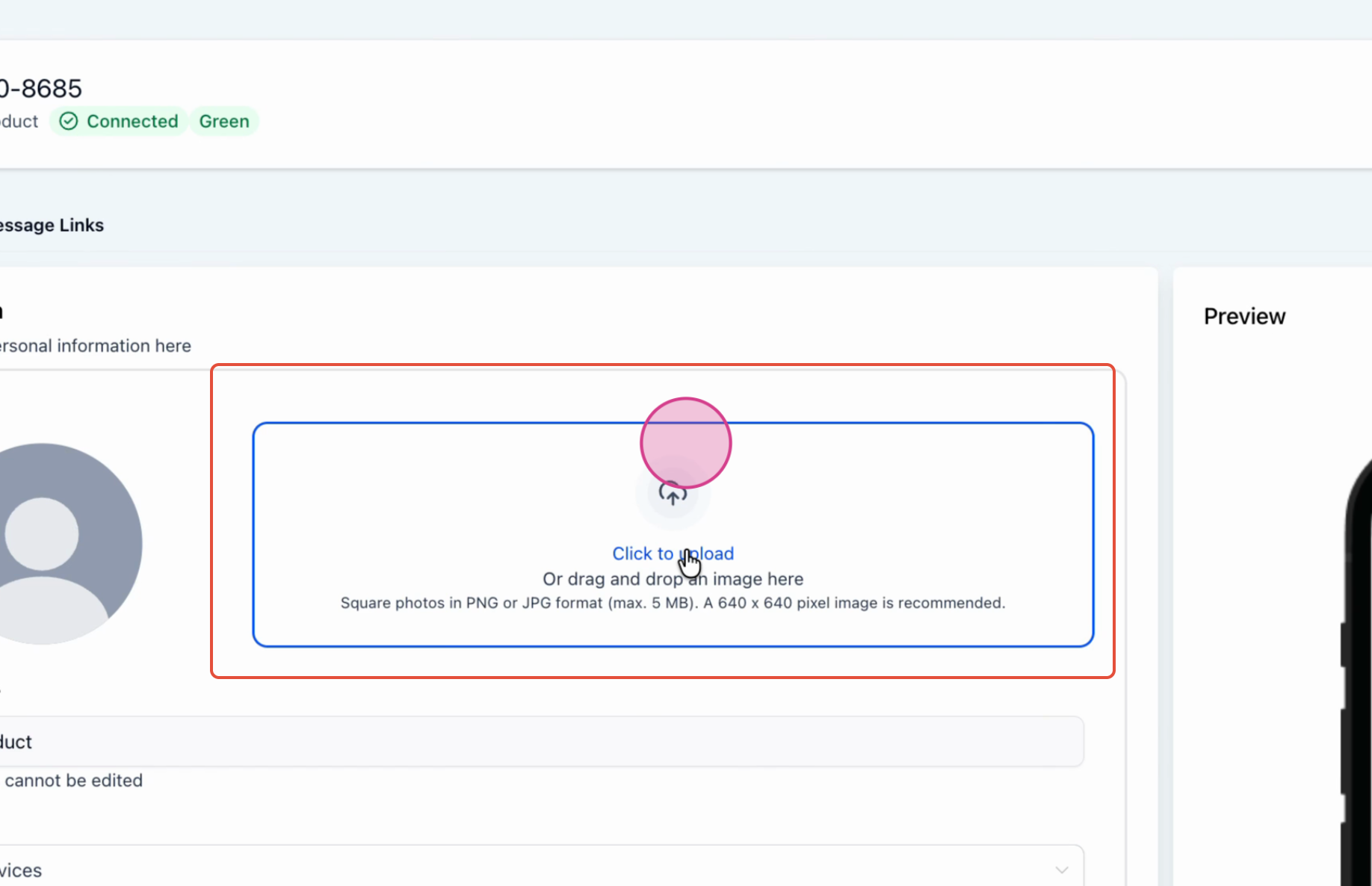
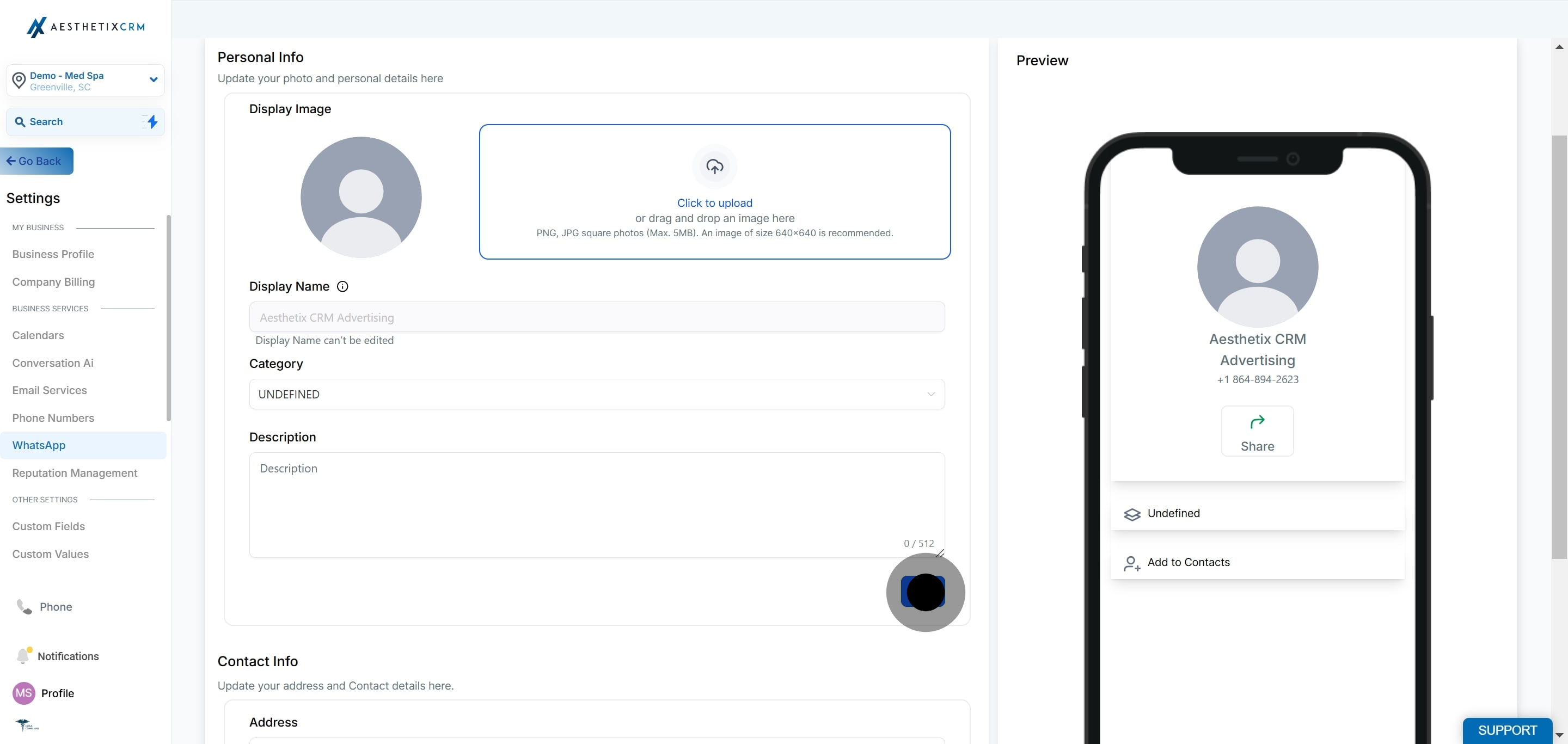
Click Save. The picture saves once uploaded.
Complete the rest of your profile so patients have everything they need to find and contact your practice.
Update your Address so patients know where to find your practice.
Update your Email ID so patients have a direct way to contact you.
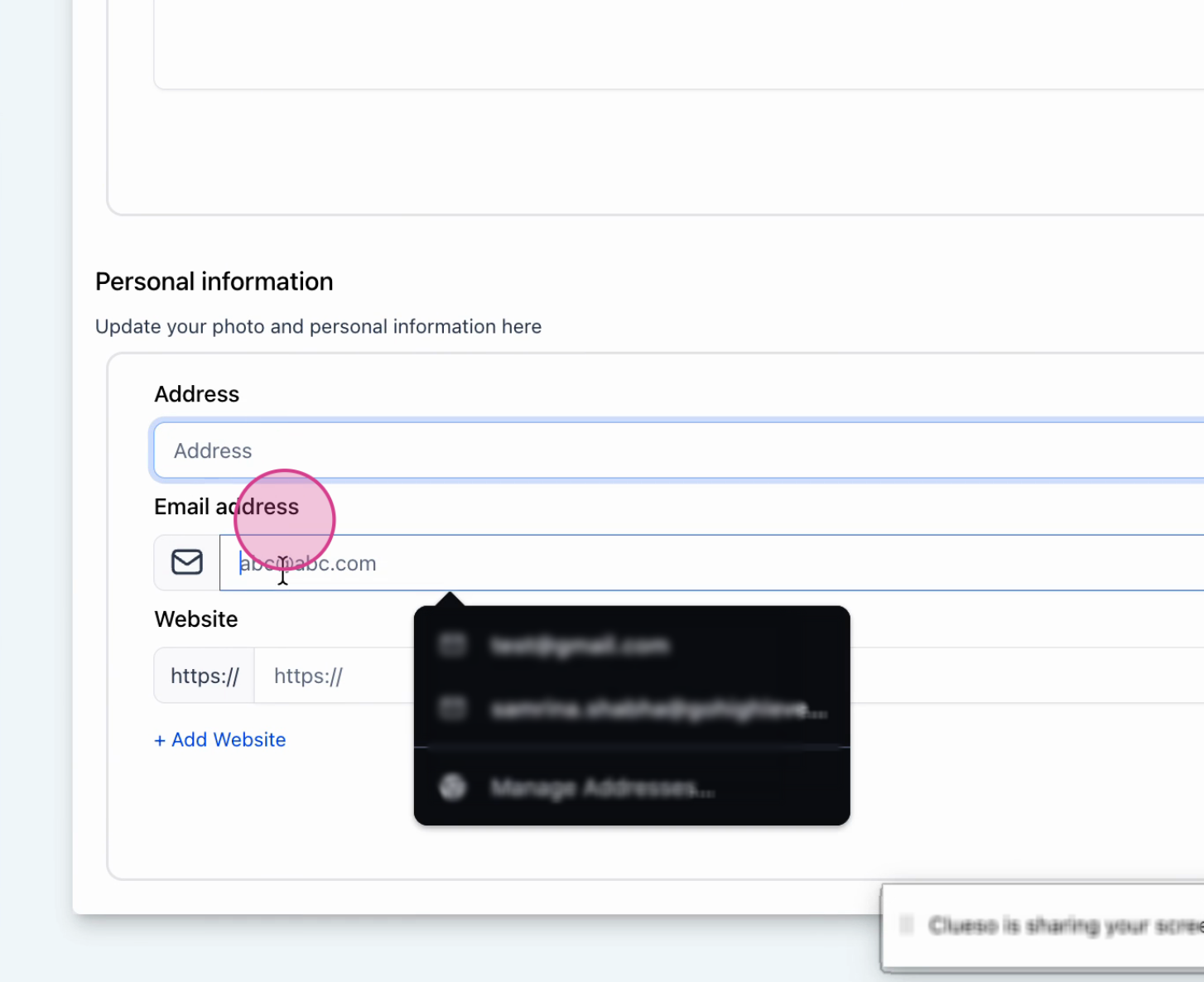
Add or update your Website URL so patients can learn more about your services.
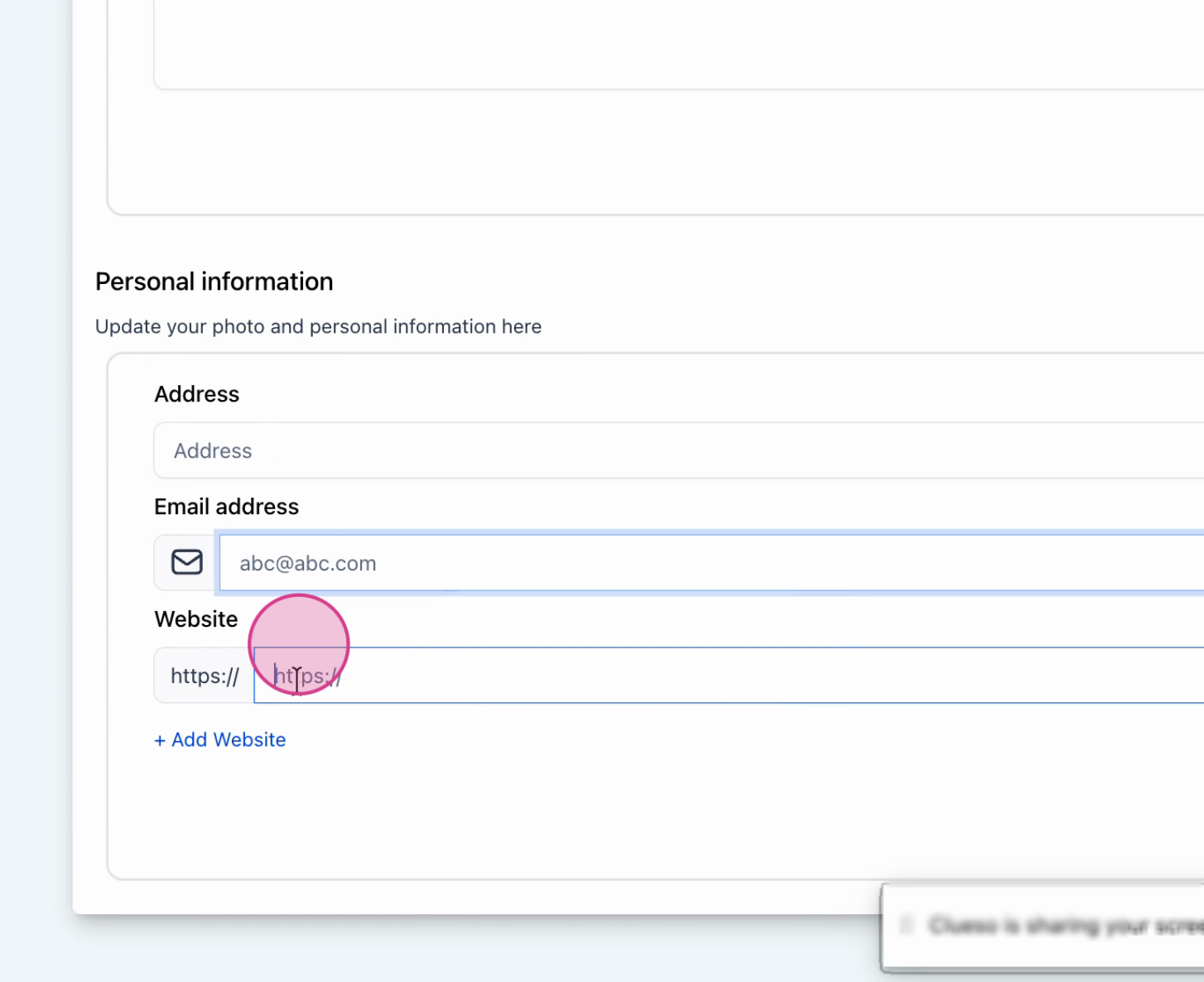
Update your Description, a brief explanation of what your practice does. This is one of the first things patients read on your profile.
Note: Check your profile regularly to make sure all details are accurate. A complete profile with a clear description, address, and contact details helps patients trust your practice and engage more confidently.
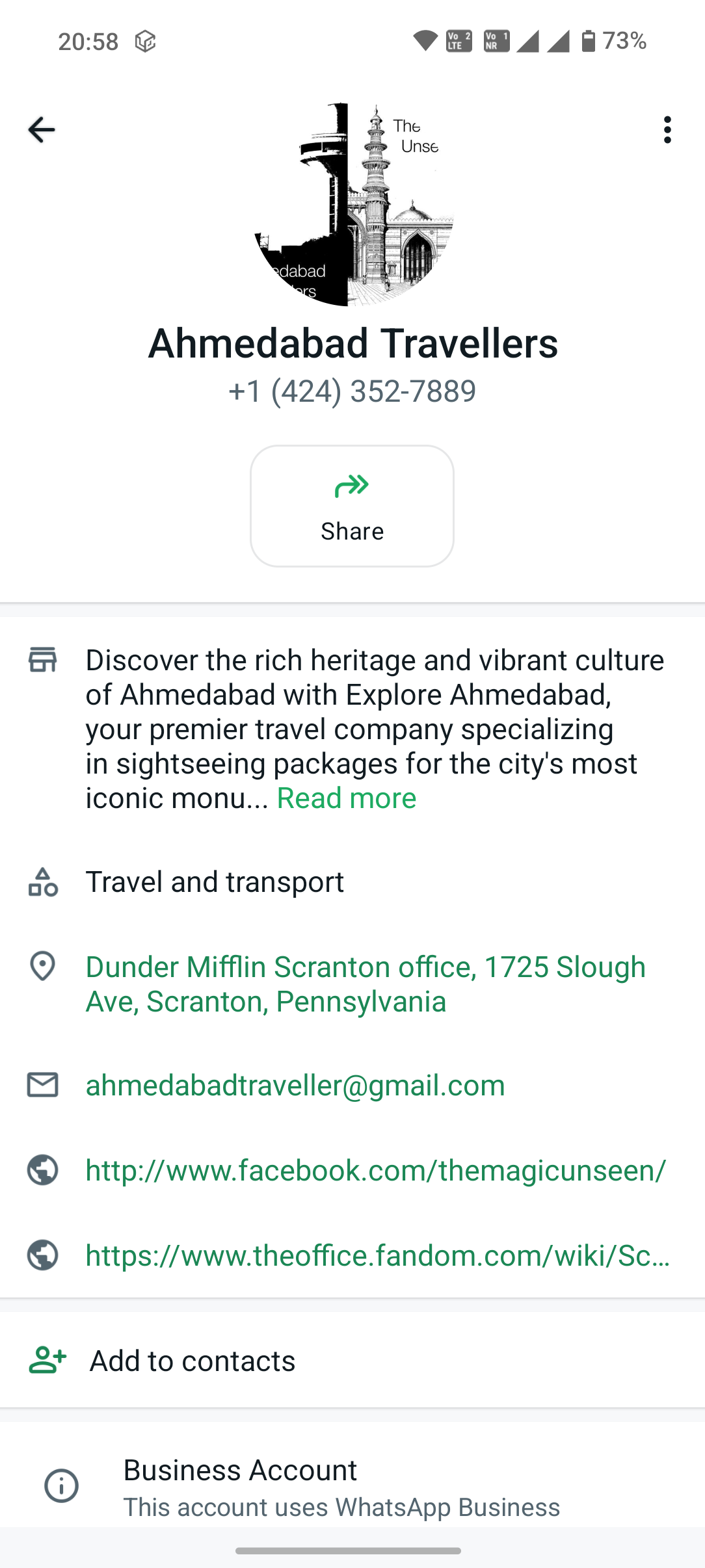
Patients can view your business profile at any time by tapping your business name or number at the top of a conversation thread in WhatsApp. This shows them your full profile, including your picture, description, category, address, website, and email.
The information you fill in is always visible and accessible, so keeping it accurate and professional matters.
What patients see:
Your profile picture
Business name
Business category
Description / About
Email address
Website URL
Physical address
Why is it important to keep my WhatsApp Business profile updated?
Your profile is the first visual and informational impression patients get of your practice. A complete and up-to-date profile builds trust, confirms your business is legitimate, and makes it easy for patients to contact you or learn more about your services.
What are the recommended dimensions and file size for the profile picture?
Meta recommends a 640x640px square image with a maximum file size of 5MB. Images smaller than 192px in either dimension may have cropping or resizing issues. JPEG and PNG formats are supported.
Will patients see my profile updates immediately?
Yes. Profile changes take effect as soon as you click Save. Any patient who views your profile after that point will see the updated information.
Do I need to update my profile in Meta Business Manager separately?
No. All profile changes made through your account are pushed directly to your WhatsApp Business Account via the Meta API. You do not need to make separate changes in Meta Business Manager.
Can I manage multiple WhatsApp numbers' profiles from the same place?
Yes. If you have multiple WhatsApp numbers connected, each number has its own profile. Go to Settings > WhatsApp > Numbers and select the relevant number to update its profile independently.
Why does my profile picture look different from what I uploaded?
WhatsApp automatically crops all profile pictures to a square before displaying them. If your image is not square, the cropping may cut off part of the image. To avoid this, always upload a 640x640px square image.
