Clean, well-organized URLs help patients understand where they are on your site, improve search visibility, and give you flexible tools for personalizing pages and tracking your marketing. Aesthetix CRM lets you build nested URL paths across your websites, funnels, e-commerce pages, and webinars, pass dynamic content through URL parameters, and resolve common indexing problems. This article covers page slugs and nested paths, URL parameters and UTMs, and how to fix URL indexing issues.
Nested URL paths let you create hierarchical URLs for your funnels, websites, and webinars using forward slashes (/) to represent your site structure. Nested paths define how your content is organized, making your URLs easier for patients to understand and better for SEO.
/resources/courses/injectables-101
/webinars/2025/summer-session
/campaigns/holiday/spring-refresh-offer
/funnels/consult-booking/step1
SEO optimization: Clean, hierarchical URLs improve site structure and search rankings by making your content easier for search engines to index and understand.
Improved patient experience: Visitors see intuitive, well-organized paths in the address bar, creating a more professional and navigable experience.
Flexible editing: Create or edit pages and steps with multiple path segments. This is ideal for structuring complex sites, service catalogs, content sections, or multi-step funnels and webinars.
Accurate sitemaps: Your sitemaps reflect the correct nested paths, enabling better indexing and discovery by search engines like Google.
Cross-module consistency: Works across funnels, websites, e-commerce, and webinars.
Understanding system limits prevents errors and keeps your URLs clean.
Certain paths are reserved for system functionality and cannot be used. Attempting to use them results in an error message.
/b/, Reserved for blog functionality
/c/, Reserved for categories
/product/, Reserved for product pages
/collections/, Reserved for collection pages
/post/, Reserved for blog posts
/category/, Reserved for category pages
/author/, Reserved for author pages
/tag/, Reserved for tag pages
/store/account, Reserved for store account functionality
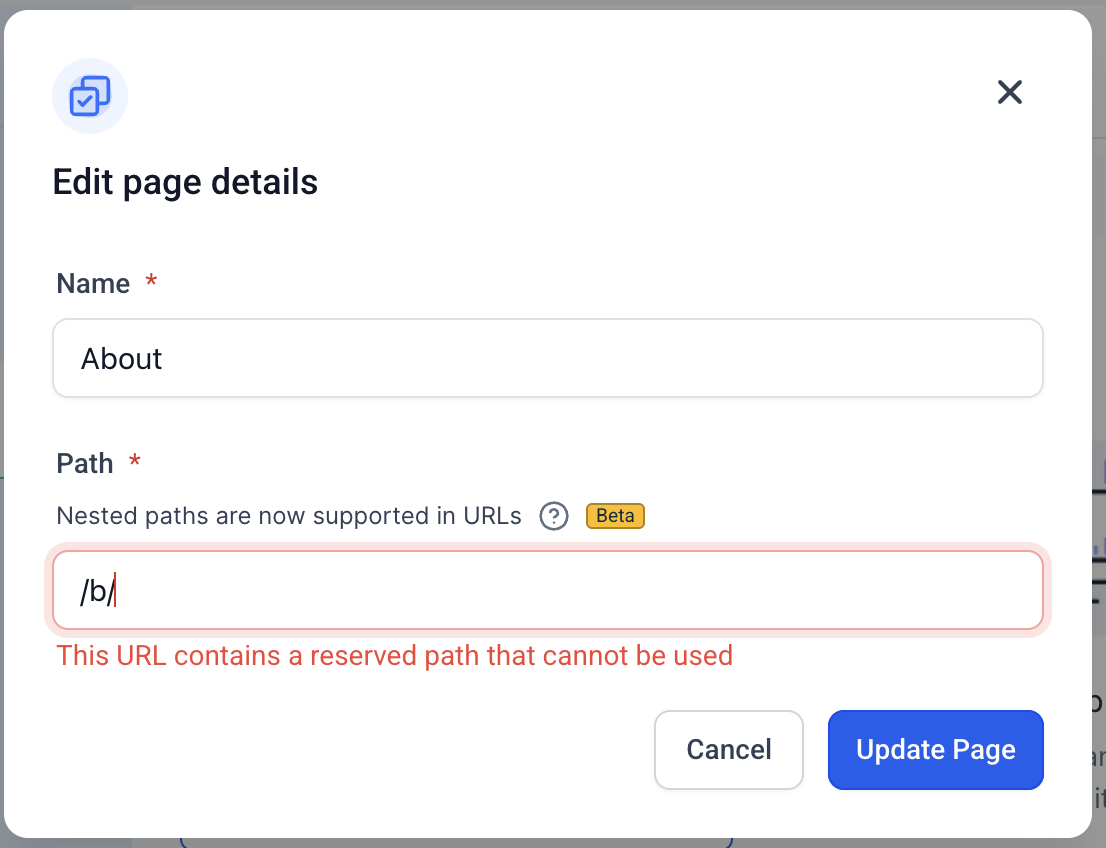
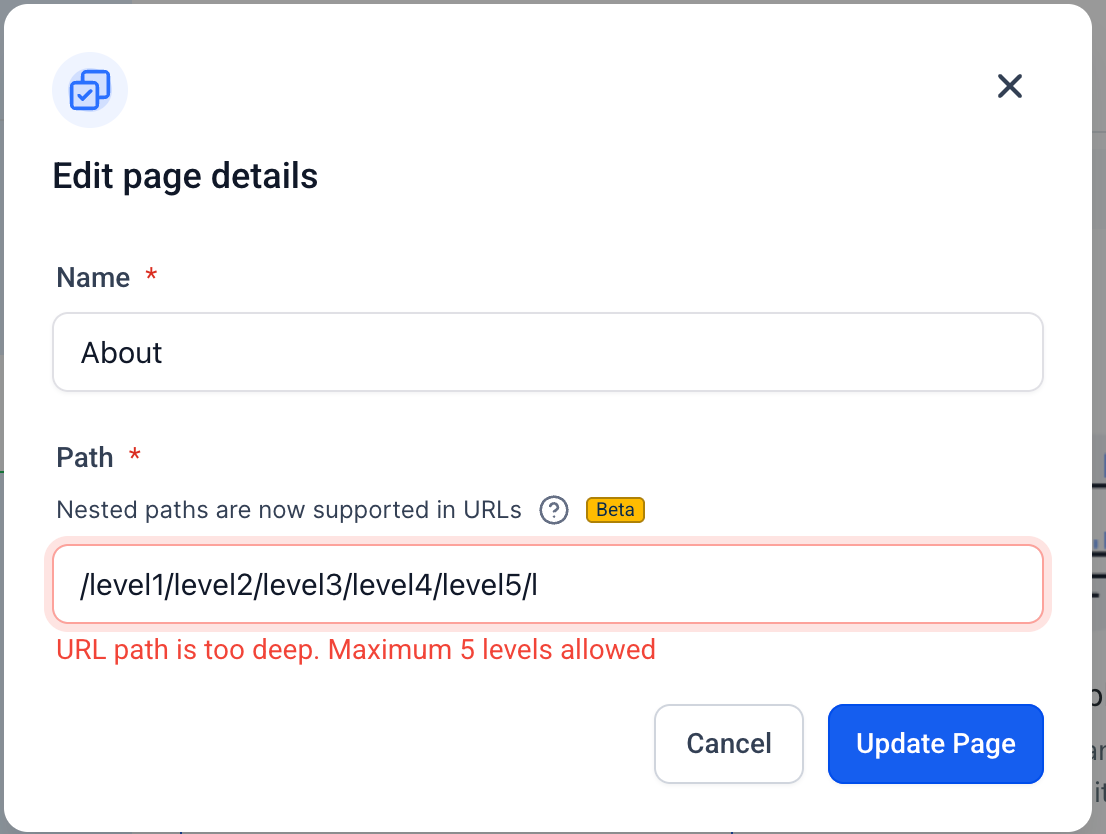
Nested URLs support up to 5 levels (e.g., /level1/level2/level3/level4/level5).
Every segment between slashes (/) counts as one level. Your main domain and any subdomain are not included in that count. If you try to exceed five levels, the builder blocks the save and shows the message: "URL path is too deep. Maximum 5 levels allowed."
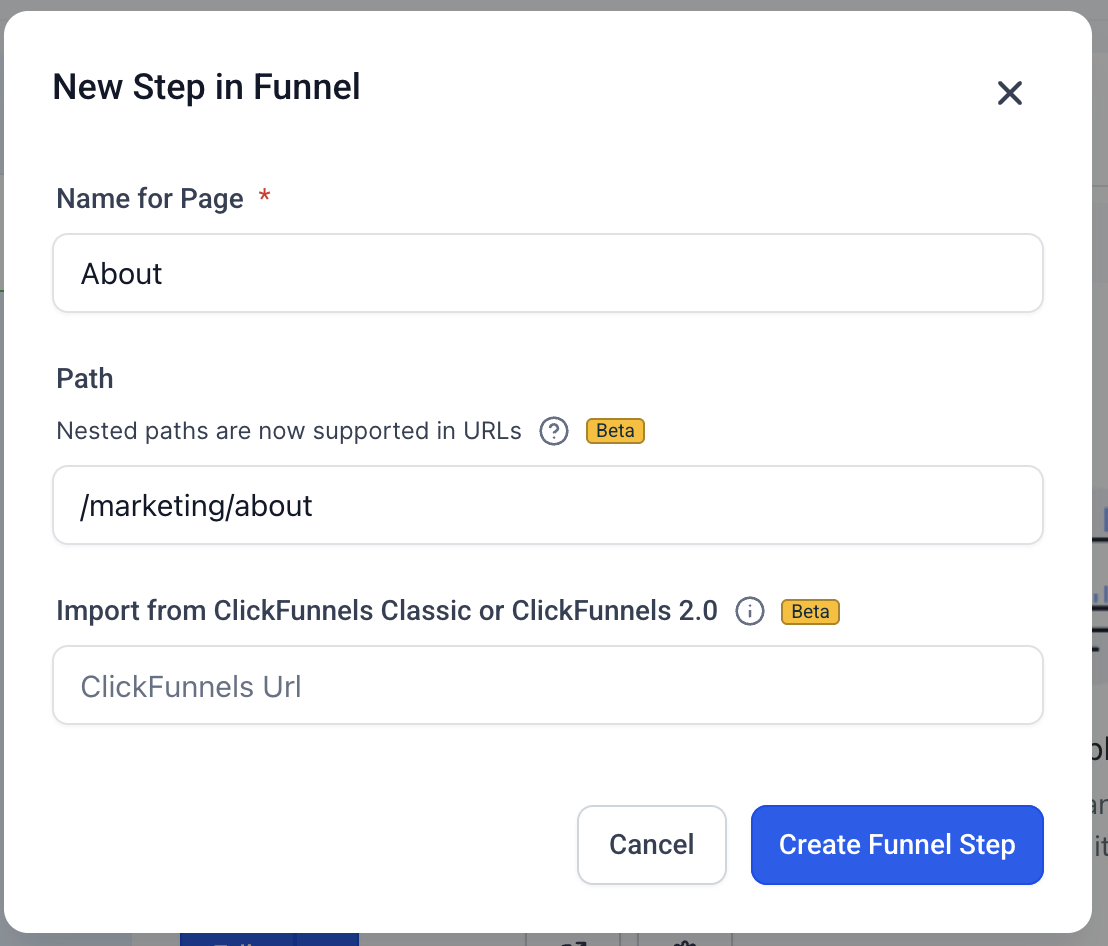
Go to any funnel, website, e-commerce, or webinar page or step.
Click Edit.
Enter your desired nested URL path, using / to create the hierarchical structure.
Avoid trailing slashes: Use clean, canonical paths without a trailing slash (e.g., /path/subpath instead of /path/subpath/).
Eliminate double slashes: Make sure there are no duplicate slashes in your paths (e.g., /path/subpath not /path//subpath).
No empty segments: Avoid leaving blank segments between slashes (e.g., use /category/item, not /category//item).
Use descriptive, meaningful paths: Clearly communicate the content and its hierarchy with readable, intuitive URLs (e.g., /blog/skincare-tips instead of /b/123).
Organize logically: Structure paths in a way that makes sense to visitors and mirrors your site's navigation or content hierarchy.
Optimize for SEO: Well-nested, keyword-rich paths can boost search rankings by signaling clear content relationships.
Note: Stick to lowercase letters, numbers, and hyphens for clean, crawl-friendly slugs. Avoid uppercase letters and spaces. Hyphens and numbers inside individual segments are fine (e.g., /blog/2025/july-updates or /course/lesson-1). You can also mix nested and flat URLs within the same site or funnel, keeping some pages at a single level (e.g., /about) and others nested (e.g., /blog/topic/10-22).
A URL is the address of a webpage, like https://yourpractice.com. Parameters are key=value pairs added to the end of the URL, like https://yourpractice.com**?key=value&key2=value2**. The address finds the webpage, and the parameters are then passed into the page for it to do something with.
Here is how URL parameters, UTM parameters, and merge fields differ:
URL parameters can be anything, like lorem=ipsum. They are often used to navigate to a part of the page or display custom content.
UTM parameters are a type of URL parameter that use industry-standard marketing keywords, like utm_source=google or utm_medium=email. These provide valuable tracking information used to optimize SEO and marketing campaigns. They are not displayed on the page.
Merge fields pull in dynamic data throughout Aesthetix CRM. The format inserted into an email or website is {{contact.email}}. These are static tags that Aesthetix CRM searches for and replaces with the most current value of that tag, so the final email or page shows the dynamic content instead of the static tag.
Merge fields and URL parameters are used the same way. In your website or funnel you use the format {{keyword}} and Aesthetix CRM finds the best match. If it matches a merge field, the data is pulled from the database. If it matches a URL parameter, the string in the URL is pulled in.
Many templates already include merge fields, like the examples below:
{{location.full_address}} is replaced by your practice's full address from the database (1234 Place St, State 56789).
{{location.phone}} is replaced by your practice's phone number from the database (987-654-3210).
{{location.name}} is replaced by your practice's business name from the database (Radiance Med Spa).
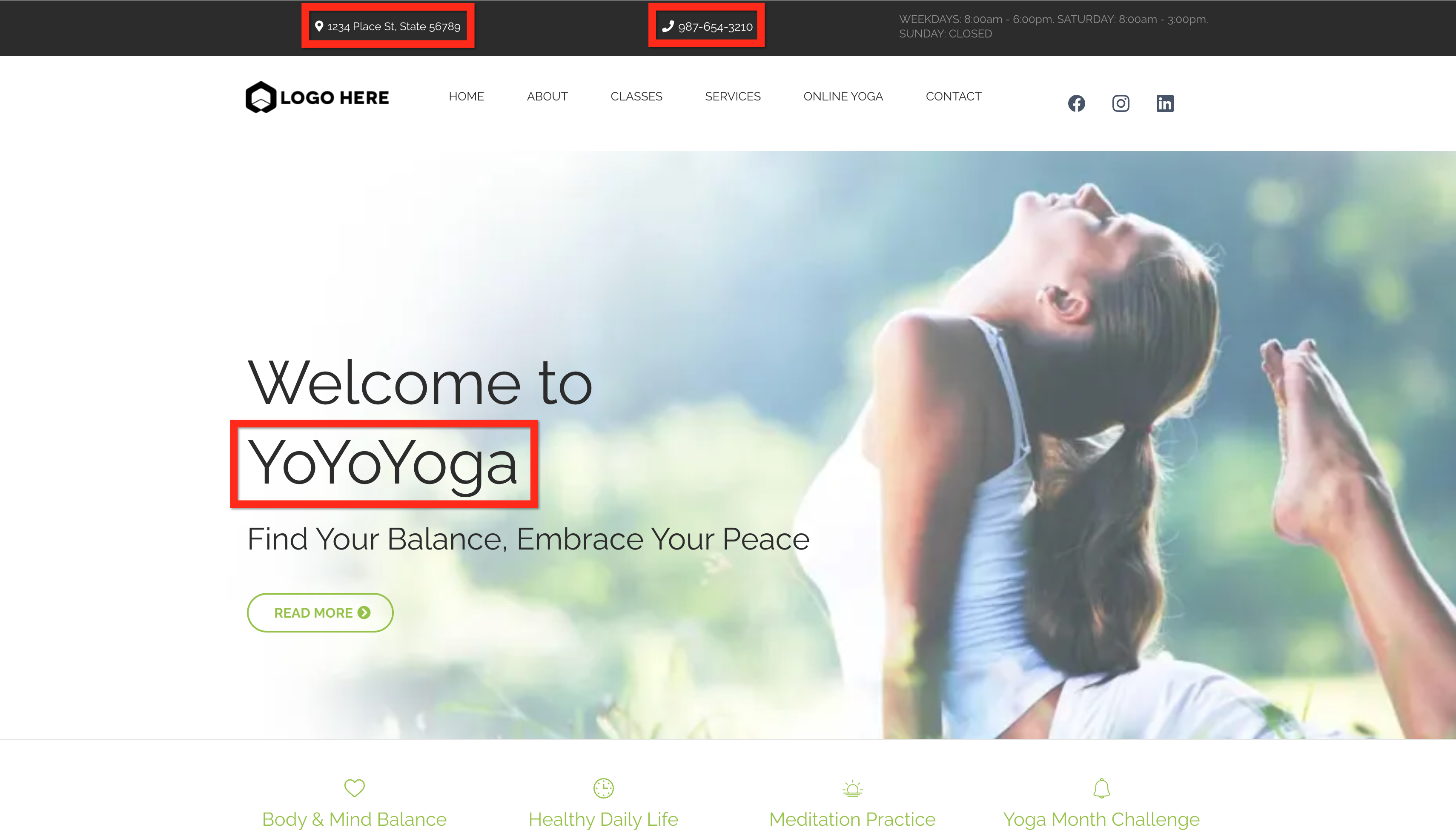
You can manually create URL parameters and use them the same way merge fields are used. It's easy to test URL parameters by loading the page preview and inserting them into the URL manually.
You can also insert and configure a URL parameter directly from the Custom Value Picker in the page builder, without typing the {{keyword}} syntax by hand. From the Custom Value Picker, a URL parameter supports:
Once inserted, a URL parameter appears as a visual token in the page editor instead of the raw {{keyword}} syntax. Select the token at any time to update its default value or formatting.
A default value that displays when the parameter is missing or empty from the URL, so the page never shows a blank space where the value should be.
Text formatting, so the incoming value can display as UPPERCASE, lowercase, Title Case, or Sentence case.
Cleaner display: hyphens and underscores in the incoming value are automatically converted to spaces (so a value like mary-jane displays as "Mary Jane" instead of "mary-jane").
Broader placement: beyond headlines and body text, URL parameters are supported in additional text areas of the page, including button text and sub-text.
Full builder and placement coverage: URL parameters work across funnels, websites, stores, and webinars, and can be inserted into headings, paragraphs, rich text, bullet lists, FAQs, and popups, in addition to button text and sub-text.
Case-insensitive matching: a parameter name is matched regardless of capitalization, so ?City= and ?city= both match the same configured parameter.
Independent settings per placement: if you insert the same parameter in more than one place on a page, each placement keeps its own default value and text formatting.
Reusable defaults: the default value can be typed fallback text or an existing Custom Value, so you can reuse a value already defined elsewhere in your account.
Safe rendering: incoming parameter values are sanitized before they display on the page, so a visitor can't inject markup through the URL.
In this example, we changed "Welcome to {{location.name}}" to "Hi {{first_name}}, Welcome to {{location.name}}".
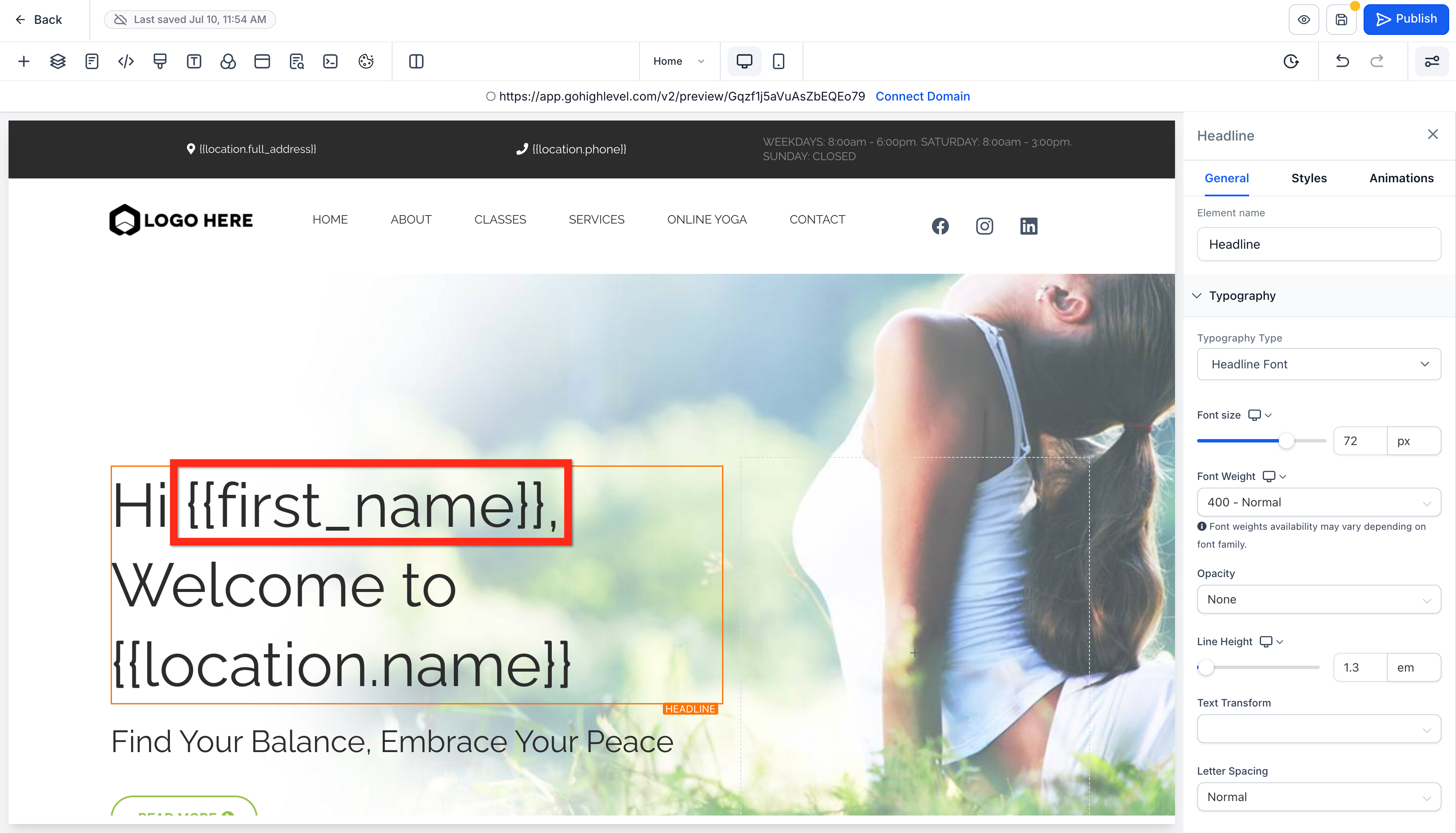
When we load the page preview (make sure to save the page first), we see the "Hi ," part but no name. That's because we haven't inserted the URL parameter into the URL yet.
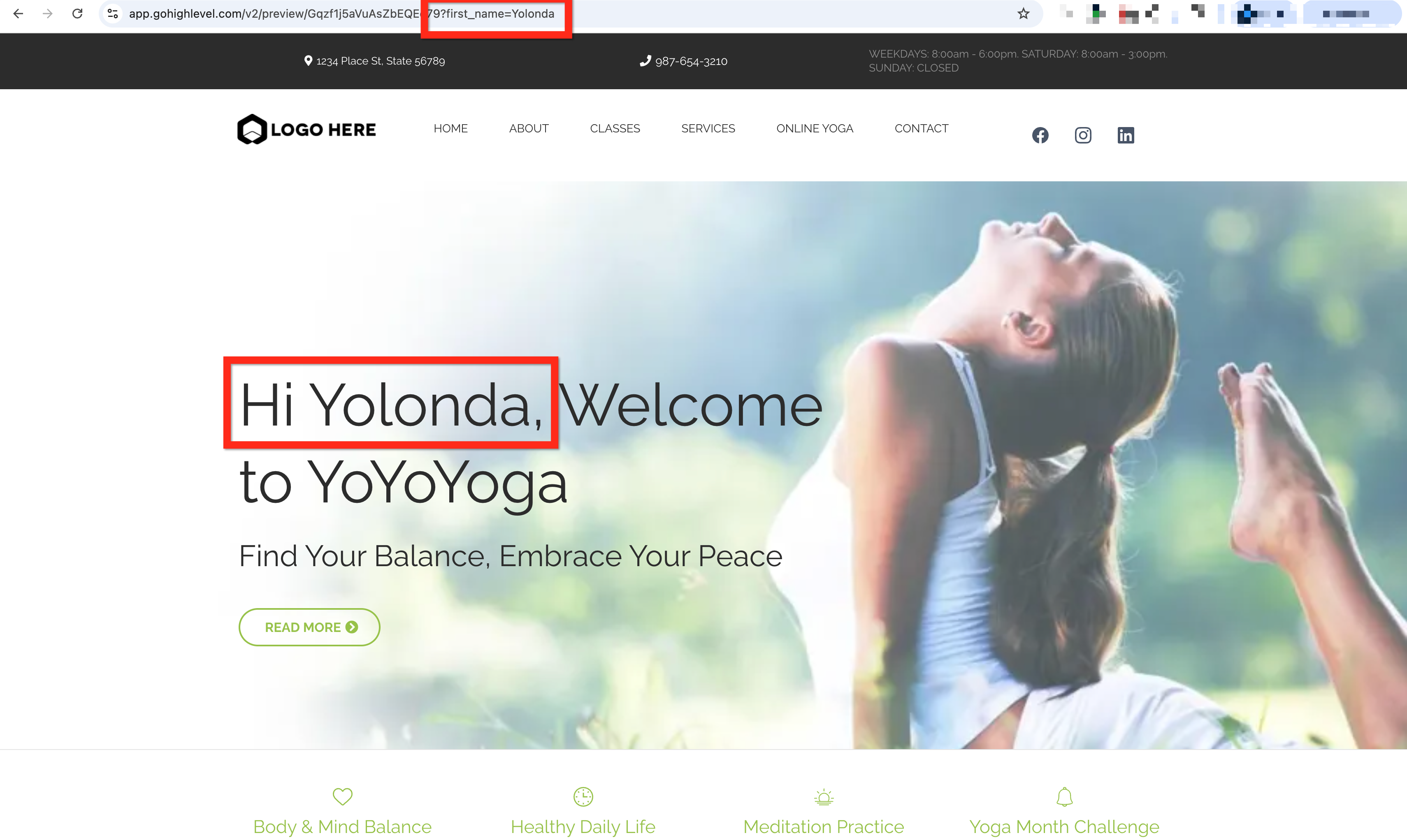
After we manually edit the URL in the address bar by adding "?first_name=Yolonda" and pressing Enter, the page picks up that parameter and displays it.
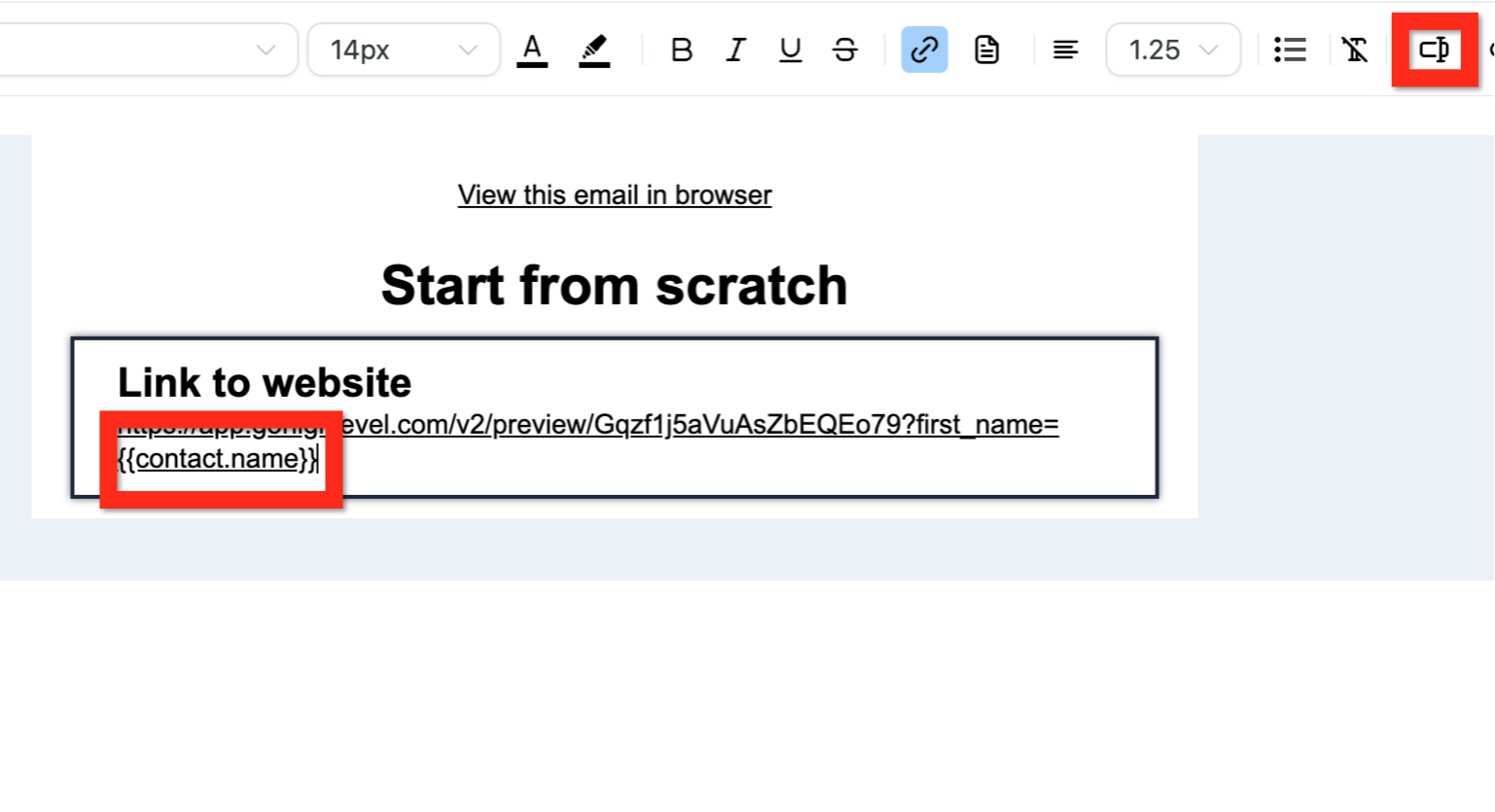
After your page has URL parameters in it, make sure to include those parameters in the links pointing to the page. For example, in an email you can include the same URL you just edited manually, and it will work the same way.
However, you don't want to hard-code a value that is supposed to be dynamic. In the URL you can insert a merge field so each contact's name is merged into the URL when the email is created.
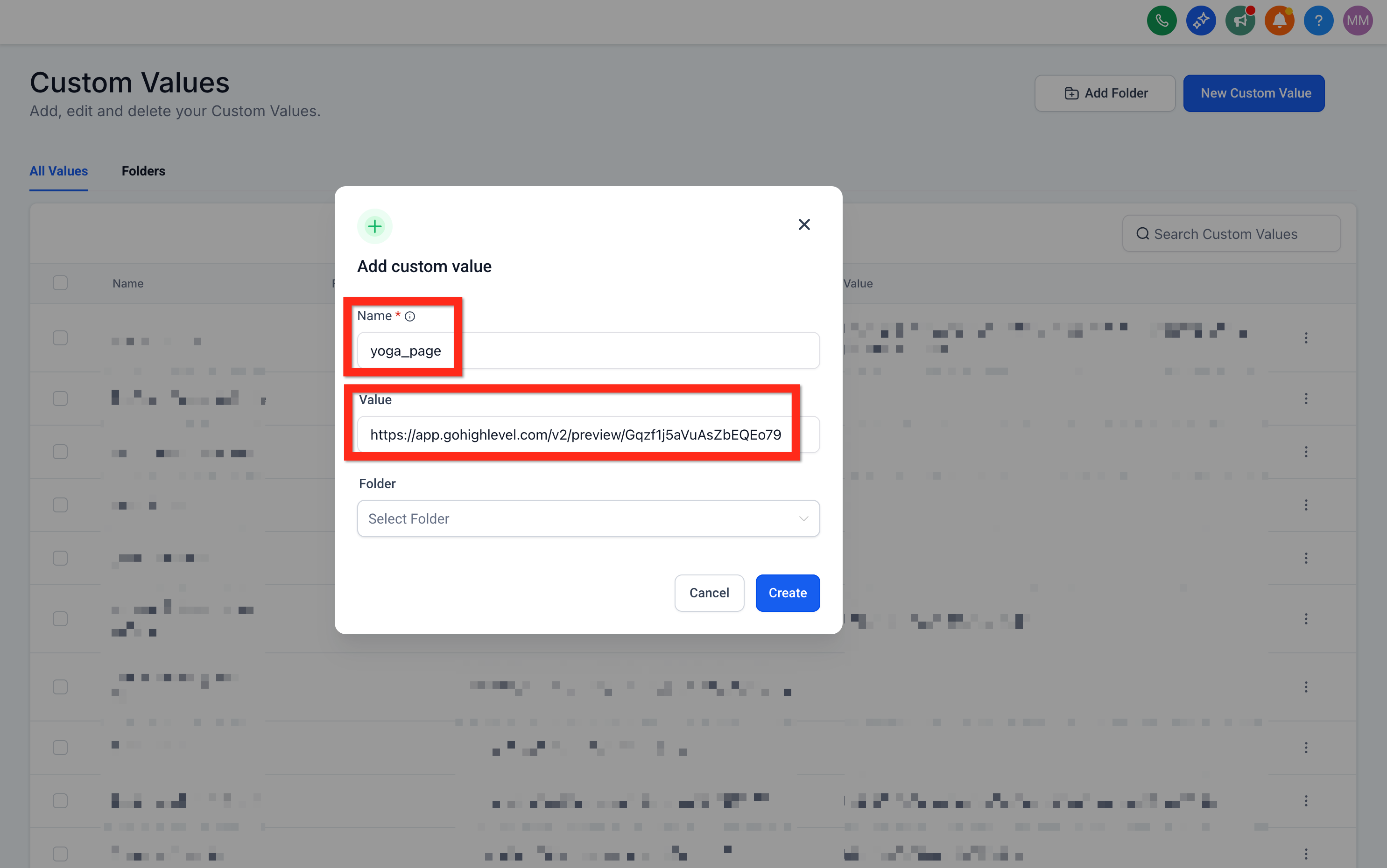
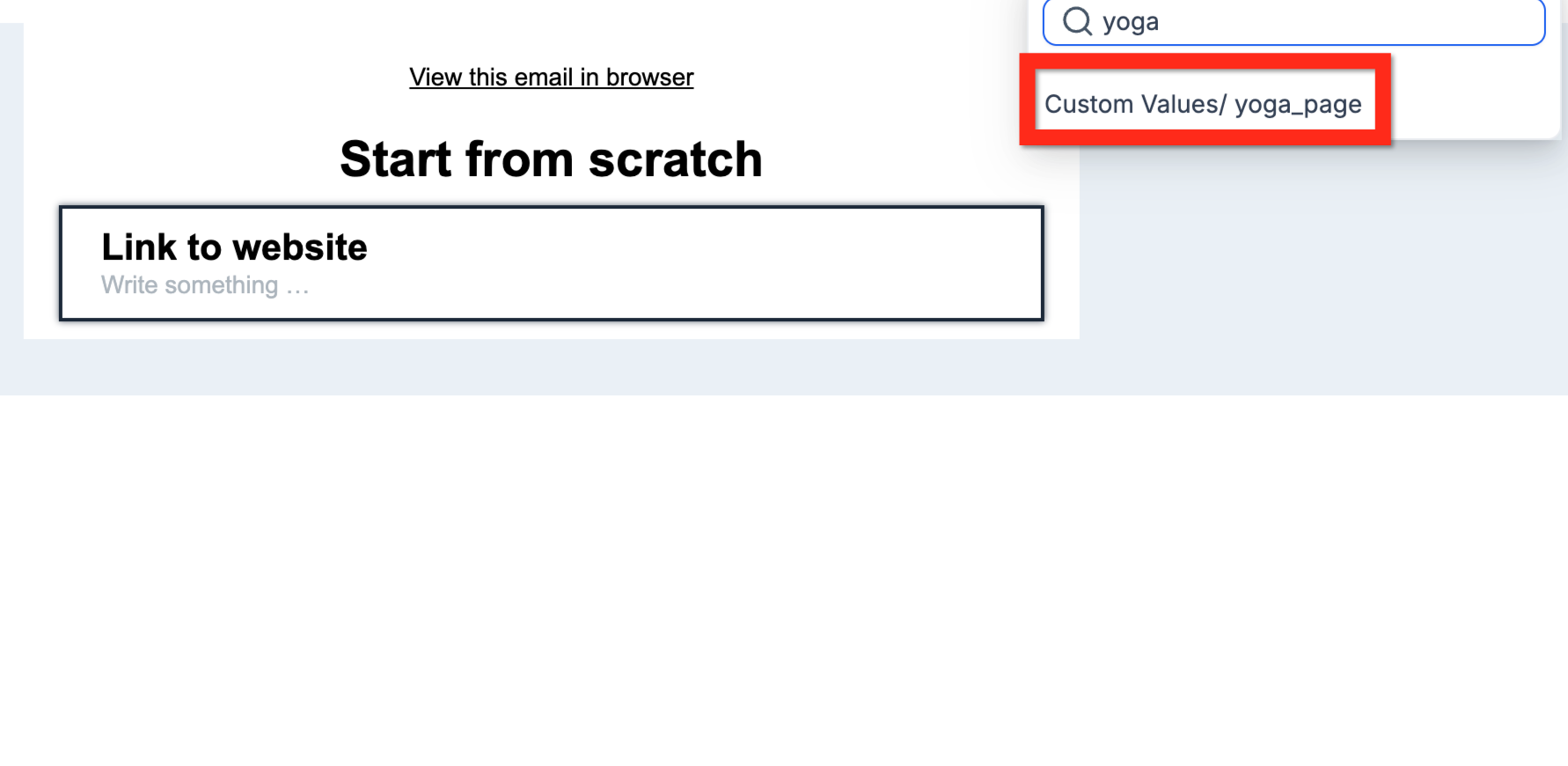
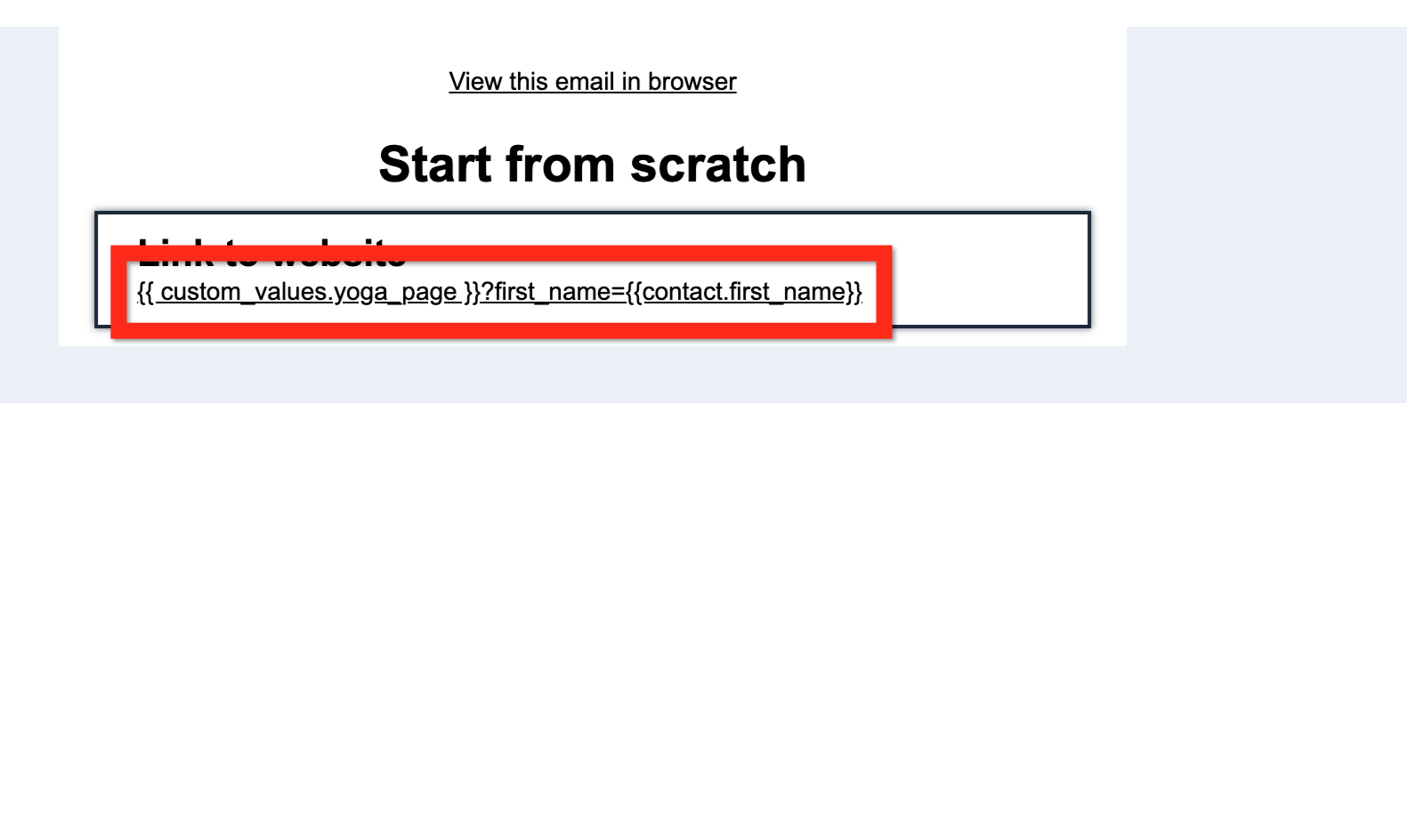
If you want to reuse this same pattern in several different places, you can make the URL itself dynamic by putting it into a custom value and then pulling that custom value into the email (or wherever you need it).
When you nest dynamic content, the details vary depending on where you put each piece of information:
If you put https://yourpractice.com/consult-page into a custom value like "consult_page," then build the URL in the email editor like this: {{ custom_values.consult_page }}?first_name={{contact.first_name}}.
If you put the entire URL with the parameter and merge field into the custom value, like https://yourpractice.com/consult-page?first_name={{contact.first_name}}, then you don't need to build the URL, just insert the name of that merge field, like {{consult_page_with_params}}.
URL indexing issues can happen when search engines discover duplicate or unexpected URL variations for the same funnel page. This may include random numbers being added to funnel URLs, Google indexing a non-preferred URL, or duplicate paths appearing in Google Search Console. This section explains how to clean up funnel URLs, choose unique page paths, use canonical tags, and apply redirects when needed.
URL indexing is the process search engines use to discover, crawl, and store funnel page URLs so they can appear in search results. Clean and consistent funnel URLs help search engines understand which page should be treated as the preferred version. In Aesthetix CRM, funnels can include a funnel-level URL and individual step URLs, so it's important to keep paths unique and organized.
URL indexing issues may appear when:
A funnel URL has random numbers added to the end.
Google indexes a URL variation instead of the preferred URL.
Multiple versions of the same funnel page are accessible.
A funnel path conflicts with another page or funnel step.
A redirect or canonical tag is missing or configured incorrectly.
Clean funnel URLs make it easier for visitors and search engines to understand where each page belongs. Resolving URL conflicts also helps prevent duplicate content signals and keeps reporting in tools like Google Search Console easier to review.
Cleaner URLs: Remove unnecessary random numbers from funnel URLs when the page path can be made unique.
Improved SEO clarity: Help search engines identify the preferred version of a funnel page.
Better tracking accuracy: Reduce confusion when reviewing funnel URLs in Google Search Console or analytics tools.
Stronger visitor experience: Keep shared links clean, readable, and easier to recognize.
Reduced duplicate URL conflicts: Prevent multiple pages or funnel steps from competing for the same path.
Random numbers are usually added to a funnel URL when the page path is already being used by another page or funnel step on the same domain. Aesthetix CRM automatically adds a unique number string to help prevent duplicate URL conflicts.
How to Fix It
Go to Web Tools → Websites and open Funnels.
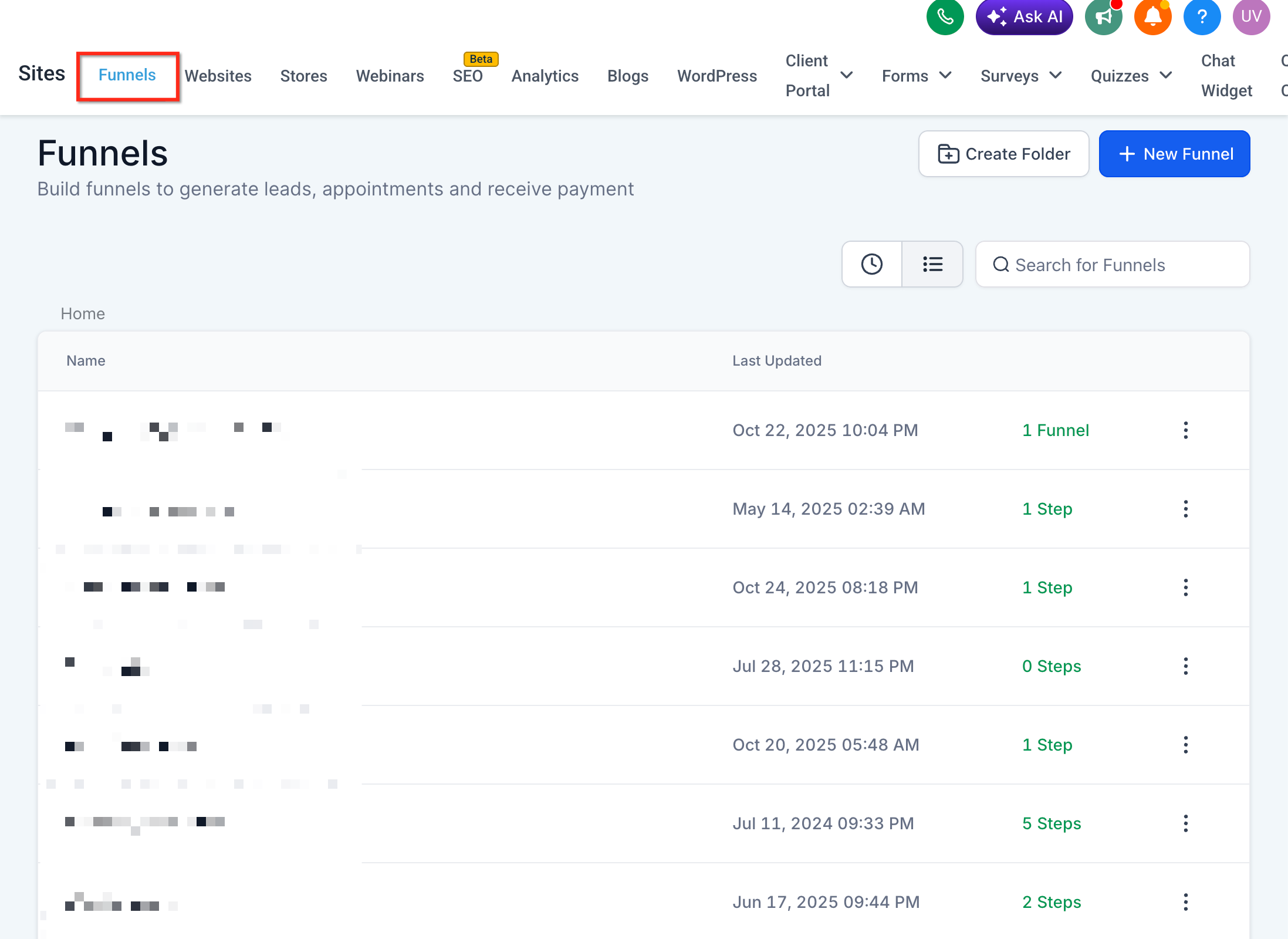
Select the affected funnel.
Select the funnel step where the random numbers are appearing.
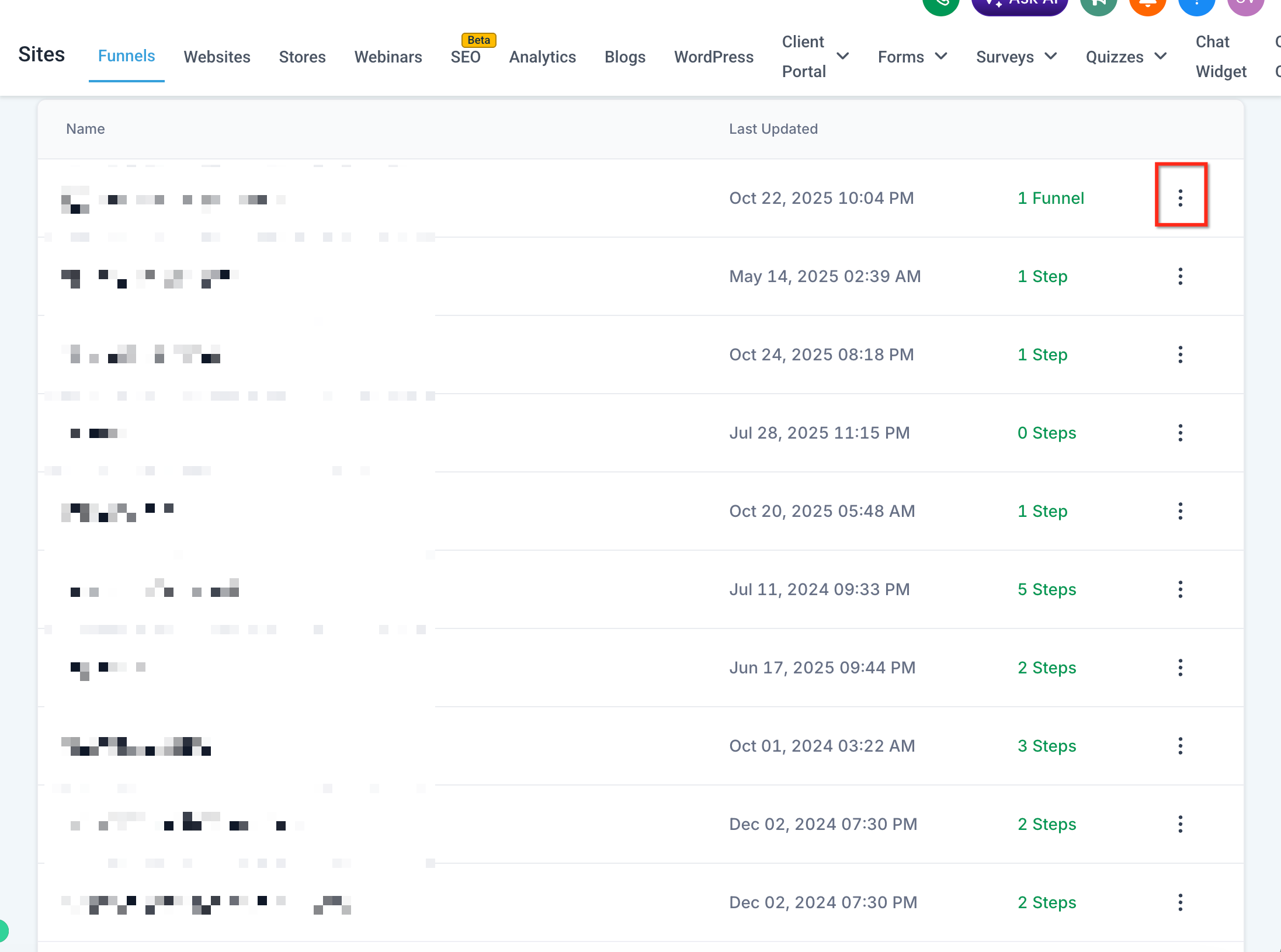
Open the funnel step settings.
Locate the Path field.
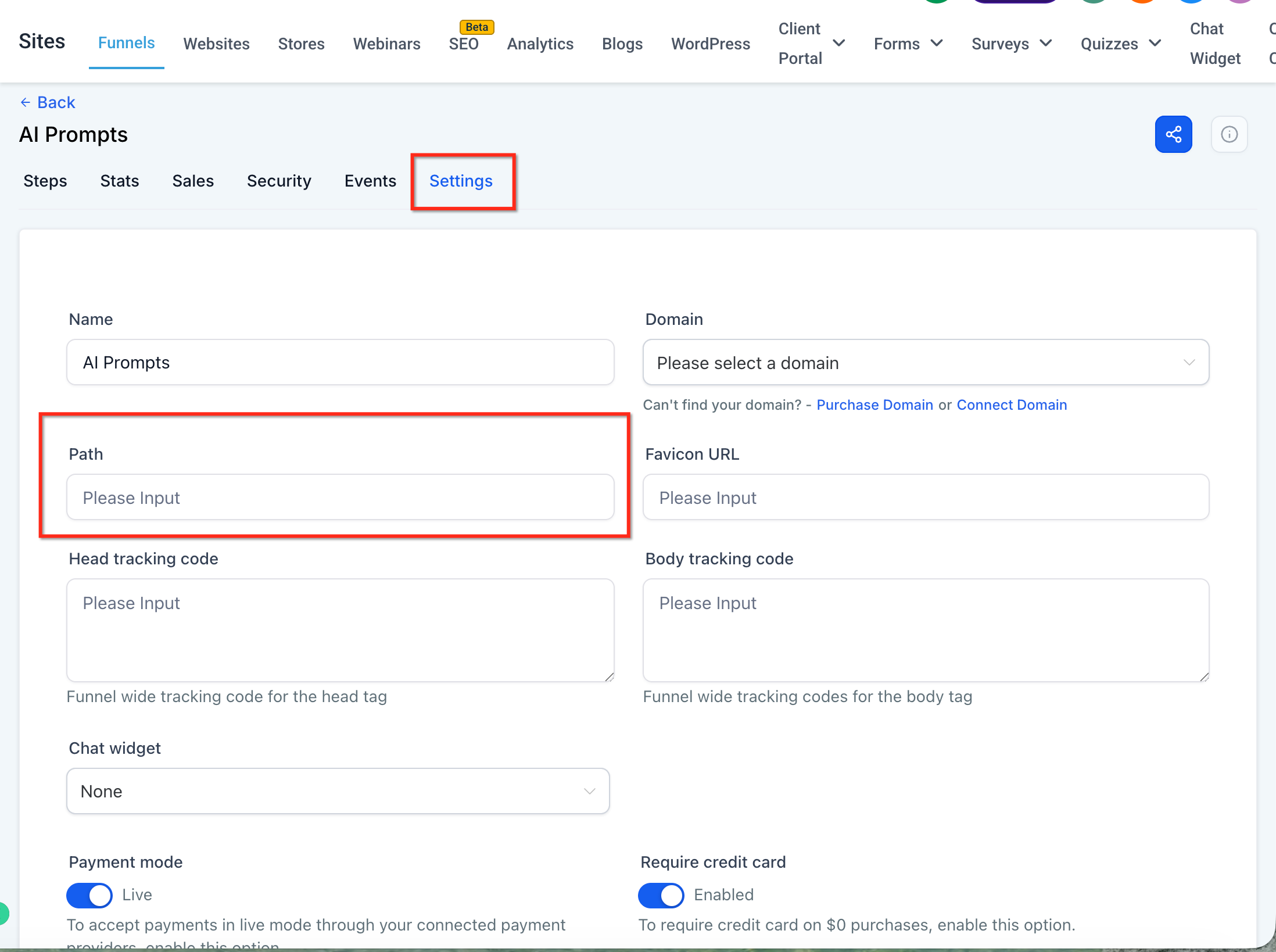
Enter a unique path that is not already being used on the same domain.
Save your changes.
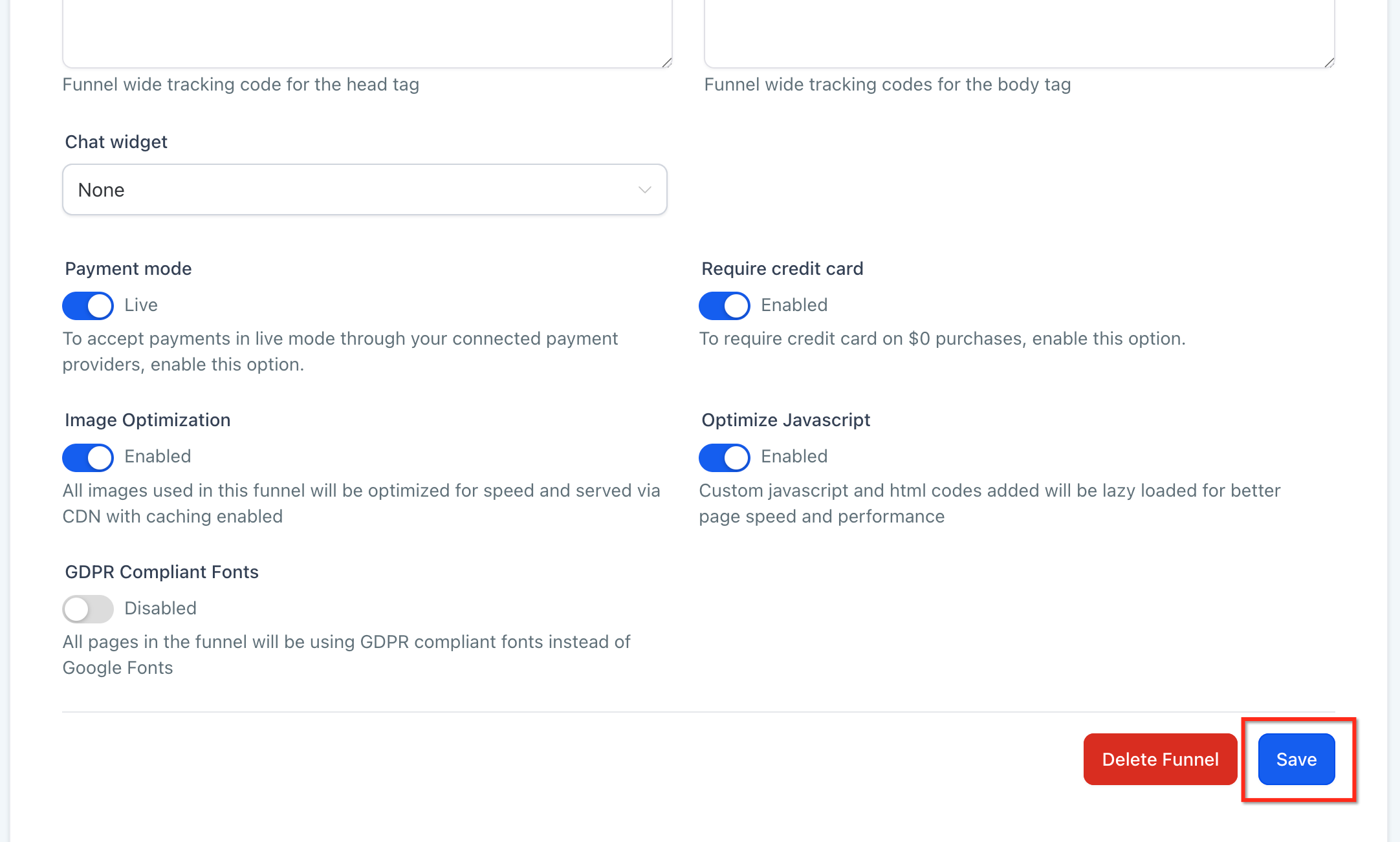
Once the path is updated, the random numbers should no longer appear at the end of the funnel URL.
Note: Each page path should be unique on the same domain. If two funnel steps, website pages, or other published pages use the same path, Aesthetix CRM may adjust the URL to prevent a conflict.
Funnels can have multiple URL levels, and each level affects how visitors and search engines access the funnel. Understanding the difference helps prevent path conflicts and makes it easier to troubleshoot indexing issues.
A funnel may include:
Funnel URL: The main URL assigned to the funnel. This usually loads the first step in the funnel.
Step URL: The URL assigned to an individual funnel step or page.
Nested Path: A deeper URL path used to organize pages, funnels, e-commerce pages, or webinars.
Funnel URLs and step URLs are separate path levels, which is why changing one path may not automatically update every URL in the funnel.
Canonical tags tell search engines which URL should be treated as the preferred version when duplicate or similar URLs exist. They do not redirect visitors or change the URL shown in the browser.
Use a canonical tag when multiple URL versions remain accessible but one should be treated as the main version for search engines.
Example Canonical Tag:

<link rel="canonical" href="https://www.example.com/preferred-page-url" />
How to Add a Canonical Tag
Go to Web Tools → Websites and open Funnels.
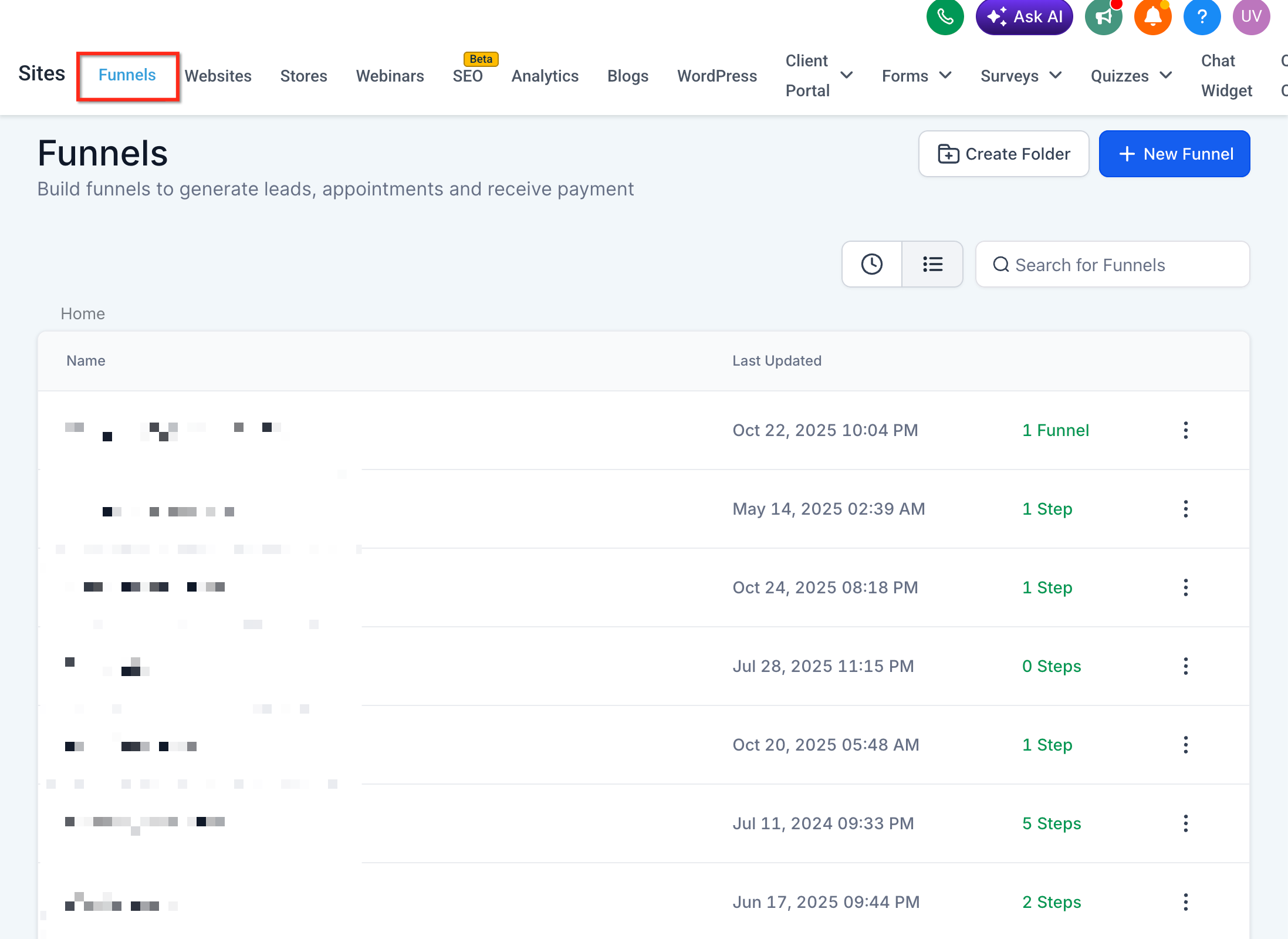
Select the affected funnel.
Click Edit and navigate to the SEO settings.
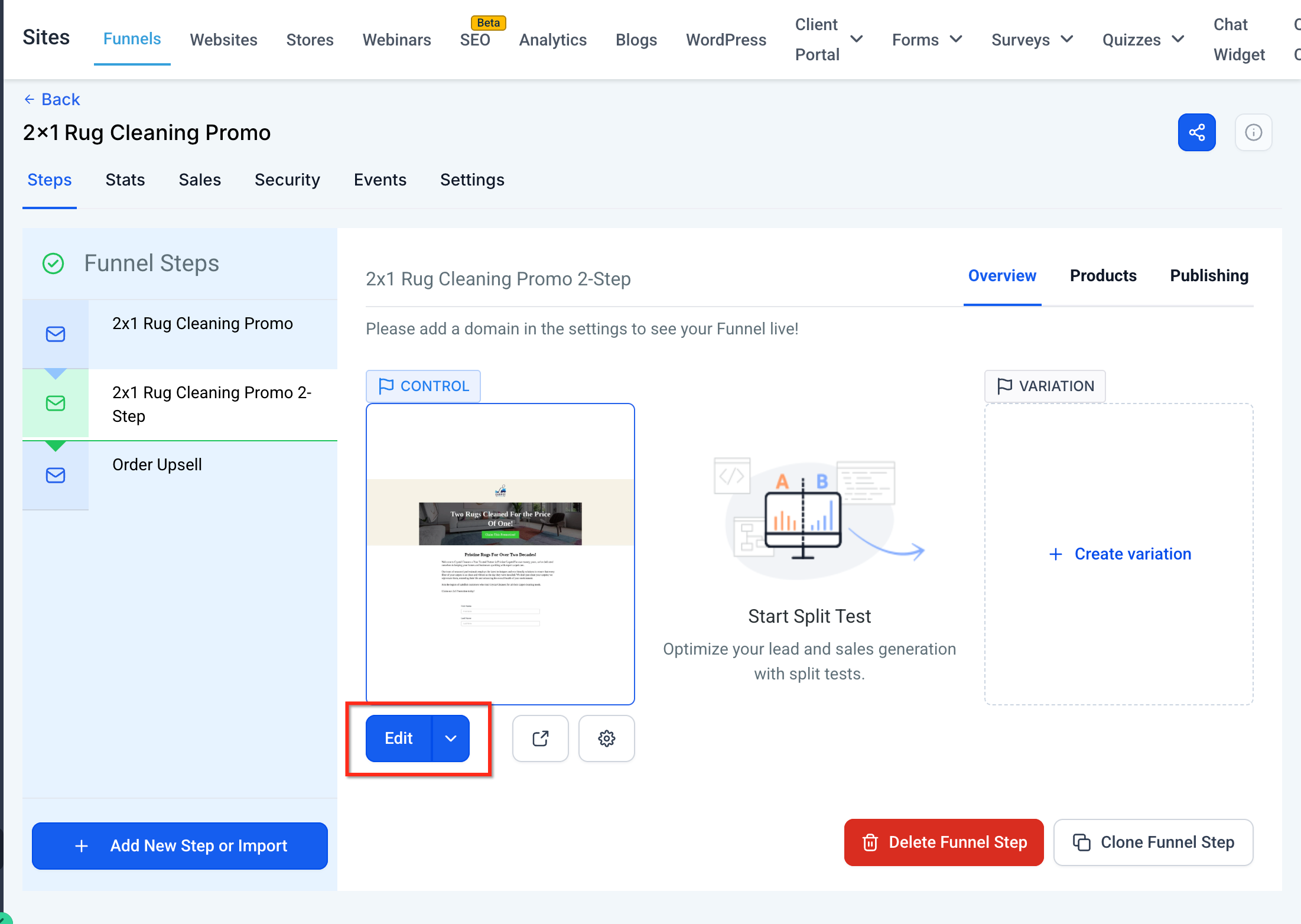
Open SEO Meta Data.
Locate the custom meta tags area.

Add the canonical tag using the preferred funnel page URL.
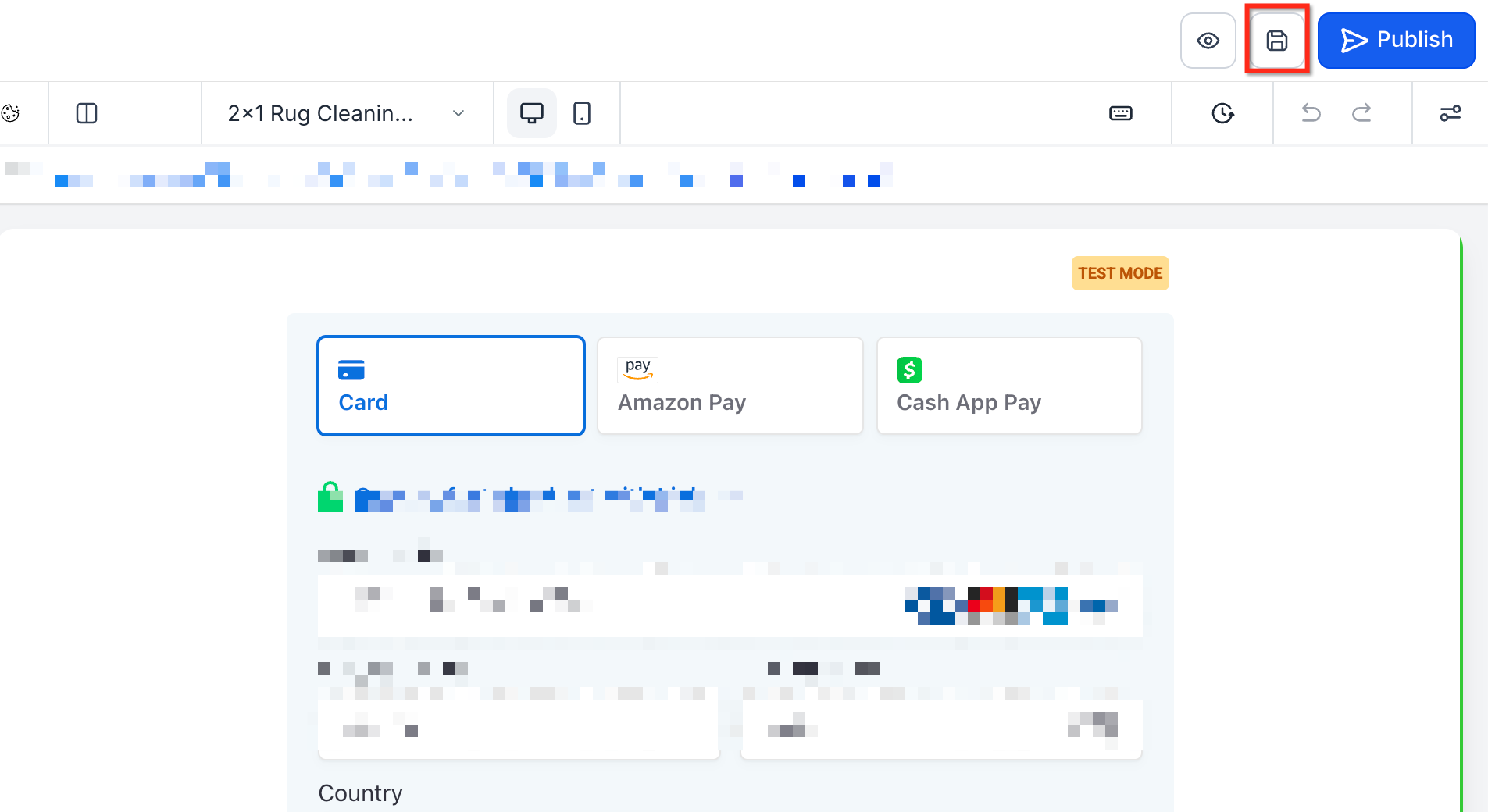
Save your changes.
Custom meta tags can be added to funnels and websites through the SEO metadata / custom meta tag area.
A 301 redirect sends visitors and search engines from an old URL to a new URL. This is useful when a funnel URL has changed and the old URL should no longer be used.
Use a 301 redirect when:
The old URL should automatically send visitors to the new URL.
A funnel page path has changed.
Existing links, ads, or shared URLs still point to the old path.
You want to avoid visitors landing on an outdated or unavailable page.
URL redirects are available under Settings → Domains & URL Redirects.
Note: Use a canonical tag when multiple URLs are still accessible but search engines should treat one as preferred. Use a 301 redirect when visitors should automatically be sent from the old URL to the new URL.
Google Search Console helps confirm which URL Google has discovered, crawled, and selected for indexing. After changing a funnel path, adding a canonical tag, or creating a redirect, Google may need time to recrawl the page and update search results.
Recommended steps:
Open Google Search Console.
Use the URL Inspection Tool.
Enter the preferred funnel URL.
Review the indexed URL and canonical URL information.
Request indexing for the preferred URL, if needed.
Aesthetix CRM can help configure funnel URLs, redirects, and custom tags, but Google controls when pages are crawled and updated in search results.
Noindex tags tell search engines not to index a page. These tags should only be used when you intentionally want a funnel or website page to stay out of search results.
Do not add a noindex tag while troubleshooting a funnel URL that should appear in search results. Disabling search engine indexing with a custom tag is a separate use case from fixing URL indexing issues.
Example Noindex Tag:

<meta name="robots" content="noindex">

Only use this when the page should not appear in search results.Q: I used to see my slash converted to a hyphen. Why isn't that happening now?
Previously, entering a slash automatically converted it to a hyphen to create a flat path. With nested URLs, slashes are preserved so you can maintain a true folder hierarchy.
Q: Will changing a live URL break existing links?
Yes. Set up a 301 redirect from the old address to preserve SEO equity and avoid 404s. Existing links that use the old path may stop working unless a redirect is created, add a 301 redirect if the old URL is already used in ads, emails, social posts, or other shared links.
Q: Can I use uppercase letters or spaces?
Stick to lowercase letters, numbers, and hyphens for clean, crawl-friendly slugs.
Q: Can I include hyphens or numbers inside individual segments?
Yes. Paths like /blog/2025/july-updates or /course/lesson-1 are valid.
Q: Can I mix nested and flat URLs within the same site or funnel?
Yes. You can keep some pages at a single level (e.g., /about) and others nested (e.g., /blog/topic/10-22) within the same website or funnel.
Q: Can I set a fallback value for a URL parameter in case it's missing from the URL?
Yes. When you insert a URL parameter through the Custom Value Picker, you can set a default value that displays whenever the parameter is missing or empty, so the page never shows a blank space.
Q: Can I control how a URL parameter's value is displayed on the page?
Yes. The Custom Value Picker lets you format the incoming value as UPPERCASE, lowercase, Title Case, or Sentence case, and it automatically converts hyphens and underscores in the value to spaces for a cleaner display.
Q: Why are random numbers appearing at the end of my funnel URL?
This usually means the path is already being used by another page or funnel step on the same domain. Aesthetix CRM adds a unique number string to prevent duplicate URL conflicts.
Q: Can Aesthetix CRM force Google to index a specific URL?
No. Aesthetix CRM can help you configure paths, redirects, and canonical tags, but Google controls crawling and indexing.
Q: How long does it take Google to update an indexed URL?
Timing varies. After making updates, use Google Search Console's URL Inspection Tool to request indexing for the preferred URL.
Q: Should I use a canonical tag or a redirect?
Use a canonical tag when multiple URLs remain accessible but one should be preferred by search engines. Use a 301 redirect when visitors should automatically be sent from an old URL to a new URL.
Q: Do www and non-www versions matter?
Yes. Search engines may treat www.example.com/page and example.com/page as separate URL versions. Use consistent domain formatting, and canonical tags or redirects when needed.
Q: Should I add a noindex tag to fix duplicate URLs?
No, not unless you want the page removed from search results. For duplicate URL issues, use a unique path, canonical tag, or redirect depending on the situation.
Q: Are URL parameter names case-sensitive?
No. Matching is case-insensitive, so ?City=Austin and ?city=Austin match the same configured parameter.
Q: Can I use the same URL parameter in more than one place on a page?
Yes. The same parameter can be inserted into multiple supported elements, and each placement can use its own default value and text formatting.
Q: Can I use an existing Custom Value as a URL parameter's default value?
Yes. When configuring a URL parameter, you can enter fallback text or point to an existing Custom Value as the default.
Q: Is the value passed through a URL parameter sanitized before it's shown on the page?
Yes. Incoming parameter values are sanitized before rendering, so a visitor can't inject markup through the URL.
