Webinar funnels let your practice host educational sessions that generate leads, build trust, and convert interested patients into booked consultations. Whether you run a live event on a new injectable or offer an evergreen recording explaining a procedure, Aesthetix CRM lets you create and manage both On-Demand and Live webinars from a single, integrated platform, complete with registration pages, confirmation pages, and automated reminders.
On-Demand Webinars: Pre-recorded content patients can watch anytime, perfect for evergreen education and lead generation.
Live Webinars: Host real-time sessions with a scheduled date and time and interact with attendees as they join.
Template Selection: Pre-built registration, confirmation, and broadcast pages so you can launch faster.
Automated Workflows & Reminders: Pre-configured automation recipes send email and SMS reminders and follow-ups, reducing manual work.
Log in to your Aesthetix CRM account.
Navigate to Marketing → Landing Page Builder in the left sidebar.
Click Webinars.
Select New Webinar Funnel.
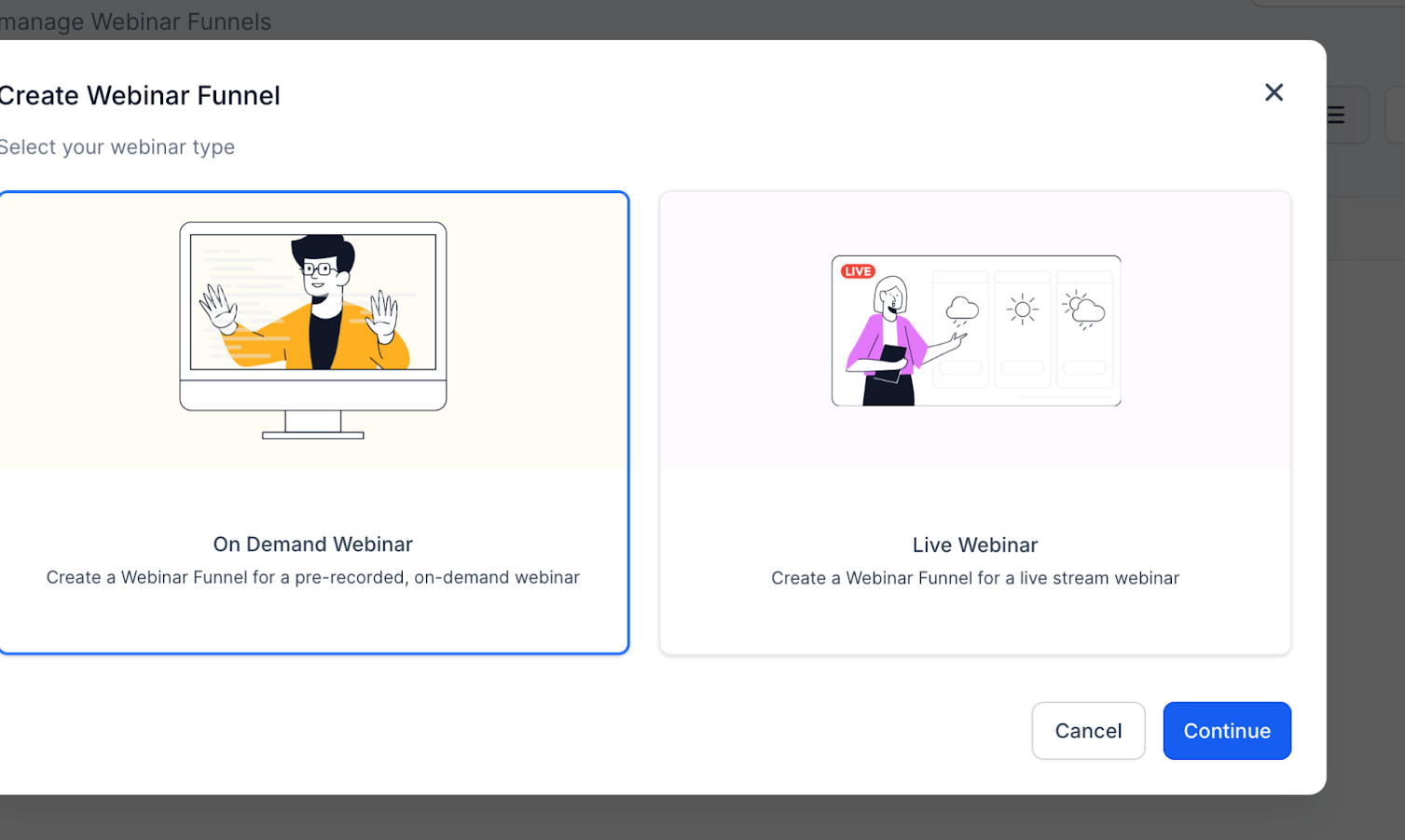
Choose your webinar type:
On-Demand Webinar: Pre-recorded, watch anytime.
Live Webinar: Scheduled event with a set date and time.
Live webinars are real-time presentations where patients join at a specific date and time, ideal for treatment Q&As, product launches, or seasonal promotions.
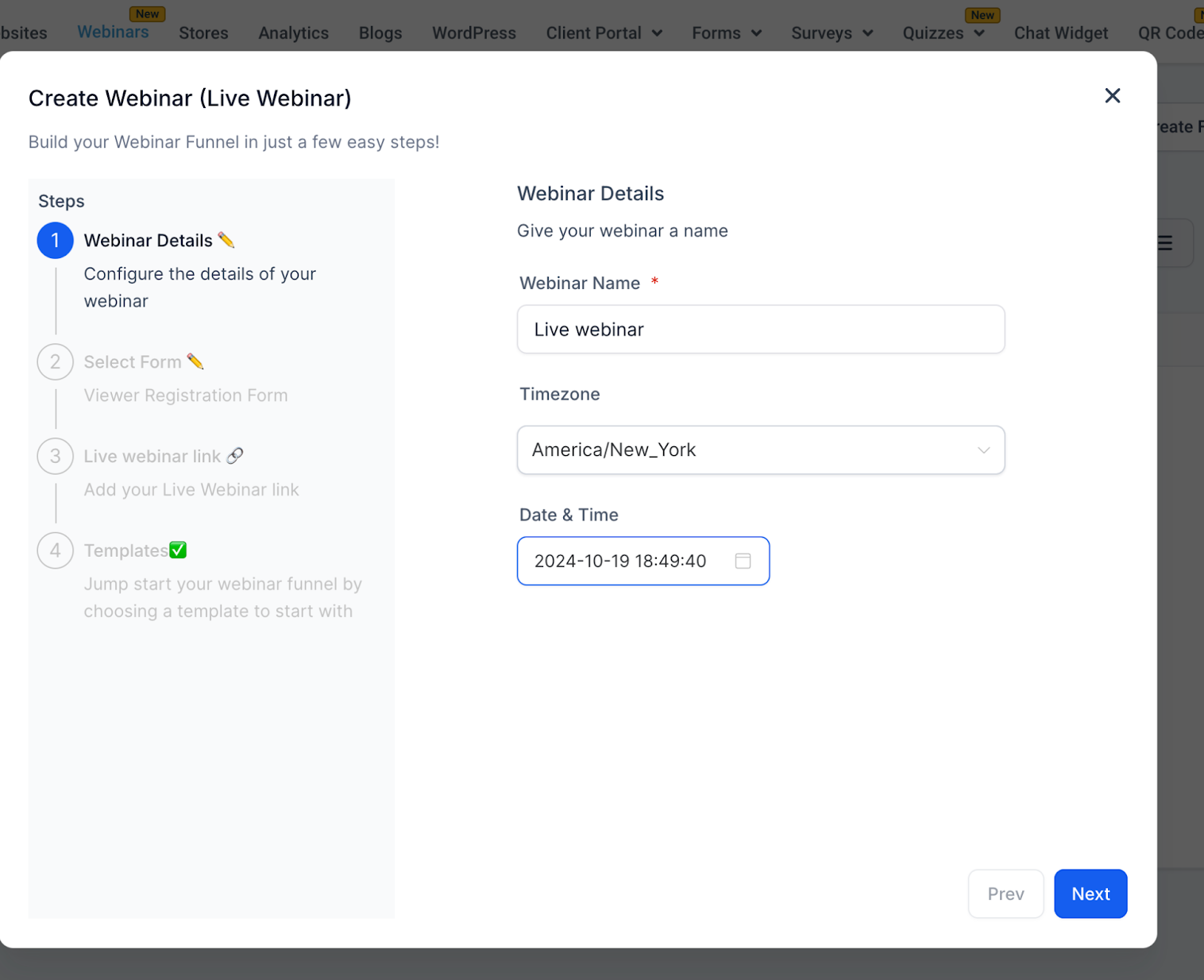
Creating a live webinar takes four steps.
Webinar Name (Required), For example, Botox & Beyond: Your Guide to Injectables.
Timezone (Required), Defaults to your local timezone and can be changed.
Date (Required), Pick a future date.
Time (Required), For example, 2:00 PM.
Patients register through forms created in Web Tools → Forms.
Dropdown Options: Displays all available forms.
Custom Forms: Build your own with fields such as name, email, and phone.
Lead Capture: Registrations sync with your CRM for tracking and automations.
Automation Trigger: Form submissions also trigger reminder and follow-up workflows.
Enter your streaming link, such as a Zoom meeting link or a live video link from your streaming platform.
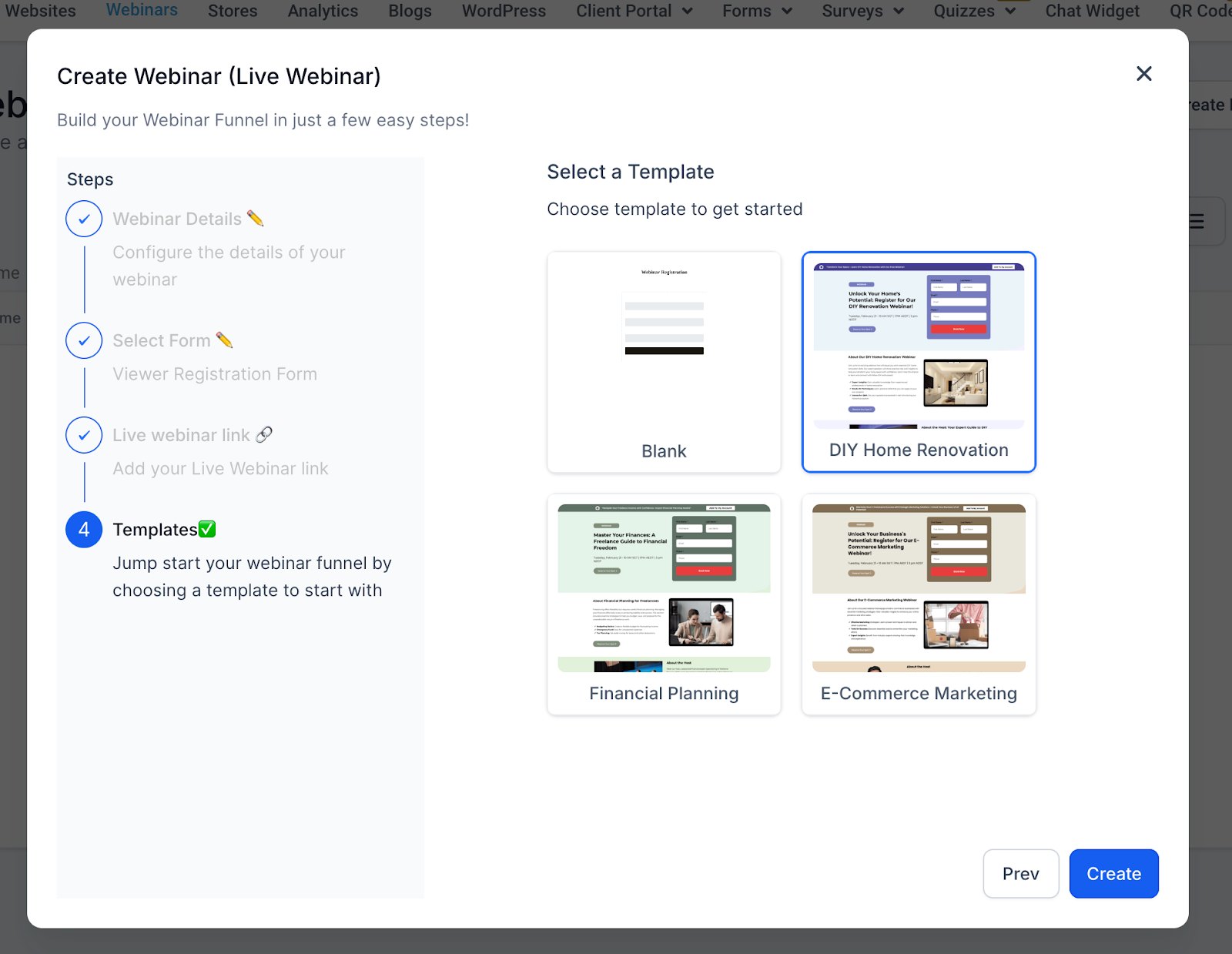
Choose from pre-designed funnel templates to give your registration and broadcast pages a polished look, then customize them to match your practice's branding.
On-demand webinars are pre-recorded sessions patients can access anytime after registering, making them perfect for evergreen education on procedures, aftercare, or membership programs.
Creating an on-demand webinar also takes four steps.
Webinar Name (Required), For example, Understanding Your Treatment Options - On Demand.
Note: On-demand webinars do not require a timezone, date, or time.
Just like live webinars, patients register through a form.
Choose a form from Web Tools → Forms.
Customize the fields to capture the information you need.
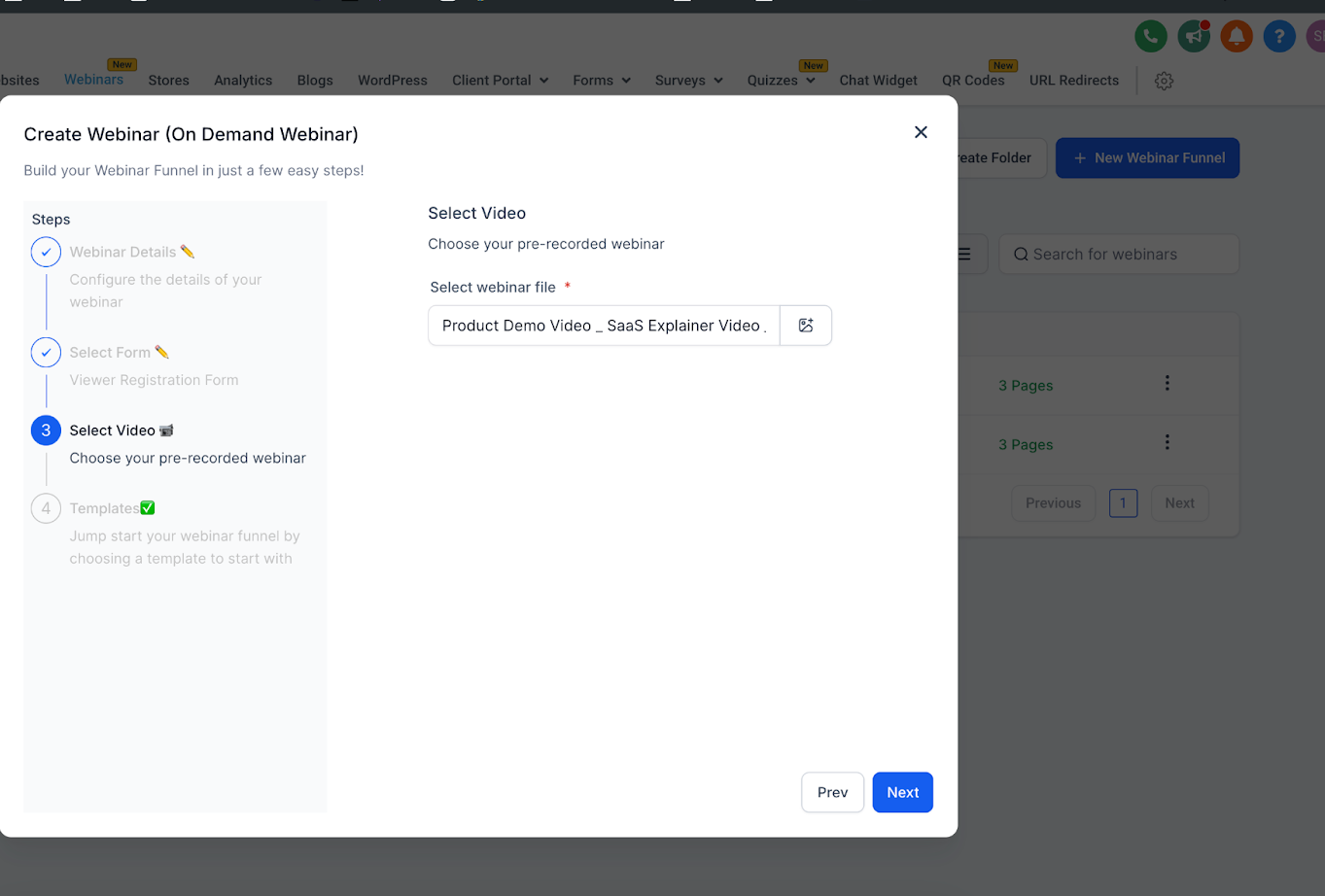
Upload or select your pre-recorded video.
Supported formats include MP4, MOV, and AVI.
Upload from your computer or select from the media library.
A video is required to proceed.
Choose from the same template library used for live webinars, optimized for on-demand viewing.
One of the most powerful features of webinar funnels is automation.
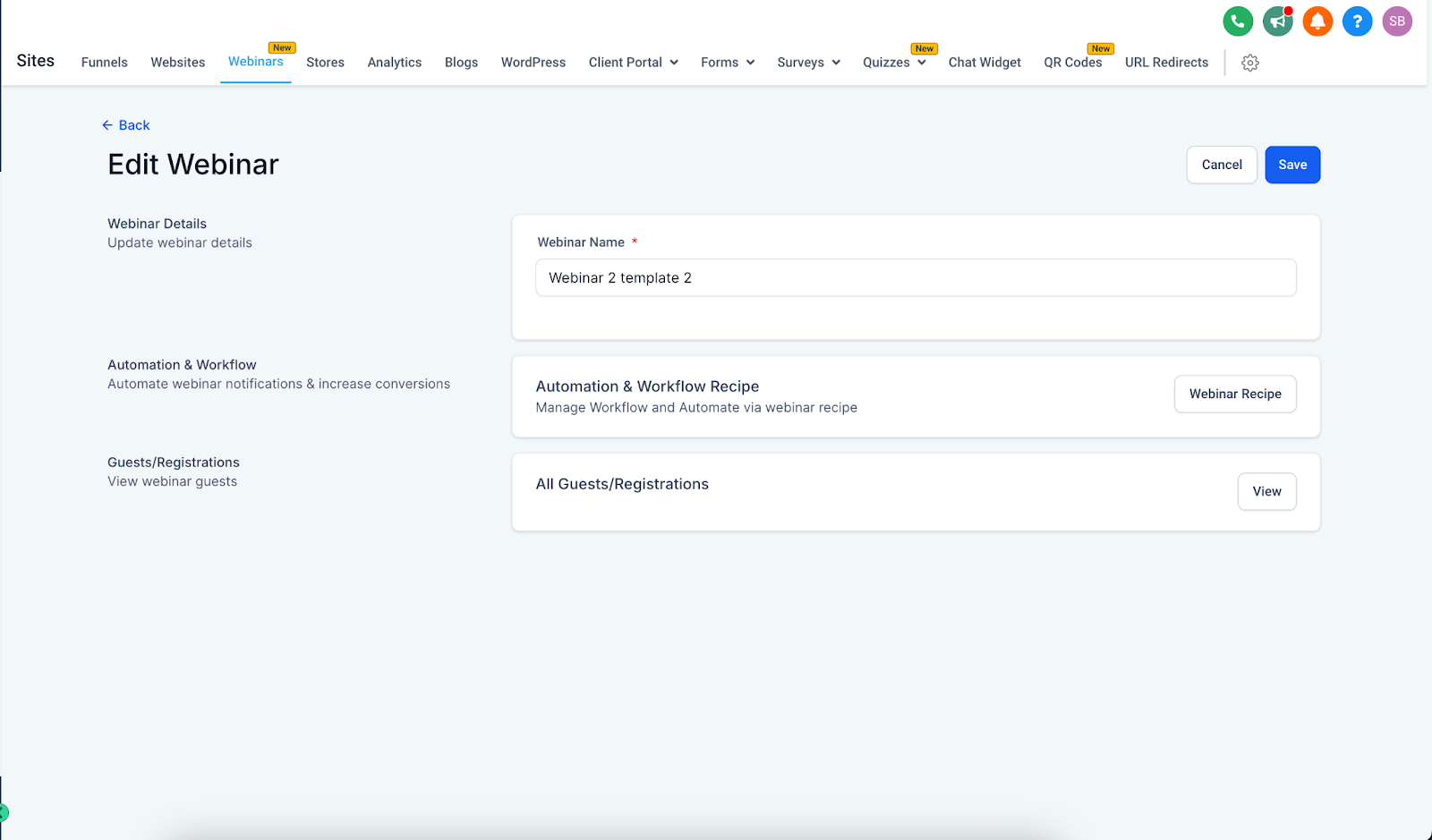
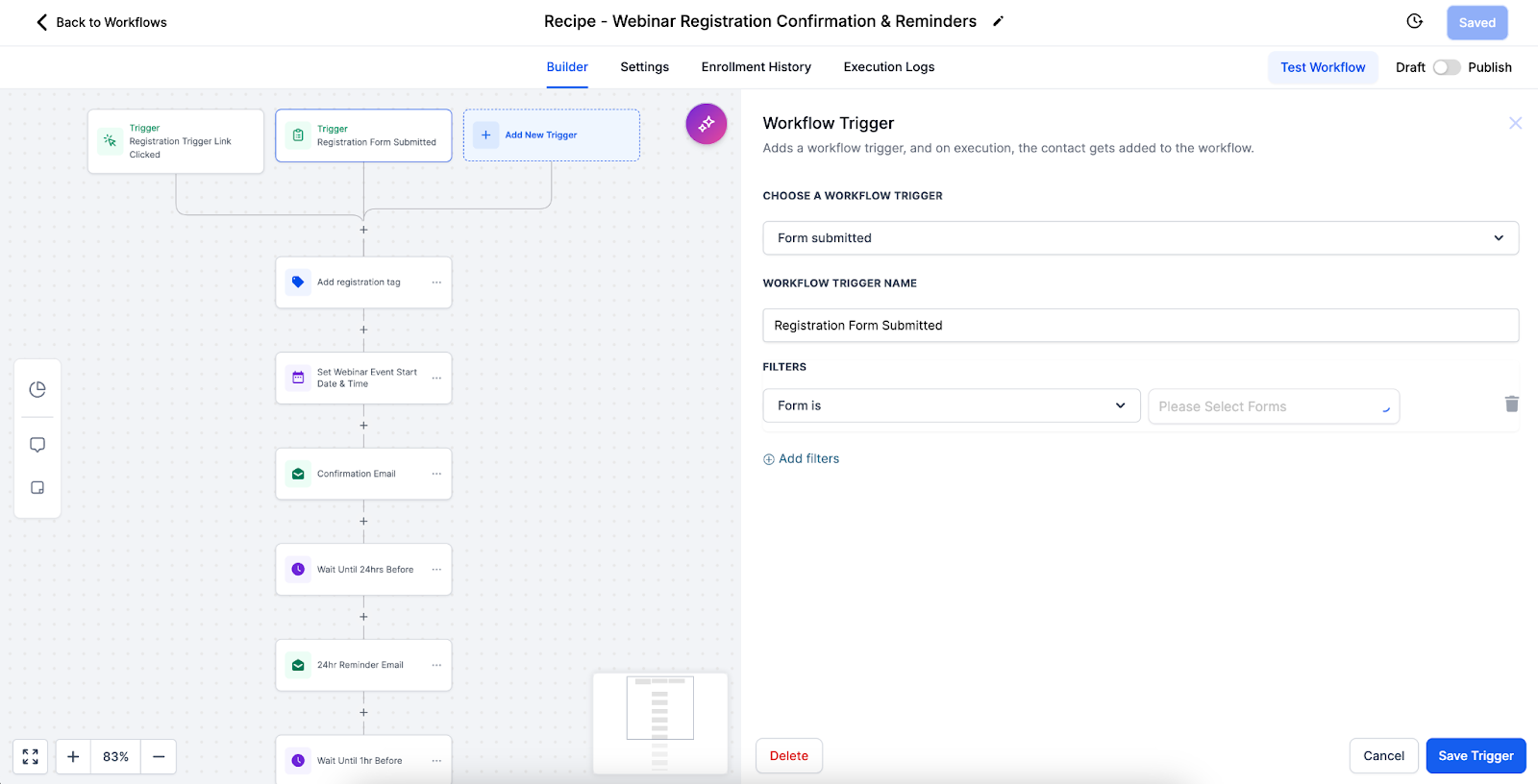
Pre-Built Workflow Recipe: Each webinar funnel comes with an automation recipe for reminders and follow-ups.
Triggers: Registrations (form submissions) automatically start the workflow.
Reminders: Schedule email and SMS reminders for live webinars, for example 24 hours before, 1 hour before, and 10 minutes before.
Follow-Ups: Post-webinar workflows send thank-you emails, replay links, and nurture campaigns.
Customization: Edit workflows from the three-dot menu on your webinar funnel to adjust timing, personalize messages, or add extra steps.
Note: Align reminder timing with your patients' habits. Many practices find that evening reminders reach patients after work, when they are most likely to register or attend.
Test your setup before the event.
Schedule with your patients' timezones in mind.
Promote early and often across email, SMS, and social.
Have a backup plan for technical issues.
Encourage interaction through chat, polls, and Q&A.
Use high-quality recordings.
Keep videos concise (30–60 minutes).
Structure content for self-paced learning.
Keep your media library organized.
Refresh content periodically.
Link not working: Verify the format and test it before the event.
Timezone confusion: Clearly display the timezone on your registration and confirmation pages.
Upload fails: Check the file format, file size, and internet connection.
Poor video quality: Upload a high-resolution version.
Form not capturing leads: Test the form's integration with your CRM.
Template not loading: Refresh the page or check your connection.
Webinar funnels let your practice deliver education live or on-demand, giving you the flexibility to match your audience and strategy. Live sessions drive real-time engagement, while on-demand recordings offer evergreen, scalable access. With built-in templates and automation workflows, you can launch webinars quickly while ensuring patients receive timely reminders, seamless confirmations, and personalized follow-ups, helping you maximize engagement and conversions with minimal effort.
