Split testing (also called A/B testing) lets you compare two versions of a funnel step to see which one converts better. Instead of guessing whether a new headline, image, or call-to-action will help you book more consultations, you can send a share of your traffic to each version and let real visitor behavior decide. Over time, the results show you which page earns more form fills, bookings, or purchases so you can confidently roll out the winner.
Split testing is available on all Aesthetix CRM plans.
Note: Split testing is only available once you have added a domain to your funnel.
Go to Marketing → Landing Page Builder (or Websites) and open the funnel or website you want to test.
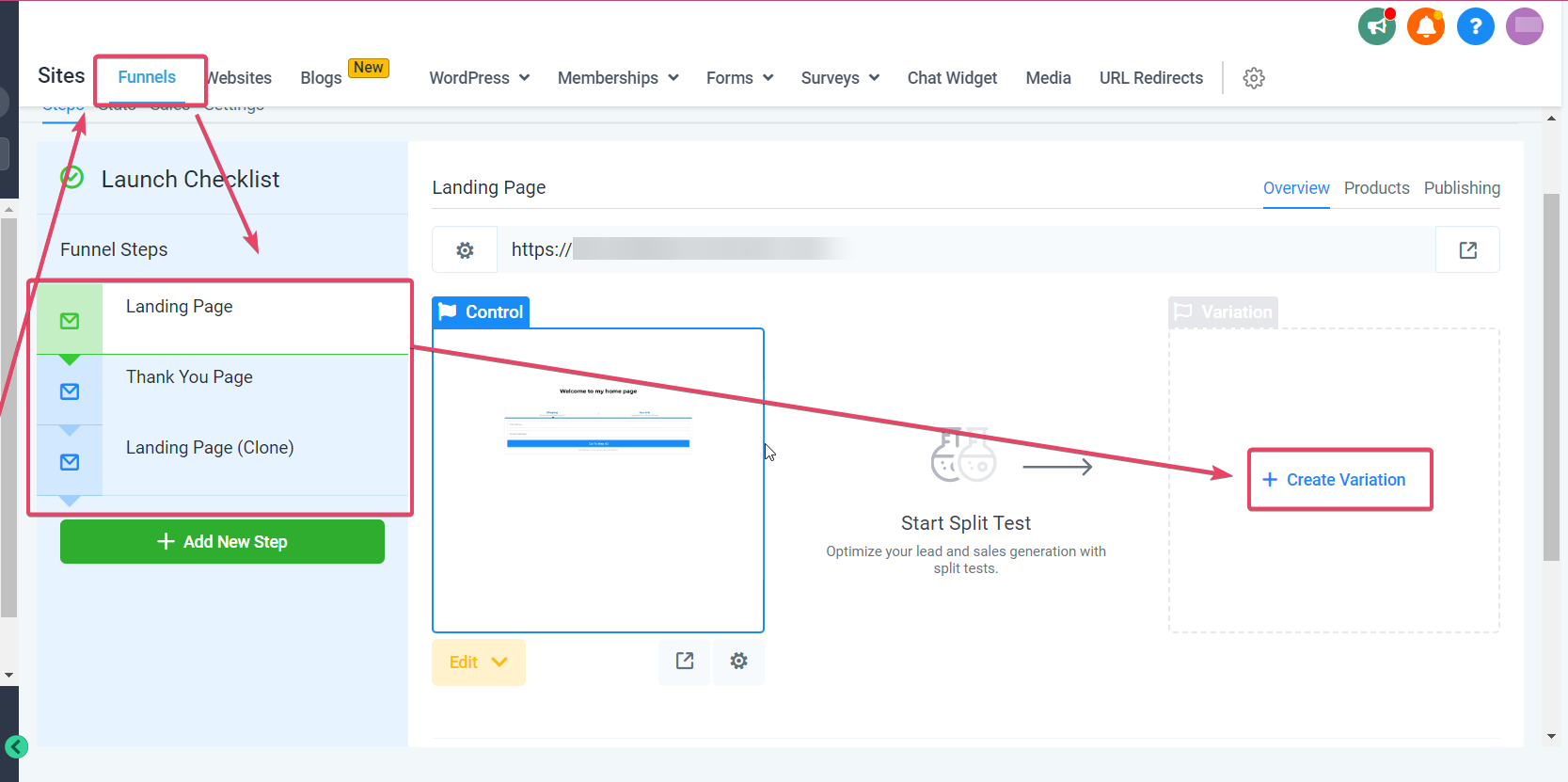
Choose the funnel step you want to test and click Create Variation.
Note: Make noticeable changes to your variation. If the control and variation are nearly identical, the split test will not give you an accurate read on which page performs better. Avoid editing the control while a split test is running so your results stay reliable.
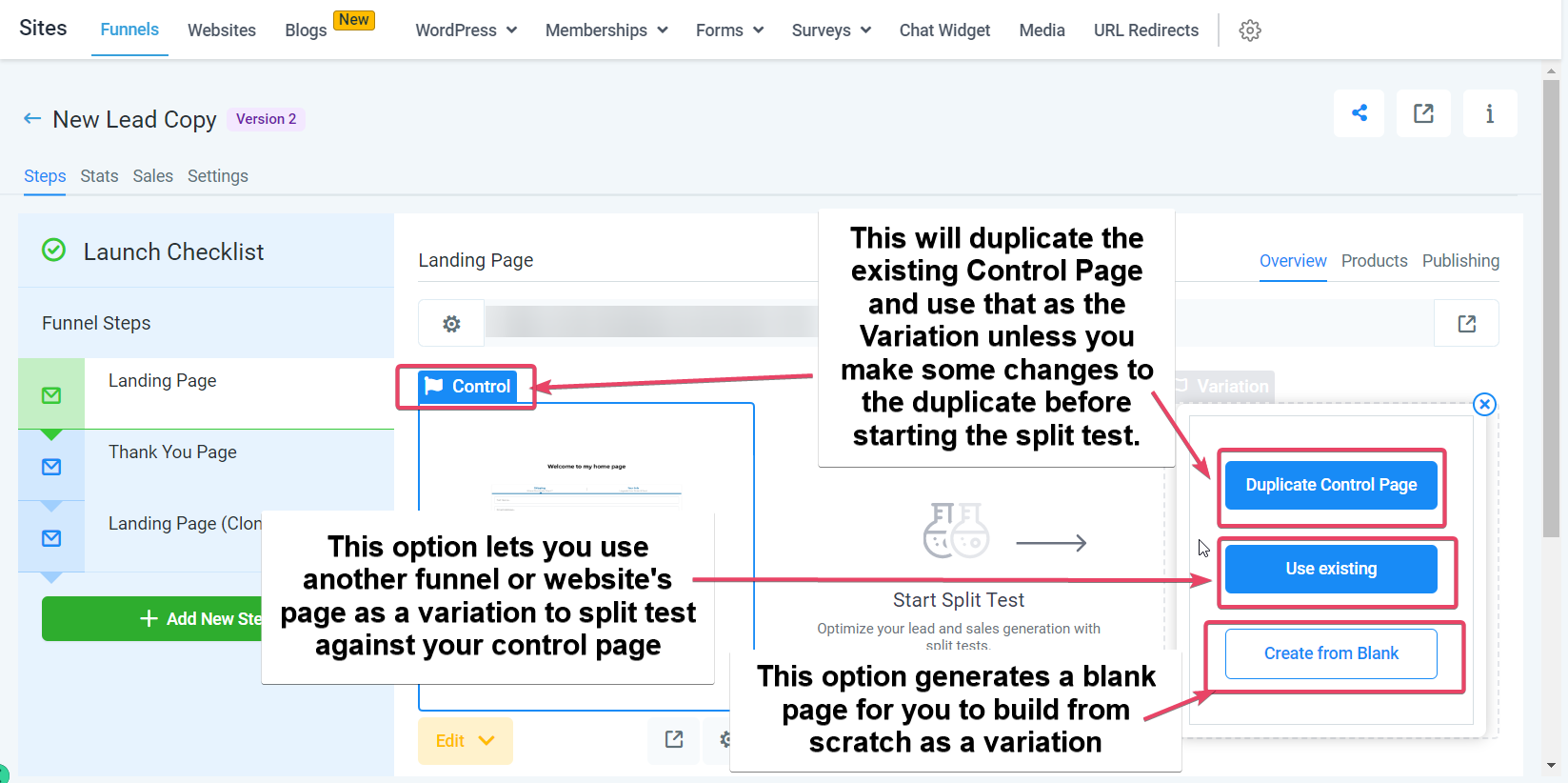
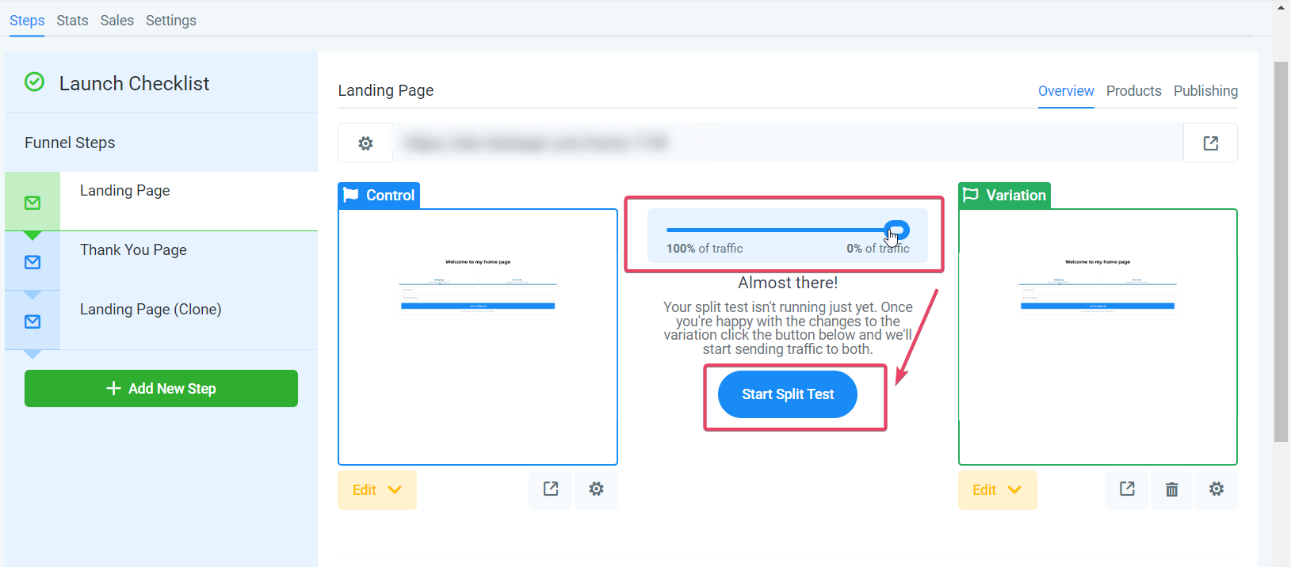
After choosing one of the three options, drag the slider to set what percentage of traffic goes to the control page and what percentage goes to the variation. When you are ready, click Start Split Test.
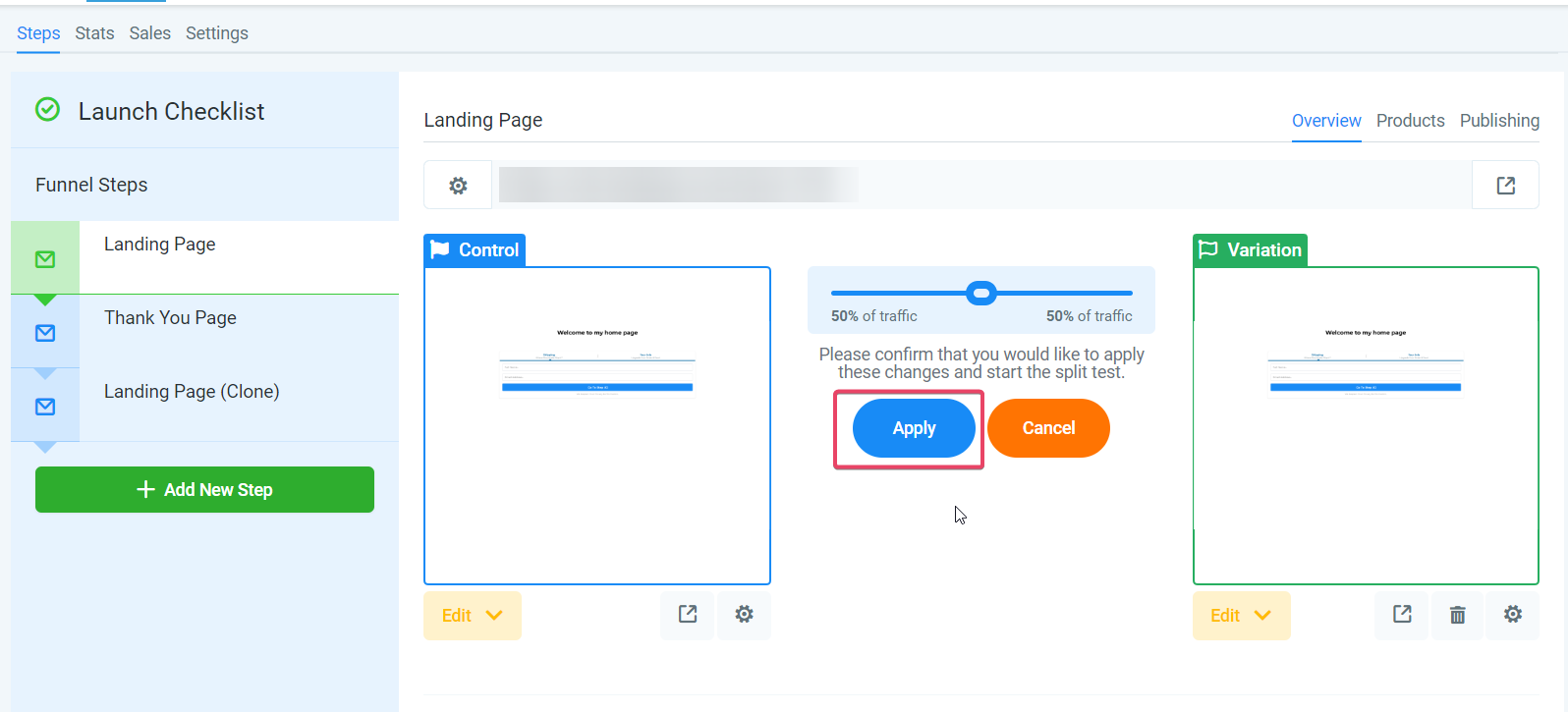
You will be asked to confirm the changes. Click Apply to proceed.
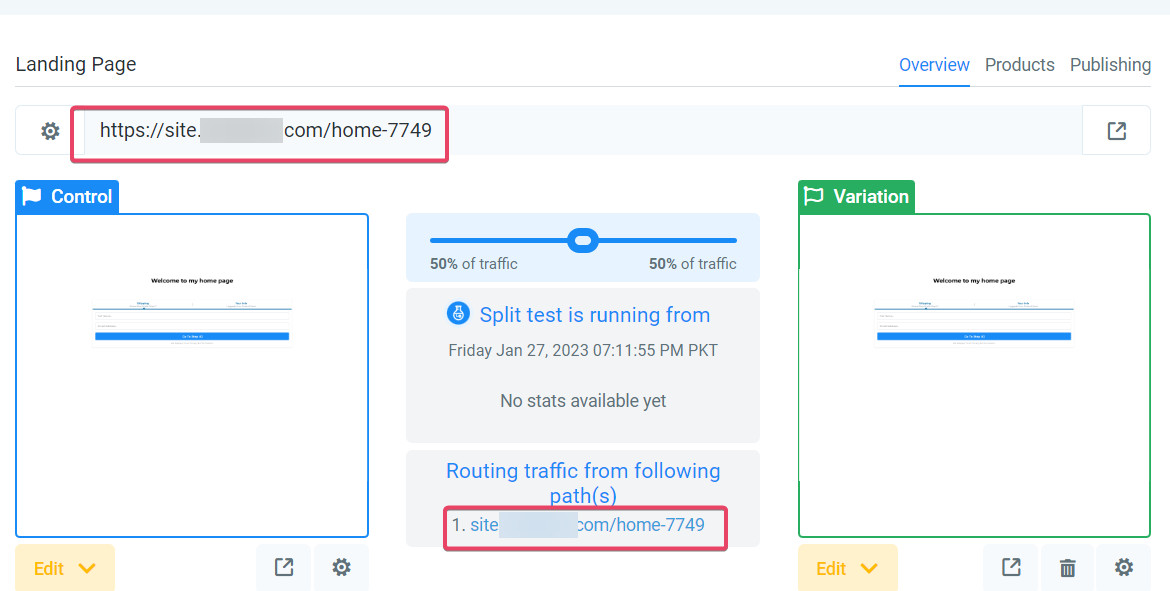
Note: All traffic still arrives at your page's main URL. From there, it is divided according to the slider and routed to dedicated URLs for the control page and the variation page. You can edit these dedicated URL paths by clicking the gear icon below each page, the gear under the control edits its URL path, and the gear under the variation edits its own.
Split tests work through browser cookies, so once you open the main URL a cookie assigns you to one variant. If you want to preview the other variation yourself, open the URL again in an incognito tab or a different browser.
As traffic begins flowing to the page, results start populating for each variant.
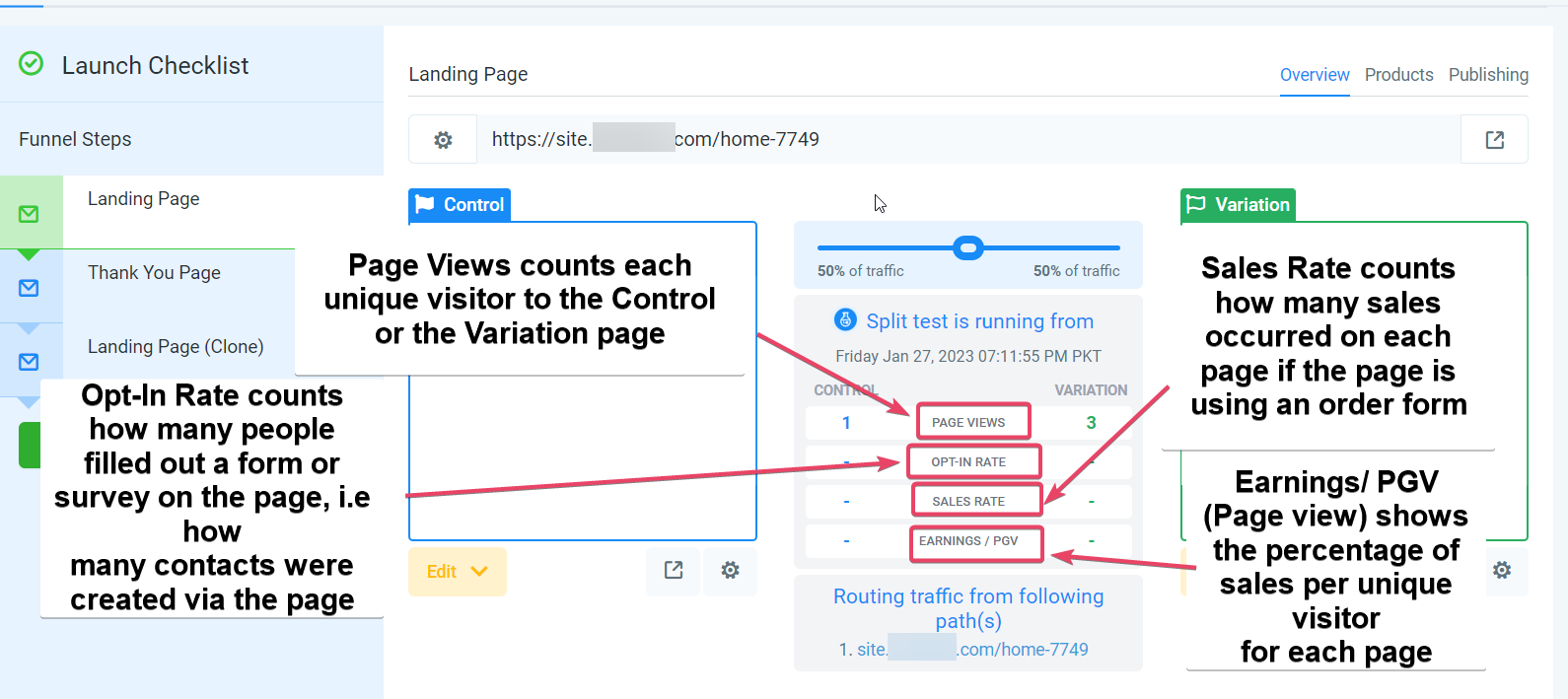
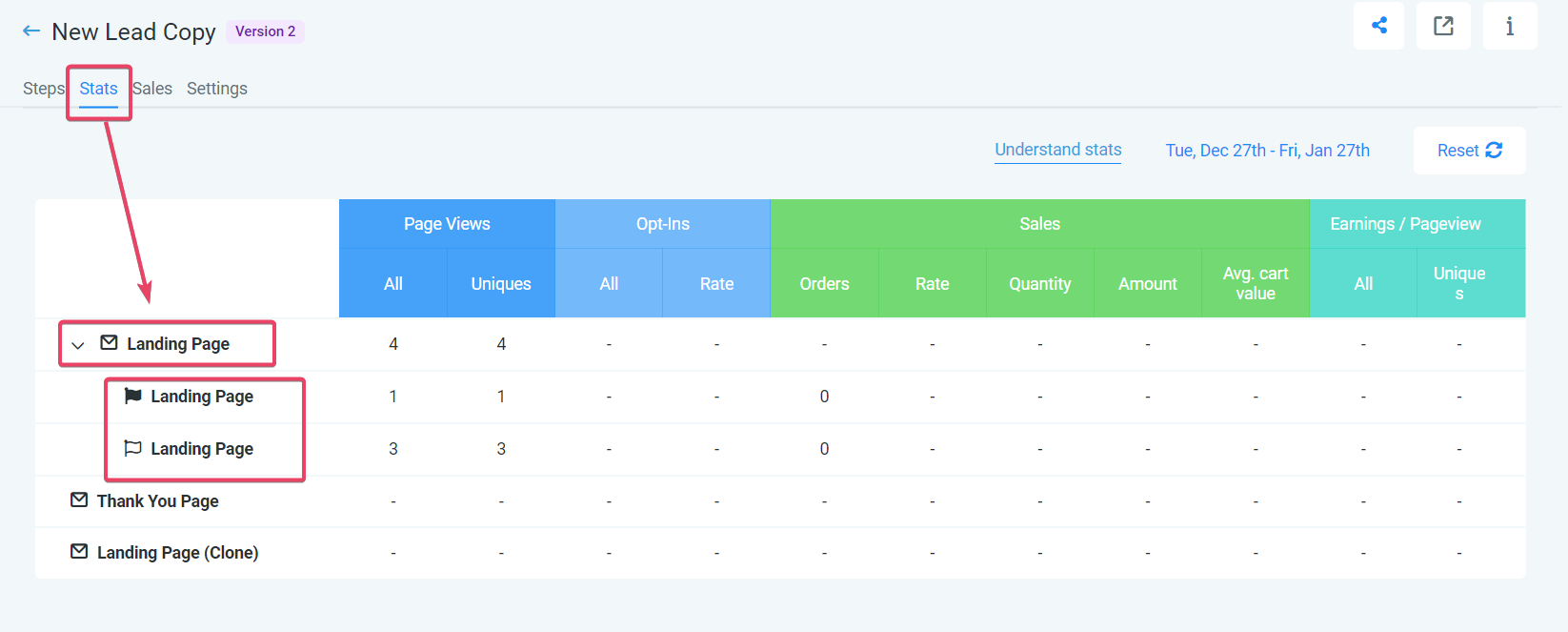
To see detailed stats, click the Stats tab above the page, then click the page you are testing to expand a dropdown of stats for both the control and the variation. Compare the conversion rates, and once one version is clearly ahead, you can roll it out as your winner.
Split testing works well anywhere a small change might influence whether a visitor takes the next step. A few examples for aesthetic practices:
Consultation landing page: Test two headlines (for example, "Book Your Complimentary Consultation" versus "See If You're a Candidate, Free Consult") or two hero images to see which drives more bookings.
Treatment offer funnel: Compare different call-to-action buttons, before-and-after imagery, or pricing layouts on a promotional page for a specific treatment.
Event or webinar registration: Test different registration form designs or headlines to increase sign-ups for an open house or educational event.
Lead magnet funnel: Compare opt-in forms with fewer versus more fields, or different cover designs, to optimize how many prospects download your guide or price sheet.
Improved conversion rates: Identify the version that produces more sign-ups, bookings, or purchases.
Better patient experience: Learn what your audience responds to and give them a page that meets their expectations.
Data-driven decisions: Base changes on real visitor behavior instead of assumptions or personal preference.
Lower bounce rates: Keep the more engaging, relevant version so visitors stay and take action.
Higher return on investment: Better-performing pages make your ad spend and marketing effort go further.
Continuous improvement: Keep testing new ideas so your funnels stay effective over time.
Faster, cost-effective optimization: Compare variations side by side rather than making random changes and hoping for the best.
All the traffic goes to the control page and nothing reaches the variation.
Make sure the domain used in your ads matches the domain of the funnel step you are testing. If visitors are being routed to your root domain (or a subdomain) rather than your split-testing page's domain, the test will not work. An easy fix is to set your root domain's default page to the page you are running the split test on.
The stats do not match the traffic split I configured.
One of the dedicated links, either the direct link to the control page or the variation page, may be in use on another funnel or ad that skips the split-testing logic. That routes a share of visitors past the split, which skews the numbers.
My ad platform's policies conflict with path URL redirection. How do I work around this?
Google Ads and Facebook Ads policies sometimes disallow path URL redirection in split tests. In that case, run the split test on the second step of your funnel instead. Direct leads from your ads to the first step, which can hold educational content that engages them, then run the test on the following step. This separates the split test from the ad-acquisition process so you can gather performance data without violating ad policies.
