Optimize your business communication by configuring account-level call and voicemail settings in Aesthetix CRM. From your Business Profile, you can control how long an incoming call rings before it's missed, replace your carrier's default voicemail with a custom recording, and automatically text back anyone whose call you miss. This guide walks through each setting so you never miss an important call and always provide a professional experience for your clients.
These settings apply at the account level and act as the defaults for the Twilio phone numbers on your account, unless a number is customized separately. To configure ring patterns, call recording, and other settings for a specific phone number, see the Phone collection.
All call, voicemail, and Missed Call Text Back settings live in your Business Profile.
Step 1: Open Settings. Click Settings in the navigation menu.
Step 2: Open Business Profile. Click Business Profile.
Step 3: Go to Call & Voicemail Settings. Navigate to the Call & Voicemail Settings section to manage your call timeout and voicemail. (Automated missed-call texting is handled in Workflows, not in Business Profile — see the Missed Call Text Back section below.)
Voicemail settings shape what happens when an inbound call isn't answered. These options control how long the phone rings before voicemail triggers and let you optionally replace the default voicemail greeting with a custom recording.
The following are the default voicemail settings for all Twilio numbers on your account, unless customized for an individual user via Team Management. The custom voicemail message you upload here replaces the one provided by the phone carrier. If a call isn't answered within the specified duration, Aesthetix CRM records a voicemail message from the caller.
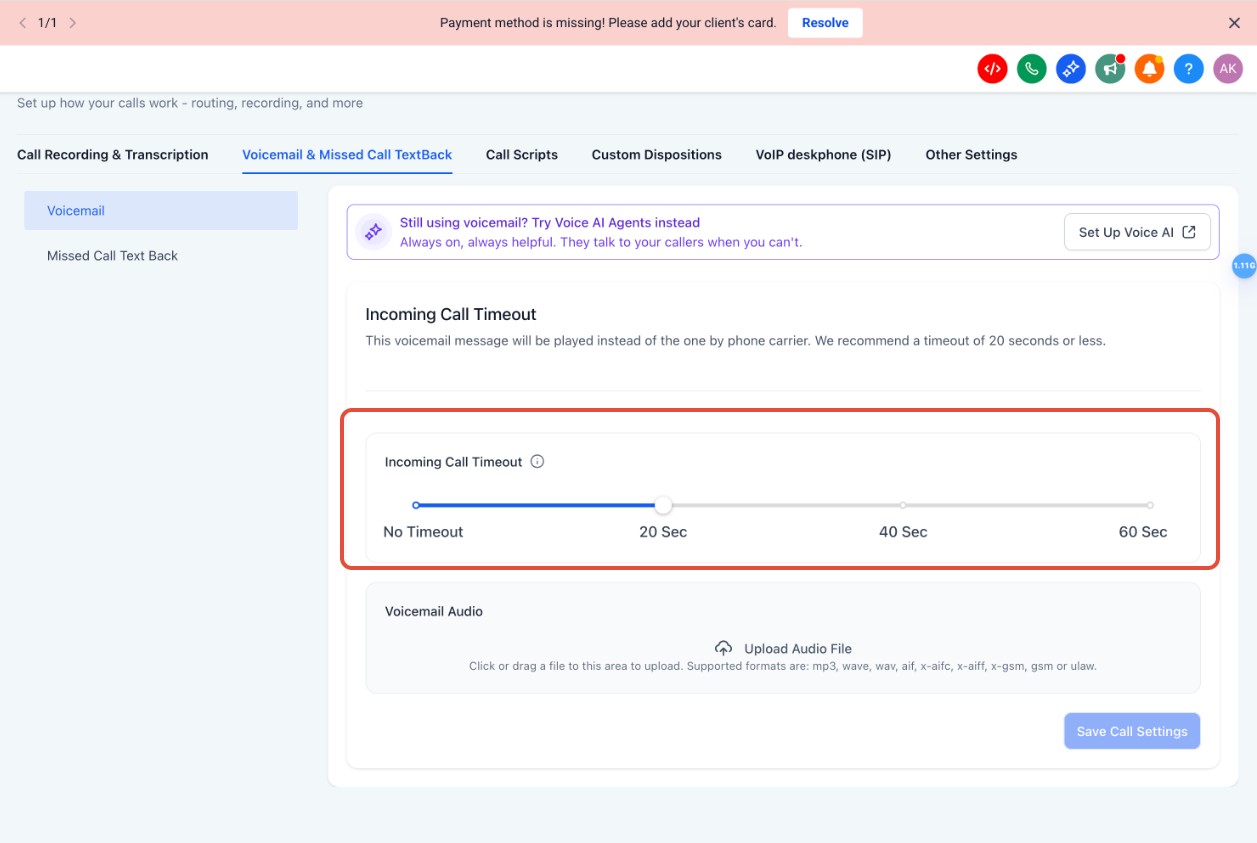
Step 1: Adjust the incoming call timeout. Set how long the phone should ring before the call is considered missed and voicemail (and Missed Call Text Back, if enabled) triggers. We suggest a timeout of 20 seconds or less; 10 to 20 seconds is typically recommended.
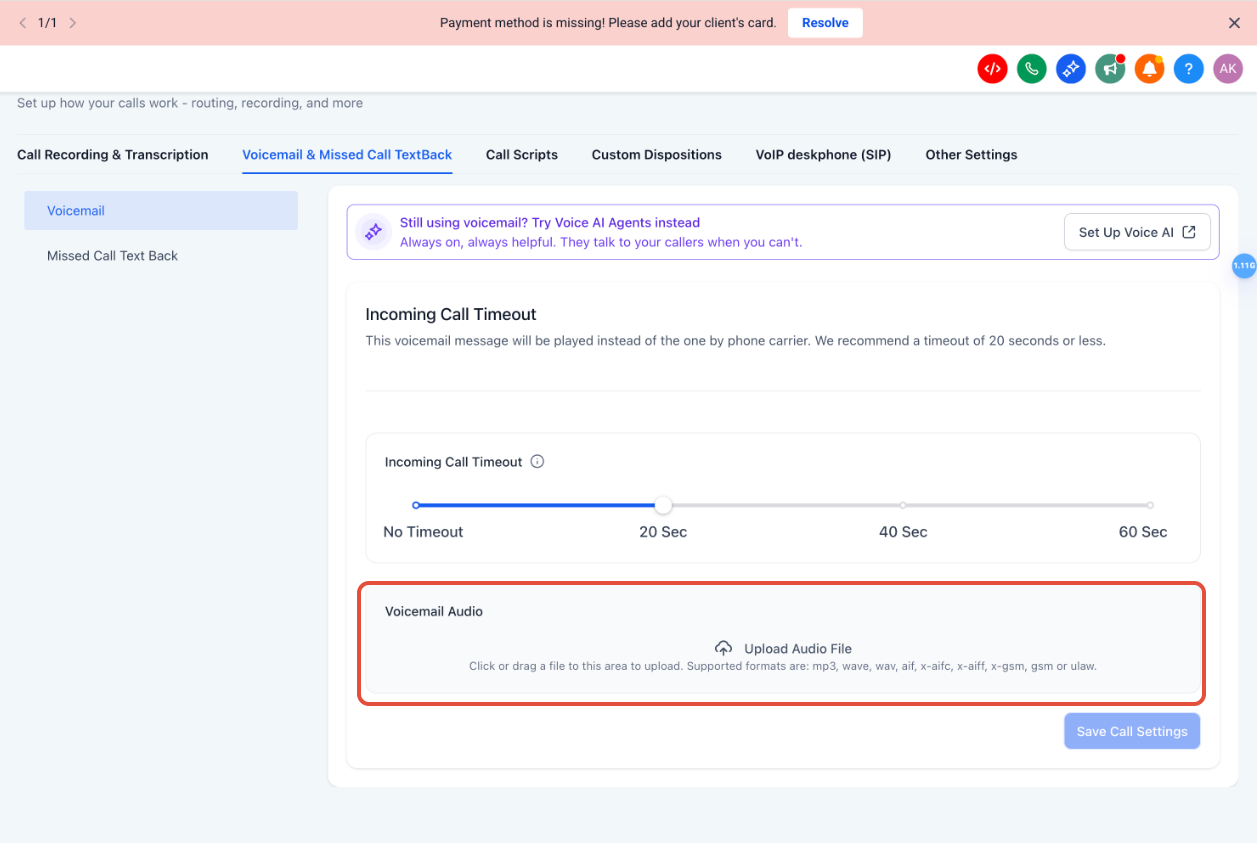
Step 2: Upload a voicemail audio file (optional). Upload a pre-recorded MP3 or WAV file to use as your custom voicemail greeting. This plays instead of the carrier's generic voicemail.
Step 3: Preview the audio. Press the play button to listen to the uploaded audio file and confirm it sounds the way you want.
Step 4: Remove the file if needed. To remove an uploaded voicemail file, click the remove option next to it.
Step 5: Save your changes. Click Save Call Settings to apply your voicemail and timeout changes.
Missed Call Text Back automatically sends a text message to a caller when their inbound call goes unanswered — acknowledging the missed call right away and inviting the caller to continue by text while your team is unavailable.
⚠️ Important: In Aesthetix CRM, Missed Call Text Back is built as a Workflow — never enable the Missed Call Text Back toggle in Business Profile. The Business Profile setting fires a text on every missed call with no controls, which means repeat attempts from the same caller get multiple texts. We always handle this in a workflow instead, so leave the Business Profile toggle off.
Building Missed Call Text Back as a workflow gives you full control that the Business Profile toggle can't:
No duplicate texts — add a wait step (for example, 20 minutes) or filter on tags like 1st call / 2nd call so repeat attempts from the same caller don't trigger multiple messages.
Business hours — auto-text only during (or only outside) the hours you choose.
Personalization — use merge fields for the contact's name or your business name.
Faster lead response — keep potential leads engaged instantly when your team can't pick up.
Missed Call Text Back workflows are built in the Workflows & Automation area using a call/missed-call trigger and an SMS action. For step-by-step instructions, see the Workflows & Automation collection. Your Aesthetix onboarding team typically sets this up for you as part of your account configuration.
Do Missed Call Text Back messages count toward messaging limits?
Yes. These SMS messages count toward your phone messaging usage.
What number is used to send the missed call text back message?
Whatever number you choose in your Missed Call Text Back workflow — typically your default number.
Can I use WhatsApp instead of SMS for missed call follow-up?
Yes. Because Missed Call Text Back is built as a workflow, you can use an SMS or a WhatsApp action (or both). See the Workflows & Automation collection.
Does Missed Call Text Back work for after-hours calls?
Yes — and building it as a workflow lets you target after-hours specifically, so callers are acknowledged and given a way to continue by text even when your team is unavailable.
Will a text still go out if the caller is on Do Not Disturb (DND) or has opted out?
No. A contact's communication preferences and DND settings are always respected, so a missed call text back will not be sent to a contact who has opted out or is marked DND, regardless of how your workflow is configured.
Where do I configure settings for a specific phone number?
Call & Voicemail and Missed Call Text Back settings in Business Profile apply at the account level as defaults for your Twilio numbers. To configure ring patterns, call recording, and other options for an individual number, see the Phone collection.
