The Email Builder in Aesthetix CRM gives you three ways to create an email: the drag-and-drop Design Editor, the Code Editor for working directly in HTML, and the Plain Text editor for simple, personal messages. This article covers the two text-based options. Use the Code Editor when you want full control over your markup or need to bring in HTML emails you already built somewhere else, and use the Plain Text editor when you want a message that reads like it came straight from your inbox. It also covers a common RSS issue where HTML tags appear in the email body and how to fix it.
The Code Editor lets you paste in your own HTML and see a live preview as you work.
Go to the Email Templates dashboard under Marketing.
Click New, then select Blank Template.
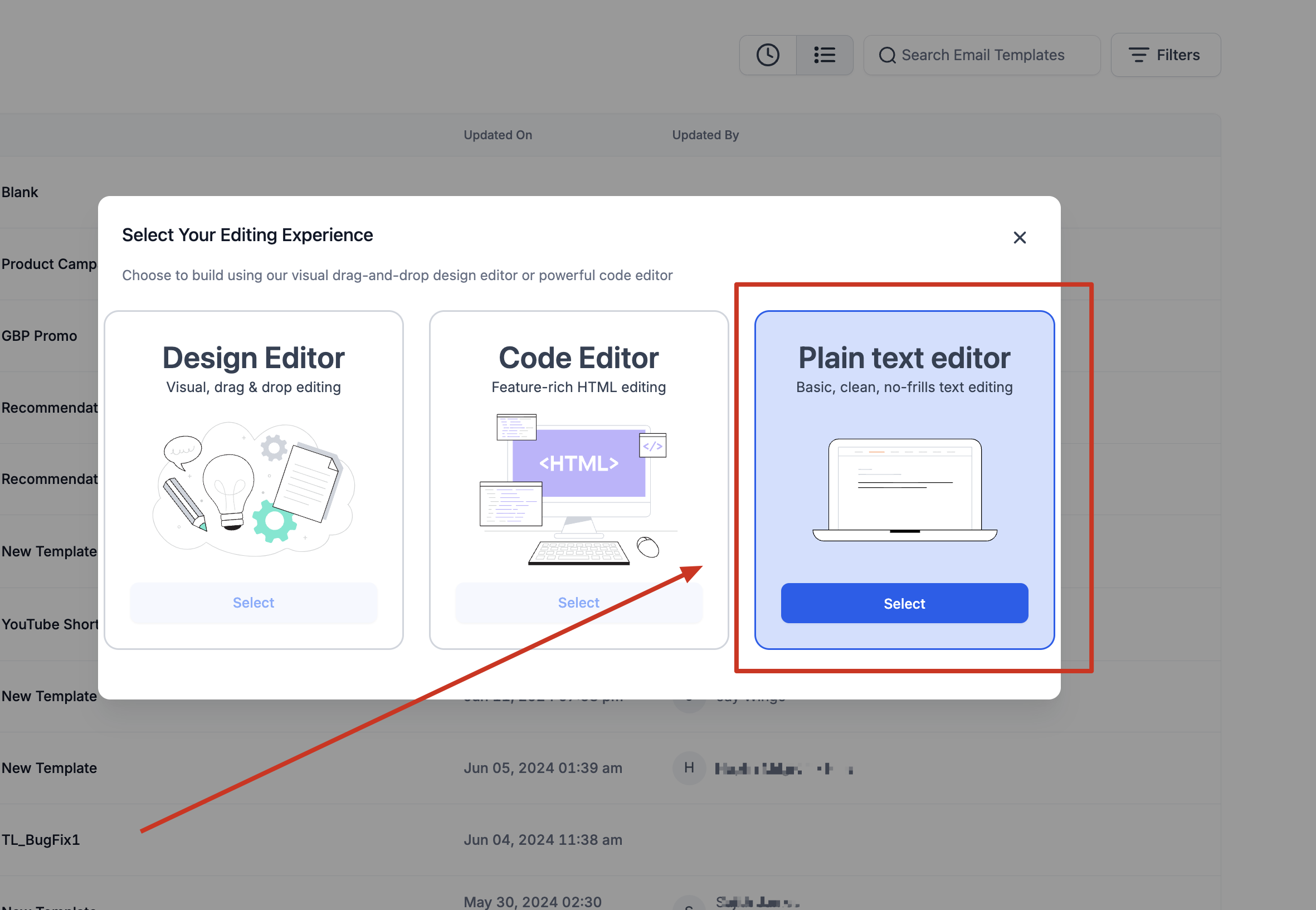
In the popup, choose Code Editor (the HTML builder) instead of Design Editor.
An example template loads with starter code. Delete the starter code, then paste your own HTML into the editor area to see the preview update.
If you already have go-to templates built on other platforms, you can bring them into Aesthetix CRM instead of rebuilding them. Importing an HTML email is simply a matter of pasting your existing markup into the Code Editor, so you manage all of your campaigns in one place while reusing your top-performing emails. You can do this when creating either a template or a campaign.
Go to Marketing and open the Email Builder.
Click Create New Template.
From the dropdown, select Blank Template.
In the popup, select the Code Editor.
Once the Code Editor opens, paste your HTML into the editor area to get the preview.
Click Create Campaign.
From the list of templates and blank campaigns, select Blank Campaign.
In the popup, select the Code Editor.
Once the Code Editor opens, paste your HTML into the editor area to get the preview.
Plain text emails offer a simple, personal approach, similar to a message from your own inbox. They focus on the message itself with minimal branding and design, which makes them a strong fit for text-heavy communications and for personalized notes like welcome or apology emails that are better kept direct.
Benefits of plain text:
Simplicity: easy to write and easy to read.
Personalization: feels like a direct, one-to-one message.
Compatibility: fewer rendering issues across email clients, so it looks great on any device.
To create a plain text email:
Go to Marketing and open the Email Templates dashboard.
Click New and select Blank Template.
Choose the Plain Text editor.
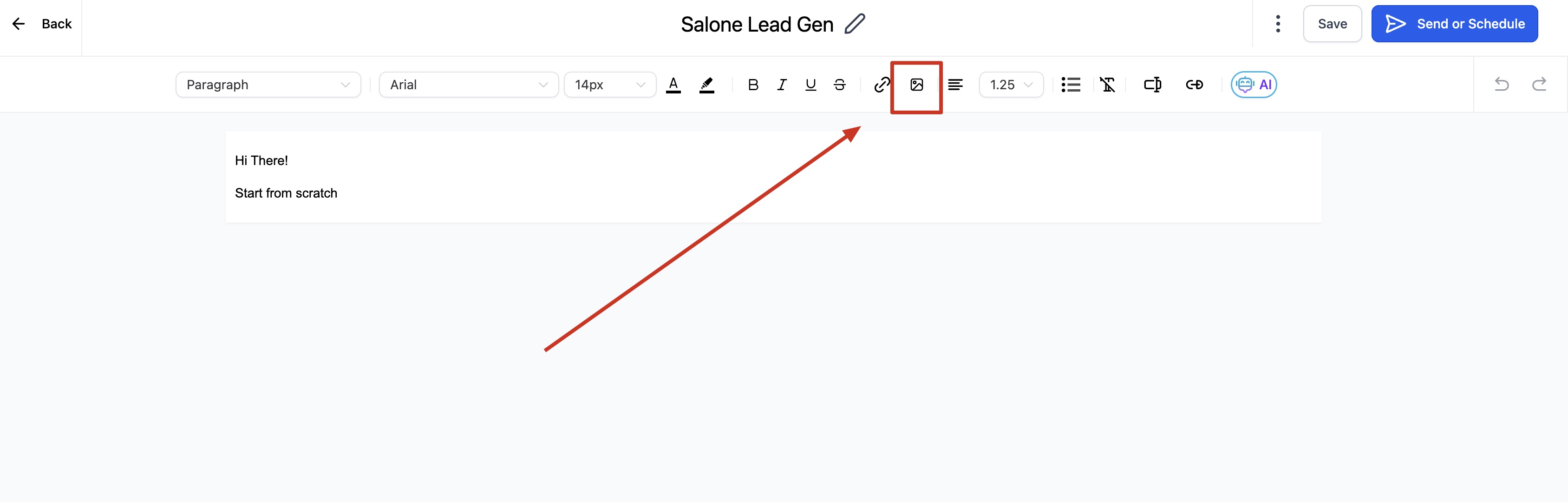
Compose your email and attach images as needed.
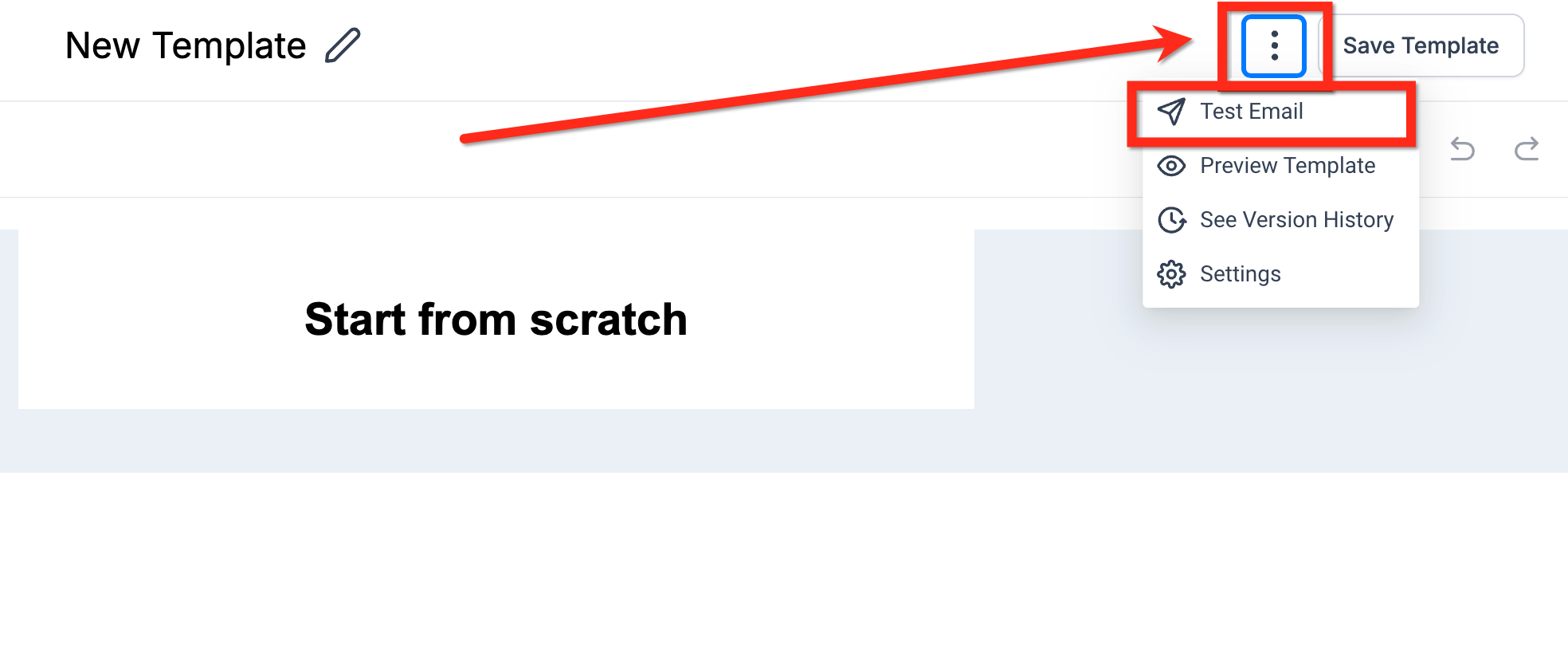
Click the three dots to open settings, send a test email, or preview the message. Click Save Template to exit.
When you pull content into an email from an RSS feed, the values returned by RSS custom variables such as {{rss_item.title}} and {{rss_item.content}} are HTML-escaped by default. This means special characters and HTML markup are rendered as plain text instead of being interpreted, so you may see raw tags like <p> appearing in your email body.
To fix this, use the Custom RSS Item element in the Email Builder and switch to the "triple-stash" syntax. Instead of double curly braces, wrap the variable in three:
Use {{{rss_item.content}}} instead of {{rss_item.content}}.
The triple-stash tells the builder not to escape the value, so your RSS content renders as intended rather than showing its HTML tags.
Which editor should I use? Use the Design Editor for drag-and-drop building, the Code Editor when you want to work directly in HTML or import an existing HTML email, and the Plain Text editor for simple, personal messages with no design.
Can I import templates I built on another platform? Yes. Paste the email's HTML into the Code Editor when creating a blank template or blank campaign, and the preview will render your imported design.
Why are HTML tags like <p> showing up in my RSS email?
RSS variables are HTML-escaped by default. Switch to the triple-stash syntax, for example {{{rss_item.content}}}, so the content renders instead of displaying its tags.
Are plain text emails worth it when they have no design? Often, yes. Plain text emails feel personal and have fewer rendering problems across devices, and many senders see strong engagement because the message reads like a direct note rather than a marketing blast.
