Already have a phone number you want to keep? You can port (transfer) it into Aesthetix CRM so all of your calls and texts run through the platform. This guide explains what porting is, what you'll need, how to submit a port-in request, and the compliance steps to complete afterward so your calls and messages keep flowing reliably.
Porting is the transfer of a phone number from one telecom provider to another. The process involves providing documentation that proves you own the number, then coordinating the handoff between your current carrier and Aesthetix CRM.
When you're ready to port your number, you'll send a signed Letter of Authorization (LOA) that matches the service information your current carrier has on file. Once your LOA is submitted, we coordinate with your current carrier to complete the port.
Most ports of fewer than 50 numbers take about two to four weeks from when you submit the required documentation. Larger or more complex ports can take six to eight weeks. You keep full use of your number throughout the process — there is no downtime while a number is porting.
Have the following ready before you begin a port-in request:
Location ID for the destination sub-account where the number will live. (Find it under Settings → Business Profile.)
Account details with your current carrier — account number, and a PIN or the last 4 of the SSN for wireless numbers, plus the service address on file.
Recent phone bill as a legible PDF.
Letter of Authorization (LOA) signed by the authorized person on the account (typically dated within the last 15–30 days).
Customer Service Record (or equivalent) from your current carrier, if requested.
The billing statement must be no older than 90 days.
The document must clearly show the phone number(s), the account owner's name, and the provider name.
For Google Voice numbers, provide a screenshot showing the phone numbers and the associated email address.
For landline or VoIP numbers, provide the latest monthly billing statements whenever possible.
If no bill is available, a receipt or account-portal screenshot showing the numbers and owner may be accepted.
Important — wireless numbers: All wireless numbers require a PIN for port requests. An incorrect or invalid PIN will cause the carrier to reject the request. Confirm with your provider that your wireless number has a PIN and that it's correct before submitting. If you're porting multiple wireless numbers, check whether each number has its own unique PIN; if your carrier allows a single PIN for multiple numbers, note that in the PIN field. Landline and toll-free port requests may not need a PIN.
Note: The name and address you provide must match your carrier's records exactly. PO Boxes are not accepted as service addresses.
There are two ways to submit a US port-in request. Choose the one that fits your setup.
You can submit and track US port-in requests directly inside Aesthetix CRM — no external form needed. The in-app flow auto-generates your LOA, so you don't have to prepare or upload one manually.
Submit a new request: Phone System → Phone Numbers → Add Number → Port-In Numbers
Track existing requests: Phone System → Phone Numbers → Port-In Numbers tab
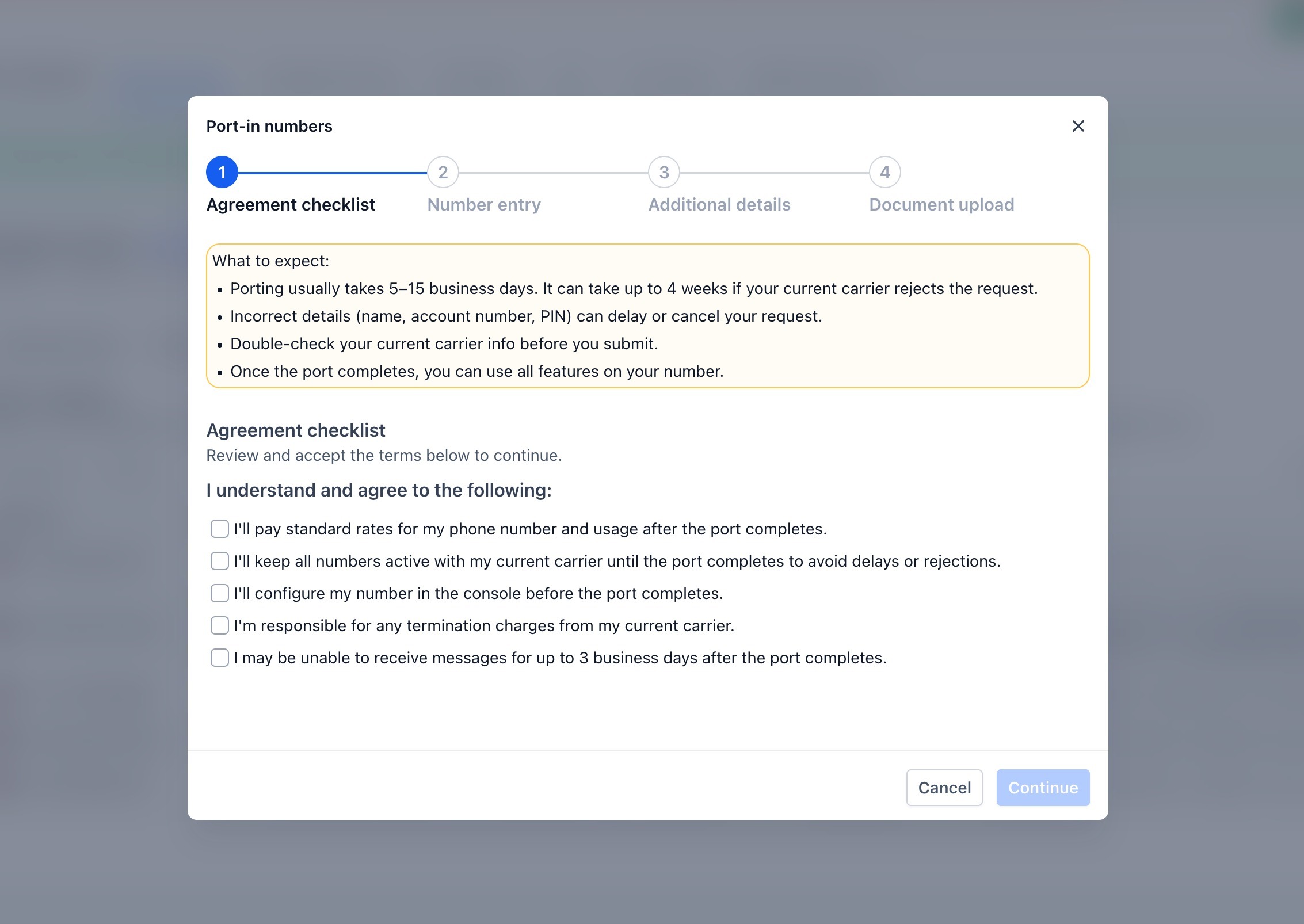
Review and acknowledge the standard porting terms:
Applicable porting rates
Numbers must remain active with your current carrier until the port completes
Possible messaging downtime of up to 3 days during the transition
Potential termination charges from your current carrier
All acknowledgements must be accepted to continue.
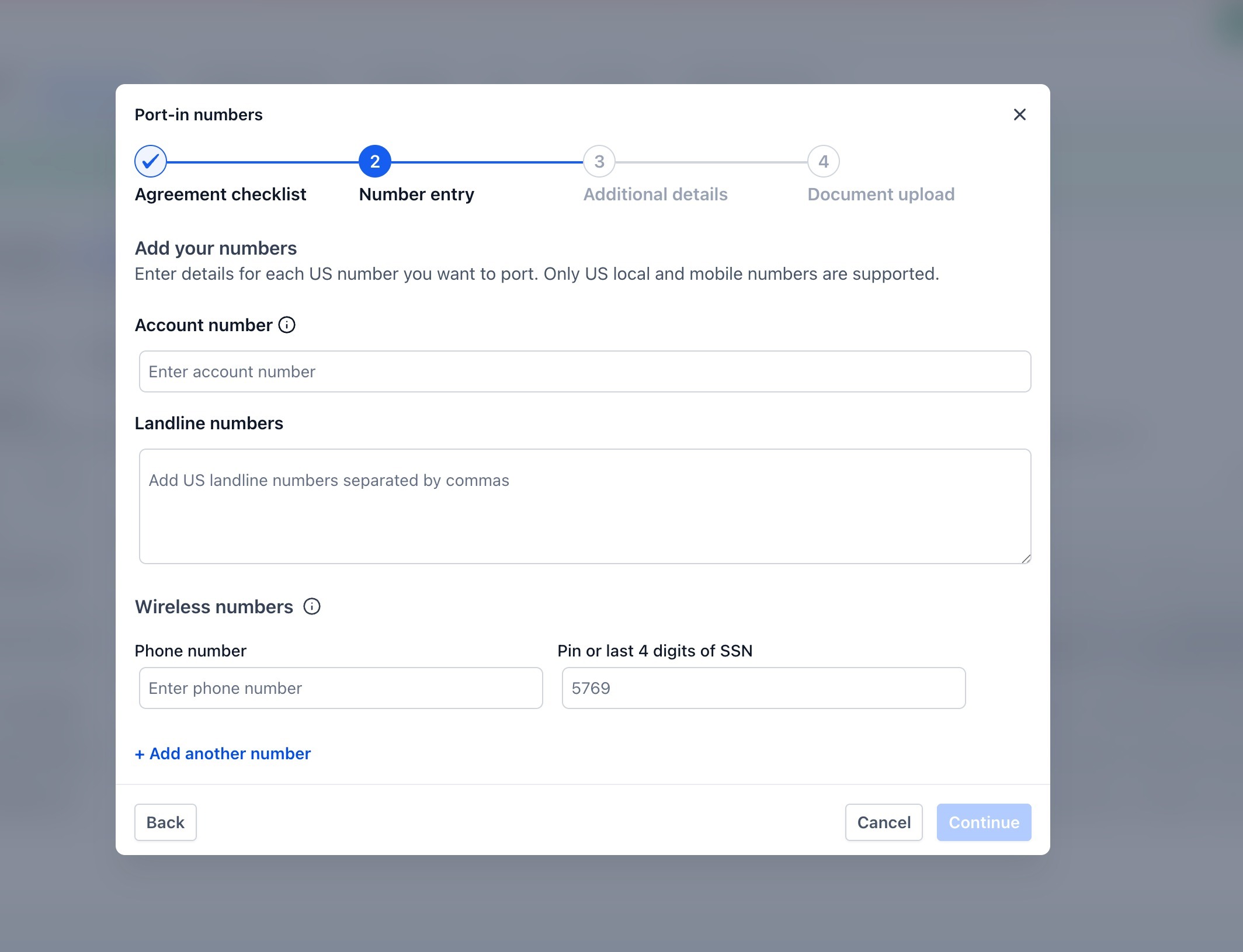
Account number — your account number with the current carrier.
Landline numbers — enter multiple numbers as a comma-separated list.
Wireless numbers — enter each number with its PIN or the last 4 digits of the account holder's SSN. Use + Add New Number to include additional wireless numbers.
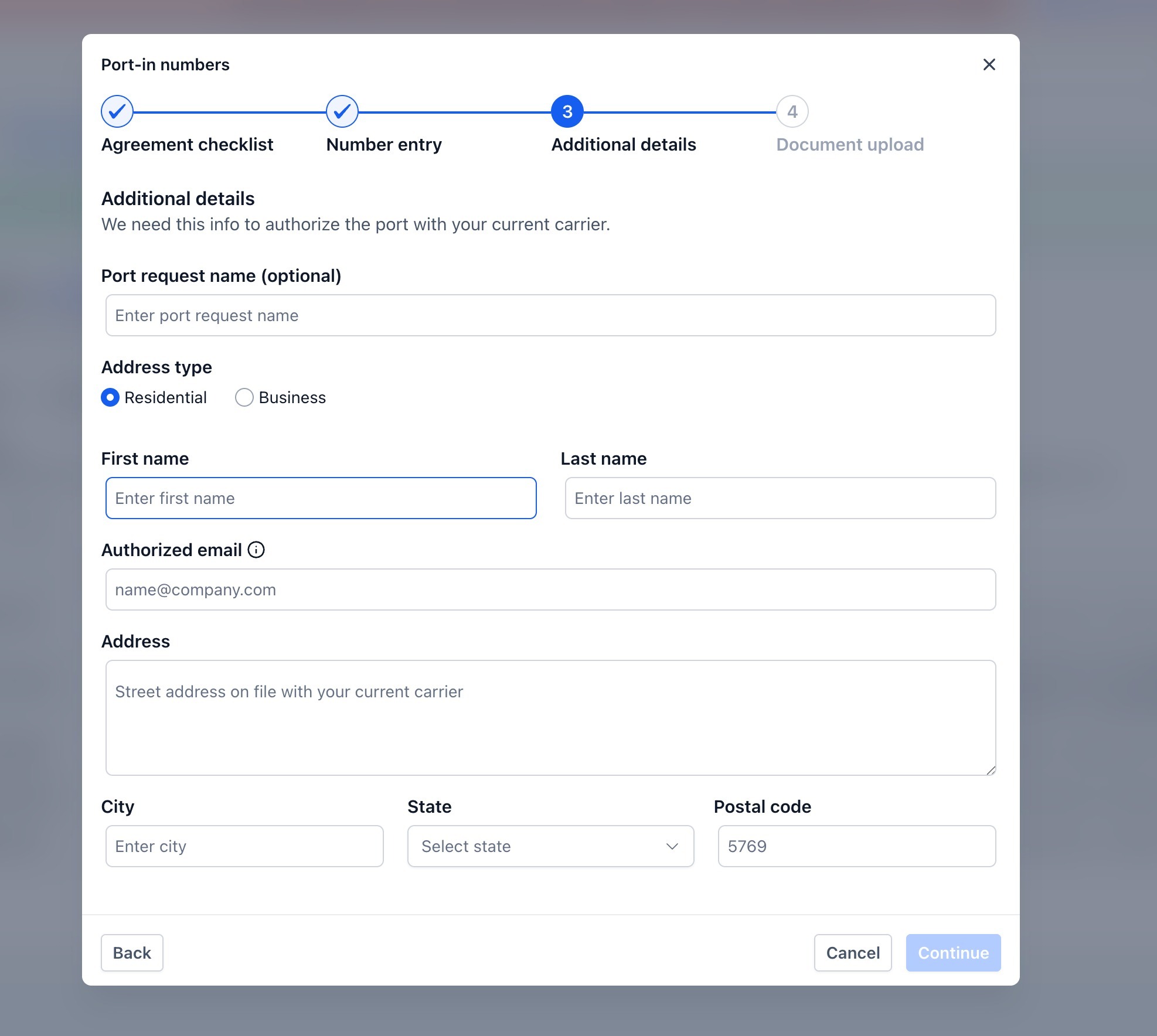
Field | Notes |
|---|---|
Port request name | Optional — for your internal reference |
Account type | Toggle between Residential or Business |
Contact name | Name of the account holder |
Authorized email | Where the auto-generated LOA is sent for digital signature |
Full address | Street, city, state, and postal code |
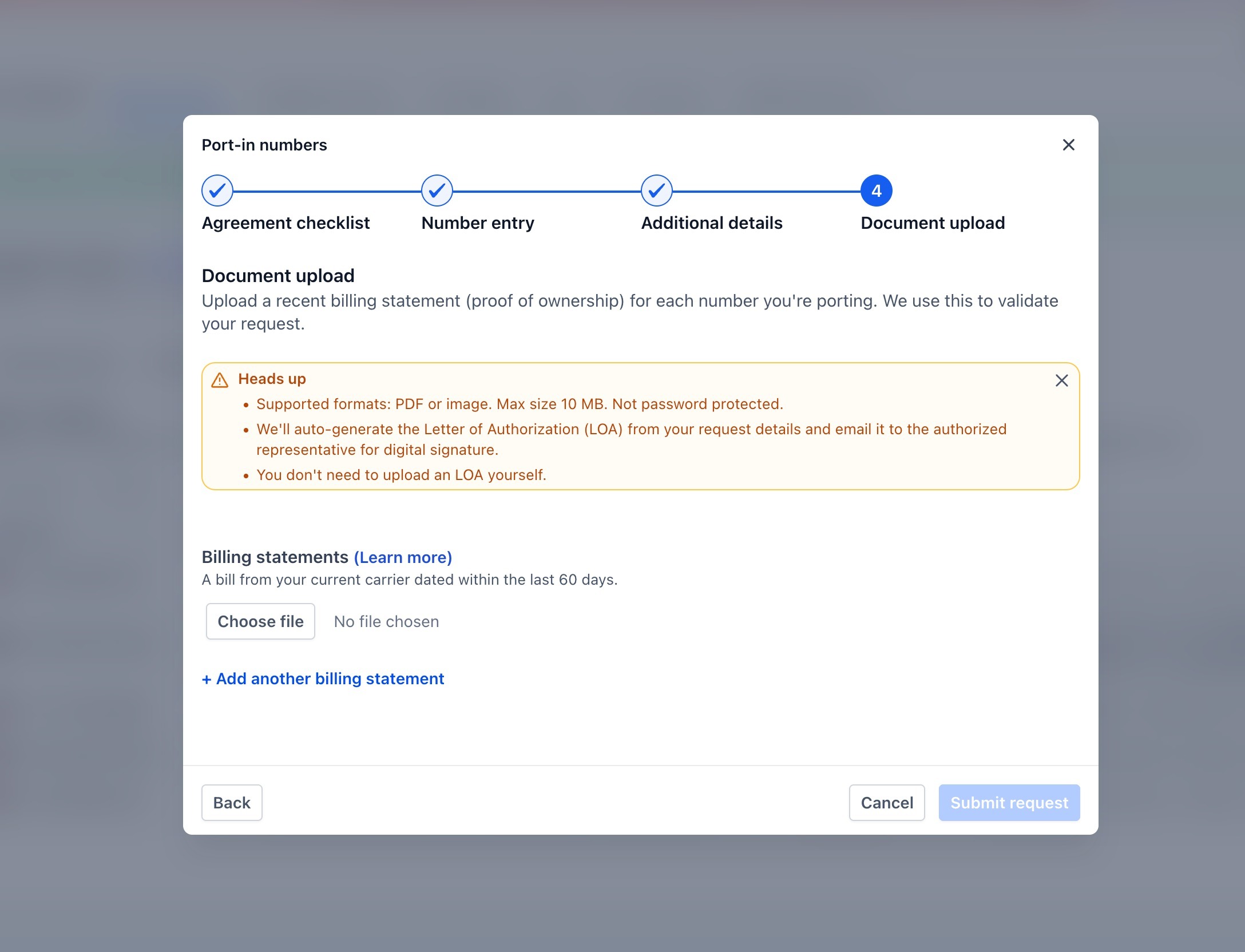
Upload your billing statement from your current carrier.
Accepted formats: PDF or image file
Maximum file size: 10 MB per file
Multiple billing documents can be uploaded if needed
This is the only document you need to upload. The LOA is generated automatically from the details you entered and emailed to your authorized representative for digital signature.
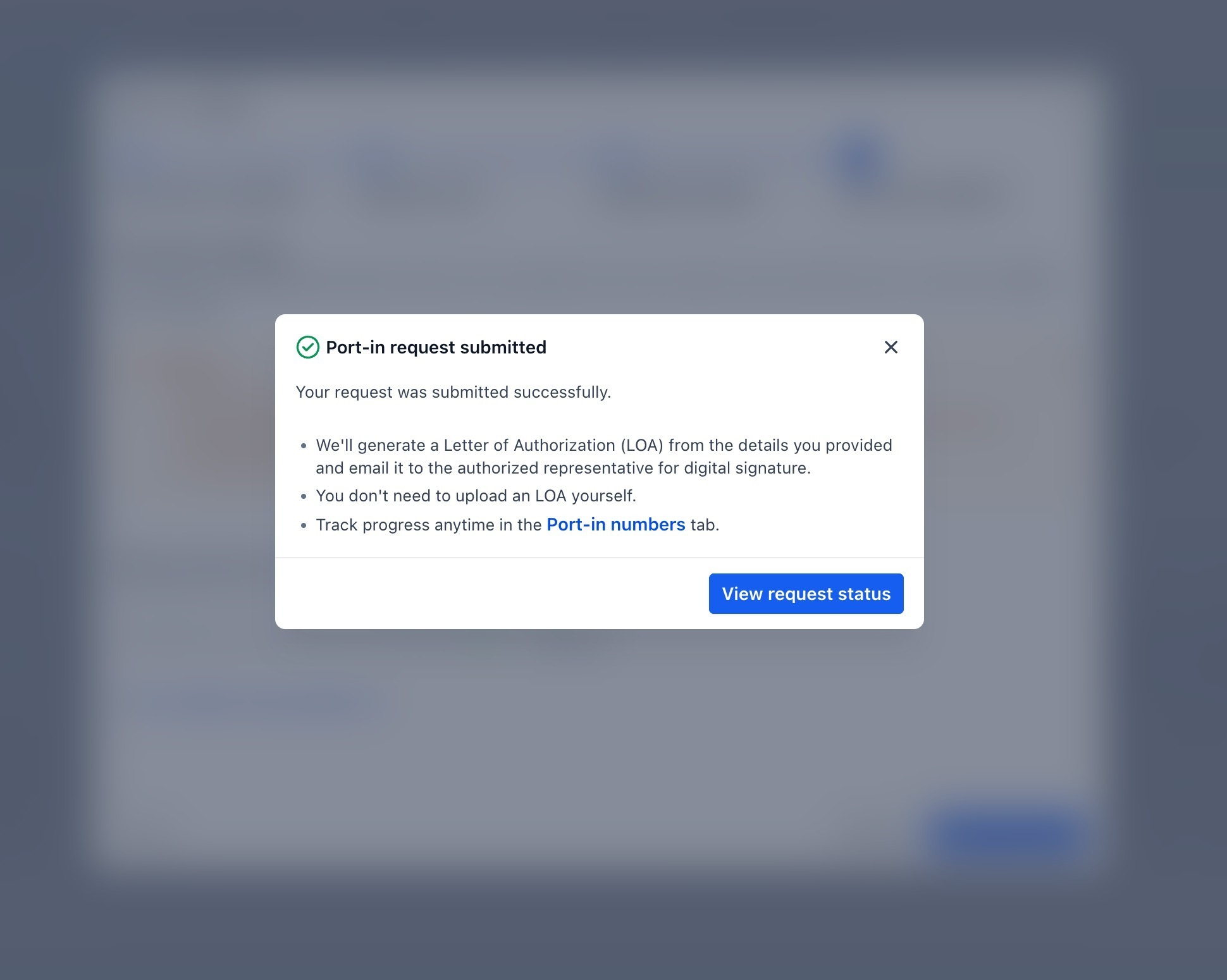
A confirmation appears with your Request SID.
The auto-generated LOA is emailed to the authorized representative for e-signature.
Your request appears in the Port-In Numbers tab with real-time status updates.
Status | Meaning |
|---|---|
In Review | Request submitted, under initial review |
In Progress | Submitted to carrier, being processed |
Completed | Port is complete |
Rejected | Request was rejected — check the description for the reason |
Each entry also shows the Request SID, the created date, and a description of the current carrier action.
If the in-app option isn't available for your request, you can submit a manual port request. This process typically takes about 2–4 weeks, with updates provided by email.
Note: We can currently port in numbers from the United States only. If a Letter of Authorization is required, your support team can provide the correct template.
LOA (Letter of Authorization) — signed by the authorized person.
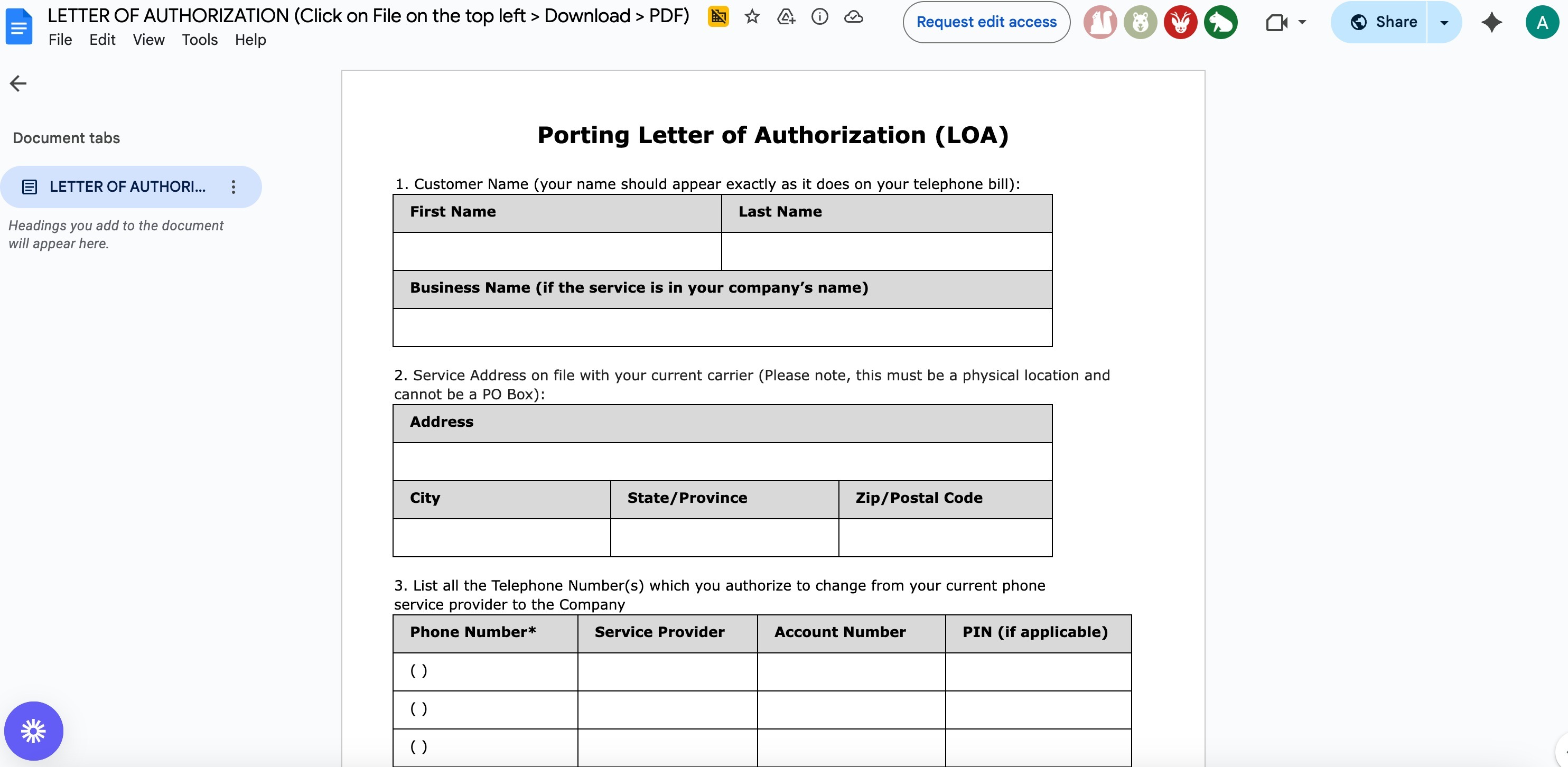
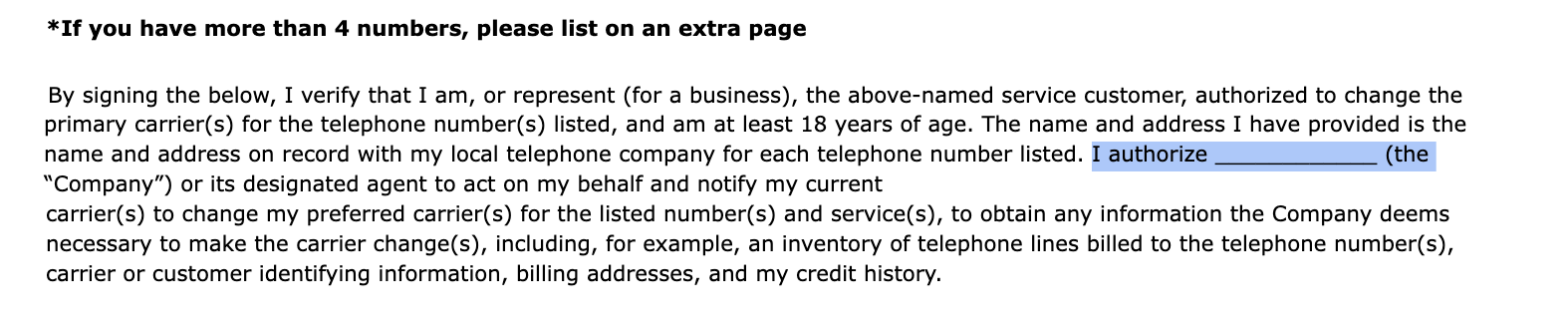
The company-name field on the LOA can be left blank.
Latest phone bill — a clear, legible PDF provided by your phone carrier.
List of numbers to port — in E.164 format (e.g., +15551234567).
Location ID — the destination sub-account. (Find it under Settings → Business Profile.)
Carrier account details — account number and PIN/passcode for any wireless numbers.
Provide:
Contact name and email (support updates go to this email).
Location ID (destination).
Customer/business legal name and service address — must match the carrier's records exactly.
Landline/toll-free numbers (if any).
Wireless numbers (if any), with account number and PIN or last 4 of SSN.
Required PDFs: LOA and billing statement(s).
After filling in the required information, check the consent boxes and submit the form. Expect a brief service impact during the port window, and keep your old carrier active until the port completes.
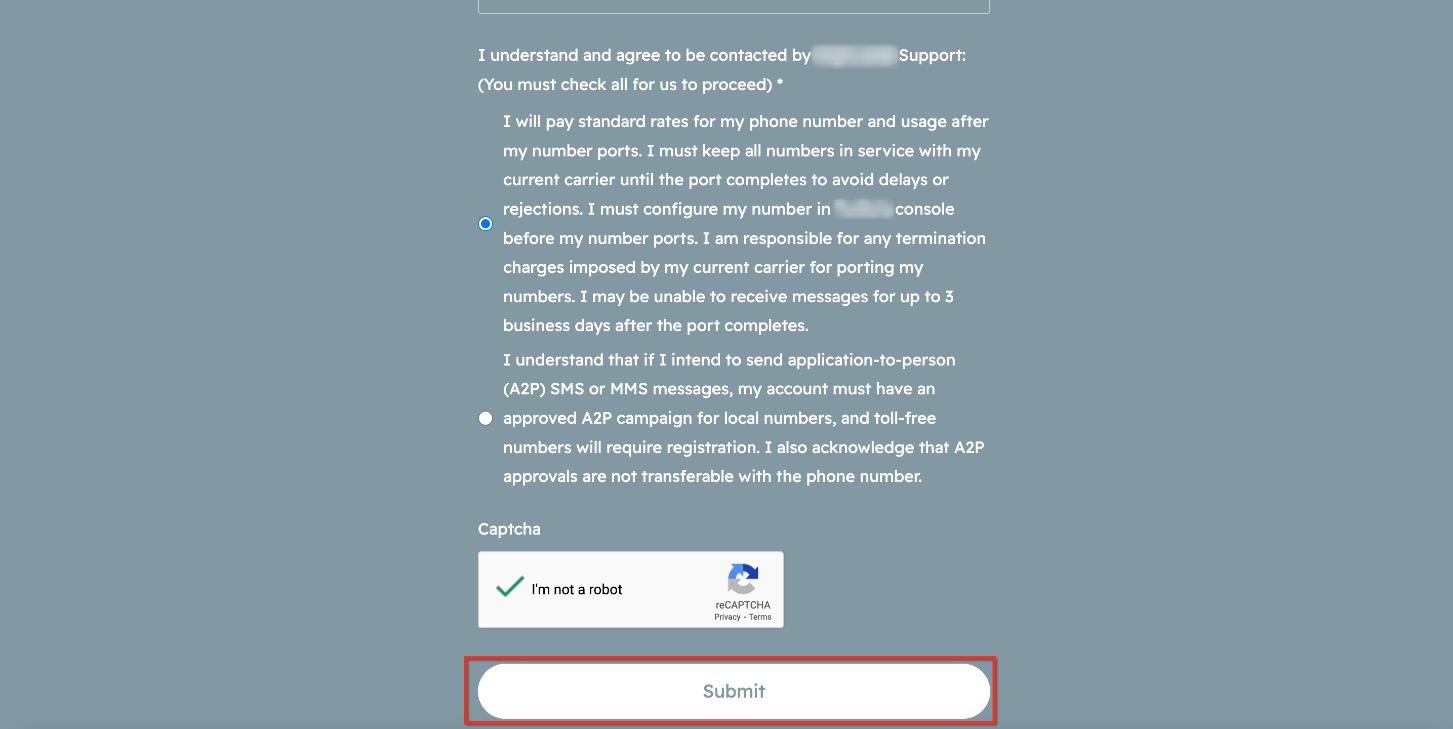
Note: Your Letter of Authorization and billing statement(s) must be PDF files and cannot exceed 4 MB.
After submission, you'll receive status updates by email.
When approved, the carrier issues a FOC date/time window. Same-day or date-specific ports are not guaranteed.
Once your number ports in, complete these checks so calls and messages flow reliably and aren't blocked by carriers:
A2P 10DLC (US 10-digit local SMS): Your messaging numbers must be registered to an approved brand and campaign. Unregistered traffic to US handsets is blocked by carriers. Aesthetix CRM handles A2P registration with Twilio on your behalf.
Toll-free (US/Canada): Complete toll-free verification before sending messages at scale. See the toll-free registration guidance for current requirements.
International numbers: Make sure any required regulatory bundles and addresses are approved to avoid call and SMS failures.
If you need to move a number from one sub-account to another within your Aesthetix CRM account, contact our support team with the source and destination Location IDs and the number(s) involved. We'll coordinate the transfer and confirm when the number is live in the destination sub-account.
What's the difference between the in-app port-in and the manual form?
The in-app option supports US numbers only and auto-generates the LOA for you. The manual form requires you to upload a signed LOA yourself. Both options result in the same outcome — your number ported into Aesthetix CRM.
Can you port on a specific date or time?
Carriers do not guarantee exact dates or times. We'll request your preferences where available and confirm the port window once the carrier issues the FOC.
Will my SMS history, contacts, conversations, or call recordings move with the number?
No. Porting transfers the number only — it does not migrate historic logs, conversations, recordings, or voicemails. Export any history you want to keep from your prior provider before the port completes.
Do I need to cancel my old carrier?
Only after the port completes and you've verified that calls and messages are working in Aesthetix CRM. Keep the old carrier active until then.
Can I move multiple numbers at once?
Yes. Include all of the numbers in a single request and validate each one after cutover.
Do A2P or toll-free approvals transfer automatically?
Not always. After the move, confirm your numbers are attached to the correct brand and campaign or toll-free verification.
My port request was rejected — what do I do?
Check the description shown in the Port-In Numbers tab (in-app) or the email notification (manual form) for the rejection reason. Common causes include a mismatched account number, an incorrect PIN, or a billing statement older than 90 days. Correct the issue and resubmit.
