Only Recurring / Subscription plans can be imported.
The following rules apply:
One-time prices cannot be imported. These must be created directly in Aesthetix CRM.
Plans must exist in Stripe Live Mode (not Test Mode).
Metered prices cannot be imported.
Plans that have already been imported will not appear again in the Import From Stripe list.
When importing a price from Stripe, the system performs the following actions:
Imports the Stripe product associated with the price.
Creates the product in Aesthetix CRM if it does not already exist.
Creates the price under that product in Aesthetix.
Replicates the same product and price in Stripe Test Mode.
Creates the same pricing in PayPal if PayPal integration is connected.
There are three types of pricing plans that may exist in your Stripe account.
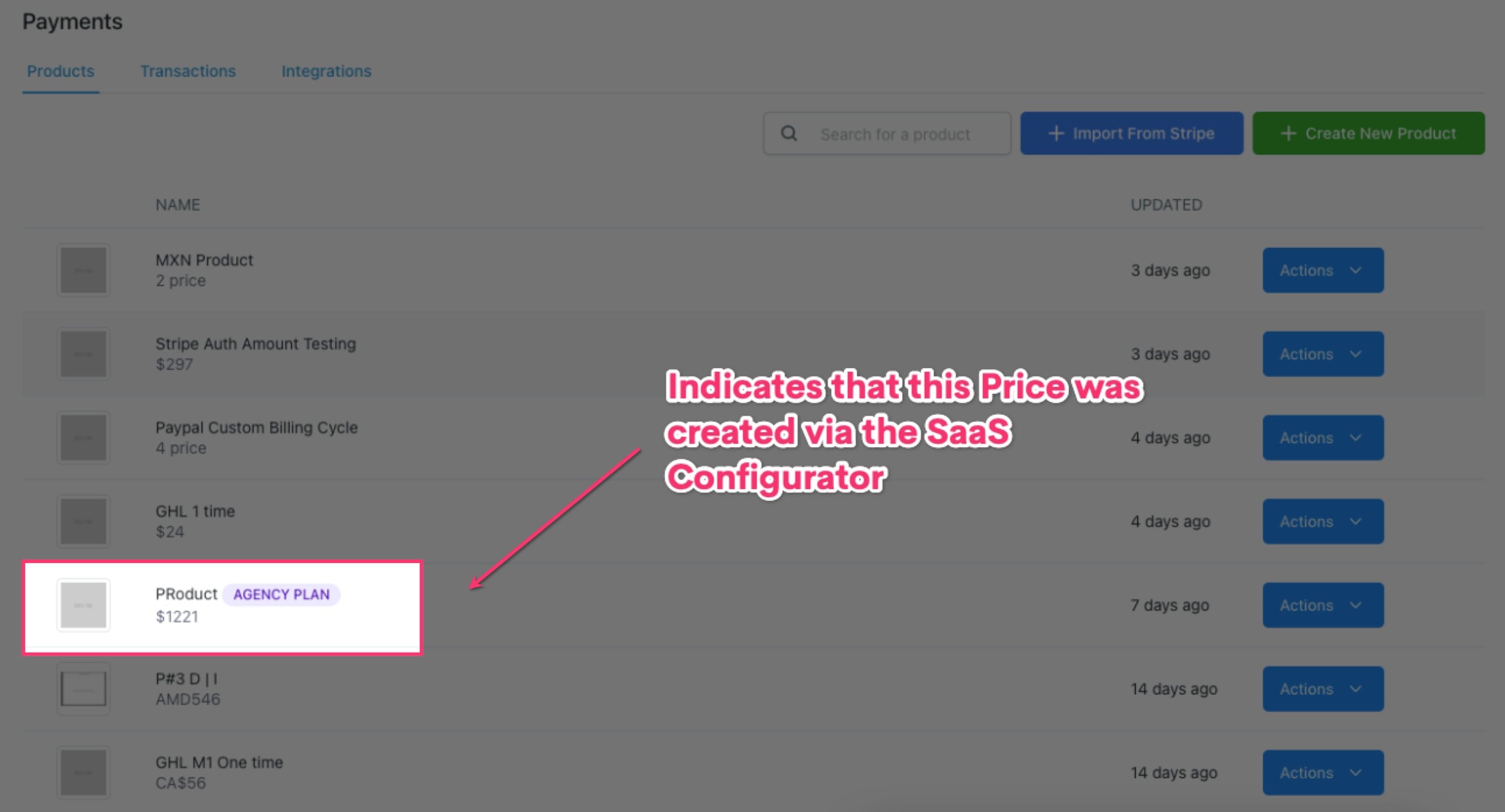
These prices are generated using the SaaS configurator at the agency level.
Key characteristics:
These plans display an "Agency Plan" tag in the product listing and product details page.
Prices created through the SaaS configurator cannot be edited in Aesthetix CRM Payments.
If the price is edited directly in Stripe, the change will not automatically update in Aesthetix.
Edit the price directly in Stripe.
Click Import From Stripe in Aesthetix CRM.
Import the updated price.
A new product with an "Agency Plan" tag will be created.
Select the new plan in your funnel or website settings.
When a product is created in Aesthetix:
A corresponding plan/price is automatically created in Stripe.
Important behavior:
If you edit pricing in Aesthetix, Stripe will generate a new price entry instead of updating the existing one (this is a Stripe API limitation).
If you edit the price directly in Stripe, it will not automatically sync back to Aesthetix.
To reflect Stripe changes, you must import the updated price as a new product.
If you created products and pricing directly in Stripe:
You can import them using Import From Stripe.
Important behavior:
The imported plan becomes a product inside Aesthetix CRM.
If you edit pricing in Aesthetix, the system will create a new price in Stripe.
If you edit pricing directly in Stripe, the change will not automatically sync to Aesthetix.
To apply the new price in Aesthetix:
Update the price in Stripe.
Use Import From Stripe again.
A new product will be created in Aesthetix with the updated pricing.
Stripe does not allow editing existing prices, which is why new pricing entries are created when prices are updated.
Imported plans will not appear again in the import list once they have already been imported.
For recurring pricing updates, always verify the latest price version is being used in your funnels or checkout pages.
