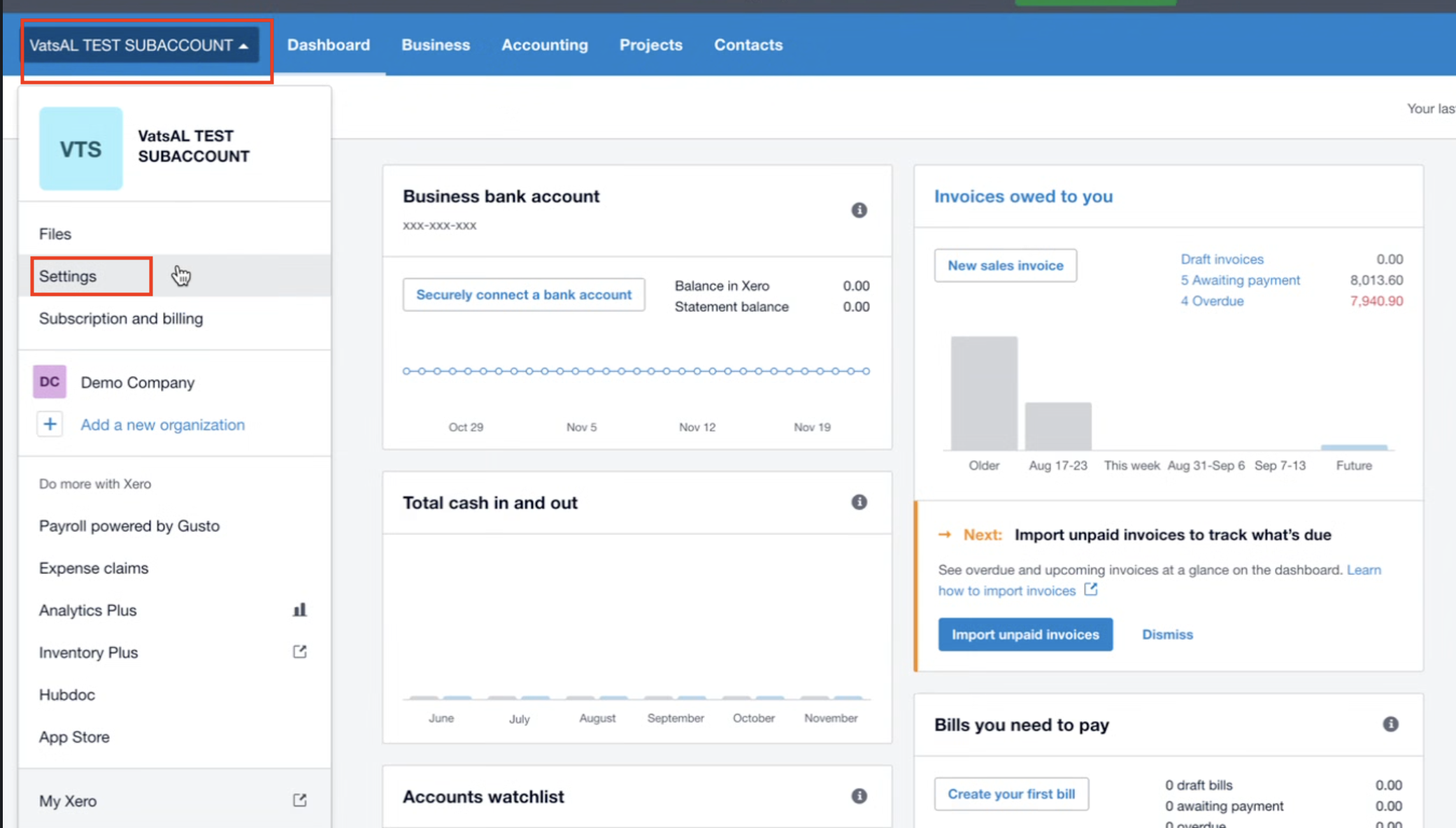
From your Xero dashboard, select your organization.
Click Settings from the dropdown menu.
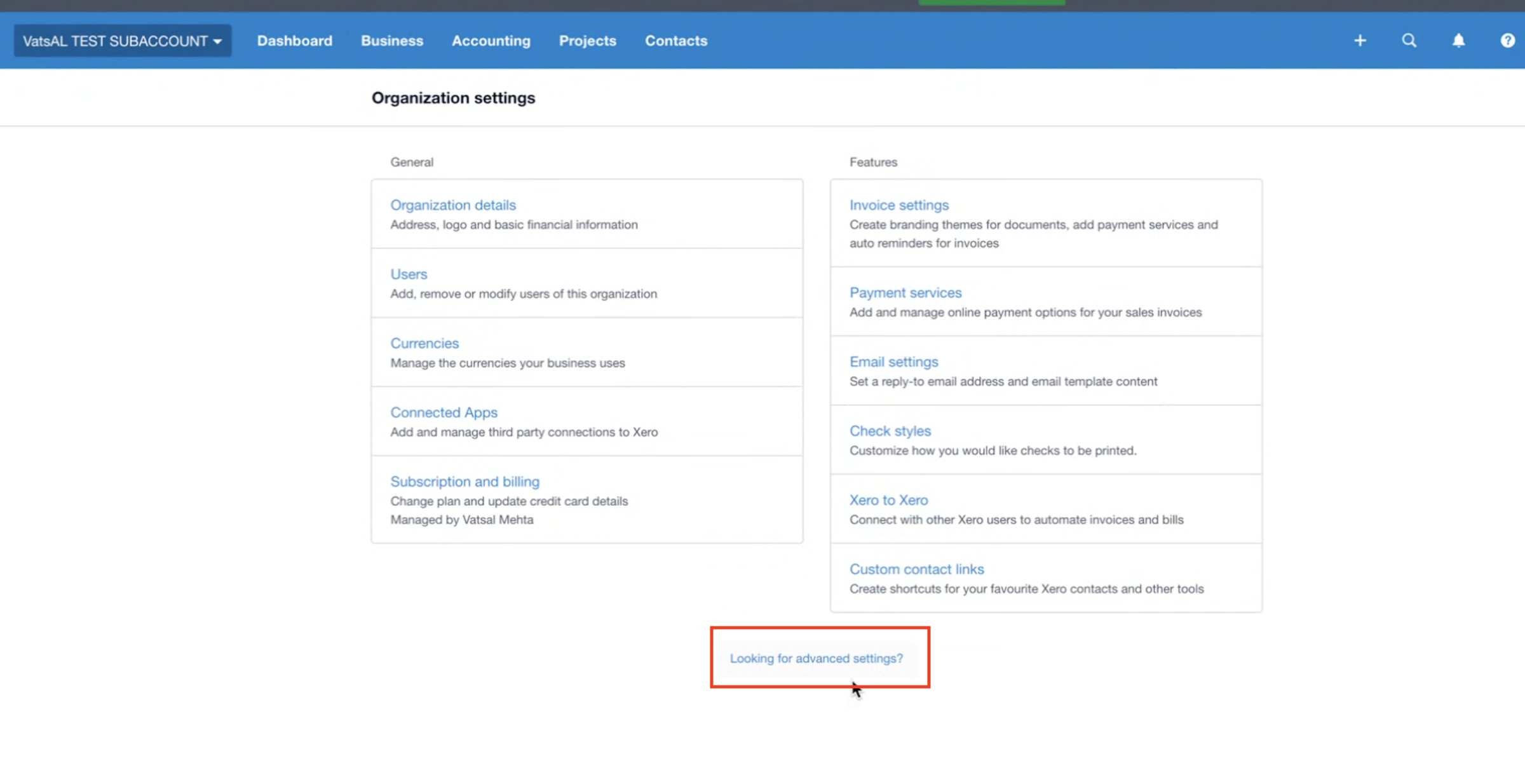
In Organization settings, scroll down and click Looking for advanced settings?
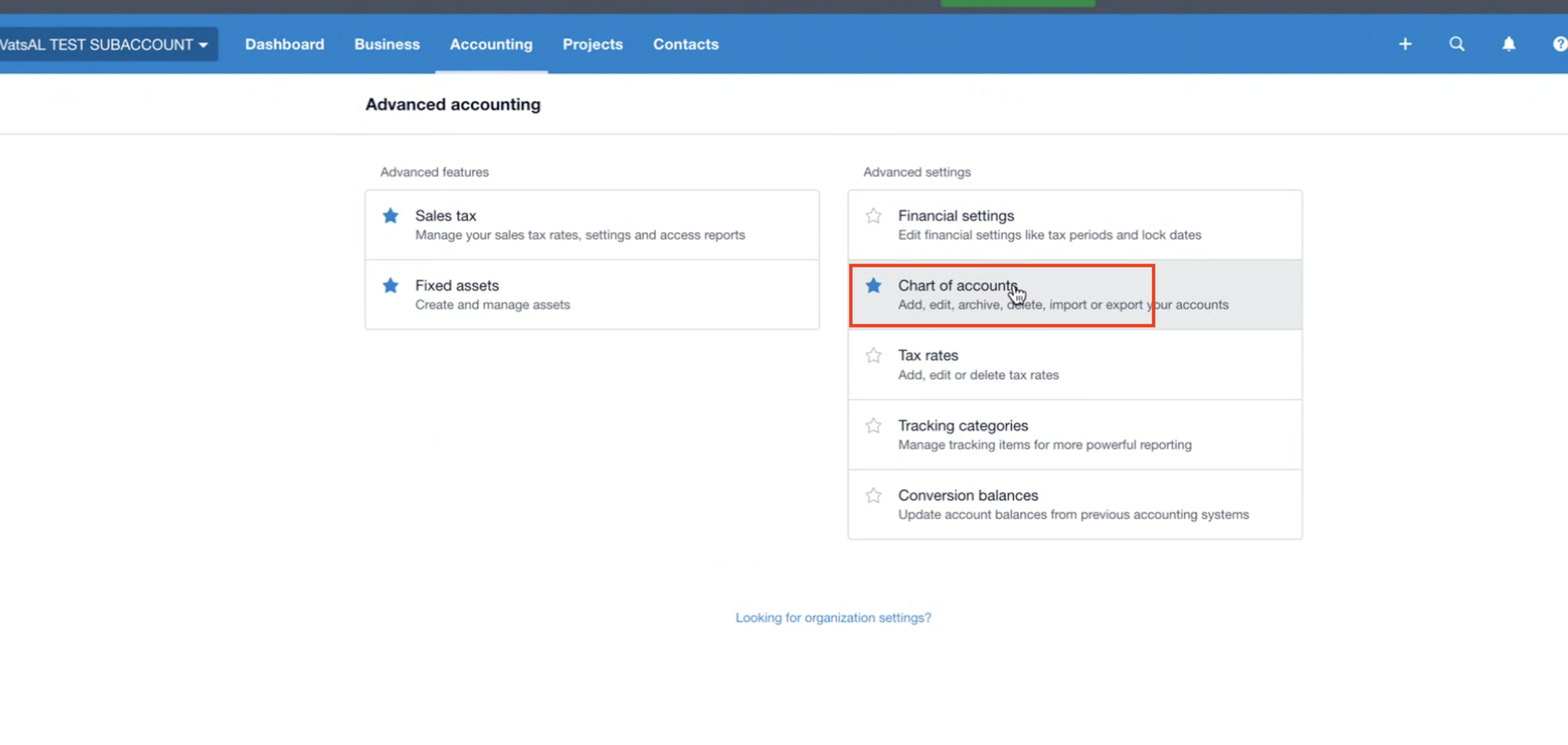
Under Advanced Accounting, click Chart of accounts.
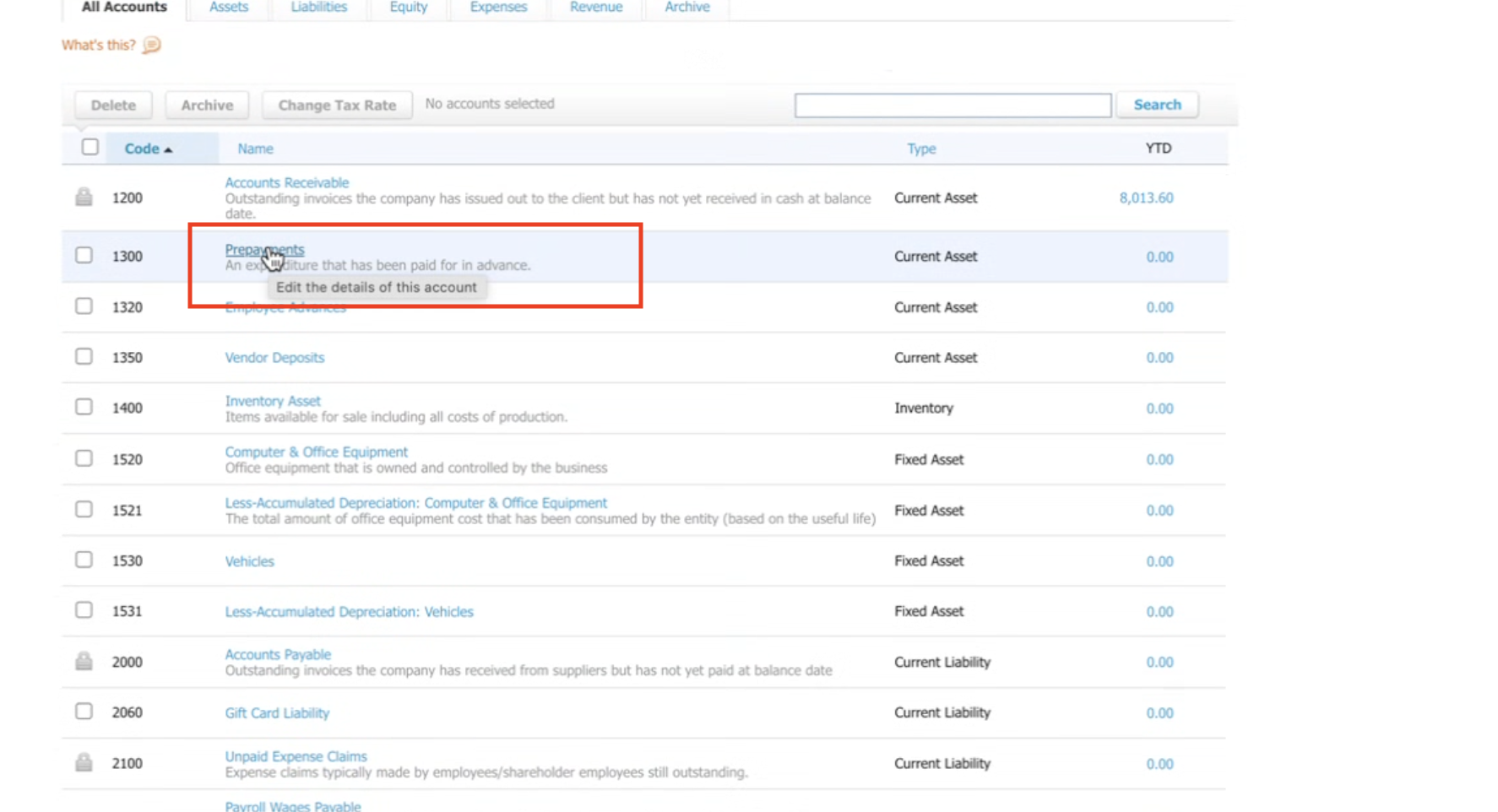
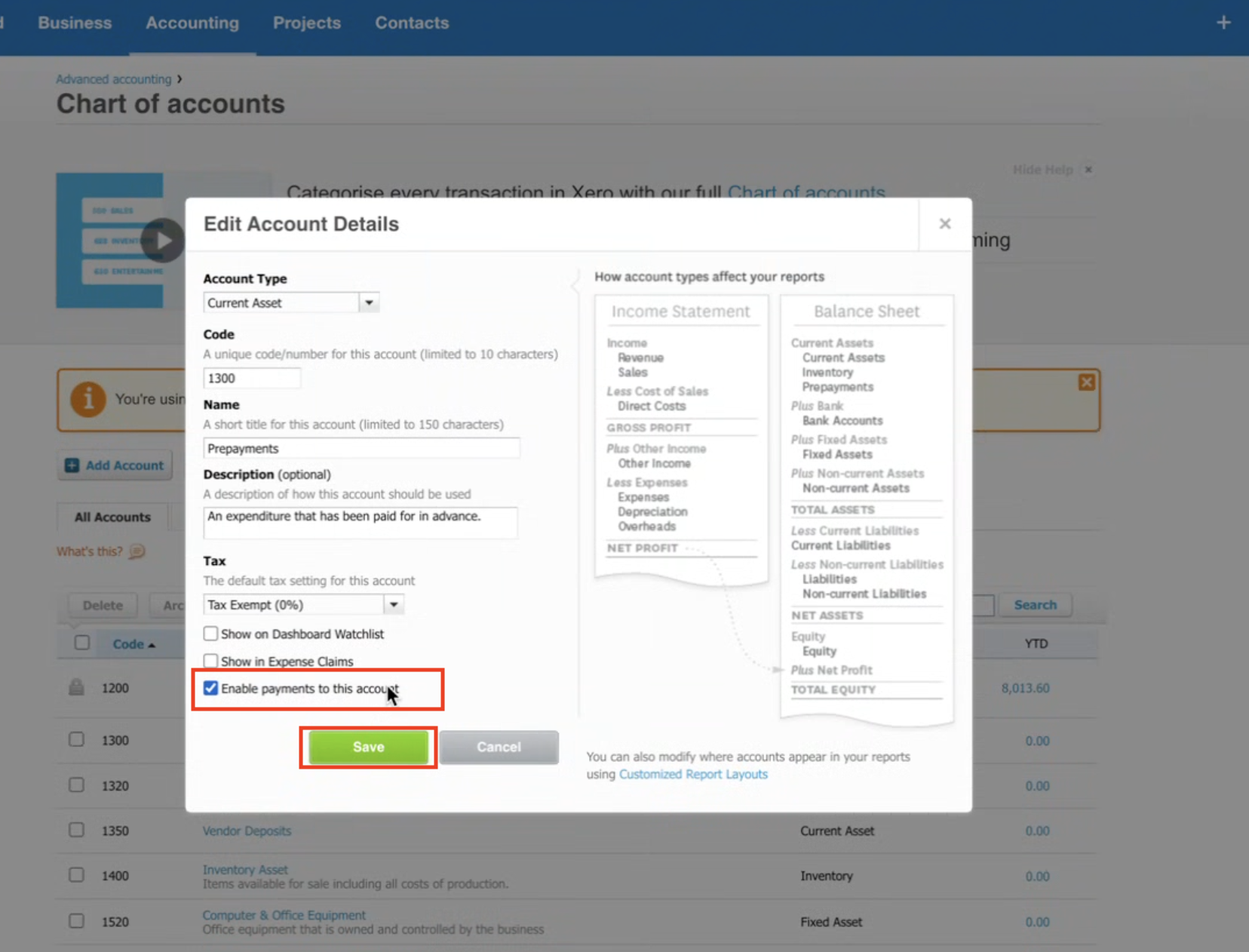
From the list of accounts, choose the account you want to connect (e.g., Prepayments).
Click to Edit the details of this account.
In the edit popup:
Tick ✅ Enable payments to this account.
Click Save.
Go back to your CRM Xero integration.
Under Connected Account, select the account you just enabled (e.g., Prepayments).
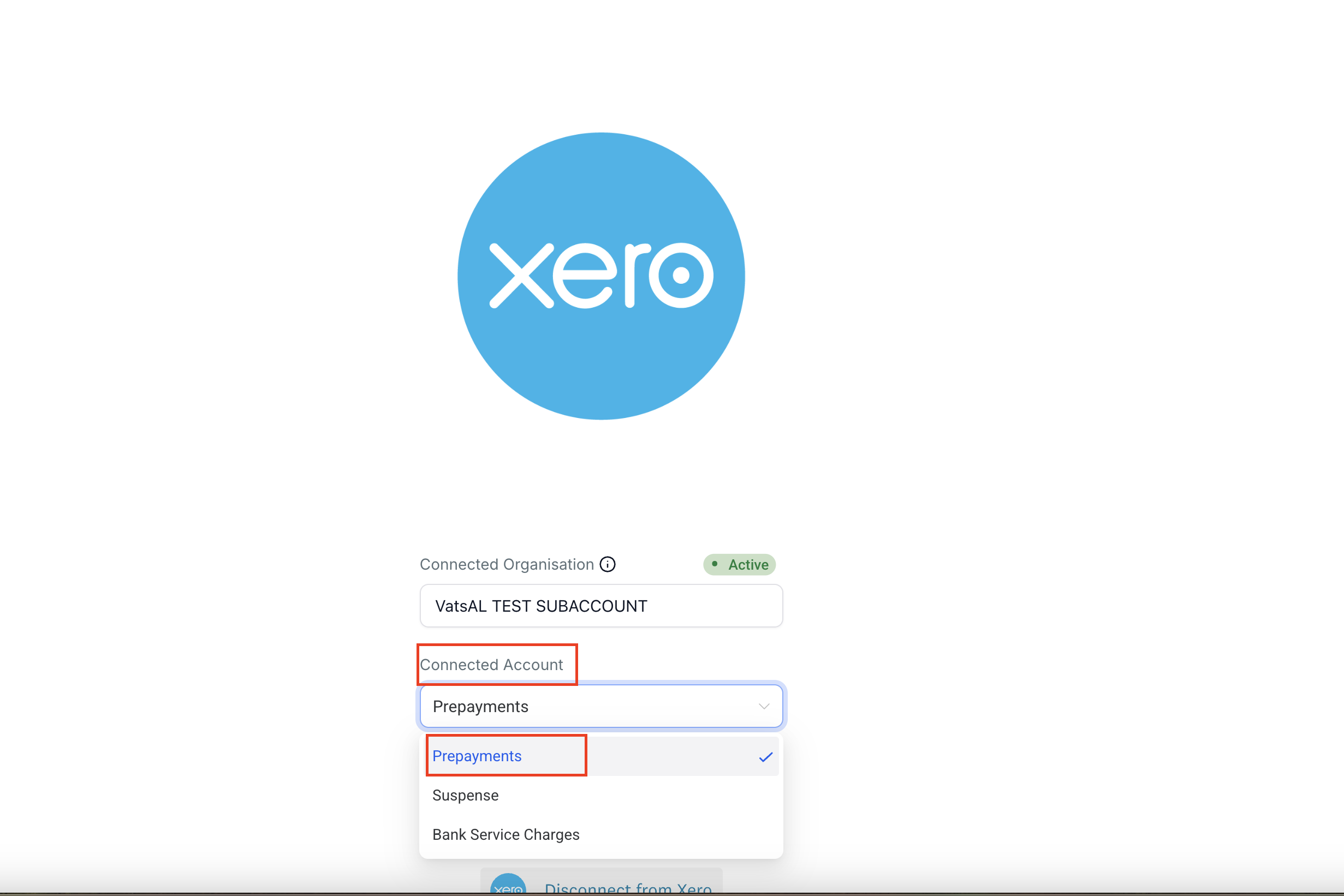
✅ Once done, your Chart of Accounts will now be visible and ready to use in your CRM.
